Windows Errors? Fix Them Before They Spread
Repair common Windows errors and clear accumulated junk for a smoother, more stable PC - no reinstall needed.Free scan · no reinstall
Outdated Drivers Are Slowing You Down
One free scan finds every outdated or missing driver and matches the right update for your exact hardware.Free scan · exact hardware match
ThatPainter is reader-supported. When you buy through links on our site, we may earn an affiliate commission. Learn More
Nano Banana is a conversational tool for generating and editing images: describe a concept, review the result, then ask for a targeted change. You can also supply reference images for transformations, compositions, and visual continuity. Treat the results as drafts to inspect and refine, not guaranteed finished artwork.
The 50 ideas below offer starting points for personal images, stories, learning materials, design concepts, and maker projects. Each includes a prompt and a review checklist because generated images may have inconsistent details, inaccurate information, or text that needs correction.
Free tools Windows power users keep installed
One-click scans. No signup required.
Start with an idea, not a finished brief
Begin with a subject, intended use, and visual direction; inspect the result; then request one deliberate change. You can work from text, upload one or more references, edit generated or uploaded images, and continue with follow-up instructions. These are practical creative applications of documented image-generation and editing capabilities, not a guarantee that every concept will work perfectly.
This approach can help painters, illustrators, writers, teachers, makers, and others explore visual possibilities before committing time or materials.
#1 Best Overall

- 🌟40 PIECES OF STICKER PAPER🌟 You will receive 40 sheets of white printable sticker paper that we have carefully prepared, it measures 8.5 "x 11". Each sheet is a full sheet of label sticker paper, and the liner and the sticker paper are seamless design, made of 100gsm thickened writing paper, you can use an electronic cutter or other cutting tools to cut out your favorite size and shape. Each sticker backing is printed with text to help differentiate between the creative print area and the backing and comes with an extra little orange reminder label to help you quickly peel off the backing.
- 🌟LASER/INKJET PRINTING🌟 Our sticker paper is very printer friendly, compatible with most laser/inkjet printers, prints clear and crisp, and there will be no curled edges or paper jams. Vibrant color effects to better showcase your creations. You can print your design on sticker paper for inkjet printer with peace of mind, and customize your unique drawing pattern.
- 🌟MATTE AND FAST DRYING🌟 The matte surface of the sticker paper won't be harsh, it's friendly to your eyes and others can better appreciate your creation. Our sticker paper is compatible with a variety of commonly used pens, you use pens, pencils, ballpoint pens, markers, and other writing instruments to carry out your creations, the ink can be quickly dry, eliminating the creation of splattered ink halo trouble. Sticker printer paper makes writing, drawing, and designing a simple task.
- 🌟STRONG BACKING🌟 The backing is made of strong self-adhesive adhesive, anti-slip, tear, or peel. The added easy-peel backing design makes the label stickers faster to peel off the liner and apply to glass, cardboard, metal, envelopes, cards, plastics, and other object surfaces. Plus the labels are smudge-free and non-yellowing, our self-adhesive label stickers stand the test of time.
- 🌟MULTI-PURPOSE🌟 Versatility is the hallmark of our sticker paper for printer, you can cut it into small labels for organizing and sorting sticker labels. use our multi-purpose self-adhesive labels for printer in schools, companies, and at home. Also can be used for warning labels.
Which Nano Banana model should you use?
| Model | Best starting point | Considerations |
|---|---|---|
| Nano Banana 2 Lite | Fast exploration and simple variations. | Google describes it as speed-oriented. API documentation positions it as an option for customers seeking speed and lower API pricing compared with the legacy model. |
| Nano Banana 2 | A general-purpose balance for many projects. | Google describes a balance of speed, image quality, world knowledge, text rendering, and reference-image handling. |
| Nano Banana Pro | Projects needing additional detail, consistency, or creative control. | Useful to consider for complex work, but proofread and inspect the result yourself. |
| Legacy Nano Banana | Older tutorials or workflows built around Gemini 2.5 Flash Image. | It is a legacy model, not the only current Nano Banana option; its documented output is 1024px. |
These are Google product descriptions, not independent comparative tests. Available models and features can vary by country, account, plan, age, and product surface. Google says Pro is available with a Google AI Plan; check the current Gemini, API, or Vertex AI interface for the option relevant to your workflow. The API and Vertex AI specifications should not be assumed to be Gemini Apps settings.
A prompt formula that scales from a sketch to a physical product
Use this structure when you do not know how to begin:
The Tool Desk
Outbyte PC Repair FREERepair Windows errors before they cause bigger problemsFix Now →Outbyte Driver Updater FREEFix the driver behind crashes, sound loss and screen glitchesFind Drivers →Subject + intended use + action + setting + visual medium + composition + palette + lighting + constraints + revision request
For example:
Create a clean, printable sticker sheet of six original woodland animals doing distinct activities. Use bold dark outlines, flat cheerful colors, a white background, consistent proportions, generous spacing, and no text. Arrange the characters so each can be cut separately.
State what should change and what should remain. For example, ask to make the fox smaller while keeping the bear unchanged, or to replace only the background. For a collage or product mockup, explain what role each reference image should play. One controlled change at a time makes it easier to assess what helped.
A five-step Nano Banana workflow
- Ask for a concept. Start with the subject, purpose, mood, and medium rather than specifying every detail at once.
- Refine one variable. Change composition, color, lighting, clothing, or typography separately to limit unwanted drift.
- Add references when continuity matters. Supply a portrait for identity, a room photograph for a makeover, a prop reference for story continuity, or a palette image for color direction.
- Inspect failure-prone details. Check words, hands, eyes, identity, logos, repeated objects, diagrams, borders, and small cut lines.
- Prepare the output for its real use. Confirm aspect ratio, print dimensions, margins, bleed, color, and resolution before publishing, printing, cutting, or sending it to a client.
50 ingenious Nano Banana projects
Each idea below includes a starting prompt and a short review checklist. The prompts are starting points, not guarantees of a perfect or publication-ready result.
Recommended Free Tools
Personalization and identity
-
Future-hair lookbook
Upload a portrait and ask for several distinct hairstyles while preserving the person’s facial identity. Try a short geometric cut, a long layered style, a textured crop, and a formal updo as separate variations.
Sample prompt: Using this portrait as the identity reference, create four separate hairstyle concepts with the same face, age, expression, skin tone, and camera angle. Change only the hair, and label each variation with a simple number outside the portrait.
- Confirm that facial features and expression remain consistent.
- Check hairline, ears, glasses, and stray strands.
- Remove or manually replace labels if any text is misspelled.
-
Seasonal wardrobe board
Turn one reference portrait into a coordinated spring, summer, autumn, and winter wardrobe board. This can help with personal styling, character design, or a fashion-painting study.
Sample prompt: Create a four-panel wardrobe concept using this person as a consistent identity reference. Show spring, summer, autumn, and winter outfits with coordinated accessories, full-body framing, a neutral studio background, and a restrained palette that changes with each season.
What’s actually slowing this PC down?
Pick the symptom - the matching free tool is one click away.
Special offer. See more information about Outbyte and uninstall instructions. Please review EULA and Privacy policy.- Check that the same person appears in every panel.
- Inspect hands, shoes, garment seams, and repeated accessories.
- Verify that seasonal colors remain readable rather than becoming stereotypes.
-
Travel postcard portrait
Place yourself, a friend, or a fictional character in an imagined destination with a period-appropriate visual treatment. Use the result as a private keepsake, painting reference, or postcard concept.
Sample prompt: Place the person from this reference portrait on a quiet early-morning street in Kyoto, with realistic local architecture, soft travel-poster colors, and a candid three-quarter pose. Keep the face recognizable and leave a clean area at the top for later lettering.
- Check landmarks, signs, clothing, and architecture for accidental inaccuracies.
- Do not present an imagined scene as documentary evidence.
- Proofread any destination name added to the design.
-
Family time-capsule image
Combine several family reference photos into one commemorative scene. A quiet, clearly designed composition is usually more successful than trying to place everyone in the foreground.
Sample prompt: Combine these four family reference photos into a warm, respectful garden portrait. Preserve each person’s recognizable facial features and approximate age, arrange them naturally around a picnic table, use late-afternoon light, and leave all clothing free of invented logos or text.
Special offer. See more information about Outbyte and uninstall instructions. Please review EULA and Privacy policy.- Obtain permission from living people before using their likenesses.
- Check faces, hands, body proportions, and relative ages.
- Present it as a commemorative creation, not an authentic historical photograph.
-
Pet adventure poster
Turn a pet into the hero of an expedition, detective story, or space adventure. An uploaded pet photograph can anchor markings, ear shape, and coat color.
Sample prompt: Use this dog as the identity reference for a playful expedition poster. Show the dog wearing a small explorer’s backpack on a moonlit mountain ridge, with bold shapes, a limited navy-and-gold palette, generous negative space, and no brand logos.
- Confirm coat markings, eye color, and body shape.
- Inspect equipment for impossible straps or distracting artifacts.
- Keep a fictional setting unmistakable if it could be mistaken for a real event.
-
Avatar starter pack
Create a family of profile images for professional, playful, and gaming contexts while keeping the central identity recognizable.
Sample prompt: Create three square avatar concepts from this portrait: professional studio portrait, colorful playful illustration, and original fantasy game avatar. Keep the same face shape, hairstyle, and distinguishing features while changing clothing, background, and visual medium.
Recommended: Crashes or Glitches? A Free Driver Scan Usually Finds the Culprit →Recommended: PC Feels Slow? A Free Scan Shows What's Dragging Windows Down →Special offer. See more information about Outbyte and uninstall instructions. Please review EULA and Privacy policy.- Check identity consistency across all three versions.
- Test each image at small thumbnail size.
- Remove invented company marks, game logos, or platform branding.
-
Room makeover preview
Upload a room photograph and request color, furniture, lighting, or décor variations before painting or shopping.
Sample prompt: Use this room photograph as the fixed architectural reference. Create three makeover options that preserve the doors, windows, floor plan, and camera angle: warm minimalist, deep green library, and bright Scandinavian. Change the wall color, furniture, lighting, and accessories only.
- Compare windows, doors, outlets, and room proportions with the original.
- Treat the result as a mood concept, not a measured construction plan.
- Check real paint samples, furniture dimensions, lighting, and safety before making changes.
-
Dream-home exterior
Generate architectural mood concepts before speaking with a designer or contractor. Ask for several options rather than treating one generated façade as a buildable plan.
Sample prompt: Develop three exterior mood concepts for a compact two-story home on a narrow urban lot. Show the same lot and camera position in each version, exploring brick, timber, and light stucco with practical windows, a clear entrance, native planting, and no impossible structural overhangs.
The Tool Desk
Outbyte PC Repair FREERepair Windows errors before they cause bigger problemsFix Now →Outbyte Driver Updater FREEScan for outdated or missing drivers - takes under a minuteDriver Scan →Special offer. See more information about Outbyte and uninstall instructions. Please review EULA and Privacy policy.- Look for plausible structure, drainage, stairs, windows, and accessibility.
- Do not rely on generated measurements or building-code implications.
- Give concepts to a qualified designer before treating them as construction guidance.
-
Personal brand portrait set
Build coordinated concepts for a profile image, website banner, and social thumbnail. This is useful when a personal brand needs visual unity without using the same crop everywhere.
Sample prompt: Create a coordinated personal-brand portrait set from this reference photo: one vertical profile portrait, one wide banner composition with negative space on the left, and one square thumbnail. Use the same identity, warm neutral palette, natural window light, and no visible text.
- Check that the face remains recognizable in every crop.
- Confirm the negative space is available for later design work.
- Review each image at its final platform size.
-
Milestone tribute
Turn a meaningful photo into a restrained celebratory poster or memory card for a birthday, graduation, retirement, anniversary, or personal achievement.
Rank #2
 LLIKED 30 Matte Printable White Sticker Paper Full Sheet Labels 8.5" x 11"
- Label size: 8.5" x 11", Sheet size: 8.5" x 11", 1 label = 1 sheet, total 30 sheets = 30 labels. Pre-scored peel tabs at sheet edges for effortless separation. You can cut it into custom size and shape with an electronic cutter or other cutting machines. Online templates are available, you can download in PDF, Word and PNG formats. Great for classroom projects, student name tags, and teacher supplies
- Compatible with most laser printers, inkjet printers, and color copiers — ideal for schools, classrooms, and teacher use. Jam free printing performance ensures smooth, hassle-free printing
- Printable and permanent adhesive white matte sticker paper. Supports pens, pencils, ballpoint pens, markers and various writing instruments. Ink dries quickly to avoid smudging; the labels are smudge-free and non-yellowing for long-term neat appearance. Perfect for classroom organization and student projects
- Features heavy-duty permanent self-adhesive. Labels stick extremely firmly to cardboard, envelope paper, carton, glass, metal and more surfaces, not easy to lift or fall off. Ideal for teacher supplies, classroom decorating, and student crafts
- Multipurpose Label: Can be printed and handwritten, great use as shipping labels, address labels, product labels, food labels, barcode labels, name labels, bottle labels, christmas gift greeting labels, box labels, fba labels etc. Perfect for classroom organization and school supplies
Sample prompt: Transform this photograph into a tasteful milestone tribute card with a gentle cream, blue, and gold palette, subtle botanical framing, and a clear empty area for a message added later. Preserve the person’s likeness and keep the mood warm rather than flashy.
Quick wins for a faster PC:
Scan for outdated or missing drivers - takes under a minuteDriver Scan →Repair Windows errors before they cause bigger problemsFix Now →Fix the driver behind crashes, sound loss and screen glitchesFind Drivers →Special offer. See more information about Outbyte and uninstall instructions. Please review EULA and Privacy policy.- Obtain permission where necessary and avoid misleading alterations.
- Check emotional tone, facial identity, and cropping.
- Add final names and dates in a design tool after proofreading.
Character and story development
-
Character turnaround sheet
Create front, side, back, and expression references for an original character before illustrating a story, game, or animation.
Sample prompt: Create a clean character turnaround sheet for an original young botanist adventurer. Show front, left side, back, and three facial expressions in matching proportions. Keep the clothing, satchel, boots, and leaf-shaped pendant identical in every view, with a plain light background.
- Compare silhouette, costume, accessories, and proportions across views.
- Inspect side and back views for invented or missing garments.
- Use the sheet as reference, not as a substitute for a manually corrected model sheet.
-
Consistent cast test
Build a small cast and place the same characters in several scenes. This can reveal identity or costume continuity problems before a comic or illustrated book is underway.
Sample prompt: Use these three character references to create the same cast in three scenes: entering a rainy station, sharing soup in a cabin, and watching a sunrise. Preserve each character’s face, height relationship, hairstyle, clothing colors, and signature prop across all scenes.
Do these 3 things before closing this tab:
1Fix the driver behind crashes, sound loss and screen glitches2Clear out junk files and repair common Windows errors3Scan for outdated or missing drivers - takes under a minuteSpecial offer. See more information about Outbyte and uninstall instructions. Please review EULA and Privacy policy.- Check each character’s face, height, costume, and prop in every scene.
- Look for accidental swaps between characters.
- Correct continuity manually before using the images as story references.
-
Children’s story storyboard
Generate rough visual beats before writing or illustrating the final story. Ask for simple, readable staging rather than finished detail.
Sample prompt: Create an eight-panel rough storyboard for a children’s story about a small rabbit returning a lost blue mitten. Show one clear action per panel, simple expressive poses, consistent rabbit and mitten design, and blank space below each panel for handwritten notes.
- Confirm that the action progresses logically from panel to panel.
- Check the rabbit, mitten, setting, and time of day for continuity.
- Make sure the storyboard communicates without garbled captions.
-
Comic-panel experiment
Explore alternate compositions for one moment in a short comic. Generate wide, close, overhead, and reaction-shot options, then choose the clearest panel rather than automatically using the most dramatic one.
Sample prompt: Create four alternate comic-panel compositions for the moment a mechanic discovers a glowing seed inside an old radio. Keep the mechanic, radio, seed, workshop, and lighting consistent; vary only the camera angle and panel composition; leave speech balloons empty.
Free tools Windows power users keep installed
One-click scans. No signup required.
Special offer. See more information about Outbyte and uninstall instructions. Please review EULA and Privacy policy.- Check that the focal action is immediately legible.
- Inspect hands, tools, radio controls, and the glowing seed.
- Add dialogue and lettering separately after selecting the composition.
-
Fairy-tale remix
Recast a public-domain fairy tale in a new visual setting, such as a floating market, desert observatory, or coastal fishing town.
Sample prompt: Create a visual concept for a public-domain fairy-tale retelling set in a windswept lighthouse town. Show an original protagonist carrying a glass lantern through a market at dusk, with maritime textures, dramatic clouds, and a palette of indigo, rust, and warm lantern gold.
- Confirm that the source tale and adaptation are legally appropriate for your use.
- Keep characters and setting original rather than reproducing a protected modern adaptation.
- Check that the image does not imitate a living artist’s signature style.
-
World-building mood board
Combine architecture, clothing, landscape, props, and color references for a fictional world. This helps test whether elements feel as though they belong together.
Sample prompt: Build a six-part world-building mood board for a fictional highland culture: cliffside architecture, everyday clothing, local plants, transport, ceremonial objects, and a night landscape. Use one coherent material language of woven fiber, dark stone, and painted metal.
Special offer. See more information about Outbyte and uninstall instructions. Please review EULA and Privacy policy.- Check that materials, climate, clothing, and architecture support the same environment.
- Separate invented details from real cultural references.
- Remove accidental real-world symbols or text that could create a misleading association.
-
Creature evolution chart
Show one creature progressing from hatchling to elder, or from ordinary animal to fantastical form. It can become a reference sheet for a game, story, or painting series.
Sample prompt: Create a five-stage evolution chart of an original marsh creature, from tiny hatchling to ancient elder. Keep the same distinctive spiral horn and three-toed footprint throughout, place the stages left to right, and use a clean neutral background with no labels.
- Check that anatomy changes gradually rather than randomly.
- Verify the repeated horn, feet, eyes, and body markings.
- Do not treat generated anatomy as scientific evidence for a real species.
-
Prop continuity sheet
Keep a key object visually consistent across scenes. Useful props include a distinctive suitcase, heirloom key, musical instrument, bicycle, mask, or lantern.
Sample prompt: Create a prop continuity sheet for an old red travel suitcase with brass corners, two buckles, a torn luggage label, and a blue ribbon on the handle. Show front, side, open, and damaged views on a plain background, with the same details in every view.
Special offer. See more information about Outbyte and uninstall instructions. Please review EULA and Privacy policy.- Compare hardware, labels, handles, scratches, and proportions.
- Check that the open view is physically compatible with the closed view.
- Redraw small details manually if the prop will appear repeatedly in finished work.
-
Alternate ending gallery
Illustrate several possible endings for a short story, game, or writing exercise. This helps when the narrative mood is clear but its final visual metaphor is not.
Sample prompt: Create three contrasting ending illustrations for a story about a child who finds a door beneath a city tree: hopeful, mysterious, and bittersweet. Keep the child, tree, door, and viewpoint consistent while changing only the lighting, environment beyond the door, and emotional atmosphere.
- Check that versions differ in meaning, not only color.
- Confirm recurring characters and objects remain consistent.
- Choose the ending that serves the story, not merely the most elaborate image.
-
Visual character diary
Create recurring entries that show a character’s changing mood or environment. Use the same visual frame or page format to make the changes easier to compare.
Sample prompt: Create four dated visual diary scenes for the same fictional ceramicist: an energetic studio morning, a lonely rainy afternoon, a frustrating kiln failure, and a hopeful market day. Keep the character and studio recognizable while changing posture, light, clutter, and color temperature.
PC Slower Than It Used to Be?
A free scan shows the junk files, broken settings and background clutter dragging Windows down - then fixes them in one click.Free scan · Windows 10 & 11Outdated Drivers Are Slowing You Down
One free scan finds every outdated or missing driver and matches the right update for your exact hardware.Free scan · exact hardware matchSpecial offer. See more information about Outbyte and uninstall instructions. Please review EULA and Privacy policy.- Check that mood is expressed through posture and setting, not only facial exaggeration.
- Look for continuity in the studio, tools, clothing, and kiln.
- Remove or verify any generated dates and diary text.
Text, layout, and communication
-
Event-poster concepts
Generate several visual directions for a concert, exhibition, workshop, fundraiser, or neighborhood event. Use Nano Banana for exploration, then proofread and finish the typography carefully.
Sample prompt: Create three poster concepts for a community night market. Show hand-painted fruit, lanterns, and a lively evening street scene; use a strong vertical composition, warm orange and teal, and reserve a clean panel for the event title, date, time, and location to be added later.
Rank #3
Sale![8.5' x 11' Full Sheet Label Sticker Paper for Laser & Inkjet Printers [100 Sheets,100 Labels]](https://m.media-amazon.com/images/I/21oWDSlgm4L._SL160_.jpg) 8.5" x 11" Full Sheet Label Sticker Paper for Laser & Inkjet Printers [100 Sheets,100 Labels]
8.5" x 11" Full Sheet Label Sticker Paper for Laser & Inkjet Printers [100 Sheets,100 Labels]- [Specifications]: Each Label Size: 8.5" x 11", 1 Up Labels, 100 Sheets, Matte Finish.
- [Peel-Friendly]: Features 0.1" Wide Vertical Slits Along Both Edges, Making Peeling Quick And Effortless.
- [No Slits On Liner]: No Slits On Backing For Use With Electronic Cutting Machines (Silhouette, Cricut, Brother) - Perfect For Cutting Mats.
- [Branded Backing]: The Backside of The Sticker Paper is Printed with Brand Logo To Distinguish The Backside From The Printable Side. Resellers Should Take Note.
- [Templates]: Designed to work with most laser and inkjet printers. Easily customize using our templates available for download in PDF, Microsoft Word, and Adobe Illustrator formats.
- Proofread every word, number, date, and address.
- Check legibility from a distance and at the intended digital size.
- Confirm that people, businesses, and logos are not represented deceptively.
-
Infographic rough draft
Use an image model to explore an infographic’s visual hierarchy, icons, and composition, then fact-check and rebuild critical information in a design tool.
Sample prompt: Create a rough visual draft for an educational infographic explaining the water cycle. Use clearly separated sections for evaporation, condensation, precipitation, and collection, simple original icons, a calm blue-green palette, and generous empty space for verified labels to be added later.
Special offer. See more information about Outbyte and uninstall instructions. Please review EULA and Privacy policy.- Fact-check every diagram, arrow, label, scale, and sequence.
- Do not publish generated scientific content without expert or authoritative review.
- Rebuild important text and data in an editable design application.
-
Classroom concept card
Turn a science, history, or language concept into a visual study card. The image should support the lesson rather than pretend to be its complete source.
Sample prompt: Create a classroom concept-card illustration for the idea of erosion. Show a river changing a rocky bank across three simple stages, with clear visual separation, no labels, no invented measurements, and a friendly hand-drawn educational style.
- Have a teacher or subject expert verify the concept.
- Check that the sequence is understandable without misleading simplification.
- Add final definitions and captions separately after proofreading.
-
Recipe-card art
Create a themed illustration and layout concept for a recipe collection. Let the generated image establish mood and decoration while keeping ingredients, quantities, and instructions under human control.
Sample prompt: Create a horizontal recipe-card concept for a citrus olive-oil cake. Show a single slice, lemons, olive branches, and a linen cloth in a bright Mediterranean palette. Leave a large clean area on the right for a recipe written later, with no invented ingredients or text.
Special offer. See more information about Outbyte and uninstall instructions. Please review EULA and Privacy policy.- Keep recipe information outside the generated illustration until verified.
- Check that depicted food is appropriate and not misleading about ingredients or allergens.
- Confirm margins and contrast for the final card size.
-
Book-club invitation
Design several invitation directions with a consistent color and type treatment. Nano Banana can explore the atmosphere of a book without having to generate the final copy.
Sample prompt: Create three square invitation backgrounds for a book-club discussion of a mysterious coastal novel. Use a lighthouse, tide pools, folded paper, and a limited midnight-blue palette. Leave clear negative space for the book title, meeting date, and venue, and include no generated lettering.
- Check that the empty text area remains clean and large enough.
- Set the final title, date, and venue in a separate typography tool.
- Verify that any recognizable book cover or logo is not copied without permission.
-
Podcast cover exploration
Generate visual directions for a podcast, then test the strongest option at thumbnail size. Detail that looks attractive on a large canvas often disappears in a directory.
Sample prompt: Create four square podcast-cover concepts for a show about overlooked urban histories. Use one bold central object, high contrast, a restrained brick-red and cream palette, and a clear empty area for the title to be typeset later. Avoid flags, official seals, and recognizable logos.
Recommended: Fix Windows Errors and Clear Junk Files in Minutes - Free Scan →Recommended: Crashes or Glitches? A Free Driver Scan Usually Finds the Culprit →Special offer. See more information about Outbyte and uninstall instructions. Please review EULA and Privacy policy.- Read the image at a very small thumbnail size.
- Check title contrast and add final lettering separately.
- Review whether any historical symbol creates a false claim about the show.
-
Local-business social tiles
Create a family of promotional concepts for a café, studio, market stall, or repair shop without using unlicensed logos or making misleading claims.
Sample prompt: Create six coordinated social-tile backgrounds for an independent neighborhood bakery. Use the same cream, raspberry, and charcoal palette, illustrated bread and pastries, varied compositions for product, announcement, and behind-the-scenes posts, and no invented prices, awards, or logos.
- Replace generated business information with verified details.
- Use only logos, product photographs, and claims the business is authorized to use.
- Check each tile for consistent margins, colors, and readable final text.
-
Presentation section dividers
Build a coherent visual system for a deck, workshop, or lecture. Generate several divider images that share a palette and composition without making every slide identical.
Sample prompt: Create five wide presentation-divider backgrounds for a workshop about creative problem-solving. Use a shared indigo, coral, and ivory palette, one abstract hand-built object in each scene, strong negative space for a section heading, and no text.
Outdated Drivers Are Slowing You Down
One free scan finds every outdated or missing driver and matches the right update for your exact hardware.Free scan · exact hardware matchWindows Errors? Fix Them Before They Spread
Repair common Windows errors and clear accumulated junk for a smoother, more stable PC - no reinstall needed.Free scan · no reinstallSpecial offer. See more information about Outbyte and uninstall instructions. Please review EULA and Privacy policy.- Check that all five images use the same visual language.
- Confirm the empty area will remain clear behind the actual heading.
- Test contrast on the real presentation background and screen.
-
Museum-label visual aid
Create a supplemental illustration to help visitors understand an object, process, or setting. Clearly distinguish generated interpretation from historical evidence.
Sample prompt: Create a clearly interpretive illustration showing how a fictional ancient pot might have been used in a household. Use a cutaway composition, neutral museum lighting, and a visual language distinct from documentary photography. Leave space for a curator-approved caption.
- Fact-check historical context with a qualified source or curator.
- Label the image as an interpretation or reconstruction where appropriate.
- Remove invented inscriptions, artifacts, and authoritative-looking unverified claims.
-
Multilingual poster concept
Explore layouts that need several writing systems or localized versions, but have a fluent human verify every translation and typographic detail.
Sample prompt: Create a multilingual poster concept for a public library reading hour, with reserved areas for English, Spanish, and Arabic text. Use a welcoming illustration of books and plants, clear hierarchy, generous space around each language block, and no generated words.
What’s actually slowing this PC down?
Pick the symptom - the matching free tool is one click away.
Special offer. See more information about Outbyte and uninstall instructions. Please review EULA and Privacy policy.- Have fluent readers verify spelling, translation, directionality, and cultural appropriateness.
- Check whether the typeface supports every required script.
- Proofread dates, times, addresses, and accessibility information separately.
Style and visual experimentation
-
Watercolor-to-paper collage
Transform a reference scene into a handmade collage aesthetic. Ask for visible paper edges, layered shapes, and controlled texture rather than an undefined request for something artistic.
Sample prompt: Reinterpret this garden photograph as a handmade watercolor-and-paper collage. Preserve the major composition, simplify the plants into layered cut shapes, use soft granulation, visible paper fibers, and a limited sage, ochre, and rose palette.
- Compare the main composition with the reference.
- Check whether texture supports the subject or obscures important forms.
- Remove accidental signatures, labels, and marks that could imply another artist’s authorship.
-
Clay-animation character
Reimagine a person, pet, or object as a tactile clay figure. This works well for exploring volume, simple silhouettes, and handmade surface qualities.
Sample prompt: Turn this cat into an original stop-motion clay character on a small painted set. Preserve the cat’s recognizable markings, use thumb-pressed clay texture, simplified rounded forms, soft studio lighting, and a warm teal-and-mustard backdrop.
Quick wins for a faster PC:
Repair Windows errors before they cause bigger problemsFix Now →Fix the driver behind crashes, sound loss and screen glitchesFind Drivers →Clear out junk files and repair common Windows errorsFree Scan →Special offer. See more information about Outbyte and uninstall instructions. Please review EULA and Privacy policy.- Check identity or markings against the reference.
- Look for plausible clay joins, shadows, and contact with the set.
- Do not imply that the image is a frame from a real production.
-
Paper-cut landscape
Create layered paper-art concepts for a wall piece, greeting card, or painting study. Specify the number of layers and light direction to make the depth readable.
Rank #4
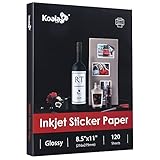 Koala Printable Glossy Sticker Paper for Inkjet Printer, 120 Sheets
- Printable glossy sticker paper with photo print quality enables you to design and make any personalized stickers you like! Easy and fun to use.
- Strong adhesive ensures the labels stick to any smooth and flat surfaces. No more peeling off or lifting up issues
- Economical bulk pack contains 120 sheets of white glossy printable sticker paper, perfect for both business and personal users
- This sticker printer paper is compatible with Inkjet printers with dye ink. And it works well with most cutting machines
- Wide applications in the home, school, office, studio, and much more occasions. You can customize your personalized sticker for scrapbooking, party favors, brand logo, product labels, shipping labels, thank you labels, and more
Sample prompt: Create a layered paper-cut landscape of a mountain lake at dawn using seven distinct foreground-to-background layers. Use torn and clean-cut edges, a coral-to-blue sky, dark foreground pines, and a simple composition suitable for a greeting card.
- Count and separate the intended layers.
- Check that shadows fall consistently and shapes could actually be cut.
- Confirm the design reads at the final physical dimensions.
-
Retro travel-poster study
Explore broad historical design attributes such as limited palettes, simplified shapes, and strong lettering areas without copying a living artist’s signature style or a protected poster.
Sample prompt: Create an original mid-century-inspired travel-poster study for an imaginary coastal town. Use flat geometric shapes, a limited sun-faded palette, a dramatic sun, and a clean area for lettering. Do not reproduce any existing poster, logo, or artist’s signature style.
Special offer. See more information about Outbyte and uninstall instructions. Please review EULA and Privacy policy.- Check that the design is original and not a near-copy.
- Proofread the town name if you add it later.
- Make sure it does not falsely suggest official tourism material.
-
Miniature diorama
Turn an ordinary scene into a tiny display-box concept. This can become a reference for a model, painting, shadow box, or small sculpture.
Sample prompt: Convert this ordinary neighborhood laundromat into a miniature diorama inside a shallow wooden display box. Show tiny machines, folded towels, a tiled floor, warm interior light, visible scale cues, and a front-on composition suitable for making by hand.
- Check scale relationships between people, furniture, and the box.
- Look for physically buildable surfaces and access to each area.
- Use the concept for exploration, not exact fabrication measurements.
-
Ink-and-wash study
Use a photograph as a composition reference, then request an ink illustration with controlled line weight and selective washes.
Sample prompt: Use this street photograph as a composition reference for an original ink-and-wash study. Preserve the perspective and major masses, simplify parked cars and signage, use expressive black linework with restrained gray-blue washes, and omit all readable text.
Recommended Free Tools
Special offer. See more information about Outbyte and uninstall instructions. Please review EULA and Privacy policy.- Compare perspective and major shapes with the reference.
- Check that signs and license plates are unreadable or removed.
- Inspect line hierarchy for a clear focal point.
-
Pixel-art sprite sheet
Generate game-art concepts for a character or object, then manually verify grid consistency. Attractive individual frames may not align as an animation set.
Sample prompt: Create a concept sprite sheet for an original 16-bit-style forest courier: idle, walk-left, walk-right, jump, and surprised poses. Use a fixed apparent pixel grid, a limited eight-color palette, consistent silhouette, plain background, and no text.
- Check that every sprite uses the same scale, baseline, and grid.
- Compare animation poses for consistent limbs and accessories.
- Manually clean pixels before importing sprites into a game or editor.
-
Editorial collage
Combine several references into an art-directed magazine-style composition. This is a good exercise in hierarchy, cropping, and visual metaphor.
Sample prompt: Combine these references into an original editorial collage about urban gardening: hands holding seeds, a rooftop, a shovel, leaves, and a city skyline. Use strong cutout shapes, asymmetrical balance, muted green with one vivid orange accent, and no readable logos or text.
Special offer. See more information about Outbyte and uninstall instructions. Please review EULA and Privacy policy.- Confirm each uploaded reference may be used in the intended context.
- Check edges, scale, shadows, and overlap order.
- Make the metaphor clear without presenting altered documentary imagery as fact.
-
Seasonal color challenge
Reinterpret the same subject in four palettes for a painting or design exercise. Keeping composition fixed makes the color comparison more useful.
Sample prompt: Paint the same still life of a vase, pear, folded cloth, and small book four times in one consistent composition. Use spring, summer, autumn, and winter palettes, changing color and light while preserving object placement, camera angle, and proportions.
- Check that composition and object identity stay fixed.
- Compare value structure as well as hue.
- Ensure palette changes do not make the objects physically confusing.
-
Material transformation set
Show one object as glass, wood, ceramic, paper, metal, and fabric. The exercise explores how texture, edges, reflections, and shadows communicate material.
Sample prompt: Create six studio studies of the same simple desk lamp, changing only its material: clear glass, carved wood, glazed ceramic, folded paper, brushed metal, and woven fabric. Keep camera angle, silhouette, lighting direction, and background constant.
Free tools Windows power users keep installed
One-click scans. No signup required.
Special offer. See more information about Outbyte and uninstall instructions. Please review EULA and Privacy policy.- Check whether each material has believable highlights, shadows, and edges.
- Confirm the lamp’s shape remains the same in every version.
- Use the set as a visual study, not a manufacturing specification.
Physical, printable, and maker projects
-
Sticker sheet
Generate a themed set of small illustrations with a shared outline and palette. Google’s prompting guidance includes stickers as a useful example of an image-generation workflow.
Sample prompt: Create a clean, printable sticker sheet of six original woodland animals doing distinct activities. Use bold dark outlines, flat cheerful colors, a white background, consistent proportions, generous spacing, and no text. Arrange the characters so each can be cut separately.
- Check that every sticker has enough spacing and a clear silhouette.
- Inspect tiny eyes, paws, outlines, and repeated colors.
- Confirm dimensions and margins before printing or cutting.
-
Planner icon pack
Create small icons for habits, errands, meals, appointments, study tasks, or creative sessions. Consistency matters more than elaborate detail at this scale.
Sample prompt: Create a 20-icon planner set for reading, painting, exercise, cooking, errands, rest, and appointments. Use one bold rounded outline, two flat colors per icon, a consistent square canvas, centered subjects, and no words or numbers.
Do these 3 things before closing this tab:
1Fix the driver behind crashes, sound loss and screen glitches2Repair Windows errors before they cause bigger problems3Scan for outdated or missing drivers - takes under a minuteSpecial offer. See more information about Outbyte and uninstall instructions. Please review EULA and Privacy policy.- View icons at their actual planner size.
- Check that similar activities remain visually distinct.
- Align, crop, and export each icon consistently before printing.
-
Gift-tag collection
Make coordinated tags for birthdays, holidays, weddings, or handmade products. Generate decorative artwork first and add names or messages later.
Sample prompt: Create a coordinated set of eight vertical gift-tag illustrations with a shared botanical theme. Use four seasonal color variations, a clear blank area for a handwritten name, a visible hole position at the top, generous margins, and no generated text.
- Check hole position, trim area, and blank writing space.
- Proofread or handwrite every name and message.
- Print a test page to confirm scale before cutting the full set.
-
Scrapbook embellishments
Produce mini illustrations, borders, labels, journaling cards, and decorative corners around a shared theme.
Sample prompt: Create a printable scrapbook embellishment sheet themed around a seaside summer: shells, waves, ticket-shaped labels with no text, small frames, borders, and journaling-card backgrounds. Use a consistent hand-painted palette, generous separation, and simple cuttable shapes.
The Tool Desk
Outbyte Driver Updater FREEScan for outdated or missing drivers - takes under a minuteDriver Scan →Outbyte PC Repair FREEClear out junk files and repair common Windows errorsFree Scan →Special offer. See more information about Outbyte and uninstall instructions. Please review EULA and Privacy policy.Best Value
 HTVRONT Printable Vinyl Sticker Paper, 8.5"X11", 100 Sheets, Glossy White
- ANTI-CURL & JAM-FREE DESIGN: Our HTVRONT printable vinyl sticker paper has an anti-curling and anti-printer jam design with double sealing protection. The vinyl sticker paper comes in a sealed bag and built-in OPP bag to keep the sticker paper flat and prevent indentation during transportation. The Velcro on the printable sticker paper package enhances your shopping experience
- VIVID COLOR & WATER-RESISTANT: Our sticker printer paper produces exquisite and vivid decal sticker that are also water-resistant. You can boost its waterproofness and durability by laminating or adding a clear layer of UV resistant sealer spray. After drying for 24 hours, this waterproof sticker paper can withstand contact with water
- GREAT STICKINESS & EASY TO USE: Our glossy sticker paper has great stickiness and is suitable for both indoor and outdoor use. The printable vinyl for inkjet printer has a special combined printing process that integrates better with ink and has a longer life. It's also super easy to print and cut, compatible with all printers and craft cutters
- FAST DRYING & EASY PEELING: This glossy sticker paper for inkjet printer dries fast and has excellent ink absorbency, allowing printed images to stay vibrant and colorful on projects. Choose "Other photo inkjet paper" mode to get best print effect. The premium backing layer makes the vinyl sticker paper for inkjet printer much easier to peel off without curling
- VERSATILE & CREATIVE: Our htvront printable vinyl is a flexible and versatile that can be used to make creative signs, logos, and decals for business or customization. The printable sticker paper for inkjet printer can been sticked on any smooth and hard surfaces such as plastic, glass, wood, and metal. Perfect for craft projects, home decor, scrapbooking labels, wall murals, decals for cars, laptops, phones, and bumper stickers
- Check that each element can be cut without losing its border.
- Verify that blank labels contain no accidental lettering.
- Test colors on the actual paper stock and printer.
-
Custom bookmark set
Generate a series with consistent dimensions and a shared visual motif. Bookmarks suit a strong vertical composition with relatively little text.
Sample prompt: Create a set of six tall bookmark illustrations based on nocturnal garden creatures. Keep the same narrow aspect ratio, use a deep blue background with one luminous accent per bookmark, leave a small blank area for a title, and avoid tiny details near the trim edge.
- Confirm final trim size and safe margins.
- Check that each design reads in a narrow vertical crop.
- Add titles, quotes, or names separately and proofread them.
-
Ornament inserts
Create round or shaped designs that can be printed and cut for seasonal ornaments. Build the art inside the intended shape rather than cropping a rectangle afterward.
Sample prompt: Create four circular ornament inserts with original winter woodland scenes. Keep all important forms inside a safe inner circle, use a shared navy, cream, and red palette, leave a small hole-safe area at the top, and avoid text.
Special offer. See more information about Outbyte and uninstall instructions. Please review EULA and Privacy policy.- Check the circle, bleed, hole placement, and safe area.
- Print a paper mock-up before using the final material.
- Confirm the printer, paper, and cutting method support the project.
-
Collage postcard pack
Generate several scenes around a theme and print them as a physical postcard set. A shared palette or recurring border can make distinct images feel like a collection.
Sample prompt: Create eight original postcard-front illustrations about imaginary train journeys. Use a shared cream border, varied landscapes, consistent vintage-inspired color blocking, clear space for a later title, and no real railway logos, destinations, or misleading travel claims.
- Check every image for accidental real-world signs or logos.
- Confirm postcard aspect ratio, bleed, and safe text area.
- Print a color proof and inspect small details before producing the set.
-
Paper-doll wardrobe
Create one character and a collection of printable outfits. Continuity is demanding because garments must fit the same body and align with tabs or attachment points.
Sample prompt: Create a printable paper-doll sheet with one original child character and six outfits: rainwear, festival clothing, pajamas, explorer gear, winter layers, and formal wear. Keep the doll’s body, head, hand positions, scale, and shoe shape identical; include simple wide tabs and no text.
Do these 3 things before closing this tab:
1Repair Windows errors before they cause bigger problems2Fix the driver behind crashes, sound loss and screen glitches3Clear out junk files and repair common Windows errorsSpecial offer. See more information about Outbyte and uninstall instructions. Please review EULA and Privacy policy.- Check body scale, garment alignment, tabs, and sleeve openings.
- Print at 100 percent and test one outfit before printing the sheet.
- Keep the character original and avoid copying a recognizable protected doll design.
-
Vision-board tiles
Turn goals, places, values, or affirmations into a coordinated set of printable images. Use symbolic imagery for reflection, not promises about what will happen.
Sample prompt: Create twelve square vision-board tiles representing rest, learning, time outdoors, friendship, financial planning, and creative practice. Use a calm terracotta, cream, and forest-green palette, one clear symbol per tile, and no text so affirmations can be added later.
- Check that each symbol communicates the intended idea without ambiguity.
- Add affirmations separately and proofread them.
- Avoid imagery that makes medical, financial, or personal guarantees.
-
Mini photo-sticker memories
Convert selected photographs into small physical stickers or scrapbook pieces. This can suit memory books, travel journals, and gift packaging.
Sample prompt: Convert these six personal photographs into small rounded-rectangle memory stickers. Preserve the important people and objects, simplify distracting backgrounds, use a consistent thin cream border, and keep faces natural without adding text or invented scenery.
Quick wins for a faster PC:
Fix the driver behind crashes, sound loss and screen glitchesFind Drivers →Repair Windows errors before they cause bigger problemsFix Now →Special offer. See more information about Outbyte and uninstall instructions. Please review EULA and Privacy policy.- Obtain permission from people shown in the photographs.
- Check that faces, dates, locations, and personal details are not altered misleadingly.
- Test the chosen sticky-backed photo medium for size, color, smudge resistance, and water exposure.
Turning generated pixels into a real project
For stickers, labels, tags, planner pieces, ornaments, and scrapbook elements, use a compatible printable sheet. Cricut’s documented workflow specifies an inkjet printer for its printable sticker paper and compatibility with compatible Print Then Cut machines. Its Print Then Cut guidance also covers stickers, toppers, and cut photographs. Check the requirements for the particular materials and equipment you use.
Plan the production file before generating art. Decide whether the final piece is a circle, rectangle, kiss-cut sticker, die-cut shape, or foldable card. Include a safe margin, allow for bleed where needed, leave space between cut lines, and choose a useful aspect ratio. A beautiful image too close to the edge or too detailed at small size may fail as a physical object.
Sticky-backed photo media may be another option for small scrapbook or memory stickers. HP describes ZINK sticky-backed material as producing small prints intended to be smudge-resistant, water-resistant, and tear-resistant. These are product-specific claims; check the exact printer, media size, and regional availability before purchase.
A drawing tablet is optional. It can help with sketching a reference, cleaning a silhouette, repainting a face, correcting lettering, or making manual refinements in another application. Nano Banana supports image references and conversational edits, so a tablet is not a prerequisite for the projects here.
Rights, privacy, and quality control
Before relying on, publishing, selling, or physically producing an image, consider copyright, privacy, applicable Terms of Service, and the Prohibited Use Policy. A generated result is not automatically free of rights concerns, and a watermark or provenance signal does not settle ownership or licensing.
- Get permission for real likenesses. Do not use a real person’s face, private photograph, or identifying information without appropriate permission.
- Use original or authorized source material. Do not request protected logos, unlicensed brand assets, or close reproductions of copyrighted work.
- Describe broad artistic attributes rather than copying a living artist’s signature style. Ask for qualities such as limited colors, dry-brush texture, flattened shapes, or dramatic rim lighting.
- Proofread every visible word. Posters, labels, diagrams, maps, invitations, packaging, and multilingual designs need human checking.
- Fact-check educational and documentary-looking images. Historical, scientific, medical, geographic, and architectural imagery should be treated as a draft until reviewed by an appropriate source or expert.
- Check the physical file. Confirm dimensions, bleed, margins, cut lines, resolution, paper compatibility, printer settings, and color before ordering or producing an item.
- Disclose AI involvement when required. Follow the rules of the client, publisher, platform, school, contest, or audience.
- Understand SynthID in context. Google says generated images include SynthID watermarking. Google also documents C2PA Content Credentials for Nano Banana 2 and Pro API/Vertex AI output. These product-specific provenance features do not replace permission, rights clearance, factual review, or disclosure.
Two-project challenge
Choose one digital-only idea and one physical idea. For the digital project, make three variations and refine the strongest through controlled edits. For the physical project, generate art at the intended aspect ratio, print a small test, inspect it at actual size, and correct the file before making the final object.
The useful question is not whether Nano Banana can make something attractive. It is whether the result gives you a better starting point, a clearer visual decision, or a faster path to something you can responsibly finish.
FAQ
How can I use Nano Banana for creative projects?
Use it to generate an image from a description, transform or edit an uploaded image, or combine reference images into a new composition. Review the result and refine it with targeted follow-up instructions.
PC Slower Than It Used to Be?
A free scan shows the junk files, broken settings and background clutter dragging Windows down - then fixes them in one click.Free scan · Windows 10 & 11Outdated Drivers Are Slowing You Down
One free scan finds every outdated or missing driver and matches the right update for your exact hardware.Free scan · exact hardware matchWhich Nano Banana model should I use?
Google describes Nano Banana 2 Lite as speed-oriented, Nano Banana 2 as a balance of speed and image quality, and Pro as offering additional detail, consistency, and creative control. The legacy Nano Banana is Gemini 2.5 Flash Image. Availability and features vary by product surface and account, so check the current interface.
Can Nano Banana create publication-ready images automatically?
Do not assume so. Generated images can contain misspelled words, incorrect diagrams, inconsistent faces or objects, anatomy errors, and misleading historical or geographic details. Proofread, fact-check, and inspect important details before publishing.
Do I need a drawing tablet to use Nano Banana for art projects?
No. You can supply image references and make conversational edits without a tablet. A drawing tablet can still help with sketching references or making manual corrections in another application.
Can I print Nano Banana images as stickers?
Yes, if you have compatible materials and equipment, but check their requirements. Cricut’s documented workflow specifies inkjet printing for its printable sticker paper and compatibility with compatible Print Then Cut machines.
What’s actually slowing this PC down?
Pick the symptom - the matching free tool is one click away.
Are Nano Banana images automatically free of copyright or licensing concerns?
No. Consider copyright, privacy, and applicable terms before public or commercial use. Get permission for real people’s likenesses, avoid unlicensed logos and close imitations of protected work, fact-check important content, and follow relevant disclosure rules.
The Bottom Line
Bottom line: Nano Banana is most useful as an iterative visual partner: explore broadly, refine narrowly, use references when continuity matters, and inspect important details before publication or printing. Google positions Lite for speed, Nano Banana 2 as a general-purpose balance, and Pro for additional detail and control; the available choices depend on the product surface and account.
Quick Recap

Product prices and availability are accurate as of the date/time indicated and are subject to change. Any price and availability information displayed on Amazon at the time of purchase will apply.




