Outdated Drivers Are Slowing You Down
PC Slower Than It Used to Be?
A free scan shows the junk files, broken settings and background clutter dragging Windows down - then fixes them in one click.Free scan · Windows 10 & 11Crashes, No Sound, or Screen Glitches?
Random freezes, missing sound and display glitches usually trace back to one bad driver. Find and replace yours safely.Free scan · under a minuteOutbyte Driver Updater · freeOne free scan finds every outdated or missing driver and matches the right update for your exact hardware.
Scan My Drivers Free →ThatPainter is reader-supported. When you buy through links on our site, we may earn an affiliate commission. Learn More
For a Friday Night Funkin’ track, start with Suno for a full song draft, Soundverse AI Beat Maker for an instrumental, or Meloro when BPM and groove controls matter. None of the listed tools is verified here as supporting FNF specifically, chart-ready vocals, or seamless game loops. Treat them as draft makers: check whether a generated idea fits your character matchup, then verify loop points, tempo, chartability, export options, and usage terms on the vendor’s site.
Best AI Song Makers For Friday Night Funkin’
| Rank | Tool | Useful For | Free Access And Listed Price |
|---|---|---|---|
| 1 | Suno | Full vocal or instrumental song drafts, with editing and stem export | Free plan; paid from $8/month |
| 2 | Soundverse AI Beat Maker | Instrumental drafts with drums, basslines, melodies, arrangements, stems, and MIDI | Free tier starts with 1,000 tokens upon signup; paid pricing not stated |
| 3 | Meloro | Prompt-led song and beat ideas with BPM, groove, drum-density, and energy controls | Free plan; paid from $5.99 |
| 4 | Eleven Music | Vocal or instrumental drafts with section editing, genre transitions, and stems | Free plan; paid from $6/month |
| 5 | Udio | Prompt-led vocal or instrumental ideas with lyric editing and audio transformations | Free plan; paid from $10/month; 7-day trial |
| 6 | Song AI | Vocal or instrumental drafts with browser MIDI editing and up to six-stem separation | Free plan; paid from $9.90/month |
| 7 | Melobytes | Experimental lyric-to-song and recording-to-music ideas | Free plan; paid pricing not stated |
1. Suno: Best Starting Point For A Complete Matchup Song
Suno generates songs with vocals, lyrics, instrumentation, and production, and supports editing, remixing, extensions, section replacement, and stem export. That breadth makes it a practical first stop when you need to sketch both the opponent’s voice and the backing track. Its listed support for web, iOS, and Android can also suit creators moving between devices.
Try a prompt that describes the musical role and structure rather than assuming an FNF preset exists: “Fast arcade rap battle, two distinct call-and-response vocal parts, punchy drums, bright synthetic lead, short instrumental break, clear repeated sections.” The tool’s actual handling of tempo, loop length, FNF-style vocals, and chart-ready phrasing is not established; check its current controls and output before building a chart around a draft.
The Tool Desk
Outbyte Driver Updater FREEFix the driver behind crashes, sound loss and screen glitchesFind Drivers →Outbyte PC Repair FREERepair Windows errors before they cause bigger problemsFix Now →2. Soundverse AI Beat Maker: Best For An Instrumental Bed
Soundverse is focused on complete instrumentals, with generated drums, basslines, melodies, and arrangements. It can export WAV mixes, separated stems, and MIDI for further editing, and is available on web, iOS, and Android. The free tier starts with 1,000 tokens upon signup.
#1 Best Overall
![Good Smile Company [GOOD SMILE COMPANY] Nendoroid Friday Night Funkin' Boyfriend Non-Scale Plastic Pre-Painted Articulated Figure Restock](https://m.media-amazon.com/images/I/41BmGremVZL._SL160_.jpg)
- The Funkin' Crew Inc. All Rights Reserved. Licensed by The Funkin' Crew Inc
- Total Height: Approx. 3.9 inches (100 mm)
- The photos shown may differ slightly from the actual product
Use it to ask for a backing arrangement around a clear rhythmic pocket, then inspect the bass and drum parts against the intended note chart. The supplied details do not establish specific FNF, chiptune, tempo-locking, or loop-export support, so check those before choosing it for a production-ready game asset.
3. Meloro: Best For Shaping Groove Early
Meloro offers controls for BPM, groove, drum density, and energy, which map directly to early decisions in a rhythm-game draft. It makes songs, beats, and instrumentals on web, iOS, and Android. It does not offer MIDI or stem export, so plan on checking the vendor’s available download formats before relying on it for detailed arrangement work.
Start with the target BPM and a groove description, then generate a compact idea with space for alternating vocal phrases. FNF-specific presets, exact tempo behavior, and loop handling are not established by the available product details.
What’s actually slowing this PC down?
Pick the symptom - the matching free tool is one click away.
Rank #2
- A Good Smile Company import
- From the video game
- Three face plates for multiple expressions
- Optional parts include microphone, text plates, and other optional parts
- Enjoy recreating all kinds of poses
4. Eleven Music: Best For Revising Sections And Transitions
Eleven Music generates full songs with AI vocals, lyrics, or instrumentals. Its listed tools include section editing, inpainting, genre transitions, audio references, stems, and MP3/WAV exports. Access is through web and API.
That editing range can help when a draft needs a contrasting response section or a transition between characters. Ask for contrasting sections in the prompt, then check how much control the current editor gives you over their boundaries. FNF-style vocal synthesis and chart-friendly syllable timing are not established. The free plan is limited to personal use, and commercial rights vary by plan and exclude film, TV, and studio games; review the vendor’s terms for your intended use.
5. Udio: Best For Prompt-Led Vocal Variations
Udio creates vocal or instrumental songs from text prompts and lyrics. It supports lyric editing, voice-reference blending, style shaping, audio extension and transformation, and refinement in Sessions.
Rank #3
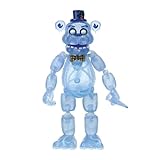
- FNAF Freddy Frostbear exclusive action figure from Funko!
- Country Of Origin: China
- Product Type : Toys And Games
- Package Quantity : 1
Use it to explore different character voices or lyrical responses, then listen closely for phrase lengths that could align with gameplay. Current details say audio, video, and stem downloads are disabled during a transition period; stem separation is available, but stem export is disabled. Check the vendor’s current terms and download status before planning an export workflow.
Do these 3 things before closing this tab:
1Fix the driver behind crashes, sound loss and screen glitches2Clear out junk files and repair common Windows errors3Scan for outdated or missing drivers - takes under a minute6. Song AI: Best For Browser MIDI Editing
Song AI generates vocal and instrumental music across 50+ genres and includes browser-based MIDI editing, MP3/WAV downloads, vocal removal, and separation into up to six stems. It is web-only. Free usage is restricted to personal, non-commercial purposes.
Its MIDI editing may be useful for reshaping a melodic idea after generation, but the supplied details do not establish MIDI export, FNF-style sounds, or rhythm-game-specific tools. Confirm the available editing and export steps on the vendor’s site before counting on it for a chartable part.
Rank #4

- Our Friday Night Funkin Mech Plushies are made of high quality non-toxic materials. Its height is 10 inches.
- We have the most popular figures from Friday Night Funkin video game including Boyfriend, Whitty, Skid and Pump.
- Our Friday Night Funkin Merch Plush Toys are loved by boys and girls. They are the perfect gift for this game lovers.
- Your beloved ones will have so much fun to have this Friday Night Funkin plush toy.
- These Friday Night Funkie plushies are handmade products.
7. Melobytes: Best For Experimental Lyric And Recording Ideas
Melobytes can compose songs from supplied lyrics with male or female vocals, transform voice recordings and uploads into musical outputs, and generate instrumental music, MIDI/MP3 files, and videos. It is web-only; free use has execution restrictions, a watermark, and low queue priority.
That makes it an option for quick concept experiments, such as turning a character lyric or recorded vocal idea into a musical sketch. Its positioning favors experimentation over detailed professional editing, and FNF-specific voice, genre, and loop support are not established.
Quick Recap
How To Turn A Draft Into An FNF-Ready Idea
- Set the matchup. Write down which character leads each phrase, the mood shift between them, and where the instrumental needs to leave space for vocals.
- Describe the musical mechanics. Prompt for a brisk, syncopated arcade battle, alternating short vocal phrases, a memorable lead motif, and a clear section contrast. Treat those as creative directions, not guaranteed tool features.
- Check the output against the chart. Listen for a steady pulse, distinct phrase boundaries, and room for notes. Verify tempo, exact duration, loop behavior, and any FNF sound or format compatibility yourself; those specifics are not established for these products.
- Refine only what the tool supports. Use available section editing, MIDI, or stems where listed. If the needed control or export is not confirmed, check the vendor’s site before investing more work in that route.
- Confirm rights before sharing or shipping. Get consent for any voice or recording you supply, and review each platform’s terms for vocals, covers, samples, and your intended use. Suno’s free plan does not include commercial rights; Eleven Music’s free plan is personal-use only and its commercial rights vary by plan with stated exclusions; Song AI’s free use is personal and non-commercial. For other rights questions, check the relevant vendor terms.

Product prices and availability are accurate as of the date/time indicated and are subject to change. Any price and availability information displayed on Amazon at the time of purchase will apply.

