Quick wins for a faster PC:
Free tools Windows power users keep installed
One-click scans. No signup required.
Scan for outdated or missing drivers - takes under a minuteDriver Scan →Clear out junk files and repair common Windows errorsFree Scan →Fix the driver behind crashes, sound loss and screen glitchesFind Drivers →
ThatPainter is reader-supported. When you buy through links on our site, we may earn an affiliate commission. Learn More
Canva is the best greeting card software for most Mac and Windows users in 2026. It combines a beginner-friendly browser editor, a large template library, uploaded photos, digital sharing, and an option to order printed cards. If you want a free printable card with no traditional desktop installation, choose Greetings Island. For an installed application with a large branded library, Hallmark Card Studio is the most purpose-built choice: the Deluxe edition is for Windows, while Hallmark Card Studio for Mac is a separate product.
The right pick depends less on whether you use a Mac or Windows PC than on how you will finish the card. Browser-first tools are convenient for occasional projects and work across both platforms. Dedicated applications provide more offline-oriented control, bundled content, and folded-card workflows. General layout programs offer the most flexibility, but they expect you to do more of the design work yourself.
This guide covers free and paid options, printable and digital workflows, current platform support, and the important 2026 warning about Microsoft Publisher. Product details, prices, compatibility, and template counts were checked against official product information on August 11, 2026; prices and availability can change.
| # | Preview | Product | Price | |
|---|---|---|---|---|
| 1 |
![Hallmark Card Studio Deluxe 2026 [PC Download]](https://m.media-amazon.com/images/I/51loAYrt5jL._SL160_.jpg)
|
Hallmark Card Studio Deluxe 2026 [PC Download] | $54.99 | Buy on Amazon |
| 2 |
|
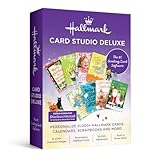
Hallmark Card Studio Deluxe - New version! | $59.99 | Buy on Amazon |
| 3 |

|
Hallmark Card Studio | $41.99 | Buy on Amazon |
| 4 |
|
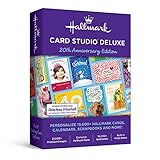
Hallmark Card Studio Deluxe 2019 - Old Version | $49.99 | Buy on Amazon |
| 5 |
![Hallmark Card Studio for Mac [Download]](https://m.media-amazon.com/images/I/41Js43cZsAL._SL160_.jpg)
|
Hallmark Card Studio for Mac [Download] | $39.99 | Buy on Amazon |
Quick picks
| Software | Best for | Platform and pricing position |
|---|---|---|
| Canva | Best overall balance of templates, simplicity, sharing, and printing | Browser-based; free entry point with paid assets and optional printing |
| Adobe Express | Free-first design and users familiar with Adobe | Browser-based; useful free plan with premium upgrades |
| Greetings Island | Free printable cards without downloading software | Browser-based; free core maker with optional premium designs and services |
| Hallmark Card Studio Deluxe | Large, dedicated card library on Windows | Windows 11, 10, and 8; paid, listed at $69.99 when checked |
| Hallmark Card Studio for Mac | Dedicated Hallmark card making on a Mac | macOS Ventura 13 through Tahoe 26; paid, listed at $55.99 when checked |
| Swift Publisher | Mac layout control and one-time purchase value | Mac desktop app; trial available, then a $19.99 one-time purchase when checked |
| Fotor | Photo-led cards and fast online editing | Browser-based; free entry point with possible paid resources |
| Smilebox | Digital cards with photos, music, and animation-oriented presentation | Online; promotes free digital creation, with premium limits to verify |
| Microsoft Publisher | Existing Windows users who need traditional page layout | Windows PC only; scheduled for retirement in October 2026 |
| Microsoft Word | Simple templates using software you already have | Mac, Windows, or web access depending on your Microsoft plan; templates are free |
| Affinity Publisher | Experienced designers who want broad layout control | Mac and Windows desktop software; current pricing should be checked before purchase |
There is no single winner for every project. Canva is the safest default, but a Windows user who wants thousands of bundled Hallmark designs has a different priority from an illustrator building a custom folded card in Affinity Publisher.
Best greeting card software for Mac and Windows
1. Canva — best overall for most users
Canva is the most balanced choice when you want to design a card quickly without committing to a desktop application. Its online editor runs in a modern browser on both Mac and Windows, so the project is not tied to a particular operating system. You can start with a greeting-card layout, change the wording and colors, upload your own photos, and use free or premium design elements.
#1 Best Overall
- 21,000+ Hallmark cards, calendars, scrapbooks and more!
- 21, 000+ Premium images
- Exclusive Hallmark fonts
- 16, 000+ sentiments
- Built-in photo editor
The same project can serve more than one purpose: share it digitally, download it, or use Canva’s optional print service to order physical cards. That flexibility is useful for families, teachers, small businesses, and anyone who may want both a printable card and a phone-friendly version.
Best for: beginners, occasional users, families, teachers, and small businesses.
The Tool Desk
Outbyte PC Repair FREERepair Windows errors before they cause bigger problemsFix Now →Outbyte Driver Updater FREEScan for outdated or missing drivers - takes under a minuteDriver Scan →Free versus paid: there is a free starting point, but some design elements and print services cost extra. Do not assume that every template, image, or printing option is included in the free experience.
Why choose it: choose the Canva greeting card maker when you value the broadest combination of ease, templates, cross-platform access, digital sharing, and optional physical printing. It is not automatically the best choice if you specifically need a large offline sentiment library or detailed desktop prepress controls.
2. Adobe Express — best free-first alternative
Adobe Express is a strong alternative to Canva, especially if you already use Adobe products or prefer Adobe’s editing environment. Its greeting-card maker includes templates for birthdays, weddings, graduations, holidays, condolences, and other occasions. You can customize text, colors, graphics, and uploaded images, then download the result for printing or share it digitally.
Adobe documents a free plan with core editing tools and thousands of free templates. Premium templates and additional capabilities are available through paid plans, but a subscription is not inherently required for basic card creation.
Best for: users who want a polished card quickly, already know Adobe’s ecosystem, or need a downloadable PDF or image.
Canva or Adobe Express? Both are browser-first and suitable for Mac and Windows. The practical difference is interface preference, familiarity with the wider Adobe ecosystem, and which template or asset library contains the look you want. There is no research basis for claiming that one is universally faster or produces better print quality than the other.
3. Greetings Island — best free printable card maker
Greetings Island is one of the clearest choices for an occasional printable card. Its core card maker is free, requires no traditional desktop software download, and supports customizable designs, uploaded images, downloadable PDFs or images, digital sharing, and professional printing.
Published card formats include 5-by-7-inch portrait, 7-by-5-inch landscape, and 5-by-5-inch square. Those standard options make it easier to select paper and envelopes before you begin. The service also offers group cards and AI-assisted card generation; treat those as additional features rather than confusing them with the basic free card-maker workflow.
Recommended Free Tools
Best for: a free birthday, thank-you, holiday, sympathy, or other occasion card that you can print at home or share digitally.
Rank #2
- 21,000+ Hallmark cards, calendars, scrapbooks and more!
- 21, 000+ Premium images
- Exclusive Hallmark fonts
- 16, 000+ sentiments
- Built-in photo editor
Free versus paid: the core maker is free, while premium designs and certain services may be available at an additional cost.
Why choose it: choose Greetings Island cards when your priority is a no-download, standard-size printable card rather than a full installed design program.
4. Hallmark Card Studio Deluxe — best dedicated Windows card software
Hallmark Card Studio Deluxe is the most purpose-built Windows option in this list. The official product page lists compatibility with Windows 11, Windows 10, and Windows 8, along with more than 21,000 Hallmark cards and creative projects, more than 21,000 premium graphics, and 16,000 sentiments.
Crashes, No Sound, or Screen Glitches?
Random freezes, missing sound and display glitches usually trace back to one bad driver. Find and replace yours safely.Free scan · under a minutePC Slower Than It Used to Be?
A free scan shows the junk files, broken settings and background clutter dragging Windows down - then fixes them in one click.Free scan · Windows 10 & 11It is more than a folded-card template tool. The application includes a built-in digital photo editor and projects for photo cards, postcards, stationery, invitations, calendars, and other paper creations. Finished work can be printed, shared by email, or created as a PDF.
Best for: Windows users who want a dedicated application and a very large Hallmark-branded library of designs, graphics, and sentiments.
Price and setup: the official page listed it at $69.99 when checked. The download edition requires an internet connection. That requirement matters if you expected a completely disconnected installation.
Important platform qualification: this is the Windows Deluxe edition. Do not merge its content counts or operating-system requirements with the separate Mac product. If you are shopping for Hallmark Card Studio Deluxe, verify the exact Windows edition, licensing format, seller, and current price before buying.
Do these 3 things before closing this tab:
1Fix the driver behind crashes, sound loss and screen glitches2Clear out junk files and repair common Windows errors3Scan for outdated or missing drivers - takes under a minute5. Hallmark Card Studio for Mac — best dedicated Mac greeting-card application
Hallmark Card Studio for Mac provides a similar dedicated-card concept for Apple users, but it is a separate macOS product rather than a Mac version that should be assumed identical to the Windows Deluxe edition. The official Mac page lists compatibility with macOS Tahoe 26, Sequoia 15, Sonoma 14, and Ventura 13.
The Mac edition advertises more than 12,900 customizable Hallmark cards and projects, more than 19,300 premium graphic images, a GenAI Image Creator, photo importing, and the ability to print, email, or create a PDF.
Best for: Mac users who specifically want Hallmark content, a dedicated card-making workflow, and built-in projects rather than a general publishing canvas.
Price and setup: the listed price was $55.99 when checked, and the application requires an internet connection. Confirm the current macOS requirements and edition before purchase, particularly if your Mac is running an older version of macOS.
Rank #3
- 11, 800 Plus Hallmark cards & projects design cards for all occasions birthdays holidays weddings and anniversaries or just to say hello
- Includes Hallmark writing etiquette Guide
- Video Tutorial learn to browse edit and customize cards quickly and easily
- For any assistance kindly reachout to our tech support team
If you are comparing Hallmark Card Studio for Mac with the Windows Deluxe edition, compare the actual features and content counts for each platform. The official pages list different numbers, so neither product should be described as an exact cross-platform equivalent.
6. Swift Publisher — best Mac desktop-layout value
Swift Publisher is a Mac desktop-publishing application rather than a greeting-card library built around one branded content collection. It includes greeting-card templates, clip art, folded-card editing tools, dynamic data fields for batch creation, and export to PDF, TIFF, JPEG, EPS, or PNG.
Those dynamic data fields are particularly useful if you are producing many personalized cards, such as invitations, customer thank-you notes, or holiday mailings. Its export choices also give you more flexibility when a print shop requests a particular file type.
Best for: Mac users who want more layout control than a basic template site provides, need batch personalization, or prefer owning software rather than paying a recurring subscription.
Quick wins for a faster PC:
Fix the driver behind crashes, sound loss and screen glitchesFind Drivers →Repair Windows errors before they cause bigger problemsFix Now →Scan for outdated or missing drivers - takes under a minuteDriver Scan →Price and licensing: the official greeting-card page listed a $19.99 purchase price and an unlimited-time trial when checked. The support documentation describes it as a one-time purchase rather than a subscription.
Swift Publisher is not the best fit if your main requirement is a huge licensed library of ready-made greetings. It is better understood as affordable Mac publishing software with useful card tools. If you are comparing Swift Publisher for Mac with browser tools, the trade-off is greater desktop layout control in exchange for a less specialized card-content library.
7. Fotor — best for photo-led cards and fast online editing
Fotor is primarily an online design service, not a traditional installed Mac or Windows greeting-card application. Its card maker covers greeting cards, birthday cards, invitations, thank-you cards, wedding cards, and other designs. Fotor’s official materials describe more than 1,000 free templates, drag-and-drop editing, uploaded photos, stock elements, and export to JPG, PNG, or printable PDF.
You can access it from a desktop or mobile device without downloading software. That makes it convenient when the card is mainly a photo composition or when you want to work from more than one device.
Best for: photo-heavy cards, quick digital designs, and users who want a browser editor with many templates.
Free versus paid: card-making has a free entry point, but additional resources or features may be paid. Check the element and export restrictions at the point of use.
8. Smilebox — best for animated or music-enhanced digital cards
Smilebox is the most digital-first choice here. You can select a template, upload photos, customize text, colors, and fonts, add music, and share the result by email, social networks, or text. The service also supports saving and states that creations can be printed.
Its strength is presentation rather than conventional folded-card production. A multimedia greeting with photographs and music can feel more personal when sent digitally, but those elements do not translate to a standard paper card.
Free tools Windows power users keep installed
One-click scans. No signup required.
Rank #4
- 19, 000 Plus Hallmark cards & projects design cards for all occasions birthdays holidays weddings and anniversaries or just to say hello
- Design cards for all occasions birthdays holidays weddings and anniversaries or just to say hello
- 1000 Plus new designs including cards announcements invitations calendars photo cards matching envelopes 3D projects and more
Best for: recipients who will view the greeting online and users who want photos, music, and a more animated or slideshow-like presentation.
Free versus paid: Smilebox promotes free digital card creation, but exact limits and premium-plan terms should be checked before publishing or purchasing. Choose it for digital sharing first, not as the default tool for precise home printing.
9. Microsoft Publisher — best traditional Windows layout tool, but only as a transitional choice
Microsoft Publisher supports greeting-card templates and folded-card layouts. You can customize text, pictures, colors, and fonts, then print the card or export it as a PDF. It can also be useful for users who need traditional page-layout control or compatibility with Avery card products.
However, Publisher is a poor recommendation for a new long-term purchase in 2026. Microsoft says Publisher is PC-only and will be retired in October 2026. Microsoft 365 subscribers will no longer have access after retirement. Publisher 2021 is described as the latest classic version, while Microsoft 365 provides the subscription version during the remaining period.
The Tool Desk
Outbyte Driver Updater FREEFix the driver behind crashes, sound loss and screen glitchesFind Drivers →Outbyte PC Repair FREERepair Windows errors before they cause bigger problemsFix Now →Best for: an existing Windows user who already owns Publisher and needs to finish a project before the retirement date.
Do not choose it if: you are buying new software for years of future card projects. The retirement schedule makes the remaining support horizon too short. Start with Word, Canva, Adobe Express, or a different layout application instead.
10. Microsoft Word — best familiar fallback for simple card templates
Microsoft Word is not specialized greeting-card software, but it is a practical fallback if you already have access to Word or Microsoft 365. Microsoft provides free customizable templates for birthdays, thank-you cards, holidays, sympathy cards, and quarter-fold designs.
The documented workflow is straightforward: select a template, replace the sample wording and images, save the finished document as a PDF, share it online, or print it. A Word document can be easier to edit than a specialized program when the design is simple and text is the main concern.
What’s actually slowing this PC down?
Pick the symptom - the matching free tool is one click away.
Best for: a basic card that needs to be made quickly, users already paying for Microsoft 365, and people who want a familiar editable document.
Access caveat: template availability and Word access can depend on your Microsoft account, Microsoft 365 plan, or the web features available to you. Word templates are free, but the application itself is not necessarily free in every version.
11. Affinity Publisher — best for design-focused users on Mac and Windows
Affinity Publisher is the strongest choice here for users who want broad professional layout control rather than a ready-made greeting-card library. Affinity documents separate macOS and Windows workflows and system requirements for Mac and Windows PCs.
Best Value
- New feature “Save as JPEG”
- NEW! 200 Hallmark Cards
- 19,300+ Premium Graphic Images
- Easily import photos from iPhoto and FaceTime cameras
- Mac Video Tutorial Gets You Started Fast
In practice, you generally build or import your own card layout, establish the front, inside, and back panels, and prepare the document for the intended print method. That makes it appropriate for illustrators, makers, experienced designers, and small businesses producing cards alongside brochures, stationery, labels, or other print products.
Best for: users comfortable designing from scratch who need repeatable, precise layouts across multiple print projects.
Trade-off: Affinity Publisher requires more design knowledge than Canva, Greetings Island, or Hallmark Card Studio. It is also commercial desktop software, and its current price and licensing should be verified before purchase because packaging and pricing can change.
Independent reader supportYour contribution helps us test, update, and keep practical guides available for everyone.Which greeting card software works on Mac and Windows?
| Workflow | Best-matching choices | What to expect |
|---|---|---|
| Use the same project on Mac and Windows | Canva, Adobe Express, Greetings Island, Fotor, Smilebox | Browser-first editing; convenient when you switch computers or want to share digitally |
| Installed Mac application | Hallmark Card Studio for Mac, Swift Publisher | Desktop workflow with dedicated or more controlled card and layout tools |
| Installed Windows application | Hallmark Card Studio Deluxe, Microsoft Publisher | Dedicated or traditional Windows layout tools; Publisher has a near-term retirement date |
| General-purpose document or layout tool | Microsoft Word, Affinity Publisher | More familiar or more flexible, but less card-specific than Hallmark |
| Print at home or export for a printer | Hallmark Card Studio, Swift Publisher, Word, Publisher, Canva, Fotor, Greetings Island | Look for PDF or image export, a matching page size, and a suitable paper workflow |
| Send a digital card | Smilebox, Canva, Adobe Express, Greetings Island, Fotor | Sharing is central; Smilebox is the most multimedia-oriented option |
Free versus paid: what are you actually paying for?
A free card maker is usually enough for one birthday card, a classroom project, or a quick digital greeting. Browser tools also remove installation and compatibility concerns. The limitations tend to appear when you need a particular premium template, a licensed image, a larger asset library, commercial use rights, outsourced printing, or a repeatable batch workflow.
- Choose free browser software when you are making cards occasionally and are happy to use the available designs and export options.
- Pay for a dedicated application when bundled content, folded-card controls, offline-oriented work, or a one-time purchase matters more than cross-platform convenience.
- Pay for a premium browser plan when you repeatedly need premium templates, graphics, or other assets. A premium plan is not automatically required for basic card editing.
- Use general publishing software when the card is part of a larger design job or you need control over custom dimensions, repeated layouts, and print files.
How to print a greeting card without ruining the layout
- Choose the finished format first. Decide whether the card will be folded, flat, square, portrait, or landscape. Greetings Island publishes 5-by-7-inch portrait, 7-by-5-inch landscape, and 5-by-5-inch square options; selecting a standard format helps with paper and envelopes.
- Check the document orientation and fold. A folded card may place the front, back, and inside panels on one sheet. Use the software’s folded-card template where available, and confirm which edge becomes the fold before printing a full batch.
- Export to PDF when the printer needs a fixed layout. Canva, Adobe Express, Greetings Island, Hallmark Card Studio, Swift Publisher, Fotor, Microsoft Publisher, and Word document PDF or PDF-oriented workflows in the supplied product information. A PDF can preserve the intended arrangement, but it does not by itself guarantee that the printer will use the correct paper size or scaling.
- Turn off unwanted scaling. In the print dialog, check the selected paper size and look for options such as fit to page or scale to printable area. A test sheet is cheaper than a misaligned stack of cards.
- Use suitable stock and envelopes. For home printing, choose printable greeting card paper or blank folded cards that match your printer’s paper path and the card dimensions. Thick stock may need a rear feed or manual-feed setting; check the printer manual rather than forcing it through the tray.
- Inspect both sides before folding. Confirm that text is upright, the inside message is on the correct panel, and important artwork is not too close to the trim or fold. Then print one final sample, fold it, and check it under normal lighting.
If you are sending a file to a print shop, ask which PDF settings, dimensions, color mode, bleed, and margins it requires before finalizing the design. The software’s export options and the printer’s requirements are separate issues.
Do these 3 things before closing this tab:
1Clear out junk files and repair common Windows errors2Scan for outdated or missing drivers - takes under a minute3Repair Windows errors before they cause bigger problemsHow to choose in five decisions
- Need a card in under ten minutes? Start with Canva, Adobe Express, or Greetings Island.
- Need it to be free and printable? Try Greetings Island first, then compare Canva or Adobe Express if their templates better match the occasion.
- Want Hallmark’s branded library? Choose Hallmark Card Studio Deluxe on Windows or Hallmark Card Studio for Mac on macOS. They are separate editions with different published content counts.
- Need Mac layout control without a subscription? Try Swift Publisher. If you are building a broader professional print workflow, consider Affinity Publisher instead.
- Want music, photos, or a digital presentation? Choose Smilebox. If the result must be a conventional folded paper card, use a print-first tool instead.
Our recommendations by reader type
- For most people: Canva.
- For a free printable card: Greetings Island.
- For an Adobe user: Adobe Express.
- For a Windows user who wants a dedicated program: Hallmark Card Studio Deluxe.
- For a Mac user who wants Hallmark content: Hallmark Card Studio for Mac.
- For inexpensive Mac desktop publishing: Swift Publisher.
- For photo-focused online design: Fotor.
- For a multimedia digital greeting: Smilebox.
- For a simple card using software already installed: Microsoft Word.
- For an experienced designer: Affinity Publisher.
- For existing Publisher owners only: Microsoft Publisher, provided the October 2026 retirement does not affect your project timeline.
These rankings are based on the documented features, platform information, pricing, and workflows in the official product materials supplied for this guide. They are not based on hands-on testing, personal experience, print-quality testing, performance benchmarks, or customer-support comparisons.
Frequently Asked Questions
What is the best free greeting card maker for Mac and Windows?
Greetings Island is the best fit when you want a free, no-download card maker that can export a printable PDF or image and also support digital sharing. Canva and Adobe Express are stronger alternatives when you want broader design tools, though some assets or premium features may be paid.
Can I use Hallmark Card Studio on both Mac and Windows?
Do not assume that one edition works on both systems. Hallmark Card Studio Deluxe is the Windows product, while Hallmark Card Studio for Mac is a separate macOS product. The official pages list different operating-system requirements, prices, and content counts.
Is Microsoft Publisher still a good choice for greeting cards in 2026?
Only as a short-term or legacy choice for someone who already owns it. Microsoft says Publisher is PC-only and is scheduled for retirement in October 2026, after which Microsoft 365 subscribers will no longer have access. It is not a sensible new long-term purchase for most readers.
Recommended Free Tools
Which program is best for printing greeting cards at home?
Greetings Island is a convenient free option, while Canva, Hallmark Card Studio, Swift Publisher, Fotor, and Word also document printing or printable export workflows. The best choice depends on your preferred card size, printer, paper stock, and whether you need a folded-card template. Always print and fold one test sheet before printing a batch.
What is the best greeting card software for professional custom layouts?
Affinity Publisher is the strongest fit among these recommendations for experienced designers who want to create their own layouts on Mac or Windows. Swift Publisher is a more affordable Mac-focused option with greeting-card templates, batch fields, and several export formats, but it is not as broad a professional publishing tool.
The Bottom Line
Start with Canva unless you have a more specific requirement. Use Greetings Island for a free printable card, Hallmark Card Studio for a dedicated branded library, Swift Publisher for affordable Mac layout work, Smilebox for multimedia digital greetings, and Affinity Publisher for experienced designers. Treat Microsoft Publisher as transitional software only because its retirement is scheduled for October 2026.
Quick Recap

Product prices and availability are accurate as of the date/time indicated and are subject to change. Any price and availability information displayed on Amazon at the time of purchase will apply.




