Windows Errors? Fix Them Before They Spread
Outbyte PC Repair · freeRepair common Windows errors and clear accumulated junk for a smoother, more stable PC - no reinstall needed.
Fix My PC Now →ThatPainter is reader-supported. When you buy through links on our site, we may earn an affiliate commission. Learn More
Use Microsoft PowerToys Color Picker to find a HEX or RGB value from almost any pixel on a Windows 11 screen. After enabling it, press Win + Shift + C, move over the color, and click. The result is copied to your clipboard. PowerPoint desktop’s Eyedropper provides a second option for people already working in slides.
The easiest way to find a color’s HEX or RGB value anywhere on a Windows 11 screen is Microsoft PowerToys Color Picker. Install PowerToys, enable Color Picker, press Win + Shift + C, and click the pixel you need. The value is copied to your clipboard. If you already work in PowerPoint desktop, its built-in Eyedropper is a useful second option because it shows RGB coordinates while you sample.
1. Use PowerToys Color Picker
PowerToys is a separate, free, open-source collection of Windows utilities—not a feature built into every Windows 11 installation. Its Color Picker utility can sample a color from anywhere on the screen and copy the result in a configurable format.
Set up Color Picker
- Install and open Microsoft PowerToys.
- In the PowerToys sidebar, select Color Picker.
- Turn on Enable Color Picker.
- Check the displayed activation shortcut. The default is Win + Shift + C, but it can be changed in PowerToys Settings.
Pick a color from the screen
- Display the color you want to inspect. This could be a painted reference image, a website, an illustration, or an application interface.
- Press Win + Shift + C.
- Move the pointer over the target color. If the area is very small, use the mouse wheel to zoom in before selecting it.
- Click with the left mouse button to select the color and open the Color Picker editor. The selected value is copied to the clipboard in the configured default format.
- Paste the result into your design software, notes, CSS file, or color-reference document.
By default, the left mouse button selects the color and opens the editor. A middle-button selection picks the color and closes the picker. The editor lets you inspect RGB and HEX values and keeps a history of colors you have picked, which is useful when collecting several colors from a reference image.
#1 Best Overall
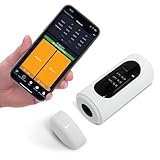
- Ultra-long battery life, 8,000 measurements on a full charge.
- 4mm measuring caliber, to meet a variety of samples to measure color values.
- Support a variety of color values, including RGB, LAB, XYZ, etc.
- Support connecting APP and computer software
- Compact size, easy to carry in your pocket
If the shortcut does not work
- PowerToys is not running: Open PowerToys and confirm that Color Picker is enabled.
- The shortcut was changed: Open PowerToys Settings, choose Color Picker, and check or change its activation shortcut.
- The target application runs as administrator: If the focused application was launched with administrator elevation, PowerToys may also need to be launched with administrator elevation before the shortcut will work.
- The output is in the wrong notation: Change the default color format in Color Picker Settings, or use one of the formats shown in the editor.
- The target is too small: Move close to it, activate the picker, zoom with the mouse wheel, and select from the enlarged frozen view.
2. Use the PowerPoint desktop Eyedropper
PowerPoint’s Eyedropper is a good alternative if you already have the desktop version of PowerPoint and are working on a slide. It is not required for finding a screen color, and it is less convenient than PowerToys for repeated, system-wide sampling.
- Open PowerPoint desktop and select a slide object, shape, text element, background, or other item with an editable color.
- Open the relevant color menu—for example, Shape Fill, Text Fill, outline color, or a background-color control.
- Choose Eyedropper.
- Move the pointer over the color you want to sample. PowerPoint previews the color and displays its RGB coordinates while you move over the target.
- Click to select the color. If nearby colors are difficult to distinguish, press Enter or the Spacebar for a more precise selection.
PowerPoint normally applies the sampled color to the selected slide object. If you need to retain the number rather than simply apply the color, open the relevant custom-color dialog after sampling and record the displayed RGB value. The exact dialog name and controls can vary between PowerPoint versions and between object types.
Rank #2

- Adopts a 45°/0° measurement configuration that better aligns with human visual color evaluation.
- Includes 26 evaluation light sources such as D65 and D50.
- Automatic calibration, one-click measurement, and results in 1 second.
- Direct result display for both standalone operation and mobile-connected measurement.
- Supported software: Android, iOS, WeChat Mini Program, Windows.
HEX and RGB: what is the difference?
HEX and RGB are two ways to describe the same red, green, and blue components of a conventional color.
| Format | Example | How it works |
|---|---|---|
| HEX | #RRGGBB |
Two hexadecimal characters represent each red, green, and blue channel. Each pair ranges from 00 to FF. |
| RGB | rgb(64, 128, 192) |
Three decimal channel values represent red, green, and blue. Each normally ranges from 0 to 255. |
For example, the six-digit HEX value #4080C0 corresponds to rgb(64, 128, 192). Split the HEX value into its three pairs—40, 80, and C0—then convert each hexadecimal pair to decimal.
Rank #3

- True-To-Life D/8 Reading: The D/8 measuring geometry captures color the way it really looks, helping this color tester show the true tone of a surface for more dependable results.
- Works With App And Software: Connect to the phone app or desktop software to save, share, and manage readings, so this color measurement device fits right into your daily workflow.
- Built-In Integrating Sphere: The 8mm measuring spot and light-splitting design let this color meter read shades in fine detail, so you get steady color measurement across many samples.
- Clear Shade Comparison: See color deviation and tone direction at a glance, so this color reader makes it simple to tell shades apart and check if two samples match up.
- Compact And Travel-Ready: Lightweight enough to pack and go, this handheld color sensor works anytime, anywhere and supports both English and Chinese menus for easy use on the move.
HEX is especially common in HTML, CSS, web documentation, and design software. RGB is often more convenient in application dialogs and programming interfaces. Neither format is inherently more accurate; they are different notations for the three channel values.
How accurate is a screen color picker?
A picker reports the color of the pixel being displayed, not necessarily the original color specification behind it. That distinction matters when you are trying to match a painted reference, illustration, or interface color.
Rank #4

- Professional Colorimeter and Spectrophotometer for Accurate Color Measurement
- Intellint Color Analysis with Pass/Fail Judgment and Color Bias Detection
- Advand Color Matching System with Custom Color Database Creation
- Handheld Design with Built-in Screen for Standalone Operation
- USB Connected Portable Color Tool for Designers and DIY Projects
- Transparency: A semi-transparent layer is blended with whatever is behind it. The sampled pixel may not equal the layer’s original color.
- Anti-aliasing: Text, icons, and curved edges contain blended edge pixels. Sample the flat interior of a shape instead of its boundary.
- Gradients: A gradient contains many colors, so sample the exact area you want to reproduce.
- Hover and focus states: Buttons, links, and controls can change color when the pointer is over them or when they have keyboard focus. Sample the intended state.
- Zoom and scaling: Browser zoom, image scaling, and display scaling can alter which displayed pixel is under the pointer. Zooming the picker helps you target the right pixel, but it does not recover an unseen source value.
- HDR and wide-gamut content: PowerToys documents limitations with HDR and wide-color-gamut formats. Do not treat its result as a guaranteed representation of the source color in every color-managed workflow.
For the closest practical match, sample a flat, fully opaque area in the final state you care about. If exact source values matter, inspect the original design file or the application’s color settings instead of relying only on a screenshot or displayed image.
Quick wins for a faster PC:
Clear out junk files and repair common Windows errorsFree Scan →Scan for outdated or missing drivers - takes under a minuteDriver Scan →Repair Windows errors before they cause bigger problemsFix Now →Can Windows 11 do this without installing anything?
Windows 11 does not provide a universally available, system-wide eyedropper that should be assumed to exist on every build. Some Microsoft applications have their own color-picking tools, including PowerPoint’s Eyedropper. For a consistent system-wide workflow, use PowerToys Color Picker.
Best Value

- 【CAPTURE REAL-WORLD COLORS INSTANTLY】: Use the built-in RGB sensor to scan any object’s color and paint with it digitally in seconds.
- 【16 MILLION+ COLORS & DESIGN TOOLS】: Access endless shades, color-matching guides, and professional palettes via the intuitive Colorpik APPs.
- 【PRO-GRADE PRECISION】: Interchangeable fine fiber tips mimic natural brushstrokes for sketching, shading, and detailing.
- 【24-HOUR MARATHON BATTERY】: 300mAh polymer battery supports all-day creation, with 15-day standby for on-the-go inspiration.
- 【UNIVERSAL COMPATIBILITY】: Works seamlessly with iOS/Android tablets and phones, paired with ergonomic, travel-ready design.
Frequently Asked Questions
What is the quickest way to find a color code on Windows 11?
Install and open Microsoft PowerToys, enable Color Picker in PowerToys Settings, then press Win + Shift + C. Move over the color and click to copy its value. Use the editor to view HEX, RGB, and color history.
How do I convert HEX to RGB?
A six-digit HEX value uses two hexadecimal characters for each red, green, and blue channel, from 00 to FF. RGB uses three decimal values, normally from 0 to 255. For example, #4080C0 equals rgb(64, 128, 192).
Why does the sampled color not match the original image or design value?
PowerToys samples the displayed pixel. Transparency, anti-aliasing, gradients, hover states, scaling, HDR, and wide-gamut content can make that pixel different from the original design color. Sample a flat, opaque area when possible.
The Tool Desk
Outbyte PC Repair FREEClear out junk files and repair common Windows errorsFree Scan →Outbyte Driver Updater FREEFix the driver behind crashes, sound loss and screen glitchesFind Drivers →The Bottom Line
For most Windows 11 users, install Microsoft PowerToys, enable Color Picker, and press Win + Shift + C. It can sample a displayed pixel, copy the result, and show both HEX and RGB values. Use PowerPoint’s Eyedropper instead when you are already designing in PowerPoint desktop.
Quick Recap

Product prices and availability are accurate as of the date/time indicated and are subject to change. Any price and availability information displayed on Amazon at the time of purchase will apply.




