Crashes, No Sound, or Screen Glitches?
Recommended Free Tools
Random freezes, missing sound and display glitches usually trace back to one bad driver. Find and replace yours safely.Free scan · under a minute
PC Slower Than It Used to Be?
A free scan shows the junk files, broken settings and background clutter dragging Windows down - then fixes them in one click.Free scan · Windows 10 & 11
ThatPainter is reader-supported. When you buy through links on our site, we may earn an affiliate commission. Learn More
Yes—but with an important qualification: the clearest documented source is a single CC0 OpenGameArt collection containing 60 free GIMP/Krita brushes, while the rest of the list consists of additional GIMP brush sets and broader brush libraries. “60+ packs” should not be read as 60 independently verified download pages. The useful question is whether each resource has the right format, resolution, compatibility, and license for your work.
This guide separates native GIMP brushes from Photoshop ABR imports, shows exactly how to install and refresh them, and flags the licensing restrictions that “free” lists often omit.
Free tools Windows power users keep installed
One-click scans. No signup required.

What “60+ free GIMP brush packs” really means
The strongest documented starting point is OpenGameArt’s 60 free gimp / krita brushes collection, which contains GBR and GIH files and is marked CC0. That gives you more than 60 brush files in one clearly documented pack. The broader collection below adds other free GIMP resources and ABR libraries, but it does not pretend that there are 60 independently verified download pages or that every Photoshop brush works identically in GIMP.
That distinction matters. A GIMP brush may be a native GBR file, an animated GIH brush, a parametric VBR brush, a MyPaint brush, or a Photoshop ABR file that may or may not import correctly. Licensing also varies from CC0 to attribution-required or non-commercial terms. Use the format and license notes below before building a commercial project around any pack.
#1 Best Overall

- [INNOVATIVE] - Explore unlimited creative possibilities with this innovative drawing tool that allows you to express your creativity without limits. Whether you're an aspiring artist or just love to doodle, this pen is perfect for unleashing your imagination.
- [UNIQUE EXPERIENCE] - Whether you're using it to create digital art, write notes, or simply navigate your device, this pen is an essential tool that will enhance your touchscreen experience and allow you to express yourself in new and exciting ways.
- [COMPATIBILITY] - Compatible with all touchscreen devices, this pen is perfect for both kids and adults. Whether you're using a tablet or smartphone, you can use this pen to draw, sketch, write, or simply navigate your device.
- [COMPACT] - Designed for portability, this pen is easy to take with you wherever you go. Its compact size means it fits easily in a purse, backpack, or pocket, and it requires no batteries or charging, so you can use it anytime, anywhere.
- [CONVENIENT ] - Enjoy the ultimate convenience with our conductivity-driven brush pen that requires no batteries or charging, so you can draw and create on your touchscreen device anytime, anywhere.
Quick picks by use case
| What you want to make | Best starting point | Why |
|---|---|---|
| Concept art, backgrounds, storyboards, hand-painted textures | OpenGameArt’s 60 free GIMP/Krita brushes | It explicitly includes GBR and GIH files, with many brushes around 300×300 to 400×400 pixels. The listing identifies the pack as CC0. |
| Speech bubbles and comic lettering | DeviantArt’s speech bubbles GIMP brushes 3 | The pack contains 24 GBR brushes with transparent backgrounds. Its black-and-white RGB construction means the marks should not be assumed to recolor like ordinary foreground-color brushes. |
| Large sparkles and decorative effects | Space-Kid’s Sparkle Brushes | The pack includes stamp, scatter, and large-sparkle categories and can reach about 2,500 pixels. It was made for Photoshop, so treat it as a compatibility check rather than a guaranteed native GIMP download. |
| General GIMP painting and commission work | DeviantArt’s GIMP brushes 2016 set | It is directly labeled as a GIMP set and includes installation instructions. The creator allows personal and commission work and requests a link back. |
| Chinese, calligraphic, or decorative motifs | DeviantArt’s Chinese Brushes set 1 | The creator says it works in Photoshop, GIMP, and Paint Shop Pro, permits personal and commercial work with credit, and prohibits redistribution or derivative brush sets. |
| Grunge and distressed surfaces | Brusheezy’s Distressed Grunge Pack | It contains 26 high-resolution ABR brushes and states that personal and commercial use is welcomed. ABR compatibility should still be checked in your GIMP version. |
| Ink, splatter, and expressive marks | Brusheezy’s Ink Brush Pack | It contains eight high-resolution and two medium-resolution ABR files, with listed sizes from 600 to 2,500 pixels. Personal and commercial use is permitted under the listing’s terms, but resale or rehosting as your own is prohibited. |
The documented free resources
The table is deliberately compact about licensing. “Free” describes access to the download; it does not automatically grant permission to redistribute the files, sell the pack, or use it commercially without attribution.
| Resource | Format and scale | Useful for | Compatibility and license note |
|---|---|---|---|
| OpenGameArt: 60 free gimp / krita brushes | GBR and GIH; many brushes are approximately 300×300 to 400×400 pixels | Concept art, painted backgrounds, storyboards, and hand-painted textures | Native GIMP formats are the clearest compatibility case in this list. The listing identifies the license as CC0. |
| DeviantArt: speech bubbles GIMP brushes 3 | 24 GBR brushes; transparent-background RGB brushes | Comics, captions, lettering, and dialogue layouts | Creative Commons Attribution-NonCommercial-ShareAlike 3.0. The creator notes that the brushes remain black and white because of their RGB construction. |
| Space-Kid’s Sparkle Brushes | Photoshop-style brush resource; sizes can reach approximately 2,500 pixels | Stars, glitter, magical effects, highlights, and decorative stamps | The source says the brushes are free to download and use, but says not to sell the pack or falsely claim authorship. Because the source does not establish native GBR support, test the supplied format before relying on it. |
| DeviantArt: GIMP brushes 2016 set | ZIP archive; the source provides installation instructions, but the dossier does not document a precise file count | General digital painting and commission work | The creator permits personal and commission work and requests a link back. Preserve the creator’s wording rather than treating it as an unrestricted commercial-use license. |
| DeviantArt: Chinese Brushes set 1 | The source says it works in Photoshop, GIMP, and Paint Shop Pro; exact file count is not documented here | Calligraphy, ornamental marks, symbols, and decorative borders | Personal and commercial work is permitted with credit and a link. Redistribution of the brush set and creation of derivative brush sets are prohibited. |
| Brusheezy: Distressed Grunge Pack | 26 high-resolution ABR brushes | Concrete, paper wear, scratches, distressed type, and aged surfaces | The listing welcomes personal and commercial use. It is an ABR pack, not a native GBR pack, so import behavior depends on the file and GIMP version. |
| Brusheezy: Ink Brush Pack | 8 high-resolution and 2 medium-resolution ABR files; listed sizes range from 600 to 2,500 pixels | Ink strokes, splashes, dry marks, comic work, and expressive lettering | Personal and commercial use is allowed under the listing. Resale or rehosting the files as your own is prohibited. |
More places to discover free styles
Brusheezy is useful as a discovery library rather than a fixed inventory. Its free ABR search exposes categories including grunge, smoke, watercolor, splatter, birds, texture, cracks, metal, calligraphy, and decorative brushes. A separate GIMP-related search exposes thousands of matching resources. Those numbers are dynamic search-result counts, not a verified number of unique GIMP-compatible packs, so use them to browse and filter rather than to claim a precise collection size.
Quick wins for a faster PC:
Fix the driver behind crashes, sound loss and screen glitchesFind Drivers →Repair Windows errors before they cause bigger problemsFix Now →Scan for outdated or missing drivers - takes under a minuteDriver Scan →For a more useful search, start with the visual result you need: grunge ABR, smoke brush, watercolor brush, splatter brush, foliage brush, bird brush, terrain brush, crack texture brush, metal texture brush, or calligraphy brush. Then confirm the file extension and license on the individual listing. A category page is not proof that every result is compatible with GIMP or licensed for commercial work.
GIMP brush formats explained
| Extension or type | What it is | What to expect |
|---|---|---|
| GBR | GIMP’s native ordinary brush format | The safest format to look for when a pack is advertised specifically for GIMP. GIMP’s developer documentation describes the GBR header, dimensions, color depth, spacing, and brush name. New brushes should use the version 2 format; version 1 is deprecated for newly saved brushes. |
| GIH | GIMP image-hose or animated-brush format | Useful when a brush contains multiple tips or frames. A GIH brush may produce changing or sequenced marks rather than one fixed stamp. |
| VBR | GIMP’s parametric-brush format | Created through the Brush Editor. Parametric brushes behave like adjustable vector-like shapes, with controls such as radius, hardness, aspect ratio, angle, and spacing. |
| MYB | MyPaint brush format recognized by current GIMP documentation | Useful for users bringing MyPaint-style brush behavior into GIMP. Availability and behavior can vary with the GIMP build and the specific brush. |
| ABR | Photoshop brush format distributed by many third-party libraries | Some ABR files import successfully into GIMP, but support is pack- and version-dependent. Do not assume that every tip, texture, spacing rule, color behavior, or dynamics setting will survive import. |
A pack’s file extension is only the first check. Also inspect whether it contains one brush tip or many, whether the files are grayscale or RGB, how large the source images are, and whether the creator documents GIMP compatibility.
Rank #2
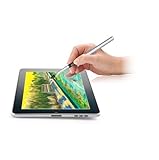
- [GAME CHANGER] It's a perfect sidekick for MZ generation who enjoy digital art in school and on the go.
- [INNOVATIVE] - Explore unlimited creative possibilities with this innovative drawing tool that allows you to express your creativity without limits. Whether you're an aspiring artist or just love to doodle, this pen is perfect for unleashing your imagination.
- [UNIQUE EXPERIENCE] - Whether you're using it to create digital art, write notes, or simply navigate your device, this pen is an essential tool that will enhance your touchscreen experience and allow you to express yourself in new and exciting ways.
- [COMPATIBILITY] - Compatible with all touchscreen devices, this pen is perfect for both kids and youth. Whether you're using a tablet or smartphone, you can use this pen to draw, sketch, write, or simply navigate your device.
- [COMPACT] - Designed for portability, this pen is easy to take with you wherever you go. Its compact size means it fits easily in a purse, backpack, or pocket, and it requires no batteries or charging, so you can use it anytime, anywhere.
How to install GIMP brushes
- Download the archive from the creator or host. Brush packs commonly arrive as ZIP files. The archive itself is not the brush; extract it before installing.
- Find the actual brush files. Look for
.gbr,.gih,.vbr,.myb, or, for a potentially compatible Photoshop pack,.abr. Read any included README or license file before copying anything. - Open GIMP’s brush-folder preferences. In GIMP 2.10, the usual route is Edit → Preferences → Folders → Brushes. On macOS, the Preferences command is under the GIMP application menu. GIMP 3 and development builds may use slightly different menu wording, but the relevant setting remains the Brushes folder under Preferences.
- Use the personal brush folder. The official manual recommends the user-configured or personal brush directory instead of the system directory. This avoids administrator permissions and makes backup, removal, and migration easier. If you prefer another location, add it to the Brushes search path from the same preferences panel.
- Copy the extracted files into that folder. You can keep separate subfolders such as
Ink,Textures,Nature, andDecorativeif your GIMP build indexes them correctly. If brushes do not appear, move the files directly into a configured Brushes folder and refresh again. - Refresh the Brushes dialog. Open the Brushes dialog, commonly through Windows → Dockable Dialogs → Brushes, and use its refresh control. You normally do not need to restart GIMP. If the refresh control is not visible, close and reopen the dialog or restart GIMP as a fallback.
- Confirm behavior, not just the thumbnail. Select the Paintbrush tool, choose the new brush, make a short stroke, and check spacing, opacity, color response, and size. A thumbnail appearing in the grid does not guarantee that an imported ABR brush behaves exactly as it did in Photoshop.
When a brush does not appear
- The ZIP file was copied instead of its contents: extract the archive and install the brush files, not the archive.
- The files are buried in nested folders: locate the folder that actually contains the extensions and add that folder to the Brushes search path, or copy the files into the personal Brushes directory.
- The folder is not configured: return to Preferences → Folders → Brushes and verify that the directory is listed and enabled.
- The dialog is stale: refresh the Brushes dialog after copying the files.
- The format is unsupported or malformed: test a known GBR brush first. If GBR works but an ABR pack does not, the problem is probably the particular ABR structure or its compatibility with your GIMP version.
- The brush appears but looks wrong: check whether it is an RGB brush, an animated GIH brush, or a large high-resolution stamp. The speech-bubble pack is a documented example of an RGB brush that remains black and white instead of acting like a simple foreground-color brush.
- The brush is slow: a 2,500-pixel tip or a complex texture can require substantially more processing than a small 300-pixel stamp. Reduce brush size, spacing, or image resolution when painting large areas.
How to create a brush from your own artwork
GIMP also lets you turn an image into a brush. Create or open the artwork, then use File → Export As and export it with a .gbr extension into your personal Brushes directory. During export, GIMP provides brush-specific settings such as the brush name and spacing. Refresh the Brushes dialog afterward.
This is useful for custom foliage, signature marks, texture stamps, or a simplified logo used inside your own artwork. Keep the source image and the exported GBR file together in a project folder so you can revise the brush later. If you distribute the resulting brush, make sure the source artwork is yours or that its license permits redistribution and modification.
How to choose a genuinely high-quality pack
“High quality” is not the same as “large download.” Evaluate each candidate against the workflow in which you will use it:
- Preview clarity: Can you see the actual marks, edges, and variation before downloading?
- Useful variety: Does the pack offer meaningful differences, or dozens of nearly identical stamps?
- Resolution: Small brushes around 300×300 or 400×400 pixels can be excellent for sketchbooks, storyboards, and normal-size illustrations. Large tips are better for broad texture and effects but may consume more memory and slow strokes.
- Documented format: GBR or GIH is a stronger compatibility signal than an unlabeled archive. Treat ABR as conditional unless the creator specifically confirms GIMP support.
- Predictable behavior: Test whether the brush follows foreground color, contains multiple frames, responds to pressure, and produces the spacing shown in the preview.
- Readable license: A clear CC0 or explicit usage statement is preferable to a page that says only “free.”
- Attribution requirements: Record the creator’s name and required credit before using the brush in a commission, client project, or published image.
- Download provenance: Prefer the original creator or an established host, and retain the original archive and license text for your records.
License checklist before commercial use
The documented examples show why a blanket “free for commercial use” label would be inaccurate:
- CC0: OpenGameArt’s featured 60-brush pack is identified as CC0, which is the clearest and most permissive example in this collection. Keep a copy of the license information anyway.
- CC BY-NC-SA 3.0: The speech-bubble pack requires attribution, is non-commercial, and carries a share-alike condition. It is not a general-purpose commercial asset under that license.
- Creator restrictions: Space-Kid’s Sparkle Brushes may be downloaded and used under the creator’s stated terms, but the pack must not be sold and authorship must not be falsely claimed.
- Personal and commission work: The GIMP brushes 2016 set permits personal and commission work and asks for a link back. That wording should not be expanded into permission to redistribute the files.
- Commercial work with credit: Chinese Brushes set 1 allows personal and commercial work with credit, while prohibiting redistribution of the set and derivative brush sets.
- Library-specific terms: The Brusheezy grunge and ink listings provide their own terms. Commercial use may be allowed, while resale or rehosting the files as your own is prohibited.
For a client project, save the download date, creator name, source page, archive, and license text. Do not include the original brush files in a deliverable unless the license expressly allows redistribution. A finished illustration that uses a brush is not automatically the same thing as redistributing the brush pack, but the exact license controls.
Pressure sensitivity and tablet workflow
GIMP’s brush tools are more expressive with a pressure-sensitive tablet than with a mouse. GIMP’s documentation describes pressure-based dynamics that can affect opacity, size, flow, jitter, and related brush behavior. That is particularly useful for ink, dry media, watercolor-like marks, and large textured strokes.
Recommended Free Tools
If you want pressure-sensitive control, compare a drawing tablet for digital art rather than choosing a model solely by brand. A screenless tablet is usually the least expensive way to add pen pressure; a pen display lets you draw directly on the image but costs more and adds display, cable, and calibration considerations. Compatibility depends on your operating system, tablet driver, GIMP version, and whether you need tilt or other advanced input.
Windows input settings
GIMP’s tablet documentation distinguishes between Wintab and Windows Ink. On newer Windows drawing devices, Windows Ink is generally preferred, while Wintab remains a useful alternative when a particular tablet or older setup requires it. Install the manufacturer’s driver, connect the tablet before launching GIMP, and test both the tablet’s pressure panel and GIMP’s input-device settings if pressure is missing.
Rank #4

- 【Professional Paint Brush Comb Set for Artists】 The GACDR Comb Brush set includes 4 premium comb-tip brushes in sizes 1/4", 3/8", 1/2", and 5/8", perfect for adding depth, texture, and movement to your artwork. Ideal for professionals and hobbyists seeking precision and versatility.
- 【Designed for Versatile Techniques】These paint brushes for acrylic painting are also compatible with watercolor, gouache, and oil mediums. The split synthetic Toray hair creates dynamic effects when painting feathers, fur, grass, or wood grain patterns.
- 【Superior Materials for Long-lasting Use】Crafted with imported Korean nylon hair, seamless silver ferrules, and ergonomic black birch wood handles, this set combines elegance with durability, giving you a professional toolset that lasts.
- 【Effortless Artistic Expression】The short-handle design offers excellent control and maneuverability, allowing for smooth strokes and detailed techniques with minimal hand fatigue. Perfect for blending, dry brushing, and fine detail textures.
- 【Ideal for DIY, Craft & Decorative Projects】Whether you’re decorating greeting cards, painting custom jewelry, or adding texture to canvas artwork, this paint brush comb set makes your creative vision easy to achieve. A must-have in every artist’s toolkit.
The GIMP 2.10 line can depend more heavily on the Wintab or Windows Ink configuration. The 2.99/3.0 development line improves hotplugging and input-device handling, but behavior still depends on the device and operating system. Do not assume that a tablet problem is caused by the brush pack itself.
Pressure troubleshooting
- Confirm that the tablet works in the manufacturer’s diagnostic or configuration application.
- Install or update the driver supplied by the tablet manufacturer.
- Check whether the driver is set to Windows Ink or Wintab, then use the corresponding option in GIMP.
- In GIMP’s tool options, enable the relevant dynamics and pressure controls.
- Test a simple GBR brush before testing a complex ABR or GIH brush.
- Reconnect the tablet and restart GIMP if the device was plugged in after the application started.
Organize and maintain a large brush library
- Keep a clean source archive: Store each pack in its own folder with the original ZIP, README, license, and extracted files.
- Use descriptive folder names: Names such as
Ink_CommercialTerms,Texture_CC0, andComic_NonCommercialreduce licensing mistakes. - Install selectively: A smaller library is easier to search and can reduce duplicate thumbnails. Add only the styles you actually use.
- Separate native and imported brushes: Put GBR/GIH resources in one area and ABR imports in another. This makes compatibility troubleshooting much faster.
- Back up the personal Brushes directory: Copy it when moving to another computer or reinstalling GIMP.
- Remove carefully: Delete unwanted brush files from the personal Brushes directory, then refresh the Brushes dialog. Avoid editing the system brush folder unless you have a specific administrative reason.
A practical shortlist
| Reader | Start here | Important caveat |
|---|---|---|
| Beginner | OpenGameArt’s CC0 GBR/GIH pack | Its smaller documented dimensions are suitable for many ordinary painting and texture tasks, but not every brush is intended for huge print-scale marks. |
| Comic artist | Speech bubbles GIMP brushes 3, then an ink pack | The speech-bubble pack is black and white and licensed CC BY-NC-SA 3.0, so check whether it fits your project. |
| Digital painter | OpenGameArt’s native formats plus a pressure-sensitive setup | Use dynamics and test opacity, size, and flow with your tablet. |
| Texture artist | Distressed Grunge Pack and Ink Brush Pack | Both are ABR resources. Confirm that the particular files import correctly before depending on them. |
| Designer making decorative work | Chinese Brushes set 1 and sparkle resources | Credit and redistribution restrictions differ, and the sparkle pack is not established as native GBR. |
| Mapmaker or environment artist | Browse grunge, foliage, birds, smoke, terrain, cracks, and texture categories | Use the individual listing’s preview, format, and license rather than relying on a dynamic category count. |
Final buying and downloading advice
You do not need paid brushes to get started in GIMP. Begin with the documented CC0 OpenGameArt collection, add the speech-bubble or GIMP-labeled sets when their terms fit, and then test selected ABR resources for specialized effects. Keep native GBR/GIH files separate from conditional ABR imports, refresh the Brushes dialog after installation, and record every license before using a pack commercially.
What’s actually slowing this PC down?
Pick the symptom - the matching free tool is one click away.
The most reliable brush library is not necessarily the one with the most thumbnails. It is the one whose formats load, whose marks suit your workflow, and whose creator terms you can explain months later.
Frequently Asked Questions
What is the difference between GBR, GIH, VBR, MYB, and ABR brushes?
GBR is GIMP’s native ordinary brush format, while GIH is used for animated or image-hose brushes. VBR is a parametric brush format, MYB refers to MyPaint brushes recognized by current GIMP documentation, and ABR is Photoshop’s brush format. ABR files may work in GIMP, but compatibility depends on the pack and GIMP version.
Best Value

- The “Goldilocks” Paint Brush Set - Professional-quality performance without luxury pricing. This paint brush set outperforms cheap sets while avoiding the cost and complexity of premium tools. A versatile painting set suitable for beginners and professionals.
- No Shedding, Long-Lasting Nylon Bristles - High-grade nylon bristles keep their shape, don’t shed, and hold paint evenly, making these painting brushes reliable as acrylic paint brushes, oil paint brushes, and brushes for watercolor painting. With proper care, customers report many years of regular use.
- Right Variety - No Wasted Brushes - This 12 piece paint brush set includes essential shapes (flat, round, fan, filbert) for backgrounds, blending, textures, and fine details. A practical acrylic watercolor oil paint set that supports multiple techniques.
- Comfortable Control for Long Sessions - Ergonomic wooden handles reduce fatigue and improve precision. Ideal painting brushes for canvas and reliable on fabric, wood, and board, perfect for classes, practice, and daily painting.
- Trusted Family Brand - A dependable artist paint brush set from a family-owned brand that stands behind its products. Suitable for acrylic, watercolor, and mixed-media painting, backed by a hassle-free money warranty.
How do I install downloaded brushes in GIMP?
Download and unzip the pack, copy the actual brush files into a personal folder listed under Preferences → Folders → Brushes, then refresh the Brushes dialog. You normally do not need to restart GIMP.
Can I use free GIMP brushes in commercial artwork?
No. Free download does not automatically mean commercial use, redistribution, or resale is allowed. The resources in this guide include CC0, attribution-required non-commercial terms, creator-specific restrictions, and listings that allow commercial work but prohibit rehosting or redistribution.
Do Photoshop ABR brushes work in GIMP?
Yes, some ABR files work in GIMP, but support is not universal. Test the individual pack in your GIMP version, and prefer GBR or GIH when the creator provides native GIMP files.
Do I need a drawing tablet to use GIMP brushes?
GIMP supports pressure-sensitive tablet input, and dynamics can use pressure to affect opacity, size, flow, jitter, and other behavior. On Windows, check the tablet manufacturer’s driver and whether the setup should use Windows Ink or Wintab.
The Bottom Line
Bottom line: The research supports 60-plus documented brush files, led by OpenGameArt’s CC0 GBR/GIH collection, plus several additional GIMP and ABR resources. It does not support claiming 60 independently verified packs. Start with native GBR or GIH files, treat ABR as version-dependent, and check each creator’s license before commercial use.
Quick Recap

Product prices and availability are accurate as of the date/time indicated and are subject to change. Any price and availability information displayed on Amazon at the time of purchase will apply.
Quick wins for a faster PC:
Scan for outdated or missing drivers - takes under a minuteDriver Scan →Clear out junk files and repair common Windows errorsFree Scan →



