Free tools Windows power users keep installed
One-click scans. No signup required.
ThatPainter is reader-supported. When you buy through links on our site, we may earn an affiliate commission. Learn More
Apple’s built-in AI image generator is called Image Playground. On a compatible iPhone, iPad, or Mac, turn on Apple Intelligence, open Image Playground, describe an image or choose concepts, select a style, review the variations, and save the result to Photos.

Apple also offers Genmoji for custom emoji and stickers, and Image Wand for image creation inside supported workflows. This guide explains which devices work, how to create and refine images, and what to check when Image Playground is unavailable.
What is Apple’s AI image generator called?
“Apple AI image generator” is a useful search term, but it is not Apple’s official product name. Apple’s main image-generation app is Image Playground, part of Apple Intelligence.
Outdated Drivers Are Slowing You Down
One free scan finds every outdated or missing driver and matches the right update for your exact hardware.Free scan · exact hardware matchWindows Errors? Fix Them Before They Spread
Repair common Windows errors and clear accumulated junk for a smoother, more stable PC - no reinstall needed.Free scan · no reinstall#1 Best Overall

- 4 Adjustable Drawing Modes:graphics tablets with 4 sliding switches for seamless mode transitions, adapting to over 90% of mainstream device resolutions.this ensures an effortlessly perfect fitted drawing area, eliminating distortions in lines and strokes
- Designed for Artistry:The drawing tablet features 6 noise-reduced shortcuts, organized in a user-friendly manner for easy function recall and swift operations. Say goodbye to inefficient mobile drawing experiences
- Battery-Free Stylus: The stylus design mimics a sketching pencil, It offers 16K levels of pressure and 60° tilt for a smooth and natural drawing experience with no delays. With battery-free electromagnetic technology and a built-in passive chip
- Powerful Compatibility: This pen tablet is compatible with Android, Linux, macOS, Windows, and Chrome OS (iOS is supported only with ibis)
- It seamlessly integrates with creative software like Photoshop, Illustrator, Macromedia Flash, Comic Studio, SAI, Infinite Stratos, 3D MAX, Autodesk MAYA, Pixologic ZBrush, and more, ensuring a fluid artistic workflow
- Image Playground: Creates original images from concepts, descriptions, people, and photos.
- Genmoji: Creates custom emoji and stickers from descriptions, combinations of emoji, or people and pets in Photos.
- Image Wand: Generates or transforms images within supported Apple apps and workflows.
- ChatGPT integration: An optional extension that can provide additional styles and image-generation options.
Image Playground is designed for quick, integrated creations rather than the detailed controls of a professional image-production system.
Apple’s Image Playground guide documents the current creation workflow.
Check compatibility before you start
Image Playground is not available on every Apple device. Apple’s current Apple Intelligence list includes the following hardware, but individual features can have narrower requirements based on the operating system, language, and region.
| Device | Supported examples |
|---|---|
| iPhone | iPhone 15 Pro, iPhone 15 Pro Max, supported iPhone 16 models, and newer supported iPhone models including listed iPhone 17-series devices |
| iPad | iPad Pro and iPad Air with M1 or later, plus iPad mini with A17 Pro |
| Mac | Apple-silicon MacBook Air, MacBook Pro, iMac, Mac mini, Mac Studio, and Mac Pro; Apple’s current list also includes MacBook Neo with A18 Pro |
| Other devices | Apple Vision Pro and some Apple Watch features when paired with a compatible Apple Intelligence-enabled iPhone |
Check Apple’s Apple Intelligence compatibility page before buying a device or troubleshooting the app. The general Apple Intelligence device list is not necessarily identical to the requirements for every feature.
What you need before creating an image
- A compatible Apple device.
- The latest available operating-system update for that device.
- Apple Intelligence enabled.
- The device language and Siri language set to the same supported language.
- Approximately 7 GB of available storage for Apple Intelligence models.
- Apple Intelligence and Image Playground availability in your region.
Apple’s supported-language list is expanding and includes languages such as English, Danish, Dutch, French, German, Italian, Norwegian, Portuguese, Spanish, Swedish, Turkish, Chinese, Japanese, Korean, and Vietnamese. Availability can differ by language and region, so check Apple’s current Apple Intelligence support information.
How to turn on Apple Intelligence
- Update your iPhone, iPad, or Mac to the latest available software.
- Open Settings.
- Tap Apple Intelligence & Siri.
- Turn on Apple Intelligence.
- Wait for the required models to download.
On a Mac, the wording and location of settings can vary slightly by macOS release, but look for Apple Intelligence & Siri in System Settings.
Rank #2
Keep the device connected as the models download and make sure sufficient storage is available. Apple says that turning Apple Intelligence off removes the on-device models. The device and Siri languages must match for Apple Intelligence to work.
How to create an image in Image Playground
- Open the Image Playground app.
- Tap New Image.
- Add ingredients for the image. You can choose Apple’s suggested concepts, enter a text description, select a person from Photos, or choose a photo subject such as a pet, meal, object, or nature scene.
- Tap Style.
- Choose a built-in style such as Animation, Illustration, or Sketch. Depending on your setup, ChatGPT styles or Any Style may also appear.
- Review the generated previews.
- Tap a preview bubble and swipe through variations.
- Remove an unwanted concept with the delete control, or change the style to generate another set of results.
- Tap Save in the upper-right corner.
The saved image appears in your Photos library. Apple’s current iPhone guide says Image Playground can combine up to seven elements, although interface limits may change with software updates.
Prompt examples
- “A golden retriever wearing a yellow raincoat, standing in a city park, autumn leaves.”
- “A cozy reading nook beside a window, warm afternoon light, houseplants.”
- “A birthday invitation illustration with balloons, a cake, and soft pastel colors.”
You do not have to write a long prompt. Start with Apple’s suggested concepts, then add a short description of the setting, subject, color, or mood.
How to improve an Image Playground result
If the first result is close but not right, make one change at a time:
- Switch to another style.
- Remove one distracting concept.
- Add a specific color or setting.
- Change the mood, lighting, or season.
- Choose a different source photo.
Short, concrete descriptions generally make it easier to understand what changed between variations. Avoid asking for exact typography, precise object placement, or a perfect likeness. Generative results can vary, and Apple warns users to check important information for accuracy.
For invitations, posters, labels, addresses, names, dates, and logos, generate the artwork first and add the final text manually in Pages, Keynote, Photos, Markup, or another editor. Do not rely on generated text without proofreading it.
The Tool Desk
Outbyte Driver Updater FREEFix the driver behind crashes, sound loss and screen glitchesFind Drivers →Outbyte PC Repair FREERepair Windows errors before they cause bigger problemsFix Now →Rank #3

- SPLIT THE VIEW. MULTITASK¹ TO THE MAX: Productivity never felt this powerful. Use up to three apps¹ at once on the expansive inner screen of Galaxy Z Fold8 Ultra. You’ll enjoy plenty of space to work, play, connect and more.
- MULTITASKING MADE SMARTER WITH AI: Stay one step ahead with AI² that suggests which apps you might need next. Then view those multiple windows side by side on the large screen of your Galaxy Z Fold8 Ultra.
- ANY SHOT, ALL THE DETAILS: Dive into the details of any image with our best camera on a foldable smartphone. Galaxy Z Fold8 Ultra boasts a 200MP camera — and an upgraded 50MP Ultra Wide lens — for both stunning wide shots and extreme close-ups.
- ELITE CHIPSET. FLUID GRAPHICS: Experience what’s possible with our most advanced Galaxy Z Series processor. From immersive gaming and speedy multitasking to the latest Galaxy AI³ features, the Snapdragon 8 Elite Gen 5 keeps everything running seamlessly.
- THE BATTERY YOU’VE BEEN WAITING FOR: It’s the battery you’ve been wanting in a foldable cell phone. Galaxy Z Fold8 Ultra packs a powerful ultra-sized⁴ battery in an ultra-slim design. Plus, with Super Fast Charging 2.0⁵, charge up faster than ever before.
How to use a person, pet, or other photo
Image Playground can use a person from your Photos library or a photo of a subject such as a pet, food, nature, or an object. If the person or pet is not identified correctly, name them in the Photos app first. Apple’s Genmoji documentation specifically requires people or pets to be named in Photos for that workflow.
A selected photo can take precedence over a conflicting written description. For example, if the chosen photo does not match the appearance implied by your text, the source image may have more influence. Try a clearer starting photo and avoid contradictory instructions.
Use someone else’s likeness only with permission. Take extra care with children’s photos, private images, and sensitive personal information.
ChatGPT is a separate privacy boundary. When you use its extension, Apple says you choose what content to send, and requests, attachments, and limited associated data may be sent to ChatGPT. You do not need ChatGPT for Apple’s built-in styles.
Use Image Playground in other Apple apps
Image Playground can also be exposed inside supported apps and workflows, including:
- Messages: Create an image while composing a conversation.
- Freeform: Add generated imagery to a board.
- Pages and Keynote: Create artwork for documents and presentations.
- Apple Invites: Generate invitation artwork.
- Supported third-party apps: Some apps may expose Apple’s image-creation controls.
The exact button varies by app and software version. Look in the app’s media, insertion, or Apple Intelligence controls for an Image Playground option.
Rank #4
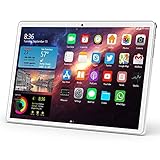
- 【3G PHONE CALL & MULTI-NETWORK CONNECTION 】 Our unlocked newest tablet has dual SIM card slots, enable you to call or Message to anyone anywhere anytime . You can fast and freely connect internet via WIFI:IEEE 802.11 b / g / n . Built in Bluetooth 4.0, GPS, OTG, and FM. (SIM card is not included)
- 【POWERFUL PERFORMANCE】This Android 9.0 tablet with a large HD 10.1 inch 1280*800 bright IPS screen resolution offers accurate colours, rich crisp content and supports for Games, Video, Facebook, Twitter, MSN, Skype , Netflix,YouTube
- 【SUPER STORAGE, KEEP HAPPY MEMORIES】 Tablet PC with 32GB. can be expanded to 128GB (Not Included) to store songs, videos, photos and other files.
- 【INFINITE VISION, EXCITING TOUCH】 Tablet features a 1280 x 800 high-definition display.Enjoy movies and games in a crisp, HD resolution, with less glare and more brightness thanks to a stunning IPS display. 10.1-inch tablet would satisfy you with Bring you a different sense of touch.
- 【LONG ENDURANCE BATTERY】 Tablet is equipped with 6000mAh rechargeable lithium battery, longer running time and standby time than others'. gives you the flexibility to go travel takes you allow for hours of entertainment.
How to create a Genmoji
If you want a custom emoji or sticker rather than a conventional generated image, use Genmoji:
- Tap a text field.
- Open the emoji keyboard.
- Tap Genmoji in the upper-right corner.
- Describe the emoji, combine existing emoji, or choose a person.
- Swipe through the variations.
- Remove concepts if needed.
- Tap Done.
Genmoji are saved with your stickers and can be used as emoji, stickers, Tapbacks, or shared images. They are related to Image Playground but are intended for emoji-style results rather than general artwork.
Free tools Windows power users keep installed
One-click scans. No signup required.
See Apple’s Genmoji instructions for the current keyboard path.
Why Image Playground may be missing
Work through these checks in order:
- Check the hardware: Confirm that your iPhone, iPad, or Mac is on Apple’s supported list.
- Update the software: Install the latest available release for your device.
- Enable Apple Intelligence: Check Settings → Apple Intelligence & Siri.
- Check language matching: The device language and Siri language must be the same supported language.
- Free storage: Apple lists approximately 7 GB for Apple Intelligence models.
- Check region availability: Apple Intelligence and individual features may not be available everywhere.
- Check Screen Time: Image-generation features can be blocked by Screen Time restrictions.
If Apple Intelligence is stuck downloading, connect to Wi-Fi and power, confirm storage, leave the device time to download the models, restart it, and check for updates. These are practical troubleshooting steps; exact behavior varies by device and software release.
ChatGPT styles are missing
ChatGPT styles require the ChatGPT extension to be available and enabled. ChatGPT availability is separate from Apple Intelligence availability, and regional restrictions may affect it. Check the Apple Intelligence settings and remember that using the extension can send selected content to ChatGPT.
Independent reader supportYour contribution helps us test, update, and keep practical guides available for everyone.Is Apple’s image generator free?
Image Playground is an Apple Intelligence feature for compatible hardware, not a separately identified Image Playground subscription in the supplied Apple documentation. That does not mean every use is cost-free: you need supported hardware, storage for the models, and possibly an optional ChatGPT service for ChatGPT features.
Do these 3 things before closing this tab:
1Repair Windows errors before they cause bigger problems2Scan for outdated or missing drivers - takes under a minute3Clear out junk files and repair common Windows errorsBest Value

- This digital tablet Pen is widely used by , artist, teacher, student, office people, .
- It is suitable for magazine illustrative painting, for image editing, drawing, game/cartoon movie , scenery creation, .
- The digital pen likes a real paint brush and it functions as the .
- eco-friendly material
- If you need to purchase in bulk please contact us
Apple announced daily usage limits for some server-based image-generation features in the next-generation Image Playground, with increased access through most iCloud+ plans. Limits and eligible plans are release- and region-dependent, so check the current terms rather than assuming that every iCloud+ tier provides identical benefits. You do not need iCloud+ simply to assume basic Image Playground access unless Apple’s current release documentation says otherwise.
Is Image Playground suitable for professional artwork?
Image Playground is a strong fit when you value quick creation, Apple-app integration, and simple access to images based on your Photos library. It can be useful for concept sketches, presentation artwork, invitations, classroom materials, mood boards, and personal projects.
It is less suitable when you need:
- Pixel-level retouching or layer-based compositing.
- Exact dimensions and repeatable composition.
- Reliable text rendering.
- Consistent characters across many images.
- Precise camera, lighting, or masking controls.
- Controlled commercial production workflows.
Use Photos, Markup, Pages, or Keynote for finishing work. Consider a dedicated image-generation service when you need more model choice, control, or high-volume production, but verify its current licensing and pricing separately. The supplied Apple information does not establish blanket commercial rights for every Image Playground output, so do not assume every generated image is automatically cleared for every commercial use.
What Apple announced for the next Image Playground update
The announced features include:
- Photorealistic image generation.
- More powerful image modification by describing changes.
- Touch-based selection using tap, circle, or brush gestures.
- Use of generated images for Lock Screen wallpapers and Contact Posters.
- Hidden SynthID watermarks on generated images.
- Daily limits for some server-based image-generation features.
- Increased access through most iCloud+ plans.
Apple’s announcement described these capabilities as arriving “this fall.” Check the current operating-system release notes and Image Playground interface before relying on any of them.
Source: Apple’s June 8, 2026 announcement.
Should you buy a new Apple device for Image Playground?
Do not buy a new device solely for occasional novelty images if you already own a compatible iPhone, iPad, or Mac. First check Apple’s compatibility list and enable Apple Intelligence on your current hardware.
If your current iPhone is unsupported and you specifically want Apple Intelligence, compare the least expensive compatible model that meets your needs rather than assuming you need a Pro model. Hardware prices and availability change by country and date; Apple’s U.S. iPhone buying page should be checked for current prices.
Choose iCloud+ for storage or increased eligible server-based access only after checking the current plan rules in your region. Choose a dedicated image service instead when your priority is advanced control rather than Apple ecosystem integration.
Recommended Free Tools
Bottom line
Apple’s AI image generator is Image Playground. If your device supports Apple Intelligence, enable it under Settings → Apple Intelligence & Siri, open Image Playground, combine concepts or a short description with a style, review the variations, and save the result to Photos. Use Genmoji for custom emoji, and treat ChatGPT styles and the announced fall 2026 features as optional or release-dependent additions.
Quick Recap

Product prices and availability are accurate as of the date/time indicated and are subject to change. Any price and availability information displayed on Amazon at the time of purchase will apply.




