PC Slower Than It Used to Be?
Quick wins for a faster PC:
Scan for outdated or missing drivers - takes under a minuteDriver Scan →Repair Windows errors before they cause bigger problemsFix Now →Outbyte PC Repair · freeA free scan shows the junk files, broken settings and background clutter dragging Windows down - then fixes them in one click.
Run a Free PC Scan →ThatPainter is reader-supported. When you buy through links on our site, we may earn an affiliate commission. Learn More
The Creality Falcon A1 Pro is a capable enclosed 20W diode laser engraver for wood, leather, cardboard, craft acrylic, and small personalization businesses. Its automatic focus, camera-assisted positioning, CoreXY motion, and Class 1 enclosure make it easier and more practical for home use than a basic open-frame diode machine. However, it is not a replacement for a CO₂ laser for broad nonmetal cutting or a fiber laser for serious metal marking.
The biggest ownership caveat is ventilation: the enclosure reduces exposure to laser light, but it does not eliminate smoke, odor, fire risk, or the need for constant supervision. The optional 2W infrared module is useful for selected metal and plastic marking, but it should be treated as a specialized upgrade rather than a second all-purpose laser.
What is the Creality Falcon A1 Pro?
The Falcon A1 Pro is an enclosed desktop laser engraver built around a 20W blue semiconductor diode laser. It has a listed engraving area of 268 × 358 mm, automatic focusing, a camera-assisted positioning system, CoreXY motion, an integrated touchscreen, and compatibility with Falcon Design Space, LightBurn, and LaserGRBL.
Creality markets it as a Class 1 machine for enclosed operation. The design includes an eye-protection cover, lid-open laser stopping, a key-operated lockout, emergency stop, flame detection, and other monitoring systems. These features make the A1 Pro more suitable for a home, classroom, shared studio, or small workshop than an exposed laser gantry, but Class 1 is not the same as risk-free operation.
#1 Best Overall

- Smart Touch Screen & APP Control- The Creality Falcon A1 Pro 20W laser engraver machine boasts a sleek, smartphone-style touchscreen for effortless, cable-free operation. Intelligent app control elevates your workflow with real-time monitoring from anywhere—whether on the couch or in the kitchen—keeping you instantly informed so you can multitask with confidence
- 3× Faster Speed & 8 Safety Shields- Creality A1 Pro 20W Laser engraver outpaces its peers with speeds up to 600 mm/s—three times faster—delivering batch efficiency to meet most needs. Dual protective covers filter 99% of light, protecting your eyes without goggles, while the enclosed design blocks smoke and noise. An internal fan speeds smoke removal, and safety is enhanced by an emergency stop and lid-open halt feature
- 20W Blue & 2W Red Light Switching- The Falcon A1 Pro 20W blue-laser engraver empowers you to create with professional precision—capable of cutting through 10 mm basswood and 8 mm black acrylic at speeds reaching 600 mm/s. For unparalleled fine work, the optional purchased 2W infrared (IR) module harnesses 1064 nm technology and a 0.03 mm ultra-fine laser spot, delivering extraordinary clarity for engraving photographs, jewelry, business cards, and more
- HD Camera & Leading Autofocus- Falcon A1 Pro Laser engraver machine high-definition camera previews the entire workspace, enabling precise object positioning for flawless cuts and engravings. Its camera control module, AI vision system, red-dot ranging laser, and Z-axis auto-lift deliver automatic focusing in just 3 seconds, achieving measurement accuracy within 0.012 inches for perfect results from the very first cut
- Pre-Assembly & Falcon Design- The Falcon A1 Pro 20W laser engraver arrives 80% pre-assembled, requiring only minimal setup to begin creating—ideal for seasoned designers and small businesses alike. With Falcon Design Space, effortlessly manage model selection, printing, and monitoring. Its streamlined UI offers intuitive guidance, enabling anyone to master the A1 Pro with ease, no expertise needed
Specifications and included accessories can vary by bundle. Check the official product page before buying.
Key specifications
| Feature | Falcon A1 Pro |
|---|---|
| Main laser | 20W blue diode |
| Blue-laser wavelength | 455 ± 5 nm |
| Optional laser | 2W infrared module, 1064 ± 1 nm |
| Listed work area | 268 × 358 mm |
| Maximum advertised motion speed | 600 mm/s |
| Machine dimensions | 567 × 468 × 211 mm; Creality lists 685 mm width with the touchscreen installed |
| Net weight | 16.8 kg |
| Electrical input | 100–240V |
| Software | Falcon Design Space, LightBurn, and LaserGRBL |
| Supported platforms | Windows and macOS |
| Safety classification | Class 1, under the enclosed operating design |
20W blue diode performance
The blue diode is the head most users will use for everyday engraving and cutting. It is well matched to wood, leather, cardboard, fabric, and many opaque or dark craft materials. Creality claims one-pass cutting of up to 10 mm basswood and up to 8 mm black acrylic under stated conditions. Those figures are manufacturer claims, not guarantees for every sheet or project.
Real cutting depth depends on the material’s density, glue, resin, color, moisture, flatness, focus, air assist, speed, power, and number of passes. Plywood is particularly inconsistent because adhesive layers and veneers vary between brands. A 20W diode also remains a poor choice for clear acrylic and many transparent materials because blue diode light passes through them rather than being absorbed effectively.
The Tool Desk
Outbyte PC Repair FREEClear out junk files and repair common Windows errorsFree Scan →Outbyte Driver Updater FREEFix the driver behind crashes, sound loss and screen glitchesFind Drivers →The practical expectation is strong craft-material cutting rather than unrestricted fabrication. Thin basswood, cardboard, leather, and suitable acrylic are natural applications. Thicker plywood and dense hardwood may require slower settings, multiple passes, cleanup, or a different laser technology.
What the optional 2W infrared module adds
The optional 2W infrared head operates at 1064 ± 1 nm and is intended for marking selected metals, plastics, coated materials, ceramics, and similar surfaces. Creality lists examples including stainless steel, aluminum, brass, iron, titanium alloy, electroplated metal, some plastics, dark opaque acrylic, shale, and ceramic coasters.
- Use the blue diode for most wood, leather, cardboard, and ordinary craft cutting.
- Use the IR head for specialized surface marking on compatible metals, plastics, and coated objects.
- Do not treat the IR head as a fiber laser. Alloy, coating, finish, speed, and desired marking effect determine the result.
The module broadens the machine’s usefulness, especially for names, logos, and markings on coated or anodized items. It does not make the A1 Pro suitable for high-volume industrial metal marking, deep engraving, or general metal cutting. The two heads can be swapped quickly; Tom’s Hardware reported changing the toolhead in under a minute.
Rank #2

- 【Smart Touch】The Creality laser engraver comes with a smart touchscreen, simplifying everyday tasks with no messy cables or complicated steps. Quickly access history files and reopen recent projects with a single tap—no need to re-import or reconfigure. Enjoy real-time previews of your work for precise, hassle-free engraving.
- 【Autofocus + HD Camera】Auto focus in ~3s with full-bed preview for precise placement—a laser engraving machine that delivers clean laser engraving on common maker materials.
- 【3× Faster CoreXY】Up to 600 mm/s on a laser cutter and engraver machine; the A1 Pro 20w laser engraver boosts batch productivity without sacrificing detail.
- 【Clean Cuts, Less Work】As a wood engraver and wood laser cutter, A1 Pro handles 10 mm basswood and 8 mm black acrylic with smooth edges and fewer passes. Laser class 1 and power output level 20000mW.
- 【Safer, Cleaner Shop】The enclosed laser cutter's transparent cover not only filters out 99% of laser radiation, it also effectively blocks noise and smoke, and adds lid open stop, emergency stop, and air assist functions—a quiet laser cutter perfect for home or small shop.
Enclosure, build, and workspace
The enclosed chassis is one of the A1 Pro’s strongest advantages. It keeps the moving mechanism and laser inside a defined work area, provides an eye-protection barrier, and integrates safety controls that are absent from many inexpensive open-frame machines.
Plan for more than the headline footprint. Creality lists the body at 567 × 468 × 211 mm but gives a 685 mm width after installing the touchscreen. Leave additional room for the exhaust hose, power and data cables, opening the lid, loading material, and maintenance. Use a stable, nonflammable surface and keep the emergency stop accessible.
The 268 × 358 mm work area is adequate for ornaments, labels, plaques, signs, tags, and personalized gifts. It is less convenient for large signage or production work involving oversized sheets.
Setup and first-use workflow
- Prepare the workspace. Arrange safe exhaust or suitable filtration, clear combustible debris, and ensure the machine cannot be left unattended.
- Install the hardware. Attach the exhaust tubing, connect power and air-assist equipment, and install the touchscreen if it is included in the selected bundle.
- Install software. Falcon Design Space is the simplest starting point. LightBurn offers more advanced control, while LaserGRBL is another supported option.
- Connect the machine. Use the supported USB or network connection and confirm that the device is recognized before loading valuable material.
- Select the correct head. Fit the 20W blue module for ordinary diode-laser work or the optional IR module for compatible marking tasks.
- Calibrate and focus. Complete the official camera and autofocus procedure, then verify alignment on scrap material.
- Run a test grid. Record power, speed, passes, and air-assist settings for each material brand and thickness. Generic presets are only a starting point.
- Secure the workpiece. Flatten warped stock and use an appropriate honeycomb or cutting surface where needed.
- Preview and frame. Confirm scale, orientation, and placement in the camera view before starting.
- Monitor the job. Check exhaust, air assist, smoke, flame, movement, and scorching continuously.
- Inspect and clean. Check cut-through, edge quality, dimensions, and residue. Remove debris and clean the lens and work area according to Creality’s maintenance guidance.
Creality’s A1 Pro documentation hub includes guides for autofocus, camera calibration, LightBurn connection, rotary use, maintenance, troubleshooting, and parameter recommendations.
Autofocus and camera positioning
Automatic focusing removes one of the more tedious setup steps associated with diode lasers. Creality advertises autofocus precision under 0.012 inch, while independent coverage lists a 0.08 × 0.1 mm spot size. These figures describe different things: focus or height detection is not the same as final dimensional accuracy, engraving sharpness, or camera-registration accuracy.
Free tools Windows power users keep installed
One-click scans. No signup required.
The overhead camera can show the work area, help place a design, and support repeat or batch engraving. Tom’s Hardware reported reliable automatic calibration during its testing. In practice, camera workflows are still affected by calibration, perspective, object height, warping, reflective surfaces, dark materials, and transparent objects.
Rank #3
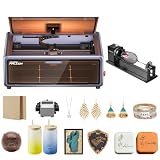
- HIGH-PRECISION ENGRAVING MADE EASY – The Falcon A1 laser engraver delivers 80,000mW of power with an advanced CoreXY system, allowing speeds of up to 600mm/s and an engraving accuracy of 0.05mm. Whether you’re personalizing gifts, crafting intricate designs, or making professional products, it ensures sharp, detailed results on a variety of materials. It can even cut through 6mm wood in a single pass! Plus, with the Falcon roller kit, you can engrave on curved or round objects like tumblers
- SMART & SIMPLE TO USE – No more complicated setups! The built-in camera automatically recognizes your material and applies the best settings for engraving or cutting—so you don’t have to experiment. Just place your material, let the Falcon A1 do the work, and enjoy perfect results every time. For added safety and peace of mind, the Falcon laser engraver includes an emergency stop button and will automatically pause when the lid is opened, making it safe for beginners and experienced users alike
- DESIGNED FOR CONVENIENCE – The Falcon A1 laser cutter and engraver machine unique double-door design gives you easy access to your projects. The transparent top and side panels let you monitor your work in real time, and the side openings make loading and unloading materials effortless. Whether you're a hobbyist or a professional, this design makes engraving faster, easier, and more enjoyable
- SAFE, QUIET, AND LONG-LASTING – The Falcon A1 laser engraving machine is a Class 1 laser, meaning it’s safe to use anywhere. Its fully enclosed design blocks 99% of laser light, so you don’t need safety goggles. It also reduces smoke and noise, keeping your workspace clean and comfortable. Plus, the advanced cooling system helps prevent overheating, ensuring smooth performance and a longer lifespan
- LASER ROTARY ROLLER PRO KIT – Equipped with 3 sets of grippers (Trapezoidal, L-shaped, and Hexagonal), the advanced 3-in-1 design grips objects tightly and engraves more shaped objects
For valuable or irregular workpieces, make a small test mark first. If the machine has been moved, recalibrate or verify alignment before relying on the camera preview.
Speed: impressive specification, narrower real-world meaning
Creality advertises movement speeds up to 600 mm/s. That figure is most meaningful for light engraving, large raster graphics, and jobs where fast repositioning reduces idle time. It should not be read as a typical cutting speed.
Cutting thick stock requires slower movement and may require multiple passes. Total job time also includes autofocus, camera positioning, acceleration, air-assist startup, material changes, and cleanup. For a small business, elapsed production time matters more than the maximum travel number.
Recommended Free Tools
Engraving quality and repeatability
The A1 Pro’s blue diode should be capable of detailed line art, filled graphics, text, and photo-style raster work when the material is flat and the settings are appropriate. Results depend heavily on focus, material coating, raster interval, speed, power, and smoke residue. Small text and fine lines are useful stress tests because they expose blur, banding, uneven passes, or poor registration more readily than a large simple logo.
For repeat work, use a fixed jig or carefully repeatable placement rather than assuming the camera alone guarantees perfect registration. Batch engraving can be a practical advantage, but each object should have consistent height, finish, and orientation.
Software experience
Falcon Design Space is the natural beginner path. The software is intended to simplify importing artwork, positioning it through the camera, selecting material parameters, and sending a job. It is a sensible way to learn the machine without immediately managing every laser parameter manually.
Rank #4

- Smart Touch Screen & APP Control- The Creality Falcon A1 Pro 20W laser engraver machine boasts a sleek, smartphone-style touchscreen for effortless, cable-free operation. Intelligent app control elevates your workflow with real-time monitoring from anywhere—whether on the couch or in the kitchen—keeping you instantly informed so you can multitask with confidence
- 3× Faster Speed & 8 Safety Shields- Creality A1 Pro 20W Laser engraver outpaces its peers with speeds up to 600 mm/s—three times faster—delivering batch efficiency to meet most needs. Dual protective covers filter 99% of light, protecting your eyes without goggles, while the enclosed design blocks smoke and noise. An internal fan speeds smoke removal, and safety is enhanced by an emergency stop and lid-open halt feature
- 20W Blue & 2W Red Light Switching- The Falcon A1 Pro 20W blue-laser engraver empowers you to create with professional precision—capable of cutting through 10 mm basswood and 8 mm black acrylic at speeds reaching 600 mm/s. For unparalleled fine work, the optional purchased 2W infrared (IR) module harnesses 1064 nm technology and a 0.03 mm ultra-fine laser spot, delivering extraordinary clarity for engraving photographs, jewelry, business cards, and more
- HD Camera & Leading Autofocus- Falcon A1 Pro Laser engraver machine high-definition camera previews the entire workspace, enabling precise object positioning for flawless cuts and engravings. Its camera control module, AI vision system, red-dot ranging laser, and Z-axis auto-lift deliver automatic focusing in just 3 seconds, achieving measurement accuracy within 0.012 inches for perfect results from the very first cut
- 2W IR Ultra-HD Engraving-Featuring a 0.03mm ultra-fine laser spot and 1064nm IR technology, it delivers un-matched detail for engraving photos, jewelry, business cards, and more
Advanced users may prefer LightBurn for deeper control over layers, settings, design preparation, and established laser workflows. LightBurn is separate software and may require its own paid license. LaserGRBL is another supported option, but the best choice depends on the user’s operating system and preferred workflow.
Before purchase, confirm current software requirements, account or network requirements, offline behavior, firmware support, and recovery options. Creality’s support page lists firmware releases, but versions and interface labels can change.
Independent reader supportYour contribution helps us test, update, and keep practical guides available for everyone.Safety, smoke, and ventilation
The Class 1 enclosure, lid stop, key lockout, emergency stop, and flame detection are meaningful safeguards. They do not remove the need to supervise every job. A laser can ignite material, and a safety sensor cannot compensate for unsuitable stock, blocked airflow, or unattended operation.
Three systems are often confused:
- Air assist directs air at the cut, helping cool the material and reduce scorching.
- Exhaust moves smoke and odor out of the enclosure.
- Filtration attempts to clean air before it returns to the room.
Independent testing identified the exhaust fan as a weakness. A long, kinked, or poorly routed hose can make the problem worse. If outdoor venting is not practical, an appropriately sized purifier may help, but filters require replacement and should not be assumed to match the performance of direct exhaust.
Never cut PVC, vinyl, unknown plastics, or materials that may release corrosive or toxic fumes. The enclosure limits exposure to laser light; it does not make hazardous materials safe. Keep the work area clear, monitor for flame and smoke buildup, and have an appropriate emergency response plan.
Accessories and total cost
The official commercial page showed a price of $1,099 for the Falcon A1 Pro 20W dual-laser engraver in the dossier’s August 16, 2026 snapshot. That price and availability can change, and bundles may differ. The 2W IR module is purchased separately according to Creality’s listing.
Best Value

- Smart Touch Screen & APP Control- The Creality Falcon A1 Pro 20W laser engraver machine boasts a sleek, smartphone-style touchscreen for effortless, cable-free operation. Intelligent app control elevates your workflow with real-time monitoring from anywhere—whether on the couch or in the kitchen—keeping you instantly informed so you can multitask with confidence
- 3× Faster Speed & 8 Safety Shields- Creality A1 Pro 20W Laser engraver outpaces its peers with speeds up to 600 mm/s—three times faster—delivering batch efficiency to meet most needs. Dual protective covers filter 99% of light, protecting your eyes without goggles, while the enclosed design blocks smoke and noise. An internal fan speeds smoke removal, and safety is enhanced by an emergency stop and lid-open halt feature
- 20W Blue & 2W Red Light Switching- The Falcon A1 Pro 20W blue-laser engraver empowers you to create with professional precision—capable of cutting through 10 mm basswood and 8 mm black acrylic at speeds reaching 600 mm/s. For unparalleled fine work, the optional purchased 2W infrared (IR) module harnesses 1064 nm technology and a 0.03 mm ultra-fine laser spot, delivering extraordinary clarity for engraving photographs, jewelry, business cards, and more
- HD Camera & Leading Autofocus- Falcon A1 Pro Laser engraver machine high-definition camera previews the entire workspace, enabling precise object positioning for flawless cuts and engravings. Its camera control module, AI vision system, red-dot ranging laser, and Z-axis auto-lift deliver automatic focusing in just 3 seconds, achieving measurement accuracy within 0.012 inches for perfect results from the very first cut
- The Creality Laser Rotary Roller is an industrial-grade fixture designed specifically for laser engraving. No assembly required—simply install it onto your machine and start using it
Budget separately for accessories that match your work:
- 2W IR module: worthwhile only if compatible metal or plastic marking is central to your projects.
- Honeycomb or riser platform: useful for airflow, through-cuts, and workpiece clearance if not included.
- Rotary attachment: needed for cylindrical objects rather than flat sheets.
- Purifier or improved exhaust: important where the supplied extraction is insufficient.
- Replacement lens and cleaning supplies: normal maintenance items.
- LightBurn: potentially useful for advanced workflows, but separate from the machine.
For business use, include material waste, ventilation, cleanup, maintenance, labor, filter replacement, and downtime in the calculation. The machine price alone does not determine profitability.
Who should buy the Falcon A1 Pro?
Buy it if:
- You want an enclosed diode laser for wood, leather, cardboard, and suitable acrylic.
- You are upgrading from a 5W or 10W open-frame diode machine.
- You value autofocus, camera placement, and a guided beginner workflow.
- You make signs, tags, ornaments, gifts, or other low-volume personalized goods.
- You have safe exhaust and can supervise every job.
Choose something else if:
- Your primary work is thick clear acrylic or broad nonmetal cutting; consider a CO₂ laser.
- You need deep, high-volume, or industrial metal marking; consider a fiber laser.
- You need a much larger bed for signage or sheet work.
- You cannot provide effective smoke extraction.
- You expect 600 mm/s to represent normal cutting throughput.
- You want a maintenance-free machine or unattended production.
Falcon A1 Pro vs. the standard Falcon A1
The standard Falcon A1 is a lower-power 10W diode model with a listed 305 × 381 mm engraving area. It may be the better value for buyers focused on ordinary wood craft and who do not need the Pro model’s extra cutting power, camera-oriented workflow, or future IR expansion. The A1 Pro is the more capable choice when cutting performance and the enclosed prosumer feature set matter more than the slightly larger listed area of the standard A1.
Compare the actual bundle contents and current pricing rather than comparing model names alone. The standard Falcon A1 product page lists its current specifications.
Final verdict
The Creality Falcon A1 Pro is a strong enclosed diode laser for makers and small personalization businesses that primarily use wood, leather, cardboard, and compatible acrylic. Its 20W source, autofocus, camera positioning, CoreXY motion, and safety enclosure create a more approachable ownership experience than a basic open-frame machine.
Its limits are equally important: the work area is not large, 600 mm/s is a travel specification rather than a cutting promise, the exhaust may need improvement, and the optional IR head does not replace a fiber laser. Buy the A1 Pro when convenience and enclosed diode cutting fit your work. Choose a CO₂, fiber, larger diode, or simpler standard A1 system when your materials and production needs point elsewhere.
Quick Recap

Product prices and availability are accurate as of the date/time indicated and are subject to change. Any price and availability information displayed on Amazon at the time of purchase will apply.
What’s actually slowing this PC down?
Pick the symptom - the matching free tool is one click away.




