Recommended Free Tools
ThatPainter is reader-supported. When you buy through links on our site, we may earn an affiliate commission. Learn More
Choose BERNINA Embroidery Software 9 Creator if you want a Windows-based, BERNINA-focused package for editing and digitizing embroidery designs. Choose mySewnet Gold if you want a broader, wizard-led toolset, cross-brand embroidery-file exports, or Mac support—and are comfortable with its subscription option. Neither is a universal winner: verify your machine’s format and transfer workflow, the exact tools you need, and current regional terms before buying.
How the two products differ
Creator is the mid-level product in BERNINA’s V9 lineup, intended for embroidery modification and digitizing. It includes editing and combining designs, lettering and monogramming, auto-digitizing tools, thread matching, stitch preview, hoop selection, and design transfer and export options. BERNINA’s product-level overview distinguishes it from DesignerPlus: Creator does not include CorelDRAW, multi-hooping, or several advanced effects available in DesignerPlus.
mySewnet Gold is positioned for advanced embroidery hobbyists. Its US product page describes wizard-led creation alongside lettering, editing, appliqué, photo stitch, project-in-the-hoop, quilt blocks, cloud-connected workflows, and embroidery-format export. Some connected functions depend on the machine, subscription level, or software version; file export support alone does not establish that every connected feature will work with a particular machine.
#1 Best Overall
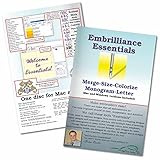
- Compatible with current Windows and MacOS operating systems with free, downloadable updates and disk-free installers available.
- Resize existing embroidery stitch files with automatic stitch recalculation.
- Add lettering in Multi-Line, Monogram and Circle modes using the 21 included fonts depicted in the product images, or with any of a world of BX fonts available to purchase from a multitude of creators online! You can even spiral text or make really LARGE letters.
- Save existing embroidery designs in your machine’s format and save appliques for cutting machines such as ScanNCut and Silhouette.
- Overlap existing embroidery designs and have significant underlying stitching automaticly removed.
Compare the practical buying factors
| Factor | BERNINA Creator 9 | mySewnet Gold |
|---|---|---|
| Positioning | Mid-level BERNINA V9 software for embroidery modification and digitizing. | Advanced-hobbyist tier in the mySewnet software plans. |
| Tools and workflow | Design editing and combining, lettering, monogramming, auto-digitizing, thread matching, stitch preview, hoop selection, and transfer/export options. Some advanced functions are DesignerPlus-only. | Wizard-led creation, editing, lettering, appliqué, photo stitch, project-in-the-hoop, quilt blocks, cloud workflows, and embroidery-format export. Connected features can depend on machine, plan, or version. |
| Machine and formats | The BERNINA USA shop listing says Creator is compatible with BERNINA embroidery machines. The V9 brochure describes USB, Wi-Fi, and other transfer options; confirm which apply to your setup. | The US Gold page lists PES versions 2–11 for Brother, Baby Lock, and BERNINA. The broader mySewnet embroidery page lists additional formats and typical brand associations. Format availability does not guarantee machine-specific connectivity. |
| Operating system | The BERNINA brochure lists Windows 10 and Windows 11. | The US Gold page lists Windows 10 and macOS High Sierra 10.13 or later, plus an internet connection. These are vendor-listed minimum requirements, not a recommendation for optimal performance. |
| License and purchase | The V9 license is for one user and can be installed on up to three devices, with use on one device at a time. The package consists of USB installation media and a product key card. | The US page offers a monthly subscription and says a copy may also be purchased from a local dealer. Check what a local purchase includes. |
| Price evidence | Current regional Creator pricing is not stated in the official materials cited here; check local BERNINA pricing. | The US Gold page displayed $19.99 per month when accessed in 2026. This is a time-sensitive US listing, not a universal price. |
These are vendor-published specifications, not comparative performance tests. They do not establish which program is easier, faster, more reliable, or produces better stitching.
Check machine compatibility before choosing
Start with the exact machine model and the way you intend to move designs to it. BERNINA’s US listing supports the claim that Creator is compatible with BERNINA embroidery machines, while the V9 brochure describes multiple transfer options. mySewnet Gold’s format list supports exports including PES versions 2–11 for Brother, Baby Lock, and BERNINA. Those facts answer different questions: a machine-readable file format is not the same thing as a supported wireless, cloud, or other connected workflow.
Rank #2

- Comprehensive Digitizing Solution: Level 2 includes Level 1 functions without needing 2 programs. It is designed for production and skills training for those who would like to create more sophisticated designs and logos, as well as a more complete set of tools for all design creations. It allows the user to learn a wide cross-section of stitch types and properties, giving them the freedom to create virtually any design. If you are looking to use satin stitches to their fullest extent, Embrilliance StitchArtist Level 2 has the tools you need.
- Flexible Integration Options: Stand alone or combine the different Embrilliance Programs for the best in embroidery creation and editing
- Cross-Platform Compatibility: Runs natively on MAC and PC operating systems
- Extensive Learning Resources: Extensive instructional resources available via the official Embrilliance YouTube channel, the built in Help manual, and a community of engaged users online
- Upgrade Information: If you already own StitchArtist Level 1, you need to purchase StitchArtist Upgrade Level 1 to Level 2 rather than this complete version
- Confirm the embroidery format and version your machine accepts.
- Confirm how the machine receives designs—such as USB or a supported wireless or cloud workflow—and whether that method is available for your model.
- For mySewnet connected functions, check whether your machine, plan, and software version support the specific feature you want.
Match the software to the tools you actually need
Choose Creator for BERNINA-oriented editing and digitizing
Creator’s stated toolset covers design modification, lettering and monogramming, and auto-digitizing. BERNINA’s 2024 brochure lists 60 built-in embroidery fonts and 384 built-in designs for Creator. If a workflow depends on CorelDRAW, multi-hooping, or one of the advanced effects reserved for DesignerPlus, Creator is not the right V9 level; check the BERNINA product-level overview before choosing.
Choose Gold for its guided creation and broader listed formats
Gold’s listed tools include guided design creation as well as editing, appliqué, photo stitch, and project-oriented features. Its listed formats may suit households using supported Brother, Baby Lock, or BERNINA machines, but confirm your model and connected workflow rather than relying on brand name alone.
Rank #3

- Level 3 includes Level 1 and Level 2 features; it is designed for someone who either loves to create designs or works commercially in the embroidery field. This level includes advanced items such as Styles, QuickStyles, an Eyelet tool, Carving lines, graphical operators such as Cut, AND, Union, Flatten, Inflate/Deflate, Re-construct and Break. It also allows for the content within the product to be expanded by publishing Motifs and Embossed effects. Additional controls are available to work how you like. Font makers and patch creators will find special tools exclusive to StitchArtist 3 for scaleable BX font publishing, faux-overlock edges, and full-stack patch digitizing.
- StitchArtist is not a photo-to-stitch or autodigitizing program. It focuses on straightforward design creation and enabling users to learn embroidery digitizing fundamentals. If you want to make designs for hobby, cottage industry, or professional use, this is for you. If you really want to learn to digitize, StitchArtist will give you the control you need to create any design and know how it's put together.
- Most users will begin by importing an image they want to embroider over which they'll draw ‘objects’ that will be stitched, over the artwork. You create the shapes, set their order, and select their stitch properties. Those familiar with any drawing software will feel comfortable with StitchArtist. When assigning stitches to shapes, you have freedom to change your mind at any time; any shape can be used for any stitch type.
- Stitch generation is instant and automatic. There are no mode changes for selection, editing, coloring, moving, sizing, rotating or adjusting properties.
- If you already own StitchArtist Level 1 or Level 2 do not buy this. You can just buy StitchArtist Upgrade Level 1 to Level 3 or StitchArtist Level 2 to Level 3.
Consider the operating system and license model
Creator’s brochure lists Windows 10/11. mySewnet Gold’s US page lists Windows 10 and macOS High Sierra 10.13 or later and requires an internet connection. Check the current vendor requirements for your computer before purchasing, especially if your system falls near a listed minimum.
For Creator, BERNINA says one license is for one user, may be installed on up to three devices, and can run on only one device at a time. Its activation guidance says to release the license before moving it to another computer. See BERNINA’s V9 activation help for the activation workflow. Gold’s US page lists a subscription price and a local-dealer purchase option; check the terms and included access for the option available in your region.
Rank #4

- Automatic Knockdown Stitches let any embroidery design run on toweling, faux fur, fleece, sherpa, and heavy knits.
- Gives you the tools for stitch editing, design splitting for multiple hooping and multiple position hoops, hoop basting stitches, and precise positioning tools
- Repeat designs in a row, mirrored and flipped, in multiples around a cirle or oval, or in a random set of resized positions with instant repeats, carousel, and scatter tools.
- Advanced Stitch properties, Advanced Thread editor (when combined with Embrilliance Essentials), Advanced Sizing controls (when combined with other titles)
- Embrilliance's Platform disc installs any of our titles on both Windows and Mac, consistently updated and compatible with the latest OS versions. All programs have available, freely downloadable updates and diskless installation files available online. You can install on as many computers as you own with your single license. Your software will arrive as a disk, but updated digital installers can be freely downloaded and registered using the serial number in your package.
Which one should you buy?
- Pick Creator if you use a BERNINA embroidery machine, want the V9 editing and digitizing toolset, and prefer a package with USB installation media and a product key card.
- Pick mySewnet Gold if its guided creative tools, listed embroidery formats, Mac support, or connected workflows match your needs, and its regional purchase terms suit you.
- Compare another BERNINA level if your must-have feature is among the tools BERNINA reserves for DesignerPlus, such as CorelDRAW or multi-hooping.
Before paying, verify the machine format and transfer method, the precise digitizing or design tools required, operating-system compatibility, and current local price and license terms. See the BERNINA V9 brochure, the mySewnet Gold US page, and the mySewnet plan comparison for vendor-published details.
Quick Recap
Best Value
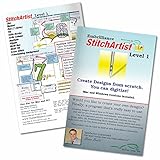
- StitchArtist Level 1 is designed for hobby embroiderers who need to create stitches without going into debt or spending endless hours learning complicated software. Level 1 curates a limited set of stitch types and properties so that the user can simply ‘create’ without learning uneccessary tools. Typical projects for Level 1 include simple applique designs, running stitch designs and simple filled shapes, backgrounds and additional decorative elements for design compositions.
- The same great Embrilliance StitchArtist software you've seen in social media groups and offered online, shipped to you on a physical disk.
- Create applique objects with automatic placement guides, material tacking stitches, and top-stitching in satin, blanket, or E-Stitches.
- Add an image to the background and easily trace to create objects filled with stitches resutling in your own custom machine embroidery designs.
- Create more with less frustration and button memorization.

Product prices and availability are accurate as of the date/time indicated and are subject to change. Any price and availability information displayed on Amazon at the time of purchase will apply.
Quick wins for a faster PC:
Repair Windows errors before they cause bigger problemsFix Now →Fix the driver behind crashes, sound loss and screen glitchesFind Drivers →Clear out junk files and repair common Windows errorsFree Scan →



