Do these 3 things before closing this tab:
1Clear out junk files and repair common Windows errors2Scan for outdated or missing drivers - takes under a minute3Repair Windows errors before they cause bigger problems
ThatPainter is reader-supported. When you buy through links on our site, we may earn an affiliate commission. Learn More
If you need a free cloud brush that stays vector, the listings verified here point to one cloud-specific Illustrator brush pack—not 15. The other useful finds are either standalone cloud SVG artwork or brushes made for raster apps such as Photoshop, Procreate, and Clip Studio Paint. Those formats are not interchangeable, so choose by the file type and application you need.
Free cloud vector brushes verified for Illustrator
Creative Fabrica’s “30 Cloud Illustrator Brushes” is the one cloud-specific vector brush set in the available listings with detailed format information. Its listing describes 23 scatter brushes and seven art brushes, supplied as AI Illustrator 10 and EPS 10 files, and says it supports Illustrator CS5. A PDF help file is included. These are brush assets for Illustrator, rather than a collection of unrelated cloud illustrations.
The listing presents a free download offer alongside a single-purchase offer and describes a commercial license. Check the current download option and the license terms shown on the listing before using the files in paid work; availability and terms can change.
Other cloud resources—and why they are not vector brush sets
Cloud SVGs for making your own vector brushes
SVG Repo’s cloud collection provides free cloud SVG vectors and icons. An SVG is vector artwork, but that alone does not make it an installable brush preset. You can use an individual SVG as source material for your own design or brush workflow, but confirm the asset’s terms and your software’s brush-creation steps before using it that way.
#1 Best Overall

- [INNOVATIVE] - Explore unlimited creative possibilities with this innovative drawing tool that allows you to express your creativity without limits. Whether you're an aspiring artist or just love to doodle, this pen is perfect for unleashing your imagination.
- [UNIQUE EXPERIENCE] - Whether you're using it to create digital art, write notes, or simply navigate your device, this pen is an essential tool that will enhance your touchscreen experience and allow you to express yourself in new and exciting ways.
- [COMPATIBILITY] - Compatible with all touchscreen devices, this pen is perfect for both kids and adults. Whether you're using a tablet or smartphone, you can use this pen to draw, sketch, write, or simply navigate your device.
- [COMPACT] - Designed for portability, this pen is easy to take with you wherever you go. Its compact size means it fits easily in a purse, backpack, or pocket, and it requires no batteries or charging, so you can use it anytime, anywhere.
- [CONVENIENT ] - Enjoy the ultimate convenience with our conductivity-driven brush pen that requires no batteries or charging, so you can draw and create on your touchscreen device anytime, anywhere.
Raster brushes for other drawing apps
These listings offer cloud or sky brushes, but the evidence identifies them as application-specific digital brushes rather than Illustrator vector brushes:
- Tamberella’s 53-brush cloud and sky pack is listed for Photoshop CC, Procreate, and Clip Studio Paint. It is offered at $0+ with optional tips, and the listing describes it as royalty-free for personal, school, or professional work.
- MyPhotoshopBrushes’ Procreate cloud brush set comes in a ZIP containing
.BRUSHSETfiles. Its page states that commercial use is free and attribution is optional; check the license file included with the download. - PSDDude’s 23 cartoon cloud brushes are supplied as an ABR file for Photoshop. The listing allows personal and commercial use with attribution to the blog, and prohibits claiming the file as your own or redistributing or reselling it without authorization.
For a broad marketplace search, Vecteezy’s cloud-brush results can be filtered across free and paid license categories. The search page does not establish how many results are actual brush presets, vector files, or free downloads, so verify each item individually.
Rank #2
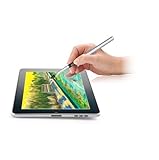
- [GAME CHANGER] It's a perfect sidekick for MZ generation who enjoy digital art in school and on the go.
- [INNOVATIVE] - Explore unlimited creative possibilities with this innovative drawing tool that allows you to express your creativity without limits. Whether you're an aspiring artist or just love to doodle, this pen is perfect for unleashing your imagination.
- [UNIQUE EXPERIENCE] - Whether you're using it to create digital art, write notes, or simply navigate your device, this pen is an essential tool that will enhance your touchscreen experience and allow you to express yourself in new and exciting ways.
- [COMPATIBILITY] - Compatible with all touchscreen devices, this pen is perfect for both kids and youth. Whether you're using a tablet or smartphone, you can use this pen to draw, sketch, write, or simply navigate your device.
- [COMPACT] - Designed for portability, this pen is easy to take with you wherever you go. Its compact size means it fits easily in a purse, backpack, or pocket, and it requires no batteries or charging, so you can use it anytime, anywhere.
How to choose the right resource
| Resource | What it is | Format or target app stated | Cost and license information stated |
|---|---|---|---|
| Creative Fabrica | Cloud Illustrator brush pack: 23 scatter and 7 art brushes | AI Illustrator 10 and EPS 10; Illustrator CS5 support | Free download offer and single-purchase offer; listing describes a commercial license. Check current terms. |
| SVG Repo | Cloud vector and icon artwork, not an installable brush set | SVG | Described as a free collection; check the terms for the specific asset. |
| Tamberella | Cloud and sky digital brush pack | Photoshop CC, Procreate, Clip Studio Paint | $0+ with optional tips; listing says royalty-free for personal, school, or professional work. |
| MyPhotoshopBrushes | Procreate cloud brush set | ZIP with .BRUSHSET files |
Page states free commercial use and optional attribution; verify the included license file. |
| PSDDude | Cartoon cloud Photoshop brushes | ABR | Personal and commercial use with attribution; unauthorized redistribution or resale is prohibited. |
Before downloading, match the preset format to your application, then read the individual listing’s license for commercial use, attribution, and redistribution. An SVG may be useful vector source material, but it does not become a brush preset just because it is scalable.
Quick wins for a faster PC:
Clear out junk files and repair common Windows errorsFree Scan →Fix the driver behind crashes, sound loss and screen glitchesFind Drivers →Why this is not a list of 15 verified free vector sets
The available listings do not substantiate 15 distinct, currently free cloud vector brush sets. Counting SVG collections as brush presets or Photoshop and Procreate brushes as vector brushes would make the number misleading. 123FreeVectors describes an AI/SVG scatter and art brush set as free to use, but its surfaced listing is not cloud-specific, so it does not qualify for this topic.
Quick Recap
Best Value

- 【FOR DIGITAL ART & CREATION】-- Perfect for beginner who starts digital drawing, sketching, graphics design, 3D art work, animation, etc. Also meet basic use of professionals who requires portable feature especially during travel.【FOR ANNOTATING AND SIGNATURE】--You can sign and write in excel, word, pdf, ppt, etc.【FOR ONLINE MEETING & ONLINE CLASS】It works with most online meeting programs, like Zoom, and so on. 【FOR Osu! & GAMING】--It's a large help for playing rythm games like Osu!
- 【PASSIVE PEN】--Battery-free pen cuts the inconveneince of charging the pen. 【8192 HIGH LEVEL PEN PRESSURE & 4 CUSTOMIZABLE EXPRESS KEYS】It will provide you precise control and accuracy at your fingertips, to bring more natural lines and enhance creative performance. 4 customizable express keys could be set to more functions as you like. Using them while working will largely improve your work flow.
- 【COMPATIBILITY OR APPLICATION】-- It compatible with Windows 7 or later and macOS 10.12 or later. Noted: It is not compatible with ipad or iphone. Work with most art programs like Adobe Photoshop, Illustrator, Clip Studio, Lightroom, Sketchbook Pro, Manga Studio, CorelPainter, FireAlpaca, OpenCanvas, Paint Tool Sai2, Krita and so on.
- 【266 PPS REPORT RATE + 5080LPI RESOLUTION + 10MM PEN READING HEIGHT + 6.5*4 INCHES ACTIVE AREA】-- This size is more portable and lightweight, easy to be carried around in the laptop bag to the workplace, school, and travel. But it’s also big enough for digital painting, handwriting, playing games and animation design, etc.
- 【HUMANIZED DESIGN】-- 4 rubber feet are created to ensure the stability of the tablet from slipper. 【LEFT & RIGHT HANDED SUPPORT】--Set 180 degree roate inside GAOMON Driver to set left hand mode.
Rank #4

- 🎨 1. REAL BRUSH FEEL FOR DIGITAL CREATIVITY Experience the natural feel of a traditional paintbrush on your touchscreen device. BuTouch Basic 2 provides smooth, intuitive strokes, making digital painting enjoyable for beginners, students, hobbyists, and artists of all ages.
- ⚡ 2. NO BATTERY NO BLUETOOTH NO CHARGING No batteries, Bluetooth pairing, charging, or software installation required. Simply touch the screen and start creating anytime, anywhere.
- 📱 3. COMPATIBLE WITH MOST TOUCHSCREEN DEVICES Designed for capacitive touchscreens including iPad, Android tablets, touchscreen laptops, smartphones, and many other touch-enabled devices.
- 🌈 4. FOR BEGINNERS, STUDENTS & CREATIVE LEARNING An excellent creative tool for drawing, sketching, painting, handwriting, illustration, coloring, classroom activities, homeschooling, and hobby projects.
- ✈️ 5. COMPACT, LIGHTWEIGHT & PORTABLE At only 18.5 cm long and approximately 18 g, BuTouch Basic 2 fits easily into a pencil case, tablet bag, or backpack for creativity wherever you go.
Rank #3

- Word-first 16K Pressure Levels: The upgraded stylus features 16,384 levels of pressure sensitivity and supports up to 60 degrees of tilt, delivering smoother lines and shading for a natural drawing experience. With no battery or charging needed, it operates like a real pen, making it easy for beginners to create effortlessly. This functionality helps novice artists develop their skills and explore their creativity without the intimidation of complex tools
- Designed for Beginners: This drawing pad desinged with 8 customizable shortcuts for both right and left-hand users, express keys create a highly ergonomic and convenient work platform
- Perfectly Adapted for Android: The XPPen Deco 01 V3 art tablet supports connections with Android devices running version 10.0 and above. It is recommended to download the XPPen Tools Android application, which adapts to your smartphone's screen aspect ratio, ensuring accurate mapping. It also supports mapping on Android screens with different aspect ratios in portrait mode
- Large Drawing Space, Bigger Bold Inspiration: This expansive drawing pad has10 x 6.25-inch helps you break through the limit between shortcut keys and drawing area
- Easy Connectivity for Beginners: The Deco 01 V3 offers USB-C to USB-C connectivity, plus adapters for USB C. This ensures easy connection to various devices, allowing beginner artists to set up quickly and focus on their creativity without compatibility concerns. Whether using a laptop, tablet, or desktop, the Deco 01 V3 provides a seamless experience, making it an ideal choice for those just starting their digital art journey

Product prices and availability are accurate as of the date/time indicated and are subject to change. Any price and availability information displayed on Amazon at the time of purchase will apply.




