Windows Errors? Fix Them Before They Spread
Outdated Drivers Are Slowing You Down
One free scan finds every outdated or missing driver and matches the right update for your exact hardware.Free scan · exact hardware matchPC Slower Than It Used to Be?
A free scan shows the junk files, broken settings and background clutter dragging Windows down - then fixes them in one click.Free scan · Windows 10 & 11Outbyte PC Repair · freeRepair common Windows errors and clear accumulated junk for a smoother, more stable PC - no reinstall needed.
Fix My PC Now →ThatPainter is reader-supported. When you buy through links on our site, we may earn an affiliate commission. Learn More
ArgyllCMS is free, open-source color-management software for creating ICC profiles and calibrating or profiling displays and printers. It can also support more specialized device-link, video, 3D LUT, and spectral workflows. Many tasks require a separate measurement instrument, and the right instrument depends on whether you are measuring a screen or reflective print material.
What ArgyllCMS does
ArgyllCMS provides tools for managing color across devices using ICC profiles. Its documented uses include creating profiles for scanners, cameras, and film recorders, as well as calibrating and profiling displays and RGB, CMY, and CMYK printers. It also supports device-link workflows, video calibration standards, 3D LUTs, spectral sample data, and multiple gamut-mapping and rendering-intent capabilities. The official ArgyllCMS documentation index describes version 3.5.0 as a bug-fix update to 3.4.1.
For a painter preparing digital artwork or prints, the practical point is that software alone does not measure how a particular display or printer reproduces color. A profiling workflow may require an instrument to collect measurements, which ArgyllCMS can use to create or support a profile. The project’s usage scenarios explain workflows for display adjustment, calibration, and profiling with supported instruments.
Choose an instrument for the job
Display colorimetry and reflective or emissive measurement are different tasks. A display colorimeter is relevant to measuring a screen; spectrometers are used for reflective or emissive measurements, including specialized print and spectral workflows. Do not assume that one instrument is necessary for every ArgyllCMS task, or that a device is supported simply because it belongs to a familiar brand.
#1 Best Overall

- Professional version of our popular DKK Card with n-Chrome coated color targets
- The color patches are 100% coated with DGK's n-Chrome process, allowing for a much higher level of color saturation, luminance, and accuracy, while getting rid of metamerism.
- Includes 2 DKC-Pro Cards - Each with Precision 12% and 18% Gray reference for white balance plus 18-Color patches for superior digital color correction
- For use with software such as Adobe Photoshop and Lightroom
| Instrument type or examples listed by ArgyllCMS | Documented relevance | What to verify |
|---|---|---|
| i1Display Pro/Plus and ColorMunki Display/i1Display Studio families | Display measurement; listed in the official instrument documentation. | Check the exact model and your intended task in the current instrument compatibility list. |
| Calibrite ColorChecker Display/Pro/Plus | Display measurement; listed in the official instrument documentation. | Verify the exact model in the compatibility list rather than inferring support from the brand or family name. |
| i1Pro2 and i1Pro3 spectrometers | Reflective and emissive measurement, relevant to specialized print or spectral workflows. | Confirm model support and that the measurement method suits your workflow. |
The listed examples establish compatibility relevance, not an accuracy ranking or a current price comparison. The project’s instrument documentation is the place to verify a specific device before choosing or buying it.
Windows setup and version
The project homepage lists ArgyllCMS 3.5.0, dated 4 February 2026. Release information can change, so check the official project homepage for the current release. The official Windows download page lists 32-bit x86, 64-bit x86, and 64-bit ARM builds.
Rank #2

- SPECIFICATIONS: Compact ColorChecker Classic Mini with 24 patch color reference target, designed for photo and video workflows, supports white balance, exposure evaluation, and color grading, pocket size for easy transport, ideal for profiling and calibration use.
- PORTABLE ACCURACY: Mini size design makes it easy to carry for travel, location shoots, and fast paced production days while still providing a reliable reference for true to life color reproduction in changing lighting environments.
- WHITE BALANCE CONTROL: Capture the target under the same lighting as your subject to set neutral balance and evaluate exposure, reducing color cast issues and improving consistency across a full shoot with fewer corrective edits required.
- PROFILE CREATION READY: Supports custom DNG and ICC camera profiles when paired with Calibrite PROFILER Calibrite PROFILER calibration software, helping improve color matching for specific camera, lens, and lighting combinations and reducing time spent on manual adjustments.
- POST WORKFLOW EFFICIENCY: Provides an objective point of reference for global corrections and color grading, helping maintain continuity across multiple cameras and scenes while avoiding costly trial and error changes during editing.
On Windows, instrument access may involve installing a USB driver. The download page notes that users may need to reinstall the system USB driver when a release adds support for new instruments. Follow the project’s current setup guidance for the selected build and device.
Linux users: check the Wayland limitation
ArgyllCMS’s project homepage says there is little immediate prospect of native ArgyllCMS display calibration and profiling support for Wayland. This is a limitation stated by the ArgyllCMS project about its own native support; it should not be read as a claim that all Linux color-management software lacks Wayland support. If native display profiling under Wayland is essential to your workflow, confirm current ArgyllCMS support before planning around it.
Quick Recap
Best Value

- SPECIFICATIONS: 140 patch ColorChecker Digital SG target with protective storage sleeve, includes expanded color space coverage with additional skin tone references and grayscale steps, supports white balance, profiling, and detailed color analysis, chart size 8 x 11.5 inch for professional workflows.
- EXPANDED COLOR GAMUT: 140 patch layout is designed to broaden color space coverage, enabling more accurate camera and scanner profiling and helping capture the full performance potential of modern digital imaging systems.
- IMPROVED SKIN TONE ACCURACY: Additional skin tone reference patches support consistent results across a wide range of complexions, making it ideal for portrait, fashion, editorial, and commercial productions where natural rendering matters.
- NEUTRAL BALANCE CONTROL: Integrated gray scale steps help evaluate exposure and maintain neutral tonality under different light sources, supporting dependable white balance decisions and more consistent grading throughout a project.
- PROTECTED AND SET READY: Included storage sleeve helps safeguard the target during transport and keeps it organized on set, supporting reliable use for studio or location workflows with frequent lighting and camera changes.
Rank #4
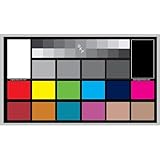
- SUPERIOR ACCURACY - Ensures precise color calibration with professional-grade chips, delivering consistent and reliable results for video production.
- ENHANCED IMAGE QUALITY - Optimizes video quality using 16:9 aspect ratio charts, allowing for detailed adjustments and accurate color reproduction.
- INCREASED DURABILITY - Constructed with robust materials, the Digital Kolor Pro charts are designed for long-term use, resisting wear and tear in demanding environments.
- WIDE COMPATIBILITY - Versatile calibration tool compatible with various cameras and editing software, making it an essential asset for diverse video workflows.
- SIMPLE AND EASY TO USE - Streamlines the color correction process with intuitive chart layouts, enabling quick and efficient calibration for both beginners and experts.
Rank #3

- SUPERIOR ACCURACY - Ensures precise color calibration with two 5x7" DKK charts, providing a reliable reference for consistent image quality across all your video projects.
- ENHANCED IMAGE QUALITY - Achieve optimal color balance and exposure using the integrated colorbar and grayscale combo, designed for professional-grade video calibration.
- ULTIMATE PORTABILITY - Compact 5x7" size makes these charts easy to transport, ensuring accurate color calibration wherever your video shoots take you, enhancing ease of use.
- INCREASED DURABILITY - Built with high-quality materials, these calibration charts are designed to withstand frequent use, offering a long-lasting solution for video professionals.
- VERSATILE COMPATIBILITY - Works seamlessly with various video editing software and cameras, providing a universal solution for color calibration across different platforms.

Product prices and availability are accurate as of the date/time indicated and are subject to change. Any price and availability information displayed on Amazon at the time of purchase will apply.




