Do these 3 things before closing this tab:
Outdated Drivers Are Slowing You Down
One free scan finds every outdated or missing driver and matches the right update for your exact hardware.Free scan · exact hardware matchWindows Errors? Fix Them Before They Spread
Repair common Windows errors and clear accumulated junk for a smoother, more stable PC - no reinstall needed.Free scan · no reinstall1Clear out junk files and repair common Windows errors2Fix the driver behind crashes, sound loss and screen glitches3Repair Windows errors before they cause bigger problems
ThatPainter is reader-supported. When you buy through links on our site, we may earn an affiliate commission. Learn More
A website hero banner background should reinforce the page’s main message, leave foreground text readable, and crop well across screen sizes. There is no universal image size: choose dimensions for the banner component or template you use, then check the result at both wide and narrow viewports. This guide is about website hero or feature banners—not advertising graphics. In accessibility terminology, the ARIA banner landmark generally refers to a site-wide header, a different component.
Choose a background that supports the page
Start with the banner’s purpose: it should highlight a page task or message, not compete with it. Select an image or color that fits the page and visual identity while leaving a calm area for the text. California’s Web Standards Design System advises against busy images or graphics behind content and recommends keeping the hero concise, with one primary call to action rather than a carousel or a crowded stack of messages. See the California banner guidance.
- Check whether the image supports the page’s subject and brand without introducing distracting detail.
- Consider where the headline and action will sit, and whether the image leaves enough clear space there.
- Keep essential copy in page content, not baked into the image.
- Make an action a real, clearly labeled accessible control, such as a link or button, rather than text that only looks clickable.
What size should a website banner background be?
Use the dimensions and aspect ratio required by your own template or design system; no single pixel size applies to every banner. For its example component, California’s design system specifies a minimum image size of 776 × 517 pixels. The European Commission component library, version 4.11.2, documents banner variants with aspect ratios of 3:1, 4:1, 5:1, and 6:1. These figures describe particular systems, not universal web standards. Check the California component or the European Commission banner usage guidance if you are using those systems.
Recommended Free Tools
Even when an image meets a component’s minimum dimensions, the displayed crop may remove important details. Plan for the container’s shape and responsive behavior, not just the original file size.
Make banner text readable over the image
Check contrast against the actual image or gradient behind the words, including the parts that appear in the responsive crop. MDN’s guidance, citing WCAG, gives a contrast ratio of at least 4.5:1 for body text and 3:1 for large text. For this threshold, MDN defines large text as 24 px or larger, or bold text of 18.66 px or larger. See MDN’s color contrast guidance.
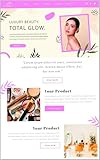
A dark or light overlay, gradient, or a solid-color text panel can help separate copy from the image. But the intended color combination is not enough: test the rendered text against the background behind each line, and repeat the check at different screen widths because the visible crop changes.
Make the background work on mobile
Responsive banners need deliberate sizing and positioning: an image that works on a wide screen may crop out its subject or leave no room for the headline on a narrow one. Preview the component at wide and narrow viewport sizes, and check that both subject and copy remain visible. The European Commission’s banner documentation describes responsive variants for its own component library; W3C’s image-fitting technique using max-width and height is one approach to fitting images within available space without horizontal overflow at narrow effective viewport widths and high zoom, not a universal requirement. See the European Commission guidance and W3C technique C37.
Use a background color that remains suitable if the image fails to load. This also provides a deliberate base for the design rather than leaving the banner’s fallback appearance to chance.
CSS background images and fallback behavior
CSS can layer an image with a gradient and set its size, position, repeat behavior, and other background properties. MDN notes that in the background shorthand, omitted component values reset to their defaults; when precise crop or behavior matters, set the relevant properties explicitly. With multiple backgrounds, the first listed layer appears on top. MDN also recommends specifying a background-color even when an image is present. Consult the CSS background reference and CSS background-image reference.
#1 Best Overall

- Banner Template: This acrylic board is designed for making elegant pennant, flag and crest to embellish party decorations, especially for birthday parties, anniversaries and holidays
- Various Sizes: You can make 3 different style banner shapes in over 30 different sizes between 1 inch and 8-1/2 inches to fit for different occasions, even small enough banners for scrapbook layouts
- Include: 1 banner punch board and 1 hole punch packed in one box, so you will get many holes of the same size easily at once, no need to buy another puncher
- Unique Banner: It is a better way to make it by yourself with your creative thoughts, customized for each occasion, this is meaningful to make these one-of-a-kind banners for your friends and family, they can also feel your sincerity. And the price of one banner set for all future ones
- Easy To Use: It is not hard to figure out, just select the size you want, place the template, and cut it, please refer to the images. It’s really easy to use even less than 1 minute for 1 piece. And it is not only designed for paper, but also for fabric
For example, a simple banner can keep a readable fallback color and control its image crop explicitly:
.hero {
  background-color: #24313b;
  background-image: linear-gradient(rgba(0, 0, 0, .35), rgba(0, 0, 0, .35)), url("banner.jpg");
  background-position: center;
  background-size: cover;
  background-repeat: no-repeat;
}
This is a starting point, not a guarantee of contrast or a suitable crop. Adjust the focal position for your image and verify the text against the finished result at the sizes your layout supports.
Free tools Windows power users keep installed
One-click scans. No signup required.
Should a banner background image have alt text?
A CSS background image is not announced by screen readers. MDN explains that browsers provide no special information about background images to assistive technology; Section508.gov likewise notes that many programs skip them. If the image is decorative, treating it as a background is appropriate. If it communicates information needed to understand the page, make that information available in the page’s text or use a semantic image with appropriate alternative text. See MDN’s background-image reference and Section508.gov’s alternative-text guidance.
Rank #2

- What You Will Get: Stainless steel metal template with banners icons on the surface, you can choose the right template according to your different card making decorations, and you can also share it with others
- Hard Material: These stencils are made of stainless steel, which is hard and strong, solid and quality, and reliable for to use; Besides, this metal stencil has a long service life and fine
- Package Includes: Package includes 1 piece of craft template, including may lily flower.Perfect for scrapbooking, card making, paper crafts, themed invitations, pocket scrapbooks, album decoration, etc
- Size Detail: The metal stencil is about 3.98 inch(101mm) wide, 6.97 inch(177mm) long, 0.02 inch(0.5mm) thick. which are convenient for daily use and will not occupy much space
- Wide Range Of Usages: Stainless steel stencils have a wide use of wood carving, drawing, pyrography, fabric, scrapbooking, engraving, painting and other art craft projects, allowing you to enjoy DIY as you want
Keep the banner’s message and call to action accessible independently of the background. WAI’s web accessibility design tips also cover sufficient contrast, adapting to different viewport sizes, and controls for content that starts automatically.
Keep the banner landmark distinct from the hero
Do not confuse a marketing hero banner with the ARIA banner landmark. The landmark identifies the site-wide header in the relevant page structure, not a promotional image area. MDN recommends using semantic HTML such as <header> where applicable rather than adding a role unnecessarily. See MDN’s ARIA banner role reference.
Compare background options before choosing
When deciding between a photograph, illustration, gradient, or solid color, compare them against the actual component and its content:
Quick Recap
Rank #3

- Gestalt Banner test
- Legibility: Does text maintain sufficient contrast across the complete visible crop?
- Responsive crop: Does the focal subject remain visible, with room for text, on both narrow and wide screens?
- Purpose and fit: Does the background support the page task and visual identity without adding clutter?
- Information access: If the image conveys meaning, is that meaning also represented in accessible page content?
- Failure behavior: Does the fallback color work if the image cannot load?
- Component constraints: Does the file and crop fit the actual template or design-system variant?

Product prices and availability are accurate as of the date/time indicated and are subject to change. Any price and availability information displayed on Amazon at the time of purchase will apply.




