The Tool Desk
Do these 3 things before closing this tab:
1Fix the driver behind crashes, sound loss and screen glitches2Repair Windows errors before they cause bigger problems3Scan for outdated or missing drivers - takes under a minuteOutbyte Driver Updater FREEFix the driver behind crashes, sound loss and screen glitchesFind Drivers →Outbyte PC Repair FREERepair Windows errors before they cause bigger problemsFix Now →
ThatPainter is reader-supported. When you buy through links on our site, we may earn an affiliate commission. Learn More
Die-cut stickers are trimmed through both the sticker and its backing to match the design’s outline; holographic stickers use reflective stock that creates a shifting rainbow effect. To order either well, choose the backing and finish first, then build artwork to the selected printer’s template and approve its proof before production.
What are die-cut, kiss-cut and sticker-sheet formats?
These terms describe how a sticker is cut and presented, not what material or finish it uses.
| Format | What is cut | What you receive |
|---|---|---|
| Die-cut | The sticker and its backing liner are cut to the design’s contour. | Individual stickers shaped to the artwork. StickerApp describes die-cut as an individual sticker cut to follow the design’s shape. |
| Kiss-cut | The sticker face is cut; the larger liner around it remains intact. | A sticker with extra backing around its outline, which can be easier to peel or present. |
| Sticker sheet | Multiple stickers are cut on one shared liner. | Several designs or copies grouped on a sheet rather than individually backed pieces. |
Pick die-cut when the individual piece should follow the artwork silhouette. Choose kiss-cut or a sheet when you want extra liner around the sticker or multiple designs together. Confirm that the printer offers the desired format for the particular material and size.
How do holographic stickers get their effect?
The rainbow shift comes from reflective sticker stock, not from a rainbow printed as ordinary ink. The appearance changes with light and viewing angle. Ink coverage and laminate also influence how much of the reflective surface shows through.
#1 Best Overall

- CUSTOM BUSINESS STICKERS WITH YOUR LOGO OR DESIGN — Upload your logo, photo, or custom design for personalized holographic stickers that shimmer and shift in the light — perfect for businesses, brands, or eye-catching personal projects.
- 7 SIZE OPTIONS FROM 1.5x1.5" TO 10x10" — Choose the perfect size for your project, from small product labels to large statement decals, all printed with the same vibrant holographic finish.
- 10 SHAPES PLUS CUSTOM DIE-CUT OPTION — Pick from 10 ready-made shapes or order a fully custom die-cut sticker that follows your exact design outline for a professional, polished look.
- WATERPROOF & BUILT TO LAST — Durable and fully waterproof, these holographic stickers hold up on water bottles, tumblers, lunch boxes, laptops, and more — indoors or outdoors.
- BULK QUANTITY OPTIONS FROM 60 TO 1000 PCS — Order exactly what you need, whether it is a small batch for personal use or a bulk order for your business, school, or brand packaging.
Holographic material is not a guarantee of vivid or exact colors. CustomStickers.com says its reflective base can mute light or pastel colors and that exact color matching is not guaranteed. It lists gloss as its default laminate and says matte mutes the holographic effect. These are vendor-specific observations, so request a proof using the exact artwork, stock and finish you intend to order. CustomStickers.com’s holographic product details describe its own options and claims.
How to prepare artwork for a custom sticker order
There is no universal sticker-file specification. Start with the selected printer’s current template and follow it over general advice; the required format, cutline setup, color mode, resolution, bleed and safe area can differ by product.
Rank #2

- Custom Holographic Stickers — Make your design stand out with our holographic customized stickers labels! You can customize your own custom logo stickers for business with your branding to give to your customers. The holographic material combined with your logo will give the stickers a unique look that will remind your customers of your brand. They are great for boutiques, beauty brands, clothing brands, and other types of businesses and events.
- High Quality Stickers — Our custom stickers for business logo feature a high quality print on the rainbow-color material. They have a holographic finish, are waterproof, and have strong adhesion as well.
- How to Customize — Please select the shape you would like and select "Customize Now." From there you can upload your image to be printed on the holographic custom decals, as well as select the size and quantity. For the highest quality of print, please make sure the image you upload is 300 DPI. Please keep in mind that any part that is white or transparent in your image will be holographic. Images with darker colors will give the best results on holographic stickers.
- Printed in USA — All of our holographic custom stickers personalized are printed in the United States.
- Perfect for Flat, Hard Surfaces — Transform your personal items into eye-catching statements! Create customizable stickers with photo designs that shine on laptops, boxes, cups, and more. The holographic effect adds a unique look to your personalized creations.
- Choose the product and download its template. Confirm the size, stock, finish and cut format first, then use the matching template rather than setting up a generic document.
- Set up the cutline as requested. Some printers require a separate vector path or layer; others accept a clearly identified die-line in a prescribed file. Do not assume that a cutline from one printer will be accepted unchanged by another.
- Meet the resolution and file requirements. For example, StickerYou’s guide requests a one-page PDF with one die-cut path, embedded images, and fonts outlined or embedded; it specifies at least 150 dpi, with 300 preferred. CustomStickers.com recommends 300 ppi at final size. Button Bros asks for PDF or AI, a vector dieline on a separate layer, at least 300 DPI and CMYK for its cited product. These requirements are product-specific, not interchangeable standards.
- Build in bleed or padding according to the template. StickerYou’s guide specifies 5 points (0.07 in) of bleed past the cut for full bleed, or 5 points between artwork and cut for padding. CustomStickers.com suggests a 0.05 in margin when using a border and gives a separate cutline inset for its full-bleed setup. Follow the selected printer’s measurements and placement instructions.
- Keep the silhouette producible. Very fine protrusions, acute corners, dense anchor points and uneven spacing can make a complex contour harder to cut cleanly. Simplify fragile details where possible and inspect how the outline reads at final size.
- Review the proof before approving production. Check the cut path, border thickness, spelling, colors and placement against the artwork. StickerYou notes that submitted die-lines may be changed to meet production limitations and requirements, so resolve any unexpected adjustment with the printer before approving.
Source-specific file guidance: StickerYou artwork guidelines, CustomStickers.com artwork guidelines, and Button Bros artwork requirements.
How to compare sticker printers before ordering
Compare like with like: the same size, material, finish, cut format, quantity and destination. Product options and order terms can vary by size or product, so verify current details on the vendor’s order page.
Rank #3
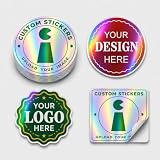
- Color-shifting finish — The holographic rainbow effect changes with light and viewing angle.
- Plan the artwork — Open areas reveal more color shift; darker printing creates stronger contrast.
- Removable strong hold — Water-based adhesive grips clean, dry, smooth surfaces; test one first.
- Custom cut — Upload a logo, image or text; choose 50 or more pieces from 1 to 10 inches.
- Prepare artwork — Enlarge fine text, thin lines and QR details; press from the center outward.
- Material and pattern: Ask which holographic stock or pattern is used, and whether the effect suits your artwork.
- Finish and laminate: Check gloss versus matte and whether a laminate is included. On reflective stock, finish may change the perceived holographic intensity.
- Cut and complexity: Confirm die-cut, kiss-cut or sheet format, plus any limits on size or contour complexity.
- Artwork support: Review required file type, color mode, resolution, cutline, bleed and safe area. Find out whether the printer checks files or supplies a proof and whether it can revise a submitted path.
- Quantity and pricing: Compare minimums and quantity tiers for the exact product. StickerApp notes minimums can vary by product and size; Button Bros lists a 10-piece minimum for its cited product, while CustomStickers.com says it accepts one or more pieces. Verify the current terms directly.
- Timing and delivery: Separate production time from shipping time, and check the destination-specific delivery estimate before placing the order.
- Care and durability: Ask about the exact film, adhesive and laminate, plus suitability for the surface and intended conditions. Treat outdoor-life figures as that vendor’s claim for its product—not as a general lifespan for holographic stickers.
For vendor-specific product and ordering details, consult StickerApp’s die-cut information, CustomStickers.com’s holographic product page, and the relevant printer’s current ordering pages.
Independent reader supportYour contribution helps us test, update, and keep practical guides available for everyone.Can holographic or die-cut stickers go outdoors or in a dishwasher?
Durability depends on the particular substrate, adhesive, laminate, application surface and exposure. Published figures from different vendors are not a controlled comparison and should not be treated as a universal promise:
Rank #4

- SIZES and MATERIALS- We offer a range of sizes from 1.5" to 10" inch Size Stickers. We offer materials such as Standard White, Holographic, Clear, Matte, Glitter, Prismatic, Reflective and More.
- CUT SHAPES- We can Do Contour Cuts(Outlined Shape of Your Design) Circle, Square, Rectangle, Rounded Corners, and more!
- QUALITY- We only use the highest of quality materials and eco friendly inks with state of art printers so produce the best quality stickers possible. We also offer Additional Protection as well to add on.
- Durability- Our Stickers are rated to resist whether conditions for 2 years but we also offer added protection if needed. Our Stickers are waterproof and can be used on items likes cups. They are also Dishwasher Friendly
- 100% MADE in USA - All decals are designed and made in the USA. We strive on keeping America great. We are located in Arizona.
- StickerGiant gives an outdoor durability estimate of up to 12–18 months for its white BOPP stock with glossy or matte laminate and permanent acrylic adhesive. It recommends hand washing and says dishwasher use may affect the laminate over time. StickerGiant’s product details.
- CustomStickers.com claims five-plus years outdoors for its laminated holographic stickers. This is the vendor’s claim for its product, not an independently established lifespan. CustomStickers.com’s product details.
- Button Bros estimates about 1–2 years indoors or in short-term outdoor use for its cited product and says it is not dishwasher safe. Button Bros’ product details.
“Water-resistant” or “outdoor” does not automatically mean dishwasher-safe. Follow the care instructions for the exact sticker you order; if repeated washing or prolonged outdoor exposure matters, ask the printer about the specific construction and intended use before buying.
What’s actually slowing this PC down?
Pick the symptom - the matching free tool is one click away.
Quick Recap
Best Value

- Premium Commercial Grade Material: Our Decals Are Made From 2.75 Mil Commercial Grade Vinyl (5.5 Mil when you choose to add laminate). Indoor/Outdoor Use With Up To 7 Years Durability Outdoors. Choose From: White, Chrome, Or Holographic Base Material To Begin Your Print. Next Choose: No Laminate, Gloss, Matte, Or Metallic To Finish It Off
- Customizable Cutting Options: We Will Cut Your Decals To The Shape Of Your Choice. Kiss-Cut Is When The Decal Is Cut, But We Don't Cut Through The Backing Paper. This Will Leave Your Decals On Sheets. Through-Cut Will Cut All The Way Through The decal And The Backing Paper
- Dishwasher Safe And All-Weather Durable: All Of Our Decals Are Dishwasher Safe And All-Weather Durable. These Work Well For Cup Decals, Box Labeling/Branding, Thank You's, Sports Team Logos, And Many More Applications
- Flexible Size And Quantity Selection: Choose Your Sizes And Quantities After Pressing The Customize Now Button
- UV Fade Resistant With Air Release Technology: Holographic vinyl material features UV fade resistance to maintain vibrant colors and includes air release channels for bubble-free installation with an oil slick appearance

Product prices and availability are accurate as of the date/time indicated and are subject to change. Any price and availability information displayed on Amazon at the time of purchase will apply.




