Quick wins for a faster PC:
Recommended Free Tools
Clear out junk files and repair common Windows errorsFree Scan →Scan for outdated or missing drivers - takes under a minuteDriver Scan →
ThatPainter is reader-supported. When you buy through links on our site, we may earn an affiliate commission. Learn More
Short answer: Adobe Photoshop is the best overall editor for creators who need compositing, retouching, graphics, object removal, and generative tools. Adobe Lightroom is the better choice for photographers who organize and process large RAW libraries. Affinity is the best free desktop alternative.
Capture One Pro, DxO PhotoLab 9.6, ON1 Photo RAW 2026, Luminar Neo, Snapseed, Apple Photos, and Photoshop Elements 2026 each win for a more specific workflow. The right choice depends less on the number of features than on whether you need a catalog, precise RAW rendering, layers, tethering, AI effects, mobile convenience, or a non-subscription license.
The best photo editor in 2026 depends on the work you actually do. Choose Adobe Photoshop if you create composites, retouch portraits, remove objects, design social graphics, or need pixel-level and generative tools. Choose Adobe Lightroom if you are primarily a photographer managing, culling, developing, masking, and exporting large numbers of RAW files. Choose Affinity if you want a capable free desktop alternative without a recurring subscription.
For narrower needs, Capture One Pro is the professional choice for tethered studio work and color control; DxO PhotoLab 9.6 is the specialist for difficult RAW files, lens corrections, and high-ISO noise reduction; Luminar Neo is the fastest route to AI-assisted creative effects; and Snapseed is the strongest genuinely free mobile option.
#1 Best Overall
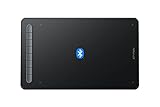
- Bluetooth Wireless Connection: Equipped with a Bluetooth 5.0 chip, Deco MW Drawing tablet allows you to create without the limitation of cables, allowing you to keep your creative space organized and giving you the freedom to use your Deco MW wherever your inspiration takes you
- X3-Smart-Chip Stylus: Deco MW is equipped with new X3-Smart-Chip Stylus, giving you an upgraded drawing experience:faster response,more stable performance ,more precise positioning. And with its 8192 levels of pressure sensitivity and 60 degree tilt function, you can easily shape subtle lines, crafting your unique masterpieces
- 8 Efficient Shortcut Keys: The Deco MW Drawing Tablet features eight shortcut keys that can be customized to suit the various shortcut combinations needed, thus replacing a computer keyboard. An assortment of tactile bumps on the keys lets you identify the correct shortcut quickly, even in a dim environment, helping you to speed up your workflow
- Excellent Compatibility: Deco MW is compatible with Windows 7/8/10/11, Mac OS X 10.10 (or later), Android 6.0 (or later), Chrome OS 88 (or later) and Linux systems. Deco MW can work with most major art software, including Photoshop, Illustrator, SAI, GIMP, Krita, MediBang Paint, FireAlpaca, Blender and more. The extensive compatibility of the pen tablet expands your creative horizons
- What You Get: You will get 1x XP-PEN Deco MW Graphics Drawing Tablet, 1x Dongle, 1x USB A to USB-C Cable, 1x X3 Elite Stylus, 1x USB A to USB-C OTG Adapter, 1x USB A to Micro USB OTG Adapter, 10x Pen Nibs, 1x User Manual. Register your XP-PEN drawing tablet on XP-PEN Web to receive the Explain Everything or ArtRage Lite program
Price and version note: Adobe prices and product capabilities below reflect the research snapshot for August 2026. Software pricing, AI-credit policies, camera support, operating-system requirements, and licensing can change, so check the vendor or retailer before buying.
Best photo editors at a glance
| Editor | Best for | RAW and library workflow | Standout strengths | Licensing snapshot |
|---|---|---|---|---|
| Adobe Photoshop | Creators, compositors, retouchers, and graphic work | Not primarily a catalog manager | Layers, compositing, object removal, retouching, text, graphics, and generative workflows | Subscription; Photoshop alone is US$22.99 per month when billed annually |
| Adobe Lightroom | Photographers processing and organizing many images | Strong catalog, RAW, culling, preset, masking, and export workflow | Connected desktop, mobile, and web workflow; batch-friendly editing and organization | US$11.99 per month with 1TB when billed annually; Photography plan with Photoshop is US$19.99 per month with 1TB when billed annually |
| Capture One Pro | Studio, commercial, portrait, and tethered photography | Professional RAW and capture workflow | Tethering, color control, reference-image matching, and detailed people masking | Check the current regional plan page |
| DxO PhotoLab 9.6 | High-ISO, wildlife, astrophotography, and technically demanding RAW files | Specialist RAW workflow with camera-and-lens corrections | DeepPRIME XD3, detail recovery, lens modules, and AI masks | Check current edition and regional pricing |
| ON1 Photo RAW 2026 | An all-in-one Lightroom-and-Photoshop-style alternative | Organizer and RAW developer combined with layers and effects | Masking, layers, effects, subject and background selection | No subscription required; 2026.4 was listed as a May 2026 free update |
| Luminar Neo | Fast AI-led creative editing | Better suited to creative edits than rigorous catalog management | Sky replacement, relighting, atmosphere, portrait tools, layers, and AI Assistant | Check current plan and platform terms |
| Affinity | Free desktop photo, vector, and layout work | Layer-based editing rather than a Lightroom-style catalog-first workflow | Photo editing, vector design, page layout, adjustments, inpainting, filters, and export tools | Launched as free for everyone; work is stored locally |
| Snapseed | Free editing on a phone or tablet | Useful for individual mobile edits, not a desktop catalog | 30-plus tools and filters, RAW support, masking, batch editing, and non-destructive editing | Google Play listing states no subscription, purchases, ads, or watermarks |
| Apple Photos | Apple users who value frictionless organization and sharing | Library, search, synchronization, and basic-to-intermediate editing | Mac, iPad, and iPhone integration with iCloud synchronization | Availability depends on the Apple device and ecosystem |
| Photoshop Elements 2026 | Beginners, families, and casual creators | Organization plus guided editing rather than a professional catalog workflow | Quick, Guided, and Advanced modes; restoration, removal, templates, and generative tools | Non-renewing three-year term license rather than a monthly or annual subscription |
1. Adobe Photoshop: best overall for creators
Photoshop remains the broadest recommendation when a photograph is only one part of the final image. Its layers, masks, selections, retouching tools, object removal, text, graphic-design features, compositing controls, and generative workflows cover jobs that catalog-first applications are not designed to handle.
It is the right choice for:
- Combining several exposures or photographs into one composite;
- Removing distracting people, wires, signs, or objects with precise control;
- Retouching portraits at a detailed, pixel-by-pixel level;
- Adding typography, borders, illustrations, or social-media graphics;
- Making controlled changes to individual layers rather than applying one adjustment to an entire photograph;
- Using generative tools as part of a larger compositing workflow.
Adobe offers Photoshop on desktop, web, and mobile. The full product is subscription-only: Adobe’s plan information lists Photoshop alone at US$22.99 per month when billed annually. Adobe also states that Photoshop cannot be purchased outright.
The major weakness is not capability but workflow. Photoshop is less convenient than Lightroom when you need to review thousands of images, compare near-duplicates, apply a consistent preset to a shoot, or maintain a searchable photo library. Many photographers therefore use Lightroom for the library and RAW development, then open selected images in Photoshop for the difficult work.
2. Adobe Lightroom: best for photographers
Lightroom is the better first purchase for most people who describe themselves as photographers rather than image designers. Its central job is to bring photographs into a manageable library, help you find the keepers, develop RAW files, apply presets, mask subjects or skies, and export finished images consistently.
Lightroom is particularly well suited to weddings, travel, landscapes, wildlife, events, and any assignment that produces hundreds or thousands of frames. Its catalog-and-editing model avoids the need to open every image as a separate Photoshop document.
Adobe’s June 2026 release notes list several important additions or improvements, including:
The Tool Desk
Outbyte Driver Updater FREEFix the driver behind crashes, sound loss and screen glitchesFind Drivers →Outbyte PC Repair FREEClear out junk files and repair common Windows errorsFree Scan →- Assisted culling with face, eyes-open, and eyes-sharpness scoring;
- AI Sharpen powered by Topaz;
- Text-prompt photo-to-video creation;
- Improved subject detection and masking;
- Custom color labels; and
- Support for newer cameras and lenses.
Those features make Lightroom more capable than a simple RAW converter, but they do not change its fundamental role: organize and process photographs efficiently. Lightroom is still less suitable than Photoshop for complex pixel-level compositing, graphic design, and multi-layer construction.
Adobe’s listed annual-billing prices are US$11.99 per month for Lightroom with 1TB of storage and US$19.99 per month for the Photography plan, which combines Lightroom and Photoshop with 1TB. If you need both applications, the Photography plan is the more logical comparison than buying Photoshop alone.
Lightroom or Photoshop?
The simplest distinction is this: Lightroom manages and processes photographs; Photoshop manipulates and creates images. There is overlap, but the distinction predicts which application will feel natural day to day.
Rank #2
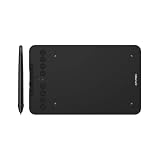
- Wired and Wireless Connection: Our wireless technology allow the XPPen wireless drawing tablet to connect your PC or laptop by simply plugging the included USB dongle into your computer, the Bluetooth 5.0 technology allows you to create with both speed and freedom
- Battery-Free Pen: The stylus pen in our product is battery-free and offers 16384 levels of pressure sensitivity. It also has tilt-response capabilities and provides smooth tracking without delays, ensuring uninterrupted work for increased efficiency
- 8 Customized Press Keys: The Deco mini7W Wireless Graphics Drawing Tablet features 8 customizable press keys, making it user-friendly and enabling a seamless creative process. Personalize these shortcut keys to enhance your workflow and tailor the experience to your preferences
- Easy Connection: The Deco mini7W supports a USB-C to USB-C connection (with the included adapter), allowing you to connect the tablet to various computing devices depending on your own need
- Wide Compatibility: XPPen Deco mini7W Wireless Graphics Drawing Tablet is compatible with Windows 7 and above, Mac OS X 10.10 (and higher), Android 6.0 (and higher)and mobile phones, Chrome OS 88.0.4324.109 or above
| Your main task | Better starting point | Why |
|---|---|---|
| Importing, rating, flagging, searching, and culling a shoot | Lightroom | It is designed around library and batch workflows |
| Developing RAW files and applying presets to many images | Lightroom | Global adjustments, masks, and synchronized edits are central to the workflow |
| Removing an object from one image | Either | Lightroom handles many straightforward removals; Photoshop provides deeper pixel-level control |
| Combining images, exposures, or backgrounds | Photoshop | Layers, masks, selections, and compositing tools are the core requirement |
| Retouching one portrait in detail | Photoshop | It offers more precise layer-based and pixel-level control |
| Adding text, logos, or designed graphics | Photoshop | It is built for image creation and graphic manipulation as well as photography |
| Processing a large event and finishing only the best images | Lightroom plus Photoshop | Lightroom handles selection and development; Photoshop handles the exceptions |
The practical Lightroom-to-Photoshop workflow
- Import and organize the original photographs in Lightroom.
- Cull the shoot, apply a base preset, correct exposure and white balance, and make broad masks in Lightroom.
- Send only the images that need advanced retouching, compositing, graphics, or precise removal to Photoshop using the Lightroom-to-Photoshop editing workflow.
- Work with layers and masks in Photoshop, then save the result so the edited version remains available from the Lightroom workflow.
- Use Lightroom for final organization, searching, export sizes, and delivery.
This two-application workflow costs more than choosing one editor, but it prevents a common compromise: trying to use Photoshop as a photo library or trying to force Lightroom to perform graphic-design work.
3. Capture One Pro: best professional Lightroom alternative
Capture One Pro is aimed at photographers who need a controlled professional capture and color workflow rather than the broadest possible general-purpose editor. Its product materials emphasize shooting directly to a desktop, iPad, or iPhone, tethered capture, reference-image look matching, advanced RAW processing, and client-ready output.
Its most persuasive advantages are in studio, commercial, fashion, and portrait environments:
- Tethering: see images on a larger screen during a shoot and make decisions while the camera remains connected.
- Color control: shape color and tone with the precision expected in commercial work.
- Reference matching: use a reference image to help maintain a consistent visual look.
- People masking: target skin, hair, eyes, and facial features with detailed masks.
Capture One is a strong choice when the session itself is part of the workflow, especially if a client or art director is reviewing images as they are made. The trade-off is complexity: casual users may find its professional capture and color controls more demanding than Lightroom’s more approachable library-first model. Pricing and plan availability vary by region and should be checked before purchase.
4. DxO PhotoLab 9.6: best RAW quality and noise reduction
DxO PhotoLab is the specialist recommendation for photographers who judge an editor by the quality of its RAW rendering, lens corrections, detail recovery, and high-ISO noise reduction. It is especially compelling for wildlife, astrophotography, night scenes, and cameras pushed into difficult lighting conditions.
PhotoLab 9 is built around DeepPRIME machine-learning noise reduction, camera-and-lens modules, AI masks, local adjustments, color tools, and file management. The 9.6 update expanded DeepPRIME XD3 to Bayer as well as X-Trans sensors, added AI Mask diffusion, and introduced high-fidelity DNG compression.
DxO’s camera-and-lens modules matter because corrections are matched to supported equipment rather than applied as a generic guess. DeepPRIME 3 and XD3 are designed to reduce noise, recover detail, and improve color reproduction for supported sensors. That makes PhotoLab a valuable specialist even when Lightroom or Capture One remains your main organizer.
Before choosing it, verify that your camera and lenses are supported. Camera and lens coverage is an active part of DxO’s release cycle, and a technically excellent editor is less useful if it cannot apply the relevant modules to your equipment. PhotoLab is also more specialized than Lightroom for broad library and cloud-connected workflows.
Best fit: use DxO when image quality from challenging RAW files is the priority. Use Lightroom or Capture One instead when capture management, client collaboration, or a larger connected library is the central requirement.
Free tools Windows power users keep installed
One-click scans. No signup required.
5. ON1 Photo RAW 2026: best all-in-one alternative without a required subscription
ON1 Photo RAW 2026 combines organizing, RAW development, masking, layers, effects, and other editing tools in one application. It is designed for photographers who want something closer to a Lightroom-plus-Photoshop workflow without requiring two separate Adobe applications.
Rank #3

- [Wide Compatibility]-This stylus pen for touchscreen is for capacitive screen electronic product and is specially designed for Android device on the market.The iphone stylus pen is suit with suit with XiaoMi/Huawei/Vivo/Lenovo/Pixel/iPhone 6-15 ,Amazon Fire Series tablet and more other android devices. Some compatible device models- Galaxy Tab A9/A9+/S9/S23 FE/S24/S25/Z Fold5/Z Fold 6/A13 /A25/ (Note: This lenovo pen is not compatible with Microsoft devices,Apple iPad,Kindle devices,Windows,Laptop,S7+, tab s4,S10 and One note app. Please check your device model before placing an order.
- 【Smart Touch Switch & Power Save】-The touch screen pen stylus is easy to use: just double-tap the top of the android tablet capacitive stylus pen . There's no need for drivers or bluetooth settings. This iphone pen uses the USB-C charging port,just 35 minutes of charging will give you 8-10 hours of operation.Our digital pen has smart energy-saving feature, automatically turn to "sleep mode" after 5 minutes of inactivity and avoid unnecessary battery consumption.
- 【High Precise and Sensitive】-The pom tip of the stylist pen is wear-resistant,designed for professionals who need high precision and accuracy,is a great feature for anyone who uses a stylus pen android for designing work or drawing. They are very smooth and high responseon the screen, without lag or jumping.Luntak android stylus pen also a great gift for family and friends who love to create.
- 【Magnetic Absorption】-The magnetic feature is a great convenience for users who want to keep their samsung pen close at hand and prevent it from getting lost,more portable and more easier to organize.(Note: The magnetic function requires a built-in magnet on your tablet; otherwise, it cannot be attached. The magnetic surfaces of other tablets may not be a perfect fit.)
- 【What You Get】-Our tablet pens for touch screen set includes:1* stylist pens,3* Replaceable POM Tips,1* Type-C charging cable,1* User Manual.We support 1-year product warranty and 1-month free return and exchange policy for our pen with stylus tip. If you encounter any issues, please don't hesitate to contact us. Please note the apple pens does not support palm rejection, so avoid touching the screen with your hands.Does not support pressure sensitivity.
Current 2026 features include one-click subject and background masks, multiple masks per layer, improved hair and fur detection, cleaner edges, and smarter feathering. Those features make ON1 particularly useful when a photographer wants to move from a RAW adjustment into layered creative work without leaving the same application.
ON1 states that all of its editing tools are included with no subscription required, and lists version 2026.4 as a free update released in May 2026. That purchase model is its clearest advantage for users who dislike recurring software bills.
The compromise is workflow refinement. Independent comparison context describes ON1 as feature-rich and good value, while noting that it does not equal Capture One or DxO in every professional area. Evaluate its library speed, search behavior, RAW rendering, and export process against your own catalog before moving an established professional archive.
What’s actually slowing this PC down?
Pick the symptom - the matching free tool is one click away.
6. Luminar Neo: best AI-first creative editor
Luminar Neo is built for accessible, fast creative changes rather than for the most rigorous catalog-management or color-critical workflow. Its tools cover AI-assisted enhancement, sky replacement, relighting, atmosphere effects, layers, masking, and portrait improvements.
Its AI Assistant accepts text queries such as correcting white balance or converting an image to black and white. Enhance AI uses a single slider to control multiple tonal and detail adjustments, while Sky Enhancer AI detects skies and adjusts them selectively. These tools can turn a routine image into a more dramatic one quickly, which is useful for social content, travel images, landscape experiments, and creators who would rather direct an edit than build every mask manually.
Luminar Neo can run as a standalone application or as a plugin for Photoshop, Lightroom, and Apple Photos. That makes it a useful add-on when you already have a catalog manager but want a faster route to sky, portrait, or atmosphere effects.
The limitation is control and consistency. AI convenience does not automatically make Luminar Neo the best tool for a color-critical commercial job, a large searchable archive, or a retouch that must be repeatable down to individual pixels. Treat its AI results as starting points and inspect masks, skin tones, edges, and fine detail before delivery.
Windows Errors? Fix Them Before They Spread
Repair common Windows errors and clear accumulated junk for a smoother, more stable PC - no reinstall needed.Free scan · no reinstallOutdated Drivers Are Slowing You Down
One free scan finds every outdated or missing driver and matches the right update for your exact hardware.Free scan · exact hardware match7. Affinity: best free desktop alternative
Canva launched the all-new Affinity on October 29, 2025, combining photo editing, vector design, and page-layout tools in one application and making it free for everyone. For students, emerging creatives, painters, and photographers who need serious layer-based editing without a recurring subscription, that is a major change in the desktop software market.
Affinity stores work locally. Canva also states that it does not use Affinity content to train or develop its AI features, a relevant consideration for creators working with unreleased commissions, client images, or original artwork.
Its 2026 learning materials document cropping, inpainting, global and targeted adjustments, painted refinements, adjustment brushes, filters, and export workflows. The application is therefore more than a basic photo fixer: it can handle layered retouching and design tasks while also serving vector and page-layout needs.
Rank #4
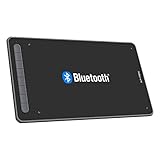
- Drawing Tablet: Wireless and Wired Connection-Enjoy the freedom of wireless drawing with Bluetooth 5.0 and a portable 10x6 inch drawing area. Connect via USB wireless receiver or wire for reliable connections
- Graphic Tablet: Wide Compatibility and Application-Compatible with Windows 11/10/8/7, Mac OS X 10.10 (and higher), Android 6.0 (and higher), and Chrome OS 88.0.4324.109 or above. Works with major software including Photoshop, SAI, Painter, Illustrator, Clip Studio, GIMP, Medibang, Krita, Fire Alpaca, and Blender 3D
- Drawing Pad: Upgraded Drawing Experience-The X3-Smart-Chip technology in the stylus provides 8192 levels of pressure sensitivity and 60° tilt function for subtle lines and unique masterpieces
- Computer Graphics Tablet: Optimized Workflow-Customize your shortcut keys for a tailored experience. The well-balanced texture of the drawing surface provides smooth and consistent control for increased workflow
- Art Tablet: What You Get-XPPen Deco LW Graphics Drawing Tablet, Dongle, USB A to USB-C Cable, X3 Elite Updated Digital Stylus, USB A to USB-C OTG Adapter, USB A to Micro USB OTG Adapter, 10x Pen Nibs, and User Manual. Register on XPPen Web for Explain Everything or ArtRage Lite program
Affinity’s native file type also has documented integrations with Capture One and DaVinci Resolve. That may appeal to creators working across still photography, design, and video.
Free tools Windows power users keep installed
One-click scans. No signup required.
The trade-off is ecosystem depth. Independent 2026 comparisons characterize Affinity as a strong free alternative but note feature gaps relative to Photoshop, especially around Adobe’s latest AI ecosystem and some specialized professional workflows. Affinity is an excellent value choice; it is not automatically a one-for-one replacement for every Photoshop feature or established Adobe production pipeline.
8. Snapseed: best free mobile photo editor
Snapseed is the best choice when editing happens primarily on a phone or tablet and the budget is zero. Google’s current Play Store listing describes it as a professional photo editor with more than 30 tools and filters, RAW support, smart masking, batch editing, and non-destructive editing.
It is useful for travel photographers, quick social posts, phone-camera work, and anyone who wants meaningful control without advertisements, watermarks, subscriptions, or in-app purchases. Its editing toolkit is broad enough for exposure, color, selective adjustments, cleanup, and stylized finishing.
Snapseed is not a desktop catalog manager and does not replace a professional tethered, multi-layer, or large-library workflow. Availability and feature behavior can differ by mobile platform, so confirm RAW compatibility with your device and camera before relying on it in the field.
The Tool Desk
Outbyte Driver Updater FREEScan for outdated or missing drivers - takes under a minuteDriver Scan →Outbyte PC Repair FREEClear out junk files and repair common Windows errorsFree Scan →9. Apple Photos: best built-in option for Apple users
Apple Photos is the frictionless choice for people already invested in the Apple ecosystem and who mainly need organization, search, sharing, synchronization, and sensible adjustments rather than advanced compositing.
It combines library management, search, sharing, iCloud synchronization, and fine-grained photo and video editing across Mac, iPad, and iPhone. That continuity is its main advantage: images remain close to the devices where people capture, view, and share them.
Choose Apple Photos when low friction matters more than specialist RAW rendering, tethering, elaborate masks, or layered design. Choose Lightroom, Capture One, or Photoshop when editing is a central professional task rather than a useful extension of a device library.
10. Photoshop Elements 2026: best beginner-oriented commercial editor
For beginners and family photographers who want more guidance than Photoshop provides, Adobe Photoshop Elements 2026 is the most approachable commercial option in this group. It offers Quick, Guided, and Advanced editing modes, allowing users to start with simplified controls and move toward more manual editing as they gain confidence.
Its feature set includes AI enhancement, generative image and object tools, photo restoration, object removal, organization, templates, and QR-code import from mobile devices. Guided edits are particularly useful when the user knows the result they want but does not yet know the Photoshop technique needed to achieve it.
Best Value

- Wide Compatibility for Multiple Devices: Works seamlessly with Samsung, iOS, Android, Chromebook, Smartphone, and other touchscreen devices. No drivers are needed- simply open and play, ensuring compatibility with a variety of tablets and smartphones. No Charging Required, Ready Anytime.
- High-Precision Touch for Smooth Writing & Drawing: Featuring advanced capacitive technology, this stylus pen offers high sensitivity and precision, delivering a smooth, real-pen experience perfect for writing, sketching, note-taking, and more.
- Ergonomic Design for Comfortable Grip: Crafted with a lightweight and durable body, the stylus is designed for long periods of comfortable use. Whether you’re creating, studying, or performing everyday tasks, it ensures a pleasant grip.
- Scratch-Resistant & Durable, Protects Your Screen: Equipped with a soft, high-quality Disc tip that ensures smooth touch without scratching the screen, keeping your device’s display in pristine condition while providing a seamless user experience.
- A great gift: Get 3 different colors of styluses at an unbeatable price instead of a high-priced pencil. You can share these stylus pens with your friends or family.
Adobe says Elements versions beginning with 2025 are sold as a non-renewing three-year term license, not as a monthly or annual subscription. Boxed and third-party purchases, including purchases through Amazon, provide a redemption code for activation. If you buy through a retailer, verify the seller, edition, supported platform, license term, and activation instructions before completing the purchase.
Elements is not the best choice for a professional photographer managing a large catalog or needing the newest full Photoshop workflow. It is a better fit for learning, family archives, occasional restoration, and users who prefer a retail-style purchase.
Free and no-subscription choices
There are two different questions behind the phrase free alternative: do you need a free desktop editor, or a free mobile editor?
PC Slower Than It Used to Be?
A free scan shows the junk files, broken settings and background clutter dragging Windows down - then fixes them in one click.Free scan · Windows 10 & 11Outdated Drivers Are Slowing You Down
One free scan finds every outdated or missing driver and matches the right update for your exact hardware.Free scan · exact hardware match- For desktop layers and design: choose Affinity. It combines photo, vector, and layout tools, stores work locally, and is free according to Canva’s 2025 launch announcement.
- For phone editing: choose Snapseed. It offers RAW support and a large toolset without subscriptions, purchases, advertisements, or watermarks according to its current Google Play listing.
- For a broad paid alternative without a required subscription: choose ON1 Photo RAW 2026.
- For a beginner-friendly retail purchase: choose Photoshop Elements 2026 and note that its current model is a three-year, non-renewing term license.
Do not compare only the price. Also compare where your files live, whether the application has a catalog, how it handles RAW files from your camera, whether it supports the masks or layers you need, and how easily you can export a consistent set of images.
Best editor by photography type
| Photography or creator job | Best first choice | Alternative |
|---|---|---|
| Wedding or event photography | Lightroom | Lightroom plus Photoshop for advanced retouching |
| Landscape photography | Lightroom | DxO PhotoLab for RAW quality or Luminar Neo for fast sky and atmosphere effects |
| Wildlife and high-ISO work | DxO PhotoLab 9.6 | Lightroom for library management and delivery |
| Studio and tethered portrait work | Capture One Pro | Lightroom or Photoshop depending on the capture and retouching needs |
| Portrait retouching | Photoshop | Capture One for capture and people masking; Luminar Neo for faster guided enhancements |
| Social graphics and composites | Photoshop | Affinity for a free desktop workflow |
| Travel editing on a phone | Snapseed | Apple Photos for Apple-device integration |
| Photographing paintings or artwork | Lightroom or Capture One | Photoshop for cleanup and controlled compositing |
Choosing an editor for photographing paintings
If your goal is to digitize paintings, reproduce artwork, or prepare images for a painting website, prioritize neutral RAW development, reliable color controls, consistent export, and a color-managed monitor over dramatic AI effects.
Lightroom is a strong choice for organizing a body of work and applying consistent corrections across a series. Capture One is worth considering when tethering, reference matching, and precise color work are central to the shoot. Photoshop is useful for removing dust, correcting edges, preparing detail views, and creating web graphics, but use layers and keep an unaltered original so the finished image remains faithful to the physical work.
AI sky replacement, relighting, atmosphere effects, and generative expansion can be creative tools, but they are usually inappropriate when the purpose is accurate documentation. For artwork reproduction, inspect white balance, shadow detail, saturation, canvas texture, and edge geometry at 100 percent before publishing.
Do these 3 things before closing this tab:
1Fix the driver behind crashes, sound loss and screen glitches2Clear out junk files and repair common Windows errors3Scan for outdated or missing drivers - takes under a minuteBuying guidance before you commit
- Decide whether you need a catalog. If you process many images, start with Lightroom or another organizer-oriented application. A layer editor alone can become cumbersome for a large archive.
- Check your camera and lens support. This is particularly important for DxO, whose camera-and-lens modules change as new equipment is supported, and for any editor you plan to use with newer RAW formats.
- Separate creative editing from accurate editing. Luminar Neo and generative tools are useful for interpretation and speed; Lightroom, Capture One, and Photoshop provide more appropriate control when consistency matters.
- Calculate the real licensing cost. Photoshop and Lightroom are subscription products. ON1 does not require a subscription. Affinity is free according to the current product announcement. Elements uses a non-renewing three-year term license. Other products may have changing editions and regional plans.
- Check storage and privacy. Lightroom plans in this comparison include listed cloud storage, while Affinity stores work locally. Decide whether a connected workflow or local file ownership better suits your archive and client obligations.
- Confirm platform and system requirements. Adobe’s Photoshop Elements 2026 documentation covers 64-bit Windows and supported macOS versions, but exact requirements can change. Also verify whether the version you want runs on your computer, tablet, or phone.
- Review AI conditions. Features, processing limits, credits, and availability may vary by plan, region, and release. Do not treat a current AI feature list as a permanent promise.
- Test your actual files. Before migrating a working archive, process representative images: a high-ISO RAW, a skin-tone portrait, a backlit scene, a difficult mask, and an image that must match an existing color reference.
Useful accessories for a photo-editing workflow
Accessories are worth buying only when they solve a demonstrated bottleneck:
- A monitor colorimeter for photo editing is most useful for artwork reproduction, print preparation, and color-critical client work.
- A graphics tablet for retouching can make painted masks, dodging and burning, and detailed cleanup more controlled than a mouse.
- An external SSD for a photo library helps when the internal drive is too small for RAW files, previews, catalogs, or layered documents. Maintain a separate backup rather than treating one SSD as the only copy.
- Fast memory cards and a reliable card reader matter most to event, wildlife, and travel photographers who transfer large shoots in the field.
- A photo-editing book or structured course can be a better investment than another application if the main problem is learning masks, color, or file organization.
Our final recommendations
Pick Photoshop for the widest creative toolkit. Pick Lightroom for a photographer’s everyday catalog-and-RAW workflow. Pick Lightroom plus Photoshop when you need both. Pick Capture One Pro for tethered professional shooting and color control. Pick DxO PhotoLab 9.6 for difficult RAW files and high-ISO noise reduction. Pick ON1 Photo RAW 2026 for an all-in-one alternative without a required subscription. Pick Luminar Neo for fast AI-assisted transformations. Pick Affinity for free desktop editing, Snapseed for free mobile work, Apple Photos for seamless Apple-device organization, and Photoshop Elements 2026 for guided beginner editing with a three-year non-renewing license.
The Bottom Line
Bottom line: there is no universal winner. Lightroom is the safest choice for photographers, Photoshop is the strongest choice for creators, and Affinity is the best free desktop starting point. Choose DxO, Capture One, ON1, Luminar Neo, Snapseed, Apple Photos, or Photoshop Elements when their specific workflow advantage matches the way you shoot and edit.
Quick Recap





