Outdated Drivers Are Slowing You Down
Outbyte Driver Updater · freeOne free scan finds every outdated or missing driver and matches the right update for your exact hardware.
Scan My Drivers Free →ThatPainter is reader-supported. When you buy through links on our site, we may earn an affiliate commission. Learn More
Can you use XP-Pen without a computer? Yes, in two different ways: XPPen’s Magic Drawing Pad runs drawing apps on its own, while selected XP-Pen displays can connect to a compatible Android phone or tablet. An Android-connected display still needs that mobile device as its host, and compatibility depends on the exact display and the phone’s video-output capabilities.
Yes—but there are two very different ways to use XP-Pen without a computer
Most XP-Pen pen displays are drawing monitors, not standalone computers. They need a host to run the drawing app and send content to the screen. For selected models, that host can be a compatible Android phone or tablet rather than a Windows PC or Mac.
If you mean drawing without any separate host device, XPPen’s Magic Drawing Pad is the standalone option covered by the manufacturer’s product information. It is an Android drawing tablet with apps that run on the device.
What’s actually slowing this PC down?
Pick the symptom - the matching free tool is one click away.
So the short buying answer is:
- Want to draw without any separate host? Consider the Magic Drawing Pad, and check its current regional configuration and app details.
- Want to avoid a computer but use a larger display? Check whether your exact XP-Pen display supports Android and whether your phone or tablet supports the required video output.
- Have a conventional pen display? Expect to connect it to a supported computer or mobile host. A built-in screen does not make it standalone.
The XP-Pen that works independently: Magic Drawing Pad
XPPen describes the Magic Drawing Pad as an Android-based standalone drawing tablet that can run drawing apps without a Mac or PC connection. Unlike a conventional pen display, it does not need a separate phone or computer to run the drawing application.
#1 Best Overall

- 【Battery-Free Pen】The XPPen advanced Battery-free PN01 stylus does not require charging, convenient and friendly for both you and the environment.
- 【8192 levels of Pressure Sensitivity】 Capable of reaching 8192 levels of pressure sensitivity, allowing for constant uninterrupted Draw and Play, making lines flow quicker and smoother, enhancing overall performance.
- 【Tiny & Portable】The PN01 stylus is only 10g in weight, smooth feel as the traditional pencil drawing.
XPPen’s current product page lists a 12.2-inch display, an 8GB + 256GB configuration, preinstalled drawing applications, and support for additional Android drawing apps. These are manufacturer-listed specifications and software details; check the current regional product page for the configuration and apps available where you plan to buy.
XPPen also advertises an 8,000 mAh battery and up to 13 hours of use. The stated runtime depends on display brightness and operating conditions, so treat it as a manufacturer estimate rather than a guaranteed duration.
If your definition of “without a computer” means a self-contained device for drawing, the XPPen Magic Drawing Pad is the standalone option in the researched product range. It is an Android tablet, not a traditional pen display.
Outdated Drivers Are Slowing You Down
One free scan finds every outdated or missing driver and matches the right update for your exact hardware.Free scan · exact hardware matchPC Slower Than It Used to Be?
A free scan shows the junk files, broken settings and background clutter dragging Windows down - then fixes them in one click.Free scan · Windows 10 & 11Which XP-Pen devices still need another device?
Artist pen displays
A screen does not automatically make a pen display a computer. Most Artist products display content from a connected host; they do not run the drawing application independently.
XPPen says the Artist 12 3rd is a non-standalone device that must connect to a computer, Android phone, or Android tablet. In an Android setup, the phone or tablet remains the host.
Android support and connection requirements vary by model. For example, the Artist 12 3rd instructions call for an Android USB-C port that supports DisplayPort output. XPPen’s Artist 13.3 Pro V2 instructions recommend a phone with Desktop Mode and specify a separate power connection. The Artist Ultra 14 manual also requires the connected Android device to support DisplayPort Alt Mode.
Rank #2

- [Battery-free Stylus] The XP-Pen PA2 stylus does not require batteries or charging and supports long hours of uninterrupted drawing, letting you focus on your creation for even longer.
- [8192 Levels Pen Pressure] With up to 8,192 levels of pressure sensitivity, it provides you with increased accuracy and enhanced performance to create the finest sketches and lines, even presenting the nuance of different hairs in your pen strokes.
- [60 Degrees Tilt Function] Supports up to 60 degrees of tilt function, so now you don't need to adjust the brush direction in the software over and over again. Simply tilt to add shading to your creation and enjoy smoother and more natural transitions between lines and strokes.
- 【ONLY FIT XP-Pen Pro Series】PA2 Battery-Free Stylus Replacement for Artist 12 Pro / 13.3 Pro / 15.6 Pro / 22R Pro / 24 Pro Drawing Tablet, Not Compatible with Other XP-Pen Models or Brands
- This stylus is ONLY compatible with the following XP-Pen Artist Pro series drawing tablets: Artist 12 Pro, Artist 13.3 Pro, Artist 15.6 Pro, Artist 22R Pro, and Artist 24 Pro. It will NOT WORK with any other models or brands
The distinction matters: Android-compatible is not the same as standalone. The connected Android device still runs the workflow, and its port and the display’s power requirements must meet the model’s instructions.
Quick wins for a faster PC:
Repair Windows errors before they cause bigger problemsFix Now →Fix the driver behind crashes, sound loss and screen glitchesFind Drivers →Screenless Deco and Star pen tablets
A screenless XP-Pen tablet has no display of its own. It sends pen input to a host device, whose screen shows the artwork. Android support is model-specific: XPPen’s compatibility list includes some supported models and excludes others, so do not assume a Deco or Star model works with Android based on its family name or appearance.
Before choosing a screenless tablet for mobile use, check the exact model in XPPen’s compatibility information and follow its official connection instructions. The Android device must be a supported host for that model.
Example: checking an XP-Pen display for Android use
Android display connections depend on the exact XP-Pen model and the phone or tablet. A USB-C connector by itself does not confirm that the mobile device can send video to a pen display.
Use this checklist before connecting or buying:
- Find the exact XP-Pen model on the manufacturer’s compatibility page and confirm that Android support is listed.
- Check the display’s official guide for the Android device’s required video capability, such as DisplayPort output or DisplayPort Alt Mode.
- For the Artist 13.3 Pro V2, check XPPen’s recommendation for a phone with Desktop Mode and its separate power requirement.
- Use the cable and power arrangement specified in the guide for that model.
- If the display does not turn on or needs more brightness, follow the model instructions for supplemental power.
- Test the complete setup with your intended drawing app before relying on it for a project.
An Android-connected XP-Pen display can be useful if you want to avoid a Windows or Mac computer, but it is not a self-contained workstation. The Android phone or tablet remains necessary.
What you need for an Android XP-Pen setup
Before ordering, check each part of the connection, not just the XP-Pen model.
Rank #3

- P05 Passive Pen only work the for XP-PEN Deco 01 V2 Deco03 Star G640S Graphic Drawing Tablet
| Requirement | What to verify |
|---|---|
| XP-Pen model | Confirm that the exact model is listed as Android-compatible in XPPen’s compatibility information. |
| Android device | Check that its USB-C port supports the video output required by the display, such as DisplayPort output or DisplayPort Alt Mode. |
| Desktop Mode | For the Artist 13.3 Pro V2, XPPen recommends a phone that supports Desktop Mode. |
| Cable and power | Follow the exact model’s guide. Some connections may need a separate power connection or supplemental power. |
| Drawing application | Confirm that your intended app and Android setup work for your needs; do not treat a successful connection as proof that every app feature works. |
Check the official XPPen compatibility page, product FAQ, and manual for the exact model. A USB-C port alone does not establish video support, and one model’s cable or power setup may not apply to another.
Important Android limitations
Not every Android device is compatible
XPPen’s compatibility list shows that some models support Android and others do not. The phone or tablet also needs the video output required by the display. XPPen’s Artist 12 3rd instructions specify a USB-C port with DisplayPort output; the Artist Ultra 14 manual specifies DisplayPort Alt Mode.
Check both the display and the Android device before buying. A connector that fits is not enough to establish compatibility.
Free tools Windows power users keep installed
One-click scans. No signup required.
Desktop Mode may be recommended for some models
For the Artist 13.3 Pro V2, XPPen recommends using a phone that supports Desktop Mode. Its instructions also call for video-capable USB-C and a separate power connection. Follow the guide for your exact model rather than assuming the same setup applies to every Android-compatible display.
Power and cables can be the weak link
A mobile device may not provide enough power to light a display or reach the desired brightness. XPPen’s instructions say to add power when needed. Use the connection and power arrangement specified in the display’s official guide; do not assume a generic USB-C or OTG adapter will provide the required video signal or power.
Category comparison
| Option | Host needed? | What to check |
|---|---|---|
| Magic Drawing Pad | No separate host for drawing | Current regional configuration and drawing-app details. XPPen lists a 12.2-inch display, 8GB + 256GB configuration, and 8,000 mAh battery; its advertised runtime is up to 13 hours depending on brightness and operating conditions. |
| Existing XP-Pen pen display | Yes: a computer or, for selected models, a supported Android device | Exact-model Android compatibility, video output, and power requirements. |
| Android-connected XP-Pen display | Yes: the Android phone or tablet remains the host | Video-capable USB-C; model-specific cable and power instructions; Desktop Mode where recommended. |
Which option should you buy?
Choose the Magic Drawing Pad if you want a true standalone setup
This is the option to consider if you want to draw without connecting a separate computer or phone. It runs Android drawing apps on the tablet itself.
Rank #4
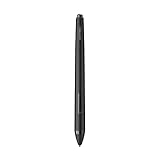
- XP-PEN P06 Passive Pen 8192-level Pen ONLY for XP-Pen Artist12 Deco02
Before buying, check whether your preferred apps and file workflow are available on Android, and review the current regional product page for configuration and included software. XPPen’s advertised battery runtime depends on brightness and operating conditions.
Do these 3 things before closing this tab:
1Scan for outdated or missing drivers - takes under a minute2Repair Windows errors before they cause bigger problems3Fix the driver behind crashes, sound loss and screen glitchesChoose an Android-connected display only if your mobile device meets its requirements
An XP-Pen display may let you avoid a Windows or Mac computer, but only if the exact model supports Android and your phone or tablet meets its video-output and power requirements. For some models, XPPen also recommends Desktop Mode.
Check the official model guide before buying any cable or power accessory. The connection requirements differ among displays, and USB-C alone does not guarantee that the setup will work.
Choose a conventional pen display for a supported host workflow
If you plan to use an Artist display with a computer, confirm the computer connection requirements in the model’s manual. If you want to use it with Android instead, verify Android support and device requirements first. The display remains host-dependent either way.
Independent reader supportYour contribution helps us test, update, and keep practical guides available for everyone.Quick pre-purchase checklist
- Identify the exact XP-Pen model number.
- Decide whether you need a standalone device or only want to avoid a Windows or Mac computer.
- For standalone drawing, check the Magic Drawing Pad’s current regional configuration and Android app details.
- For an Android-connected display, confirm the exact model is Android-compatible.
- Check that the Android device supports the video output specified in the model guide.
- Confirm any Desktop Mode recommendation, cable, and separate power requirements.
- Verify that your intended drawing app suits the setup.
Bottom line
You can use some XP-Pen products without a Windows or Mac computer, but most pen displays still need a host. The XPPen Magic Drawing Pad is the standalone Android drawing tablet in the researched range. Selected displays can connect to Android, but the phone or tablet must meet the display’s compatibility, video-output, and power requirements.
What’s actually slowing this PC down?
Pick the symptom - the matching free tool is one click away.
Do not infer compatibility from a screen or USB-C connector alone. Check the exact model’s official documentation and your Android device’s capabilities before buying.
Best Value
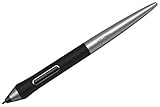
- XPPen PA1 stylus is battery-free and features a nice black and silver design with a sleek pointed end.
- XPPen PA1 stylus supports up to 60 degrees of tilt brush effect.
- With up to 8,192 levels of pressure sensitivity, the PA1 stylus provides you with precise control and accuracy.
- The one-click toggle allows you to switch between pen and eraser modes instantly, creating a more efficient and less frustrating work flow.
- It works with Deco Pro S/SW and Deco Pro M/MW.
FAQ
Can you use XP-Pen without a computer?
Yes. The Magic Drawing Pad can run drawing apps on its own. Selected XP-Pen displays can use a compatible Android phone or tablet as the host instead of a computer.
Which XP-Pen works without any other device?
XPPen describes the Magic Drawing Pad as a standalone Android drawing tablet that works without a Mac or PC connection. Check its current regional product page for configuration and app details.
Can I connect any XP-Pen display to an Android phone?
No. Android support is model-specific, and the phone must meet the video-output requirements in that display’s guide. A USB-C port alone does not establish compatibility.
Recommended Free Tools
Does an XP-Pen screen tablet work by itself?
Generally, a pen display needs a host. XPPen says the Artist 12 3rd must connect to a computer, Android phone, or Android tablet. It is not standalone.
Do Android-connected XP-Pen displays need extra power?
Some setups may need a separate or supplemental power connection. Follow the official instructions for the exact display; power needs and cable arrangements vary by model.
Quick Recap

Product prices and availability are accurate as of the date/time indicated and are subject to change. Any price and availability information displayed on Amazon at the time of purchase will apply.




