Quick wins for a faster PC:
Fix the driver behind crashes, sound loss and screen glitchesFind Drivers →Repair Windows errors before they cause bigger problemsFix Now →
ThatPainter is reader-supported. When you buy through links on our site, we may earn an affiliate commission. Learn More
The EIZO ColorEdge CG279X remains a capable 27-inch monitor for color-managed photo, print and video workflows, with wide-gamut coverage and a built-in calibration sensor. Its main compromises are 2560 × 1440 resolution, modest contrast for displaying HDR, and uncertainty about current price and availability. For painters who photograph or retouch artwork, it may suit a careful SDR color workflow; it is not a high-brightness HDR reference display, and its age makes the purchase price especially important.
What the CG279X is designed to do
The CG279X is a 27-inch IPS monitor with a 2560 × 1440 resolution. EIZO positions it for color-accurate photo work and HDR video editing, with a built-in calibration sensor, ColorNavigator 7 support, a 3D LUT and a Digital Uniformity Equalizer. Its preset modes include Adobe RGB, sRGB, DCI, BT.709, BT.2020, PQ and HLG, according to EIZO’s product specifications.
For a painter, the relevant use is usually indirect: editing photographs of paintings, preparing images for a portfolio, or working on digital artwork where color consistency matters. The monitor cannot correct poor lighting, camera capture or an inaccurate print process, but a calibrated, wide-gamut display can make the screen part of a more controlled workflow.
Color gamut and measured accuracy
EIZO specifies coverage of 99% Adobe RGB and 98% DCI-P3. These are manufacturer figures, not independent measurements. IT Pro’s 2019 review measured average Delta E of 0.69 in sRGB, 0.71 in Adobe RGB and 0.68 in DCI-P3 on its test sample; its maximum Delta E was 2.32. Those results indicate strong accuracy in that review, but do not guarantee identical performance from every unit, particularly a used one.
#1 Best Overall

- Is power-efficient with minimal heat production to ensure a prolonged, convenient usage
- USB Type-C allows powerful and efficient transfer of data with maximum productivity
- 27" viewable screen size showcases movies, games, and photos with striking clarity
- 19 ms GTG response time provides flicker-free video and images for your viewing pleasure
- 400 Nit brightness gives an exceptional visible display for clear and consistent on-screen pictures
| Measure | Figure | Who reported it |
|---|---|---|
| Adobe RGB coverage | 99% | EIZO manufacturer specification |
| DCI-P3 coverage | 98% | EIZO manufacturer specification |
| Average Delta E, sRGB | 0.69 | IT Pro, 2019 test sample |
| Average Delta E, Adobe RGB | 0.71 | IT Pro, 2019 test sample |
| Average Delta E, DCI-P3 | 0.68 | IT Pro, 2019 test sample |
| Maximum Delta E | 2.32 | IT Pro, 2019 test sample |
IT Pro also reported color temperature of 6,501 K in its sRGB and Adobe RGB tests, and 6,308 K with gamma 2.55 in its DCI-P3 test. Its measured color variation across the screen averaged no more than 2.08 Delta E, and brightness deviation at the corners was 5% at maximum brightness. These are reviewer measurements from one sample, not EIZO specifications.
Built-in calibration: does it need a colorimeter?
Not for the monitor’s scheduled self-calibration workflow. EIZO says the built-in sensor can recalibrate the display and that a separate third-party calibration device is not needed for this purpose. The sensor is a practical convenience: it can help keep the display aligned to a chosen target without attaching an external instrument each time. ColorNavigator 7 provides the calibration software workflow.
Rank #2

- 27-inch wide gamut LCD with 3840x2160 resolution for the finest details.
- Wide color gamut with 99% AdobeRGB and 100% sRGB color space coverage.
- Free calibration software and support for Hardware Calibration.
- Inputs: DisplayPort, HDMI, & USB Type-C
- Manufacturer Warranty: 5 years
A separate instrument may still be useful if you want an independent check, need to measure other displays, or have a calibration requirement beyond the monitor’s own workflow. The reviewed sources do not establish that an external device is necessary, nor do they endorse a specific one. EIZO’s 2018 announcement described the built-in sensor as eliminating the need for a third-party device; that is the manufacturer’s claim, not an independent guarantee of every user’s full color pipeline (EIZO announcement, September 6, 2018).
What’s actually slowing this PC down?
Pick the symptom - the matching free tool is one click away.
Is it a true HDR monitor?
The CG279X supports PQ and HLG modes, which can be useful when editing HDR video. But support for HDR transfer functions does not make it a high-brightness HDR reference monitor. IT Pro measured a peak brightness of 372 cd/m² and contrast of 1,033:1 on its test sample, and judged that contrast insufficient for properly displaying HDR content.
Rank #3
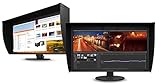
- UNMATCHED CLARITY - Experience stunning visuals on the 31.1" 4K monitor with a native resolution of 4096 x 2160, delivering exceptional detail and sharpness for professional creative work.
- ACCURATE COLOR REPRODUCTION - Achieve unparalleled color fidelity with 99% Adobe RGB coverage and 98% DCI-P3, ensuring your work is displayed with the utmost accuracy and vibrancy.
- CONSISTENT IMAGE QUALITY - Benefit from the built-in calibration sensor that automatically maintains optimal color accuracy, ensuring consistent performance over time without manual adjustments.
- VERSATILE CONNECTIVITY - Connect seamlessly with DisplayPort and HDMI inputs, offering flexible options for various devices and ensuring compatibility with your existing setup for enhanced workflow.
- OPTIMIZED VIEWING COMFORT - Customize your viewing experience with tilt, swivel, and height-adjustable stand, allowing you to find the perfect ergonomic position for prolonged use and reduced strain.
EIZO lists typical contrast of 1300:1 when Digital Uniformity Equalizer priority is set to Brightness. The lower IT Pro result is a separate independent measurement; the two figures should not be treated as contradictory universal promises, because one is a manufacturer specification under a stated setting and the other is a test result from a particular sample. The sensible conclusion is that the CG279X offers HDR editing modes, but its measured brightness and contrast limit its suitability for judging HDR presentation.
Independent reader supportYour contribution helps us test, update, and keep practical guides available for everyone.Is 1440p enough for photo editing and painting?
At 2560 × 1440, the display provides less pixel workspace and image detail than a 4K monitor of similar size. That can matter when inspecting high-resolution artwork photographs at full size, arranging multiple panels, or editing alongside reference images. On the other hand, 1440p can be adequate for many editing tasks when the priority is color-managed SDR work rather than maximum pixel density.
Rank #4

- Digital uniformity equalizer for perfect luminance distribution and color purity
- Built-in sensor for fully automatic self-calibration; HDR targets for HDR-HLG and HDR-PQ EOTF
- USB-C (DisplayPort, 92W Power Delivery), DisplayPort and HDMI inputs, RJ-45 LAN port, 4x USB-A
Whether that trade-off works depends on your files and workflow: consider how often you need to inspect fine texture, compare a large image with palettes and tools, or view a 4K video timeline. IT Pro also identified 4K resolution, contrast and connectivity among the monitor’s shortcomings. Do not buy it on the assumption that its professional color features erase the practical difference between 1440p and 4K.
The Tool Desk
Outbyte PC Repair FREEClear out junk files and repair common Windows errorsFree Scan →Outbyte Driver Updater FREEFix the driver behind crashes, sound loss and screen glitchesFind Drivers →Ports, bit depth and desk setup
EIZO lists USB-C, DisplayPort, HDMI and DVI inputs. The monitor supports 10-bit simultaneous display over DisplayPort or HDMI only when the computer’s graphics hardware and software are compatible; for HDMI, Deep Color support is also required. A compatible signal chain is therefore necessary—connecting a cable alone does not ensure 10-bit output.
IT Pro reported a 60 Hz refresh rate and a stand with 155 mm height adjustment, tilt, swivel and portrait pivot, plus 100 mm VESA mounting. The review also noted a shielding hood in the box, but no speakers or audio jack. These details may help with a fixed color-work desk; assess the actual included accessories and condition if buying used.
Who should consider the CG279X?
- A plausible fit: photographers, print-oriented creatives and painters who digitize artwork and value wide-gamut SDR work, uniformity and built-in calibration.
- Consider another class of display: anyone who needs 4K workspace, high-brightness HDR evaluation, or a particular modern port configuration that the CG279X does not meet.
- Check carefully before buying: current price, availability, warranty, panel condition and whether the included hood and cables are present. The product’s present availability and price are not established here.
Because this is an older model, compare its asking price with currently available alternatives rather than relying on its original premium positioning. The EIZO ColorEdge CG279X product page remains the place to confirm the manufacturer’s listed features; IT Pro’s 2019 review provides the cited independent test results.
Quick Recap

Product prices and availability are accurate as of the date/time indicated and are subject to change. Any price and availability information displayed on Amazon at the time of purchase will apply.




