Quick wins for a faster PC:
The Tool Desk
Outbyte PC Repair FREERepair Windows errors before they cause bigger problemsFix Now →Outbyte Driver Updater FREEScan for outdated or missing drivers - takes under a minuteDriver Scan →Fix the driver behind crashes, sound loss and screen glitchesFind Drivers →Repair Windows errors before they cause bigger problemsFix Now →Scan for outdated or missing drivers - takes under a minuteDriver Scan →
ThatPainter is reader-supported. When you buy through links on our site, we may earn an affiliate commission. Learn More
Baby Lock’s SketchPad Digital Tablet was a machine-specific way to turn a hand-drawn or traced image into embroidery on the Ellisimo Gold. It was not a general-purpose drawing tablet or standalone software. The original Ellisimo Gold is now discontinued, so the feature is mainly relevant to existing owners and people considering a used machine.
The title refers to an AllPeopleQuilt feature published October 13, 2016. Here is what the tablet workflow involves, how the original machine differs from the Gold II, and what to check before buying one today.
What is the Baby Lock Ellisimo Gold?
The Ellisimo Gold is a combination sewing and embroidery machine, not an app or a tablet sold for general computer use. Its OnScreen Designer and SketchPad system let users create embroidery from drawings, then customize and stitch the result on the machine.
Do these 3 things before closing this tab:
1Scan for outdated or missing drivers - takes under a minute2Clear out junk files and repair common Windows errors3Fix the driver behind crashes, sound loss and screen glitchesThe original model is the BLSOG. A dealer listing identifies it as discontinued and reports that it was sold from 2008 to 2013. The later Ellisimo Gold II, model BLSOG2, has a separate set of specifications. Listings and descriptions sometimes blur the two; their design counts and other features should not be treated as interchangeable. See the original Ellisimo Gold listing.
#1 Best Overall
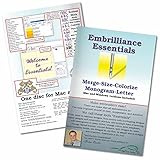
- Compatible with current Windows and MacOS operating systems with free, downloadable updates and disk-free installers available.
- Resize existing embroidery stitch files with automatic stitch recalculation.
- Add lettering in Multi-Line, Monogram and Circle modes using the 21 included fonts depicted in the product images, or with any of a world of BX fonts available to purchase from a multitude of creators online! You can even spiral text or make really LARGE letters.
- Save existing embroidery designs in your machine’s format and save appliques for cutting machines such as ScanNCut and Silhouette.
- Overlap existing embroidery designs and have significant underlying stitching automaticly removed.
How the SketchPad and OnScreen Designer workflow works
The tablet is for capturing artwork; OnScreen Designer turns that input into an embroidery design. Baby Lock’s product descriptions present the process as a way to personalize projects with a child’s drawing, a signature, or a simple motif. The broad workflow is:
- Prepare the artwork. Use a clear drawing or place an image on the tablet to trace it.
- Capture the drawing. Draw or trace with the SketchPad’s electronic pen.
- Convert it on the machine. Send the drawing to the Ellisimo and use OnScreen Designer to create an embroidery design.
- Customize the result. Adjust the design on the machine’s screen and choose thread colors. The original Gold listing describes drawn or traced designs as suitable for either outline or filled embroidery.
- Preview and position it. Use the machine’s available editing and placement tools. On the Gold II, NeedleCam helps show the fabric and position the design.
- Test, then stitch. Choose a suitable hoop, stabilize the fabric, and test-stitch on a similar scrap before embroidering the finished item.
The available product descriptions confirm conversion and on-machine customization, but do not specify the file format, exactly which elements can be edited independently, or how the software generates stitches. This should not be confused with professional desktop digitizing software that exposes detailed stitch controls.
Rank #2
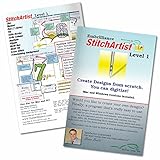
- StitchArtist Level 1 is designed for hobby embroiderers who need to create stitches without going into debt or spending endless hours learning complicated software. Level 1 curates a limited set of stitch types and properties so that the user can simply ‘create’ without learning uneccessary tools. Typical projects for Level 1 include simple applique designs, running stitch designs and simple filled shapes, backgrounds and additional decorative elements for design compositions.
- The same great Embrilliance StitchArtist software you've seen in social media groups and offered online, shipped to you on a physical disk.
- Create applique objects with automatic placement guides, material tacking stitches, and top-stitching in satin, blanket, or E-Stitches.
- Add an image to the background and easily trace to create objects filled with stitches resutling in your own custom machine embroidery designs.
- Create more with less frustration and button memorization.
What artwork is likely to work best?
Simple, legible shapes are more practical starting points than complex illustrations. A child’s clear drawing, a signature, a name, or uncomplicated line art gives the machine a more manageable outline to translate into stitches.
- Keep lines distinct and remove background clutter.
- Avoid very fine features, tiny gaps, and details that will be too small for the selected hoop and thread.
- Use outline stitching for line-based artwork; use filled areas selectively.
- Test the scale, stitch appearance, stabilizer, and fabric before committing to the project.
“Digitized” does not mean every sketch will become polished embroidery automatically. Stitch quality also depends on artwork, scale, fabric, stabilizer, thread, hooping, and adjustments.
Rank #3

- Automatic Knockdown Stitches let any embroidery design run on toweling, faux fur, fleece, sherpa, and heavy knits.
- Gives you the tools for stitch editing, design splitting for multiple hooping and multiple position hoops, hoop basting stitches, and precise positioning tools
- Repeat designs in a row, mirrored and flipped, in multiples around a cirle or oval, or in a random set of resized positions with instant repeats, carousel, and scatter tools.
- Advanced Stitch properties, Advanced Thread editor (when combined with Embrilliance Essentials), Advanced Sizing controls (when combined with other titles)
- Embrilliance's Platform disc installs any of our titles on both Windows and Mac, consistently updated and compatible with the latest OS versions. All programs have available, freely downloadable updates and diskless installation files available online. You can install on as many computers as you own with your single license. Your software will arrive as a disk, but updated digital installers can be freely downloaded and registered using the serial number in your package.
Original Ellisimo Gold and Gold II specifications
The figures below come from separate dealer or product-specification materials. They are model-specific reported specifications, not results from independent testing.
| Feature | Ellisimo Gold (BLSOG) | Ellisimo Gold II (BLSOG2) |
|---|---|---|
| Built-in embroidery designs | 557, reported by Pocono Sew & Vac | 617, reported by Sew Easy |
| Built-in stitches | 682, reported by Pocono Sew & Vac | Not stated in the cited Gold II listing |
| Maximum embroidery field | 8 × 12 inches, according to Pocono Sew & Vac | 8 × 12 inches (200 × 300 mm), according to Sew Easy |
| Included hoops | Not stated in the cited listing | 8 × 12, 8 × 8, 4 × 4, and 1 × 2½ inches, according to Sew Easy |
| Screen | 8.5-inch color touch screen, reported by Pocono Sew & Vac | 8.5-inch TruView ASV color touch screen, according to Gold II specifications |
| Design resizing | Not stated in the cited listing | 60% to 200%; Gold II documentation says thread density is recalculated when resizing, according to the specification PDF |
| Memory and design capacity | Not stated in the cited listing | 2 MB memory and up to 500,000 stitches per design, according to the specification PDF |
| Maximum reported speed | Up to 1,000 stitches per minute, according to Pocono Sew & Vac | Up to 1,000 stitches per minute, according to the Sew Easy listing |
| Camera and connectivity details | NeedleCam and USB connectivity are listed by Pocono Sew & Vac | NeedleCam and USB design access are listed by Sew Easy |
How the tablet differs from the other design tools
- SketchPad and OnScreen Designer create artwork: they capture a drawing or tracing and convert it into an embroidery design.
- NeedleCam helps place the design: Gold II descriptions say it scans the fabric so users can see and position a design on the project. The Needle Beam identifies the needle-drop point.
- Color Visualizer previews colors: it lets users view thread-color combinations on screen rather than changing the artwork itself.
- Editing and resizing adjust the composition: Gold II materials list resizing from 60% to 200%; the documentation also says density is recalculated, a manufacturer specification claim rather than an independently tested result.
What to inspect before buying a used Ellisimo
These machines are discontinued, so treat a purchase as used legacy equipment rather than a route to a current warranty or guaranteed supply of parts. Dealer listings do not establish present availability, current prices, or service coverage.
Rank #4

- Comprehensive Digitizing Solution: Level 2 includes Level 1 functions without needing 2 programs. It is designed for production and skills training for those who would like to create more sophisticated designs and logos, as well as a more complete set of tools for all design creations. It allows the user to learn a wide cross-section of stitch types and properties, giving them the freedom to create virtually any design. If you are looking to use satin stitches to their fullest extent, Embrilliance StitchArtist Level 2 has the tools you need.
- Flexible Integration Options: Stand alone or combine the different Embrilliance Programs for the best in embroidery creation and editing
- Cross-Platform Compatibility: Runs natively on MAC and PC operating systems
- Extensive Learning Resources: Extensive instructional resources available via the official Embrilliance YouTube channel, the built in Help manual, and a community of engaged users online
- Upgrade Information: If you already own StitchArtist Level 1, you need to purchase StitchArtist Upgrade Level 1 to Level 2 rather than this complete version
- Confirm the exact model. Check whether it is the original BLSOG or Gold II BLSOG2, and match any promised specifications to that model.
- Check accessories. Verify that the SketchPad, electronic pen, cables, hoops, and any required interface pieces are included and working. Do not assume a modern generic graphics tablet will substitute.
- Test the machine, not just the screen. Check power-up, touch response, embroidery carriage movement, sewing functions, and built-in embroidery.
- Test the whole custom-design path. If possible, create or load a simple design and stitch it. On a Gold II, check NeedleCam, USB ports, and the machine’s design-reading function. A listing that mentions USB does not establish compatibility with every modern flash drive.
- Ask about service and parts. Confirm directly with a qualified dealer whether they service this particular model and can obtain needed parts; do not infer current support from an old listing.
- Get documentation and warranty terms in writing. Historical Gold II warranty language does not establish coverage for a used machine bought now.
Common problems and practical fixes
The drawing converts poorly
Fine details, weak contrast, disconnected strokes, and background clutter can make artwork difficult to translate into clean embroidery. Simplify the drawing, strengthen narrow lines, close gaps where appropriate, and try an outline treatment for line art. Stitch a small sample before using the design on a finished project.
Free tools Windows power users keep installed
One-click scans. No signup required.
The result looks distorted after resizing
Although the Gold II specification document says thread density is recalculated during resizing, test-stitch after a substantial size change. Check the design’s scale, fabric, stabilizer, hooping, and thread tension before deciding that the conversion itself failed.
Best Value

- POWERFUL FEATURES: Unlock your creativity with a complete workshop of tools to customize your embroidery designs!
- EMBROIDERY SOFTWARE FOR EVERYONE! You get a feature-packed software at a great price. Includes lettering, design, editing, and view features.
- IT'S WIRELESS!!! - Send designs wirelessly to Brother/Baby Lock embroidery machines with wireless capabilities.
- WORKS NATIVELY ON MAC OR PC! - For use on PC or MAC - download with included USB or use download instructions included.
The tablet or USB transfer does not work
A missing or defective SketchPad is not evidence that a generic tablet will work in its place; compatibility is not established in the product material. For USB problems, verify the drive, supported design format, port, and machine settings with model-specific documentation or a dealer. Modern media compatibility limits are not established by the Gold II listing.
The fabric puckers or details disappear
Check stabilizer choice, hoop tension, needle condition and type, thread tension, stitch density, and design scale. Very small details may not survive stitching at the chosen size, even if they appear clear in the drawing.
Who is the Ellisimo Gold still for?
The SketchPad workflow may appeal to current owners, collectors, and embroiderers who want to turn personal drawings into machine embroidery without first drawing them in separate desktop software. It is particularly suited to one-off personal projects such as names, signatures, children’s artwork, quilt motifs, clothing, and home décor.
It is a poor fit for buyers who require a new machine with current warranty coverage, readily available parts, modern computer integration, or professional-level manual stitch control. For detailed, repeatable production work, dedicated digitizing software offers more control over stitch direction, underlay, density, sequencing, and compensation, but requires a computer and a learning curve. A digitizing service is another option for occasional designs. For a current machine, compare models through authorized dealers for support, hoop size, editing tools, import options, and placement features; no particular current model or price is established here.
Preserving artwork without an Ellisimo
If the goal is to preserve a child’s drawing or another personal image, the same project can start with a scan or photograph, followed by digital cleanup and conversion using compatible embroidery software or a digitizing service. Test-stitch the result on scrap fabric, and keep the original image separate from the final embroidery file. This approach avoids reliance on a discontinued machine-specific tablet, but requires software, equipment, or paid digitizing help.
Quick Recap

Product prices and availability are accurate as of the date/time indicated and are subject to change. Any price and availability information displayed on Amazon at the time of purchase will apply.

