PC Slower Than It Used to Be?
A free scan shows the junk files, broken settings and background clutter dragging Windows down - then fixes them in one click.
Run a Free PC Scan →Free scan · Windows 10 & 11
ThatPainter is reader-supported. When you buy through links on our site, we may earn an affiliate commission. Learn More
Creating a stylized game character means building more than an attractive model: the finished asset needs topology, UVs, textures, and—if it will move—a tested rig that works in the target engine. A reliable workflow is to settle the design and target first, develop the forms, prepare a production mesh, then texture, rig, export, and validate the result.
1. Define the character and its target
Start by deciding what the character should communicate through silhouette, proportions, and major shapes. Establish its visual language before adding fine detail, and identify whether it is a biped, creature, or another rig type. Also choose the intended engine and platform early: they affect what you need to validate at delivery.
What’s actually slowing this PC down?
Pick the symptom - the matching free tool is one click away.
#1 Best Overall

- HOBBY MODEL KIT – Unassembled model packed in an envelope with easy to follow instructions. Ideal for ages 14 and up.
- NO GLUE OR SOLDER NEEDED – Parts can be easily clipped from the metal sheets. Tweezers are the recommended tool for bending and twisting the connection tabs.
- STAR WARS R2-D2 – 2 Sheet Model with a moderate difficulty level. Assembled Size: 2.75 x 1.96 x 1.37 inches
- FROM STEEL SHEETS TO 3D – Pop out the pieces and connect using tabs and holes. Includes illustrated instructions.
- HIGHLY DETAILED ETCHED MODEL – Display your 3D model once completed - collect and build them all.
Blender Studio’s stylized-character workflow course is organized around design, sculpting, and retopology. Its broad sequence is useful, but its course material was created for Blender 2.8, so check current Blender documentation for version-specific interface steps.
2. Choose a way to develop the forms
There is no single required starting method. Sculpt-first work gives you room to explore organic forms and proportions; direct or loose modeling may suit a design whose shapes are already clear. In either case, treat the result at this stage as design development, not automatically as the final game mesh. Blender Studio describes production retopology as work commonly done after forms have been developed through sculpting or loose modeling.
Sculpt first when form exploration matters
Use a sculpt to establish the large forms and character appeal. Keep the distinction between this detailed design model and the eventual production mesh: a sculpt does not, by itself, settle topology, UVs, deformation, or engine import.
Rank #2

- ● FUNCTION---EASY TO USE---The modeler basic tools set is suitable for a beginner and advanced modeler as well.You can use it to manufacture many toys,such as cars, robots, cartoon, buildings, airplanes and other crafts.
- ● FULL RANGE AND COST EFFICIENT---Package include : 1 X side pliers, 2 X tweezers, 1 X File, 1 X Pen knife and 5 X blade, 2 X double-sided polished bar, 1 X Plastic box.
- ● DURABLE---The tweezers are made by stainless steel and can be used for a long time.
- ● LIGHTWEIGHT AND PORTABLE---Packaged in a sturdy plastic box.When you use them, you will feel more convenience.You can take it to anywhere,use it in anytime.It will be a good assistant to you.
Model directly when the design is already clear
Build the forms with direct or loose modeling when that better suits the design. The important test is not which method you chose, but whether the finished topology supports the next tasks: shading, texturing, rigging, and animation.
3. Retopologize for the work the character must do
Create a clean game mesh over or from the developed forms. Retopology is not simply a contest to remove polygons: arrange the mesh to behave well in shading, take textures cleanly, and deform where the character needs to move. Pay particular attention to joints and other areas likely to bend.
Blender Studio’s modeling guidance places retopology in the production process and highlights its relationship to downstream work. The appropriate mesh density depends on the character and project; the available guidance does not establish a universal polygon budget.
Rank #3
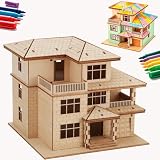
- [ONE PUZZLE, A MILLION PLACES] – More than just a weekend project, this 3D wooden puzzle transforms into a versatile decor piece that fits anywhere. Pop this miniature house kit on your work-from-home desk for an instant creativity boost, tuck it between your favorite novels on the bookshelf as a charming bookshelf decor accent, or let it steal the show on your living room console.
- [SCREEN DETOX + FLOW STATE] – Over doom-scrolling? Same. Give your brain a break with 1-2 hours of pure, hands-on focus. This 3D puzzle for adults is your ticket to a flow state—no notifications, no pings, just you and that satisfying click as each piece locks in. More than a puzzle, it's a proven stress-relief ritual that sharpens focus and leaves you with a genuine sense of accomplishment. Disconnect to reconnect. Build your cozy escape today.
- [NO GLUE. NO TOOLS. NO MESS.] – Precision laser-cut plywood pieces snap together with a satisfying click. Zero glue, zero frustration. The natural wood finish is stunning on its own, or grab your acrylic paints and make it your own custom DIY miniature house. (Paint not included.)
- [IDEAL GIFT CHOICE] – This creative and thoughtful gift is sure to delight anyone! More than just a DIY project, it doubles as a charming home decoration. Surprise your family, friends, or partner with this unique 3D wooden puzzle house that serves as both a model kit for adults to build and a stunning display piece. Whether for birthdays, holidays, or just because—this creative gift for adults shows you truly care.
- [THE SATISFACTION OF FINISHING] – That rare feeling of completing something beautiful with your own hands? This kit delivers it. Once built, your miniature cottage isn't just a memory—it's a daily reminder of your focus and patience. Display it proudly on your desk, shelf, or console, and let it spark a little joy every time you glance its way. No batteries, no updates, no expiry—just pure, lasting pride. Welcome to the kidulting movement.
4. Plan UVs with the mesh
UV layout is connected to topology, not an afterthought to postpone until the model is finished. Place seams where they make sense for the form and clothing, and check the unwrap for stretching. Allocate texture detail according to where it matters on the character rather than distributing it blindly.
Blender Studio’s modeling guidance identifies seam placement, stretching, and texel density as considerations. Clothing deserves particular attention because seam placement and distortion can be conspicuous across large or strongly shaped surfaces.
Outdated Drivers Are Slowing You Down
One free scan finds every outdated or missing driver and matches the right update for your exact hardware.Free scan · exact hardware matchPC Slower Than It Used to Be?
A free scan shows the junk files, broken settings and background clutter dragging Windows down - then fixes them in one click.Free scan · Windows 10 & 115. Texture for the intended real-time project
Build materials and textures for the game the character is actually intended to enter. Blender Studio’s course introduction contrasts game assets with film assets: real-time games call for compressed, lighter textures compared with high-resolution film textures. That is a directional distinction, not a universal resolution prescription.
Rank #4

- Detailed Replica: Embark on an epic building adventure with a film-accurate Star Wars room decor piece. This 4D Build T-65 X-Wing Starfighter cardstock model kit has movie-quality details, plus glue and a stand
- Easy To Assemble: You get 6 sheets with 160 detailed durable punch-out pieces & instructions to complete this satisfying craft challenge. No tools required
- Designed For Display: An authentic addition to your model kit collection- ideal for room decor, office decor, & bedroom decor. This T-65 X-Wing Starfighter measures 15 in x 13.6 in x 10.3 in (38 cm x 34.5 cm x 26.1 cm)
- More Star Wars Collectibles: Shop the whole 4D Build Star Wars collection to build your own epic puzzle collection, including Imperial At-At, Grogu, Death Star, Millennium Falcon, Mandalorian & more
- Find Your Fandom: Find more 3D puzzles for adults as gifts for him, gifts for teens, gifts for men, & gifts for any fan of Marvel, Lord of the Rings, GOT, HOTD, Star Wars, Batman, Harry Potter & more
Choose texture resolution, material setup, and detail in the context of the project’s engine and platform requirements. No one texture size or geometry limit applies to every game, so do not treat an unsupported numeric budget as a general rule.
Independent reader supportYour contribution helps us test, update, and keep practical guides available for everyone.6. Rig and test deformation when animation is needed
If the character must animate, build its skeleton and bind the mesh, then test it with representative movement. Refine skinning wherever joints collapse, stretch awkwardly, or otherwise fail to preserve the intended forms. Unity’s 2022.3 guidance emphasizes testing deformation, cleaning the mesh, and checking scale.
Requirements depend on the engine and rig category. Specifically, Unity’s 2022.3 Humanoid model documentation specifies at least 15 bones for that workflow; do not apply that figure to other rig types or engines.
Do these 3 things before closing this tab:
1Repair Windows errors before they cause bigger problems2Scan for outdated or missing drivers - takes under a minute3Clear out junk files and repair common Windows errorsBest Value
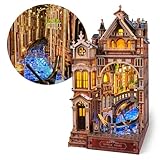
- 【A Passage Into the Venice Canal】Enter Venice Night Starlit, a book nook shaped by the romantic atmosphere of Venice at night. With canal-side architecture and shimmering water reflections, it brings the serene charm of the Venetian nightscape to your shelf.
- 【Rich Lighting and Infinite Illusion】Warm architectural light blends with blue, glimmering canal reflections to create a vivid nighttime mood. Paired with an infinity mirror, the canal and buildings appear to extend endlessly—an Infinite Venetian Vista that adds calm depth to any bookshelf.
- 【Relaxing and Fulfilling DIY Experience】Featuring 281 pre-cut wooden pieces and clear step-by-step 3D instructions, the 6–8 hour assembly is smooth and beginner-friendly. It offers a focused, enjoyable crafting experience with a rewarding final display.
- 【Exquisite Details and Quality Craftsmanship】Refined miniature details enrich the scene—from the gondola and arched bridge to the Crystal Canal Gleam and Blossoming Balcony. Each element is thoughtfully arranged to capture the elegance and romantic character of Venice in a collectible display.
- 【A Distinctive Accent for Bookshelf Décor】More than a puzzle, Venice Night Starlit is a refined bookshelf insert that enhances any reading space. Its atmospheric lighting and endless canal imagery make it a thoughtful gift for anyone who appreciates quiet, romantic craftsmanship. Dedicated customer support ensures a smooth and enjoyable building experience.
7. Export and validate in the target engine
Export settings should follow the target engine’s current guidance and the needs of the particular character: rig type, platform, file format, scale, materials, and animation all matter. Unity’s 2022.3 manual recommends FBX for models and notes that it can carry the mesh, skeleton hierarchy, normals, textures, and animation. This is Unity-specific direction, not a universal format rule.
- Prepare the deliverable. Make sure the mesh, skeleton, materials, and any required animation are included in the export you intend to import.
- Import into the target project. Use the current settings and workflow for your selected engine version; the Unity directions here are for 2022.3.
- Check scale. Unity’s guidance calls for checking the imported model against the engine’s one-unit cube.
- Inspect the result in motion. Verify that the skeleton and mesh import as expected, then inspect animated deformation rather than relying on a static preview.
An export is not proven successful merely because a file was created. The imported asset and its movement are the practical checks that reveal problems with scale, hierarchy, or deformation.
What to decide before setting budgets or export options
- Design and rig: Is the character a biped, creature, or another form, and which areas must deform?
- Target: Which engine, version, and platform will receive the asset?
- Mesh and UVs: Does the topology support shading and deformation, and do the UVs avoid problematic stretching?
- Appearance: Do texture resolution, materials, and detail fit the real-time project?
- Validation: Have you checked scale, imported structure, and animation in the engine itself?
Unity’s cited manual is specifically for version 2022.3, while Blender Studio’s course uses Blender 2.8 material. They provide a useful conceptual workflow, but check current documentation for the versions you use before relying on particular settings.
Quick Recap

Product prices and availability are accurate as of the date/time indicated and are subject to change. Any price and availability information displayed on Amazon at the time of purchase will apply.




