Outdated Drivers Are Slowing You Down
One free scan finds every outdated or missing driver and matches the right update for your exact hardware.
Scan My Drivers Free →Free scan · exact hardware match
As an Amazon Associate I earn from qualifying purchases.
ThatPainter is reader-supported. When you buy through links on our site, we may earn an affiliate commission. Learn More
Do these 3 things before closing this tab:
1Repair Windows errors before they cause bigger problems2Fix the driver behind crashes, sound loss and screen glitches3Clear out junk files and repair common Windows errorsA shirt mockup is a visual preview of artwork placed on a garment image or template. For a quick presentation, use a ready-made shirt template; for a specific garment photo, build a template from that image where the tool supports it; for repeated revisions, work in an editable layered file. A mockup helps you judge the composition, but it does not prove how a real print will look or behave on fabric.
#1 Best Overall

- Classic fit for loose comfort
- A great choice for everyday or work wear
- Heavyweight tee perfect for layering or on its own
- Taped neck and shoulders for comfort and durability
- Tear away label for customizable comfort
Choose the right shirt mockup workflow
| Workflow | Best for | Control and editability | Key trade-off |
|---|---|---|---|
| Ready-made template editor | A quick preview using an available shirt image | Adjust artwork in the editor and export an image or other supported format | You are limited to the garments and scenes in the template library |
| Template made from a garment photo | Showing artwork on a particular shirt or scene | Uses the photo as the basis for placing artwork; results depend on the image and tool | Complex or cluttered photos may produce less polished placement, and feature access may depend on account eligibility |
| Layered Photoshop file | Repeated revisions, alternate designs, or reusable mockups | Smart Objects and layers preserve editable components in the source file | Requires working with a layered file rather than only downloading a finished image |
Canva documents an editor workflow for T-shirt mockups, including adding or uploading artwork, adjusting it, and exporting; its editor is available on desktop and mobile. Placeit offers a template-based upload and download flow. Photoshop is the more suitable route when retaining a layered, reusable source matters. These are workflow distinctions, not a claim that one service produces a better-looking result.
How to upload an image to a mockup
In a ready-made Canva mockup
- Open Canva and select a T-shirt mockup that suits the garment and presentation you need.
- Add your artwork by uploading an image or choosing an existing design.
- Position, crop, and adjust the artwork in the editor. Inspect its scale, orientation, and placement on the shirt.
- Apply the changes and export in a format supported for your use. Canva lists PDF, SVG, JPG, and PNG among its export formats; a raster image such as JPG or PNG is generally the straightforward choice for a visual listing preview.
Canva’s Help Center describes positioning and cropping artwork, then applying changes. Follow the current editor labels, as interface details can change. See Canva’s T-shirt mockup guide and instructions for creating mockups using images or designs.
Rank #2

- Classic fit for loose comfort
- Versatile mid-weight fabric for year-round wear
- Our most popular t-shirt
- Non-topstitched, classic width, rib collar
- Tear away label for customizable comfort
In a Placeit template
- Choose a shirt template and prepare the artwork as a PNG or JPG.
- Upload the artwork. Placeit’s documented flow specifies a file under 12 MB and no larger than 7500 × 7500 pixels.
- Review the placement in the preview and generate the result.
- Download the finished image if it meets your needs. Placeit says a completed download cannot be edited afterward; to make changes, generate and download a new version.
Those upload limits describe Placeit’s documented flow and may change. Check its current file format and size guidance before preparing a large batch.
Windows Errors? Fix Them Before They Spread
Repair common Windows errors and clear accumulated junk for a smoother, more stable PC - no reinstall needed.Free scan · no reinstallCrashes, No Sound, or Screen Glitches?
Random freezes, missing sound and display glitches usually trace back to one bad driver. Find and replace yours safely.Free scan · under a minuteUse a garment photo when the standard templates do not fit
A photo-derived template can help when the shirt, color, pose, or setting you want is missing from a standard library. Canva’s documented custom-template feature analyzes a photo to identify surfaces and place a design. The feature is limited to specified qualifying account types, rather than being guaranteed on every free account.
Rank #3

- Classic fit for loose comfort
- Versatile mid-weight fabric for year-round wear
- Our most popular t-shirt
- Non-topstitched, classic width, rib collar
- Tear away label for customizable comfort
Choose a clear, high-resolution photograph with a simple, relatively flat shirt surface. Busy backgrounds, folds, overlapping objects, or complex shapes can make the surface harder to identify and may reduce the polish of the placement. Canva recommends clear images and simple surfaces, but its documentation does not establish that every fabric, pose, or photograph will work well. If the result looks wrong, try a cleaner source photo or use a different workflow. See Canva’s photo-based mockup instructions.
Build a reusable mockup in Photoshop
If you expect to revise the artwork or create multiple variants, preserve the working file rather than relying only on an exported image. Adobe describes Smart Objects as editable without changing the original source content, and its template guidance uses Smart Objects in Photoshop templates.
Rank #4
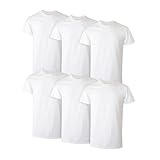
- CONVENIENT 6-PACK VALUE - Stock up on everyday essentials with six comfortable crewneck undershirts designed for dependable fit, everyday performance, and trusted Hanes quality.
- EVERYDAY COTTON COMFORT - Made from soft, breathable cotton (heather styles are a cotton/polyester blend), these men's undershirts provide lightweight comfort for layering or wearing on their own.
- MOISTURE-WICKING PERFORMANCE - Men's t-shirt made with Cool Comfort fabric helps wick away moisture while advanced odor protection helps keep you cool, dry, and feeling fresh throughout the day.
- DESIGNED TO STAY TUCKED - An extra-long t-shirt hem is designed to stay tucked in, providing dependable coverage and a neat appearance whether you're working, traveling, or going about your day.
- CLASSIC COMFORT - A lay-flat crewneck collar and tag-free design help deliver lasting comfort while creating a clean look under button-downs, polos, sweaters, and t-shirts.
- Open a layered shirt mockup file that includes an artwork placeholder or Smart Object.
- Replace or edit the artwork in the designated Smart Object, keeping the garment image and other effects on their own layers where the template provides them.
- Save the source file so the artwork remains replaceable for later revisions.
- Export a separate flattened image for a listing, presentation, or sharing.
Adobe recommends PSD, TIFF, or PSB rather than JPEG when preserving layers and quality is important. JPEG is a flattened delivery format, not a substitute for an editable layered source. See Adobe’s Smart Objects documentation and guidance on PSD, PSB, TIFF, and JPEG formats.
Recommended Free Tools
Check the preview before using it
- Placement: Check that the artwork sits where intended and is not clipped or obscured by a sleeve, seam, or fold.
- Scale and orientation: Inspect the design at the size viewers will actually see, including the intended listing or presentation size.
- Garment color: Make sure the chosen shirt color provides the contrast you intend to show.
- Fabric integration: Look for a design that appears unnaturally flat or detached from the shirt. A template may simulate folds or shading, but the preview is still a visual composition.
- Output: Keep the editable source if future changes matter; save a separate export for sharing or display.
A mockup is not a production proof. The documented software workflows cover visualization and editing, not physical sample validation, print placement tolerances, color calibration, or how ink and fabric will behave in production. If those details matter, confirm them through the printer’s proofing or sampling process.
Check usage rights for the specific mockup
Do not assume that permission for one service or asset automatically covers another use. Canva describes commercial use of generated mockup images but says they cannot be resold or redistributed as new mockups. Its separate guidance on using library content on products for sale adds caveats, so check both the relevant asset terms and the intended use. Placeit says its downloads include a commercial license, but the applicable license and specific use should still be checked in its current terms. See Canva’s mockup guidance, Canva’s licensing guidance, and Placeit’s copyright and license information.
Quick Recap

Product prices and availability are accurate as of the date/time indicated and are subject to change. Any price and availability information displayed on Amazon at the time of purchase will apply.




