Free tools Windows power users keep installed
One-click scans. No signup required.
ThatPainter is reader-supported. When you buy through links on our site, we may earn an affiliate commission. Learn More
Unsplash, Pexels, and Pixabay are the best starting points for most free-image searches. Burst is especially useful for business and ecommerce, while Wikimedia Commons, Openverse, and Flickr Creative Commons are stronger for historical, educational, and documentary material. Canva and Adobe Stock Free are better when you also need design tools or a professional stock workflow.
As an Amazon Associate I earn from qualifying purchases.
One warning matters more than any ranking: free to download does not mean copyright-free, public domain, attribution-free, or safe for every commercial use. Check the license attached to the specific image, especially if it includes people, logos, artwork, private property, or recognizable brands.
Quick wins for a faster PC:
Scan for outdated or missing drivers - takes under a minuteDriver Scan →Repair Windows errors before they cause bigger problemsFix Now →Fix the driver behind crashes, sound loss and screen glitchesFind Drivers →Quick comparison
| Website | Best for | Assets | Commercial use | Attribution | Important caution |
|---|---|---|---|---|---|
| Unsplash | Polished photography | Photos | Generally permitted | Not required | No unaltered resale or competing stock service |
| Pexels | General-purpose photos and video | Photos, video | Generally permitted | Not required | No trademark use, implied endorsement, or unaltered resale |
| Pixabay | Mixed media | Photos, illustrations, vectors, video, audio, 3D, GIFs | Generally permitted | Not required | Its own license applies; third-party rights may remain |
| Burst | Ecommerce and small business | Photos | Generally permitted | Generally not required | Review the current terms for high-risk uses |
| Adobe Stock Free | Professional stock workflows | Photos, vectors, video | Depends on the asset license | Check the asset terms | Free and paid assets coexist |
| Wikimedia Commons | History, science, and education | Photos, scans, diagrams, media | Varies by file | Often required | Read the individual file page |
| Openverse | Open-license discovery | Images from multiple sources | Varies by image | Varies by license | Confirm terms at the original source |
| Flickr Creative Commons | Niche and documentary photography | Photos | Depends on the CC license | Often required | Noncommercial and no-derivatives terms may apply |
| Gratisography | Quirky and surreal imagery | Photos | Generally permitted under its license | Generally not required | Check context and visible third-party material |
| Reshot | Distinctive images, icons, and illustrations | Photos, icons, illustrations | Check current terms | Check current terms | Do not assume public-domain status |
| Canva | Image-plus-design workflows | Photos, graphics, templates, media | Depends on content type and use | Usually governed by Canva’s license | Free and Pro content can appear together |
“Generally permitted” means the site’s standard license usually allows commercial use, not that every possible use is cleared. Advertising, packaging, merchandise, logos, and images containing recognizable people or brands require extra care.
Popular on Amazon

- Photo Paper Package: 36 sheets of glossy photo paper, 8.5×11 inch, industry standard 180gsm/48lb, single-sided printing and blank back side for recording or writing something; compatible with inkjet printers and dye ink
- Glossy Finish: our glossy photo paper features its a reflective finish, that adds a professional and attractive touch and makes every picture look like a work of art; the printed photos and graphics are so outstanding
- Leave Vivid Colors: thanks to the good ink absorption of the picture paper, the printed photos come out vibrant colors and sharp details that truly come to life; remain beautiful landscapes and impressive moments forever
- Instant Dry: due to the advanced super cast coating, the ink on prints dry quickly without smearing and jamming; plus, the prints retain their vibrant color over time; makes your memories and designs shine in their full glory
- Wide Application: perfect for printing photos to record important and sweet moments, and also ideal for printing detailed graphics, various greeting cards, posters, chip bags, flyers, brochures, calendars, baby book
1. Unsplash: best overall for polished photography
Unsplash is the strongest first stop for attractive hero images, interiors, travel, nature, people, and minimalist compositions. Its photography is usually well suited to blog headers, painted-room inspiration, editorial layouts, and social graphics.
Under the Unsplash License, images may generally be downloaded and used for commercial and noncommercial purposes without attribution. You may modify them, but you may not sell images without significant modification or compile the collection to create a competing service.
Choose Unsplash if: visual polish matters more than highly specialized subject coverage. Its recognizable aesthetic and popular images can also mean that the same photograph appears across many websites.
2. Pexels: best all-purpose alternative
Pexels offers a broad, convenient library of photos and videos for websites, presentations, newsletters, blogs, advertising, print marketing, ecommerce, and social media.
The Pexels License permits free use, modification, and commercial use without requiring attribution. It prohibits unaltered resale, redistribution to competing stock or wallpaper platforms, trademark use, and uses that imply endorsement by a recognizable person or brand.
Choose Pexels if: Unsplash does not have the right composition, or your project needs both still images and video. Search results can sometimes feel repetitive, so try several related search terms.
3. Pixabay: best for mixed media
Pixabay is useful when a project needs more than ordinary photography. Its library includes photos, illustrations, vectors, videos, music, sound effects, 3D models, and GIFs.
Pixabay uses its own Content License. Content may generally be used without charge or attribution and may be modified, but standalone resale or distribution is prohibited. Pixabay also warns that trademarks, logos, recognizable people, brands, and other third-party rights may require additional permission.
Choose Pixabay if: you need an illustration, vector, transparent-style graphic, or another media type alongside a photograph. Inspect illustrations carefully for embedded characters, logos, or artwork that may belong to someone else.
4. Burst by Shopify: best for ecommerce and business
Burst is built around practical business imagery: products, retail, offices, technology, food, work, and entrepreneurship. It is a particularly natural fit for online stores, product launches, business blogs, and small-business marketing.
Shopify presents Burst as a free stock-photo library suitable for websites and commercial use. Attribution is generally not required, but check the current terms before using an image in packaging, merchandise, a logo, or an advertisement involving a recognizable person or brand.
Do these 3 things before closing this tab:
1Repair Windows errors before they cause bigger problems2Fix the driver behind crashes, sound loss and screen glitches3Clear out junk files and repair common Windows errorsAlso popular on Amazon

- Excellent photo results with vibrant colors.
- Pack of 50 Sheets
Choose Burst if: the image needs to support a product, service, shop, or entrepreneurial story rather than simply decorate an article.
5. Adobe Stock Free: best for a professional stock workflow
Adobe Stock Free provides a designated free collection of photos, vectors, and videos within Adobe’s broader professional stock platform.
The important distinction is that Adobe Stock is not one uniformly free library. Free and paid assets can appear within the same ecosystem, and the applicable permissions may be asset-specific. Confirm that the selected file is marked free and read its license before commercial use.
Choose Adobe Stock Free if: you already work in Adobe tools, need vectors or video, or want a path to a more formal stock-asset workflow when free options are insufficient.
The Tool Desk
Outbyte Driver Updater FREEScan for outdated or missing drivers - takes under a minuteDriver Scan →Outbyte PC Repair FREEClear out junk files and repair common Windows errorsFree Scan →6. Wikimedia Commons: best for historical and educational images
Wikimedia Commons is especially valuable for historical photographs, maps, scientific imagery, cultural materials, landmarks, scans, and authentic documentary subjects.
Commons does not have one site-wide reuse license. The file description page identifies the work’s copyright status, license, attribution requirements, and other relevant information. Some files are public domain; others require attribution or impose conditions such as share-alike.
Choose Commons if: authenticity and research value matter more than polished commercial-stock styling. It is not the best choice for “download now and never check the license again.”
7. Openverse: best license-filtered discovery tool
Openverse searches across multiple open-content sources and helps users discover images by license. It is a search service, not a single stock library with one uniform set of terms.
License information can vary by image and source, and aggregated metadata may need confirmation. Follow the source link, inspect the original record, and use the original license—not Openverse’s search result alone—as the basis for reuse.
Choose Openverse if: mainstream stock libraries do not have the historical, scientific, cultural, or niche image you need and you are willing to do license research.
8. Flickr Creative Commons: best for niche photography
Flickr’s Creative Commons area can surface local scenes, specialist communities, documentary work, and photographs from individual creators that feel less generic than commercial stock.
Also popular on Amazon
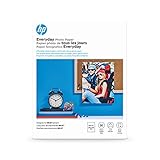
- Create affordable photo projects with a bright, glossy finish
- Customize photos with easy-to-use editing tools and print from your phone with HP Smart app
- Handle durable, quick-dry photos right from the printer
- Make memories last with photos that resist fading for decades when printed with Original HP Ink
Creative Commons is a family of licenses, not a blanket permission. Depending on the selected license, you may need attribution, may be limited to noncommercial use, may have to license adaptations under the same terms, or may be prohibited from distributing derivatives. Check the exact license on the individual image.
PC Slower Than It Used to Be?
A free scan shows the junk files, broken settings and background clutter dragging Windows down - then fixes them in one click.Free scan · Windows 10 & 11Outdated Drivers Are Slowing You Down
One free scan finds every outdated or missing driver and matches the right update for your exact hardware.Free scan · exact hardware matchChoose Flickr if: you need a distinctive or documentary photograph and can preserve the creator, source, and license information.
9. Gratisography: best for unusual and humorous imagery
Gratisography focuses on quirky, surreal, humorous, and visually unexpected photography. It is a useful antidote to generic corporate stock imagery.
The site publishes its own free photo license. Review that license for the intended use, and inspect the image for visible brands, artwork, private property, or context that could make an otherwise permitted use misleading.
Choose Gratisography if: personality and memorability matter more than maximum search breadth.
10. Reshot: best for distinctive supplemental assets
Reshot is commonly used for less-generic stock photography, icons, and illustrations. It can fill gaps when the major photo libraries feel overused.
Because licensing details can change, check Reshot’s current terms for the individual asset before commercial use. Do not assume that every image is public domain, attribution-free, or automatically suitable for merchandise, logos, or advertising.
Choose Reshot if: you want unusual photos, icons, or illustrations and are prepared to verify the current license.
Independent reader supportYour contribution helps us test, update, and keep practical guides available for everyone.11. Canva: best for image-plus-design work
Canva is most useful when the final goal is not merely downloading a file but turning it into a social post, presentation, thumbnail, flyer, or marketing design.
What’s actually slowing this PC down?
Pick the symptom - the matching free tool is one click away.
Use is governed by Canva’s Content License Agreement. Permissions depend on the content type, source, and how the asset is incorporated into a design. Free and Pro content can coexist, so check the asset label and whether a paid plan is required.
Choose Canva if: you need to find an image and immediately produce a finished design. Choose a dedicated stock library instead if you need a simple, standalone image archive with uniform licensing.
Also popular on Amazon

- Professional Grade: Prepare to be amazed at the vibrant and detailed prints of our photo paper 8.5 x 11
- Buy In Bulk & Save: Each pack of photo paper 8.5 x 11 glossy contains 100 sheets, providing sample supply for your photo printing projects
- Brilliant Quality: Every sheet of our photo paper guarantees a spectacular print
- Ready to Print: Our glossy photo paper 8.5 x 11 is compatible with any inkjet printer
- Satisfaction Guarantee: We are committed to your satisfaction; If our photo printer paper does not meet your expectations, we promise to make it right
What “free” actually means
Commercial use
Commercial use generally includes business websites, blogs that earn revenue, advertising, social media marketing, presentations, and promotional materials. A site license may permit those uses while still restricting logos, endorsements, merchandise, or resale.
Attribution
Unsplash, Pexels, Pixabay, and generally Burst do not normally require credit under their standard licenses. Credit can still be good practice and makes provenance easier to document.
Free tools Windows power users keep installed
One-click scans. No signup required.
For Creative Commons works, attribution commonly includes the creator’s name, the title if supplied, the source URL, the license name and link, and an indication of changes. Follow the exact license attached to the image.
Public domain, CC0, and royalty-free
Public domain means the specific work is not protected by copyright in the relevant jurisdiction. CC0 is a particular public-domain dedication. Neither term should be applied to a whole website unless the evidence supports it.
Royalty-free usually means you do not pay recurring royalties after obtaining a permitted license. It does not mean copyright-free, exclusive, attribution-free, unrestricted, or safe for resale.
People, property, logos, and artwork
A stock license generally covers the uploader’s copyright interest; it does not necessarily clear every other right. A recognizable person may raise publicity, privacy, or model-release issues. A logo or trademark may create brand restrictions. Artwork, buildings, private property, and culturally sensitive material can introduce additional concerns.
What’s actually slowing this PC down?
Pick the symptom - the matching free tool is one click away.
Editorial or documentary use may be different from advertising or product packaging. For a high-value campaign, inspect the image closely, look for release information where provided, crop or replace visible logos and artwork when appropriate, and obtain specialist legal advice for material risk.
Best site by use case
- One attractive blog header: Unsplash or Pexels.
- Photos and video together: Pexels.
- Illustrations, vectors, or multiple media formats: Pixabay.
- Ecommerce and product-business imagery: Burst.
- Adobe-centered workflow: Adobe Stock Free.
- History, education, and science: Wikimedia Commons.
- Open-license research: Openverse.
- Niche documentary photography: Flickr Creative Commons.
- Quirky or surreal visuals: Gratisography.
- Icons and less-generic assets: Reshot.
- Finished social posts or presentations: Canva.
How to download and document an image safely
- Open the original source rather than downloading from Google Images, Pinterest, or a repost.
- Confirm that the exact image is free and identify its license.
- Check whether commercial use, modification, and your intended medium are permitted.
- Look for recognizable people, logos, trademarks, artwork, and private property.
- Save the original file and record the creator, source URL, download date, and license.
- Save the required attribution text and note any changes you made.
- For a valuable campaign, recheck the source terms before publication and retain your records.
A later change to a site’s license does not automatically tell you what happened to a copy downloaded under earlier terms. Keeping evidence of the terms that applied when you downloaded the file is therefore worthwhile.
Common mistakes to avoid
- Assuming “free” means public domain.
- Calling Pixabay CC0 when it uses its own Content License.
- Treating Openverse, Commons, or Flickr as if every result shares one license.
- Putting an unaltered stock image directly on a T-shirt or other merchandise.
- Using a stock image as a logo or trademark.
- Implying that a recognizable person endorses a product.
- Assuming a reputable platform guarantees that every uploader owns every right.
- Confusing a paid or sponsored result with a free asset on Adobe Stock or Canva.
For important work, a reverse-image search and a documented approval process can help identify duplicate uploads or questionable provenance, but neither replaces reading the applicable license.
Frequently Asked Questions
Can I use free images on a business website?
Usually, if the specific site license permits commercial use. Verify the image’s terms and check for separate issues involving people, logos, artwork, trademarks, and implied endorsements.
Outdated Drivers Are Slowing You Down
One free scan finds every outdated or missing driver and matches the right update for your exact hardware.Free scan · exact hardware matchPC Slower Than It Used to Be?
A free scan shows the junk files, broken settings and background clutter dragging Windows down - then fixes them in one click.Free scan · Windows 10 & 11Can I print a free image on merchandise?
Not automatically. Many licenses prohibit unaltered resale or standalone use on merchandise, and trademark or publicity rights may create additional restrictions.
Is Google Images a free image source?
No. Google Images is a search tool. Follow the result to its original source and verify the image’s license before downloading or publishing it.
Quick Recap


