Crashes, No Sound, or Screen Glitches?
Recommended Free Tools
Outbyte Driver Updater · freeRandom freezes, missing sound and display glitches usually trace back to one bad driver. Find and replace yours safely.
Find the Right Drivers →ThatPainter is reader-supported. When you buy through links on our site, we may earn an affiliate commission. Learn More
Creating a brand identity involves more than designing a logo. You also need colors, typography, business cards, social media graphics, and other assets that make your business recognizable across different platforms. The challenge is finding a tool that helps you create a consistent look without spending hours designing everything from scratch.
To see how different platforms handle this process, we compared Design.com, Looka, Adobe Express, and Canva. We focused on how easy it was to create a logo, the customization options available, the variety of branding materials, and the overall experience of building a brand from the ground up.
As an Amazon Associate I earn from qualifying purchases.
Let’s get started!
Quick Comparison: Design.com vs Looka vs Adobe Express vs Canva
| Feature | Design.com | Looka | Adobe Express | Canva |
|---|---|---|---|---|
| Logo creation | Prompt-based generation with thousands of logo options | Guided process with industry, style, color, and symbol selections | Separate AI image generation and Logo Maker workflows | Template-based logo creation |
| Customization | Colors, backgrounds, typography, elements, and AI chatbot edits | Fonts, color palettes, and backgrounds | Colors, fonts, and icons in Logo Maker | Extensive manual editing of text, colors, icons, and layouts |
| Brand identity assets | Logos, business cards, websites, flyers, posters, and social media graphics | Logo files, social assets, business cards, and a brand kit | Templates for marketing graphics, social media, documents, and more | Broad library of templates for social media, marketing, presentations, and print |
| Website creation | Website builder with branding options | Website builder available with eligible plans | Website and webpage creation options vary by product and plan | Website design and publishing features |
| Free option | Yes, with free logo downloads available | Free logo creation and previews; downloads require payment | Free plan available | Free plan available |
| Best for | Building a coordinated brand identity from one logo | Guided logo creation and ready-made brand kits | Flexible creative work across Adobe’s design ecosystem | General-purpose design and extensive manual customization |
For a fair comparison, we used the same fictional business for all four tools: Urban Thread Co., an online clothing store. We followed each platform’s logo creation process, explored its editing features, and looked at how easily we could carry the finished design into other branding materials.
TL;DR: Design.com stands out in this comparison because it combines prompt-based logo discovery, detailed editing, chat-based refinements, and a range of matching brand assets into a single workflow. The other tools have their own strengths, particularly Looka’s guided process and Canva’s flexible editor, but we’ll look at how each performed when creating the same clothing brand.
Popular on Amazon

- Great Value Paint Brush Set: Soucolor 20 acrylic paint brushes come in 10 different sizes, making them ideal for fine detailing, model painting, rock painting, nail art, face painting, DIY crafts, and general art projects. The varied brush sizes give you better control for both delicate lines and broader color coverage, while the soft bristles deliver smooth, consistent results on acrylic, oil, watercolor, canvas, wood, ceramic, and more.
- Awesome Set of Paint brushes: Professional paint brushes can cover all of your needs. The multi-purposed brushes are ideal for Watercolor, Oil, Gouache, enamel, Acrylic Painting, Body, Nail, Face Painting, Miniature, Model, Wood, Glass, Cup, Ceramic, Fine work, Art class, Craft Art Painting, DIY Art Crafts etc.
- Soft and long-lasting: The bristles are soft and strong, with nickel metal ferrules and blue wooden handles. After cleaning, the bristles will become soft and fluffy again and will not fall off.
- Easy to clean: it’s very convenient to Wash well in soap and water. Retain shape after drying. the brushes hold up very well. Nice selection to beginners and professionals. Keep them clean and they last a long time.
- Perfect for All Painters & Occasions: Suitable for art beginners, hobbyists and professional artists. Great for art class, home creation, travel painting and DIY handmade projects. A practical art gift for students, teachers, family and craft lovers.
1. Design.com: Best for Creating a Complete Brand Identity
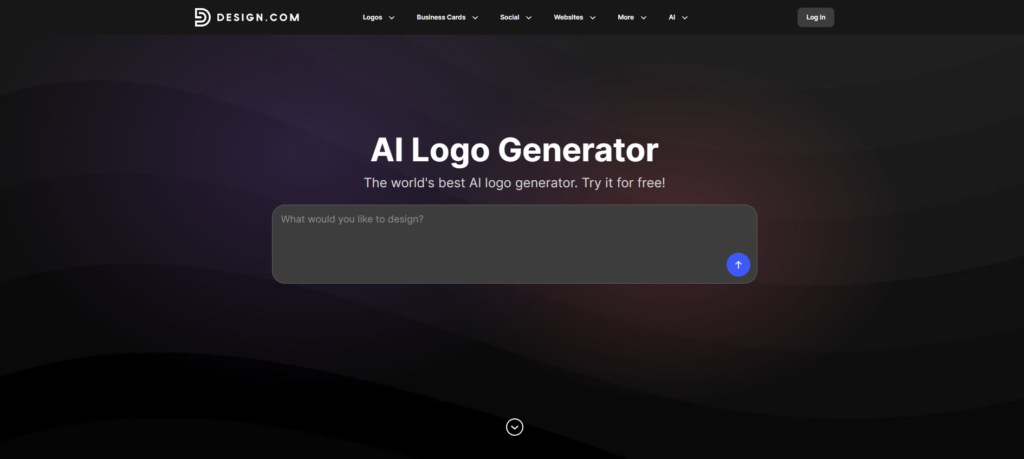
Design.com was our first stop, and it made a strong impression because the process started with a description of the brand we wanted to create. Rather than immediately asking us to choose a template, it let us explain the kind of logo we had in mind and then explore a large selection of designs.
For Urban Thread Co., we wanted a modern clothing brand with a clean, memorable look that would work on an online store, clothing labels, business cards, and social media. We entered a prompt describing the business, its style, and the type of logo we wanted.
Quick wins for a faster PC:
Clear out junk files and repair common Windows errorsFree Scan →Fix the driver behind crashes, sound loss and screen glitchesFind Drivers →“Create a modern logo for Urban Thread Co., an online clothing store. Use minimalist typography and a stylish clothing-inspired icon with a clean, contemporary look.”
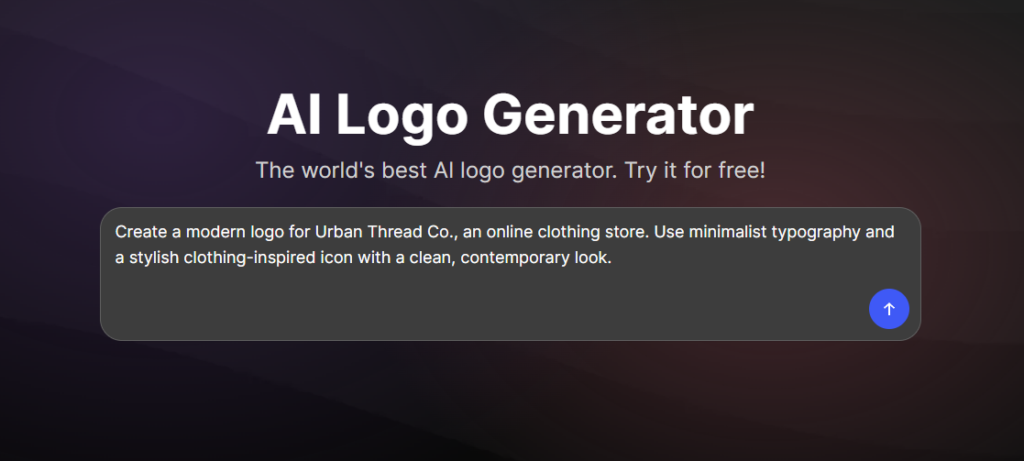
The recommendation is to include your business name and a few relevant keywords to help guide the results. If you haven’t settled on a name yet, you can also use Design.com’s Business Name Generator to explore ideas before creating your logo.
Exploring the logo results
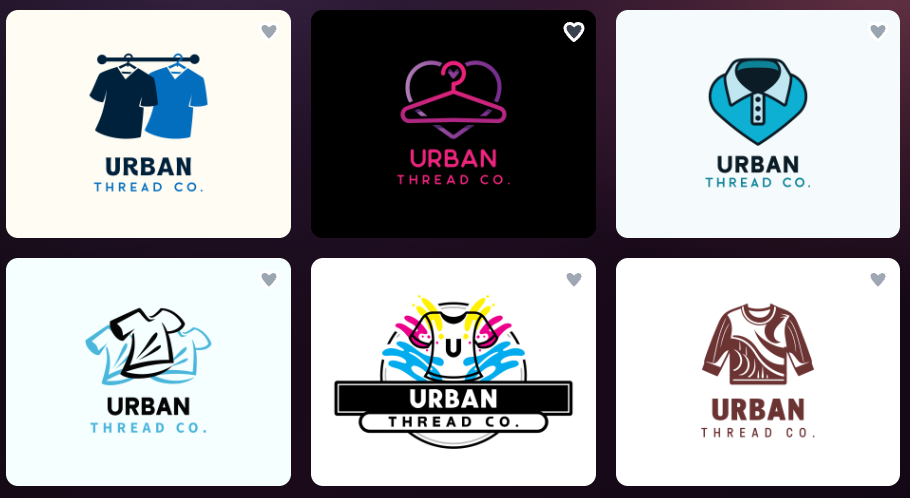
Once we submitted the prompt, Design.com gave us access to thousands of logo options to explore. This was one of the most useful parts of the experience because we could compare different approaches for the same brand rather than committing to a single initial design.
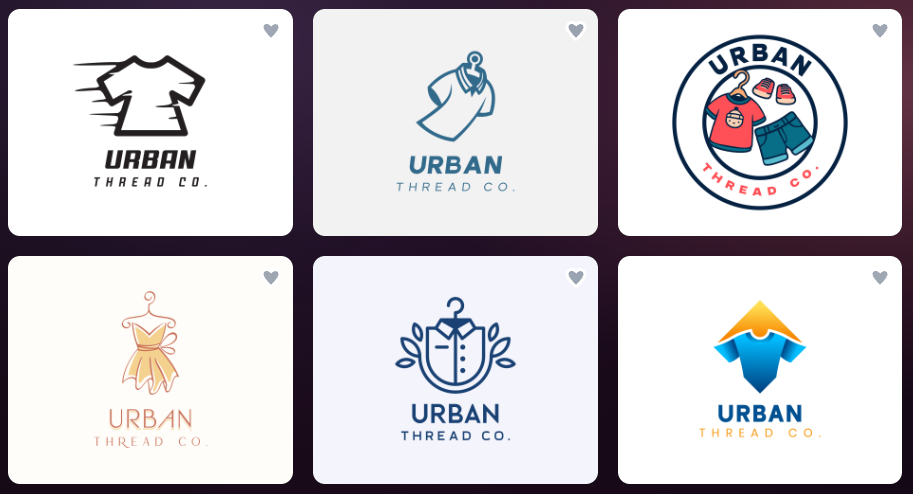
We could browse through logos with different icon styles, layouts, and typography, giving us plenty of room to decide what suited a modern clothing store. We weren’t limited to one interpretation of the prompt, either. We could explore alternatives until we found a starting point that matched the brand’s personality.
The Tool Desk
Outbyte Driver Updater FREEScan for outdated or missing drivers - takes under a minuteDriver Scan →Outbyte PC Repair FREEClear out junk files and repair common Windows errorsFree Scan →Design.com also offers a separate Logo Maker for those who want to explore their creativity in a different way. Instead of starting with a detailed prompt, you can enter your business name and a few keywords to discover more logo ideas. You can then use filters to narrow down the results by style, including abstract, minimal, vintage, and other design categories.
Customizing the logo
After selecting a design, we moved into the editor to refine the logo. Design.com offers several ways to adjust the appearance, including:
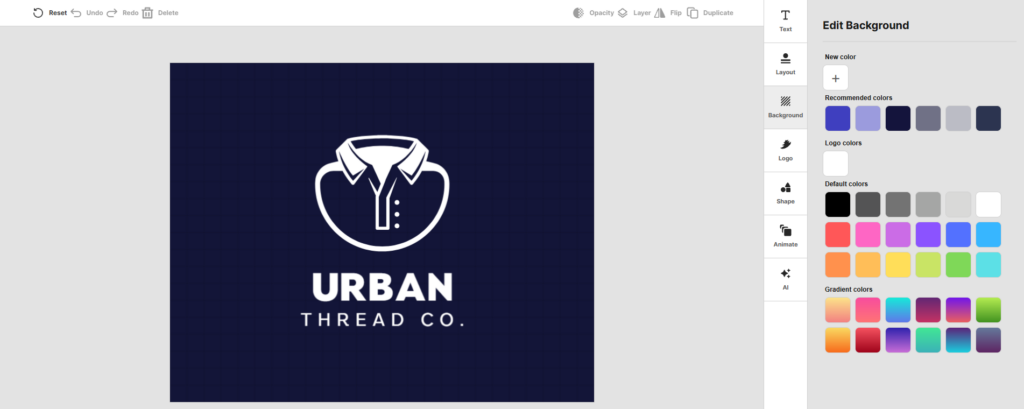
background and logo color
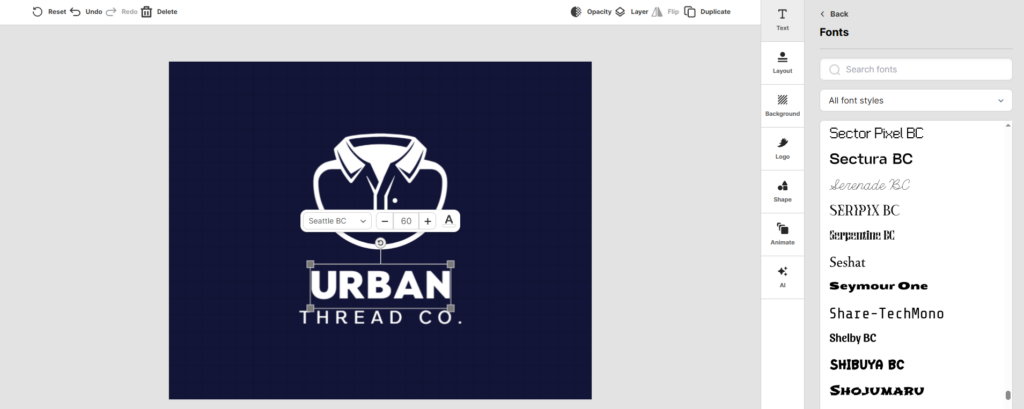
typography
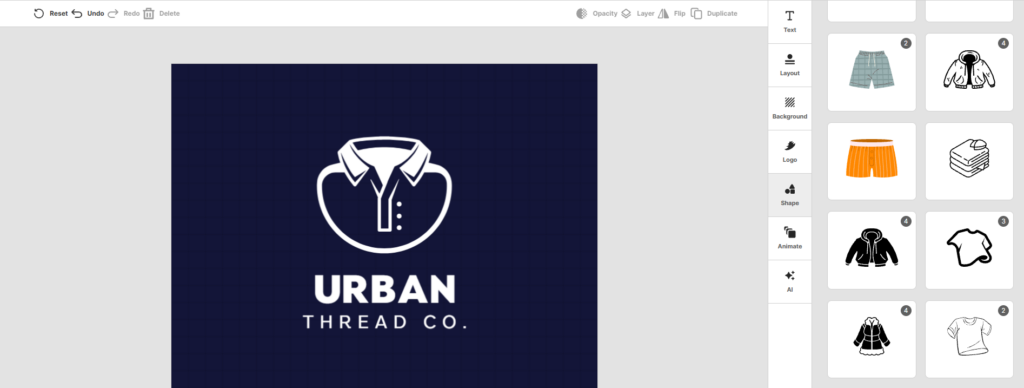
individual design element
What we liked was how these options let us fine-tune the design without having to start over. For Urban Thread Co., we could experiment with a more understated color palette, test different typefaces, and see how the logo looked against different backgrounds.
This matters for a clothing brand because the same logo may appear on a website header, a product tag, a packaging insert, or a social media profile. A design that looks good on a white background might need adjustments to remain legible on other backgrounds.
Recommended Free Tools
Using the AI chatbot to refine the design
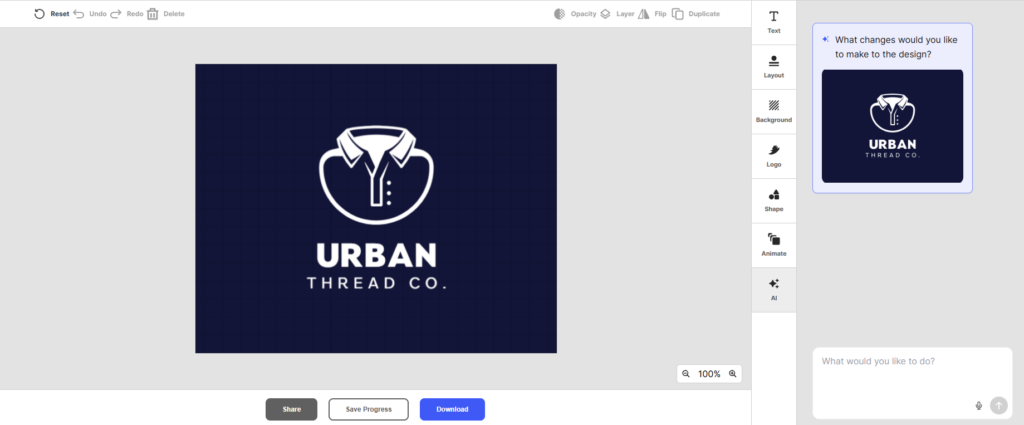
Another standout feature was Design.com’s AI chatbot. Instead of making every adjustment manually, we could ask the chatbot to make changes using simple text instructions.
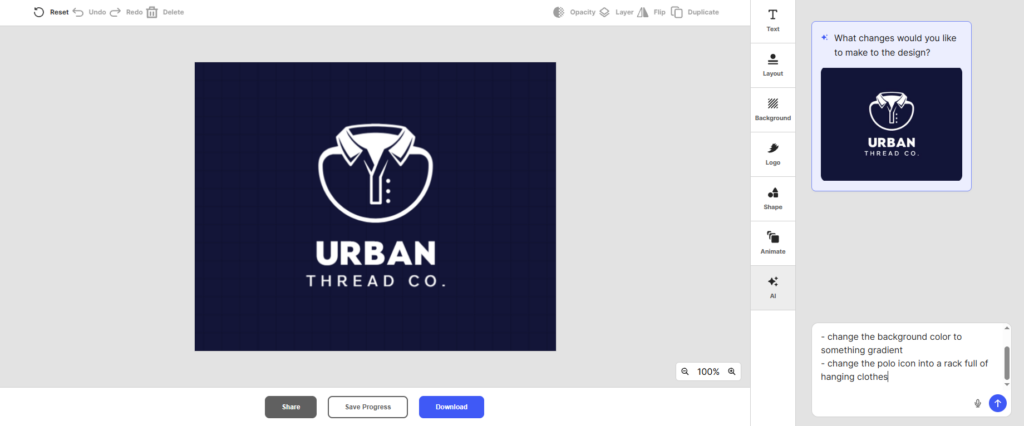
For example, we asked the tool to do two changes: change the background color from dark blue to a gradient, and change the icon. This gives us another way to refine the original design while experimenting with ideas.
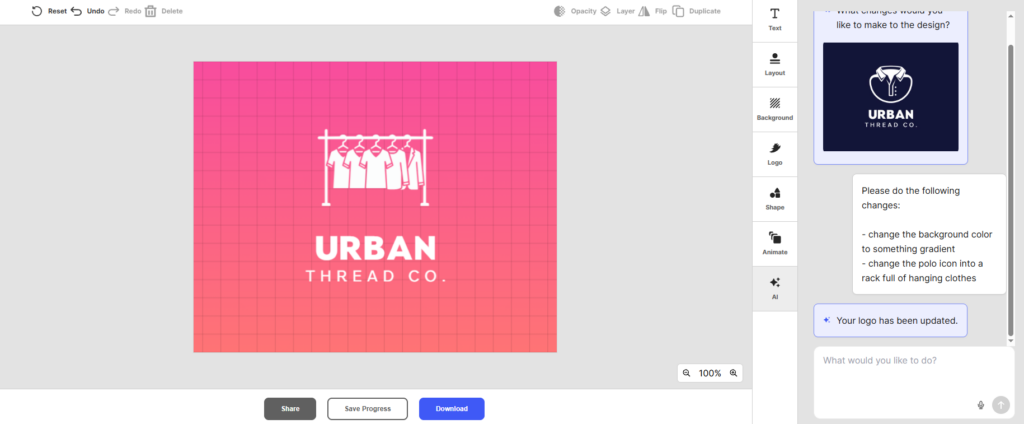
And Design.com did not disappoint! The updated logo reflects the two changes we asked for.
We particularly liked having this option alongside the regular editing controls. The visual editor is useful when you know exactly which color or font you want, while the chatbot offers a more conversational way to communicate a change when you’re still figuring out the details.
Quick wins for a faster PC:
Clear out junk files and repair common Windows errorsFree Scan →Scan for outdated or missing drivers - takes under a minuteDriver Scan →Repair Windows errors before they cause bigger problemsFix Now →It’s a practical advantage for business owners who have a clear idea of their brand but don’t necessarily have the design experience to execute every change themselves.
Also popular on Amazon
- COMPLETE 5-PIECE BRUSH SET FOR EVERY PAINTING TASK — Includes 1 Inch Flat, 1.5 Inch Angle, 2 Inch Flat, 2 Inch Angle Stubby, and 2.5 Inch Angle brush giving you every size professional painters use daily. Get all 5 for less than the price of a single brush from hardware store brands — professional grade performance at a fraction of the cost. Perfect for walls, trim, cabinets, doors, furniture, and detailed cutting-in work on any project.
- ZERO BRISTLE LOSS — GUARANTEED BY PRECISION ADHESIVE BONDING — Every bristle is locked in place with precision-set adhesive that keeps them in the brush — not in your paint job. The coated steel ferrule provides structural support while the adhesive bond ensures clean performance on every stroke. Premium SRT synthetic filaments load more paint and release it evenly for a smooth streak-free finish on walls, ceilings, and trim. Works with latex, oil-based paint, primer, sealer, and wood stain.
- INCLUDES THE ANGLE STUBBY MOST SETS LEAVE OUT — Professional painters know the 2 Inch Angle Stubby is the go-to brush for tight cabinet interiors, window sashes, inside corners, and detailed trim where standard angle brushes are too long. Combined with the 1.5 and 2.5 inch angle sash brushes you have precision cutting-in covered at every scale — baseboards, crown molding, door casings, and ceiling lines.
- FLAT BRUSHES FOR BROAD SMOOTH COVERAGE ON ANY SURFACE — The 1 and 2 inch flat brushes deliver even coverage on walls, furniture, shelving, doors, fences, decks, and wood surfaces. Ideal for applying primers, stains, varnishes, polyurethane, and specialty coatings. Solid wood handles provide all-day comfort and control for both professional contractors and weekend DIY homeowners tackling interior or exterior painting projects.
- TRUSTED BY PROFESSIONAL PAINTERS AND CONTRACTORS NATIONWIDE — Pro Grade delivers professional-grade results at a price that makes sense for crews who go through brushes on every job. Ideal for property managers, remodeling contractors, apartment turnover crews, maintenance teams, and commercial painting operations. Backed by thousands of verified reviews from working painters. Washable and reusable for multiple projects.
Building a complete brand identity with Design.com
A logo is only the beginning of the branding process, and this is where Design.com becomes especially useful.
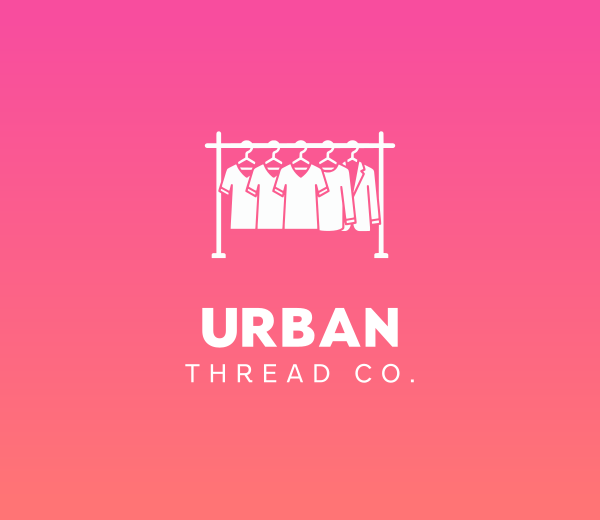
Now that we have a logo for Urban Thread Co., we could carry that visual identity into other materials instead of designing each item separately.
The platform offers tools for creating
business cards
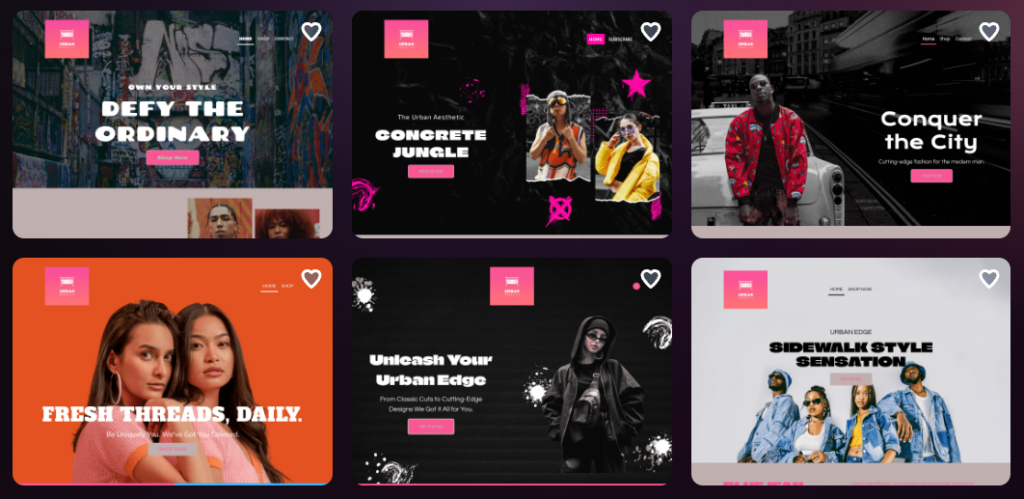
Websites
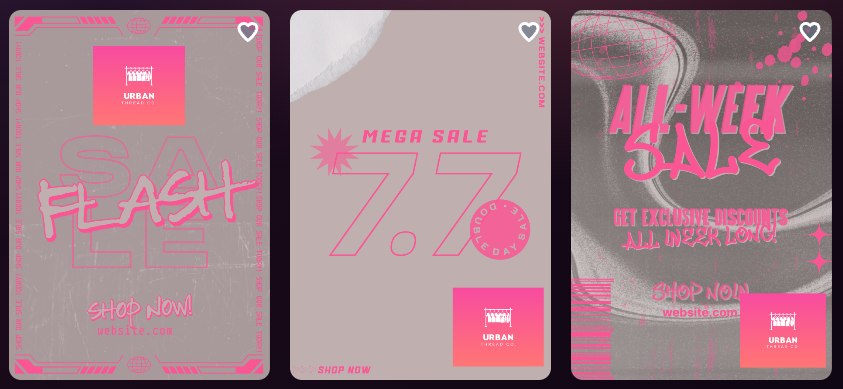
Flyers
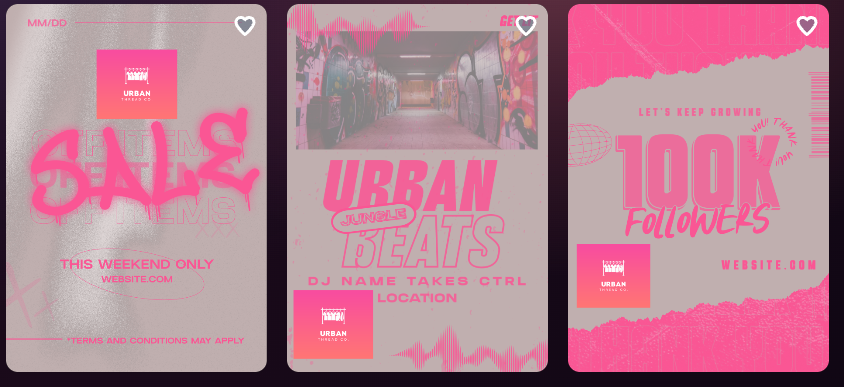
Posters
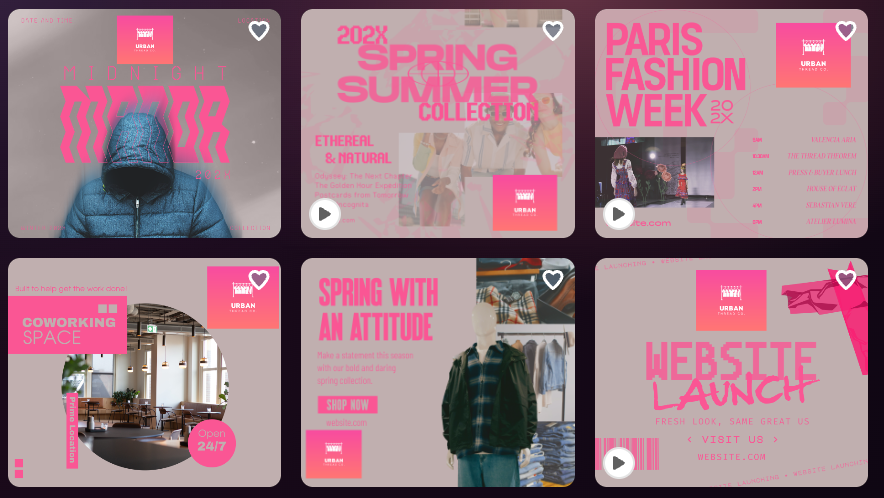
Facebook Posts
And many more! Its broader design suite also includes other marketing and business materials, and many templates can automatically incorporate the logo’s colors to help maintain consistency.
Do these 3 things before closing this tab:
1Repair Windows errors before they cause bigger problems2Fix the driver behind crashes, sound loss and screen glitches3Clear out junk files and repair common Windows errors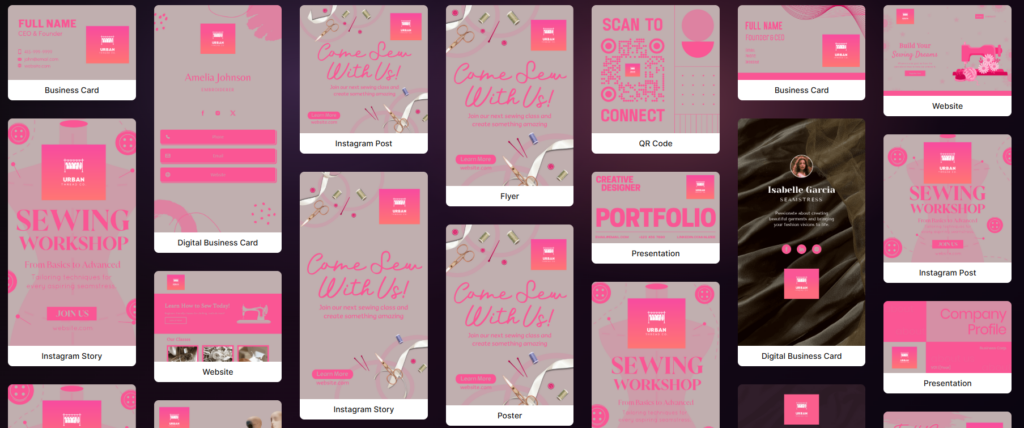
This connected workflow is a major benefit. We could start with the logo and then develop supporting materials for different customer touchpoints, from the store’s online presence to promotional graphics.
For a business preparing to launch, having these tools together can reduce the need to jump between separate services just to establish a consistent visual identity.
Design.com pricing
Design.com offers a free option alongside paid subscriptions. Free logo downloads are available for selected designs, while paid plans provide access to additional branding tools and features.
| Plan | Price | Best For |
|---|---|---|
| Free | $0 | Exploring logos and downloading eligible free designs |
| Starter | $3/month annually or $9/month | A logo and essential branding materials |
| Value | $4/month annually or $14/month | A logo plus a premium website builder |
| Premium | $5/month annually or $19/month | A logo, website, link-in-bio tools, and digital business cards |
Our verdict: Design.com was the strongest overall option for this particular comparison. Its prompt-based discovery, large selection of logo designs, multiple editing methods, and connected branding tools made it easier to move from an initial idea to a coordinated set of business assets. We especially liked that the process didn’t stop once the logo was finished.
2. Looka: Best for a Guided Logo Creation Process
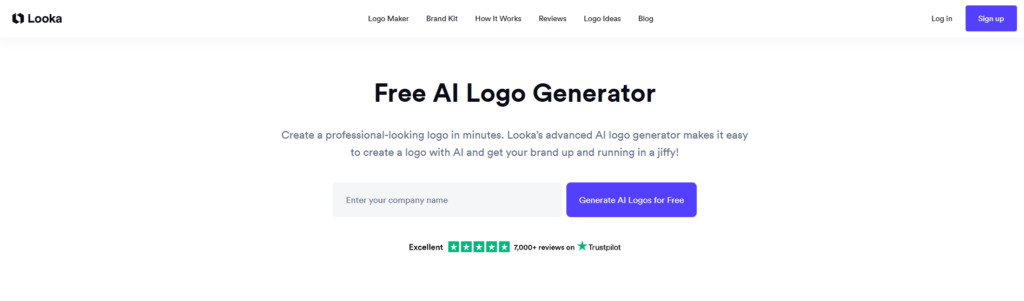
Looka takes a different approach to logo creation. Instead of beginning with a detailed prompt, it guides you through a series of selections that help establish your brand’s visual direction.
We used the same fictional business, Urban Thread Co., to compare its process with Design.com’s.
Creating a logo with Looka
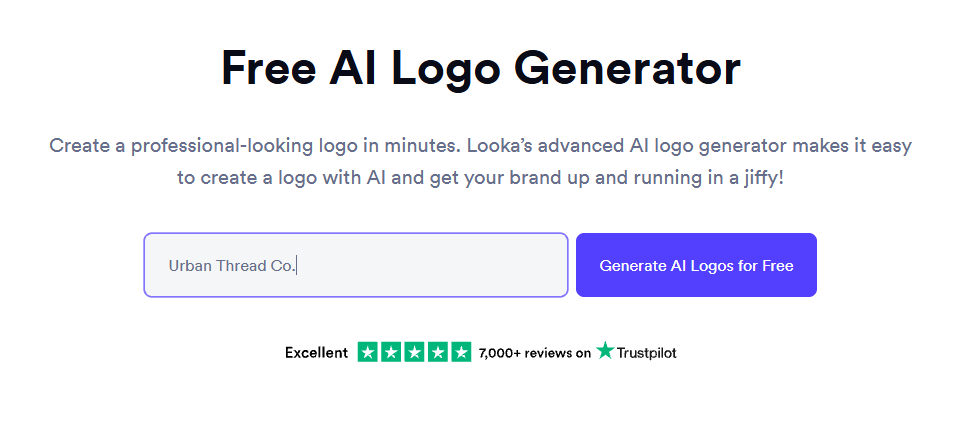
The first step was entering the business name. Unlike Design.com, which let us describe the logo we wanted, Looka started with the name and then asked us to provide additional design preferences through separate steps.
Next, we selected the clothing industry, browsed logo examples we liked, and chose colors that suited the brand. These selections helped establish the style Looka would use for its recommendations.
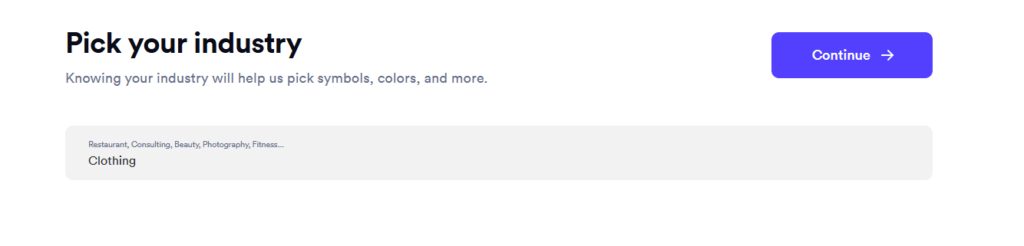
Industry selection page
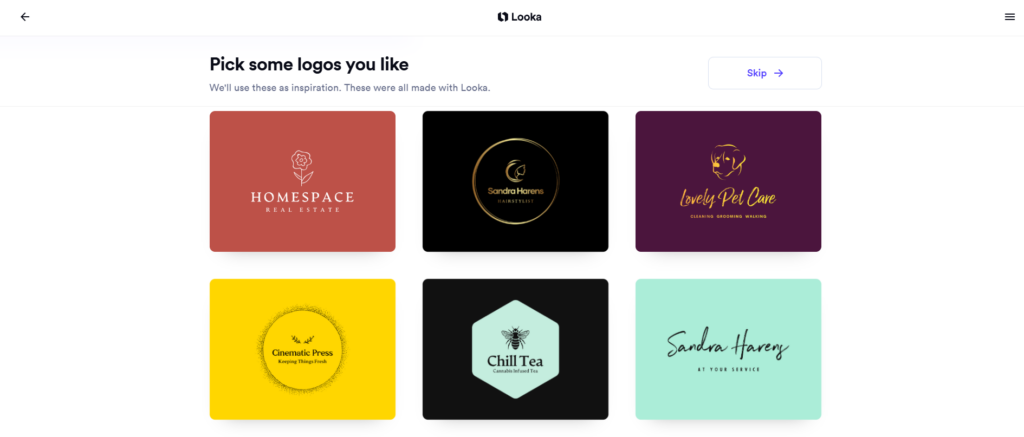
Looka logo style examples
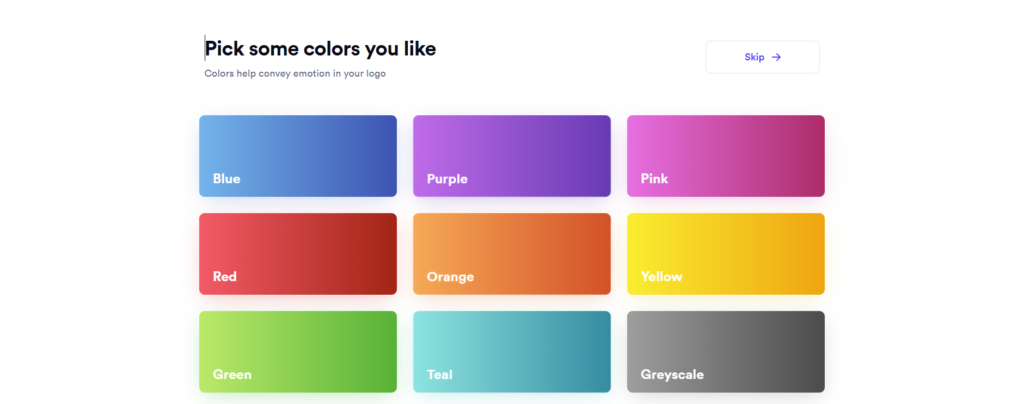
Color selection page
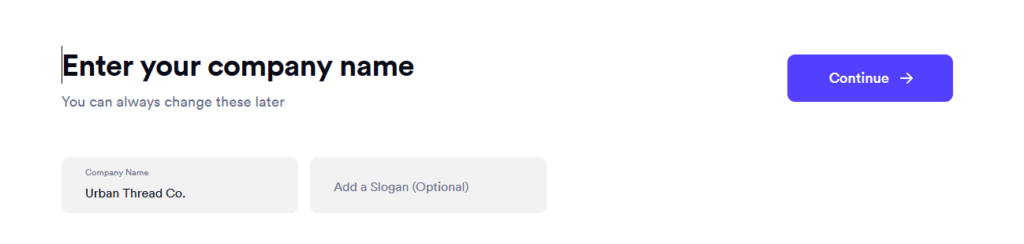
The next step asked us to enter the business name again, along with an optional slogan.
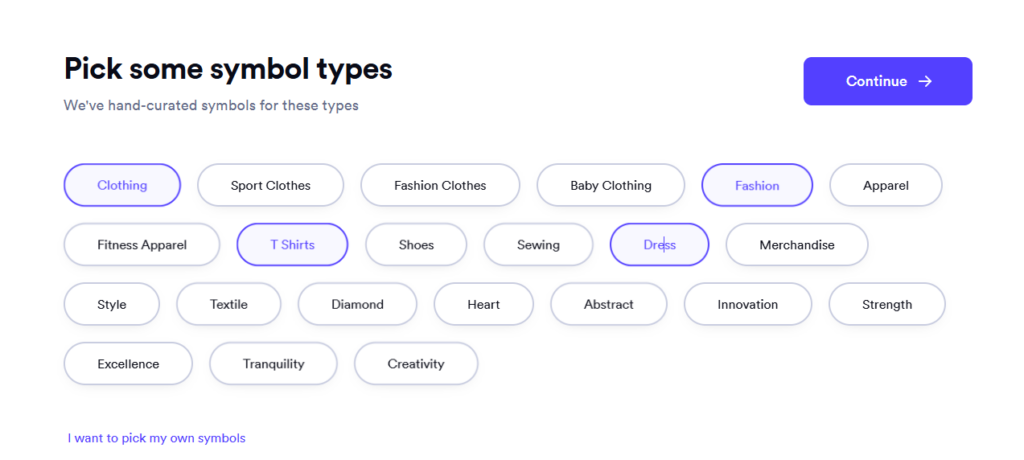
After that, we selected symbol types related to clothing, including shirts and dresses.
There were quite a few steps before we reached the generated logos. The guided process was straightforward, but it involved more back-and-forth than entering a detailed prompt and immediately browsing the results.
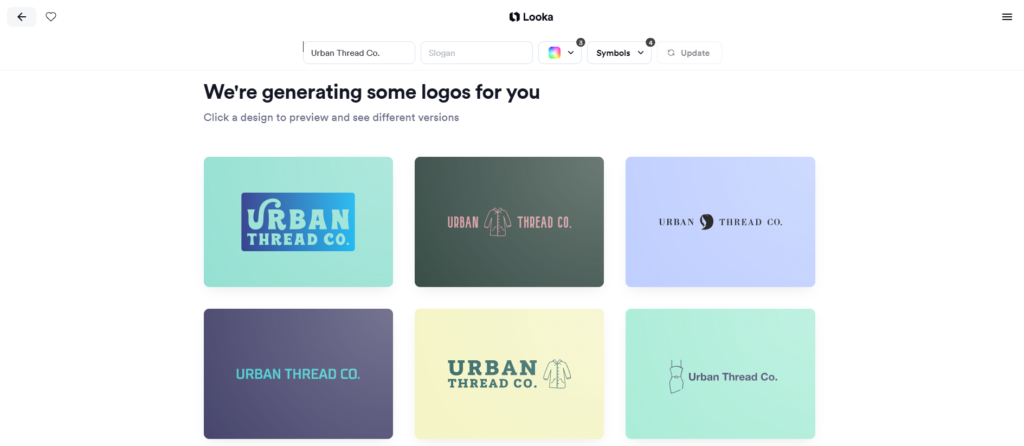
Once we completed the selections, Looka generated logo options for us to review. The results took a few minutes to appear, after which we could choose a design to customize.
Also popular on Amazon
- 【All sizes of art brushes】: The 10 sizes of multi-functional brushes have various shapes, making the mixing color easier, which is very suitable for artists, students, teenagers, children and painters at all levels. Wonderful Present ideas for friends and family who like painting!
- 【general brush set】: Professional paint brush can meet all your needs. Multifunctional brush is very suitable for watercolor, oil, gouache, acrylic painting, body, nail, face painting, miniature, model, ceramics, arts and crafts painting, etc.
- 【high quality process】: It is designed with anti falling bristles, anti-rust nickel ferrule and solid wood handle. You can use the brush to focus on the painting and always be creative.
- 【easy to maintain】: After using the brush, it is very convenient to clean the brush with warm soapy water and reshape the tip of the brush. Air dry the brush and place it on top of the top for long use.
- 【100% satisfaction guarantee - buy now】1 packs of set brushes, you can also get friendly customer service, any questions feel free to contact us, within 24 hours to help you! There is no risk in buying our paint brush kit.
Customizing the logo
Looka provides several ways to adjust the chosen design. We could:
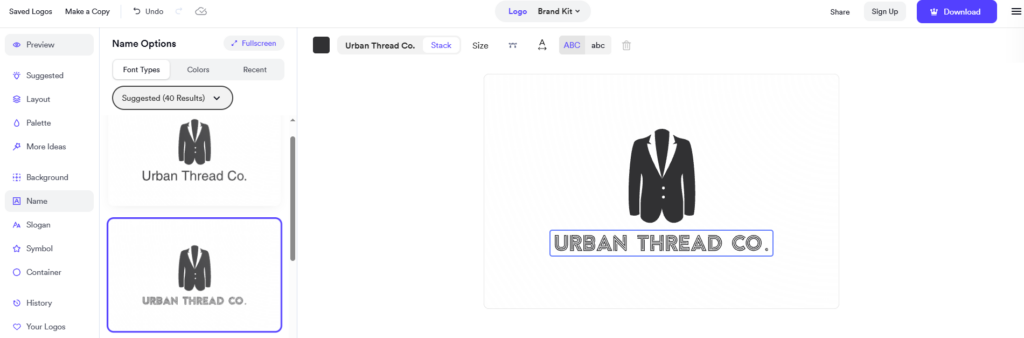
Explore different font variations
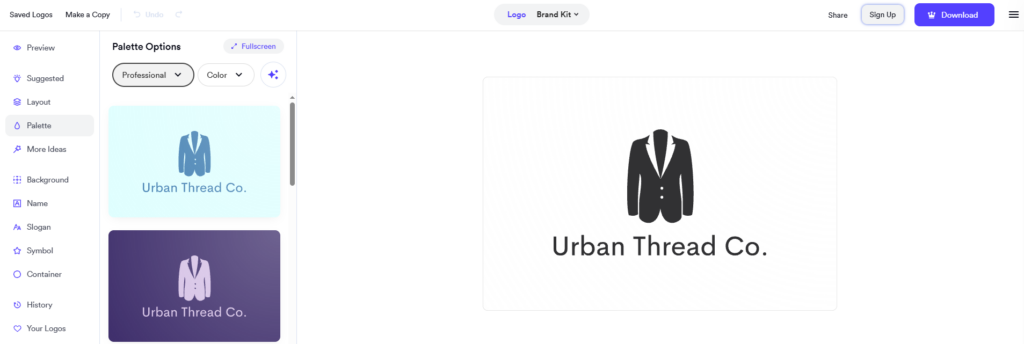
Switch between color palettes
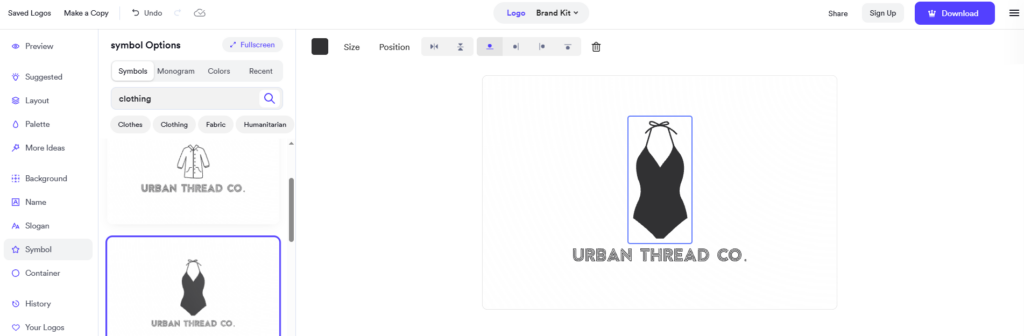
Change the icon
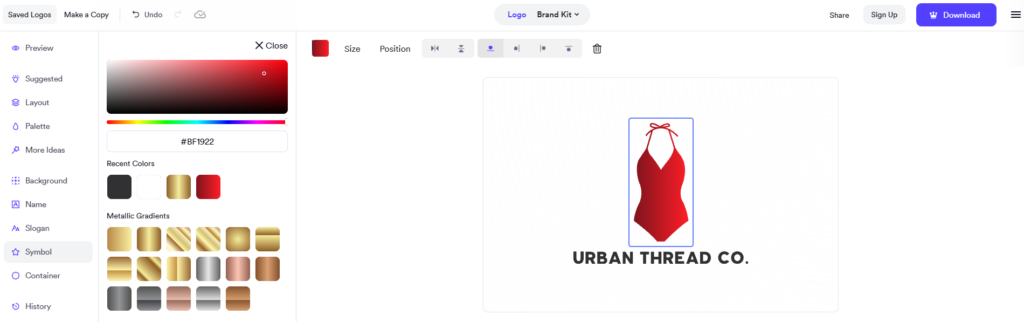
Play around with the different colors
These variations were useful for testing different looks without having to generate an entirely new logo. For Urban Thread Co., we could see how the same basic concept might look more premium, casual, or contemporary by changing the typography and colors.
The main difference we noticed was the emphasis on selecting preferences before generation. Looka helps users narrow down a visual direction through its guided steps, while Design.com gives users a prompt-based starting point and a broader set of results to explore.
Building a brand identity with Looka
Looka offers a Brand Kit subscription that extends the logo into other business materials. According to its official pricing page, the Brand Kit includes social profiles, social posts, business cards, email signatures, letterheads, invoices, brand guidelines, and more than 300 ready-to-use branded assets. A separate plan adds a website.
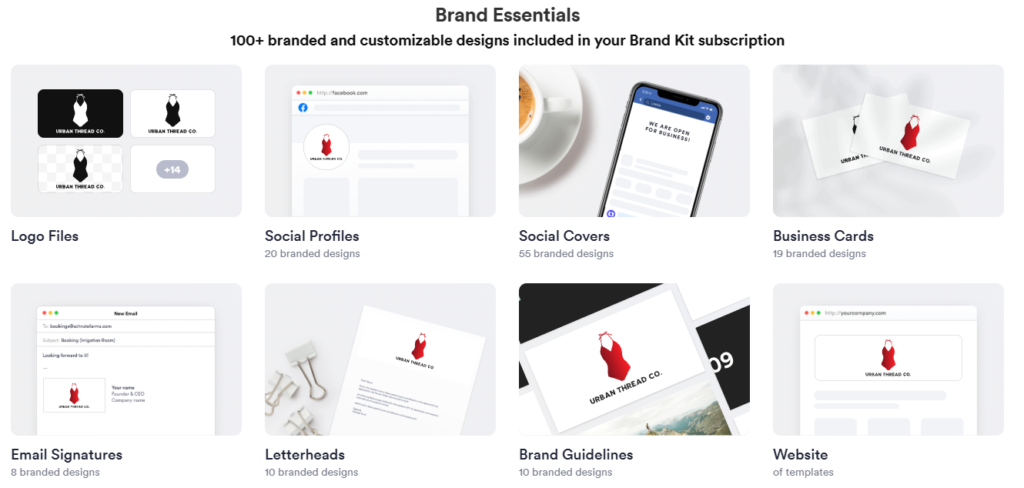
This is a useful feature for entrepreneurs who want matching marketing materials without having to design each item from scratch. The brand kit can help keep the logo, colors, and fonts consistent across different assets.
However, Looka’s process is more centered on its logo generator and brand kit. Design.com offers a broader collection of design tools, including a logo workflow, as well as options for flyers, posters, websites, and other marketing materials.
Looka pricing
Looka lets users create and preview logos for free, but downloading requires a paid package. Its published options include one-time logo purchases and annual subscriptions.
| Plan | Price | Best For |
|---|---|---|
| Basic Logo Package | $20 one-time | A single basic logo file |
| Premium Logo Package | $65 one-time | High-resolution logo files and additional variations |
| Brand Kit | $96/year | Logo files and 300+ branded assets |
| Brand Kit Web | $129/year | Brand Kit assets plus a website |
Our verdict: Looka is a good option for people who prefer a step-by-step logo creation process. We liked the font and color variations, as well as the ability to extend the logo into a brand kit. However, its multiple setup steps made the initial process feel more involved, and Design.com gave us a more flexible starting point for exploring logo ideas and developing a wider range of brand assets.
What’s actually slowing this PC down?
Pick the symptom - the matching free tool is one click away.
3. Adobe Express: Best for Creative Marketing Materials and Adobe Integration
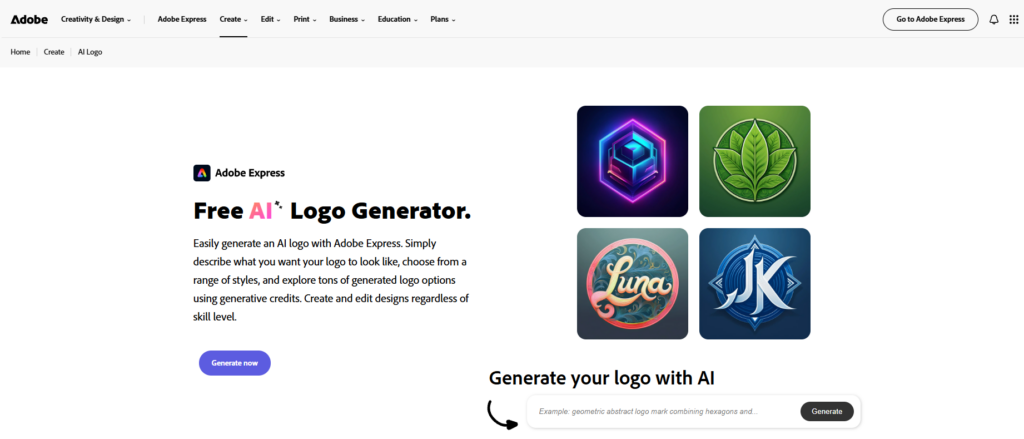
Adobe Express offers a broad set of creative tools for making marketing materials, social media graphics, and other visual content. However, our experience creating a logo for Urban Thread Co. was less direct than it was with Design.com.
Trying Adobe Express’s AI logo workflow
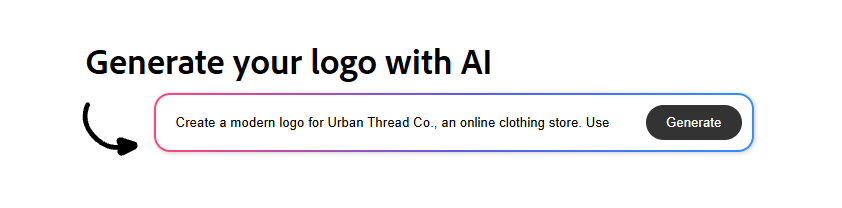
We started on the AI Logo page and entered a prompt describing the logo we wanted for Urban Thread Co.
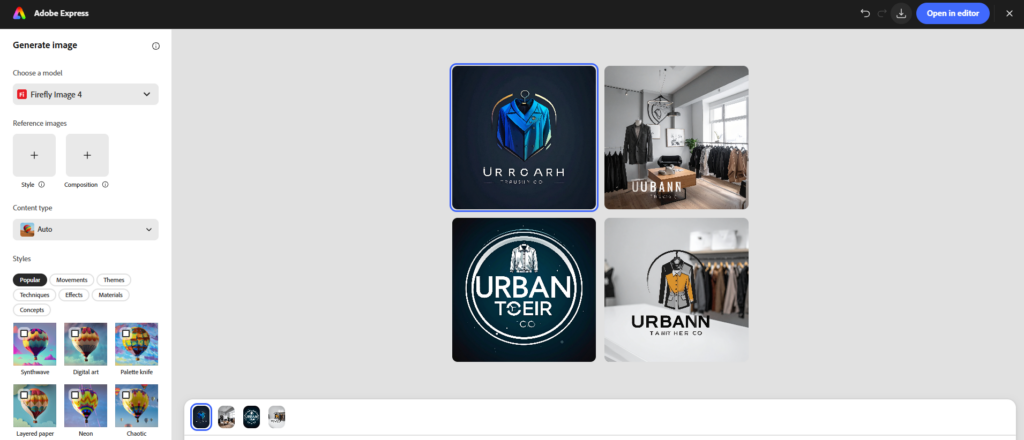
After submitting the prompt, we were redirected to an AI Image Generator editor. The images displayed there were unrelated to the clothing brand prompt we had entered, so this wasn’t the result we were looking for.

The editor included another text field where we could enter the prompt again. We tried generating, but the results were still the same, so we decided to take a different route rather than continue generating images that didn’t match our goal.
Free tools Windows power users keep installed
One-click scans. No signup required.
This was the main drawback of our initial experience. Although prompt-based image generation can be useful for creative concepts, it didn’t provide the focused logo-creation workflow we needed at that point.
Switching to Adobe Express Logo Maker
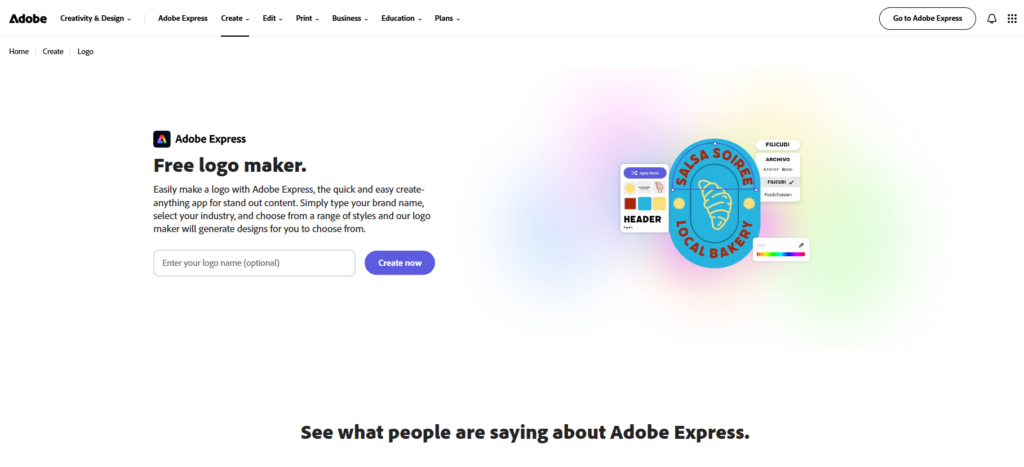
We then moved to Adobe Express’s Logo Maker, which offered a more structured approach to creating a logo.
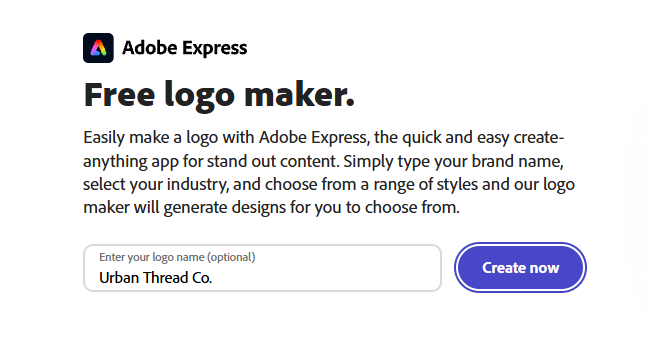
The tool asked us to enter the business name and an optional slogan. We could then select an icon based on relevant keywords and choose a logo design from the generated options.
Also popular on Amazon

- 【KIDS PAINT BRUSHES SET】Anezus paint brushes for kids come with 10 pcs paint brushes of 5pcs round paintbrushes and 5 flat paint brushes with colorful handles, good for the young artist to explore their creativity in painting and crafting
- 【HIGH QUALITY PAINT BRUSHES FOR KIDS】These toddler paint brushes made of soft hog bristle, bright colored handles and rust proof ferrules. The bristles are firmly fixed in the kids paint brushes and no shedding. Each children paint brush measure 6 1/4 inches (16cm) in length and ferrules 1/2"(1.3cm) diameter, large enough for the little hand to grip and control
- 【WIDE APPLICATIONS】With combination of round and flat craft paint brushes for kids, work great with washable paint, tempera paint and acrylic paint. Great for arts and craft, rock, leather, gesso and ceramic, or body, nail and face art painting.
- 【EASY TO CLEAN 】After using paint brushes for acrylic, oil or watercolor painting, it’s very convenient to clean them with warm soapy water and reshape the paint brush tips. Keep these craft paint brushes clean and they last a long time.
- 【GREAT GIFT IDEA】Perfect for students, teens, kids, children and painters of all levels. Wonderful gift idea for girls, boys and kids who love painting! These all-purpose paint brushes for kids are ideal for kids' school projects, birthday parties, painting parties, art parties, back to school supplies, classroom decoration and more.
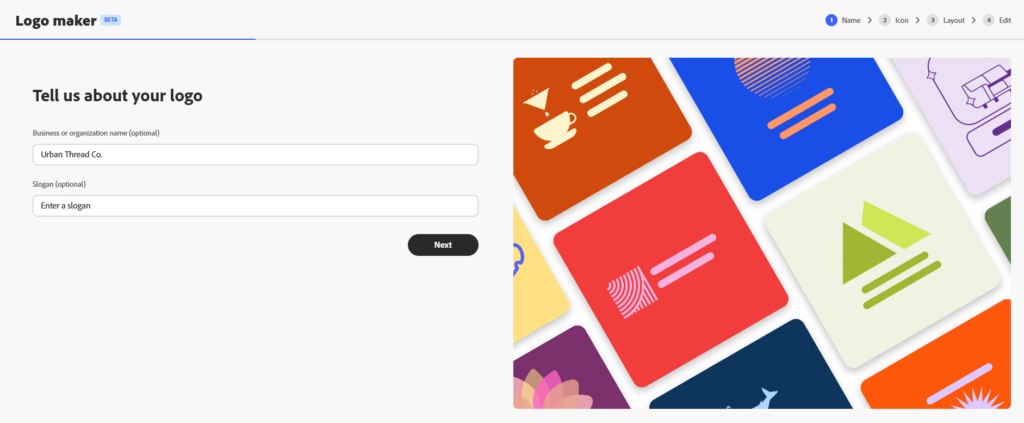
Business name and slogan
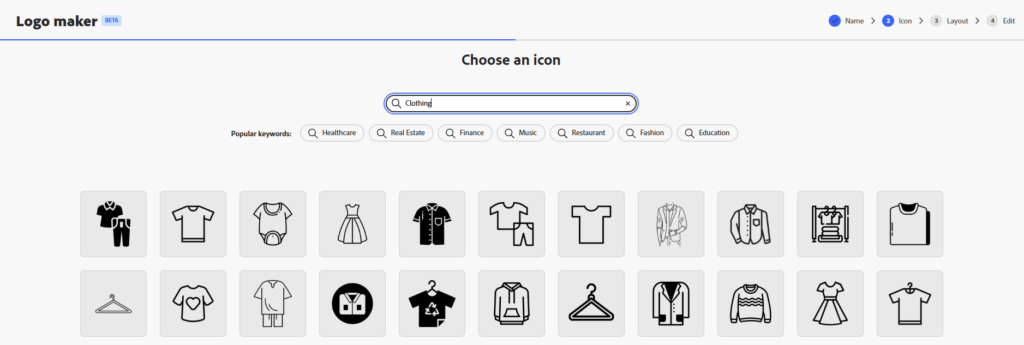
Logo Maker icon selection
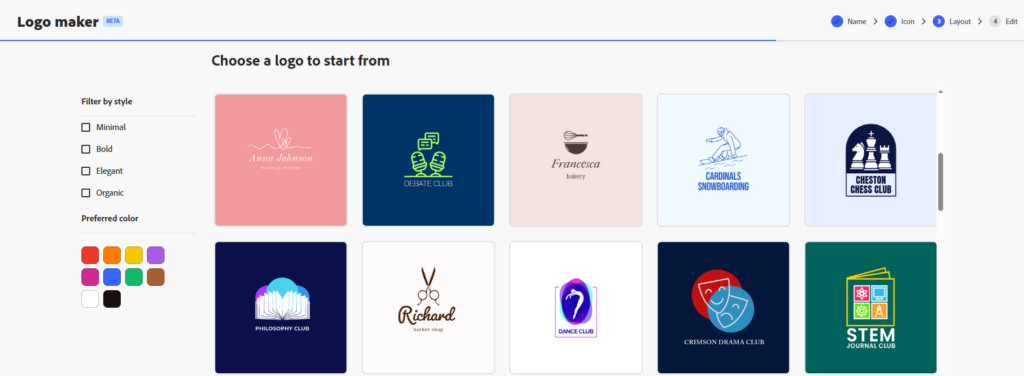
Logo to start from
After all that, we got results from Adobe Express:
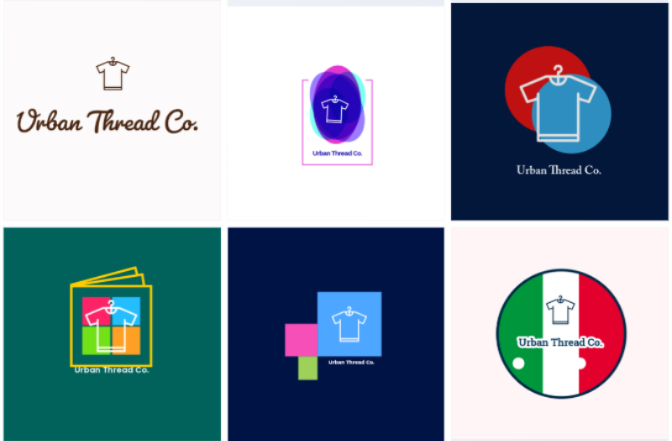
This workflow made more sense for our task. Rather than generating generic images, we chose a logo concept specifically for a business identity. It was a better starting point for creating a recognizable mark for the clothing store.
Customizing the logo
After choosing a design, we could customize its:
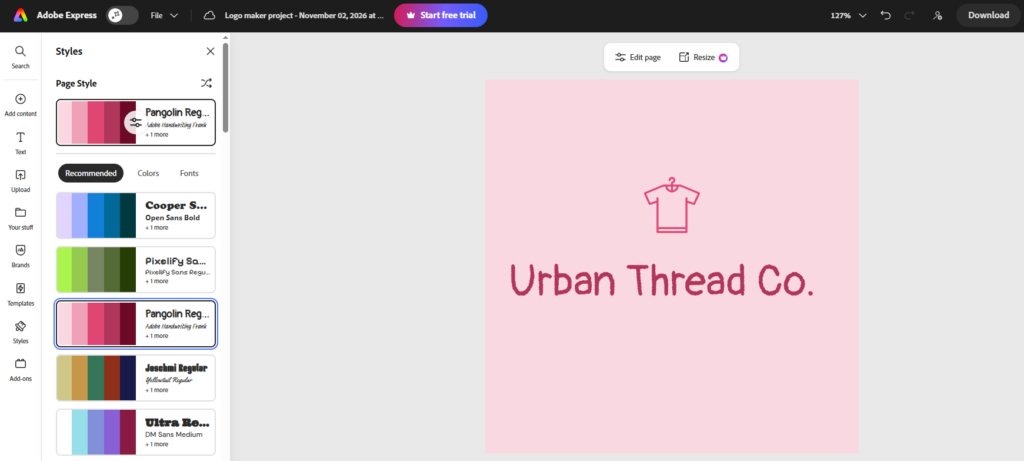
Color palette
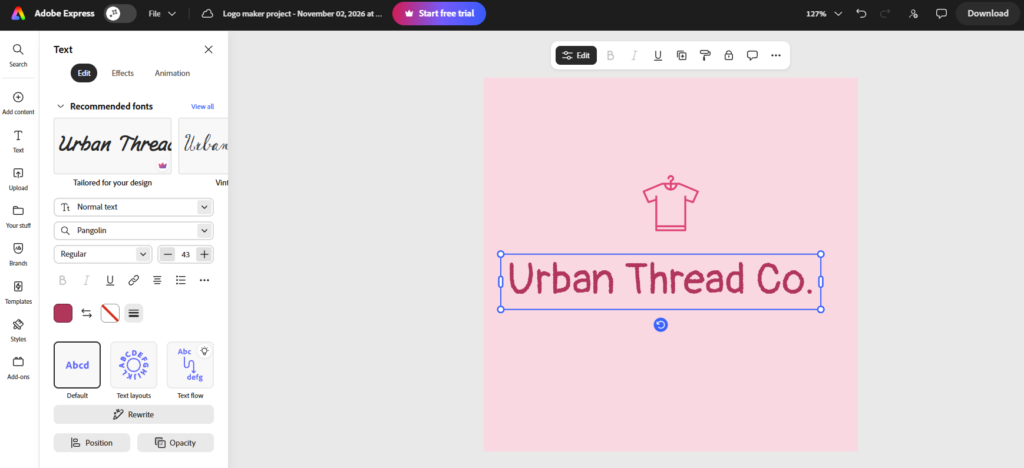
Fonts
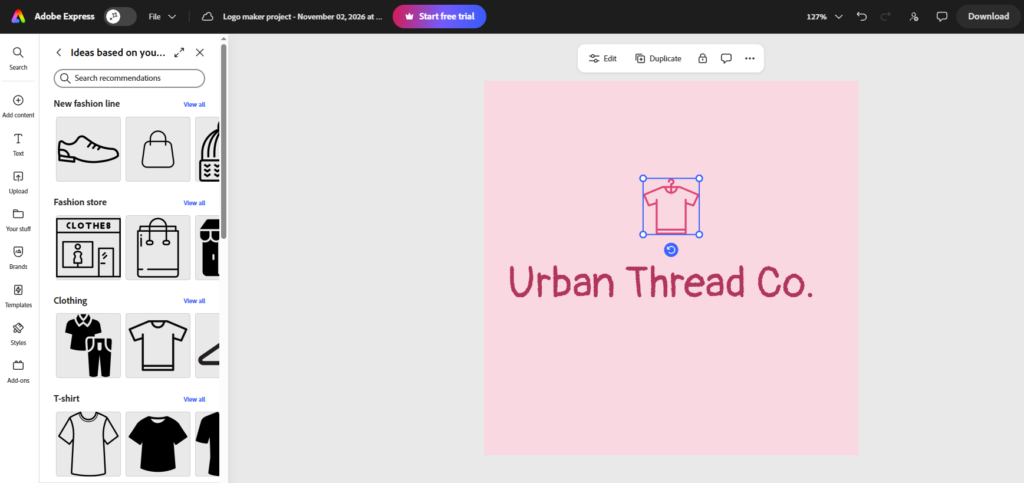
icons
These controls gave us a way to personalize the selected logo and make it more appropriate for Urban Thread Co. Adobe Express is particularly useful for people who want to continue working on visual content after creating a logo, though our initial detour through the image generator added an unnecessary step.
Building a brand identity with Adobe Express
Adobe Express has capabilities that extend well beyond logo creation. Users can create social media graphics, flyers, presentations, videos, and other marketing content. It also supports Brand Kits, which let users organize their logos, colors, fonts, graphics, and templates for use across projects.
A Brand Kit helps reduce the need to repeatedly search for the same colors or upload the same logo. We did find templates for social media and other branding assets, but it does not automatically apply the logo we’ve edited.
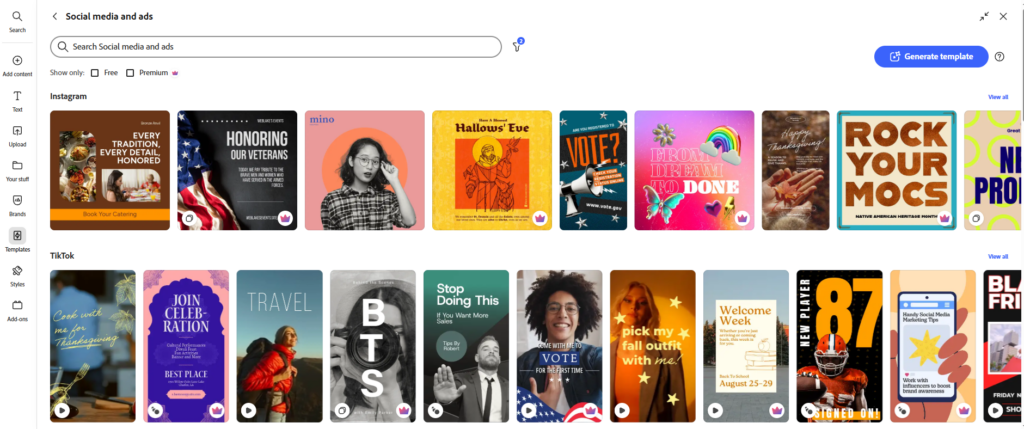
Still, our test highlighted a distinction between having many creative tools and having a streamlined brand-building process. Adobe Express offers extensive creative capabilities, but we had to switch workflows to get from the initial AI image page to a logo-specific editor. Design.com kept the logo discovery, refinement, and related branding materials more closely connected.
Crashes, No Sound, or Screen Glitches?
Random freezes, missing sound and display glitches usually trace back to one bad driver. Find and replace yours safely.Free scan · under a minuteWindows Errors? Fix Them Before They Spread
Repair common Windows errors and clear accumulated junk for a smoother, more stable PC - no reinstall needed.Free scan · no reinstallAdobe Express pricing
Adobe Express has a free plan and a Premium subscription. The free plan includes templates, fonts, standard editing tools, and a selection of Adobe Stock assets. Premium adds more templates and assets, additional editing tools, and 250 generative credits per month.
| Plan | Price | Best For |
|---|---|---|
| Free | $0 | Basic graphic design and content creation |
| Premium | $9.99/month | Premium assets, additional editing features, and generative AI tools |
Our verdict: Adobe Express is a capable creative platform, especially for businesses that need a variety of marketing graphics and want access to Adobe’s broader ecosystem. However, our logo creation experience was less straightforward because the initial AI workflow didn’t deliver relevant results. For someone whose immediate goal is to create a logo and build a coordinated brand identity around it, Design.com offers a more focused and connected experience.
Independent reader supportYour contribution helps us test, update, and keep practical guides available for everyone.4. Canva: Best for Flexible, Manual Design Customization
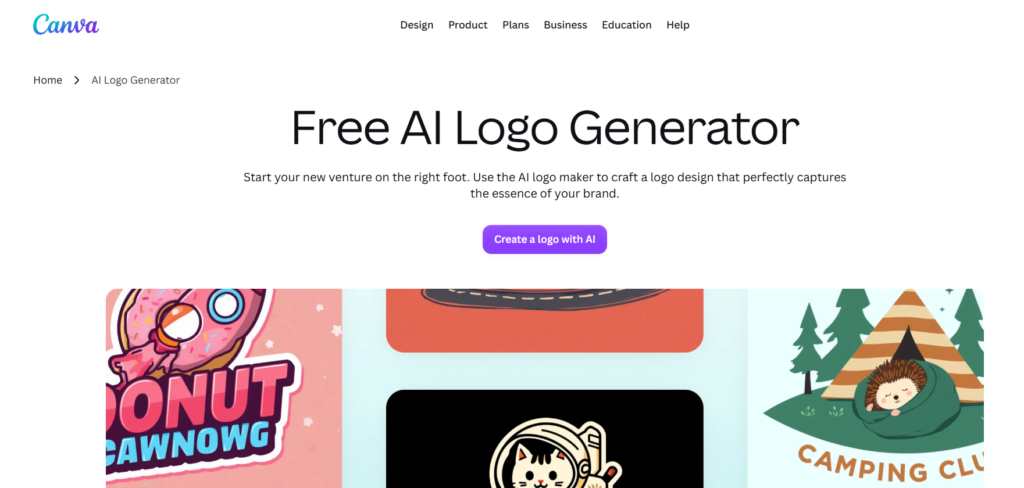
Canva takes a template-first approach to logo creation. Rather than asking us to describe Urban Thread Co. in a prompt or guiding us through a logo generation questionnaire, it lets us browse logo templates and choose one to edit.
This approach gives users plenty of creative freedom, especially if they already have a general idea of how they want their brand to look.
Creating a logo with Canva
We started by opening Canva’s Logo Maker. The platform didn’t ask us to enter the business name or describe the logo we wanted. Instead, we could choose a logo category and browse the available styles and templates.
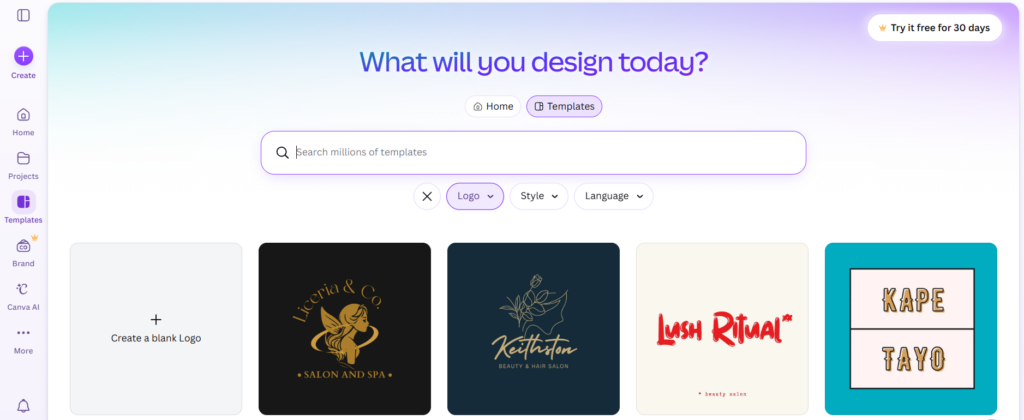
We browsed the templates and selected a design that seemed appropriate for an online clothing store. Since we weren’t given generated logo suggestions based on our business name or prompt, finding a suitable starting point depended more on our own browsing and judgment.
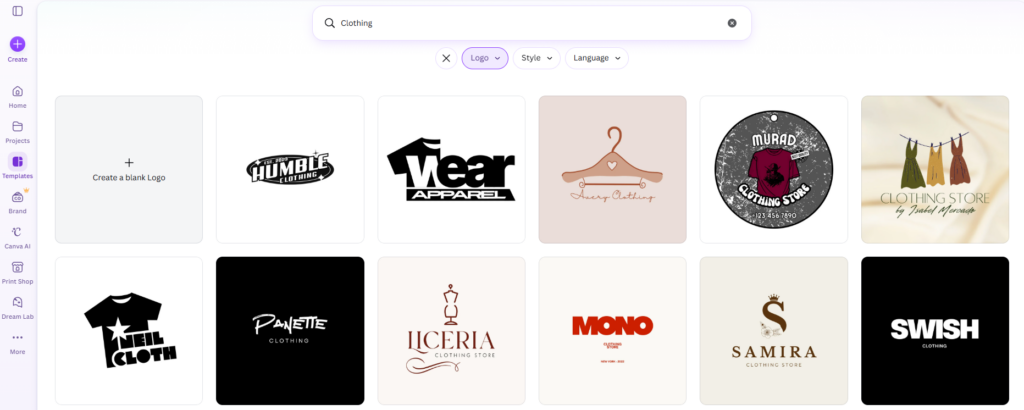
The template library offers plenty of inspiration, but it also means you need to spend time finding a design that fits your business. For someone who already has a particular visual direction in mind, this isn’t necessarily a problem.
However, beginners who aren’t sure what their logo should look like may prefer a tool that generates more tailored starting points.
What’s actually slowing this PC down?
Pick the symptom - the matching free tool is one click away.
Customizing the logo
After choosing a template, we could start editing it in Canva’s design editor. This is where the platform’s flexibility became apparent.
We could:
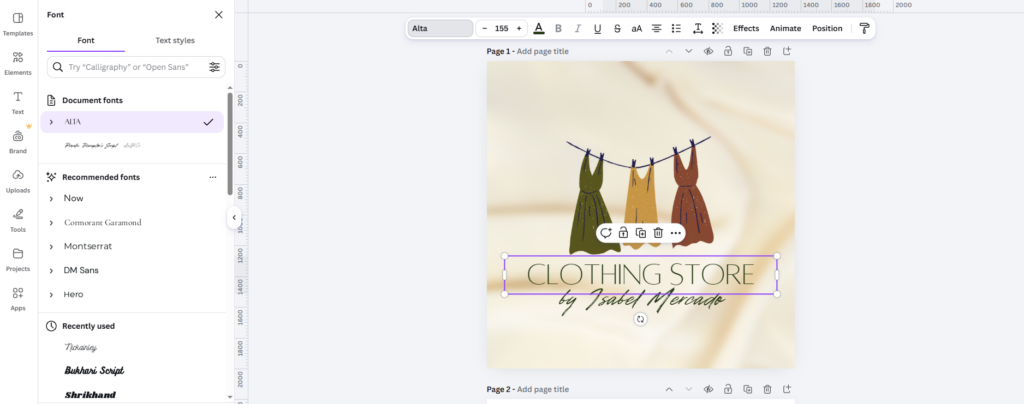
Adjust the typography
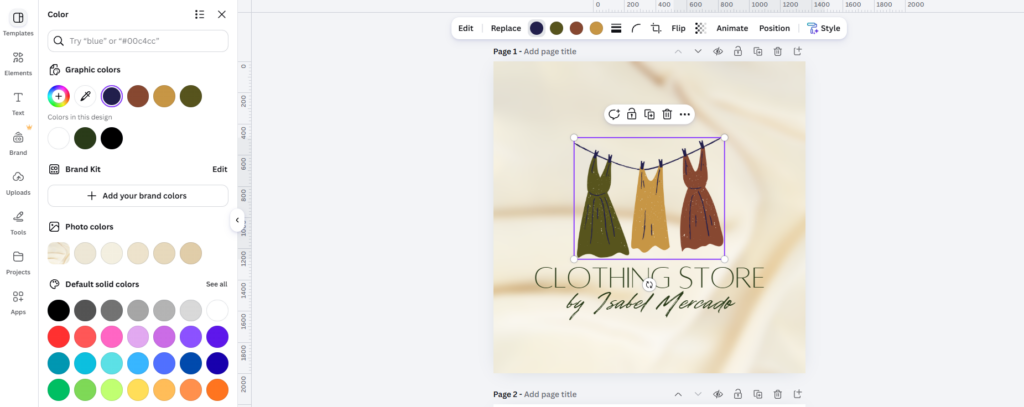
change colors
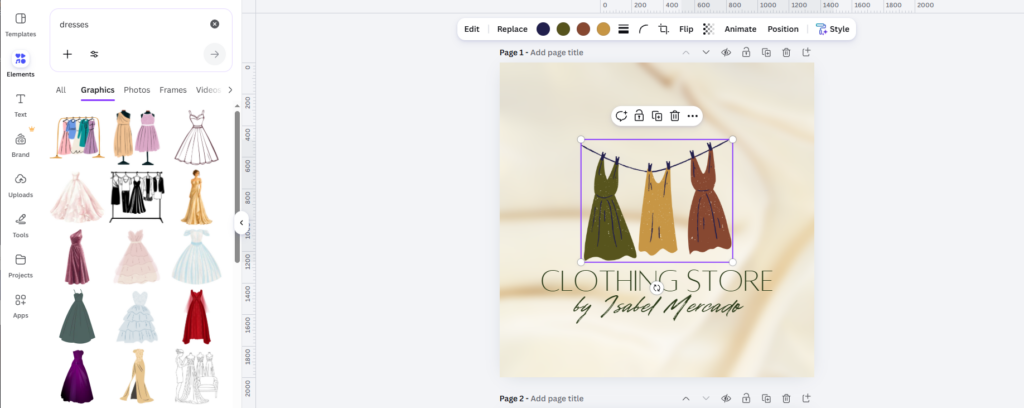
Replace icons
We liked how much control we had over the design. If we wanted to make the Urban Thread Co. logo more minimal, change its color scheme, or rearrange the layout, Canva gave us the tools to do that.
Also popular on Amazon
- 【162-Piece Bulk Set | Dual Brush System】Maximize versatility with 81 flat brushes (0.59 inch edge for bold strokes) and 81 round brushes (0.39 inch tips for details) – 3X more tools than standard kits! Pre-sorted in labeled compartments for instant access during painting sessions. Ideal for art classrooms, mural projects, and multi-artist households.
- 【Pro-Grade Durability | Zero Shedding Guarantee】 "Engineered with triple-crimped nylon bristles (43% higher resilience vs. standard) and aerospace aluminum ferrules tested for 10,000+ flex cycles. Lab-verified 0.01% shedding rate even with heavy impasto techniques – outperforms flimsy bristles in budget brushes."
- 【Multi-Scenario Readiness | Event & Daily Use】 Optimized for: Thanksgiving/Christmas face designs classroom projects ceramic decorating fabric printing and model painting; Lightweight plastic handles each reduce hand fatigue during prolonged sessions
- 【Effortless Maintenance | Long-Term Durability】 Clean with warm soapy water in 10 seconds; Reshape tips and air-dry vertically to preserve bristle integrity,After use, air-dry brushes thoroughly and store upright in the provided case to preserve bristle shape. The premium nylon filaments naturally regain their original form after each stroke. For cleaning, simply rinse in warm soapy water and gently reshape bristles with fingertips."
- 【Multiple Application】These acrylic paint brushes can be applied for most occasions,such as:watercolor,oil, gouache paint,face paint, acrylic paint, suitable for Thanks Giving Day, Christimas, Halloween face and body painting, canvas painting, fabric, rock, miniature, model, ceramics, arts and crafts painting, etc.
The trade-off is that more of the creative work rests on the user. We had to select the starting template and make the necessary adjustments ourselves, rather than relying on a prompt-driven logo discovery process.
For users who enjoy designing and want to control every detail, this can be a positive. For someone who wants to move quickly from a business idea to a polished brand identity, it can mean more manual work.
Building a brand identity with Canva
Canva’s wider design platform makes it useful for developing marketing materials beyond the logo. We could create social media posts, promotional graphics, presentations, flyers, and other assets using its extensive template library.
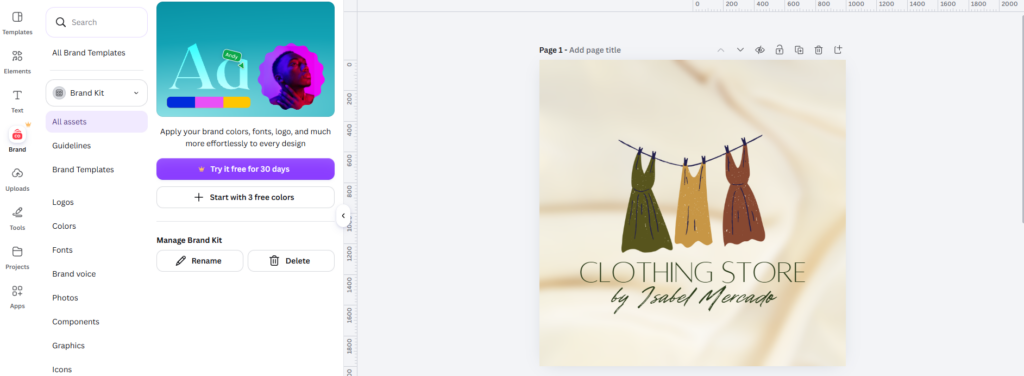
Canva also offers Brand Kits, which let users organize their logos, brand colors, fonts, and other assets for use in their designs. Although, it’s only available for premium users.
This is a useful way to maintain visual consistency across different projects. Once the core brand assets are established, we can reuse them when creating new promotional materials instead of recreating the same look every time.
For Urban Thread Co., that could mean designing product announcements, social media promotions, and seasonal campaign graphics that share the same colors and typography.
Crashes, No Sound, or Screen Glitches?
Random freezes, missing sound and display glitches usually trace back to one bad driver. Find and replace yours safely.Free scan · under a minuteWindows Errors? Fix Them Before They Spread
Repair common Windows errors and clear accumulated junk for a smoother, more stable PC - no reinstall needed.Free scan · no reinstallCanva’s biggest advantage is the flexibility of its general-purpose editor. It supports a wide range of design tasks beyond branding, which makes it a practical choice for businesses that regularly produce their own content.
However, its logo workflow is less guided than Design.com’s. Canva gives us a broad collection of templates and editing tools, while Design.com brings prompt-based logo discovery, AI-assisted refinements, and branding-specific tools into a more connected process. That distinction matters when the main goal is to establish a brand identity rather than simply create individual graphics.
Canva pricing
Canva offers a Free plan and paid subscriptions with additional templates, assets, and design features. Its official US pricing page lists Canva Pro at $144 per year for an individual, while Canva Business is listed at $250 per person per year.
| Plan | Price | Best for |
|---|---|---|
| Free | $0 | Basic logo creation and general design |
| Pro | $144/year | Individual creators who need premium assets and additional design tools |
| Business | $250/person/year | Businesses needing enhanced brand management and collaboration |
Our verdict: Canva is a strong choice for people who want extensive manual editing options and a versatile platform for everyday design work. We appreciated the freedom to adjust the logo and create other marketing materials. However, its template-first process requires more independent decision-making, and it doesn’t offer the same combination of prompt-based logo discovery and conversational logo editing that made Design.com stand out in our comparison.
Design.com vs Looka vs Adobe Express vs Canva: Which Should You Choose?
After testing all four tools with Urban Thread Co., we found that each platform approaches brand identity creation differently. The right choice depends on whether you want guided logo creation, flexible manual editing, a broader creative ecosystem, or a connected set of branding tools.
Here’s our final assessment.
| Tool | What we liked most | Main drawback | Overall assessment |
|---|---|---|---|
| Design.com | Prompt-based logo discovery, AI chatbot editing, and a connected collection of branding tools | No native app yet; web-based only | Best overall for building a brand identity |
| Looka | Guided logo creation, font and color variations, and ready-made brand assets | Several setup steps before reaching the logo results | Best for guided logo creation |
| Adobe Express | Extensive marketing design tools and integration with Adobe’s creative ecosystem | Our initial AI image workflow produced irrelevant results, requiring us to switch to Logo Maker | Best for broader creative work |
| Canva | Extensive templates and flexible manual customization | Requires more manual browsing and design decisions to get started | Best for general-purpose design |
Conclusion
Choosing a brand identity tool comes down to how much guidance you need, how much control you want over the design, and how easily you can turn your logo into other business assets.
Design.com is our top choice for creating a complete brand identity. Its prompt-based logo generator helped us explore different creative directions for Urban Thread Co., while its controls for color, typography, and elements gave us room to refine the design.
Start with Design.com to create your logo and build your brand identity in one place!
The Tool Desk
Outbyte PC Repair FREEClear out junk files and repair common Windows errorsFree Scan →Outbyte Driver Updater FREEFix the driver behind crashes, sound loss and screen glitchesFind Drivers →Quick Recap


