Quick wins for a faster PC:
Repair Windows errors before they cause bigger problemsFix Now →Fix the driver behind crashes, sound loss and screen glitchesFind Drivers →
ThatPainter is reader-supported. When you buy through links on our site, we may earn an affiliate commission. Learn More
Procreate is tied to Apple’s iPad, so Windows 10 users need a different drawing app rather than a direct port. The strongest replacements depend on what you actually use Procreate for: painting, comic production, natural-media simulation, vector sketching, or quick illustration.
This list ranks 12 practical Windows options, with attention to pressure sensitivity, layer support, file formats, animation, pricing, and whether the software is genuinely available on Windows. Several popular recommendations—including Infinite Painter, Adobe Fresco, and ArtRage Vitae—are not Windows alternatives and are identified as such rather than being padded into the list.
At a glance
| App | Best for | Windows 10 | Price model |
|---|---|---|---|
| Krita | Free painting and animation | Yes | Free |
| Clip Studio Paint | Manga, comics, and illustration | Yes | Subscription or desktop purchase options |
| Corel Painter | Natural-media painting | Yes | Paid license |
| Rebelle | Realistic watercolor and oils | Yes | Paid license |
| Sketchbook Pro | Clean drawing interface | Yes | Paid desktop app |
| MediBang Paint | Manga and collaborative projects | Yes | Free with online features |
| ibisPaint | Mobile-style drawing on Windows | Yes | Free and paid upgrades |
| Concepts | Infinite-canvas sketching | Yes | Free basic plan; paid options |
| PaintTool SAI | Lightweight line art | Yes | Paid license |
| MyPaint | Simple distraction-free painting | Yes | Free |
| GIMP | Painting plus image editing | Yes | Free |
| Artweaver | Traditional-style desktop painting | Yes | Free and paid editions |
For most Windows 10 users, start with Krita if you want the closest free all-rounder, Clip Studio Paint for comics, or Corel Painter and Rebelle for convincing physical-media behavior.
The Tool Desk
Outbyte Driver Updater FREEScan for outdated or missing drivers - takes under a minuteDriver Scan →Outbyte PC Repair FREERepair Windows errors before they cause bigger problemsFix Now →1. Krita
Best overall free Procreate alternative. Krita is a full painting application for Windows, macOS, Linux, and Android tablets. Its Windows version is the sensible choice for a desktop or pen display, with raster brushes, stabilizers, layers, masks, assistants, animation, and PSD support.
#1 Best Overall

- WACOM’S BEST PEN TECHNOLOGY: Pro Pen 3 offers amazing precision, 8192 pressure levels, tilt support & lag-free tracking for smooth, precise strokes; choose slim, straight or flared grip, adjust balance & button layout for precision and comfort
- DIAL INTO PRODUCTIVITY: Speed up and stay in the creative flow with 10 customizable tablet ExpressKeys & 2 mechanical dials conveniently located at the top of the tablet and close to your keyboard for efficiency
- DESIGNED FOR MODERN MONITORS: With a versatile 16:9 format perfect for multiple monitors and wide displays; medium size has a large active area with a small footprint 11.4 x 8.1” / 291 x 206 mm
- SLEEK AND STURDY: Measuring 4mm at its thinnest this professional-grade drawing tablet feels like pen-on-paper on your desk, combined with the robust durability of magnesium making it equally suited for your office or life on the go
- WIRELESS FREEDOM: use Intuos Pro with USB or connect wirelessly via Bluetooth to multiple computers with a simple switch
The interface is more studio-like than Procreate’s streamlined iPad layout. That means more dockers and menus, but also substantially more control. Press F5 to open Brush Settings, and press E to toggle erasing. In Krita, erasing is a brush blending mode rather than a separate eraser tool.
Useful workflow commands include File > Save Incremental Version for numbered backups and Window > New view > [image name] when you want to inspect the same image at two zoom levels. Krita supports Windows 8.1 and later, requires at least 4 GB of RAM, and is more comfortable with 16 GB. Windows 10 users should choose the current 64-bit build.
Choose it if: you want professional painting tools without a subscription. Watch for: the interface takes longer to learn than Procreate.
What’s actually slowing this PC down?
Pick the symptom - the matching free tool is one click away.
2. Clip Studio Paint
Best for comics, manga, and illustrated line work. Clip Studio Paint combines pressure-sensitive brushes, vector layers, rulers, 3D references, text, selection tools, and panel-making features. Its perspective and symmetry rulers are particularly useful when Procreate’s manual guides are not enough.
DEBUT, PRO, and EX editions have different feature sets. PRO is generally the practical choice for illustration and single-page comics; EX is aimed at longer comics and more advanced animation. The software advertises more than 40,000 downloadable brushes, although brush quality varies by creator.
Clip Studio Paint is not a universal one-time-purchase product. Payment depends on platform and plan, and mobile versions use subscriptions through stores such as Google Play. Check the Windows purchase page before assuming that an older license or promotion still applies.
Choose it if: you draw comics, webtoons, or precise character art. Watch for: edition differences and a denser interface than Procreate.
Free tools Windows power users keep installed
One-click scans. No signup required.
3. Corel Painter
Best for traditional-media simulation. Corel Painter is built around emulating brushes and surfaces rather than simply offering a large collection of generic digital brushes. Oils, acrylics, pastels, chalk, watercolor, impasto, and palette-knife tools can produce marks that feel closer to physical media.
It is a better fit for painters who want canvas texture, wet paint behavior, and color mixing than for users who mainly need quick flat-color illustration. A Windows 10 PC should have a modern processor, plenty of RAM, and a dedicated or recent integrated GPU; large textured canvases can feel heavy.
Rank #2

- WACOM’S BEST PEN TECHNOLOGY: Pro Pen 3 offers amazing precision, 8192 pressure levels, tilt support & lag-free tracking for smooth, precise strokes; choose slim, straight or flared grip, adjust balance & button layout for precision and comfort
- DIAL INTO PRODUCTIVITY: Speed up and stay in the creative flow with 5 customizable tablet ExpressKeys & a mechanical dial conveniently located at the top of the tablet and close to your keyboard for efficiency
- DESIGNED FOR MODERN MONITORS: With a versatile 16:9 format perfect for multiple monitors and wide displays; small size has a large active area with a small footprint 8.4” x 6.4” / 215 x 163 mm
- SLEEK AND STURDY: Measuring 4mm at its thinnest this professional-grade drawing tablet feels like pen-on-paper on your desk, combined with the robust durability of magnesium making it equally suited for your office or life on the go
- WIRELESS FREEDOM: Use Intuos Pro with USB or connect wirelessly via Bluetooth to multiple computers with a simple switch
Choose it if: realistic brush response matters more than a minimal interface. Watch for: it is a commercial application and generally needs more hardware than lightweight sketching software.
4. Rebelle
Best for watercolor and wet-media behavior. Rebelle focuses on paint that appears to flow, pool, blend, and react to the canvas. Watercolor and oil workflows are its main attraction, making it a strong alternative for artists who find ordinary digital brushes too clean.
It is not simply a Procreate clone. Rebelle’s distinctive appeal is simulation, so the same controls that create believable washes can make the software feel less immediate for flat illustration or production line art. A graphics tablet or pen display is strongly recommended.
Choose it if: you want digital watercolor or oils with visible fluid behavior. Watch for: the specialized workflow is less useful if your work is mostly cel shading, lettering, or graphic design.
5. Sketchbook Pro
Best for a clean, low-friction drawing workspace. Sketchbook Pro keeps the focus on the canvas and drawing tools. It includes customizable brushes, layers, blend modes, fills, gradients, transforms, symmetry, and time-lapse recording.
The current product is called Sketchbook; “Autodesk SketchBook” is an outdated name. The help system uses labels such as Brush Puck, Color Puck, Layer Editor, Brush Library, and Brush Properties. Those terms are useful when following tutorials or troubleshooting.
Windows 10 users with ARM hardware should read the separate ARM documentation, especially on Surface Pro X devices. Pressure sensitivity, cursor alignment, launch freezes, and missing menus are separate Windows troubleshooting categories—not signs that every tablet or installation is defective.
Choose it if: you value an uncluttered sketching interface. Watch for: device-specific stylus and ARM compatibility issues.
6. MediBang Paint
Best for free manga production and cloud collaboration. MediBang Paint includes brushes, layers, panel division, screentones, comic-oriented tools, and cloud or group-project workflows. It is available on Windows, macOS, iPad, iPhone, and Android, so it suits artists who move between devices.
Rank #3
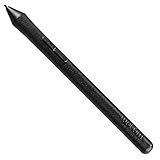
- The Intuos Pen is compatible with Intuos Art, Comic, Draw and Photo tablets (CTH490AB, CTH490AK, CTH490CB, CTH490CK, CTH490PK, CTH690AB, CTH690AK, CTL490DB and CTL490DW)
- Cordless and battery free, programmable side switch
- 1024 levels of pressure sensitivity
- Not compatible with prior Intuos (CTL480, CTH480, CTH680), Intuos 3, 4, 5, Intuos Pro tablets or Cintiq products
The official Windows download still separates 64-bit and 32-bit builds. On a current Windows 10 machine, use 64-bit unless you have a specific reason not to. Do not assume that both editions have identical capabilities; some feature notices are also marked as Steam-only.
Recommended Free Tools
Choose it if: you make manga pages or need a free cross-device tool. Watch for: cloud features and edition-specific functions can make the workflow less self-contained than Krita.
7. ibisPaint
Best for users moving from mobile drawing apps. ibisPaint began with a phone-and-tablet-friendly workflow but now supports Windows PCs and Macs as well as iPhone, iPad, and Android devices. It offers stabilizers, alpha lock, screen tones, custom brush import and export, PSD support, layers, and a large brush library.
It requires sign-in with an ibisAccount, X, Facebook, or Apple account. Cloud storage is limited: current documentation lists up to 64 MB for non-Premium members and up to 20 GB for Premium members.
For synchronization, open My Gallery, choose Cloud Synchronization, sign in if prompted, enable Agree, select the account, and leave My Gallery open until the process finishes. Closing the screen or losing connectivity during a large sync can leave you waiting or with incomplete synchronization.
Choose it if: you want mobile-style tools on a Windows computer. Watch for: account, advertising, storage, and subscription limitations.
8. Concepts
Best for infinite-canvas planning and vector-hybrid sketching. Concepts is useful for storyboards, product ideas, diagrams, architecture, lettering, and exploratory drawing. Its canvas is infinite, strokes are vector-based or vector-hybrid, and the app supports pressure, tilt, velocity, live smoothing, layers, PSD, PNG, and PDF workflows.
The free Basic plan includes five layers, unlimited drawings, paper and grid options, and basic JPG export. The paid plan is listed at $4.99 per month or $29.99 per year, with a seven-day trial; one-time Essentials purchases are also platform-limited.
Windows and Android do not have complete feature parity with iOS. Custom brushes, brush-pack import/export, and shared palettes are examples of features that may be unavailable or incomplete outside Apple platforms.
PC Slower Than It Used to Be?
A free scan shows the junk files, broken settings and background clutter dragging Windows down - then fixes them in one click.Free scan · Windows 10 & 11Crashes, No Sound, or Screen Glitches?
Random freezes, missing sound and display glitches usually trace back to one bad driver. Find and replace yours safely.Free scan · under a minuteRank #4

- 🌏 [VERSATILE AND UNIVERSAL] BoxWave Stylus Pen Compatible With Wacom Intuos Pro S (PTH-460). This amazing stylus works with ACCURATE PERFECTION on your device and all similar capacitive touch screens! 💬 Includes limited 3rd party tech support for your device (up to 3 inquiries via messaging) - not affiliated with or endorsed by Wacom ⭐ *** PLEASE NOTE, INTUOS PRO S (PTH-460) DEVICE NOT INCLUDED ***
- 📝 [PRECISION] The innovative CLEAR TIP allows VISION-ENHANCING precision for you to see where and what you are writing, drawing, or tapping from any angle.
- 🪄 [EASY TO USE] NO Bluetooth Required! Just gently touch the tip against your screen and you are GOOD TO GO! Please note: The FineTouch Capacitive Stylus does not support Palm Rejection or Pressure Sensitivity.
- 📎 [CLIP DESIGN] Use the built-in METAL CLIP to attach the FineTouch Capacitive Stylus directly to your shirt, jacket, or case; the options are endless.
- 🤲 [COMPACT] Fits neatly into the palm of your hand. Conveniently designed in pen form, PERFECT for carrying around.
Choose it if: you need an expandable sketching surface rather than a conventional fixed canvas. Watch for: five layers and basic JPG export may be too restrictive for finished artwork.
9. PaintTool SAI
Best for lightweight anime-style line art. PaintTool SAI is known for responsive strokes, simple layer handling, and a comparatively small footprint. It remains popular with artists who want clean line work without the many panels and production features found in larger applications.
Its strengths are speed and control over pen strokes, not animation, page layout, or advanced image editing. It is therefore a focused alternative rather than a complete replacement for every Procreate workflow.
Choose it if: you primarily sketch, ink, and color characters. Watch for: you may need another application for animation, advanced typography, or complex compositing.
10. MyPaint
Best for simple free painting. MyPaint strips digital painting back to brushes, canvas, and a straightforward workspace. It is attractive on older Windows 10 machines or for artists who dislike managing a large application’s panels and production tools.
It is not the strongest option for typography, vector work, animation, comic-page construction, or Photoshop-style editing. Think of it as a focused sketchbook and painting surface.
Choose it if: you want a lightweight free program for painting. Watch for: its smaller production-toolset makes it less suitable for finished commercial layouts.
Independent reader supportYour contribution helps us test, update, and keep practical guides available for everyone.11. GIMP
Best for painting combined with serious image editing. GIMP is primarily an image editor, but it can handle digital painting with layers, brushes, paths, masks, selections, filters, and plug-ins. It is especially useful when your work involves photo cleanup, texture creation, compositing, or preparing images for the web.
Compared with Procreate, GIMP feels less purpose-built for pen drawing. Brush setup and canvas navigation are not as immediate, and you may need to configure tablet behavior in the operating system and application settings.
Best Value

- WACOM’S BEST PEN TECHNOLOGY: Pro Pen 3 offers amazing precision, 8192 pressure levels, tilt support & lag-free tracking for smooth, precise strokes; choose slim, straight or flared grip, adjust balance & button layout for precision and comfort
- DIAL INTO PRODUCTIVITY: Speed up and stay in the creative flow with 10 customizable tablet ExpressKeys & 2 mechanical dials conveniently located at the top of the tablet and close to your keyboard for efficiency
- DESIGNED FOR MODERN MONITORS: With a versatile 16:9 format perfect for multiple monitors and wide displays; large size has a large active area with a small footprint 14.8 x 9.9” / 377 x 253 mm
- SLEEK AND STURDY: Measuring 4mm at its thinnest this professional-grade drawing tablet feels like pen-on-paper on your desk, combined with the robust durability of magnesium making it equally suited for your office or life on the go
- WIRELESS FREEDOM: Use Intuos Pro with USB or connect wirelessly via Bluetooth to multiple computers with a simple switch
Choose it if: you need painting and pixel-editing tools in one free package. Watch for: artists seeking a tablet-first experience may prefer Krita or Sketchbook.
12. Artweaver
Best for traditional-style desktop painting on a budget. Artweaver provides brushes, layers, transparency, effects, and image-editing basics in a Windows-oriented package. It is a reasonable choice for hobbyists who want a familiar desktop painting program without the complexity of Painter.
Check the current edition and licensing terms before installing: free and paid versions can differ in features. It is better suited to straightforward painting than to comic production, animation, or a highly specialized mobile workflow.
Choose it if: you want a conventional Windows painting application. Watch for: its ecosystem and advanced tools are smaller than those of Krita, Clip Studio Paint, or Corel Painter.
Apps often misidentified as Windows alternatives
Several names appear in Procreate-alternative lists but should not be presented as Windows 10 replacements without qualification:
- Infinite Painter: the current official product page presents it as a mobile app and does not list a Windows edition. It offers a seven-day trial, then unlocks features through a one-time purchase.
- Adobe Fresco: Adobe’s current download link is for iPadOS and iOS. Adobe describes moving Fresco artwork into Photoshop or Illustrator on desktop, not running Fresco natively on Windows.
- ArtRage Vitae: Vitae is the mobile iOS and Android product. It should not be confused with a separate ArtRage desktop edition.
How to choose for a Windows 10 setup
- Check your pen first. Install the manufacturer’s driver and test pressure in Windows Ink and the application. A good app cannot repair a faulty driver, incorrect calibration, or a cursor offset.
- Match the app to the work. Choose Krita for broad painting, Clip Studio Paint for comics, Painter or Rebelle for natural media, Concepts for infinite-canvas planning, and SAI for lightweight line art.
- Confirm your file workflow. PSD support does not guarantee perfect interchange. Text, tone, vector, adjustment, and special layer types can be flattened or changed when opened elsewhere.
- Test your actual canvas size. A 4,000 × 4,000-pixel canvas with many layers is a much heavier test than a small sketch. Watch memory use, zoom responsiveness, and brush lag before committing to a subscription.
- Save versions. Use the application’s native format, export a flattened PNG or TIFF when appropriate, and keep incremental versions instead of overwriting the only copy.
What is the closest Procreate replacement?
Krita is the closest free all-round replacement for Windows 10. It has the broadest combination of painting, brushes, layers, animation, and file support. Sketchbook Pro feels closer to Procreate’s uncluttered drawing experience, while Clip Studio Paint is the better choice for comics. No Windows application duplicates Procreate’s exact iPad interface, gesture system, or Apple Pencil integration, so the best choice is the one that matches your output rather than the one with the most brushes.
FAQ
What is the best free Procreate alternative for Windows 10?
Krita is the strongest free all-round choice. It supports pressure-sensitive painting, layers, masks, animation, assistants, PSD files, and a wide range of brushes. MediBang Paint, MyPaint, and GIMP are also free options with more specialized strengths.
Recommended Free Tools
Can I install Procreate on Windows 10?
No. Procreate is designed for Apple platforms, primarily iPad. Windows users need a separate application such as Krita, Clip Studio Paint, Sketchbook Pro, or Corel Painter.
Is Clip Studio Paint better than Krita?
It depends on the work. Krita is usually the better free general painting application. Clip Studio Paint is stronger for comics, manga, webtoons, vector line art, panel layout, 3D references, and specialized rulers.
Can I use Infinite Painter or Adobe Fresco on Windows 10?
Do not treat either as a verified native Windows alternative based on current official product pages. Infinite Painter is presented as a mobile app, while Adobe’s current Fresco download is for iPadOS and iOS; Adobe describes desktop work through Photoshop or Illustrator.
The Bottom Line
For a Windows 10 computer or pen display, install Krita first if you want a capable free replacement. Pick Clip Studio Paint for comics, Sketchbook Pro for a clean drawing workspace, or Corel Painter/Rebelle when realistic physical-media behavior is the priority. Verify tablet drivers, edition limits, and file compatibility before moving a production workflow.
Free tools Windows power users keep installed
One-click scans. No signup required.
Quick Recap

Product prices and availability are accurate as of the date/time indicated and are subject to change. Any price and availability information displayed on Amazon at the time of purchase will apply.




