Recommended Free Tools
Outdated Drivers Are Slowing You Down
Free scan · exact hardware match
Windows Errors? Fix Them Before They Spread
Free scan · no reinstall
Crashes, No Sound, or Screen Glitches?
Free scan · under a minute
ThatPainter is reader-supported. When you buy through links on our site, we may earn an affiliate commission. Learn More
The most dependable way to organize digital art is to combine one predictable project structure, descriptive filenames, separate source and export files, searchable metadata, explicit version states, and independent backups. You do not need an enterprise digital-asset-management system to begin: a consistent folder template can make a solo painter’s work far easier to find, revise, share, and recover.
As an Amazon Associate I earn from qualifying purchases.
What counts as a digital art asset?
Your assets include more than finished paintings. Protect editable source files such as PSD, PSB, AI, AFDesign, KRA, CLIP, CSP, BLEND, and RAW files, along with PNG, JPEG, TIFF, SVG, PDF, WebP, MP4, and GIF exports.
Also include reusable brushes, textures, patterns, palettes, fonts, templates, mockups, 3D models, reference images, briefs, feedback, licenses, mood boards, roughs, alternate compositions, linked files, renders, and generated source material. A flattened JPEG may be useful, but it cannot replace the layered or otherwise editable master that makes future changes possible.
Popular on Amazon

- Easily store and access 2TB to content on the go with the Seagate Portable Drive, a USB external hard drive
- Designed to work with Windows or Mac computers, this external hard drive makes backup a snap just drag and drop
- To get set up, connect the portable hard drive to a computer for automatic recognition no software required
- This USB drive provides plug and play simplicity with the included 18 inch USB 3.0 cable
- The available storage capacity may vary.
1. Start with one predictable folder structure
Use one top-level studio folder and make projects the dominant organizing principle. Project-first organization works particularly well for commissions, campaigns, and client work because it keeps the brief, source, feedback, and deliverables together.
Art/
├── 00_Inbox/
├── 01_Active_Projects/
├── 02_Asset_Library/
├── 03_Templates/
├── 04_References/
├── 05_Exports/
├── 06_Archives/
└── 99_Admin/
A repeatable project template might look like this:
Do these 3 things before closing this tab:
1Repair Windows errors before they cause bigger problems2Scan for outdated or missing drivers - takes under a minute3Clear out junk files and repair common Windows errors01_Active_Projects/
└── 2026_ClientName_ProjectName/
├── 00_Brief/
├── 01_References/
├── 02_Source/
├── 03_Working/
├── 04_Linked_Assets/
├── 05_Review/
├── 06_Approved/
├── 07_Exports/
└── 99_Archive/Use 00_Inbox for downloads and incoming material, then process it regularly. Do not let the desktop, Downloads folder, application folders, and random cloud shares become parallel filing systems.
Project-first is a practical default, not a universal rule. A photographer may prefer date- or shoot-first organization, while a 3D artist may need scene-, cache-, texture-, and render-specific folders. Medium-first can work when discipline is the main way you think about your work. Date-first is useful for personal studies, but can become awkward when a project spans several years. File-type-first is usually a weak main structure because it separates materials that belong together. Pick one dominant principle and keep the hierarchy shallow enough to use quickly. Adobe’s asset-organization guidance likewise emphasizes consistent, scalable structures rather than ad-hoc folder creation.
2. Use a filename formula you can repeat
A filename should identify the project, asset, version, and state without requiring you to open the file:
Also popular on Amazon
- Easily store and access 5TB of content on the go with the Seagate portable drive, a USB external hard Drive
- Designed to work with Windows or Mac computers, this external hard drive makes backup a snap just drag and drop
- To get set up, connect the portable hard drive to a computer for automatic recognition software required
- This USB drive provides plug and play simplicity with the included 18 inch USB 3.0 cable
- The available storage capacity may vary.
YYYY-MM-DD_Project_Asset_Descriptor_Status_v##.extFor example:
2026-08-16_Solaris_CoverIllustration_REVIEW_v03.psd
2026-08-16_Solaris_CoverIllustration_APPROVED_v04.tif
2026-08-16_Solaris_CoverIllustration_WEB_1600px.png
For personal work, use a shorter pattern:
Project_Asset_Version_Status.extMoonGarden_CharacterSheet_v02_WIP.psd
MoonGarden_CharacterSheet_v05_APPROVED.pdf- Use
YYYY-MM-DDorYYYYMMDD, never ambiguous dates such as08-16-26. - Use leading zeroes:
v01,v02,v03. - Choose controlled status terms such as
WIP,REVIEW,CHANGES_REQUESTED,APPROVED,DELIVERED, andARCHIVED. - Use one separator style consistently and avoid vague words such as
new,latest, andfinal. - Avoid slashes, backslashes, colons, wildcards, leading or trailing spaces, reserved operating-system names, excessively long paths, and problematic special characters.
Dropbox’s naming-convention guidance notes that consistent names improve sorting and navigation. Its file-naming guidance also warns that a filename accepted by one operating system can create synchronization or opening problems on another.
What’s actually slowing this PC down?
Pick the symptom - the matching free tool is one click away.
Filenames are not a substitute for metadata. Put essential identity in the filename; use tags for attributes that would make the name unwieldy, such as color, subject, license, medium, or orientation.
3. Keep source files, working files, and exports separate
Separate the editable master from files made for review or delivery:
- Source: layered painting files, vector artwork, original RAW photographs, 3D scenes, animation projects, and other editable masters.
- Working: experiments, iterations, alternate colorways, and temporary composites.
- Review: clearly numbered proofs sent for feedback.
- Approved: the approved master or locked deliverable. Restrict editing where practical.
- Exports: rendered files prepared for a particular destination.
- References: inspiration and research, kept separate from production-ready material.
- Archive: completed work retained outside the active workspace.
Organize exports by purpose when color mode, dimensions, or resolution matter:
07_Exports/
├── Print_300dpi_CMYK/
├── Web_RGB/
├── Social/
└── Client_Delivery/
Useful names include Poster_APPROVED_PRINT_CMYK_300dpi.pdf and Poster_APPROVED_WEB_RGB_2048px.jpg. The filename describes intended use; it does not prove the embedded color profile, DPI, or image quality. Check those properties in the application or file metadata.
Also popular on Amazon
- Easily store and access 1TB to content on the go with the Seagate Portable Drive, a USB external hard drive.Specific uses: Personal
- Designed to work with Windows or Mac computers, this external hard drive makes backup a snap just drag and drop. Reformatting may be required for Mac
- To get set up, connect the portable hard drive to a computer for automatic recognition no software required
- This USB drive provides plug and play simplicity with the included 18 inch USB 3.0 cable
- The available storage capacity may vary.
For Illustrator, InDesign, video, 3D, and other linked-file workflows, keep external dependencies in 04_Linked_Assets. Do not move them casually after work begins. Use the application’s package or collect-assets function where available, and test the packaged project on another machine before handoff. Record important fonts, plugins, color profiles, and application versions when another person must reopen the work.
4. Build a searchable reusable-asset library
Do not confuse a project file with a reusable library. Move items deliberately intended for repeated use into a central library:
Asset_Library/
├── Brushes/
├── Textures/
├── Patterns/
├── Color_Palettes/
├── Icons/
├── Logos/
├── Fonts_Licenses/
├── Mockups/
├── 3D_Models/
└── Templates/
Folders are useful for project boundaries, permissions, archiving, and handoff. Tags and metadata are better for finding items across many folders. Consider fields such as medium, color, orientation, client, subject, date created, status, and usage rights. Adobe recommends combining folders with metadata and tags rather than forcing every discovery task into the folder tree. See its guidance on organizing digital assets.
Keep references separate from approved production assets. A downloaded photograph, brush, font, texture, stock image, or AI-generated element may not be cleared for commercial use. Store the license, receipt, terms, or source URL beside commercial material, and maintain a dedicated Licenses folder. Organizing a file does not establish permission to use or redistribute it.
Quick wins for a faster PC:
Fix the driver behind crashes, sound loss and screen glitchesFind Drivers →Clear out junk files and repair common Windows errorsFree Scan →Adobe’s current terminology illustrates the distinction: Creative Cloud Libraries are intended for reusable graphics, colors, text styles, and design elements; Projects group related files and resources; Brands hold approved identity elements; and cloud documents provide synchronized files with version-history features. The exact features depend on the product and plan.
Also popular on Amazon
- Easily store and access 4TB of content on the go with the Seagate Portable Drive, a USB external hard drive.Specific uses: Personal
- Designed to work with Windows or Mac computers, this external hard drive makes backup a snap just drag and drop
- To get set up, connect the portable hard drive to a computer for automatic recognition no software required
- This USB drive provides plug and play simplicity with the included 18 inch USB 3.0 cable
- The available storage capacity may vary.
5. Use versions and approval states instead of “final”
Replace final.psd, final2.psd, and final_revised.psd with milestone-based versions:
v01_SKETCH
v02_COMPOSITION
v03_REVIEW
v04_APPROVED
v05_DELIVERED
Save new versions at meaningful milestones: the initial sketch, a major composition change, a review submission, approval, delivery, or a post-delivery revision. You do not need a new copy after every brush stroke.
When a file is approved, copy it to 06_Approved or a master location, avoid casual overwrites, and create delivery exports from that approved source. Put later changes in a new version. This gives you a clear answer when someone asks which file the client approved.
Software version history can reduce manual copies, but it is not universal protection. Adobe says cloud documents support version history and restoration, and some business offerings advertise extended history. Retention periods, supported file types, plan features, linked assets, plugins, and local files vary. Check the current terms for your edition; version history is not the same as an independent backup.
Independent reader supportYour contribution helps us test, update, and keep practical guides available for everyone.6. Back up independently and test recovery
Sync, collaboration, and backup are different functions.
Also popular on Amazon
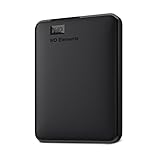
- Plug-and-play expandability
- SuperSpeed USB 3.2 Gen 1 (5Gbps)
- Sync keeps files available across devices. It can also synchronize an accidental deletion, corruption, or ransomware event.
- Collaboration adds sharing, permissions, comments, and review. It may include history, but is not automatically disaster recovery.
- Backup maintains a recoverable copy separate from the working environment.
A practical minimum is:
Working copy:  computer or primary external drive
Local backup:  separate external drive or NAS
Off-site copy: reputable cloud-backup service
Protect against drive failure, theft, physical damage, account lockout, ransomware, and corrupted projects. Where practical, keep at least one backup disconnected or protected from automatic deletion. Most importantly, test restoring both a small source file and a large project periodically. A backup job that says “complete” is not proof that the files can be restored successfully.
Backblaze Personal Computer Backup describes automatic backup for computers and attached external drives, encryption, optional private-key protection, and restoration options. The product is separate from Backblaze B2, which is object storage for scalable storage and integrations. Product limits, retention, encryption-key handling, and restoration speed vary, so do not treat any service as invulnerable.
Sync, cloud storage, or local-first?
| Approach | Strengths | Risks |
|---|---|---|
| Local-first | Fast access to large PSD, PSB, TIFF, video, and 3D files; works offline. | Drive failure, theft, manual backups, and weak collaboration. |
| Cloud-first | Cross-device access, sharing, permissions, and sometimes version history. | Subscription cost, internet dependence, sync conflicts, account lockout, and retention limits. |
| Hybrid | Fast local working files plus collaboration and independent off-site recovery. | More components to configure and monitor. |
For many artists, the hybrid approach is the sensible balance: work locally, use a collaboration or sync service when needed, and maintain a separate backup. A cloud folder is convenient storage; it is not automatically a complete backup.
Which tool fits your workflow?
| Need | Natural fit | Important qualification |
|---|---|---|
| Adobe-centered workflow | Adobe Creative Cloud for teams | Useful for Adobe applications, libraries, sharing, and team controls, but costly if you do not need the creative suite. Listed business pricing and storage vary by region, edition, and contract. |
| Shared folders for a small team | Dropbox | Good for straightforward synchronization and sharing; it should not be your only disaster-recovery layer. |
| Automated off-site protection | Backblaze Personal Computer Backup | Backup rather than project management, review, or collaboration. |
| Large photo library | ACDSee Photo Studio | Its cataloging, search, RAW, and photo-management features suit photographers more than vector or animation teams. |
| Governance and approvals across departments | Enterprise DAM | Worth considering for permissions, metadata, audit trails, brand governance, and large-scale reuse—not usually necessary for a solo artist. |
ACDSee’s product pages list organization, search, facial recognition, RAW editing, and layered editing features. Its displayed 365 Home pricing and cloud allowance can change, as can promotional and regional terms. Adobe and Dropbox also publish plan-specific storage, retention, and collaboration limits; verify current details before purchasing.
Quick-start checklist
- ☐ Create one top-level
ArtorStudiofolder. - ☐ Create a standard project template.
- ☐ Choose a filename formula and controlled status terms.
- ☐ Rename current active projects.
- ☐ Separate source, working, review, approved, and exports.
- ☐ Create a reusable asset library.
- ☐ Add license records and keep references separate.
- ☐ Enable an independent local and off-site backup.
- ☐ Restore-test one project.
- ☐ Move completed work into an archive.
Archive completed projects with a readme
When a project is complete, move it out of the active workspace but keep it retrievable. Add a short text or PDF readme containing the client or project name, completion date, approved filename, fonts and linked assets used, export specifications, license information, and known missing dependencies. This small record can save hours when an old project returns for revision.
Quick Recap


