Crashes, No Sound, or Screen Glitches?
Random freezes, missing sound and display glitches usually trace back to one bad driver. Find and replace yours safely.Free scan · under a minute
Windows Errors? Fix Them Before They Spread
Repair common Windows errors and clear accumulated junk for a smoother, more stable PC - no reinstall needed.Free scan · no reinstall
ThatPainter is reader-supported. When you buy through links on our site, we may earn an affiliate commission. Learn More
Procreate is not available as a native Windows application. Procreate’s official product page presents it as “Procreate for iPad,” links to Apple’s App Store, and describes the app as exclusive to that store. Windows artists therefore need an alternative rather than a direct port.
For most people, Krita is the best free choice. Clip Studio Paint is the strongest paid option for illustration, comics, manga, and animation. For convincing watercolor and oil simulation, look at Rebelle or Corel Painter.
Recommended Free Tools
As an Amazon Associate I earn from qualifying purchases.
Quick comparison
The apps below overlap with Procreate’s core experience—pressure-sensitive drawing, brushes, layers, selections, transforms, and fast sketch-to-finish workflows—but they are not identical replacements. Procreate is designed around an iPad-and-Apple-Pencil interface; Windows software usually assumes a keyboard, mouse, pen tablet, pen display, or touchscreen PC.
Pricing and licensing can change by country, plan, edition, and promotion. Clip Studio Paint pricing signals were checked August 18, 2026; verify the vendor’s current purchase page before buying.
Popular on Amazon

- Compatible with:for Samsung Galaxy Tab A11+/A11/A9+/A9/A8/A7 Tablet.Android, iOS, and Windows
- Precise and sensitive: Stylus Pen has premium 1.5 mm nib, pixel precision and sensitive touch technology provides better accuracy and compatibility without delays and disconnections, allowing you to create with maximum precision at all times.There is magnetic suction
- Convenient and easy: No apps to install.Just double-click the pen cap to let you easily enjoy smooth writing or drawing, create anything without limitation
- Efficient and durable: The product comes with a USB charging port and a built-in battery that allows you to use it for 10 hours after only 2 hour of charging
- packing:which can extend the life of the stylus, 1 stylus, 2 replacement nib, 1 Type C charging cable, and 1 user manua
| App | Windows | Price model | Best for | Natural-media brushes | Comics/animation | PSD support | Main limitation |
|---|---|---|---|---|---|---|---|
| Krita | Yes | Free and open source | Digital painting and value | Strong | Strong | Strong | Denser interface and more setup |
| Clip Studio Paint | Yes | Subscription or perpetual version license | Illustration, comics, manga, animation | Moderate | Strong | Strong | PRO/EX and update choices need care |
| Rebelle | Yes | Paid license; verify current edition | Watercolor and wet media | Strong | Limited | Moderate | Specialized workflow |
| Corel Painter | Yes | Paid license; verify current edition | Professional traditional-media emulation | Strong | Limited | Moderate | Cost and learning curve |
| Sketchbook | Yes | Confirm current Windows licensing | Simple sketching | Moderate | Limited | Moderate | Fewer production features |
| Adobe Fresco | Check current eligibility | Free and/or Adobe plan features | Raster, vector, and Adobe workflows | Strong | Limited | Strong through Adobe workflows | Platform and plan differences |
| MediBang Paint | Yes | Free download with possible paid features | Beginners and comics | Moderate | Strong | Moderate | Less powerful for advanced painting |
| ArtRage Vitae | Yes | Paid; verify platform price | Accessible traditional-media painting | Strong | Limited | Moderate | Smaller ecosystem |
| Adobe Photoshop | Yes | Subscription | Painting plus editing and compositing | Moderate | Moderate | Strong | Complex and not painting-first |
What makes a good Procreate alternative?
A convincing alternative is not simply an app that can place colored pixels on a canvas. Compare the following before choosing.
Drawing feel
Look for pressure sensitivity, tilt support, stroke stabilization, canvas rotation, palm rejection, and reliable pen-tablet drivers. Responsiveness varies with canvas dimensions, brush complexity, layer count, GPU, RAM, and tablet configuration, so claims such as “lag-free” or “smooth on every device” are not meaningful without controlled testing.
Brushes
Procreate highlights more than 300 handcrafted brushes, Brush Studio customization, downloadable brushes, QuickShape, StreamLine, Drawing Assist, layers, blend modes, selections, and effects on its official product page. These are useful criteria, but no Windows app should be treated as an exact feature-for-feature match. Check whether the program offers customizable brushes, texture controls, wet-media simulation, brush import, and a useful third-party asset ecosystem.
Layers and editing
For finished illustration, basic brushes are only part of the workflow. Check for layer groups, blend modes, alpha lock or an equivalent, clipping masks, selections, transforms, masks, non-destructive adjustments, text, vector tools, and PSD import/export.
Workflow fit
Painting, comic production, animation, photo compositing, and quick sketching are different jobs. A program that is excellent for watercolor may be inconvenient for speech balloons or multi-page comic files. Choose by the work you actually do rather than by a generic “best drawing app” ranking.
What’s actually slowing this PC down?
Pick the symptom - the matching free tool is one click away.
Pricing model
“Free,” “free download,” “free tier,” “trial,” “subscription,” and “one-time purchase” are not interchangeable. A perpetual license may cover one version while newer feature updates require an upgrade or Update Pass. Cloud storage may also require a separate account or plan.
1. Krita — best free overall
Best for: Digital painting, illustration, comics, animation, beginners who want room to grow, and anyone avoiding recurring payments.
Krita describes itself as a professional, free, open-source painting program. It is the clearest default recommendation for Windows artists who want serious capabilities without a subscription.
Why it is like Procreate
Krita is strongly raster-painting oriented, with customizable brushes, layers, blending, selections, transforms, workspace customization, comic tools, and animation features. It can support a quick sketch-to-finish workflow, particularly once the workspace and shortcuts are configured to suit you.
Where it differs
Krita is a full desktop painting studio rather than a Procreate clone. Its interface can feel denser and less immediately tablet-first, and advanced features may require more setup. Performance depends on canvas size, layer count, brush complexity, stabilization, and hardware.
Pricing and verdict
Krita is the best starting point if your priorities are capable painting tools, Windows support, open-source software, and no recurring software cost. Choose something else if your highest priority is a highly curated iPad-style interface or specialized physical-media simulation.
Also popular on Amazon

- [Wide Compatibility]-This stylus pen for touchscreen is for capacitive screen electronic product and is specially designed for Android device on the market.The iphone stylus pen is suit with XiaoMi/Huawei/Vivo/Lenovo/Pixel/iPhone 6-15 ,Amazon Fire Series tablet and more other android devices. Some compatible device models- Galaxy Tab A9/A9+/S9/S23 FE/S24/S25/Z Fold5/Z Fold 6/A13 /A25/ (Note: This lenovo pen is not compatible with Microsoft devices,Apple iPad,Kindle devices,Windows,Laptop,S7+, tab s4,S10 and One note app. Please check your device model before placing an order.
- 【Smart Touch Switch & Power Save】-The touch screen pen stylus is easy to use: just double-tap the top of the android tablet capacitive stylus pen . There's no need for drivers or bluetooth settings. This iphone pen uses the USB-C charging port,just 35 minutes of charging will give you 8-10 hours of operation.Our digital pen has smart energy-saving feature, automatically turn to "sleep mode" after 5 minutes of inactivity and avoid unnecessary battery consumption.
- 【High Precise and Sensitive】-The pom tip of the stylist pen is wear-resistant,designed for professionals who need high precision and accuracy,is a great feature for anyone who uses a stylus pen android for designing work or drawing. They are very smooth and high responseon the screen, without lag or jumping.Luntak android stylus pen also a great gift for family and friends who love to create.
- 【Magnetic Absorption】-The magnetic feature is a great convenience for users who want to keep their samsung pen close at hand and prevent it from getting lost,more portable and more easier to organize.(Note: The magnetic function requires a built-in magnet on your tablet; otherwise, it cannot be attached. The magnetic surfaces of other tablets may not be a perfect fit.)
- 【What You Get】-Our tablet pens for touch screen set includes:1* stylist pens,3* Replaceable POM Tips,1* Type-C charging cable,1* User Manual.We support 1-year product warranty and 1-month free return and exchange policy for our pen with stylus tip. If you encounter any issues, please don't hesitate to contact us. Please note the apple pens does not support palm rejection, so avoid touching the screen with your hands.Does not support pressure sensitivity.
2. Clip Studio Paint — best for illustration, comics, and animation
Best for: Character art, inking, manga, webtoons, multi-page comics, 3D references, and animation.
Clip Studio Paint is the strongest paid choice for artists whose work goes beyond a single painted canvas. Its tools include customizable brushes, stabilization, vector-oriented line workflows, 3D models and poses, comic panels, speech balloons, webtoon features, and animation.
Free tools Windows power users keep installed
One-click scans. No signup required.
PRO versus EX
PRO is generally the sensible edition for ordinary illustration and character art. EX adds expanded comic and animation capabilities and is the choice when those functions are central to your work. Buying EX for simple illustration is unnecessary.
Clip Studio Paint documents Windows and macOS support, its PRO and EX editions, subscription plans, perpetual Version 5.0 licenses, and Update Pass options on its official purchase page. Version 5.0 was documented as released on March 11, 2026. A perpetual license can be used indefinitely for its covered version; it should not automatically be understood as a license to every future feature update.
Trade-offs and verdict
The interface is more complex than Procreate, and the license choices can be confusing. The purchase page displayed subscription plans starting at $0.99 per month in the referenced August 2026 view, but that figure is plan-, region-, device-, and promotion-dependent—not a universal normal price. Clip Studio Paint is the best fit when comics, professional inking, 3D references, or animation matter more than simplicity.
3. Rebelle — best for watercolor and wet media
Best for: Traditional painters, watercolor artists, painterly concept work, and users who value media behavior over production utilities.
Rebelle is built around real-media painting. Its appeal is the way watercolor, oil, canvas, paper, and wet-media workflows are represented digitally.
Why choose it
Rebelle is one of the strongest natural-media alternatives for artists who want paint to spread, mix, and interact more like physical material. Brush customization and paper or canvas effects support a traditional approach without requiring a large physical studio.
Trade-offs and verdict
It is less suited to comic-page production, photo editing, typography, or complex design work. Natural-media simulation can also place greater demands on hardware. Verify the current edition names and price on the vendor’s purchase flow, since these change. Choose Rebelle when the behavior of watercolor or oil is the main reason you are leaving Procreate.
4. Corel Painter — best professional natural-media suite
Best for: Professional illustrators, fine-art painters, and artists recreating traditional materials in depth.
The Tool Desk
Outbyte Driver Updater FREEScan for outdated or missing drivers - takes under a minuteDriver Scan →Outbyte PC Repair FREERepair Windows errors before they cause bigger problemsFix Now →Corel Painter offers extensive digital versions of oils, watercolors, acrylics, pastels, pencils, and other media, along with brush customization, color mixing, canvas controls, and texture options.
Also popular on Amazon
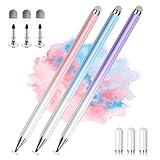
- 【PREPARE YOUR IPAD BEFORE USE】Before using our iPad pen, ensure the "Only Draw with Apple Pencil" feature is off in Settings > Apple Pencil. Disabling this option is crucial for proper stylus functionality.
- 【UNIVERSAL STYLUS】Our stylus pens for touch screens are widely compatible with all touch screens including smartphones, Android tablets, touch screen laptops/PCs. They also work with Apple iPads, iPhones, iPad Pro, iPad Mini, iPad Air, Surface, Chromebooks and other capacitive touch screen devices.
- 【2-in-1 DESIGN】The stylus pen comes with different tips on both ends. One end is the disc tip, which is more accurate and sensitive, suitable for taking notes and drawing. The other end is a durable fibre tip for browsing or scrolling web pages, effectively protecting the screen from fingerprints or smudges.
- 【HIDDEN SPARE TIP】This 3 pack of stylus pens includes 3 additional disc tips and 3 extra fibre tips. Each disc tip is placed inside the stylus body. The spare tip can be taken out by simply rotating the fibre tip end. Convenient for always having a spare pen tip ready to go.
- 【HIGH PRECISION & SENSITIVITY】The stylus pen features a flexible disc tip that fits flexibly on the screen without leaving broken lines. Additionally, the disc tip is transparent, allowing you to get a clearer view when writing or drawing.
Why choose it
Painter is a dedicated painting suite rather than a photo editor that happens to include brushes. It is appropriate when realistic material behavior, brush variety, and fine control justify a larger application and a higher budget.
Trade-offs and verdict
It costs more and has a larger learning curve than Krita or MediBang Paint. It is also a less attractive choice for quick sketching, comic layout, or users who want the smallest possible setup. The accessible official page is titled “Corel Painter 2023,” so confirm the current marketed edition and price rather than treating that page title as a current-version claim.
5. Sketchbook — best clean and approachable sketching app
Best for: Beginners, students, concept sketching, and artists who dislike dense interfaces.
Sketchbook emphasizes a streamlined digital-art workflow for desktop and mobile devices. It offers brush presets and customization, layers, guides, rulers, and stroke tools without the visual weight of a full production suite.
Trade-offs and verdict
Sketchbook is a good choice for fast ideation and straightforward illustration, but it has fewer advanced animation, comic-production, compositing, and natural-media tools than Krita, Clip Studio Paint, Painter, or Photoshop. Older articles describe its licensing inconsistently, so check the current Windows download or purchase flow and do not assume every feature is free.
6. Adobe Fresco — best for Adobe users and mixed raster/vector drawing
Best for: Existing Adobe customers and illustrators who want raster brushes, vector brushes, and live natural-media brushes.
Adobe Fresco combines raster, vector, and live brushes, including watercolor- and oil-style effects. It is most compelling when the rest of your workflow already includes Adobe applications.
Quick wins for a faster PC:
Fix the driver behind crashes, sound loss and screen glitchesFind Drivers →Repair Windows errors before they cause bigger problemsFix Now →Trade-offs and verdict
Fresco’s availability, minimum requirements, and free-versus-paid feature split can differ by platform and plan. Do not confuse Fresco with Photoshop or with the complete Creative Cloud subscription. Check Adobe’s current Creative Cloud plans before committing. Choose Fresco when Adobe integration and mixed brush types matter more than an independent, offline-first painting program.
Independent reader supportYour contribution helps us test, update, and keep practical guides available for everyone.7. MediBang Paint — best lightweight comic app for beginners
Best for: New digital artists, manga beginners, comic pages, screen tones, panels, and modest hardware.
MediBang Paint positions its Windows and Mac desktop app as free digital-painting and manga-creation software. Comic-oriented tools, brushes, layers, assets, and cloud features make it accessible for people starting with manga or webcomics.
Trade-offs and verdict
MediBang Paint is less sophisticated for advanced painting and brush customization than Krita or Clip Studio Paint. Its cloud and premium features may have separate limits, and the company has also published paid desktop promotions, including one in June 2026. Treat “free” as a description of the download or entry-level offering, not proof that every feature is permanently free. It is a practical low-cost starting point for comics.
Quick wins for a faster PC:
Fix the driver behind crashes, sound loss and screen glitchesFind Drivers →Clear out junk files and repair common Windows errorsFree Scan →Scan for outdated or missing drivers - takes under a minuteDriver Scan →Also popular on Amazon

- 【Stylus Pens for Touch Screens】Stylus pen is no delay and no lag during use, and ipad stylus will not damage your screen, stylus pen for ipad has 2 different sizes of nibs so you can have more options for a more accurate writing and drawing experience.
- 【Universal Stylus for iPad】Compatible with capacitive touch screen devices, for nintendo switch stylus,switch stylus,switch 2 stylus including iPad, iPad Pro, iPhone, Android tablets,smart phones,Samsung galaxy,etc.
- 【Fiber Tip】This stylus features a soft fiber tip that is highly responsive, making it ideal for writing and drawing, and effectively protects your touchscreen from scratches.The stylus tip initially feels a bit stiff, requiring slight pressure during initial use to ensure sufficient contact area between the tip and the screen (especially when a screen protector is applied) to guarantee accurate touch recognition. With continued use, the tip will gradually soften and become more sensitive.
- 【No Extra Operations】This stylus pen is very easy to use, you don't need to download an app or other operations to use the stylus, you can just pick up the stylus and start writing, drawing and playing games, it's that simple.
- 【Versatile for Everyday Use】From taking notes in class and reviewing documents at work to sketching ideas, browsing websites, and enjoying mobile games, this fiber tip stylus pen is designed for various touchscreen activities. The smooth and responsive fiber nib provides a comfortable writing experience, making it suitable for studying, office tasks, creative projects, entertainment, and daily touchscreen navigation at home, school, or on the go.
8. ArtRage Vitae — best accessible traditional-media experience
Best for: Hobby painters, traditional-media beginners, and users who want oils, watercolor, pencils, and other familiar tools in a relatively approachable application.
ArtRage Vitae focuses on simulating physical painting tools rather than trying to become an all-purpose photo editor or production suite.
Trade-offs and verdict
It has a smaller ecosystem than Adobe or Clip Studio Paint and is less comprehensive for animation, advanced compositing, and large comic projects. Confirm the current platform-specific license and price. ArtRage Vitae is a sensible middle ground for traditional-media painting when Painter feels too extensive or expensive.
9. Adobe Photoshop — best for painting plus photo editing
Best for: Freelance artists, client work, photo editing, compositing, typography, and professional PSD exchange.
Do these 3 things before closing this tab:
1Scan for outdated or missing drivers - takes under a minute2Repair Windows errors before they cause bigger problems3Fix the driver behind crashes, sound loss and screen glitchesPhotoshop is not the closest interface match to Procreate, but it combines custom brushes with layers, blending modes, masks, selections, high-resolution painting, retouching, compositing, and Creative Cloud integration.
Trade-offs and verdict
Photoshop is subscription-based and more complex than a dedicated painting app. Many of its tools are designed for image editing rather than pure painting. Choose it when client compatibility, PSD workflows, typography, or photography matter as much as drawing.
Best app by use case
- Best free app: Krita.
- Best for comics, manga, and animation: Clip Studio Paint.
- Best for watercolor: Rebelle.
- Best professional natural-media suite: Corel Painter.
- Best simple sketching app: Sketchbook.
- Best for Adobe users who prioritize drawing: Fresco.
- Best for Adobe users who need editing and compositing: Photoshop.
- Best lightweight comic app: MediBang Paint.
- Best approachable traditional-media tool: ArtRage Vitae.
Choose according to your Windows hardware
Surface versus desktop and tablet
A touchscreen Surface with a compatible pen can feel closer to Procreate because you draw directly on the canvas. A desktop PC with a screenless Wacom, Huion, or XP-Pen tablet separates your hand from the image and may require more adjustment. A pen display restores direct drawing but adds cost, cabling, display calibration, and driver considerations.
Check before installing
- Windows version and system architecture.
- RAM, GPU, and available storage.
- Pressure and tilt support for your specific pen.
- Driver support for your Wacom, Huion, XP-Pen, or other device.
- High-DPI scaling and external-monitor behavior.
- Whether your device uses Windows Ink or WinTab.
- Expected canvas size, layer count, and brush complexity.
Pressure troubleshooting
- Install the current driver from the tablet manufacturer.
- Restart Windows.
- Confirm pressure in the manufacturer’s diagnostic or testing panel.
- Check whether the app is configured for Windows Ink or WinTab.
- Test a default brush rather than a custom brush.
- Disable conflicting tablet drivers from other brands.
- Test a new blank document.
- Re-check pressure and tilt settings inside the application.
Pressure support in the software does not guarantee pressure on every setup. Incorrect drivers, firmware, cables, adapters, application settings, or conflicting drivers can all cause failures.
File compatibility, performance, and cloud warnings
PSD is useful but imperfect
PSD is a valuable interchange format, but it does not guarantee perfect preservation of every layer effect, adjustment, brush, vector object, animation, font, or text feature. Keep the native project file for continued editing, export a flattened PNG or TIFF for delivery, and test a representative project before changing applications.
Large canvases expose limits
No app remains equally responsive at every size. Canvas dimensions, layer count, brush complexity, stabilization, GPU acceleration, RAM, file format, and the number of open documents all affect performance. Start with a manageable canvas and test the largest files you actually use.
Cloud synchronization is not a complete backup
Cloud features may require an account or paid plan, work only on selected platforms, and fail to include every brush, font, plugin, or linked asset. They can also create conflicts when the same file is edited on multiple devices. Keep local backups regardless of the application’s cloud claims.
What not to use as a primary replacement
Do not download unofficial “Procreate for Windows” installers or cracked copies. Browser imitations and Android emulators are not equivalent native replacements. An emulator may introduce pen-pressure problems, input lag, poor palm rejection, performance overhead, file-access complications, and unreliable updates. It is a last-resort workaround, not a sound basis for a Windows painting workflow.
Quick Recap
Final decision tree
- No software budget: Start with Krita.
- Comics, manga, or animation: Choose Clip Studio Paint; use PRO for ordinary illustration and EX for expanded comic or animation work.
- Watercolor or wet-media behavior: Choose Rebelle.
- Broad professional traditional-media simulation: Choose Corel Painter.
- Minimal interface and quick sketches: Choose Sketchbook.
- Adobe ecosystem and raster/vector/live brushes: Choose Fresco.
- Beginner manga workflow: Choose MediBang Paint.
- Accessible physical-media simulation: Choose ArtRage Vitae.
- Painting combined with photography, compositing, typography, or client PSD work: Choose Photoshop.


