What’s actually slowing this PC down?
Quick wins for a faster PC:
Fix the driver behind crashes, sound loss and screen glitchesFind Drivers →Repair Windows errors before they cause bigger problemsFix Now →Scan for outdated or missing drivers - takes under a minuteDriver Scan →Pick the symptom - the matching free tool is one click away.
ThatPainter is reader-supported. When you buy through links on our site, we may earn an affiliate commission. Learn More
Short answer: choose the Epson SureColor F170 for small personalized products and the lowest entry cost, the F570 for a wider desktop workflow, the F570 Pro for professional print-control features, the F6470 for established 44-inch production, and the F9570H for high-volume 64-inch work with selectable expanded colors such as fluorescent pink/yellow.
There is no single universal winner. This ranking uses Epson’s current U.S. specifications and stated applications to match each printer to a production scale; it does not claim independent testing of print quality, noise, reliability, or real-world speed.
#1 Best Overall

- Epson printing system is designed to be used exclusively with Epson Genuine Cartridges. Use of non-genuine ink could cause damage not covered under the printer’s ltd. wnty.
- Hassle free ― High-capacity Black ink cartridge for fewer interventions
- Sharp text and brilliant colors for print-shop-quality results
- Fast-drying pigment ink designed for high-speed print jobs
- Compatible Printers: WF-3820, WF-3823, WF-4820, WF-4830, WF-4833, WF-4834
How these five Epson sublimation printers are ranked
This is a fit ranking based on Epson’s U.S. product information, support materials, stated applications, media widths, workflow features, ink configurations, and published speeds. It is not the result of independent print-quality, noise, reliability, or throughput testing.
“Best” depends mainly on how much you print and what you make. A compact printer can be the right choice for mugs and small personalized gifts, while a 44- or 64-inch machine is justified only when a business has the demand, space, and workflow to use it.
Quick comparison
| Printer | Class and width | Best fit | Key advantage | Epson-listed U.S. MSRP |
|---|---|---|---|---|
| Epson SureColor F170 | Desktop, 8.5-inch format | Beginners, makers, Etsy sellers, and small businesses | Lowest-cost, simplest entry into Epson dye sublimation | $399 |
| Epson SureColor F570 | Desktop, 24-inch | Growing shops and mixed soft-and-rigid-product work | Roll and sheet support in a compact professional format | Not stated in the supplied Epson information |
| Epson SureColor F570 Pro | Desktop, 24-inch | Professional desktop production | Epson Edge Print Pro, Adobe PostScript 3, and Adobe PDF print engines | Not stated in the supplied Epson information |
| Epson SureColor F6470 | Production, 44-inch | Established apparel, décor, signage, and promotional-product shops | Production-width printing, take-up reel, and speeds listed up to 820 sq. ft./hr. | $8,450 |
| Epson SureColor F9570H | Production, 64-inch | High-volume production and expanded-color work | Six-color selectable configuration, fluorescent options, and speeds listed up to 1,590 sq. ft./hr. | $34,995 |
Prices and availability can change. The listed prices are Epson U.S. MSRPs supplied for this guide, not guaranteed street prices. Epson’s stated speeds depend on factors such as resolution, ink coverage, file size, workstation configuration, and networking, so they should not be treated as directly comparable real-world production rates.
1. Epson SureColor F170: Best entry-level Epson sublimation printer
The Epson SureColor F170 sublimation printer is the clearest starting point for home makers, small product businesses, Etsy sellers, and anyone learning the complete sublimation workflow. Epson lists a $399 MSRP and an 8.5-inch desktop format, making it considerably easier to fit into a craft room or small workspace than the wider machines in this guide.
The F170 uses genuine dye-sublimation ink and includes a 150-sheet auto-feed tray. It supports Windows and macOS print software and offers wireless, Ethernet, and USB connectivity. Epson positions it for both soft and rigid applications when used with compatible transfer paper, including mugs, mousepads, phone covers, shirts, hats, awards, ornaments, and other personalized goods.
Why choose the F170
- It has the lowest stated acquisition cost in this group.
- Its small desktop format is practical for a home studio or first product line.
- The 150-sheet tray is useful for repeated small jobs.
- It can support both fabric transfers and suitable hard goods rather than limiting the owner to one product type.
- Wireless, Ethernet, and USB connectivity make it easier to integrate into a home or small-business setup.
Where the F170 reaches its limit
The narrow format is the important trade-off. It is suited to small graphics and products, not large cut-and-sew garment panels or continuous wide-format production. It is also a printer-only purchase: the workflow still requires transfer paper, a heat press, and compatible blanks.
Epson recommends using genuine ink for performance and quality. For recurring supplies, confirm that the paper and ink are intended for the F170 before ordering. A low printer price does not mean the entire workstation will cost only $399.
Choose it if: you are starting out, have limited space, and expect to make small personalized products in modest quantities.
Do these 3 things before closing this tab:
1Fix the driver behind crashes, sound loss and screen glitches2Repair Windows errors before they cause bigger problems3Scan for outdated or missing drivers - takes under a minuteSkip it if: you already need large apparel graphics, roll handling, or sustained production runs.
2. Epson SureColor F570: Best compact professional desktop value
The standard Epson F570 sublimation printer is the practical step up when an F170 is too narrow but a production-floor printer would be excessive. This is a 24-inch desktop dye-sublimation printer that supports both sheets and rolls up to 24 inches wide.
Epson lists a 50-sheet auto-feed tray, high-capacity ink bottles, a built-in cutter, and a 4.3-inch touchscreen. USB, Ethernet, and wireless connectivity are included. The F570 is designed for soft and rigid transfer applications, so it can cover larger apparel graphics while still serving promotional products, awards, mugs, mousepads, and similar work.
Why the F570 is the middle-ground choice
The F570 offers materially more layout flexibility than the F170 without requiring the 44-inch footprint and production infrastructure of the F6470. Roll support is particularly useful when jobs vary in length or when the operator wants to avoid treating every transfer as a small individual sheet.
Recommended Free Tools
The built-in cutter and 50-sheet tray also make it more practical for a growing catalog of products. It is still a desktop machine, however, rather than a substitute for an industrial roll-to-roll system.
Rank #2

- Fast-drying ink
- Brilliant prints on both plain and glossy paper
- Convenient individual ink cartridges
- Works with XP 4105 and WF2850
Choose it if: your business has outgrown small desktop transfers and needs a wider machine for apparel, décor, promotional products, or mixed soft-and-rigid work.
Skip it if: your volumes are occasional hobby quantities or your business needs continuous industrial production.
3. Epson SureColor F570 Pro: Best desktop option for professional workflow control
The F570 Pro keeps the 24-inch desktop format but targets operators who need more formal print-production controls. Its main distinction is workflow software, not an automatic promise of better physical print quality.
Quick wins for a faster PC:
Fix the driver behind crashes, sound loss and screen glitchesFind Drivers →Repair Windows errors before they cause bigger problemsFix Now →Epson includes Edge Print Pro with Adobe PostScript 3 and Adobe PDF print engines. Those capabilities are relevant when a shop handles Adobe-based files, repeatable layouts, nesting, pattern repeats, or more structured production jobs. The printer also supports roll and sheet media, has a 50-sheet feed tray and built-in cutter, and uses high-capacity bottles. Epson’s launch material identifies apparel decoration, promotional products, awards, mugs, mousepads, and garment embellishments as target applications.
The Pro model includes two sets of ink, a touchscreen, and USB, Ethernet, and wireless connectivity. That combination makes it more attractive to a professional desktop operator than to a beginner who mainly needs a straightforward way to print small transfers.
F570 or F570 Pro?
| Choose the standard F570 when… | Choose the F570 Pro when… |
|---|---|
| You want 24-inch roll-and-sheet capability with a simpler desktop workflow. | You need Edge Print Pro and Adobe PostScript/PDF print engines. |
| Your jobs do not require professional nesting, repeat, or RIP-oriented controls. | You manage repeatable production jobs or Adobe-based artwork at a more formal business scale. |
| You want the better value when the extra software features will sit unused. | Workflow control is more important than minimizing the initial equipment cost. |
When researched for this guide, Epson’s U.S. product page showed the F570 Pro as out of stock. Verify current inventory, authorized-reseller status, warranty coverage, and whether a listing is for the standard F570 or the Pro version before committing to the purchase.
Choose it if: you want a compact 24-inch printer but need professional layout and print-engine features.
Free tools Windows power users keep installed
One-click scans. No signup required.
Skip it if: you only need basic desktop printing or you need 44-inch or 64-inch production capacity.
4. Epson SureColor F6470: Best 44-inch production printer for growing shops
The F6470 is the point in this ranking where the recommendation changes from “desktop equipment” to “production equipment.” It is a 44-inch, four-color dye-sublimation transfer printer aimed at apparel, promotional products, home décor, soft signage, and related commercial work.
Epson lists speeds up to 820 square feet per hour, a PrecisionCore MicroTFP printhead with Nozzle Verification Technology, UltraChrome DS ink, Epson Edge Print software with an Adobe PDF Print Engine, a built-in cutter, and a media take-up system for unattended printing. Epson lists a $8,450 U.S. MSRP.
Why the F6470 earns the production recommendation
The 44-inch width gives a shop much more freedom to arrange larger transfers and gang multiple jobs across the media. The take-up system is also a meaningful workflow feature for longer runs: it helps the operator manage printed roll media rather than handling every sheet individually.
What’s actually slowing this PC down?
Pick the symptom - the matching free tool is one click away.
This is a strong fit for a business moving up from a desktop printer into production, especially when 44-inch output is sufficient and conventional four-color transfer work covers the product catalog. The investment makes less sense for occasional custom orders or a small room without appropriate floor space and workflow infrastructure.
F6470 versus H-series color configurations
Do not assume that the F6470 and F6470H are interchangeable configurations. Epson describes H-series options that can add selectable color sets such as fluorescent pink/yellow, orange/violet, or light cyan/light magenta. The ink configuration must be selected carefully because Epson states that the ink type is not user-changeable after setup.
Rank #3

- Epson printing system is designed to be used exclusively with Epson genuine cartridges. Use of non-genuine ink could cause damage not covered under the printer’s ltd. wnty.
- Sharp text and brilliant color for high-quality results; fast-drying ink
- Brilliant prints on both plain and glossy paper
- Convenient individual ink cartridges
- Compatible Printers: XP-4200, XP-4205, WF-2930, WF-2950
The standard F6470 is therefore the more straightforward choice for conventional CMYK-oriented production, while an H configuration is worth considering only when the expanded-color requirement is central to the business.
For a machine at this price and scale, contact an Epson authorized sublimation printer reseller and ask about an Epson F6470 demo, configuration, installation expectations, service, and media compatibility rather than treating the printer like an ordinary desktop retail purchase.
Choose it if: you have established demand for 44-inch transfers and need roll handling, production software, and longer unattended runs.
Skip it if: you are still testing whether customers will buy your products, lack the floor space, or specifically need fluorescent color.
5. Epson SureColor F9570H: Best high-volume Epson sublimation printer for fluorescent color
The F9570H is the highest-capacity and most specialized printer in this list. It is a 64-inch production-class dye-sublimation system for high-volume apparel, soft signage, décor, and other industrial environments. Epson lists a $34,995 U.S. MSRP and speeds up to 1,590 square feet per hour on its current product information.
Its production features include a user-replaceable 2.6-inch PrecisionCore MicroTFP printhead, hot-swappable ink, a 4.3-inch touchscreen, high-capacity ink systems, roll-to-roll support, Epson Edge workflow tools, ICC profiles, and a three-month prepaid subscription to Wasatch SoftRIP. It supports a six-color configuration with selectable additional color sets, including fluorescent pink/yellow, orange/violet, or light cyan/light magenta.
The Tool Desk
Outbyte Driver Updater FREEScan for outdated or missing drivers - takes under a minuteDriver Scan →Outbyte PC Repair FREEClear out junk files and repair common Windows errorsFree Scan →Who should buy the F9570H?
The fluorescent pink and yellow option is the key reason to consider this model over a conventional four-color system. It can be relevant to high-visibility apparel, neon effects, and artwork that depends on expanded spot-color capability. The 64-inch format also allows larger layouts and more production capacity than the desktop and 44-inch models.
That capability comes with a very different ownership requirement. The F9570H is not a sensible first printer for an occasional seller or home hobbyist. Before buying, a business should have sufficient order volume, floor space, media-handling capacity, workflow infrastructure, and a clear reason to pay for expanded color.
Do not compare Epson’s listed 1,590-square-foot-per-hour figure directly with the F6470’s 820-square-foot-per-hour figure as though the numbers came from identical test conditions. Actual throughput changes with resolution, image coverage, file complexity, workstation configuration, and networking.
Choose it if: you run high-volume 64-inch production and need fluorescent or other selectable expanded-color capability.
Skip it if: your orders are occasional, your products fit within a desktop or 44-inch workflow, or the capital investment cannot be supported by demand.
For this category, request a configuration and service discussion through an Epson authorized sublimation printer reseller rather than expecting ordinary retail availability.
Which Epson sublimation printer is right for you?
Choose the F170 for small personalized products
Pick the F170 when most of your orders are mugs, mousepads, ornaments, phone covers, small apparel graphics, awards, and other personalized goods. It is the sensible choice when space and acquisition cost matter more than width and throughput.
Rank #4
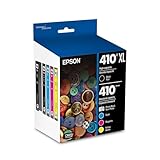
- Archival photos last more than 200 years in an album
- Sharp text
- Use with Epson Premium XP-530, XP-630, XP-830
Choose the F570 for a wider desktop workflow
Pick the standard F570 when you need 24-inch roll and sheet support but are not ready for a production-floor printer. It is the best general middle ground for a growing small business with a broader product catalog.
PC Slower Than It Used to Be?
A free scan shows the junk files, broken settings and background clutter dragging Windows down - then fixes them in one click.Free scan · Windows 10 & 11Outdated Drivers Are Slowing You Down
One free scan finds every outdated or missing driver and matches the right update for your exact hardware.Free scan · exact hardware matchChoose the F570 Pro for software-led production control
Pick the F570 Pro when Edge Print Pro, Adobe PostScript 3, Adobe PDF print engines, repeat layouts, nesting, and structured production control justify the extra complexity. Do not buy it solely because “Pro” sounds like a print-quality upgrade.
Choose the F6470 for 44-inch commercial output
Pick the F6470 when your business has enough regular work to benefit from 44-inch media, roll handling, a take-up system, and longer production runs. It is the natural step beyond desktop equipment for many established shops.
Choose the F9570H for 64-inch, expanded-color production
Pick the F9570H only when high volume, large media, and selectable expanded-color options—especially fluorescent pink/yellow—are business requirements rather than occasional preferences.
What else do you need for Epson sublimation?
A sublimation printer is only one part of the system. Epson’s beginner guidance identifies design software, transfer paper, a heat press, and blanks as expected parts of the workflow. The basic sequence is:
- Create or prepare the artwork in design software.
- Print it onto compatible sublimation transfer paper.
- Use heat and pressure to transfer the design onto a compatible polyester fabric or polymer-coated object.
- Finish and inspect the product according to the blank and transfer-paper manufacturer’s instructions.
Epson does not provide heat presses and directs buyers to authorized resellers for recommended equipment. Match the sublimation heat press to the size of the transfers and the products you actually plan to make. A press suitable for small mugs or small panels may not be appropriate for larger apparel or décor work.
You will also need compatible polyester sublimation blanks for fabric products and appropriate hard goods such as polymer-coated sublimation mugs. These are not interchangeable with arbitrary mugs, shirts, or craft blanks simply because they look similar.
Transfer paper
Epson sells DS Transfer Multi Purpose Paper in multiple roll widths. Epson describes it as a water-based sublimation transfer paper with high ink transferability and a broad color gamut. Choose a width and format appropriate to your printer and confirm the paper profile or recommended settings for the specific model.
For owners of the F170, F570, or F570 Pro, Epson DS sublimation transfer paper is a compatibility-sensitive recurring supply rather than an optional decorative accessory. Verify the exact paper format before ordering, particularly when moving between sheet-fed and roll-based work.
Ink
The F170/F570 family uses Epson T49M-series 140 mL dye-sublimation ink bottles according to Epson’s support and ink information. Before purchasing replacement bottles, confirm the model, ink part number, and regional compatibility. Do not assume that a generic dye-sublimation bottle or ink made for another Epson series is interchangeable.
Budget for Epson T49M sublimation ink as an ongoing operating cost, not just as part of the initial setup. Exact cost per print cannot be stated responsibly without defining the artwork, ink coverage, media, print mode, and actual ink and paper prices.
Independent reader supportYour contribution helps us test, update, and keep practical guides available for everyone.Important limitations before you buy
Sublimation does not work on every shirt or mug
Dye sublimation is designed primarily for white or light-colored polyester fabric and polymer-coated hard goods. It is not the right process for ordinary cotton garments, and a typical dye-sublimation setup is not a general solution for dark garments. The printer cannot add a white underbase to make any color of shirt behave like a white polyester substrate.
Drinkware and other hard goods must have a coating designed for sublimation. An ordinary ceramic mug, metal panel, phone case, or tumbler may not accept the transfer correctly even if it appears physically suitable.
Best Value

- Epson printing system is designed to be used exclusively with Epson Genuine Cartridges. Use of non-genuine ink could cause damage not covered under the printer’s ltd. wnty.
- Sharp text and brilliant colors for print-shop-quality results
- Fast-drying pigment ink designed for high-speed print jobs
- Compatible Printers: WF-3820, WF-3823, WF-4820, WF-4830, WF-4833, WF-4834
The heat press is part of the process
Buying the printer without planning for the press creates an incomplete workstation. The transfer must be applied with suitable heat and pressure, and the press must accommodate the size and shape of the product. The printer alone does not produce the finished shirt, mug, sign, or décor item.
Width is not the same as business capacity
A wider printer gives you more layout options, but it also increases equipment cost, media consumption, floor-space requirements, and the consequences of underuse. If your orders consist mostly of small gifts, a 44- or 64-inch machine may leave expensive capacity idle.
Do not treat Epson’s speed claims as guaranteed output
Published square-foot-per-hour figures are useful for understanding the intended class of a printer, but they are not independent benchmarks. Resolution, ink coverage, file size, computer hardware, networking, and job setup all influence actual throughput.
Check availability and configuration
Professional Epson printers may be sold through authorized imaging resellers rather than ordinary retail checkout. Confirm current stock, warranty, installation or service arrangements, regional specifications, and the exact ink configuration. This is especially important for the F570 Pro, which was shown as out of stock on Epson’s U.S. product page when researched, and for H-series systems whose selected ink configuration cannot be changed later.
Do these 3 things before closing this tab:
1Scan for outdated or missing drivers - takes under a minute2Clear out junk files and repair common Windows errors3Fix the driver behind crashes, sound loss and screen glitchesA note about the Epson F107
The Epson SureColor F1070 should not be added to this list simply because its model number resembles the F170. Epson identifies the F1070 as a direct-to-garment/direct-to-film hybrid using UltraChrome DG2 ink. It is not a dye-sublimation printer, so it belongs in a different buying guide.
Frequently asked questions
Is the Epson F170 good for an Etsy or small personalization business?
Yes, if the business mainly makes small transfers and personalized goods such as mugs, mousepads, ornaments, small apparel graphics, and similar products. It is less suitable for large garment panels or sustained high-volume production. Plan for a heat press, transfer paper, compatible blanks, and design software in addition to the printer.
Does an Epson sublimation printer print directly onto a shirt?
No. The normal workflow prints the design onto sublimation transfer paper, then uses heat and pressure to apply it to a suitable polyester garment or polymer-coated product. Ordinary cotton, dark garments, and unsuitable drinkware are outside the normal substrate range.
What is the main difference between the F570 and F570 Pro?
The F570 Pro’s primary advantage is workflow control: it adds Epson Edge Print Pro with Adobe PostScript 3 and Adobe PDF print engines. The standard F570 is the simpler value choice when you need 24-inch roll-and-sheet printing but do not need those professional software features.
Recommended Free Tools
Do I need a heat press if I buy one of these printers?
Yes. A heat press is required to turn the printed transfer into the finished product. You also need compatible transfer paper and polyester or polymer-coated blanks. Epson does not supply the heat press as part of these printer systems.
Which Epson sublimation printer supports fluorescent color?
The F9570H is the high-volume model in this list with a selectable six-color configuration that can include fluorescent pink/yellow. Epson also describes H-series configurations for the F6470 family, including fluorescent and other expanded-color options. Select the ink configuration before purchase because Epson states that it cannot be changed by the user afterward.
Frequently Asked Questions
Is the Epson F170 good for an Etsy or small personalization business?
Yes, if the business mainly makes small transfers and personalized products such as mugs, mousepads, ornaments, and small apparel graphics. It is not intended for large garment panels or continuous production.
Does an Epson sublimation printer print directly onto a shirt?
No. These printers produce a transfer on sublimation paper, which is then applied with heat and pressure to suitable polyester fabric or polymer-coated goods.
What is the difference between the Epson F570 and F570 Pro?
The F570 Pro adds Epson Edge Print Pro with Adobe PostScript 3 and Adobe PDF print engines. The standard F570 is the simpler choice when those workflow features are unnecessary.
Do I need a heat press with an Epson sublimation printer?
Yes. A suitable heat press is required, along with compatible transfer paper and polyester or polymer-coated blanks. The printer alone does not produce the finished item.
Which Epson sublimation printer supports fluorescent color?
The F9570H supports a selectable six-color configuration that can include fluorescent pink/yellow. Epson also describes expanded-color H configurations for the F6470 family. The configuration must be selected carefully because the ink type cannot be changed afterward by the user.
The Bottom Line
Bottom line: Buy the F170 for small, low-volume personalization; the F570 for a wider desktop workflow; the F570 Pro when professional print software matters; the F6470 for established 44-inch production; and the F9570H only when 64-inch volume and expanded or fluorescent color justify the investment. In every case, budget for compatible transfer paper, genuine Epson ink, a suitable heat press, and polyester or polymer-coated blanks.
Quick Recap





