Outdated Drivers Are Slowing You Down
The Tool Desk
Outbyte Driver Updater FREEFix the driver behind crashes, sound loss and screen glitchesFind Drivers →Outbyte PC Repair FREEClear out junk files and repair common Windows errorsFree Scan →Outbyte Driver Updater · freeOne free scan finds every outdated or missing driver and matches the right update for your exact hardware.
Scan My Drivers Free →ThatPainter is reader-supported. When you buy through links on our site, we may earn an affiliate commission. Learn More
Verdict: The Procolored V11 Pro is a serious, near-A3 UV flatbed printer for personalization shops, prototype work, signage, and short-run production—not a casual craft-room printer. Its strongest features are direct printing on a broad range of rigid materials, white ink, varnish, a 287 × 420 mm print area, and accessible dual Epson TX800 printheads. Its biggest drawbacks are the Windows-only workflow, hands-on maintenance, uncertain real-world throughput, and a significant software-supply-chain security incident reported in May 2025.
The V11 Pro can produce attractive, vibrant work, and the independent hands-on review found varnish especially useful for adding a glossy, premium-looking finish. But the machine rewards frequent use and disciplined operation. If you expect to leave it unused for weeks, want macOS support, or need a simple consumer workflow, this is the wrong kind of printer. If you are building a working personalization operation and can dedicate a secure Windows PC to it, the V11 Pro is a more credible proposition.
Procolored V11 Pro at a glance
| Category | What Procolored lists or the review found |
|---|---|
| Printer type | UV flatbed/direct-to-object printer, with direct-to-film capability when paired with an additional laminator |
| Printheads | Two Epson TX800 heads |
| Print area | 287 × 420 mm, or 11.3 × 16.5 inches |
| Maximum object height | 0–140 mm |
| Ink channels | Manufacturer-listed CMYKWW + VVVVVV configuration, covering color, white, and varnish |
| Advertised resolution | 720 × 1440 dpi in 16-pass mode |
| Advertised Letter/A4 speed | Approximately 8–9 minutes on one product-page view; a separate Procolored support page lists 18 minutes |
| Operating system | Windows only |
| Required computer resources | Pro RIP, at least 8 GB RAM, and at least 50 GB free space on the C: drive |
| Machine size and weight | Approximately 69 × 70 × 55 cm and 70 kg net |
How to read the specifications: The specifications above are manufacturer-published figures unless explicitly identified as hands-on findings. Speed, color behavior, adhesion, and production yield depend on artwork coverage, pass mode, white and varnish layers, substrate preparation, and software settings.
Do these 3 things before closing this tab:
1Fix the driver behind crashes, sound loss and screen glitches2Repair Windows errors before they cause bigger problems3Scan for outdated or missing drivers - takes under a minuteWhat the V11 Pro actually is
The V11 Pro is a benchtop-format UV flatbed, but the word benchtop should not be confused with portable. At approximately 70 kg, it is a substantial piece of shop equipment. Its roughly 69 × 70 × 55 cm footprint also deserves planning before purchase: the stand or workbench must be stable, level, deep enough for the machine and its cables, and positioned where the operator can reach the print area and perform maintenance.
#1 Best Overall

- Supporting Both UV Printing Methods - direct on object & direct on film (extra laminator needed for further sticker making). Dual printheads empower unparalleled varnish print and highly improve working speed, delivering instant UV printings with a wider application.
- Adsorption Filtration System – this system absorbs ink dust and smell, thus protecting internal components of printer and creating a fresh and clean working environment.
- Printhead Auto-Cleaning - When printer is left on, it will automatically clean the printhead every 10 hours, consuming about 1ml ink per day.
- Automatic White Ink Circulation – minimizing print head clogging possibility and greatly extending print head lifetime
- Adjustable UV lamp power – UV lamp power can be adjusted to meet different printing speeds and printing materials.
Its main job is direct-to-object printing. You place a flat or suitably fixtured object on the bed, prepare the artwork in the supplied software, and print directly onto the surface. The manufacturer names materials and products including wood, acrylic, tile, metal, PVC, ABS, stone, crystal, leather, silicone, phone cases, U disks, CDs, aluminum sheet, purses, wallpaper, KT board, and foam board.
That is a broad substrate list, not a guarantee that every named material will work perfectly with every finish. Adhesion depends on the chemistry and texture of the surface, the ink formulation, curing, coatings, and the object’s geometry. Procolored includes or lists coatings for metal, acrylic, and glass, and it offers different ink formulations. Treat every new material as a test job rather than assuming that a successful print on one brand of acrylic or coated metal transfers to another.
White ink and varnish are the reason to consider it
Ordinary CMYK printing is limited when the object is dark, transparent, or visually demanding. The V11 Pro’s manufacturer-listed CMYKWW + VVVVVV configuration adds white and varnish channels to the workflow. White can form part of the design on dark or transparent surfaces, while varnish can add gloss and a more dimensional, finished appearance.
The independent review found the printed colors vibrant and consistent across several tested materials, with good coverage. The reviewer also reported that varnish added gloss, protection, and a more premium appearance. Those are useful practical observations, but they are not laboratory measurements. The available review did not establish a color gamut, colorimetric accuracy, outdoor life, formal abrasion rating, or long-term adhesion result.
Varnish is therefore best viewed as a production tool rather than a magic durability layer. It can improve the look and surface feel of an item, but the correct amount and placement still depend on the object, finish, and intended use. Test the complete stack—substrate, coating, ink, white layer, color layer, and varnish—before selling a new product line.
Materials: broad compatibility, real testing required
Procolored describes its default soft ink as suitable for rigid materials as well as softer materials such as leather and silicone. Its hard ink is described as offering somewhat better adhesion, but with a greater risk of cracking on soft surfaces. That trade-off matters for makers who want to print on both hard promotional products and flexible goods.
A sensible material qualification process is:
- Start with a representative blank. Test the exact supplier, coating, color, texture, and finish that you intend to sell.
- Use the appropriate ink and coating guidance. Do not assume that a coating intended for acrylic or glass is suitable for every plastic or painted surface.
- Print the actual design. Fine text, large solid areas, white underlayers, and varnish can behave differently from a small sample logo.
- Allow the result to settle, then inspect it. Look for poor adhesion, cracking on flex, pinholes, banding, or uneven varnish.
- Repeat when the material changes. A different supplier, powder coat, anodized finish, or silicone formulation can change the result.
The V11 Pro is most naturally suited to flat items. Curved objects can be printed, but they need accurate positioning and, in many cases, an appropriate jig. Procolored lists optional jigs for cylindrical materials, mugs, golf balls, phone cases, and pens. Those accessories are part of the practical cost of expanding beyond flat work.
Hands-on print quality: promising, but not a production benchmark
The independent review’s output assessment was favorable. Across several materials, the reviewer described the colors as vibrant and consistent, with good coverage. Varnish produced the most visibly valuable finishing effect, giving objects a glossier and more premium-looking surface.
The reviewer also achieved cylindrical printing after finding the correct mode and correcting the object’s positioning. That is encouraging for shops that want to personalize mugs, pens, or other curved products, but it also illustrates the machine’s learning curve: successful results may depend on understanding the relevant mode, jig, placement, and artwork alignment rather than simply placing an object on the bed.
There was no controlled comparison against competing printers, no measured color accuracy, no formal adhesion testing, and no long-term outdoor durability test. The review also did not measure a sustained production queue or calculate a dependable cost per item. The fair conclusion is that the V11 Pro can produce attractive work, not that it has a proven production yield or universal material performance.
Software workflow: more control, less simplicity
The reviewed workflow used two applications:
- Pro RIP: The operator set the canvas, placed the artwork, and configured white and varnish coverage.
- PrintExp: The operator used the printer-control application to send and manage the actual print job.
The reviewer preferred the simplicity of a single application on a consumer-oriented competitor. However, the Procolored workflow offered more control over color profiles and print behavior. That is a familiar trade-off in production equipment: more accessible settings can help an experienced operator tune a job, but they also create more opportunities for incorrect placement, layer configuration, or print-mode selection.
The V11 Pro is Windows-only. A Mac-only studio cannot treat this as a plug-in peripheral without adding a Windows workstation. Procolored specifies Pro RIP, at least 8 GB of RAM, and at least 50 GB of free space on the C: drive. The included software, USB dongle, and other accessories should be inventoried and scanned before they are connected to a production computer.
According to the hands-on review, the software does not require an ongoing subscription and the printer can continue operating without an internet connection after installation. That is a useful ownership advantage, especially for a dedicated shop computer. It does not remove the need for installation backups, controlled Windows updates, secure downloads, and a recovery plan.
Direct-to-film stickers are an add-on workflow
The V11 Pro’s primary identity is direct-to-object printing. Procolored also presents it as capable of printing film for UV-DTF sticker production, but completing that process requires an additional laminator for the A-film/B-film workflow.
That distinction is important when comparing the machine’s price and capabilities. A printer that can print the film is not, by itself, a complete UV-DTF sticker-production setup. Budget for the laminator, film, compatible consumables, workspace, and the time required to learn the transfer process.
Rank #2

- Procolored Pro RIP - The printer is compatible with Pro RIP software which integrates image resizing, RIP functions and printing operations all together. Software support for Windows XP or later.
- Printhead Auto-Cleaning - When printer is left on, it will automatically clean the printhead every 10 hours, consuming about 1ml ink per day.
- Optional Stand – Can be used with a base stand. The stand itself helps you move the machine more easily and the electric rewinder it provides helps you collect plastic film more handily.
- Equipped With A Cutter - With a cutter, you can quickly cut the printed pattern after printing.
- Compact Design, Superior Printing Experience – The machine is designed in compact size with openable left and right side doors, allowing you to check and do maintenance more conveniently.
The independent reviewer did not test the direct-to-film workflow because the optional laminator was not supplied. Claims about the V11 Pro’s UV-DTF sticker results should therefore be treated as manufacturer-stated capability rather than independently verified performance in this review.
Maintenance is not optional
The most important ownership lesson from the hands-on review is that UV printing requires regular attention. After the printer sat overnight, the reviewer encountered clogging and visible lines. Cleaning and several test prints restored nozzle performance, but the incident shows why this is a poor choice for an owner who wants to use the machine only occasionally.
Procolored advertises automatic printhead cleaning every 10 hours, using approximately 1 ml of ink per day when the printer remains on. It also advertises automatic white-ink circulation intended to reduce clogging. Those features reduce some of the operator burden; they do not make the machine maintenance-free.
A practical operating routine
- At every working day: Run a print check before committing a valuable blank. Look for missing lines, banding, or uneven channels.
- If a nozzle check is poor: Use the printer’s cleaning procedure, then repeat the test print. The review indicates that several test prints may be needed after a clog.
- When the printer will sit idle: Follow Procolored’s storage and nozzle-protection instructions rather than simply switching it off and forgetting it.
- For white ink: Allow the circulation system to do its job, but continue checking output. White ink is especially important to monitor because a failed underlayer can make an otherwise good color print look weak.
- For consumables: Procolored lists compatible 500 ml UV ink in soft and hard formulations. It gives the ink a 12-month shelf life when stored dry and away from direct sunlight.
Do not interpret the advertised approximately 1 ml per day as total operating cost. That figure concerns the advertised automatic cleaning behavior while the printer remains on, not the ink used for artwork, white layers, varnish, purge cycles, failed jobs, or test prints.
Free tools Windows power users keep installed
One-click scans. No signup required.
Printheads and warranty-sensitive consumables
The V11 Pro uses Epson TX800 printheads. The reviewer considered the heads accessible and readily replaceable, which is a practical advantage over a machine that requires difficult service access. Replacement accessibility does not mean that any generic TX800 listing is automatically compatible, however. Revision, wiring, firmware, installation procedure, and seller quality matter.
Procolored’s detailed warranty policy lists TX800 printheads as eligible for six months of coverage after registration, limited to one replacement. Other printer accessories are listed with 12-month coverage. The policy also excludes dual-head mainboards from standard warranty coverage and makes ink-contact warranty coverage dependent on exclusive use of Procolored ink. Blockage caused by third-party ink is excluded.
That makes ink selection a warranty decision as well as a print-quality decision. Using third-party ink may appear attractive on price, but it can change adhesion and clogging behavior while weakening the manufacturer’s position on an ink-contact claim. A shop should obtain the current written ink and warranty terms before changing formulations.
The May 2025 software-security incident
This printer deserves a prominent security warning because its Windows software is necessary for operation.
PC Slower Than It Used to Be?
A free scan shows the junk files, broken settings and background clutter dragging Windows down - then fixes them in one click.Free scan · Windows 10 & 11Outdated Drivers Are Slowing You Down
One free scan finds every outdated or missing driver and matches the right update for your exact hardware.Free scan · exact hardware matchIn May 2025, G DATA reported that official Procolored downloads for six product families, including the V11 Pro, contained 39 files with detections associated with the XRedRAT backdoor and a cryptocurrency-stealing .NET malware family. G DATA’s analysis described XRed capabilities including keylogging, screenshots, file downloads, shell access, and file management. It also reported that the companion malware could replace cryptocurrency addresses in the clipboard.
G DATA said the affected files had been distributed through Procolored’s official download flow. Procolored initially characterized antivirus detections as false positives, then took downloads offline and investigated. Procolored told G DATA that software had been transferred using USB drives and that malware may have entered during that process.
G DATA later reported that replacement software packages supplied by Procolored were clean. It also reported that the XRed command-and-control server was offline and that the samples were outdated. That later finding is reassuring, but it is not proof that every future download, old installer, or included USB drive is safe. It is also not accurate to say that the printer itself is malware; the documented issue concerned software packages and the distribution chain.
How to buy and install more safely
- Use a dedicated Windows PC. Keep the printer workstation separate from computers used for banking, cryptocurrency, password management, customer records, or other sensitive work.
- Download a newly verified installer. Use the official support path, not an old USB drive or an unofficial mirror. Ask Procolored for the current package version and cryptographic hash if the support page does not publish one.
- Scan before installation. Use multiple reputable security tools and retain the installer’s version, date, and hash for your records. Do not override a detection merely because the file came from an official page.
- Keep the machine’s network exposure limited. The review reports that ongoing internet access is not required after installation. Use connectivity only when necessary for a verified download or supervised support session.
- Be cautious with remote support. Procolored says remote assistance may use TeamViewer. Use a dedicated computer, supervise the session, close it when finished, uninstall the remote-access tool if it was temporary, and avoid exposing sensitive files or credentials.
- If infection is suspected: Disconnect the computer from networks, stop using it for sensitive activity, and seek professional incident-response help. For a system known to be infected, G DATA recommended reformatting and reinstalling the operating system rather than trusting a superficial cleanup.
This is a risk-management recommendation based on the documented 2025 incident, not a claim that the current installer remains infected. Because the exact current package version and hash were not established in the available research, buyers should verify those details directly before installation.
Quick wins for a faster PC:
Fix the driver behind crashes, sound loss and screen glitchesFind Drivers →Repair Windows errors before they cause bigger problemsFix Now →Scan for outdated or missing drivers - takes under a minuteDriver Scan →Speed: do not build a business plan around one number
Procolored’s supplied product-page view advertises approximately 8–9 minutes for a Letter/A4 print. A separate Procolored support page lists 18 minutes for Letter/A4. Both figures are manufacturer-provided, and the discrepancy is too important to hide in a specification table.
The likely practical explanation is that print time changes with pass mode, coverage, white-ink layers, varnish, resolution, and software settings. A sparse CMYK-only image and a dense print using white and varnish are not equivalent jobs. The 720 × 1440 dpi figure is specifically associated with a 16-pass mode, so it should not be treated as interchangeable with every advertised speed figure.
Before quoting customers or calculating daily capacity, run a timed sample using the actual artwork, substrate, white and varnish settings, loading procedure, cleaning overhead, and operator handling. The supplied review did not establish a controlled throughput benchmark, so this article does not present a guaranteed production rate.
Rank #3
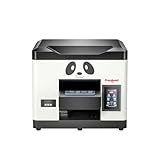
- Direct Print on Object - Delivering printings directly on object surface - easy operation, seamless workflow and durable presentation. Detailed tutorials - Tutorial videos and manuals provided, covering from machine setup to DTF printing practise.
- Steady ink supply - Configured with 6 color inks CMYK+WW; stable ink circulation system; providing outputs with steadily high quality. Compact size - Printable width 210mm, machine size 20*19*17inch; suitable for small printing studios, easy-operated to UV new beginners.
- Printhead Auto-Cleaning - When printer is left on, it will automatically clean the printhead every 10 hours, consuming about 1ml ink per day. Adjustable printing height - Infrared printing height sensor provides automatic adjustment and effectively protects the print head.
- Powerful cooling system – Advanced air-cooling design, supporting long time printing. Built-in UV light - Providing quick drying for the printed ink, achieving higher efficiency.
- Professional operation software - RIP/PRO RIP software, providing high-speed processing, standard ICC profiles and personalized workflows. (available on Windows system only).
Price, delivery, and ownership terms
Price is configuration- and storefront-dependent. The supplied Procolored page views displayed different figures: one product view showed $5,999 for the printer, while another listing showed $8,766 and a jigs option at $9,994. These should not be presented as one universal current price. Regional storefront, included jigs, promotions, shipping, taxes, and the date checked can all change the quote.
Recommended Free Tools
If your shop is evaluating the Procolored V11 Pro, request a written total for the exact printer configuration, included ink and tools, chosen jigs, laminator requirements, freight, taxes, delivery terms, training, and warranty registration. The product page advertises delivery in 3–7 business days, but that is a manufacturer claim and should be confirmed for the buyer’s region and configuration.
Procolored’s support FAQ lists 12-month printer coverage. Its detailed warranty policy is more specific: dual-head mainboards are not covered by the standard warranty; TX800 printheads receive six months after registration with one replacement; other accessories receive 12 months; and ink-contact coverage depends on exclusive use of Procolored ink. Read the detailed policy rather than relying only on the headline warranty duration.
Procolored says online support is available 22 hours per day, six days per week, and that remote support may be provided through TeamViewer. Those are the manufacturer’s service claims, not an independently audited service-level guarantee. For a production purchase, ask who handles support in your geography, what parts are stocked locally, how replacement heads are shipped, and what downtime assistance is included.
What comes in the box
Procolored lists an initial supply of UV ink, varnish, coatings for metal, acrylic, and glass, cleaning solution, nozzle-protection fluid, software, a USB dongle, spare ink sacs, a fuse, tubing, syringes, a ruler, a water tank, tape, and cleaning cloth. Those supplies help with initial setup and maintenance, but they do not turn the printer into a finished product-production line. Budget for blanks, test materials, protective equipment appropriate to the manufacturer’s instructions, replacement consumables, and any jigs or laminator required by your workflow.
Who should buy the V11 Pro?
Good fit
- Personalization shops producing repeated short runs
- Promotional-products and signage businesses
- Prototype and product-development operations
- Serious prosumers who will print frequently
- Operators who need white ink and varnish on rigid or semi-rigid products
- Businesses comfortable maintaining a dedicated Windows workstation
Poor fit
- Occasional users who may leave the printer unused for long periods
- Mac-only studios
- Buyers seeking a fully automated, consumer-style workflow
- Shops unwilling to perform daily print checks and cleaning
- Businesses that need proven outdoor durability or universal adhesion without testing
- Buyers unwilling to apply strict software-security precautions
The most decisive question is not whether the V11 Pro can print on a particular object. It is whether you can support the operating routine around that capability. The printer’s broad substrate range, white ink, varnish, and replaceable TX800 heads are valuable only if the machine is kept ready, the material is qualified, and the operator can manage the software.
Pre-purchase checklist
- Measure the installation area and plan for a stable support surface for a roughly 70 kg machine.
- Confirm that a Windows PC is available with at least 8 GB RAM and 50 GB of free C: drive space.
- Decide whether your products need flatbed printing only or also require cylindrical jigs.
- If selling UV-DTF stickers, include the additional laminator and film workflow in the budget.
- Obtain a quote that identifies the regional price, shipping, taxes, configuration, and included accessories.
- Ask for the current software package version and cryptographic hash before installation.
- Plan to use a dedicated, isolated workstation rather than a computer containing sensitive accounts.
- Confirm warranty registration requirements and the restrictions around third-party ink.
- Test the exact substrates, coatings, ink formulation, white coverage, varnish coverage, and intended handling conditions.
- Set aside time for daily print checks even when there is no customer order.
Pros and cons
| Strengths | Limitations and risks |
|---|---|
| Direct printing on many rigid and semi-rigid objects | Substrate compatibility still requires testing and may require coatings |
| White ink and varnish expand the range of visual effects | White and varnish layers affect print time and maintenance |
| Large 287 × 420 mm print area and 140 mm listed height | Large, heavy machine that needs a permanent workspace |
| Accessible, replaceable Epson TX800 printheads | Warranty coverage is narrower than the headline 12-month printer term |
| More color-profile and print-behavior control than a simplified consumer workflow | Two-application Windows workflow has a steeper learning curve |
| No ongoing software subscription reported by the reviewer | Software installation requires heightened security precautions after the 2025 incident |
| Varnish can produce a glossy, premium-looking result | Direct-to-film sticker production needs an additional laminator |
Final assessment
The Procolored V11 Pro makes sense as a working shop tool when its capabilities match a real product line. It offers the combination many personalization operators want: a near-A3 flatbed, white ink, varnish, relatively tall object clearance, broad manufacturer-listed substrate support, and serviceable TX800 printheads. The hands-on evidence supports good-looking, vibrant output and successful cylindrical printing after the workflow was learned.
It is not a set-and-forget appliance. Daily attention is part of the ownership cost, the advertised speed needs independent validation against your actual jobs, and direct-to-film printing requires more equipment than the printer alone. The 2025 malware incident adds an unusual but important condition: installation and support must be handled like an endpoint-security project, not like casually installing a printer driver.
For a frequent-use personalization or prototyping operation with a dedicated Windows PC, careful material testing, and a maintenance routine, the V11 Pro is a plausible investment. For an occasional maker, Mac user, or buyer seeking negligible upkeep, its hardware strengths do not outweigh the workflow and ownership demands.
Free tools Windows power users keep installed
One-click scans. No signup required.
Frequently Asked Questions
Is the Procolored V11 Pro suitable for home use?
It can be used by a serious prosumer, but it is not a casual home printer. The machine weighs about 70 kg, requires a Windows computer, needs regular print checks, and may clog after sitting unused. It is better suited to a dedicated workspace and frequent operation.
Does the V11 Pro print UV-DTF stickers by itself?
No. Procolored describes a direct-to-film capability, but completing the A-film/B-film UV-DTF process requires an additional laminator. The independent review did not test this workflow because a laminator was not supplied.
Can the Procolored V11 Pro run on a Mac?
The manufacturer specifies Windows-only operation. A Mac-only studio would need a separate Windows workstation that meets the listed requirements of Pro RIP, at least 8 GB RAM, and at least 50 GB of free C: drive space.
What’s actually slowing this PC down?
Pick the symptom - the matching free tool is one click away.
How often should the V11 Pro be used?
The independent review recommends running the machine daily, even without a production job, because inactivity allowed clogging and visible lines to develop. Procolored also advertises automatic cleaning and white-ink circulation, but those features do not eliminate daily checks.
Is the V11 Pro software safe to install?
G DATA reported malware in official Procolored downloads in May 2025 and later reported that replacement packages were clean. That does not establish that every future package is safe. Use a newly verified official installer, scan it with multiple reputable tools, ask for a current hash when available, avoid an unscanned USB drive, and use a dedicated isolated Windows PC.
The Bottom Line
Bottom line: Buy the Procolored V11 Pro for frequent, high-value direct-to-object work—not for occasional crafting. Its white ink, varnish, broad substrate ambitions, and accessible TX800 heads are compelling, but they come with daily maintenance, Windows software, configuration-dependent speed, extra equipment for UV-DTF stickers, and a security history that requires careful installation hygiene.
Quick Recap

Product prices and availability are accurate as of the date/time indicated and are subject to change. Any price and availability information displayed on Amazon at the time of purchase will apply.
The Tool Desk
Outbyte Driver Updater FREEScan for outdated or missing drivers - takes under a minuteDriver Scan →Outbyte PC Repair FREERepair Windows errors before they cause bigger problemsFix Now →



