Outdated Drivers Are Slowing You Down
PC Slower Than It Used to Be?
A free scan shows the junk files, broken settings and background clutter dragging Windows down - then fixes them in one click.Free scan · Windows 10 & 11Outdated Drivers Are Slowing You Down
One free scan finds every outdated or missing driver and matches the right update for your exact hardware.Free scan · exact hardware matchOutbyte Driver Updater · freeOne free scan finds every outdated or missing driver and matches the right update for your exact hardware.
Scan My Drivers Free →ThatPainter is reader-supported. When you buy through links on our site, we may earn an affiliate commission. Learn More
The best printer for magnetic sheets is one explicitly compatible with the exact media you plan to use. For most home and craft projects, that means an inkjet printer and inkjet-rated magnetic sheets. Do not put inkjet-only magnetic media through a laser printer.
Among currently documented consumer options, Canon PIXMA models are the safest starting point because Canon lists Magnetic Photo Paper in the specifications for several printers. The recommendations below prioritize documented compatibility, feed-path design, letter-size support, print quality, running cost, and the job you actually need to do.
Quick comparison
| Printer | Best for | Magnetic-media evidence | Feed and format | Main drawback |
|---|---|---|---|---|
| Canon PIXMA TS7720 | Most home users | Canon lists Magnetic Photo Paper | Rear tray; letter-size support | Cartridge costs can add up |
| Canon PIXMA TR7820 | Home offices and small businesses | Canon lists Magnetic Photo Paper | Rear tray; letter-size support | More office features than occasional users need |
| Canon PIXMA TR150 | Portable printing | Canon lists Magnetic Photo Paper | Letter-size wireless printer | Not designed for large batches |
| Canon PIXMA MegaTank G-series | Frequent printing | The G3262 brochure lists Magnetic Photo Paper | Letter-size ink-tank platform | Verify the current model and availability |
| Canon PIXMA TS702 | Print-focused home users | Canon lists Magnetic Photo Paper | Rear tray; letter-size support | It is a printer rather than an all-in-one |
These are a research-backed shortlist, not the results of hands-on comparative testing. The concentration of Canon models reflects the availability of explicit first-party magnetic-media documentation, not proof that other brands cannot work.
1. Canon PIXMA TS7720: best all-around choice
The TS7720 is the strongest general-purpose pick for someone who wants to print occasional magnets but also needs a normal home printer. Canon’s specifications list Magnetic Photo Paper, and the printer includes a rear tray suited to specialty media. It also prints, scans, and copies, supports wireless printing, offers automatic duplex printing, and is rated at approximately 15 ipm in black and 10 ipm in color for document printing.
#1 Best Overall
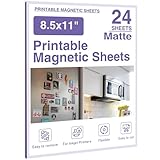
- Magnetic Sheets:Printable magnetic sheets are magnetic on one side and printable on the other, featuring strong suction so it won’t easily fall off from adsorption surfaces.
- Size:Magnet paper measures 8.5x11 inches (216x280 mm), offering a large usable area.
- Matte Surface:Made of matte‑finish material, these magnetic sheets deliver soft‑light effect for clear image presentation. Dye ink for glossy paper may lead to uneven ink penetration and ink‑floating issues on matte magnetic photo paper. We suggest letting prints dry fully before applying a protective film.
- Convenient Use:Magnetic paper sheets support printing various photos, can be cut to your desired size for crisp output, and work with most inkjet printers.
- Package Contents & Wide Applications: Available in multiple pack sizes to satisfy different creative‑project demands. Ideal for refrigerator decor, office use, printing photos & cartoon patterns, and making schedules for your DIY crafts.
It supports letter-size output and borderless letter printing. For magnetic sheets, use the rear tray and follow the magnetic-media manufacturer’s loading instructions.
Best for: crafts, school projects, refrigerator magnets, labels, and occasional home use.
Watch out: Canon’s listed paper-weight figures for Canon photo papers should not be treated as a guaranteed thickness limit for every third-party magnetic sheet. Confirm compatibility with both Canon and the sheet manufacturer.
Recommended Free Tools
View Canon’s product page · Check specifications
2. Canon PIXMA TR7820: best office-oriented all-in-one
The TR7820 makes more sense than the TS7720 when magnets are only one part of a broader home-office or small-business workload. Canon lists Magnetic Photo Paper compatibility, while the printer adds scanning, copying, automatic document feeding, wireless and mobile printing, automatic duplexing, and the same approximate 15-ipm black and 10-ipm color document ratings.
Its office features do not make magnetic prints inherently better; they make the printer more useful for invoices, forms, documents, and copying alongside craft work.
Best for: home offices, small businesses, teachers, and users who need an all-in-one.
Rank #2

- 【MAGNETIC SHEETS】Come with 8Pcs printable magnetic sheets, Each sheet size is 8.5x11inch (216x280mm),Thickness is 16mils. One side of printable magnetic sheets is flexible magnet and the other side is Printable materials. You can use it Print pictures, photos, or hand drawn for metal surface decoration
- 【PREMIUM QUALITY】Our Flexible magnetic sheets are made of high quality materials, the magnet side is strong enough to be placed on any iron surface such as a refrigerator, the white side can be printed, with even ink absorption, bright colors, clear display, fast drying, waterproof nd long retention time
- 【 MATTE DESIGN】 Matte printable magnetic sheets are soft and beautiful, reflecting more details. You can choose it according to print landscapes, characters, or art works
- 【EASY TO USE】 Flexible printer magnet sheets non adhesive backing easy to cut and install, Compatible with most inkjet printers,Can print various pictures, photos, albums and Cut fine with scissors, Perfect for DIY projects
- 【WIDELY USED】These inkjet photo magnetic sheets are great for making refrigerator magnets, magnetic photo frame magnets, cuttable image magnets, wall decoration magnets, car magnet stickers, etc. It can also be used to create personalized business cards, schedules, to-do notes, etc. It is more suitable for making DIY creative projects such as birthday gifts and creative projects
Watch out: A cartridge-based printer may be a poor choice for hundreds of full-coverage magnetic sheets. Compare ink cost and failed-sheet waste before buying.
Check Canon’s specifications · Read the brochure
3. Canon PIXMA TR150: best portable option
The TR150 is the specialist choice for people who need to print away from a fixed workspace. Canon’s specifications list Magnetic Photo Paper, along with letter-size output, wireless and mobile printing, and custom templates.
That makes it useful for craft fairs, mobile vendors, event planners, and small workspaces. Its advantage is portability, not throughput. A portable printer is a poor fit for a production run of several hundred sheets.
Best for: on-location printing and occasional mobile work.
Watch out: Check the exact package before buying if you need battery operation; battery arrangements and included accessories can vary. Confirm the power setup and expected capacity.
Check Canon’s TR150 specifications
4. Canon PIXMA MegaTank G-series: best for frequent batches
A refillable MegaTank model is the most sensible category for frequent magnetic-sheet printing because bottle-based ink can reduce ongoing ink expense compared with small cartridges. Canon’s G3262 brochure lists Magnetic Photo Paper, and Canon documentation also identifies the G1230, G2270, and G4270 as supporting that media type.
Rank #3
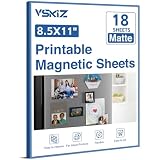
- 【Matte surface】 Magnet photos is a matte material that produces a magnet sheet with a soft light that shows the image clearly.
- 【Size】 Magnet paper measures 8.5x11 inches (216x280 mm) and has a large usable area.
- 【Convenient Use】 Magnet Paper Sheet can be used to print a variety of photos and can be cut to fit your needs, with a clear display, and is compatible with most inkjet printers.
- 【Magnetic Sheets】Printable magnetic sheets are magnetic on one side and printable on the other, with a strong suction that won't easily come off the adsorption surface
- 【Widely Applications】 our magnetic photo paper can be used in the refrigerator, office and other areas, can be used to print photos, cartoon images, make schedules, etc., very suitable for DIY crafts
Choose the current G-series model with a live product page and clear media instructions when you buy. Model availability changes, so do not assume that every older G-series printer is still a current retail option.
What’s actually slowing this PC down?
Pick the symptom - the matching free tool is one click away.
Best for: small craft businesses, classrooms, organizations, and repeated batches.
Watch out: A tank printer lowers ink cost; it does not make the printer faster or make the finished magnets weatherproof. People who print only a few sheets a year may prefer a simpler cartridge printer.
5. Canon PIXMA TS702: best print-focused alternative
The TS702 is worth considering if you want documented magnetic-photo-paper support but do not need scanning or copying. Canon lists Magnetic Photo Paper in its specifications, and the rear tray makes it a logical candidate for specialty sheets.
It is a more focused choice than the TS7720 or TR7820: you are paying for printing rather than an all-in-one feature set. Check current stock, regional availability, and the exact driver options before purchase.
Crashes, No Sound, or Screen Glitches?
Random freezes, missing sound and display glitches usually trace back to one bad driver. Find and replace yours safely.Free scan · under a minutePC Slower Than It Used to Be?
A free scan shows the junk files, broken settings and background clutter dragging Windows down - then fixes them in one click.Free scan · Windows 10 & 11Best for: home users who already have a scanner or simply need a printer.
Watch out: Canon’s compatibility listing does not automatically approve every third-party magnetic sheet. Match the sheet’s size, coating, and printer technology to the manufacturer instructions.
Rank #4

- MAGNETIC SHEETS: Work well for inkjet printer and DYE ink. White side is printable glossy finish, black side is magnetic backing (non adhesive), attach to iron metal surface easily
- GLOSSY DESIGN: Glossy finish printable sheets will makes your pictrure looks very vivid and vibrant. Bring professional look projects for you
- CUTTABLE FOR DIY CRAFTS: The printable sheets are flexible and easy to cut to any size sharp. Ideal for DIY crafts, such as photo refrigerator sticker, personalized cards, schedule, lists etc
- WARM NOTE: The surface is glossy, but not wateroproof, indoor use pls
- PACKING: You will get 8 sheets. Towjug Printable Magnetic Sheets size is 8.5x11 inches, thickness is 12 mil
Check Canon’s TS702 specifications
Why inkjet is usually the right starting point
Printable magnetic sheets are not all the same. They generally combine a flexible magnetic backing with a printable coating and may also include a paper laminate or adhesive layer. Their stiffness and thickness differ substantially from ordinary copy paper.
Avery’s 3270 Printable Magnet Sheets, for example, are 8.5-by-11-inch sheets identified for inkjet printers. Magnum Magnetics’ DigiMag materials are direct-printable media for desktop and wide-format applications, but the exact sheet and printer still need to be matched.
Do these 3 things before closing this tab:
1Fix the driver behind crashes, sound loss and screen glitches2Repair Windows errors before they cause bigger problems3Scan for outdated or missing drivers - takes under a minuteInkjet advantages
- Usually the best fit for color illustrations, photographs, and craft projects.
- Commonly available in affordable home-printer models.
- Well suited to occasional printing and borderless or photo-oriented output.
Inkjet limitations
- Ink can smear before the coating is fully dry.
- Dye-based ink may fade faster without protective finishing.
- Heavy or glossy media can feed poorly.
- Cartridge costs can become significant in large batches.
When laser makes sense
Laser output is dry immediately and can be excellent for crisp text and high-volume office graphics, but it is not a safe default for magnetic sheets. The fuser’s heat can warp, curl, delaminate, or damage unsuitable media. Brother specifically warns against using media designed for inkjet printers in certain laser or LED printers, noting that damage may not be covered by warranty.
Read Brother’s paper guidance. Use laser magnetic sheets only when the sheet manufacturer explicitly rates them for laser use and the printer’s documentation permits them.
What to check before buying
- Identify the exact sheet. Confirm the brand, product number, size, coating, and printer technology.
- Match inkjet or laser. “Printable” alone is not enough. Look for inkjet-only, laser-compatible, or both.
- Check the feed path. Rear trays, manual bypasses, or straighter paths are generally preferable for stiff specialty media.
- Confirm size and thickness. Letter-size support matters for common 8.5-by-11-inch sheets, but it does not prove that the printer accepts the sheet’s thickness.
- Consider volume. Cartridge printers suit occasional work; refillable tanks make more sense for repeated batches.
- Separate print quality from durability. A sharp print is not automatically waterproof, UV-resistant, or suitable for outdoor use.
- Check availability. A support page can remain online after a printer is discontinued.
How to print your first magnetic sheet
- Design at the sheet’s actual dimensions and leave a safe margin.
- Print the design on ordinary paper first. Compare it with the magnetic sheet or place it behind the sheet to check orientation and alignment.
- Load one magnetic sheet at a time unless the media manufacturer says otherwise.
- Use the rear tray or manual feed when available.
- Select the closest approved media setting, such as matte photo paper, heavy paper, specialty paper, or the exact magnetic-paper setting.
- Turn off automatic duplex printing.
- Set scaling to 100% unless the sheet instructions specify another value.
- Print at the recommended quality. For a first attempt, avoid unnecessary borderless expansion.
- Allow the sheet to dry fully before trimming, stacking, or laminating.
Avery also recommends a plain-paper test and alignment check before using specialty sheets.
Independent reader supportYour contribution helps us test, update, and keep practical guides available for everyone.Common problems and fixes
Jams or failed feeding
Curled sheets, excessive thickness, multiple loaded sheets, and unsuitable rollers are common causes. Stop the job, follow the printer’s jam-removal instructions, and do not pull aggressively against the feed direction. Inspect for coating or magnetic material left inside. Test with plain paper before trying another sheet.
The Tool Desk
Outbyte Driver Updater FREEFix the driver behind crashes, sound loss and screen glitchesFind Drivers →Outbyte PC Repair FREERepair Windows errors before they cause bigger problemsFix Now →Smearing
Use the media setting recommended for the coating, allow more drying time, and reduce ink density only if the printer or media instructions permit it. Heavy coverage and glossy coatings often need longer drying. Do not laminate until the print is completely dry.
Best Value

- Magnetic Printer Paper: This pack includes 8 pcs standard 8.5 x 11 inch glossy printable magnetic sheets, no extra trimming before printing with ideal size. Black side is a durable flexible magnet for firm attachment, white side is a smooth printable layer for crisp pattern presentation. Print photos, artworks or hand-drawn designs, and apply them to most metal surface for quick personalized decoration
- Non-Slip & Fast Dry: Premium flexible inkjet printable magnetic sheets firmly attach to most iron surfaces like refrigerators, whiteboards and lockers without slipping. The specially treated white side absorbs ink evenly, dries in seconds, delivers vivid sharp colors and keeps patterns vivid long-term and resists fading
- Hassle-Free Quick Operation: No extra glue or complex steps required, with HTVRONT printable magnetic sheets, you only need to print your design and cut it to nearly any custom shape. Printable magnetic paper can be cut with regular scissors or cutting machine, magnet paper printable is fully compatible with most inkjet printers and works great with dye ink
- Glossy Surface: High-gloss printable magnetic side enhances color performance, making landscapes, character portraits and artworks far more bright and eye-catching. The magnetic paper is designed for indoor use, it maintains a smooth shiny finish and keeps your printed works in great condition for a long time
- Wide Application & Daily Usage: This magnetic printer paper 8.5x11 is great for making custom fridge magnets, photo magnets and metal wall decorations. Printable magnet sheets also support you to create personalized business cards, magnetic schedules, to-do notes and unique handmade gift projects easily. WARM NOTE: The surface is glossy, but not wateroproof, only indoor use
Cropped or misaligned artwork
Confirm letter size, orientation, and scaling. Disable automatic enlargement, print a plain-paper test, and use the sheet manufacturer’s template. Borderless printing can clip edges or expand the image, so leave a margin unless the exact media has been tested successfully.
Curling or peeling
Check that the sheet is being fed in the correct direction and is not folded or partially peeled. Curling may indicate that the media is too thick or unsuitable for the path. Do not force it through another tray.
Finish and durability considerations
Matte magnetic sheets are easier to read under bright indoor lighting. Glossy sheets can make photographs look more vivid but may reflect light and show fingerprints. Match the driver’s media setting to the coating as closely as possible.
Printer compatibility does not guarantee outdoor durability. For magnets exposed to moisture, sunlight, or frequent handling, consider a clear laminate or UV-resistant overlaminate after the ink has dried. Test the finished piece under the conditions it will face. If consistent weather resistance or large commercial runs matter, a professional print service and purpose-built outdoor media may be a better choice.
Magnetic holding strength also varies. A sheet that holds a lightweight note may not support a thick laminated sign, multiple layers, wind, or a curved and dirty metal surface.
When another solution is better
- Magnetic label tape: A dedicated label printer is more appropriate for inventory labels and small text strips, not full-color letter-size magnets. Epson’s LabelWorks PX line supports printable magnetic labeling tape.
- Outdoor signage: Use protective finishing or a professional service rather than assuming ordinary inkjet output is weatherproof.
- High-volume production: Compare a current tank printer with a professional print service, including failed sheets, finishing, and labor.
- Intricate shapes: Print with adequate spacing and use a separate cutting machine or sharp rotary trimmer where appropriate.
Availability note
The Canon PIXMA TS7722 is a useful example of why compatibility and availability must be treated separately. Canon’s support page documents Magnetic Photo Paper compatibility, while Canon’s shop page currently marks the model discontinued and out of stock. Treat it as a remaining-stock or regional alternative, not an automatic current recommendation.
Quick Recap
TS7722 specifications · TS7722 availability page

Product prices and availability are accurate as of the date/time indicated and are subject to change. Any price and availability information displayed on Amazon at the time of purchase will apply.
Free tools Windows power users keep installed
One-click scans. No signup required.




