Do these 3 things before closing this tab:
Outdated Drivers Are Slowing You Down
One free scan finds every outdated or missing driver and matches the right update for your exact hardware.Free scan · exact hardware matchPC Slower Than It Used to Be?
A free scan shows the junk files, broken settings and background clutter dragging Windows down - then fixes them in one click.Free scan · Windows 10 & 111Scan for outdated or missing drivers - takes under a minute2Clear out junk files and repair common Windows errors3Fix the driver behind crashes, sound loss and screen glitches
ThatPainter is reader-supported. When you buy through links on our site, we may earn an affiliate commission. Learn More
Adobe Firefly Boards is an infinite, shared canvas for early creative work. Teams can gather references, generate and remix visual directions, compare alternatives, invite comments, and carry an approved concept into production apps. That workflow can move alignment earlier—before major production time is committed—but Adobe’s documented benefits are a product proposition, not an independently verified guarantee of faster or better campaigns.
What Firefly Boards is designed to solve
Campaign ideation often scatters across slide decks, image folders, chat threads and separate review meetings. A strategist may brief a designer, a designer may build references, and brand or client stakeholders may see the work only after a direction has already consumed substantial effort.
As an Amazon Associate I earn from qualifying purchases.
The Tool Desk
Outbyte Driver Updater FREEFix the driver behind crashes, sound loss and screen glitchesFind Drivers →Outbyte PC Repair FREEClear out junk files and repair common Windows errorsFree Scan →Firefly Boards puts those exploratory materials on one visual workspace. Adobe describes it for mood boards, storyboards and vision boards, with tools for uploading images and sketches, searching stock imagery, generating images or video, applying style or composition references, remixing images, and transferring qualities such as lighting, texture or color between images.
The intended change is organizational as much as technical: creative, brand, marketing, business and client participants can inspect the same evolving set of options and discuss the brief while choices are still reversible.
#1 Best Overall

- 【65-Inch 4K Interactive Whiteboard】This cutting-edge 65-inch interactive whiteboard features an advanced octa-core processor (4 A73 + 4 A53), 20-point multi-touch, and comes equipped with Android 13 and 128GB of storage. Its powerful processing capabilities ensure smooth performance for both complex tasks and everyday applications, making it ideal for modern offices and high-tech classrooms.
- 【Enhanced Collaboration with Presentation & Annotation Tools】With the COOLHOOD smart whiteboard, you can enjoy seamless interactive presentations and real-time annotation. It supports wireless screen sharing across multiple devices and platforms, compatible with Mac, Windows, iOS, and Android. Additionally, built-in tools like smart voting, screenshot capabilities, and a timer allow you to streamline team decision-making and collaboration efforts with ease.
- 【Wireless QR Code File Sharing & Stand Support】Simply scan a QR code to quickly distribute files and notes via the COOLHOOD whiteboard, reducing unnecessary steps and significantly improving efficiency in educational and business settings. To accommodate different user needs, the stand is available separately; please contact us if you require one, as each unit includes a wall mount and the stand is shipped separately due to its size.
- 【Premium Video Conferencing & Smooth Writing】COOLHOOD whiteboard seamlessly integrates with popular video conferencing platforms like Zoom, Google Meet, Microsoft Teams, and Webex, making remote collaboration more efficient. The ultra-responsive touch system offers 6ms response time and ±1mm precision, ensuring that whether you're sketching or annotating, there’s no lag-just smooth, accurate writing.
- 【Open App Ecosystem & Cloud Storage Support】COOLHOOD has created an open ecosystem with enterprise-grade security, allowing users to download various apps to suit different business needs. The whiteboard’s cloud storage feature lets users save and revisit work in real-time, ensuring creativity flows uninterrupted. Files can also be shared via email or other cloud services.
A practical campaign workflow
1. Assemble the brief and visual inputs
Start with the campaign brief, audience notes, existing brand assets, sketches, photography, competitor references and any mandatory formats. Upload or place these materials on the board so the group is reacting to a common context rather than to isolated files.
2. Explore several creative routes
Use image or video generation, style and composition references, and remixing to test different tones, visual systems, layouts and story beats. Treat outputs as options for discussion. They are not a substitute for art direction, rights review, brand judgment or production craft.
3. Compare directions side by side
Adobe’s enterprise description says teams can run the same prompt across different models and inspect the outputs together. Model choice therefore becomes an exploration axis: compare how each model handles the brief, then select, combine or reject directions. Model availability and behavior can change as the interface evolves, so a result should not be treated as a permanent model benchmark.
4. Invite the people who normally arrive later
Share the board with collaborators and use comments and real-time work sessions to bring in creative, brand, marketing, business and client perspectives. Early disagreement is useful when it prevents a weak route from reaching expensive production stages.
Rank #2

- THE ULTIMATE DIGITAL CALENDAR: Meet Skylight’s 15.4” touchscreen wall planner—a premium hub built for busy families. This central display combines shared schedules with an interactive digital chore chart to seamlessly keep everyone in sync. Assign colors, add events, and bring order to a frantic routine, all designed for 2026 and beyond.
- EVERYTHING AT A GLANCE WITH SEAMLESS SYNCING: This electronic calendar connects to Wi-Fi in minutes and syncs effortlessly with Google, iCloud, Outlook, Cozi, and Yahoo. It keeps daily schedules and family events perfectly readable at a glance, allowing anyone to add updates directly on the device or via the app.
- CUSTOMIZABLE DESIGN: Features a sleek, HD smart display that mounts easily to any wall or sits beautifully on a kitchen countertop, hallway table, or home office desk. Whether used as a standalone display or a permanent electronic wall calendar, it fits naturally into your layout and your family's daily spaces.
- INTERACTIVE CHORE CHART + MEAL PLANNING: Build habits with personalized chores and encourage independence. This digital wall calendar also displays weekly meal plans to reduce the daily stress of "what's for dinner?" and keep routines consistent.
- STAY CONNECTED ANYWHERE: This digital calendar wall touch screen keeps the whole household on track with shared Calendars, Tasks, and Lists, plus on-the-go access via the Skylight touchscreen app. The optional premium Plus Plan unlocks Magic Import, a photo screensaver for favorite family memories, and stars & rewards.
5. Refine the selected route
Respond to feedback by adjusting references, compositions, color, lighting, texture, messaging or format variations. Keep exploratory alternatives visible long enough to explain why a route was chosen; archive or remove material that could confuse the production team.
6. Hand approved work into production
Adobe documents continuation into Photoshop and Express, and its product and enterprise pages also name Premiere and, on the product page, After Effects. This is a connected workflow rather than a promise that every asset or capability transfers identically between applications. Use the destination app for detailed design, editing, motion, finishing, presentation or publishing.
What’s actually slowing this PC down?
Pick the symptom - the matching free tool is one click away.
How Boards helps teams align before production
A useful review board makes decisions visible. Stakeholders can point to a specific reference or generated variation, explain what fits the brief, and identify what must change. That is more actionable than approving an abstract description such as “make it more premium.”
For enterprise teams, the strongest use case is a shared decision surface:
Rank #3

- Google Certification: The NewBoard 75E is a Google EDLA-certified smart board that provides full access to Google Play Store, Google Workspace, and the Google Education Suite. Enjoy enterprise-grade privacy protection and regular OTA updates.
- Android 14 OS: This digital whiteboard runs on the latest Android 14 OS with 8 GB RAM and 64 GB ROM, enabling smooth multitasking without lag —ideal for both teaching and business environments.
- Immersive 4K Display: The 75-inch UHD display with a 178° wide viewing angle and 85% NTSC color gamut, keeps the screen clean and easy to read —perfect for classrooms and meeting rooms.
- Natural Writing: With 50-point multi-touch capability, up to 10 users can write simultaneously —perfect for collaborative learning, brainstorming, and interactive presentations.
- Wireless Screen Sharing: Easily cast content wirelessly from smartphones, tablets, and laptops —with support for up to 16 devices at once—perfect for digital classrooms and hybrid workspaces.
- Creative: tests visual language and identifies a coherent direction.
- Brand: checks consistency with identity, tone and usage rules.
- Marketing: evaluates whether the concept supports the campaign objective and audience.
- Business or client stakeholders: sees alternatives early enough to influence the route without restarting finished production.
- Production: receives a documented rationale and a more settled visual brief.
Boards should support human judgment, not replace it. Generated material still needs factual, legal, accessibility, cultural and brand review before publication.
Access, credits and feature constraints
Adobe Help currently says anyone with an Adobe account can access Firefly Boards. Entitlements vary, and Adobe can change plan names or limits, so check the live account and plan information before committing a team workflow.
PC Slower Than It Used to Be?
A free scan shows the junk files, broken settings and background clutter dragging Windows down - then fixes them in one click.Free scan · Windows 10 & 11Crashes, No Sound, or Screen Glitches?
Random freezes, missing sound and display glitches usually trace back to one bad driver. Find and replace yours safely.Free scan · under a minute| Capability or constraint | What Adobe currently documents | Planning implication |
|---|---|---|
| Board access | Available to anyone with an Adobe account. | Account creation is the entry requirement, but access alone does not mean every feature is included. |
| Number of boards | Users with premium-feature access can have unlimited boards; other plans are limited to three. | Check the team’s entitlement before separating campaigns, clients or explorations into many boards. |
| Generative actions | Image generation, background removal, generative fill or expand, and video generation require generative credits. | Generation volume should be planned and monitored, especially during broad concept exploration. |
| Partner models | Premium features, including partner models for image or video generation, require a Creative Cloud subscription that includes premium features. | Do not assume every model shown in a demonstration is available on every account. |
| Collaboration | Boards supports sharing, comments and real-time collaboration. | Set reviewers, decision owners and review dates so an open board does not become an unstructured approval queue. |
Provenance and content handling
Adobe says, “Adobe doesn’t train on your content.” That is Adobe’s statement about its own handling and should not be broadened into a guarantee about every third-party partner model or every AI service used in a workflow.
Adobe Help also says Boards uses Content Credentials to recognize image sources, respect generative-AI usage and training preferences, and promote transparency about how content was created. Teams should still record source licenses, approvals and any restrictions required by their organization or clients.
Rank #4

- NATIVE 4K ULTRA HD INTERACTIVE DISPLAY: This 55-inch Smart Board features a native 3840 × 2160 4K UHD resolution with 4K UI display support, 10.7 billion display colors, a 1200:1 contrast ratio, and a 178° viewing angle. Designed for office, business, and presentation environments.
- ANDROID 14 ALL-IN-ONE SYSTEM WITH 8GB RAM & 256GB STORAGE: Powered by Android 14 and an A16 processor, this Interactive Smart Board includes 8GB RAM and 256GB internal storage to support multitasking, applications, files, and digital content.
- MULTI-TOUCH TECHNOLOGY & DEVICE COMPATIBILITY: IR touch technology supports up to 60 touch points with 2.8mm and 8mm pen tip recognition. Equipped with USB Type-B ports and compatible with Windows 8.1/10/11, ChromeOS, and macOS 10.15/11/12 for touchscreen interaction across supported devices.
- OPS EXPANSION SLOT FOR ADDITIONAL COMPUTING OPTIONS: Features an OPS slot for adding a compatible OPS module (sold separately), providing additional computing capability. The built-in Android operating system supports standalone operation without an OPS module.
- INCLUDES ACCESSORIES: Includes a power cord, remote control, USB-C cable, USB A-B cable, HDMI cable, and two stylus pens for setup and daily use. Backed by a 3-year onsite warranty with installation support across India, where available.
What the Delhi campaign example shows
Adobe’s April 17, 2026 case study describes “India Go Big,” an out-of-home campaign across Delhi connected to the India AI Impact Summit in February 2026. Adobe Brand Studio and Dentsu Creative collaborated across Delhi, Sydney, London and Mexico City. Boards held references and visual briefs; teams generated directions and variations, incorporated feedback, and refined selected work in Photoshop. Workfront handled reviews and maintained a single source of truth.
Adobe reports that the team produced 450 unique images across seven creative variations and more than 60 formats and placements within a few hours of live collaboration. Those figures describe that specific campaign, not a general Firefly Boards benchmark or a controlled comparison with another workflow.
Do these 3 things before closing this tab:
1Repair Windows errors before they cause bigger problems2Fix the driver behind crashes, sound loss and screen glitches3Clear out junk files and repair common Windows errors“If you’re curious about Firefly Boards, here’s our honest advice: Don’t use them to be faster at what you already do. Use them to change where and how creative decisions happen. Start messy. Invite others in early. Let AI help you explore, not decide.”
— Isabel Sierra Gómez de León, Head of Adobe EMEA Brand Studio, Adobe case study, April 17, 2026
Best Value
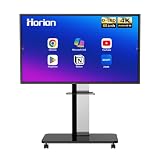 HORION 65-Inch 4K Digital Whiteboard, Smart Board for Classroom & Office
- 【SMART WHITEBOARD】4K Anti-glare 40-point touchscreen (<30ms latency) for smooth multi-user writing and drawing. Teach effortlessly and write with precision—perfect for modern classrooms and offices.
- 【WIRELESS SCREEN SHARING】Seamlessly share screens from iPhones, Macs, Windows, or Android devices. Supports 4-way split-screen collaboration, BYOM conferencing, and direct touchback control to operate your laptop right from the big display.
- 【VIDEO CONFERENCING】Compatible with Zoom & Teams. Dual 20W built-in speakers support external cameras and mics (sold separately)—use your existing gear while maintaining complete physical privacy.
- 【SYSTEM & ECOSYSTEM】Features Android 13 with Google Play, dual-band Wi-Fi 5, and Bluetooth 5.2. This stable system architecture ensures lag-free multitasking and smooth operation.
- 【ACCESSORIES & WARRANTY】Includes 1 wall mount bracket, 1 remote control, and 2 stylus pens. We back our product with an extended 18-month warranty, ensuring long-term reliability and worry-free operation.
“What excited us most about this project wasn’t the speed—it was the number of voices in the room. Firefly Boards turned ideation into a shared space where teams could all explore together, in real time, across continents.”
— Octavio Maron, Chief Creative Partner – Creative Innovation, Dentsu Creative, Adobe case study
Free tools Windows power users keep installed
One-click scans. No signup required.
Special offer. See more information about Outbyte and uninstall instructions. Please review EULA and Privacy policy.
The example is useful because it shows the complete handoff from shared exploration to Photoshop refinement and managed review. It does not establish that every team will achieve the same volume, turnaround or creative quality.
How to judge whether Boards fits your workflow
Compare Boards with your current ideation process on concrete questions rather than on a universal “best tool” claim:
- Can the workspace hold the visual inputs and asset types your brief requires?
- Can the right reviewers comment together while concepts are still exploratory?
- Do you need to compare outputs from multiple models in one place?
- Will approved directions move naturally into the applications your production team already uses?
- Are the board limits, generative-credit requirements and premium-model entitlements acceptable for your expected volume?
- Does your organization already rely on Creative Cloud, making the documented handoff more practical?
If the main problem is fragmented references and late feedback, Boards addresses that problem directly. If the bottleneck is final retouching, editing, rights clearance or production capacity, Boards is only one stage and will not remove those requirements.
Bottom line for campaign teams
Firefly Boards is best understood as a collaborative concept-development layer: collect references, generate and compare possibilities, involve decision-makers early, then move the approved direction into production tools. Adobe’s access and credit rules need checking at the account level, and the Delhi case study should be read as one documented example rather than a productivity promise. Its practical value is strongest when a team wants more voices in the room before creative choices become expensive to change.
Quick wins for a faster PC:
Repair Windows errors before they cause bigger problemsFix Now →Fix the driver behind crashes, sound loss and screen glitchesFind Drivers →Quick Recap

Product prices and availability are accurate as of the date/time indicated and are subject to change. Any price and availability information displayed on Amazon at the time of purchase will apply.




