Quick wins for a faster PC:
Scan for outdated or missing drivers - takes under a minuteDriver Scan →Repair Windows errors before they cause bigger problemsFix Now →
ThatPainter is reader-supported. When you buy through links on our site, we may earn an affiliate commission. Learn More
Verdict: The AOC Graphic Pro U32U3CV is a strong 31.5-inch 4K monitor for designers, photographers, video editors and laptop users who want wide-gamut color plus a serious USB-C dock. Its 96 W charging, Ethernet, KVM, USB expansion and flexible stand are unusually complete at the roughly £500–£550 UK review prices cited in 2026. The compromise is equally clear: ordinary IPS contrast, entry-level DisplayHDR 400 and a 60 Hz refresh rate. Buy it for productive, color-conscious SDR and P3 work—not for reference HDR, deep blacks or competitive gaming.
What is the AOC U32U3CV?
The U32U3CV is a flat 31.5-inch Nano IPS display with 3840×2160 resolution, a 16:9 ratio and approximately 140 ppi. It runs at 60 Hz and has a claimed 4 ms GtG response time. AOC specifies 1,000:1 static contrast, up to 400 nits, 8-bit plus FRC colour (about 1.073 billion displayed colours), an anti-glare 3H coating and VESA DisplayHDR 400 certification. Two 3 W speakers are built in.
That combination makes it a large, sharp workspace for full-resolution photographs, timelines and side-by-side documents. At 31.5 inches, however, many users will want 125–150% operating-system scaling for comfortable text. The supplied stand is unusually adjustable: 150 mm of height, about −6.5° to 23° tilt, −15° to 15° swivel and 90° pivot in either direction. Auto-pivot is supported through the monitor’s sensor and software. With its stand, it is approximately 714.4 × 459.3–609.3 × 258.6 mm, so allow meaningful desk depth.
Recommended Free Tools
For wall or arm mounting, the rear uses the standard 100×100 mm VESA pattern.
#1 Best Overall
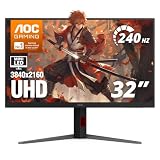
- 31.5" 4K MINI-LED DISPLAY Experience ultra-sharp 3840×2160 4K resolution on a 31.5-inch VA panel with mini-LED backlighting and 1152 local dimming zones, delivering deep blacks, precise contrast, and exceptional detail for gaming and entertainment
- 240HZ REFRESH RATE & 1MS RESPONSE TIME Stay competitive with an ultra-smooth 240Hz refresh rate via DisplayPort or HDMI 2.1 and a lightning-fast 1ms GtG response time, reducing motion blur and ghosting for fast-paced gameplay.
- HDR1000 WITH UP TO 1200 NITS PEAK BRIGHTNESS Enjoy vivid highlights and deep contrast with HDR1000 support, featuring 450 nits typical SDR brightness, 750 nits typical HDR brightness, and up to 1200 nits peak brightness for a truly immersive viewing experience.
- BUILT-IN GAMING FEATURES Includes Shadow Control, Game Mode presets, Flicker-Free technology, and a user-friendly graphical OSD menu, giving gamers fast control and optimized visuals for different gameplay scenarios.
- G-SYNC SUPPORT & FULL ERGONOMICS Featuring G-Sync compatibility for smooth, tear-free gameplay along with an ergonomic stand offering height adjustment (130mm), tilt, swivel, and pivot, ensuring comfortable viewing during extended gaming sessions.
Colour performance: credible creator display, not a reference monitor
AOC claims 100% sRGB, 100% Rec. 709 and 98% DCI-P3 coverage, with factory Delta E below 2 in its sRGB mode. The monitor is also marketed as Calman Ready, meaning it can participate in Portrait Displays Calman calibration and AutoCal workflows; it does not include Calman software or a colorimeter.
Those are manufacturer claims, not a guarantee for every retail unit. PC Pro reported approximately 79% Adobe RGB, 90% DCI-P3 and Delta E results around 1–2 in its testing. That is good evidence of useful sRGB and P3 capability, but it is not the same as verified near-full Adobe RGB coverage. AOC says a colour and brightness uniformity report is included in the box, yet panel-to-panel variation and the selected mode still matter.
The practical conclusion is straightforward:
- Web, office and most video work: very suitable when the display is set to sRGB, Rec. 709 or an appropriate P3 mode.
- Photography and design: a credible wide-gamut option, especially when applications are colour-managed and the monitor is profiled.
- Print production: verify independent Adobe RGB measurements before committing to a proofing workflow. Do not infer print-grade coverage from the 98% DCI-P3 claim.
Wide gamut can look oversaturated in unmanaged browsers, games or desktop applications. Use sRGB for ordinary mixed use, and reserve native or P3 modes for software that understands ICC profiles. Calman compatibility improves the calibration path; it does not make the monitor a reference display by itself.
PC Slower Than It Used to Be?
A free scan shows the junk files, broken settings and background clutter dragging Windows down - then fixes them in one click.Free scan · Windows 10 & 11Outdated Drivers Are Slowing You Down
One free scan finds every outdated or missing driver and matches the right update for your exact hardware.Free scan · exact hardware matchUSB-C docking is the main buying advantage
The primary USB-C connection carries DisplayPort Alt Mode video, USB 3.2 Gen 2 data (up to 10 Gbps) and USB Power Delivery up to 96 W. The dock also provides four USB-A downstream ports, a USB-C downstream port rated up to 15 W, Gigabit Ethernet, audio output and KVM support. In a typical laptop setup:
Rank #2

- AOC 27” 4K UHD 3840 x 2160 UHD LED monitor.Specific uses for product - Multimedia
- IPS panel with wide Viewing angles and produces over 1 billion colors for rich details
- 3-Sided frameless design, ideal for seamless setup. Brightness (typical) - 350 cd/m²
- Connect the laptop to the monitor’s video/PD USB-C input using a cable rated for video, data and the required power.
- Plug the keyboard, mouse, webcam or storage into the monitor’s USB ports.
- Connect Ethernet to the RJ-45 socket if wired networking is needed.
- Select the USB-C input and assign the KVM source in the on-screen display when switching between two computers.
A single cable can therefore provide picture, charging, peripherals and network access, while the monitor itself still needs its own mains cable. The laptop must support DisplayPort Alt Mode, Thunderbolt or USB4 video; a USB-C port that only charges will not display an image. Actual charging depends on the laptop’s negotiated limit, its workload and the cable. A workstation that requires more than 96 W may still report a slow charger.
KVM also requires USB data connections from both computers. A second computer connected only by HDMI or DisplayPort will not automatically gain keyboard and mouse control. Regional manuals describe the USB-C and upstream arrangement slightly differently, so check the exact market revision before buying or planning a port diagram.
HDR and contrast: the important limitation
DisplayHDR 400 is an entry-level HDR tier. The U32U3CV can accept HDR content and provide brighter highlights than its normal SDR mode, but the available specifications show no evidence of the high-zone local dimming, sustained brightness or black level associated with Mini-LED or OLED displays. Its approximately 1,000:1 IPS contrast is conventional.
What’s actually slowing this PC down?
Pick the symptom - the matching free tool is one click away.
ITPro measured about 1,099:1 and compared it with an IPS Black Dell UltraSharp that exceeded 2,000:1. In a dark room, the AOC’s blacks will look grey in comparison, and shadow separation will be less convincing. HDR is therefore useful for compatibility and occasional highlight enhancement, not a reason to buy the monitor for cinematic HDR or professional HDR grading.
Rank #3

- Immersive Visuals: 32-inch curved QHD (2560x1440) VA panel with a 1500R curvature for an immersive gaming experience, featuring a 180Hz refresh rate and 0.5ms response time (MPRT) for smooth and responsive gameplay.
- Wide Color Gamut: Covers over 120% of the sRGB color space and boasts an 80,000,000:1 SmartContrast ratio, delivering vibrant and lifelike images with deeper blacks and brighter colors.
- Seamless Connectivity: Equipped with 2x DisplayPort 1.4, 2x HDMI 2.0 ports, and an audio line-out for convenient connectivity to gaming consoles, laptops, and desktops.
- Eye Care and Warranty: AOC LowBlue Mode and Flicker-Free Technology for comfortable extended gaming sessions, backed by a 3-year zero-bright-dot warranty, 3-year advance replacement, and 1-year accidental damage coverage.
- BETTER CONSOLE GAMING: AGON by AOC gaming monitors are designed to maximize the performance of your consoles by unleashing up to 120Hz frame rate (exact performance depends on consoles) and ultra low latency, giving you an edge over your opponents
Gaming and motion
4K is sharp for consoles and high-end graphics cards, and the claimed 4 ms GtG response time should be adequate for casual play. But 60 Hz is the decisive constraint: current gaming displays at 120, 144, 165 or 240 Hz feel substantially smoother, particularly for competitive games. The cited material does not establish comprehensive independent response-time or adaptive-sync testing. Treat the U32U3CV as a productivity monitor that can handle occasional gaming, not as a gaming-first purchase.
Connections and physical design
Verified specifications list two HDMI 2.0 inputs, one DisplayPort 1.4 input, USB-C video with up to 96 W PD, USB-A and USB-C downstream ports, Gigabit Ethernet and a 3.5 mm audio output. AOC’s regional pages and PDFs vary in how they label the USB-C upstream/data connection, so confirm the local documentation for the precise port layout. HDMI 2.0 and DisplayPort 1.4 are suitable for 4K at 60 Hz with the right cables.
The three-sided frameless styling is practical for a large desktop, while the matte coating reduces reflections. Pivot is technically impressive but physically awkward at this size: portrait orientation needs substantial vertical and side clearance.
The Tool Desk
Outbyte PC Repair FREERepair Windows errors before they cause bigger problemsFix Now →Outbyte Driver Updater FREEScan for outdated or missing drivers - takes under a minuteDriver Scan →Price and value
Price evidence available for this model is UK-specific. PC Pro referred to approximately £500, while Creative Bloq cited about £549. AOC’s product page does not provide a stable universal price, and inconsistent marketplace listings should not be treated as a verified current US MSRP.
Rank #4

- Improved ComfortView Plus: Reduces harmful blue light emissions to ≤35%, for all-day comfort without sacrificing color accuracy.
- Refresh rate: A smooth, tear-free experience with AMD FreeSync Premium (refresh rate up to 120Hz) and an ultra-low 0.03ms response time create a captivating experience for work and play.
- Vivid colors: Immerse yourself in 4K visuals with a VA panel. Enjoy true-to-life colors with 99% sRGB and 95% DCI-P3 coverage. The 1500:1 contrast ratio and HDR readiness deliver excellent depth and detail.
- Re-engineered sound quality: Enjoy more detailed sound with spacious audio featuring greater output power, deeper frequency response and more decibel range than the previous generation.
- Ultra-thin bezel: Designed with a sleek, modern aesthetic and an ash white finish, this display features ultra-thin bezels for a refined, minimalist design.
| Price position | Assessment |
|---|---|
| Near £500 (UK, cited 2026 coverage) | Excellent value if you need the dock, KVM, Ethernet and 32-inch 4K format. |
| £500–£550 | Reasonable for a colour-conscious laptop workstation. |
| At premium Dell, BenQ, Asus ProArt, OLED or Mini-LED pricing | Weak value unless the exact alternative lacks its docking features. |
For a local purchase, compare the actual regional price, warranty (the cited specification says three years in that market), shipping and return policy. Do not convert the UK figures into a supposedly current US street price.
Independent reader supportYour contribution helps us test, update, and keep practical guides available for everyone.Common setup problems
USB-C gives power but no picture
Confirm DisplayPort Alt Mode/Thunderbolt/USB4 support, use a video-capable cable, select USB-C in the OSD and remove an incompatible dock from the signal path. If necessary, use DisplayPort or HDMI for video and a separate USB upstream connection for peripherals.
Charging is reported as underpowered
Use the primary 96 W USB-C port and a suitable USB-PD cable, then compare the laptop’s required wattage with the monitor’s maximum. The 96 W figure is a ceiling, not a promise that every computer will negotiate it.
Colours look too saturated
Choose sRGB for unmanaged desktop software. Use a profiled, colour-managed application for P3 or wide-gamut work, and calibrate the complete workflow for print.
Best Value

- Samsung’s 32" ViewFinity S7 (S71H) 4K UHD Monitors provide exceptional clarity for professionals across all industries
- 4K UHD (3840 x 2160 resolution) delivers visual excellence with high pixel density which reveals greater levels of detail and accurate color representation
- More screen space enables the creation of intricate designs, complex diagrams, and dynamic video content
- HDR10 optimizes contrast, offering a gamut of more than 1 billion accurate colors with darker blacks and brighter highlights
- Features HDMI and DP ports for a convenient interface that simplifies setup and enhances productivity
HDR looks flat or washed out
Enable HDR in the operating system and source application, verify that the content is HDR and select the correct monitor mode. Remember that DisplayHDR 400 and conventional IPS contrast limit the visible effect.
4K will not run at 60 Hz
Use an appropriate DisplayPort 1.4 or HDMI 2.0 cable, check graphics-driver settings and account for bandwidth trade-offs between 10-bit colour, chroma, HDR and USB data. AOC’s documentation notes interface-dependent limits for 4K/60 Hz 10-bit operation.
Who should buy it?
- Designers, photographers and office users: Yes, especially when the price is near £500–£550 equivalent and the dock replaces a separate hub.
- Video editors: Yes for SDR and P3-oriented work; look elsewhere for serious HDR mastering.
- MacBook and Windows laptop users: Yes if the laptop supports USB-C video and does not require more than 96 W.
- Print specialists: Only after checking independent Adobe RGB coverage and profiling results.
- Competitive gamers: No; choose a high-refresh display.
- Dark-room or HDR specialists: Prefer an IPS Black, Mini-LED or OLED model with demonstrably stronger contrast.
Potential alternatives divide by priority rather than brand name. Dell UltraSharp IPS Black models are compelling when black level matters; ITPro’s comparison found more than 2,000:1 versus roughly 1,099:1 for the AOC. Asus ProArt and BenQ professional displays may offer more specialized calibration or print-oriented features, but compare the exact model’s gamut, USB-C wattage, KVM, Ethernet and price. OLED and Mini-LED displays deliver more convincing HDR, usually at the cost of price, static-desktop considerations or integrated docking.
Do these 3 things before closing this tab:
1Scan for outdated or missing drivers - takes under a minute2Clear out junk files and repair common Windows errors3Fix the driver behind crashes, sound loss and screen glitchesFinal verdict
The AOC Graphic Pro U32U3CV succeeds as an affordable professional workspace: sharp 4K, useful colour modes, a highly flexible stand and one of the most complete USB-C docking packages in its class. Its weaknesses are not hidden technical footnotes—they define the buying decision. Contrast is ordinary, HDR is entry-level, Adobe RGB coverage is not independently assured, and 60 Hz rules out serious gaming. At a competitive local price, it is a strong recommendation for creators and laptop-based offices. At reference-monitor money, choose a display with better measured contrast or a more specialized colour workflow.
Quick Recap

Product prices and availability are accurate as of the date/time indicated and are subject to change. Any price and availability information displayed on Amazon at the time of purchase will apply.




