Quick wins for a faster PC:
PC Slower Than It Used to Be?
A free scan shows the junk files, broken settings and background clutter dragging Windows down - then fixes them in one click.Free scan · Windows 10 & 11Outdated Drivers Are Slowing You Down
One free scan finds every outdated or missing driver and matches the right update for your exact hardware.Free scan · exact hardware matchRepair Windows errors before they cause bigger problemsFix Now →Scan for outdated or missing drivers - takes under a minuteDriver Scan →Clear out junk files and repair common Windows errorsFree Scan →
ThatPainter is reader-supported. When you buy through links on our site, we may earn an affiliate commission. Learn More
The best digital scrapbooking software for Windows and Mac is My Memories Suite 9 when you want a dedicated installed scrapbook workspace. Canva is easier for templates and collaboration, while Photoshop Elements 2026 is stronger for photo editing. My Memories Suite explicitly supports Windows and macOS; FOREVER Artisan 6 and Scrapbook MAX! are Windows-only.
The ranking is based on documented platform support, scrapbook-specific features, workflow, output, storage, and licensing information. No hands-on testing was performed, and prices, operating-system support, trials, beta terms, and software availability should be checked again before publication or purchase.
As an Amazon Associate I earn from qualifying purchases.
What’s actually slowing this PC down?
Pick the symptom - the matching free tool is one click away.
Key takeaways
- My Memories Suite 9 is the clearest dedicated installed option for both Windows and Mac, with scrapbook templates, papers, embellishments, journaling, double-page spreads, and export tools.
- Canva scrapbook maker is the easiest starting point for template-led design, browser access, sharing, collaboration, and print-ready PDF downloads.
- Adobe Photoshop Elements 2026 is better suited to users who want AI-assisted photo editing, Guided Edits, organization, and composition tools rather than a dedicated scrapbook workspace.
- FOREVER Artisan 6 is a specialist scrapbook application, but FOREVER states that Artisan 6 requires a 64-bit version of Windows.
- MyScrapBook Studio is a promising browser-based Mac, Windows, and Chromebook option, but its free access is beta pricing and future paid plans are not settled.
- GIMP is the strongest no-cost general-purpose alternative for users willing to build their own scrapbook workflow, while Scrapbook MAX! is a Windows-only legacy-style application.
How do the best digital scrapbooking programs compare?
The best choice depends mainly on whether you want a dedicated scrapbook workspace, a quick template service, advanced photo editing, or a free blank-canvas tool. The comparison below uses vendor-documented features and platform information; no hands-on testing was performed.
| Program | Platform | Scrapbook workflow | Best fit | Price or status in the research | Notable output or project features |
|---|---|---|---|---|---|
| My Memories Suite 9 | Windows 7, 8, 10, and 11; macOS 10.13.6 or newer, including macOS Tahoe according to vendor documentation | Dedicated installed scrapbook software | Cross-platform desktop scrapbooking | MyMemories lists US$39.99 in 2026; download is approximately 4.5GB | Templates, layered elements, journaling, double-page spreads, custom canvas sizes, and export tools |
| Canva | Browser-based; Windows desktop app; Canva download materials list Mac OS, iOS, Android, and Chromebook access | Template-led general design platform with a dedicated scrapbook maker | Beginners, fast layouts, and collaboration | Free scrapbook-maker entry point; current plan limits and pricing can vary | Uploaded photos, multi-page templates, collaboration, and print-ready PDF download |
| Adobe Photoshop Elements 2026 | Windows and macOS; Adobe FAQ confirms installation on Apple M1, M2, and M3 computers | General photo editing and composition rather than scrapbook-specific page management | Photo restoration, enhancement, and flexible editing | Adobe lists US$99.99 for a 3-year U.S. term license in 2026 and advertises a 7-day full-featured trial | AI-assisted edits, Guided Edits, templates, Organizer, automatic tagging, curation, and face recognition |
| FOREVER Artisan 6 | 64-bit Windows only | Dedicated scrapbook and creative-project software | Windows users seeking specialist scrapbook tools | Current price was not established in this research | Design tools, digital art resources, scrapbooks, photo books, cards, calendars, ornaments, wall décor, and mugs |
| MyScrapBook Studio | Browser-based on Mac, Windows, and Chromebook | Dedicated scrapbook editor in beta | Users who want a browser-based specialist workflow | Currently free during beta; future paid plans are not settled | Scrapbook spreads, masks, papers, frames, embellishments, artist-created kits, and 300-DPI export |
| Scrapbook MAX! | Windows 11, 10, 8, 7, and Vista according to its FAQ; not Apple-compatible | Downloadable dedicated Windows application | Users maintaining a compatible Windows setup | Product information says no future payments after purchase; verify current price and support | Traditional downloadable scrapbook workflow |
| GIMP | Windows and macOS | Free general image manipulation, not scrapbook-specific | Users prioritizing no-cost control and custom composition | Free | Photo editing, text, graphics, and manually assembled page layouts |
Platform support, pricing, and trial terms are changeable. Check the linked vendor page immediately before installing or purchasing, especially when using an older operating system or a newly released macOS version.
Popular on Amazon

- Extra Large Size: The photo storage box external dimensions measures 11.5 x 8.8 x 1 inches and internal dimensions measures 11.5 x 8.5 x 0.98 inches Suitable for storing 8 x 10 inches photos and 8.5 x 11.5 inches letter & A4 paper and other items.
- Safe & Durable Material: The scrapbook paper storage case is made of high quality PP material, Acid-Free, strong and durable, moisture-proof and dust-proof, not easy to break, easy to clean and can be used for a long time. Additionally, it is free from Bisphenol A, acids, PVC, and lignin, making it recyclable.
- Closure Design: These photo boxes storage comes with 2 safety latches that securely lock the storage case, preventing dust and liquids from entering and ensuring safe storage of items. Transparent design allows you to easily identify the contents without having to open it.
- Neat and Organized: The photo oarganize and storage boxes are stackable to save storage space, and the included labeling stickers keep the boxes organized and tidy on your desktop, perfect for home, office and school use.
- Multi-Purpose Storage Box: The 8 X 10 inch photo storage box can store and organize photos, stationery, office supplies, important documents, crafts, art supplies, CDs, comics, electronics, small parts or other personal items.
Why is My Memories Suite 9 the best dedicated Windows and Mac choice?
My Memories Suite 9 is the strongest fit when the phrase best digital scrapbooking software for Windows and Mac means an installed program built specifically around scrapbook pages. MyMemories documentation lists Windows 7, 8, 10, and 11 plus macOS 10.13.6 or newer, including macOS Tahoe, although users should confirm support for their exact operating-system release before installation.
My Memories Suite supports both a template-first and blank-page workflow. The documented feature set includes scrapbook templates, papers, embellishments, a resource gallery, drag-and-drop photo placement, custom canvas sizes, layered elements, mats, drop shadows, shapes, calendars, journaling, and double-page spreads. Those features reduce the amount of manual setup required compared with a general image editor.
MyMemories also describes Suite as software that works locally on the user’s computer rather than as an online-only photobook service. Local work can suit people who want their projects available without relying on a browser, but local projects also make backup discipline important.
According to MyMemories (2026), My Memories Suite v9 costs US$39.99 and the download is approximately 4.5GB. The download size matters if the computer has limited storage or a slow internet connection. A large photo library and multiple digital kits can require additional working space beyond the application itself.
Choose My Memories Suite 9 if: you want a dedicated desktop scrapbook program, use both Windows and Mac in your household, prefer local project files, or expect to make traditional pages with kits, journaling, mats, and double-page layouts.
Look elsewhere if: you need real-time browser collaboration, want a completely free general editor, or primarily need sophisticated photo restoration rather than scrapbook page tools.
Recommended Free Tools
Is Canva the easiest digital scrapbook maker for beginners?
Canva is the easiest option for beginners who want to assemble a scrapbook quickly from a template, work in a browser, or invite other people to collaborate. Canva’s documented workflow is to search for Scrapbook, choose a multi-page template, upload personal photos, customize backgrounds and fonts, invite collaborators, and download the finished design as a print-ready PDF.
Canva has both web access and desktop availability. Canva’s Windows desktop download page provides the Windows app, while the same download information lists Mac OS, iOS, Android, and Chromebook availability. That combination makes Canva useful when a project needs to move between computers or when contributors use different devices.
According to Canva (2026 vendor-page claim), the Canva scrapbook maker page advertises 3M+ free stock photos and graphics. The figure is a Canva claim rather than an independently audited statistic, so treat the asset count as marketing information rather than a guarantee that every item is available under every plan.
Canva’s main trade-off is specialization. Canva is a broad design platform that offers scrapbook templates, not a dedicated scrapbook application organized around traditional digital scrapbook kits, double-page management, or a scrapbook-specific asset library. That makes Canva flexible and approachable, but experienced scrapbookers may find the workflow less natural than My Memories Suite or Artisan.
Also popular on Amazon
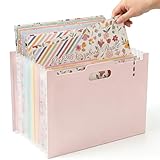
- ✦ JUST TOSS IT IN & STAY ORGANIZED — Stop hunting through drawers and bags for your supplies. This expandable 12x12 scrapbook paper storage organizer measures 12.8"L x 9.3"H (depth expands from 5.9" to 15.4"), so you can fill it up fast and adjust the space as your collection grows. Whether you have 10 sheets or 100, every piece of scrapbook paper 12x12, die-cut, and washi tape has a home — no folding, no frustrating, just drop and go.
- ✦ SEE EVERYTHING AT A GLANCE, GRAB WHAT YOU NEED IN SECONDS — Designed to stand upright on your desk like a mini craft library, this 12x12 scrapbook organizer puts your entire stash in full view while you create. No more digging. Flip through 13 clearly separated pockets and pull the exact paper, sticker, or card stock you need — right when inspiration strikes. Perfect for your craft room storage and organization setup.
- ✦ 13 DEDICATED POCKETS — EVERY SUPPLY IN ITS PLACE — Say goodbye to mixed-up, chaotic craft bins. This scrapbook storage box features 13 individual pockets that keep your 12 x 12 scrapbook paper, sticker sheets, memo pads, washi tape, and die-cuts sorted by category and always within reach. A true all-in-one paper storage organizer for scrapbookers, journalers, and card makers who are serious about staying organized.
- ✦ MASSIVE CAPACITY + PORTABLE HANDLE — YOUR CRAFT SUPPLIES TRAVEL WITH YOU — Holds a full collection of 12x12 paper storage and more — this is the scrapbook organizer and storage solution for dedicated crafters who never want to run out of room. Built-in carry handle lets you move your entire craft paper storage from desk to table, room to room, or take your supplies to a crop night with zero hassle. Big enough to hold everything, easy enough to take anywhere.
- ✦ FITS ALL YOUR SUPPLIES & MAKES IT UNIQUELY YOURS — At 9.3" tall × 12.8" long with adjustable width (5.9"–15.4"), this paper storage box fits standard 12x12 scrapbook paper, photos, card stock, printer paper storage, and mixed-size supplies with ease. Works as a photo organizer, card organizer, craftsman storage organizer, and scrapbooking storage all in one. Decorate the cover to match your personal style — because your craft space should be as creative as you are.
Choose Canva if: you want a fast template, easy sharing, browser access, mixed-device support, or a printable PDF. Canva is also a good starting point when several people are contributing photos or journaling to the same project.
Choose a dedicated application instead if: you want a large scrapbook-oriented workspace with layered embellishments, page-specific controls, local project management, or a more traditional kit-based workflow.
Is Photoshop Elements 2026 better for photo editing than scrapbooking?
Photoshop Elements 2026 is better for photo editing flexibility than for a purpose-built scrapbook workflow. Adobe positions Photoshop Elements around AI-assisted edits, automated enhancements, Guided Edits, templates, photo organization, automatic tagging, curation, face recognition, and its Organizer.
Photoshop Elements can support scrapbook pages through photographs, layers, text, templates, and composition tools, but users may need to design more of the page structure themselves. The distinction is about documented product positioning, not a personal ease-of-use test: Photoshop Elements is a photo editor that can make scrapbook pages, whereas My Memories Suite and Artisan are organized specifically around scrapbooking.
Free tools Windows power users keep installed
One-click scans. No signup required.
According to Adobe’s U.S. product page (2026), Photoshop Elements 2026 is listed at US$99.99 for a 3-year term license. Adobe also advertises a 7-day full-featured trial. Pricing and license terms may differ by country and can change, so verify the checkout terms for the relevant region.
Adobe’s Photoshop Elements FAQ states that the 2026 edition supports 64-bit systems and can be installed on Apple M1, M2, and M3 computers. Adobe’s FAQ also states, We no longer offer DVDs.
Anyone planning to install Photoshop Elements should therefore expect a download-based process and should check storage, operating-system, and hardware requirements before starting.
Choose Photoshop Elements 2026 if: restoring old photographs, correcting color, removing distractions, organizing a large photo collection, or making detailed image edits matters as much as the scrapbook page itself.
Choose My Memories Suite, Canva, or Artisan instead if: the primary task is arranging scrapbook papers, embellishments, journaling, and multi-page layouts with minimal page-assembly setup.
Do these 3 things before closing this tab:
1Repair Windows errors before they cause bigger problems2Fix the driver behind crashes, sound loss and screen glitches3Clear out junk files and repair common Windows errorsWhat is the best Windows-only specialist scrapbook program?
FOREVER Artisan 6 is the strongest Windows-only specialist option in this research. FOREVER describes Artisan 6 as a full scrapbooking and design application with an intuitive interface, design tools, and access to a digital art library. The product is aimed at more than scrapbook pages and also lists photo books, wall décor, cards, calendars, ornaments, and mugs among its possible projects.
Platform compatibility is decisive. FOREVER’s product page states, “Artisan 6 requires a 64-bit version of Windows.” Artisan 6 should not be presented as Mac-compatible, and Mac users should not put it on a cross-platform shortlist.
Also popular on Amazon

- ✦ JUST TOSS IT IN & STAY ORGANIZED — Stop hunting through drawers and bags for your supplies. This expandable 12x12 scrapbook paper storage organizer measures 12.8"L x 9.3"H (depth expands from 5.9" to 15.4"), so you can fill it up fast and adjust the space as your collection grows. Whether you have 10 sheets or 100, every piece of scrapbook paper 12x12, die-cut, and washi tape has a home — no folding, no frustrating, just drop and go.
- ✦ SEE EVERYTHING AT A GLANCE, GRAB WHAT YOU NEED IN SECONDS — Designed to stand upright on your desk like a mini craft library, this 12x12 scrapbook organizer puts your entire stash in full view while you create. No more digging. Flip through 13 clearly separated pockets and pull the exact paper, sticker, or card stock you need — right when inspiration strikes. Perfect for your craft room storage and organization setup.
- ✦ 13 DEDICATED POCKETS — EVERY SUPPLY IN ITS PLACE — Say goodbye to mixed-up, chaotic craft bins. This scrapbook storage box features 13 individual pockets that keep your 12 x 12 scrapbook paper, sticker sheets, memo pads, washi tape, and die-cuts sorted by category and always within reach. A true all-in-one paper storage organizer for scrapbookers, journalers, and card makers who are serious about staying organized.
- ✦ MASSIVE CAPACITY + PORTABLE HANDLE — YOUR CRAFT SUPPLIES TRAVEL WITH YOU — Holds a full collection of 12x12 paper storage and more — this is the scrapbook organizer and storage solution for dedicated crafters who never want to run out of room. Built-in carry handle lets you move your entire craft paper storage from desk to table, room to room, or take your supplies to a crop night with zero hassle. Big enough to hold everything, easy enough to take anywhere.
- ✦ FITS ALL YOUR SUPPLIES & MAKES IT UNIQUELY YOURS — At 9.3" tall × 12.8" long with adjustable width (5.9"–15.4"), this paper storage box fits standard 12x12 scrapbook paper, photos, card stock, printer paper storage, and mixed-size supplies with ease. Works as a photo organizer, card organizer, craftsman storage organizer, and scrapbooking storage all in one. Decorate the cover to match your personal style — because your craft space should be as creative as you are.
FOREVER support documentation says that computers purchased in or after 2022 generally run Windows 10 or Windows 11, which Artisan 6 can run on. The wording is general guidance rather than a guarantee for every computer, so check the full specifications for the exact machine.
FOREVER also warns that saving FOREVER software content to cloud systems can create usability problems or corrupt projects in some situations. Keep active project files in a storage location recommended by the vendor, maintain independent backups, and avoid assuming that automatic cloud synchronization is always safe for application-specific content.
Choose Artisan 6 if: you use a compatible 64-bit Windows computer and want a specialist scrapbook application with a broad digital-art and project-output ecosystem.
Do not choose Artisan 6 if: you need Mac support, use a 32-bit Windows installation, or cannot verify that your storage and backup setup is compatible with FOREVER project content.
Is MyScrapBook Studio worth trying on Mac, Windows, or Chromebook?
MyScrapBook Studio is worth watching for users who want a dedicated scrapbook editor that runs in a browser across Mac, Windows, and Chromebook. Its product page describes drag-and-drop photo placement, scrapbook-style spreads, masks, papers, frames, embellishments, artist-created kits, and 300-DPI export.
The important qualification is that MyScrapBook Studio is explicitly in beta. The site says beta access is currently free and that founding beta users will retain free access after paid plans are introduced, but future pricing should not be treated as settled. Beta availability, features, storage policies, and export limits may change.
MyScrapBook Studio is a promising alternative rather than a proven replacement for established desktop programs. No hands-on testing or independent comparison was conducted for this article, so the safest reason to try it is its combination of browser access and scrapbook-specific tools—not an unsupported claim that it is easier or more reliable than the other choices.
What is the best legacy-style alternative for Windows?
Scrapbook MAX! is a Windows-only downloadable application for readers who specifically want a traditional dedicated scrapbook program and have a compatible Windows computer. Its official FAQ lists Windows 11, 10, 8, 7, and Vista and says that the application does not work on Apple computers, iPads, iPhones, tablets, or smartphones.
That wide operating-system list is also a reason for caution. Support for older Windows versions does not prove that the application is a good match for every current Windows configuration. Verify current compatibility, support, activation, and purchase terms before relying on Scrapbook MAX! for an important archive.
The product information says that the downloadable application does not require future payments after purchase. The current price was not established in this research, so readers should check the official purchase information rather than relying on an old price quoted elsewhere.
The Tool Desk
Outbyte Driver Updater FREEScan for outdated or missing drivers - takes under a minuteDriver Scan →Outbyte PC Repair FREEClear out junk files and repair common Windows errorsFree Scan →Also popular on Amazon

- 12x12 Paper Storage for Scrapbook Supplies: Designed for 12x12 paper storage, this scrapbook paper organizer keeps scrapbook paper, cardstock, vinyl sheets, photos, and other craft supplies neatly stored and easy to access
- Expandable Storage Holds Up to 150 Sheets: The expandable 3.5 inch spine gives you extra room for large projects and growing paper collections while helping keep materials organized and protected
- Clear Design Helps You Find Supplies Faster: Transparent construction makes it easy to see colors, prints, and materials at a glance so you can quickly grab the paper or vinyl you need without digging through stacks
- Portable Scrapbook and Craft Storage: Built-in padded handle makes this 12x12 scrapbook paper storage case easy to carry to craft rooms, classes, events, and crop nights
- Secure Closure for Paper, Vinyl, and Photos: Dual hook-and-loop closures help keep scrapbook paper, cardstock, vinyl, and photos safely contained during storage or travel
Can GIMP make digital scrapbook pages?
GIMP can make digital scrapbook pages, but GIMP is a free general image-manipulation application rather than dedicated digital scrapbooking software. GIMP’s official documentation provides release and user-manual information for Windows and macOS.
GIMP can be used to edit photographs, add text, arrange graphics, and compose a page from a blank canvas. GIMP is a good fit for users who prioritize no-cost access and creative control and are willing to assemble their own templates, layers, papers, embellishments, and page-management system.
GIMP is not automatically easier than a dedicated scrapbook application. A dedicated program is usually the more direct route for someone who wants scrapbook templates, kits, journaling controls, and multi-page organization without designing that workflow from scratch.
Which program should you choose?
- For the best dedicated Windows/Mac desktop option: choose My Memories Suite 9, subject to confirming the current operating-system support.
- For the easiest template-and-collaboration workflow: choose Canva, especially when contributors use different devices.
- For advanced photo preparation: choose Photoshop Elements 2026 if editing, organizing, restoring, and enhancing photographs is central to the project.
- For a Windows-only specialist tool: choose FOREVER Artisan 6 after confirming 64-bit Windows compatibility and the storage guidance.
- For a browser-based specialist beta: try MyScrapBook Studio, while treating its current free access and future pricing as temporary.
- For a free general editor: choose GIMP if you are comfortable building the scrapbook structure yourself.
- For an older Windows setup: consider Scrapbook MAX! only after checking current compatibility and support; it is not a Mac option.
How do you make a digital scrapbook on a Mac or Windows computer?
Making a digital scrapbook on a Mac or Windows computer is easiest when the project is treated as a short production workflow rather than as a single software purchase.
- Gather the source material. Collect phone photos, camera files, printed photographs, postcards, letters, tickets, and artwork. Keep the original files unchanged so the scrapbook edits can be recreated later.
- Digitize printed memories. A photo scanner is the most directly relevant accessory for converting printed family photos and memorabilia into files that can be imported into scrapbook software. No specific scanner model was tested or independently recommended for this article.
- Organize and back up the files. Use clear folders for originals, edited images, scrapbook kits, exports, and completed projects. A USB external SSD for photo storage can be useful for large photo libraries, application assets, and backups, particularly because MyMemories lists an approximately 4.5GB software download.
- Choose the page workflow. Use My Memories Suite or Artisan for a dedicated scrapbook workspace, Canva for a quick collaborative template, Photoshop Elements for photo-heavy editing, MyScrapBook Studio for a browser beta, or GIMP for a free manually assembled workflow.
- Prepare photographs before layout. Crop duplicates, correct obvious exposure or color problems, and decide which images need restoration. Photoshop Elements is the most appropriate choice in this shortlist when detailed photo editing is a major part of the job.
- Build pages consistently. Decide on page size, margins, background treatment, journaling style, and naming conventions before creating many pages. Dedicated scrapbook tools can supply papers, embellishments, mats, shadows, and double-page controls; general design tools require more of those decisions manually.
- Export and preserve the finished work. Keep an editable project copy and a separate export. Canva documents print-ready PDF download, while MyMemories documents export options and both home-printing and professional-printing routes.
How should you print a digital scrapbook?
Use a home color printer when you want immediate proofs or individual pages, and use a professional photobook or printing service when you want a bound or professionally produced result. Software output and printing hardware are separate purchases.
Canva documents print-ready PDF download, and MyMemories describes home printing and professional photobook services. A color photo printer is therefore a reasonable accessory for users who want physical pages at home, but a printer is not included with any of the software recommendations in this comparison.
Before printing a complete album, export and review a test page. Check that text is readable, photos have the intended crop, embellishments are not clipped, and the selected paper size matches the document. The exact print settings depend on the chosen software, printer, paper, and service.
What should you check before installing or buying?
- Operating system: confirm the exact Windows edition, 64-bit requirement, macOS version, and Apple-silicon support where relevant. Vendor lists can include older systems without guaranteeing support for every newly released system.
- Workflow: decide whether you want scrapbook-specific kits and spreads, a browser template, or general photo-editing freedom.
- Storage: check available disk space before downloading large software or importing high-resolution photographs. MyMemories lists an approximately 4.5GB download.
- Local versus browser work: installed software may suit local project handling, while browser-based tools can make collaboration and device switching easier.
- Backup: keep independent copies of originals and editable projects. Follow vendor guidance for application-specific content instead of assuming that every cloud-sync service is safe for every project type.
- Output: confirm whether the desired result is a home-printed page, a print-ready PDF, an image export, or a professional photobook.
- License and price: distinguish a one-time purchase from a term license, trial, subscription, or beta offer. Verify current prices, regional terms, trial conditions, and activation requirements immediately before purchase.
Disclosure: No specific software, scanner, SSD, or printer was hands-on tested for this comparison. Accessory categories are included because they directly support digitizing, storing, or printing scrapbook projects; verify current retailer availability and terms before buying.
What’s actually slowing this PC down?
Pick the symptom - the matching free tool is one click away.
Frequently Asked Questions
What is the best free digital scrapbook maker?
My Memories Suite 9 is the clearest dedicated Windows/Mac choice, Canva is the easiest free-entry template option, and GIMP is the strongest free general image editor. MyScrapBook Studio also offers free beta access, but its future pricing and features are not settled.
Can I make a digital scrapbook on a Mac?
Yes, you can make a digital scrapbook on a Mac with My Memories Suite 9, Canva, Photoshop Elements 2026, MyScrapBook Studio, or GIMP. FOREVER Artisan 6 and Scrapbook MAX! should not be selected for Mac because the research identifies them as Windows-only.
Is FOREVER Artisan 6 compatible with Mac?
No. FOREVER states that Artisan 6 requires a 64-bit version of Windows, and Scrapbook MAX! says that it does not work on Apple computers. Mac users should choose My Memories Suite, Canva, Photoshop Elements, MyScrapBook Studio, or GIMP instead.
How do I digitize old photos for a digital scrapbook?
A photo scanner is the most direct supporting tool for digitizing old printed photos and memorabilia before importing them into scrapbook software. My Memories Suite, Canva, Photoshop Elements, MyScrapBook Studio, and GIMP can then support different parts of the organizing, editing, and page-building workflow.
The Bottom Line
Bottom line: My Memories Suite 9 is the most directly aligned dedicated desktop choice for Windows and Mac. Choose Canva for the quickest collaborative template workflow, Photoshop Elements 2026 for serious photo editing, FOREVER Artisan 6 for specialist Windows-only work, MyScrapBook Studio for a beta browser option, and GIMP for free general-purpose editing.
Quick Recap


