Quick wins for a faster PC:
What’s actually slowing this PC down?
Pick the symptom - the matching free tool is one click away.
Clear out junk files and repair common Windows errorsFree Scan →Scan for outdated or missing drivers - takes under a minuteDriver Scan →
ThatPainter is reader-supported. When you buy through links on our site, we may earn an affiliate commission. Learn More
There is no single best laser engraver and cutter. For most wood, acrylic, leather, paper, and craft projects, an enclosed CO2 laser is the most versatile choice. An enclosed diode laser is usually the better low-cost starting point for engraving and thin materials, while a fiber or MOPA-fiber laser is the right tool for detailed bare-metal marking.
Choose the laser source first, then compare the machine’s usable work area, enclosure, ventilation, software, support, and total installed cost. Wattage alone does not tell you which machine will produce the best results.
As an Amazon Associate I earn from qualifying purchases.
The Tool Desk
Outbyte PC Repair FREERepair Windows errors before they cause bigger problemsFix Now →Outbyte Driver Updater FREEFix the driver behind crashes, sound loss and screen glitchesFind Drivers →The short answer: which laser should you buy?
| Your priority | Best direction | Why |
|---|---|---|
| General-purpose cutting and engraving | Enclosed CO2 | Strong performance on wood, acrylic, leather, paper, and other nonmetals. |
| Low-cost hobby engraving | Enclosed diode | Compact, comparatively affordable, and suitable for many thin craft materials. |
| Clear acrylic | CO2 | Common blue-diode machines are generally poor at processing clear acrylic. |
| Bare-metal engraving | Fiber or MOPA fiber | Designed for stainless steel, aluminum, brass, coated metals, and similar parts. |
| Guided beginner workflow | Glowforge-style ecosystem | Camera placement and proprietary software can reduce setup complexity. |
| Large-bed or value-oriented CO2 | OMTech-style workshop machine | Often offers more cutting area, but requires more installation and maintenance. |
| Professional production | Commercial equipment | Epilog, Trotec, Boss, Thunder, and similar brands target serviceability and production workflows. |
Current buying guides from Tom’s Hardware and TechRadar separate recommendations by laser type and use case. Those recommendations are useful starting points, not proof that one model is best for every workshop.
What a laser actually does
- Engraving removes or discolors a surface.
- Scoring makes a shallow line without cutting through.
- Cutting passes completely through the material.
- Marking changes a surface finish or color, especially on metal.
- Deep engraving removes substantial material depth through repeated passes.
- Relief work uses multiple depths or passes to create a three-dimensional result.
Finished precision depends on beam quality, spot size, focusing, lens condition, frame rigidity, belts, acceleration, vibration, flatness, air assist, exhaust, software settings, and calibration. A higher advertised wattage does not automatically produce finer detail or cleaner edges.
Popular on Amazon

- 【Upgraded Laser Power with Air Assist Support】The TTS-55 PRO features a powerful 5500 mW (5.5W) laser (Class II) and includes a newly added metal air-assisted nozzle and red laser shield. These upgrades provide enhanced cutting performance and safety while making it easier to integrate an air assist system for cleaner, deeper cuts.
- 【High-Precision Engraving & Cutting Across Multiple Materials】0.08 × 0.46 mm ultra-fine spot focus; capable of engraving a wide range of materials, including wood, leather, acrylic, paper, stainless steel, and more. Precisely cuts through 5 mm plywood, 3 mm acrylic, and 0.7 mm leather. Working area: 300 × 300 mm. Ideal for hobbyists, makers, and small business projects.
- 【Assembly Tutorial】This laser engraver comes with assembly video tutorials. You can access the videos, and Twotrees official website also provides assembly video guides, which are beginner-friendly. If your computer runs Windows 10, please download the CH340 driver. For Windows 11, please download the CH341 driver.
- 【Advanced Compression Laser Technology】Equipped with LD+FAC+C-Lens compression technology, the short 23mm focal length delivers stronger cutting power and sharper engraving detail. Achieve ultra-fine results with up to 0.1mm engraving accuracy.
- 【High-Speed, Smart 32-Bit Control Board】Runs on a fast dual-core 32-bit MCU, enabling engraving speeds up to 30,000mm/min. Supports both online and TF card engraving, engraving made easy.
Diode vs. CO2 vs. fiber
Diode lasers
Diode machines are often the most approachable option. They use relatively little power, take up less space, and can engrave wood, leather, paper, cardboard, slate, and many coated or opaque materials. Some enclosed diode models can cut thin plywood, MDF, leather, or opaque acrylic.
The limitations matter. Cutting thick stock can be slow and may require several passes. Common blue-diode wavelengths generally cannot process clear acrylic effectively because the light passes through it. Metal work is normally limited to coating removal, anodized surfaces, or specially prepared materials unless the machine includes an additional infrared source.
Recommended Free Tools
CO2 lasers
CO2 is usually the strongest all-round choice for nonmetallic work. It is well suited to wood, plywood, MDF, acrylic, leather, rubber, paper, cardboard, and many signs and decorative products. It is also the preferred choice for clear acrylic.
CO2 machines are larger and more demanding. Conventional systems may require water cooling, mirror alignment, lens cleaning, tube replacement, and careful exhaust planning. They generally do not engrave bare metals directly without coatings or specialized treatments.
Glowforge’s specifications show why model-specific checking matters: its product families use different laser sources and have different material capabilities.
Fiber and MOPA-fiber lasers
Fiber lasers are specialists for metal marking and engraving. They are effective on stainless steel, aluminum, brass, coated metals, and many industrial parts. MOPA systems provide additional control over pulse characteristics and can be useful for fine detail and some color-marking applications.
What’s actually slowing this PC down?
Pick the symptom - the matching free tool is one click away.
They are usually poor substitutes for a CO2 machine used to cut plywood, engrave large acrylic sheets, or make general craft products. Galvo fiber systems also tend to have compact marking areas. For example, TechRadar reported the xTool F2 Ultra as combining a 60W MOPA fiber source with a 20W diode source; verify the current configuration before buying.
Material compatibility
The following is a starting guide, not a guarantee. Results vary with wavelength, optical power, focus, coating, thickness, material composition, and airflow.
| Material | Diode | CO2 | Fiber |
|---|---|---|---|
| Plywood and solid wood | Yes | Yes | Generally no |
| MDF | Yes, often slowly | Yes | No |
| Opaque acrylic | Often yes | Yes | No |
| Clear acrylic | Usually unsuitable with a blue diode | Yes | No |
| Leather | Yes | Yes | No |
| Paper and cardboard | Yes | Yes | No |
| Slate and stone | Engraving | Engraving | Usually no |
| Glass | Limited marking | Better engraving | Usually no |
| Bare stainless steel | Usually no direct engraving | Usually no direct engraving | Yes |
| Anodized or painted metal | Coating removal possible | Limited | Yes |
| PVC and vinyl | Never | Never | Never |
| Polycarbonate | Generally avoid unless the manufacturer specifically approves the exact material. | ||
Never laser PVC or vinyl. Heating them can release hazardous corrosive and toxic compounds. Unknown plastics, faux leather, laminates, foam, treated wood, painted materials, and composite sheets may also contain unsafe chemicals. Check the manufacturer’s composition information and safety data sheet before processing. See guidance from Carnegie Mellon University and Full Spectrum Laser.
Models and machine formats worth comparing
These are buying directions rather than universal rankings. Specifications, availability, bundles, and prices change, so verify the exact configuration before ordering.
Also popular on Amazon
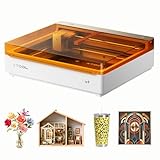
- NOTE: CMYK Inkjet module and RA3 Lite Rotary are not included in this M2 standalone, available separately as add-ons.
- Ultimate Versatility in One Machine: Innovative dual-mode architecture lets the M2 laser engraver add a CMYK Inkjet module((sold separately) to work with the laser. Transform 300+ materials—cardstock, felt, leather, wood, etc.—into masterpieces. Enjoy full-color printing (module required), precision cutting, and custom engraving with a seamless print-to-cut workflow in one setup.
- Smart Crafting with Dual-Camera: Built-in dual cameras, this M2 laser engraving machine offers a real-time preview of your workspace. Backed by ACS, it fuses this vision with motion control for a "Place & Go" experience-ensuring high accuracy while eliminating guesswork and wasted material.
- Effortless Software with Customizable Templates: Beginner-friendly xTool Studio offers hundreds of ready-to-use templates and an integrated AI image generator. Go from creative text ideas to finished personalized gifts and home decor in just minutes. No steep learning curve—just design, click, and create.
- Power Options for Every Creative Goal: Comes standard with 10W diode lasers. You can add the CMYK Inkjet module or 3W IR laser (both sold separately) to unlock full-color printing or fine engraving on metal/plastic. The M2 adapts to every project you imagine, from delicate engravings and high-speed batch cutting to full-color printing.
| Machine or family | Category | Best suited to | Main trade-off |
|---|---|---|---|
| xTool P3 | 80W CO2, enclosed | Large-format general nonmetallic cutting and engraving. | Higher cost and larger installation footprint. |
| xTool P2/P2S | Desktop CO2 | Wood, acrylic, leather, and other frequent craft cutting. | Less industrial capacity than large workshop systems. |
| OMTech Maker series | Workshop CO2 | Buyers prioritizing bed size and hardware value. | More responsibility for cooling, exhaust, alignment, and troubleshooting. |
| Glowforge Aura or Spark | Diode desktop | Guided beginner engraving and light craft cutting. | Less flexible for thick stock, clear acrylic, and advanced workflows. |
| Glowforge Plus HD or Pro HD | CO2 desktop | Users who value camera placement and a guided application. | Potentially higher ownership cost and less open control. |
| xTool S1 or comparable enclosed diode | Diode | Compact hobby engraving and thin-material cutting. | Not a strong choice for thick stock or clear acrylic. |
| xTool F2 Ultra or comparable fiber system | MOPA fiber plus diode in some configurations | Metal marking with some organic-material capability. | Compact work area and a higher price than a single-purpose diode. |
| Epilog, Trotec, Boss, Thunder, and similar commercial systems | Professional CO2, fiber, or dual-source | Businesses, schools, and production users needing service infrastructure. | Substantially higher purchase and installation costs. |
OMTech’s CO2 range illustrates why work area matters: its listed MF2028-100 configuration has a 20-by-28-inch work area and 100W CO2 source. That is a different machine format from an enclosed desktop system and should not be judged by wattage alone.
How to choose the right machine
- List the materials you must cut. If clear acrylic or frequent thick plywood cutting is essential, start with CO2. If bare metal is essential, start with fiber.
- Measure the largest object. Compare usable bed dimensions, not just exterior size. Check passthrough capability, maximum object height, and whether a rotary attachment reduces the available area.
- Decide how often you will operate. Occasional hobby use and daily batch production require different cooling, service, and duty-cycle expectations.
- Check the workspace first. Confirm door clearance, weight limits, electrical supply, exhaust routing, cooling, noise, and ventilation clearance.
- Choose the software workflow. Check file formats, camera calibration, local versus cloud operation, subscriptions, batch tools, rotary support, and exact-model compatibility with LightBurn.
- Calculate the ready-to-run cost. Include the machine, stand, exhaust, filtration, air assist, cooling, rotary accessories, software, shipping, tax, and replacement parts.
- Investigate support. Look for manuals, spare-part catalogs, warranty terms, service geography, and realistic access to lenses, mirrors, tubes, fans, controllers, and filters.
Safety is a buying criterion, not an accessory
A laser can cause eye injury, skin injury, fire, smoke exposure, and hazardous chemical decomposition. The FDA identifies laser classes I through IV; higher classes represent greater potential hazards. A properly enclosed machine may operate as a Class 1 product even when it contains a higher-class internal laser. Removing panels, bypassing interlocks, or operating with an open beam changes that risk.
Prioritize:
- Fully enclosed beam path.
- Door or lid interlocks that cannot be easily defeated.
- Emergency stop and, where appropriate, a key switch.
- Fire detection or automatic shutdown.
- Visible class and output labeling.
- Grounding and electrical protection.
- Air assist and a suitable exhaust connection.
- Replacement parts and a safety manual listing approved materials.
An enclosure contains the beam; it does not automatically remove smoke or vapors. OSHA guidance discusses protective housings, interlocks, labels, emission indicators, and other engineering controls. Relevant consensus standards include ANSI Z136 and ANSI B11.21, although standards are not automatically federal law in every setting.
Ventilation and filtration
Direct outdoor exhaust is often the most effective option when permitted. It still requires suitable ducting, a safe termination point, and attention to building rules and neighbors.
Dedicated filtration can help where outdoor exhaust is impossible, but filters must be correctly sized and replaced. The existence of a filter does not prove that every hazardous compound has been removed.
Improvised indoor ventilation—such as a loose hose or window fan—is not automatically adequate. It may spread smoke and fumes through the room or building. Material chemistry, airflow, duct length, static pressure, and filter media all matter.
Do not compare machines by wattage alone
Manufacturers may describe electrical input power, optical laser output, maximum motion speed, positioning resolution, or repeatability. These are different specifications.
- Optical output power is not the same as electrical consumption.
- Maximum speed is not the same as productive speed at acceptable quality.
- Positioning resolution is not necessarily finished-part accuracy.
- Cutting thickness depends on material, focus, air assist, speed, number of passes, and condition.
- A smaller spot can improve detail but does not automatically cut faster.
- More power can reduce passes while increasing charring, kerf, or thermal distortion.
Ask the seller to distinguish optical power, maximum and recommended speed, positioning accuracy, repeatability, minimum spot size, and the exact conditions behind any maximum-thickness claim. Treat unverified maximums as manufacturer claims, not guaranteed everyday performance.
Quick wins for a faster PC:
Repair Windows errors before they cause bigger problemsFix Now →Fix the driver behind crashes, sound loss and screen glitchesFind Drivers →Clear out junk files and repair common Windows errorsFree Scan →Software and workflow trade-offs
Proprietary applications can simplify setup through guided settings, camera previews, and material libraries. That can be valuable for beginners, families, and classrooms.
More open systems may offer local operation, broader file support, batch tools, repeatable settings, and greater controller flexibility. They may also require more calibration and troubleshooting. Verify compatibility with the exact model and current software version before assuming that LightBurn or another third-party application will work.
Also popular on Amazon

- Truly Beginner-Friendly – Free Software, AI & Offline Control - HATE COMPLICATED SOFTWARE AND MESSY WIRING? CutLabX is free and works on computers, tablets, and phones. Snap a photo or type a prompt for instant AI designs. Wirelessly control via the app. Compatible with LightBurn & LaserGRBL (cross-platform). For offline batch jobs, load files onto a TF card and press the button—no PC needed. Assembles in just 3 minutes with 6 screws. Full starter kit (safety glasses, materials, tools) included for this diode 2-in-1 laser engraver & cutter.
- 500,000+ Users, Lifetime Support & Creative Community - NERVOUS ABOUT SETUP OR GETTING STUCK MID-PROJECT? Join 500,000+ creators worldwide who trust Carverall. Detailed step-by-step tutorial videos are available on YouTube. Join the official “Carverall Users Group” on Facebook for community help and creative inspiration. Backed by a 1-year warranty and lifetime technical support, with replacement parts shipping domestically. Whether you're a beginner or running a small business, you're never alone.
- RELIABLE PERFORMANCE, 300+ MATERIALS & DESIGNED FOR HEAT CONTROL - WORRIED ABOUT OVERHEATING RUINING LONG JOBS? K15 Pro 2-in-1 engraver and cutter is designed for consistent everyday performance. The dual-fan diode module helps reduce heat buildup, ideal for batch orders and holiday gifts. Works with 300+ materials: wood, acrylic, leather, coated metal, and more. Supports multi-pass cutting on 12mm plywood and 8mm acrylic. Ideal for tumblers, coasters, jewelry blanks, and small business DIY crafts.
- Compact A4 Workspace – No Project Limits - WORRIED A LASER ENGRAVER WILL HOG YOUR DESK OR LIMIT YOUR PROJECTS? K15 Pro features an 11.8×7.9-inch A4 workbed, covering 98% of daily projects—from wood signs to custom coasters—yet compact enough to slide under a desk. This 2-in-1 engraver and cutter handles small business DIY crafts, leather keychains, pet tags, and gifts effortlessly. No more cramped 15×15cm or bulky 40×40cm machines. Four heightening columns let you engrave tall items like gift boxes and skateboards without extra accessories.
- 4K Precision, 15,000mm/min & One-Touch Smart Focus - FRUSTRATED BY BLURRY DETAILS ON STANDARD 0.1MM MACHINES? K15 Pro delivers 4K clarity at 0.01mm precision and 15,000mm/min speed. One-touch focus eliminates guesswork, and smart memory saves your last file for one-tap repeat jobs. Creates intricate jewelry, detailed wood signs, metal tumblers, and small business branded merchandise without losing fine details. Perfect for wedding favors, DIY crafts, and professional tumbler engraving.
For business and school use, ask whether jobs can run without an internet connection, whether files can be exported or recovered, how firmware updates are handled, and what happens after a power failure.
Real ownership costs
The purchase price is only the beginning. Budget for:
Windows Errors? Fix Them Before They Spread
Repair common Windows errors and clear accumulated junk for a smoother, more stable PC - no reinstall needed.Free scan · no reinstallOutdated Drivers Are Slowing You Down
One free scan finds every outdated or missing driver and matches the right update for your exact hardware.Free scan · exact hardware match- Stand, table, or reinforced support.
- Exhaust fan, ducting, and filtration.
- Air pump or compressor.
- Water cooling or chiller for applicable CO2 systems.
- Rotary attachment.
- Honeycomb, knife, or pin bed.
- Replacement lenses, mirrors, windows, tubes, filters, and cleaning supplies.
- Software subscriptions, shipping, tax, and import costs.
- Calibration time and warranty return shipping.
A lower-priced workshop CO2 machine may offer more bed area per dollar but demand more installation and maintenance. A guided desktop system may cost more while reducing setup friction. Compare the complete ready-to-operate cost, not just the machine listing.
Suitability by workspace
Home workshop
Prioritize a fully enclosed machine, manageable noise, safe exhaust, compact dimensions, straightforward software, and nearby replacement-part support. An open-frame diode is a poor choice for an uncontrolled family room or shared living space.
School or makerspace
Look for a Class 1 enclosure, interlocks, fire monitoring, clear operating procedures, approved-material lists, training documentation, maintenance logs, and a workflow that multiple users can learn safely.
Small business
Focus on repeatability, batch processing, usable bed area, downtime, service response, local operation, parts availability, and whether the machine can handle the intended schedule without constant manual intervention.
Professional production
Consider dedicated electrical and exhaust infrastructure, service contracts, automated loading, higher duty cycles, conveyor or rotary integration, production software, compliance documentation, and the cost of downtime.
Common mistakes to avoid
- Buying a diode machine for clear acrylic.
- Buying a fiber machine for general wood and acrylic cutting.
- Choosing the highest wattage without checking bed size and beam quality.
- Ignoring ventilation until after delivery.
- Trusting a maximum-thickness claim without its test conditions.
- Putting an open-frame machine in a living area.
- Assuming a camera eliminates calibration problems.
- Failing to verify local support and spare-part availability.
- Assuming a cloud-connected machine will always operate offline.
- Using unknown plastics or faux leather without checking their composition.
If a cut fails
- Stop immediately if there is flame, excessive smoke, or abnormal noise.
- Keep the lid closed if the machine is designed to contain a flare-up, and follow its emergency procedure.
- Never leave the machine unattended.
- Confirm the material identity and thickness.
- Clean the lens and check focus.
- Verify air assist and exhaust.
- Check for warped material, bed obstructions, loose belts, or gantry misalignment.
- Run a small test grid instead of changing several settings at once.
- Improve airflow or reduce speed before simply increasing power.
- If the problem continues, inspect alignment, cooling, firmware, and software compatibility.
- Contact the manufacturer before bypassing an interlock or modifying the optical path.
Final recommendations
For artists, makers, and small businesses working mostly with wood, acrylic, leather, paper, and similar materials, begin with an enclosed CO2 shortlist such as the xTool P2/P3, OMTech Maker or Polar lines, or a comparable commercial platform.
Choose an enclosed diode system such as the xTool S1 or a comparable machine when budget, compact size, and engraving are more important than thick cutting or clear acrylic. Choose Glowforge when guided software and camera-assisted placement outweigh the need for an open, highly customizable workflow.
Choose fiber or MOPA fiber when your core work is bare-metal marking. If you genuinely need both metal marking and organic-material work, consider a dual-source system—but compare its work areas, software, ventilation, and maintenance requirements carefully.
Do these 3 things before closing this tab:
1Repair Windows errors before they cause bigger problems2Scan for outdated or missing drivers - takes under a minute3Clear out junk files and repair common Windows errorsThe best laser is the one that safely processes your actual materials, fits your workspace, and delivers repeatable results at a realistic total cost.
Quick Recap


