Recommended Free Tools
PC Slower Than It Used to Be?
Free scan · Windows 10 & 11
Crashes, No Sound, or Screen Glitches?
Crashes, No Sound, or Screen Glitches?
Random freezes, missing sound and display glitches usually trace back to one bad driver. Find and replace yours safely.Free scan · under a minuteWindows Errors? Fix Them Before They Spread
Repair common Windows errors and clear accumulated junk for a smoother, more stable PC - no reinstall needed.Free scan · no reinstallFree scan · under a minute
Windows Errors? Fix Them Before They Spread
Free scan · no reinstall
ThatPainter is reader-supported. When you buy through links on our site, we may earn an affiliate commission. Learn More
The best Instagram photo editor depends on the job. Choose Snapseed for a capable editor with no subscription, ads, purchases, or watermarks; Adobe Lightroom for RAW files, precise color work, presets, and a catalog that follows you across mobile, desktop, and web; VSCO for a film-inspired feed; and Canva for text-heavy posts, carousels, templates, and branded graphics. Adobe’s Photography plan is the broader option when you also need Lightroom Classic and Photoshop. The prices below are US list prices checked October 28, 2026, and can vary by tax, platform, billing cycle, promotion, or region.
As an Amazon Associate I earn from qualifying purchases.
Which Instagram photo editor is best for your workflow?
There is no useful single winner because Instagram editing combines two different tasks: correcting a photograph and designing the post around it. A phone photographer may need exposure, color, healing, and RAW support. A creator publishing a carousel may care more about templates, typography, brand assets, and export dimensions.
| Rank | Editor | Best fit | Key capabilities | Free access and US pricing | Main limitation |
|---|---|---|---|---|---|
| 1 | Snapseed | Serious editing at no cost | 30+ tools and filters, RAW support, masking, batch editing, non-destructive edits | Free; Google Play lists no subscriptions, purchases, ads, or watermarks | Not a template or social-scheduling platform |
| 2 | Adobe Lightroom | RAW, color control, presets, and a cross-device catalog | Precise exposure and color adjustments, presets, organization, generative credits | US$11.99/month on an annual billed-monthly plan; 1TB storage and 250 monthly generative credits | Subscription required for the listed paid plan |
| 3 | VSCO | Film-inspired styling and repeatable looks | Preset-led editing and batch workflows on Pro | Starter is free; Pro is US$59.99/year or US$12.99/month; One is US$499.99/year | The free tier has a limited preset selection |
| 4 | Canva | Designed posts, carousels, text, and brand graphics | Templates, premium assets, AI tools, scheduling, cloud storage | Free is US$0/year; Pro is US$144/year; Business is US$250/year per person; Enterprise is quote-based | Detailed photographic correction is not its primary strength |
| 5 | Adobe Photography plan | A wider Adobe workflow across three editors | Lightroom, Lightroom Classic, Photoshop, 1TB storage, monthly generative credits | US$19.99/month; 1,000 monthly generative credits | Costs more than the Lightroom-only plan |
| 6 | Lightroom Classic | Photographers who want the classic Lightroom application in an Adobe bundle | Included with the Photography plan alongside Lightroom and Photoshop | No separate price listed; included in the US$19.99/month Photography plan | Its access is tied to the bundle rather than a separately listed Instagram plan |
| 7 | Adobe Photoshop | Posts that need work beyond ordinary photo adjustments | Included with Lightroom and Lightroom Classic in the Photography plan | No separate price listed here; included in the US$19.99/month Photography plan | The bundle is unnecessary if you only need quick mobile corrections |
For a free starting point, Snapseed is the clearest answer. For a coherent photographic feed built from RAW originals, Lightroom is the strongest fit. VSCO is the specialist choice when the look itself is the priority, while Canva solves the design problem that photo-first editors do not.
Popular on Amazon

- 𝗖𝗢𝗟𝗢𝗥 𝗔𝗖𝗖𝗨𝗥𝗔𝗖𝗬, 𝗗𝗘𝗙𝗜𝗡𝗘𝗗 𝗗𝗘𝗧𝗔𝗜𝗟: Ensure accurate, consistent color from one shot to another, across different cameras, lenses, and lighting environments, plus capture every detail with optimal RAW process in- batch processing
- 𝗕𝗨𝗗𝗚𝗘𝗧 𝗙𝗥𝗜𝗘𝗡𝗗𝗟𝗬, 𝗙𝗘𝗔𝗧𝗨𝗥𝗘-𝗥𝗜𝗖𝗛: It features 24 spectrally engineered color targets and a grey face target, all near/within the sRGB gamut to ensure compatibility with a wide range of devices. Perfect for visual comparisons and custom white balance adjustments.
- 𝗔𝗟𝗜𝗚𝗡 𝗠𝗨𝗟𝗧𝗜𝗣𝗟𝗘 𝗖𝗔𝗠𝗘𝗥𝗔 𝗦𝗬𝗦𝗧𝗘𝗠𝗦: Easy alignment of multiple camera systems, including DSLR, Smartphones, drones and Action Cams - perfect for event photography.
- 𝗦𝗧𝗥𝗘𝗔𝗠𝗟𝗜𝗡𝗘𝗗 𝗪𝗢𝗥𝗞𝗙𝗟𝗢𝗪: Taking a test photo with your Spyder Checkr 24 allows you to capture scene light color and intensity data, so you can color-calibrate your camera with software based HSL-presets, streamlining post-production workflow
- 𝗢𝗡-𝗧𝗛𝗘-𝗚𝗢-𝗣𝗢𝗥𝗧𝗔𝗕𝗜𝗟𝗜𝗧𝗬: Its compact size and protective sleeve make Spyder Checkr 24 a take-with-you-everywhere photo tool – perfect for location shoots, changing light conditions, and multiple camera and lens usage – wherever your camera takes you!
What should an Instagram photo editor do?
Look for the capabilities that match how you publish, rather than counting filters. Exposure and color controls repair an uneven capture; selective adjustments, masking, and healing let you correct only the areas that need work; RAW support preserves more information from a camera file; and presets or batch tools make a recurring feed faster to maintain.
Editing precision
Exposure, white balance, contrast, highlights, shadows, and color controls matter when several photos from the same shoot must look related. Masking is useful for changing a subject without shifting the background, while healing removes small distractions. Snapseed and Lightroom are the most directly aligned with this correction-first workflow in the supplied product information.
Repeatability
A consistent grid usually comes from a repeatable recipe, not from applying a different dramatic filter to every post. Lightroom presets and VSCO’s preset workflow address that need directly. Batch editing is particularly useful when a carousel contains several images from one lighting setup.
Design and publishing
Text overlays, multi-image layouts, cover slides, brand colors, and scheduling are design requirements. Canva’s templates, premium asset library, AI tools, scheduling, and cloud storage target those jobs. A photo editor can produce the image, but a design tool is usually faster for a quote card or branded carousel.
1. Snapseed: who is it for?
Snapseed is the best choice for capable Instagram editing without a subscription. Google Play describes it as a complete professional photo editor and lists more than 30 tools and filters. Its feature set covers RAW files, masking, batch editing, and non-destructive edits, so it can handle more than one-tap enhancement.
What it does well
- RAW support gives camera photographers a way to begin with the original file rather than a compressed export.
- Masking allows an adjustment to be constrained to part of an image.
- Batch editing helps apply work across multiple images, while non-destructive editing keeps changes reversible.
- The Google Play listing says there are no subscriptions, in-app purchases, ads, or watermarks.
Platforms, price, and limits
The cited listing is for Google Play, so Android availability is established. Snapseed is free. Its trade-off is workflow scope: the listed feature set is for image editing, not for template-based carousel design, brand management, or social scheduling. It is therefore a strong free editor but not a replacement for a design platform when the post contains substantial typography.
PC Slower Than It Used to Be?
A free scan shows the junk files, broken settings and background clutter dragging Windows down - then fixes them in one click.Free scan · Windows 10 & 11Crashes, No Sound, or Screen Glitches?
Random freezes, missing sound and display glitches usually trace back to one bad driver. Find and replace yours safely.Free scan · under a minuteAlso popular on Amazon
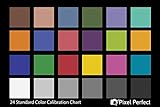
- QUANTITY: Set of 2, Printed on SmartFlex Synthetic Paper with a matt finish coating to avoid glare
- AFFORDABLE: Professional color and gray target, at an affordable price
- PORTABLE: fit easily in your equipment bag
- PROFESSIONAL: Pixel Perfect offers full size, spectrally formulated pigment patches, and highly accurate FREE Adobe correction software
- EASY TO USE: Pixel Perfect provides easy-to-follow instructions and download link for Adobe DNG profile editor
2. Adobe Lightroom: who is it for?
Adobe Lightroom is the best fit for RAW shooters, precise color work, presets, and an organized library that spans mobile, desktop, and web. Adobe positions it as precise photo editing with a catalog workflow, making it suitable when an Instagram feed is part of a larger photography archive.
Standout workflow
- Use exposure and color controls for a consistent baseline, then save a preset for recurring lighting conditions.
- Organize originals and finished versions in the same Lightroom workflow instead of keeping each post in a separate phone folder.
- Presets make a recognizable feed repeatable without forcing every image into the same intensity.
Price and limits
Adobe lists Lightroom at US$11.99 per month on an annual billed-monthly plan. That listing includes 1TB of storage and 250 monthly generative credits. The plan is a subscription, so it is not the no-cost option; its value is the combination of editing, organization, storage, and cross-device access.
3. VSCO: who is it for?
VSCO is the specialist pick for a film-inspired Instagram aesthetic. Its workflow is centered on presets, allowing a creator to establish a recognizable treatment and apply it repeatedly rather than building every look from scratch.
Plans and capabilities
VSCO Starter is free and includes 15 presets. VSCO Pro adds professional presets, editing, and batch workflows. Pro costs US$59.99 billed annually or US$12.99 billed monthly. VSCO One is listed at US$499.99 billed annually.
The Tool Desk
Outbyte PC Repair FREERepair Windows errors before they cause bigger problemsFix Now →Outbyte Driver Updater FREEScan for outdated or missing drivers - takes under a minuteDriver Scan →Who should choose it
Choose VSCO when the visual language of the feed matters more than extensive compositing or layout work. Batch workflows make Pro more useful for a set of images from one shoot. The free tier is a way to establish whether the preset-led approach suits you, but its smaller preset selection limits how broad that starting palette is.
4. Canva: who is it for?
Canva is the best choice when an Instagram post is also a designed graphic. It is built for templates, text, carousels, brand assets, and other layout work that a photo-first editor does not prioritize.
Also popular on Amazon
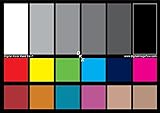
- SUPERIOR ACCURACY - Ensures precise color calibration with two 5x7" DKK charts, providing a reliable reference for consistent image quality across all your video projects.
- ENHANCED IMAGE QUALITY - Achieve optimal color balance and exposure using the integrated colorbar and grayscale combo, designed for professional-grade video calibration.
- ULTIMATE PORTABILITY - Compact 5x7" size makes these charts easy to transport, ensuring accurate color calibration wherever your video shoots take you, enhancing ease of use.
- INCREASED DURABILITY - Built with high-quality materials, these calibration charts are designed to withstand frequent use, offering a long-lasting solution for video professionals.
- VERSATILE COMPATIBILITY - Works seamlessly with various video editing software and cameras, providing a universal solution for color calibration across different platforms.
Features for Instagram publishing
- Templates speed up cover slides, quote graphics, announcements, and multi-image carousels.
- Premium photos, videos, graphics, and audio provide more source material for designed posts.
- AI tools, social content scheduling, and cloud storage are included in the Pro offering.
- Brand-oriented workflows are more natural here than in a correction-focused editor.
Plans and limits
Canva Free costs US$0 per year. Canva Pro costs US$144 per year and includes premium assets, AI tools, social content scheduling, and 100GB of cloud storage. Canva Business is US$250 per year per person; Enterprise is quote-based. Canva reports more than 3.6 million Pro templates and 141 million premium photos, videos, graphics, and audio items. The practical limitation is specialization: Canva can place a photo into a polished layout, but Lightroom or Snapseed is better suited to detailed photographic correction.
5. Adobe Photography plan: who is it for?
The Adobe Photography plan is for creators who need Lightroom, Lightroom Classic, and Photoshop rather than one editor. It combines the cloud-oriented Lightroom workflow with the classic Lightroom application and Photoshop, giving a broader path from camera files to more involved image work.
Quick wins for a faster PC:
Clear out junk files and repair common Windows errorsFree Scan →Scan for outdated or missing drivers - takes under a minuteDriver Scan →Repair Windows errors before they cause bigger problemsFix Now →Price and included capacity
Adobe lists the plan at US$19.99 per month. It includes Lightroom, Lightroom Classic, Photoshop, 1TB of storage, and 1,000 monthly generative credits. That is more storage and a larger monthly credit allowance than the Lightroom-only listing, but it costs more.
When the bundle makes sense
Choose it if your Instagram work is part of a photography practice that needs multiple Adobe applications. If your recurring job is simply correcting phone photos and exporting them, the additional applications may not justify the higher monthly price.
6. Lightroom Classic: who is it for?
Lightroom Classic is the classic Lightroom application available through Adobe’s Photography plan. It is relevant to photographers who want that application in the same subscription that also supplies Lightroom and Photoshop, rather than choosing a single-editor plan.
Access and cost
Adobe includes Lightroom Classic in the Photography plan with Lightroom and Photoshop. The supported US price is US$19.99 per month for the bundle, including 1TB of storage and 1,000 monthly generative credits. A separate Lightroom Classic price is not listed in the supplied Adobe pricing information.
What’s actually slowing this PC down?
Pick the symptom - the matching free tool is one click away.
Also popular on Amazon

- Pixiss premium waterproof and durable photography card set with color checker, includes 24 step gradient. As well as grey, white, and black cards for maximum exposure and color balance.
- Our custom calibration tools have many uses in one great set. Use for video, dslr, film and photography.
- Compact and lightweight, works with any camera. Color reference tiles and temperature color with 24 colors on matte card.
- The Pixiss 4 in 1 card set is attached by a lanyard with measurements on it to act as an in the field ruler if needed, while also wearing the cards set around your neck making it very convenient to wear anywhere you need it.
- Pixiss micro fiber lens wipe to keep your camera lens spotless for all of your perfect moments.
Trade-off for Instagram creators
The bundle can be sensible when you already manage a substantial photography library or need more than one Adobe application. It is excessive for a creator whose only requirement is a quick, free edit before posting.
7. Adobe Photoshop: who is it for?
Photoshop is the Adobe option for Instagram work that goes beyond ordinary exposure and color correction. Adobe includes it with Lightroom and Lightroom Classic in the Photography plan, so it is most relevant to creators who want a multi-application workflow rather than a single-purpose phone editor.
Price and access
Photoshop is included in Adobe’s US$19.99-per-month Photography plan, which also provides Lightroom, Lightroom Classic, 1TB of storage, and 1,000 monthly generative credits. The supplied pricing does not list a separate Photoshop price or a separate Instagram-focused free tier.
Who should skip it
If your posts need only cropping, tonal correction, a preset, or a simple carousel, Snapseed, Lightroom, VSCO, or Canva is a more direct match. Photoshop becomes easier to justify when the broader Adobe bundle is already part of your image-making workflow.
Free tools Windows power users keep installed
One-click scans. No signup required.
How do you choose the right editor for an Instagram feed?
Start with the task you repeat most often. The following decision path prevents paying for capabilities you will not use.
- Need to spend nothing? Start with Snapseed. Its listed tools cover RAW, masking, batch editing, and non-destructive changes without a subscription, purchase, ad, or watermark.
- Work from camera RAW files or need a catalog? Choose Lightroom. The Lightroom plan combines editing, presets, organization, cross-device access, 1TB of storage, and 250 monthly generative credits.
- Want one recognizable film-like treatment? Choose VSCO. Start with Starter, then move to Pro if professional presets and batch workflows become part of your routine.
- Publish carousels, quote cards, or branded graphics? Choose Canva. Its templates, assets, AI tools, scheduling, and cloud storage address design and publishing rather than only photo correction.
- Need several Adobe applications? Compare the Lightroom-only plan with Photography. The latter adds Lightroom Classic and Photoshop and raises the monthly generative-credit allowance from 250 to 1,000.
Build a consistent grid
Pick one baseline treatment for a recurring series: match white balance first, then exposure and contrast, and apply a restrained preset or recipe. Check the full set together before publishing; a look that works on one image can become too dark or saturated when repeated across a row.
Also popular on Amazon

- QUANTITY: Set of 2, Printed on SmartFlex Synthetic Paper with a matt finish coating to avoid glare
- AFFORDABLE: Professional color and gray target, at an affordable price
- PORTABLE: fit easily in your equipment bag
- PROFESSIONAL: Pixel Perfect offers full size, spectrally formulated pigment patches, and highly accurate FREE Adobe correction software
- EASY TO USE: Pixel Perfect provides easy-to-follow instructions and download link for Adobe DNG profile editor
Prepare the intended placement
A current Instagram workflow guide uses 1080×1350 pixels for a portrait post and 1080×1920 pixels for a Story. Treat those as practical export guidance and recheck Instagram’s own specifications before publication, since platform requirements can change. Design the first carousel slide and Story frame at the intended ratio so important text and faces are not cropped later.
Use a color reference only when it solves a real problem
A photography color checker card can help camera-based or color-managed workflows keep color consistent across lighting conditions. It is unnecessary for casual phone edits, where a visual check and a restrained preset are usually enough.
What are the main limits to watch before subscribing?
- Free does not always mean unrestricted: VSCO Starter is free but has a smaller preset selection than Pro, while Canva Free does not include the full Pro asset and workflow set.
- Subscription value depends on frequency: Lightroom and Adobe Photography provide storage and monthly generative credits, but those recurring benefits matter most to people editing regularly.
- Design and correction are different jobs: Canva is efficient for layouts and text; Snapseed and Lightroom are better aligned with detailed photographic adjustments.
- Prices are time-sensitive: The listed US figures were checked October 28, 2026. Taxes, app-store billing, promotions, country, and billing cycle can change the amount shown at checkout.
- Export is part of editing: A beautiful master can still be awkward in a feed if the crop, portrait ratio, carousel order, or Story framing is wrong.
Frequently Asked Questions
Can I edit RAW photos for Instagram without paying?
Yes. Snapseed’s Google Play listing includes RAW support in its free editor and says it has no subscriptions, purchases, ads, or watermarks. You can make the correction there and export a finished copy for Instagram without moving to a paid plan.
Is a preset enough to make every post in a feed match?
No. Presets establish a starting treatment, but exposure, white balance, and the light in each scene still vary. Apply the preset first, then make small image-specific corrections before exporting a set together.
Should I design an Instagram carousel in a photo editor or a layout app?
Use a photo editor for the photographs and a layout-focused tool for typography, cover slides, and repeated branding. Canva is designed around templates and carousel graphics, while Lightroom, Snapseed, and VSCO are oriented toward the image treatment itself.
Do I need Adobe’s Photography plan if I only use Lightroom?
Not necessarily. Adobe lists a Lightroom-only plan at US$11.99 per month on an annual billed-monthly basis, with 1TB of storage and 250 monthly generative credits. The Photography plan costs US$19.99 per month and is aimed at people who also want Lightroom Classic and Photoshop.
Recommended Free Tools
Why do my colors change after an Instagram upload?
Different screens, lighting, and platform processing can alter perceived color. Export from a consistent, color-managed workflow, avoid extreme saturation, and review the final file at the size and crop you plan to publish rather than judging only the original camera file.
Quick Recap


