Do these 3 things before closing this tab:
Free tools Windows power users keep installed
One-click scans. No signup required.
1Scan for outdated or missing drivers - takes under a minute2Clear out junk files and repair common Windows errors3Fix the driver behind crashes, sound loss and screen glitches
ThatPainter is reader-supported. When you buy through links on our site, we may earn an affiliate commission. Learn More
No—the official Procreate app cannot be installed or natively used on a Samsung Galaxy tablet. Procreate’s current official materials list Procreate for iPad, Procreate Pocket for iPhone, and Procreate Dreams for iPad; they do not list an Android or Samsung version. See Procreate’s product page and its official FAQ.
That does not make a Galaxy Tab a poor drawing device. With the right Android app, an S Pen-compatible Samsung tablet can handle sketching, painting, comics, animation, and professional illustration. The most capable choice for advanced illustration and comics is often Clip Studio Paint, while Infinite Painter, ibisPaint, Krita, Concepts, Sketchbook, and PENUP suit different workflows.
As an Amazon Associate I earn from qualifying purchases.
Can you download Procreate on a Samsung tablet?
Procreate is not available in either the Google Play Store or the Galaxy Store. There is no official Android, Samsung, or Galaxy Tab edition, and an iPad Procreate license cannot be transferred to Android hardware.
Procreate Pocket is not the Android version. It is made for iPhone. Procreate Dreams is also an iPad app, so it is not a Samsung-compatible alternative. Its current iPad requirements and availability are documented in the Procreate Dreams FAQ.
Popular on Amazon

- POWER FOR ALL YOU DO: Galaxy Tab A11+ gives your family the optimal performance they need for all their day-to-day activities. Power through tasks, relax with a movie or jump into a game — the upgraded chipset⁴ keeps everything responsive
- CHARGES UP FAST. LASTS FOR HOURS: Galaxy Tab A11+ keeps your family going with a long-lasting battery that’s perfect for browsing, streaming and play. When you finally need a boost, fast charging gets you back to 100% quickly.⁵
- MEMORY AND STORAGE THAT KEEP UP: With up to 8GB of memory and 256GB⁶ of storage, Galaxy Tab A11+ gives your family the space and speed to multitask seamlessly and handle large files.
- BIG SCREEN. FAMILY-SIZED FUN: A bright, engaging 11" screen¹ with a refresh rate up to 90Hz delivers natural, fluid motion, making it easy for every family member to stream, play and do what they love.
- SURROUND YOURSELF WITH RICH AUDIO SOUND: Whether you're watching a movie or listening to your favorite playlist, immerse yourself in a cinema-like audio experience with quad speakers powered by Dolby Atmos on Galaxy Tab A11+
This answer describes the current platform availability shown in Procreate’s official materials. It does not establish whether the company might release an Android app in the future.
Should you install a “Procreate APK”?
No. A website offering “Procreate for Android” or a “Procreate APK” is not offering an official Android release. The file could be counterfeit, repackaged software, adware, or malware. Sideloading also cannot recreate Procreate’s iPadOS environment, Apple Pencil integration, or iPad-specific features.
An S Pen does not make an unsupported iPad application compatible. Use the Galaxy Store or Google Play Store, verify the developer name, and check the app’s official website and support pages. If you already installed a suspicious APK, uninstall it, run the tablet’s security scan, review its permissions, and change important passwords if the app requested unusual access.
Can an emulator or remote connection run Procreate?
Not in the way most buyers mean. iPadOS and Android use different operating systems, app frameworks, hardware APIs, and distribution systems. Installing an emulator on Android is not a practical method for turning an iPad app into a native Samsung app.
Remote access can display Procreate on a Samsung screen, but it does not turn the Samsung tablet into a Procreate-compatible device. Procreate would still be running on an iPad or Mac-connected setup elsewhere. Remote workflows add latency, require a reliable connection, and may limit pressure, gestures, and pen responsiveness. They are not a sensible reason to buy a Galaxy Tab for everyday portable drawing.
Best Procreate alternatives for Samsung tablets
There is no exact Android copy of Procreate. Choose by workflow rather than by app name.
The Tool Desk
Outbyte Driver Updater FREEScan for outdated or missing drivers - takes under a minuteDriver Scan →Outbyte PC Repair FREEClear out junk files and repair common Windows errorsFree Scan →Also popular on Amazon
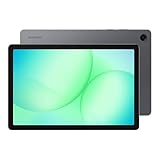
- POWER FOR ALL YOU DO: Galaxy Tab A11+ gives your family the optimal performance they need for all their day-to-day activities. Power through tasks, relax with a movie or jump into a game — the upgraded chipset⁴ keeps everything responsive
- CHARGES UP FAST. LASTS FOR HOURS: Galaxy Tab A11+ keeps your family going with a long-lasting battery that’s perfect for browsing, streaming and play. When you finally need a boost, fast charging gets you back to 100% quickly.⁵
- MEMORY AND STORAGE THAT KEEP UP: With up to 8GB of memory and 256GB⁶ of storage, Galaxy Tab A11+ gives your family the space and speed to multitask seamlessly and handle large files.
- BIG SCREEN. FAMILY-SIZED FUN: A bright, engaging 11" screen¹ with a refresh rate up to 90Hz delivers natural, fluid motion, making it easy for every family member to stream, play and do what they love.
- SURROUND YOURSELF WITH RICH AUDIO SOUND: Whether you're watching a movie or listening to your favorite playlist, immerse yourself in a cinema-like audio experience with quad speakers powered by Dolby Atmos on Galaxy Tab A11+
| App | Best for | Cost model | Main advantage | Main drawback |
|---|---|---|---|---|
| Clip Studio Paint | Professional illustration, comics, manga, and animation | Subscription after trials or promotions | Deep production tools and cross-device workflows | More complex and recurring cost |
| Infinite Painter | Painting and sketching | Check the current store listing | Focused, approachable raster workflow | May not suit advanced comic or animation work |
| ibisPaint / ibisPaint X | Beginners, anime, manga, and social-media art | Free and paid tiers vary | Accessible entry point | Ads or feature restrictions may apply |
| Krita | Open-source, desktop-style painting | Check current Android distribution | Powerful painting environment | More demanding interface and performance needs |
| Concepts | Design sketches, diagrams, and architecture | Check the current plan | Flexible, vector-like sketching | Not a direct textured-painting replacement |
| Sketchbook | General sketching | Check the current edition | Simple, uncluttered experience | Fewer specialist production features |
| Samsung PENUP | Guided drawing and casual practice | Samsung ecosystem; check current terms | Beginner-friendly | Not a professional Procreate substitute |
Clip Studio Paint for Galaxy: best for advanced work
Clip Studio Paint for Galaxy is often the strongest Samsung option for professional illustration, inking, comics, manga, animation, 3D references, and users who move work between a tablet and Windows or macOS computer. The Galaxy version is distributed through the Galaxy Store and has its own compatibility information; it is not necessarily identical to the general Android or Chromebook version.
Clip Studio’s official documentation lists support for Android 13 ARM64 and later and includes many Galaxy Tab generations, including Tab S7, S8, S9, S10, and S11 families, along with selected FE and Lite models. The list is a compatibility reference, not a promise that every listed model will deliver identical performance. Check the current compatible-device list.
Clip Studio Paint’s Galaxy and tablet plans are subscription-based. Official materials describe six-month trial or free-use signals, and Samsung has advertised six-month promotions for qualifying Galaxy devices. Eligibility depends on the model, country, account, and campaign. After a trial, continued use normally requires a monthly or annual plan. Do not select a smartphone-only plan for tablet or DeX use; consult the plan and device guidance and your local Galaxy Store listing.
Infinite Painter: a focused painting alternative
Infinite Painter is worth considering if you want a comparatively focused Android painting and sketching experience rather than Clip Studio Paint’s larger production toolset. It is a common choice for users seeking a more approachable, Procreate-like workflow.
Windows Errors? Fix Them Before They Spread
Repair common Windows errors and clear accumulated junk for a smoother, more stable PC - no reinstall needed.Free scan · no reinstallOutdated Drivers Are Slowing You Down
One free scan finds every outdated or missing driver and matches the right update for your exact hardware.Free scan · exact hardware matchIts real-world suitability depends on your tablet’s processor and RAM, canvas dimensions, layer count, and brush complexity. Confirm current S Pen behavior, export formats, features, and purchase terms in the listing for your country before committing.
ibisPaint: accessible for beginners and manga artists
ibisPaint and ibisPaint X are popular starting points for beginners, anime and manga drawing, and social-media artwork. Free and paid editions can differ in advertising, brushes, cloud features, and other restrictions, and terms vary by region. Check the selected version’s current store listing rather than assuming it matches Procreate’s feature set.
Also popular on Amazon

- 8.7 Inches, 90Hz Display (220.5mm), 1340 x 800 (WXGA+), TFT, 16M colors, Android 15, One UI 7, with Updates coming. Charger Not Included.
- 64GB ROM, 4GB RAM, Mediatek Helio G99 (6nm), Octa-core, Mali-G57 MC2 GPU, MicroSD card slot for upto 2TB of expanded memory (SD Card sold seperate).
- Rear Camera: 8MP, AF, Front Camera: 5MP, 5100 mAh battery, Bluetooth 5.3, USB Type-C 2.0
- No SIM Card Slot / Network - Wi-Fi Only. USB Version C USB 2.0 Location Technology GPS, Glonass, Beidou, Galileo, QZSS Earjack 3.5mm Stereo Wi-Fi 802.11a/b/g/n/ac 2.4GHz+5GHz, VHT80 Wi-Fi Direct Yes Bluetooth Version 5.3
- International Latin American Model - No Warranty. WIFI Version: (Important: Country selection may not be available during setup. select any country, as Country will updated later after Connecting to WIFI in Settings. English Language is available.)
Krita: powerful but more desktop-like
Krita is a serious open-source painting option for people comfortable with a more complex, desktop-oriented interface. It should not automatically be treated as identical to the desktop experience on every Android tablet. Large canvases and many layers can be demanding, particularly on lower-spec Galaxy Tabs.
Concepts, Sketchbook, and PENUP
Concepts is better for product design, architecture, diagrams, and flexible ideation than for textured raster painting. Sketchbook is a practical choice for straightforward sketching and casual or intermediate work. PENUP is useful for guided drawing, practice, and sharing within Samsung’s ecosystem, but it is not intended as a professional replacement for Procreate.
Quick wins for a faster PC:
Fix the driver behind crashes, sound loss and screen glitchesFind Drivers →Repair Windows errors before they cause bigger problemsFix Now →Scan for outdated or missing drivers - takes under a minuteDriver Scan →How to install and test Clip Studio Paint on a Galaxy Tab
- Open Settings, select About tablet, and record the exact model name and model number.
- Check that model against Clip Studio’s official Galaxy compatibility list, including the required Android version.
- Open the Galaxy Store, search for Clip Studio Paint, and install the official listing.
- Sign in or create a Clip Studio account, then review the available trial and tablet plan.
- Test S Pen pressure, palm rejection, brush response, pressure-curve settings, layer performance, and exports such as PSD and PNG.
Clip Studio specifically documents pressure-sensitive support for the Samsung Galaxy S Pen on compatible configurations. Pressure still depends on the tablet model, stylus, active brush, application version, and settings; an S Pen alone does not guarantee identical behavior in every drawing app. See the pen-pressure guidance.
Why your Samsung tablet model matters
“Samsung tablet” includes entry-level Galaxy Tab A devices, midrange FE models, and high-end Tab S-series hardware. Their drawing experience can differ substantially because of RAM, processor, storage, display size and resolution, Android version, S Pen generation, and app optimization.
For large canvases, numerous layers, animation, 3D references, or complex brushes, prioritize a model with stronger hardware and adequate RAM. For simple sketches and smaller canvases, a modest tablet may be sufficient. Reduce canvas size, layer count, time-lapse recording, brush size, stabilization, 3D references, and background apps if the app lags. Thermal throttling, storage, and canvas complexity can matter as much as the app itself.
Independent reader supportYour contribution helps us test, update, and keep practical guides available for everyone.Moving from Procreate to Samsung
Procreate’s native .procreate documents are not automatically editable in Android alternatives. Keep the original files on the iPad. For experiments on Android, export a layered PSD where possible, then inspect the result carefully: masks, blend modes, effects, text, brushes, animation data, and other app-specific features may not transfer perfectly.
Recommended Free Tools
Also popular on Amazon

- DIVE INTO THIS DISPLAY: All of your fun content pops on the 10.9" screen. Catch up on plans for the day while you cook breakfast, scroll your social feed in the evening or read an article in bed. Vision Booster adjusts the brightness to your environment
- BATTERY FOR LONG-LASTING ENTERTAINMENT: Enjoy long-lasting fun. Finish your favorite series or book with a battery that can last up to 16 hours.¹ Need energy quick? Get a full charge in about two hours with Super Fast Charging.²
- WRITE, DRAW, DO IT ALL: S Pen is mightier than your average writing tool. The responsive design and intuitive integration with intelligent features make drawing, jotting down notes and even doing math easier than ever
- SPACE TO KEEP WHAT MATTERS MOST: More storage means deleting less apps, photos, videos and files. Galaxy Tab S10 Lite comes with up to 256GB³ of storage. And if you need even more, you can add up to 2TB with a microSD card.⁹
- THE POWER OF ENHANCED PERFORMANCE: Galaxy Tab S10 Lite boasts an Exynos 1380 processor that lets you stream, scroll, note, search and even multitask with ease
PNG and JPEG exports preserve appearance but flatten the editable structure. The safest migration is to choose the replacement app first, test several representative files, and only then decide whether to sell or stop using the iPad. Do not promise yourself a perfect Procreate-to-Android conversion.
Samsung tablet or iPad for digital art?
- Keep or choose Samsung if you value Android, Samsung Notes, DeX, Windows integration, expandable storage, an included or compatible S Pen, or avoiding a new iPad purchase—and you are willing to learn another app.
- Choose an iPad if Procreate itself is non-negotiable, your school or client requires
.procreatefiles, you already own a Procreate-centered library or workflow, or you want Procreate Dreams as part of the setup. - Choose Clip Studio Paint if comics, manga, inking, animation, 3D references, or desktop transfers matter enough to justify a subscription.
- Choose a simpler app if you are new to digital art, prefer a lower-cost or less crowded interface, and work with smaller canvases and fewer layers.
Common problems and fixes
Clip Studio Paint is unavailable
Possible causes include an unsupported model, outdated Android or Galaxy Store software, a regional store limitation, a Galaxy Store account mismatch, or searching Google Play instead of the Galaxy Store for the Galaxy edition.
- Confirm the exact model number and check the official compatibility list.
- Update Android and the Galaxy Store.
- Search the Galaxy Store for the exact app name.
- Check your account country and region.
- Review the general Android compatibility guidance.
- Contact Clip Studio support rather than downloading a third-party APK.
The S Pen draws but has no pressure sensitivity
Check whether the app and selected brush support pressure, review pressure settings, confirm that the tablet is compatible, and test another supported app. A third-party stylus or replacement nib can also affect results. If pressure works elsewhere, the limitation may be app-specific.
The replacement does not feel like Procreate
That is expected. Clip Studio Paint may offer more specialized power but require more setup. Infinite Painter may feel simpler but lack some advanced comic or animation tools. ibisPaint may be easy to start with but is not the same professional workflow. Krita may feel powerful yet less casual-tablet-friendly. Evaluate the workflow you need rather than searching for identical menus and gestures.
Bottom line
You cannot legitimately install or natively run Procreate on a Samsung tablet today. Avoid APKs and treat emulation or remote access as technical curiosities, not buying solutions. If you already own a Galaxy Tab, start with an Android-native app: Clip Studio Paint for serious illustration, comics, and animation; Infinite Painter for focused painting; ibisPaint for accessible beginner and manga work; or a lighter app for sketching and practice. If Procreate’s files, tools, and workflow are mandatory, buy into the iPad ecosystem instead.
Quick Recap


