Recommended Free Tools
ThatPainter is reader-supported. When you buy through links on our site, we may earn an affiliate commission. Learn More
Short answer: Cricut claims Maker 4 and Explore 4 can cut up to twice as fast as their respective previous-generation models under qualified conditions, but the research does not establish that either is more accurate. Choose between them based on materials, tools, project size, and the current total cost of the machine and supplies you need.
| # | Preview | Product | Price | |
|---|---|---|---|---|
| 1 |

|
Cricut Explore® 5 Essential Bundle + Digital Content, Taupe | $199.00 | Buy on Amazon |
| 2 |

|
Cricut Maker 4 - Smart Cutting Machine (Seashell) | Digital Content Bundle | $329.00 | Buy on Amazon |
| 3 |
|
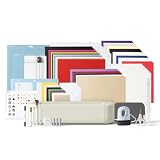
Cricut Explore® 5 Ultimate Bundle + Digital Content, Taupe | $319.00 | Buy on Amazon |
Explore 4 suits common vinyl, iron-on, paper, and cardstock projects. Maker 4 supports a broader range of materials and specialty tools, so its higher price may be worthwhile if you will use those capabilities.
What Maker 4 and Explore 4 actually improve
Cricut announced the Maker 4 and Explore 4 on February 27, 2025. Cricut says both can cut up to twice as fast as their respective previous-generation models when cutting on a machine mat, with speed varying by material setting.
Free tools Windows power users keep installed
One-click scans. No signup required.
#1 Best Overall
- 12 IN (30.5 CM) CUTTING MACHINE: Cricut Explore 5 is the newest generation of our Cricut Explore machines — perfect for making a variety of projects like custom decals, personalized apparel, full-color stickers, cards, and so much more. You can even make in multiples! 30% more compact than previous models, Cricut Explore 5 features an aesthetic new look and simplified interface for a more intuitive experience – all with the same dependable 12 in (30.5 cm) cutting performance. Available in a brand-new Taupe color.
- COMPATIBILITY: Precision-cuts 100+ popular materials, including vinyl, iron-on, cardstock & printable materials, plus this machine writes, draws, foils, scores & cuts intricate designs with precision. Works with six tools, including Deep Cutting Tool (sold separately) for working with thicker materials like foam & rubber. Plus, it features a new hassle-free snap-in pen holder.
- BUNDLE & SAVE: Make a wide variety of projects right out of the box and save even more! The Essential Bundle includes must-have tools and materials like Smart Vinyl, Smart Iron-On, Value Cardstock, Insert Card Sets, and Printable Vinyl. *Materials and accessories value based on comparable Cricut products sold separately. Bundle also includes 25 additional premium-quality images with purchase, plus 1 font.
- FULL-COLOR POSSIBILITIES: Print your design with your home inkjet printer, then your Cricut cutting machine automatically recognizes & precision-cuts around inkjet-printed images to create full-color stickers, decals, apparel & more.
- NO DESIGN EXPERIENCE REQUIRED: Use your mobile or desktop device and connect through Bluetooth to Design Space, our free, easy-to-use app that helps you turn your ideas into something one of a kind. With step-by-step design flows, customizable templates, AI-image generation, and a huge content library, it makes personalization feel effortless. Our free out-of-the box content library includes 3,000+ images, 100+ fonts, and 1,000+ projects to help get you started. Additional content can always be purchased a la carte, or go all in with a Cricut Access Subscription to unlock our ever-growing library for a small reoccurring monthly or annual fee.
That is a qualified manufacturer claim, not a guarantee of twice-as-fast results on every project. It also does not show that one new model is faster than the other. Actual time depends on the material, design, settings, passes, loading, and other workflow steps.
Cricut lists a maximum cutting speed of up to 14.1 inches per second for Maker 4. This is a listed capability, not evidence that Maker 4 is faster than Explore 4 in a direct comparison.
Are Maker 4 and Explore 4 more accurate?
The available evidence does not establish that Maker 4 or Explore 4 is more accurate than its predecessor—or that Maker 4 is more accurate than Explore 4. Cricut describes both as capable of precise cuts, but the reviewed sources provide no controlled head-to-head accuracy measurements, error rates, or independent comparative tests.
| Claim | What the evidence supports |
|---|---|
| Both models can make detailed cuts. | Cricut describes them as precision-capable machines; this is not a comparative test. |
| Both models cut up to twice as fast as their previous-generation counterparts. | Cricut makes this qualified claim for mat-based cutting and notes that speed varies by material setting. |
| One model is objectively more accurate than another. | Not established by the reviewed evidence. |
For painting projects, the result depends on more than the machine. Material, blade condition, mat grip, settings, design complexity, transfer, and paint application can all affect the finished stencil or mask. Treat the full workflow—not an unproven model-to-model accuracy advantage—as part of getting a clean result.
Recommended Free Tools
Maker 4 versus Explore 4
| Feature | Cricut Explore 4 | Cricut Maker 4 |
|---|---|---|
| Materials listed by Cricut | 100+ materials | 300+ materials |
| Compatible tools listed by Cricut | Six compatible tools; supports common cutting, writing/drawing, scoring, and foiling tasks | 13 compatible tools; supports cutting, writing, scoring, foiling, engraving, debossing, and other effects |
| Typical fit | Vinyl, iron-on, paper, cardstock, and common craft projects | Common projects plus specialty materials and tool-dependent techniques |
| Maximum cut dimensions listed by Cricut | 11.5 × 23.5 inches on a mat; 11.7 inches × 12 feet with compatible Smart Materials | 11.5 × 23.5 inches on a mat; 11.7 inches × 12 feet with compatible Smart Materials |
| Best value when | Your work does not require Maker-specific specialty functions | You expect to use its broader material compatibility or specialty tools |
Material counts and tool compatibility are Cricut-published specifications, not independent measures of cut quality. Some tools and specialty materials may require separate purchases and specific machine-compatible settings.
Choose Explore 4 for ordinary vinyl and paper work
The Cricut Explore 4 is a practical fit for vinyl decals, painted-sign lettering, iron-on designs, labels, stickers, cards, and cardstock shapes. Cricut lists compatibility with 100+ materials and six tools. Check the current machine price and exact bundle contents before buying.
For a painter, Explore 4 can handle common vinyl lettering, masking pieces, stencil components, labels, and heat-transfer designs. If those are your main projects, the dossier provides no evidence that Maker 4 produces more accurate ordinary vinyl or cardstock cuts. Its premium is for broader capability, not a proven accuracy advantage.
Choose Maker 4 for materials and techniques that need its broader capabilities
The Cricut Maker 4 is the more versatile machine by Cricut’s published compatibility figures: 300+ materials and 13 compatible tools. Cricut lists functions including engraving and debossing, alongside cutting, writing, scoring, and foiling.
Maker 4 makes sense if you expect to use its additional material compatibility or specialty tools. Compare the price of the machine with the tools and materials your projects actually require; some tools may be sold separately. Its broader specifications do not make it the better purchase for every user.
Do not treat a material count as permission to cut any material of a given type. Check Cricut’s compatibility guidance for the specific material, thickness, tool, and machine.
Smart Materials and the speed advantage
Both product listings state that compatible Cricut Smart Materials can be cut without a machine mat, up to 11.7 inches wide and 12 feet long. This can suit long lettering, banners, or repeated decals. Check that the material and design are compatible and allow adequate clearance for the feed.
For repeated painting or sign-making work, matless loading can reduce the need to reposition material between mat sections. Smart Vinyl is one option for long or mat-free vinyl projects. Actual project time still includes setup, loading, weeding, and application.
Rank #2
- BUNDLE INCLUDES – Cricut Maker 4, Fine-Point Blade, Materials Sampler (Smart Vinyl, Matless Vinyl, Smart Iron-On, Matless Heat Transfer Vinyl, Cardstock, Transfer Tape), Fine Point Pen, Light Grip Mat, Weeder & 30 bonus images in Design Space app
- ENDLESS CREATION & PERSONALIZATION - Cricut Maker 4 works with 300+ materials, including leather, wood, vinyl, iron-on HTV, cardstock, stickers & more. This machine not only cuts, but it also draws, foils, scores, engraves, debosses, perforates, & more
- COMPATIBLE WITH INKJET PRINTER - Create full-color designs for stickers & more with the Print-Then-Cut feature, compatible with most inkjet printers
- NO DESIGN EXPERIENCE REQUIRED — Design Space is the easy-to-learn design software that connects to all Cricut cutting machines. Our free content library includes 3,000+ images and 100+ fonts. Add our optional Cricut Access Subscription* to unlock more
- BONUS DIGITAL CONTENT – Bundle includes 30 additional premium-quality images with purchase
A mat remains useful for many projects and materials that are not compatible Smart Materials. A matless cut is a different workflow from Cricut’s up-to-twice-as-fast claim, which the launch announcement qualifies for cutting on a machine mat.
Launch pricing was lower, but current pricing requires care
Cricut’s February 27, 2025 launch announcement listed US and Canada MSRPs of $249.99 for Explore 4 and $399.99 for Maker 4, describing them as lower than the previous models’ prices. This is a historical launch-price comparison, not a guide to today’s relative prices.
On October 7, 2026, Cricut’s US Maker 4 product page displayed a $399 MSRP and a $329 promotional price. That is a dated snapshot, not a guaranteed offer. The research did not establish a current new-unit price for Explore 4, so check live listings and compare bundle contents before purchasing.
Compare the current total cost for your needs: machine, required specialty tools, materials, and other supplies. Do not assume Explore 4 is cheaper today based only on its launch MSRP.
The Tool Desk
Outbyte Driver Updater FREEScan for outdated or missing drivers - takes under a minuteDriver Scan →Outbyte PC Repair FREERepair Windows errors before they cause bigger problemsFix Now →Which machine is better for painting projects?
Neither machine paints by itself. It cuts vinyl, iron-on, paper, or other compatible material used in a larger project. For painting, likely uses include stencil or masking shapes, sign lettering, labels, and templates.
- Choose Explore 4 if your projects mainly use common vinyl, paper, cardstock, labels, stickers, or simple stencil components.
- Choose Maker 4 if your plans call for its broader material compatibility or specialty functions such as engraving or debossing.
- Compare speed in context. Cricut’s up-to-twice-as-fast claim is not a head-to-head comparison between these two models.
- Do not choose Maker 4 solely for accuracy. The reviewed evidence does not establish a comparative accuracy advantage.
For shirts and totes, the machine cuts transfer material; it does not apply heat. A heat press is a separate, optional part of that workflow and is not needed to operate either cutting machine.
What comes in the box, and what ownership costs remain?
Exact contents depend on the machine listing or bundle. Check the product page for the specific unit you plan to buy rather than assuming every package includes the same tools and materials.
In addition to the machine, budget for any tools required by your projects and for consumables such as mats, blades, pens, transfer tape, vinyl, iron-on, or cardstock. Specialty techniques may require separately purchased compatible tools. Cricut’s launch announcement said tools and materials were included to help buyers get started, but that is not a substitute for checking a particular bundle.
What’s actually slowing this PC down?
Pick the symptom - the matching free tool is one click away.
Cricut Design Space is the software used to prepare projects. Consider the cost of the hardware separately from materials, replacement parts, optional tools, and any optional content or subscription you choose.
Independent reader supportYour contribution helps us test, update, and keep practical guides available for everyone.How to get the cleanest cuts
Good results depend on matching the setup to the project. These steps help control the variables without assuming one model is inherently more accurate:
- Match the material and tool. Follow Cricut’s compatibility guidance and select the appropriate material setting.
- Test before committing. Use a small test cut to check the material, setting, and tool combination.
- Inspect the blade. Check for residue or wear if cuts become incomplete or ragged.
- Check the mat. Make sure the material is held consistently and does not shift during cutting.
- Support long material. Give compatible Smart Materials room to feed straight and avoid drag or bowing.
- Check alignment before transferring. A clean cut can still look misaligned if the stencil or vinyl is applied at an angle.
- Control painting variables. For a painted stencil, surface preparation, paint consistency, application pressure, and stencil adhesion affect the result.
If a cut is inconsistent, check the material, tool, setting, mat, alignment, and design before drawing conclusions about comparative accuracy.
Rank #3
- 12 IN (30.5 CM) CUTTING MACHINE: Cricut Explore 5 is the newest generation of our Cricut Explore machines — perfect for making a variety of projects like custom decals, personalized apparel, full-color stickers, cards, and so much more. You can even make in multiples! 30% more compact than previous models, Cricut Explore 5 features an aesthetic new look and simplified interface for a more intuitive experience – all with the same dependable 12 in (30.5 cm) cutting performance. Available in a brand-new Taupe color.
- COMPATIBILITY: Precision-cuts 100+ popular materials, including vinyl, iron-on, cardstock & printable materials, plus this machine writes, draws, foils, scores & cuts intricate designs with precision. Works with six tools, including Deep Cutting Tool (sold separately) for working with thicker materials like foam & rubber. Plus, it features a new hassle-free snap-in pen holder.
- BUNDLE & SAVE: Make a wide variety of projects right out of the box and save even more! The Ultimate Bundle includes must-have tools and materials like Smart Vinyl, Smart Iron-On, Value Cardstock, Insert Card Sets, and Printable Vinyl — plus a Cricut EasyPress Mini LT heat press. It's enough supplies to create up to 135 projects. Bundle also includes 25 additional premium-quality images with purchase, plus 1 font.
- FULL-COLOR POSSIBILITIES: Print your design with your home inkjet printer, then your Cricut cutting machine automatically recognizes & precision-cuts around inkjet-printed images to create full-color stickers, decals, apparel & more.
- NO DESIGN EXPERIENCE REQUIRED: Use your mobile or desktop device and connect through Bluetooth to Design Space, our free, easy-to-use app that helps you turn your ideas into something one of a kind. With step-by-step design flows, customizable templates, AI-image generation, and a huge content library, it makes personalization feel effortless. Our free out-of-the box content library includes 3,000+ images, 100+ fonts, and 1,000+ projects to help get you started. Additional content can always be purchased a la carte, or go all in with a Cricut Access Subscription to unlock our ever-growing library for a small reoccurring monthly or annual fee.
Should Explore 3 or Maker 3 owners upgrade?
The clearest reason to upgrade is a need for the newer machine’s claimed speed, availability, bundle value, or capabilities. If your current machine already handles your projects, the reviewed evidence does not show a guaranteed accuracy improvement that by itself justifies replacing it.
Quick wins for a faster PC:
Repair Windows errors before they cause bigger problemsFix Now →Scan for outdated or missing drivers - takes under a minuteDriver Scan →Clear out junk files and repair common Windows errorsFree Scan →An Explore 3 owner should compare the current cost and required capabilities of available models. Moving to Maker 4 is most compelling if you need its broader material compatibility or specialty functions, not simply because its model number is newer.
A Maker 3 owner should similarly weigh project needs, price, and any useful bundle contents. The dossier does not establish a controlled accuracy advantage for Maker 4 over the previous generation.
Buying decision
Use this checklist before choosing:
- Common vinyl, iron-on, paper, and cardstock: consider Explore 4 if the current price and bundle make sense for your needs.
- Broader material compatibility or specialty functions: consider Maker 4 and account for any separately purchased tools.
- Long or repeated projects: compare the compatible Smart Materials workflow and the mat-based speed claim against your actual project needs.
- Concerned mainly about precision: choose based on materials and workflow, not on an unproven comparative accuracy claim.
- Replacing a working predecessor: upgrade for a concrete speed, availability, bundle, or capability reason rather than model number alone.
Verdict: Cricut says both machines can cut up to twice as fast as their respective previous-generation models under qualified mat-based conditions. The research does not establish that either is more accurate, or that one is faster than the other. Explore 4 fits common craft materials; Maker 4’s case is its broader material compatibility and specialty-tool range. Compare current prices, bundle contents, and required tools before deciding.
FAQ
Is Cricut Maker 4 more accurate than Explore 4?
The reviewed evidence does not establish that. Cricut describes both as capable of precise cuts, but the sources do not provide controlled head-to-head accuracy measurements or independent comparative tests.
Which Cricut should I buy, Maker 4 or Explore 4?
Explore 4 suits common vinyl, iron-on, paper, and cardstock projects. Maker 4 is worth considering if you expect to use its broader material compatibility or specialty functions. Compare current prices and bundle contents.
Is Maker 4 faster than Explore 4?
The dossier does not provide a direct speed comparison between the two. Cricut claims each can cut up to twice as fast as its respective previous-generation model under qualified mat-based conditions.
What can each machine cut without a mat?
Both product listings specify compatible Smart Materials cuts up to 11.7 inches wide and 12 feet long. Check material compatibility and allow clearance for the feed.
Is Cricut Maker worth the extra money?
It may be if you need Maker 4’s broader material compatibility or specialty tools and functions. If your projects use common vinyl, iron-on, paper, or cardstock, compare Explore 4’s current price and bundle instead of paying extra for capabilities you will not use.
Outdated Drivers Are Slowing You Down
One free scan finds every outdated or missing driver and matches the right update for your exact hardware.Free scan · exact hardware matchWindows Errors? Fix Them Before They Spread
Repair common Windows errors and clear accumulated junk for a smoother, more stable PC - no reinstall needed.Free scan · no reinstallThe Bottom Line
Bottom line: Explore 4 is suited to common vinyl, paper, and iron-on work; Maker 4 offers broader material compatibility and specialty-tool capabilities. Cricut’s speed claims are qualified and do not compare the two models directly. Neither should be bought on the assumption that it is proven more accurate.
Quick Recap

Product prices and availability are accurate as of the date/time indicated and are subject to change. Any price and availability information displayed on Amazon at the time of purchase will apply.




