PC Slower Than It Used to Be?
Do these 3 things before closing this tab:
1Fix the driver behind crashes, sound loss and screen glitches2Clear out junk files and repair common Windows errors3Scan for outdated or missing drivers - takes under a minuteOutbyte PC Repair · freeA free scan shows the junk files, broken settings and background clutter dragging Windows down - then fixes them in one click.
Run a Free PC Scan →ThatPainter is reader-supported. When you buy through links on our site, we may earn an affiliate commission. Learn More
You can build a working circular slide rule with a printer, cardstock, transparent plastic, and a simple pivot. For a first project, use the printable template from the University of Montana. Once you understand the mechanics, generate custom SVG scales for a larger, engraved rule using Dylan Thinnes’s slide-rule generator.
Choose a build path
| Build | Best for | Trade-off |
|---|---|---|
| Printed cardstock | Beginners, classrooms, quick prototypes | Cheap and fast, but fragile |
| Laminated or mounted | Regular use | Stiffer and more durable, with modest extra work |
| Custom SVG and laser fabrication | Advanced makers and unusual designs | Precise and customizable, but requires software and fabrication access |
The most practical progression is to build the paper version first. Do not begin by writing a scale generator unless you specifically need custom dimensions, specialized scales, or laser-ready artwork.
| # | Preview | Product | Price | |
|---|---|---|---|---|
| 1 |

|
Concise 100829 Ruler Circular Calculator 300 | $44.00 | Buy on Amazon |
| 2 |

|
Concise 100973 Ruler Circular Calculator 28N | $22.99 | Buy on Amazon |
| 3 |

|
Concise 100812 Ruler Circular Calculator 270N | $34.90 | Buy on Amazon |
| 4 |
|
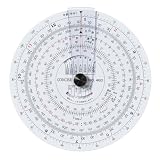
Concise Ruler Circular Calculator Day 480 100836 | $39.99 | Buy on Amazon |
| 5 |

|
Jeppesen CR-3 Circular Computer (6" Diameter) JS514237 | $28.08 | Buy on Amazon |
As an Amazon Associate I earn from qualifying purchases.
What’s actually slowing this PC down?
Pick the symptom - the matching free tool is one click away.
How a circular slide rule works
A slide rule represents numbers by their logarithms. On a logarithmic scale, the distance corresponding to a number x is proportional to log10(x). When one scale is rotated against another, adding logarithmic distances produces multiplication; subtracting them produces division.
A circular design places the scales around concentric rings. It is compact, and a complete ring can provide a long effective scale, but its small tick marks demand careful printing, cutting, and alignment. A good-quality slide rule can support roughly three significant figures, but that is not a guarantee for every handmade instrument. Diameter, line width, concentricity, surface flatness, and user interpolation all matter.
#1 Best Overall
- Size: Diameter: Approx. 4.3 inches (110 mm)
- Main Material: Vinyl chloride
A slide rule also does not choose the decimal exponent for you. After reading the significant digits, estimate the order of magnitude separately. For example, a reading near 6 could represent 0.6, 6, or 60 depending on the factors being combined.
Parts of the instrument
- Stator: the fixed base carrying one or more scales.
- Slide: a rotating disk or ring carrying the matching scales.
- Pivot: a screw, rivet, washer, paper fastener, or similar central assembly.
- Cursor: a transparent disk, strip, or hairline used to transfer readings between scales.
- Index mark: a fixed reference line, normally aligned with the 1 or 10 position.
A cursor is helpful but not essential for simple multiplication and division. A fixed index can be enough when the relevant marks are close together. A transparent cursor becomes more useful when the scales are separated or when you need to read several rings at the same angular position.
Recommended Free Tools
Build the printable version
Materials and tools
- Printer capable of accurate 100% scaling
- Cardstock or thin card
- Transparency film or clear plastic sheet
- Cutting mat and sharp hobby knife, compass cutter, or circle cutter
- Awl, small drill, or hole punch
- Paper fastener, small screw-and-nut assembly, or rivet
- Optional laminate, clear tape, washers, and thin spacer
The Montana project supplies separate printable fixed and transparent components, construction instructions, and source code. Its templates are intended for 8.5 × 11-inch pages printed at a minimum of 600 dpi. The page is an older resource, last modified April 14, 2007, but remains a useful starting point.
- Download the two-part template. Save the files locally rather than printing from a browser preview.
- Print at 100%. In the PDF or printer dialog, disable “Fit to page,” “Shrink oversized pages,” “Scale to fit,” and similar automatic options. Use the intended paper size.
- Check a dimension. Measure a printed diameter, calibration line, or other reference before cutting. If the fixed disk and rotating disk were printed with different scaling, the rule will not register correctly.
- Mount the stator. Attach the fixed artwork to card, foam board, thin plywood, or plastic. Keep it flat and avoid stretching the paper.
- Cut the rotating disk. Follow the intended circumference carefully. A clean circular edge reduces scraping and eccentric movement.
- Prepare the overlay or cursor. Use the supplied transparent component or cut a clear disk with a narrow hairline.
- Align the centers. Stack the parts, match the printed center marks, and pierce or drill the center only after alignment. An off-center hole makes the rings wobble relative to one another.
- Install the pivot. Tighten it enough to eliminate wobble, but not so much that the paper or plastic deforms. Washers or a low-friction spacer can improve movement.
- Set the index. Add or align a fixed reference line with the relevant 1 position.
- Test the mechanism. Rotate the disk through a full revolution and check that it does not scrape the stator and that the scales remain concentric.
Materials: what works best?
Paper and cardstock
Paper is the fastest option and is excellent for learning. Cardstock gives the disks more stiffness, but both materials suffer from moisture, tearing, and enlarged pivot holes. Laminate or mount the finished artwork after testing rather than laminating a mis-scaled print.
Cardboard and foam board
These materials are easy to cut and stiff enough for a demonstrator. Their edges can compress around the pivot, so use a washer or reinforcement if the disk develops play.
Acrylic
Acrylic is durable and well suited to laser cutting. Clear acrylic can serve as a cursor or overlay, although engraving on transparent material may be difficult to read without a contrasting backing or paint fill.
Rank #2
- Size: Diameter: Approx. 3.3 inches (84 mm)
- Main Material: Vinyl chloride
Wood and plywood
Engraved wood is approachable and attractive. Check flatness and grain direction, and seal the finished pieces because wood can warp or change dimension with humidity.
Aluminum and other metals
Metal gives the most durable result but is more expensive and demanding to machine or engrave. Bare engraved marks may need paint fill, anodizing, or contrasting inserts.
Using the scales
The scale labels describe the operation they support:
| Label | Typical function |
|---|---|
| K | Cubes, x3 |
| A, B | Squares, x2 |
| C, D | Basic logarithmic scales for multiplication and division |
| CI, DI | Inverted scales for reciprocals |
| CF, DF | Folded scales involving π |
| LLn | Positive log-log scales |
| LL0n | Negative or exponential log-log variants |
| L | Linear logarithm scale |
| S, T | Sine/cosine and tangent scales |
For a basic multiplication, align the 1 on the moving C scale with the first factor on the fixed D scale. Read the second factor on C against D; the result is on D. Division reverses the relationship. For powers and roots, use the corresponding A/B or K scales. Always estimate the decimal place independently.
A circular shape does not automatically provide trigonometric functions. The design must include appropriately defined S or T scales, and the angle convention, scale direction, and required intermediate steps must be understood. The Montana circular rule includes paired logarithmic scales, an inverse outer scale, a sine-related inner scale, and continuous log-log scales covering approximately 1.105 to 22,000; it notes that cosine and tangent calculations require additional steps and that small-angle sine approximations are available.
Validation calculations
2 × 3 = 612 ÷ 4 = 3102 = 100√100 = 1023 = 81 ÷ 4 = 0.25
Generate custom scale artwork
For a custom instrument, the slide-rules-generator produces SVG artwork for linear, circular, and spiral rules. It supports logarithmic, inverse, trigonometric, power, and log-log scales. SVG keeps tick geometry mathematically positioned when the design is printed at different sizes, and its paths can be separated for cutting and engraving.
Rank #3
- Size: Diameter: Approx. 3.9 inches (100 mm)
- Main Material: Vinyl chloride
The repository describes itself as a Haskell library rather than a graphical application. Its examples may be difficult for newcomers, and the documented setup is a pinned, older toolchain. The README specifies a Bash-like environment and recommends GNU/Linux or WSL for Windows users:
# Install ghcup
curl --proto '=https' -sSf https://get-ghcup.haskell.org | sh

ghcup install 8.6.5
ghcup set 8.6.5

git clone https://github.com/dylan-thinnes/slide-rules-generator.git
cd slide-rules-generator

cabal build
cabal repl
These are the repository’s documented commands, not a guarantee that they will install unchanged on every system available in 2026. Check the current README, Cabal files, and issue tracker before treating the setup as turnkey.
The Tool Desk
Outbyte Driver Updater FREEFix the driver behind crashes, sound loss and screen glitchesFind Drivers →Outbyte PC Repair FREEClear out junk files and repair common Windows errorsFree Scan →The README’s minimal example writes an SVG file:
main :: IO ()
main = writeToFile "out.svg" $ fold $ genRenderScaleSpec simpleCSpec
Open the resulting SVG in a browser or vector editor. If the Haskell route is too demanding, use the Montana template, obtain existing scale graphics from the International Slide Rule Museum, or ask someone familiar with Haskell to generate the artwork. Validate any alternative workflow independently.
Mathematics behind the layout
For one decade, place a value x at an angular position proportional to its base-10 logarithm:
θ(x) = 2π log10(x), for 1 ≤ x < 10, with the angle taken modulo one revolution.
For a scale spanning several decades, a normalized form is:
Rank #4
- Size: Diameter: Approx. 4.1 inches (105 mm)
- Main Material: Vinyl chloride
θ(x) = 2π [log10(x) − log10(xmin)] / [log10(xmax) − log10(xmin)].
An inverse scale follows the reciprocal relationship, since log10(1/x) = −log10(x). The formula is the easy part. A usable instrument also needs sensible tick intervals, readable labels, consistent hierarchy, and enough clearance to prevent label collisions. The generator’s README says it selects suitable partitioning from available options using a minimum tick-distance criterion.
Prepare a laser-fabricated rule
- Begin with a tested template or generator output.
- Choose a diameter large enough for comfortable interpolation; larger rules are easier to read but less portable.
- Separate the SVG into base outlines, rotating-disk outlines, engraving paths, cut paths, and registration marks.
- Confirm whether the file uses millimeters or inches and that the fabrication service interprets units correctly.
- Convert or verify text handling so fonts cannot be substituted unexpectedly.
- Check that the design is centered and concentric.
- Ask how the vendor distinguishes vector cutting, vector engraving, and raster-fill regions. Do not assume a hairline stroke means the same thing on every machine.
- Test a small segment or scrap piece first to determine engraving contrast, kerf, and focus.
- Include a center pilot hole or registration mark.
- After cutting, deburr or clean the edges and paint-fill engraved marks where necessary.
- Assemble with a low-friction pivot and a flat transparent cursor.
Laser engraving is not automatically precision work. Kerf, focus, material expansion, unit conversion, and registration can all change the result.
Accuracy, alignment, and troubleshooting
The print is the wrong size
Recheck the printer and PDF settings. “Fit,” “shrink,” and “expand” options are common causes. Uniform resizing can still work if every component is resized identically, but mismatched layers will not.
Free tools Windows power users keep installed
One-click scans. No signup required.
The scales align only in one position
The pivot is probably off-center, or the printed circle and cut edge do not share the same center. Drill from the assembled, aligned stack or use a pilot hole created during fabrication.
The disk is hard to turn
Loosen the pivot slightly, add a washer or spacer, and inspect for a warped substrate or edge interference.
Best Value
- A simple computer that performs a multitude of calculations.
The disk wobbles
Tighten the fastener enough to remove play without crushing the material. Reinforce a paper or foam-board center if the hole has enlarged.
Readings change with viewing angle
This is cursor parallax. Keep the transparent cursor flat and close to the scale, and use a narrow, clearly defined hairline.
Quick wins for a faster PC:
Repair Windows errors before they cause bigger problemsFix Now →Fix the driver behind crashes, sound loss and screen glitchesFind Drivers →The engraving is difficult to read
Increase contrast with paint fill, a contrasting backing, thicker major ticks, or a white printed layer. Too many scales can also create visual clutter; start with C/D, inverse, and perhaps A/B or K before adding trigonometric and log-log scales.
The software will not build
Because the generator is a Haskell library with a documented GHC 8.6.5 and Cabal environment, setup may require dependency adjustments on a current computer. The practical recovery path is to use a ready-made template, existing scale artwork, or assistance from a Haskell-capable user rather than weakening the mechanical design.
Sharing and permissions
The Montana page permits sharing its templates and instructions but says users may not charge for them or bundle them with merchandise for sale, and that the copyright notice must remain intact. Treat personal construction, redistribution of an unchanged template, and sale of a fabricated object as separate questions.
Before redistributing or commercially fabricating any design, verify the applicable permissions for the template, code, scale artwork, fonts, and images. Public availability of a repository or web page is not, by itself, a statement that every commercial use is permitted.
Do these 3 things before closing this tab:
1Clear out junk files and repair common Windows errors2Scan for outdated or missing drivers - takes under a minute3Repair Windows errors before they cause bigger problemsAlternatives to building one
If the goal is learning slide-rule operation rather than fabrication, a used professional rule may offer smoother mechanics, clearer printing, and more scales. A virtual or online slide rule is another option. A straight rule is simpler to build, while a nomogram may be better for one specialized calculation. Building your own remains the best choice when the educational value, mechanical design, or custom scale layout is the point.
A short history
The circular slide rule predates modern maker projects. The International Slide Rule Museum attributes an early circular design to Richard Delamain, who described it in Grammelogia or the Mathematical Ring in 1631. Later circular instruments include Dempster’s RotaRule and the Boykin RotaRule. The historical lineage explains why this project feels both like instrument making and like a compact mechanical calculator.
Recommended starting point
Print the Montana template on accurately scaled paper, mount it to card, and validate the pivot and alignment before investing in acrylic or laser engraving. Once the basic C/D relationship is clear, add inverse, A/B, or K scales. Move to generated SVG artwork only when you need a different diameter, a specialized scale set, or repeatable fabrication. That sequence gives beginners a working instrument quickly while leaving room for a much more ambitious custom rule.
Quick Recap





