Free tools Windows power users keep installed
One-click scans. No signup required.
ThatPainter is reader-supported. When you buy through links on our site, we may earn an affiliate commission. Learn More
Fuzzyficator is an experimental set of G-code post-processing scripts for adding fuzzy-skin texture and displacement-map patterns to 3D prints. It works after slicing and leaves the original model unchanged, but setup is not fully documented in the project’s written README, and the project advises using the scripts at your own risk. If you only want to paint fuzzy skin onto selected regions, OrcaSlicer has a native paint-on fuzzy-skin tool that may be enough.
What Fuzzyficator does
Fuzzyficator is a collection of scripts from TengerTechnologies that modifies slicer-generated G-code. The repository describes workflows for non-planar fuzzy skin on top surfaces and overhangs, painting fuzzy-skin regions, and applying patterns from displacement maps. It lists Bambu Studio, OrcaSlicer, and PrusaSlicer as supported slicers, while labeling the project work in progress.
“Paint” here means selecting areas for a texture effect, not applying a coating after printing or painting color onto a model. Fuzzyficator changes toolpaths to create physical surface variation; it is not a conventional color-texture application. Check the project repository for its current scripts and guidance.
Recommended Free Tools
#1 Best Overall

- 【More Colors for More Projects】 Multiple compact 250g mini spools provide practical amounts of different colors for small prints, multicolor models, accent parts, and test prints. Explore more colors without filling your shelf with full 1kg spools or leaving large amounts of rarely used colors behind
- 【Easy to Print PLA】 Built for smooth printing with standard PLA profiles, low warping, and dependable layer adhesion. A practical everyday material for beginners and hobbyists making models, toys, decor, prototypes, and utility parts
- 【Neatly Wound for Reliable Feeding】 Precision winding supports smooth, consistent feeding and helps reduce snags and mid-print interruptions. Keep light tension on the filament end while loading or unloading, and secure it before storage to prevent loose loops
- 【Consistent Diameter and Steady Extrusion】 A consistent 1.75mm ±0.02mm diameter supports stable flow, even layers, and clean detail from the first layer to the final layer. Reliable extrusion means less time troubleshooting and more time printing
- 【Fits Most FDM Printers】 Designed for most 1.75mm FDM printers with external, top-mounted, or open spool holders. Each spool measures 140mm in diameter and 36mm in width, with a 53mm center hole. For Bambu Lab AMS or AMS lite, search MakerWorld for a compatible 250g spool adapter before use
Fuzzyficator versus OrcaSlicer’s native paint-on fuzzy skin
OrcaSlicer documents a native paint-on fuzzy-skin feature for selecting model areas, such as grips or handles. That is a direct option for localized fuzzy texture. Fuzzyficator is distinct because its project describes a broader experimental set of post-processing scripts, including non-planar and displacement-map workflows. The available sources do not establish a controlled comparison of their results.
| Consideration | OrcaSlicer native paint-on fuzzy skin | Fuzzyficator |
|---|---|---|
| Localized texture selection | Documented native feature for selecting model areas | Project describes a paint-on workflow |
| Additional workflows | Native fuzzy-skin feature | Project also describes non-planar top-surface and overhang processing and displacement-map patterns |
| Setup information | See OrcaSlicer’s current documentation | The reviewed README says setup details are in a linked video and does not give a complete written walkthrough |
| Status and trade-offs | Fuzzy skin can affect print time and dimensional accuracy | Experimental, work in progress; print time and dimensional accuracy still matter |
For details on the native feature, consult OrcaSlicer’s documentation and check its current guidance for the version you use.
Rank #2
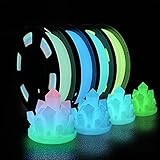
- 🌟Are the regular 3D printer filament colors too monotonous? Better to try Glow in The Dark Filament,which appears white at day, but emits light at night. Making it perfect for creation needing low-key, rich and enigmatic appearance
- 🌟What is an excellent PLA filament for you? A filament that can glow in the dark? Odorless, Clog-Free, Bubble-Free & Easy-to-use? No odor and low warpage during printing? High toughness and excellent strength?How about something that combines the functionality of all of the above
- 🌟Safe to use and made of natural materials,reliable and durable. CE, RoHS certificated by authority,. The phosphorescent substance in PLA Filament absorbs light energy and emits light in the dark. In order to get better results, we recommend that the model be exposed to sunlight or UV light for 15 minutes
- 🌟You don’t have to worry that it will be incompatible with your 3D printer — 1.75 mm in diameter, dimensional accuracy +/- 0.03 mm. It works perfectly with most FDM 3d printers on the market (For example MK3, Ender 3, Monoprice FlashForge, etc)
- 🌟Vacuum sealed packaging: iSANMATE 3d filament is carefully vacuum packed with desiccant to maintain the performance of PLA filament. And keep it dry to prevent dust and foreign matter from entering to prevent nozzle clogging
What to expect from fuzzy skin
Fuzzy skin deliberately perturbs a print path to create a rough or matte surface. It can increase print time and affect dimensional accuracy, so keep texture away from mating surfaces, seals, threads, and other areas that need a precise fit. These are trade-offs, not fixed outcomes; the effect depends on the setup and part.
Fuzzyficator’s README includes configurable parameters such as resolution, Z limits, wall connection, extrusion compensation, surface processing, speed, support distance, XY thickness, and XY point distance. The reviewed written documentation does not establish a complete tested procedure or universal settings, so consult the current project instructions rather than relying on generic values.
Do these 3 things before closing this tab:
1Clear out junk files and repair common Windows errors2Scan for outdated or missing drivers - takes under a minute3Repair Windows errors before they cause bigger problemsRank #3

- ①【SUNLU PLA 3D Printer Filament】PLA material is the perfect choice for 3D printing enthusiasts! SUNLU PLA filament is reliable, versatile, and easy to use. No clogs, bubbles, or tangles, its excellent layer adhesion ensures high-quality prints every time. Ideal for beginners and experienced users.
- ②【Neatly Wound 3D Filament Spool】SUNLU's self-developed neat winding device ensures that the filament is easy to use, with a 100% neat rate that reduces the risk of tangles and jams, and provides a smoother and more efficient 3D printing experience.
- ③【PLA Filament 1.75 mm】SUNLU 3D printer filament dimensional Accuracy +/- 0.02mm. SUNLU filament has wide compatibility due to the small diameter error, making it suitable for almost all 1.75mm FDM 3D printers.
- ④【Filament Spool Diameter】Spool Diameter: 8.00", Spool Width: 2.50", Spool Hub Hole Diameter: 2.20". The size of the SUNLU filament spool is suitable for hanging on a lot of FDM 3D printers.
- ⑤【PLA Recommend Settings】To achieve the best printing results with SUNLU PLA filament, we recommend printing at a nozzle temperature of 200-230°C, a bed temperature of 50-65°C, and a printing speed of 50-100mm/s.
How to approach a first test
- Check whether you need Fuzzyficator. For basic localized fuzzy skin, see whether OrcaSlicer’s native paint-on feature meets your needs.
- Confirm current compatibility and instructions. Check the Fuzzyficator repository and the documentation for your slicer version. The project lists Bambu Studio, OrcaSlicer, and PrusaSlicer, but that is not a guarantee for every release or profile.
- Read the setup guidance before processing. For the paint-on script, the project README says to disable fuzzy skin in the slicer and directs users to a linked video for setup details.
- Use a noncritical test part. Preserve the original model and unmodified G-code, and check the result before relying on it for a functional part.
- Use supports when processing overhangs. Fuzzyficator’s README specifically warns users to enable supports for overhang fuzzy skin.
- Check fit and print time. Fuzzy skin can affect dimensional accuracy and add print time. Keep critical interfaces untextured unless you have validated the result.
Choosing a workflow
Choose OrcaSlicer’s native paint-on fuzzy skin when you want localized fuzzy texture and its documented feature meets your needs. Consider Fuzzyficator when you specifically want to investigate its additional post-processing workflows, such as non-planar or displacement-map patterns, and are comfortable with experimental software and its setup guidance.
Independent reader supportYour contribution helps us test, update, and keep practical guides available for everyone.FAQ
How do I paint fuzzy skin onto my 3D print?
OrcaSlicer documents a native paint-on fuzzy-skin tool for selecting areas of a model. Fuzzyficator also describes a paint-on post-processing workflow, but its README directs users to a video for setup details rather than providing a complete written walkthrough.
Rank #4

- Colorful Variety 4 Pack: Each color weighs 200 g, providing a total of 800 g. Dive into the vibrant world of 3D printing with AMOLEN silk multicolor PLA filament pack, featuring stunning shades. Even small models can display multiple colors
- Silk Dual Color PLA: Experiment with multiple hues without the commitment of larger spools. You can print beautiful multicolors in one PLA filament, perfect for arts, crafts, DIY. Whether you're crafting Easter decorations, designing Halloween costumes, creating Christmas ornaments, or making Valentine’s surprises, this filament delivers stunning results every time
- Precision Printing: Achieve flawless prints with shiny silk dual color PLA filament, engineered for ease of use and exceptional precision. With a product diameter of 1.75 mm and precision tolerance of +/- 0.02 mm, smooth and consistent results
- Smooth and Reliable Printing: Experience smooth printing with AMOLEN silk PLA filament. Good shaping, strong toughness, no bubble, no jamming, no warping, melt well, feed smoothly and constantly without clogging the nozzle or extruder
- After-sales Service: AMOLEN is focused on innovative and better quality 3d printing filaments. Stand behind the quality and performance of our 3D printer filament. Provide professional 3D printing technical guidance and good 24/7 customer service
How do I add fuzzy skin to only one side?
Use a localized paint-on feature if your slicer supports it. OrcaSlicer documents one; check its current instructions for selecting the area. Fuzzyficator’s project also describes painting fuzzy-skin regions, but its setup is experimental and its written README is incomplete.
Is Fuzzyficator required for painted fuzzy skin?
No. OrcaSlicer has a native paint-on fuzzy-skin feature for selecting model areas, so you may not need a separate post-processor for that basic use case.
Quick wins for a faster PC:
Clear out junk files and repair common Windows errorsFree Scan →Scan for outdated or missing drivers - takes under a minuteDriver Scan →Repair Windows errors before they cause bigger problemsFix Now →Best Value

- 【1.75mm Glow PLA Filament 】Glow in Dark PLA Filament Contains phosphorescent materials that glow in the dark after absorbing light energy. The glowing effect will be stronger under Sun light or UV light source after 30 miniutes,Enjoy different printing fun with Yousu 3D Glow in Dark PLA filament.
- 【Important Note】This Glow in dark pla will have different glow result with different light source,Bright light or ultraviolet light will make the PLA filament or the printed model has a more bright light; It is suitable for fast printing and printing large-sized models, printed products have flat and smooth surfaces.
- 【Problem Free PLA Filament】Our 3D Printer Filament no warping, no jamming, no blobs or layer delamination issues. it's a Problem-Free glow PLA filament which has great bed adhesion, very consistent color ,The advanced diameter measurement process in manufacturing ensures that these PLA filaments of 1.75 mm diameter, dimensional accuracy + / - 0.02 mm.Minimum tolerance and low warping to ensure consistent feeding and precise prints,without worrying about printing issues.
- 【Good Choice for Festivals & Parties】 - This glow in dark PLA filament can make prints that has a luminus effect at night, ideal for printing glow sticks, figurines, party decoration piece, Halloween decorations, Christmas ornaments or gift for kids
- 【Tangle free & High compatibility】 - 250g*4 Sample Pack 3D Printer filament,No tangle winding filament and compatible with the most FDM 3D printers, feed smoothly and constantly without clogging the nozzle or extruder.The color include Glow in dark green,blue,purple,rainbow.
Can fuzzy skin affect fit or print time?
Yes. OrcaSlicer’s documentation warns that fuzzy skin can increase print time and affect dimensional accuracy. Avoid critical interfaces unless you have checked the result.
Do I need supports for Fuzzyficator overhang processing?
Fuzzyficator’s README says to enable supports when using overhang fuzzy skin. Follow the current project guidance and test the result on a noncritical part.
Quick Recap

Product prices and availability are accurate as of the date/time indicated and are subject to change. Any price and availability information displayed on Amazon at the time of purchase will apply.




