Free tools Windows power users keep installed
One-click scans. No signup required.
ThatPainter is reader-supported. When you buy through links on our site, we may earn an affiliate commission. Learn More
Google Flow is a filmmaking-focused AI video generator and workspace built around Veo, Imagen, and Gemini. To try Google Flow today, you generally must be 18 or older, live in a supported region, and use an eligible Google AI or Workspace account on a desktop Chromium browser.
As an Amazon Associate I earn from qualifying purchases.
Flow combines text-to-video generation with reusable ingredients, reference images, frame-based workflows, camera direction, scene assembly, editing, image generation, and experimental audio. Access, models, credit costs, and features have changed since Google launched Flow on May 20, 2025, so the live Flow interface and current Google support pages should take priority over older tutorials.
What’s actually slowing this PC down?
Pick the symptom - the matching free tool is one click away.
Key takeaways
- Google Flow is a filmmaking workspace built around Veo, Imagen, and Gemini, rather than only a text-to-video prompt box.
- As of August 14, 2026, Flow generally requires users to be at least 18, live in a supported region, and use Google AI Plus, Pro, Ultra, or a qualifying Workspace plan.
- Google provides 50 daily credits to users without a paid Google AI membership, while paid plans provide 200, 1,000, 10,000, or 25,000 monthly credits depending on the plan.
- Flow supports text-to-video, frames-based generation, ingredients or reference images, camera direction, scene assembly, editing, and some audio features.
- Audio and several advanced editing functions are experimental or model-dependent, so Flow should not be treated as a guaranteed source of production-ready dialogue or sound.
- Flow outputs include invisible SynthID watermarking; visible Veo watermarks depend on the plan and local regulations.
What is Google Flow?
Google Flow is an AI filmmaking workspace for developing cinematic clips, connected scenes, and visual stories. Google introduced Flow on May 20, 2025 as a product built around its Veo video model, Imagen image model, and Gemini prompting capabilities. Google describes the tool as a way to create and direct media while reusing visual references across shots, not merely as a box that turns one sentence into one video.
Popular on Amazon

- 【2000nit Touch Screen & Auto Backlight Control】 The field monitor features a 7 inch IPS touch screen with a 1920x1080 pixel resolution, 2000nit brightness, 1000:1 contrast ratio, 16:9 aspect ratio, 160° ultra wide viewing and a 180° adjustable bracket for clear and detailed monitoring. Upgraded with manual and automatic backlight adjustment (1-100) under different lighting conditions, the monitor with key and touch control (can be turned off) for intuitive use
- 【4K HDMI Loop In & Out】 Supporting HDMI loop in and out for up to 4K resolution, the camera monitor accommodates 480i, 576i, 480p, 576p, 720p (60/59.94/50/30/29.97/25/24/23.98), 1080i (60/59.94/50), 1080p (60/59.94/50/30/29.97/25/24/24SF/23.98/23.98sF), 3840x2160 (30/25/24Hz), 4096x2160 (24/25Hz) formats, and makes simultaneous audio monitoring possible via a 3.5mm headphone jack (headphones not included)
- 【Versatile Monitoring & Custom 3D LUT Upload】 The field monitor offers False Color, Zebras, Histogram, Oscillogram, Full Waveform, Vectorscope, HDR, Single Color, Peak Focus, Audio Bar and more professional functions, with shortcut buttons (F1, F2, F3) on top for quick access. With 15 preloaded 3D LUTs, the monitor supports up to 60 custom 3D LUT file uploading, and even firmware upgrading via an SD card (not included)
- 【Flexible Power Options】 The monitor supports NP-F batteries (NP-F550/750/970), DC port (cable not included), and Type C charging. Each 4400mAh NP-F750 battery offers 2.4 hours of runtime, or 4.8 hours when used together, and charged via 5V/3A or higher fast chargers or portable chargers (3A output) and the included USB to Type C cable. The monitor also works as a dummy battery for camera via a DC 8V/1.5A output. NOTE: For optimal battery longevity, fully charge the battery before first use
- 【180° Adjustable & Enhanced Cooling】 Equipped with 1/4" screw holes on the bottom and side, the DSLR monitor offers flexible mounting options and includes a cold shoe mount for 180° adjustment. Additionally, the built in cooling fans efficiently dissipate heat for extended use. Dimensions: 6.9" x 4.2" x 1" (175 x 107 x 25 mm). Weight with 2 batteries: 30.2 oz (857 g). Weight without batteries: 15.7 oz(445g)
Google’s launch announcement called Flow “a new AI filmmaking tool built with creatives for the next wave of storytelling,” according to Tom Hume, Matthew Carey, and Thomas Iljic of Google, writing on May 20, 2025. The announcement introduced features including reusable ingredients, camera controls, Scenebuilder, asset management, and Flow TV, where users can inspect generated examples and their prompts. Read Google’s original Flow announcement for the launch feature set.
How is Flow different from a basic AI video generator?
A basic generator usually emphasizes a single prompt and a single output. Flow is organized more like a lightweight visual-development environment: a creator can establish a character, object, location, or style as an ingredient, reuse that reference, direct the camera, generate variations, and connect clips into a sequence.
That distinction matters for filmmakers and visual artists. A text-to-video tool can be useful for exploring an isolated shot, but a story requires continuity of appearance, framing, action, and setting. Flow provides tools intended to support that continuity, although reusable ingredients and references do not guarantee identical characters or perfectly consistent scenes.
Do these 3 things before closing this tab:
1Repair Windows errors before they cause bigger problems2Fix the driver behind crashes, sound loss and screen glitches3Clear out junk files and repair common Windows errorsHow do you try Google Flow today?
The practical route is to confirm eligibility, check your country, open Flow on a desktop Chromium browser, start a project, choose the model and generation mode, and inspect the displayed credit cost before submitting a generation.
1. Confirm that your Google account is eligible
As of August 14, 2026, Google says Flow users generally must be at least 18 years old, be in a supported region, and have Google AI Plus, Google AI Pro, or Google AI Ultra access. Some qualifying Google Workspace subscribers can also receive access, including daily credits at no extra charge under the applicable Workspace arrangement. Requirements can change, so check Google’s current Flow getting-started requirements before paying for a plan.
2. Check whether Flow is available in your country
Google Flow is available in the United States and other supported regions, but Google AI plan availability does not automatically mean Flow is available. Google reported an expansion to more than 140 countries in July 2025, while its current support page warns that availability and features can differ by country. A VPN will not enable Flow in an unsupported region.
Use Google’s current list of Flow-supported countries rather than relying on an older launch announcement. The same documentation lists supported interface languages and recommends English prompts for the best results; prompt quality can vary with language and complexity.
3. Use a desktop browser
Google recommends a desktop computer with a Chromium-based browser such as Chrome or Edge for Flow’s most powerful editing experience. Flow may work on other browsers and mobile devices, but Google says those environments are not fully optimized and can produce bugs or unexpected behavior.
Also popular on Amazon

- 【1000nit High Brightness Screen】FVM215 broadcast monitor features a 21.5 inch 1000nit high-brightness screen, ensuring excellent display even in strong lighting conditions
- 【Capture Clearly Picture】With 8 bit color depth 1000:1 contrast ratio, accurate colors and sharp details help you capture clear image. Each monitor under goes color calibration via CALMAN professional software prior to leaving the factory,ensure color accuracy and good reproduction
- 【Multi-Interface Design 】Production monitor equipped with HDMI and 3G-SDI interfaces, the dual - interface design meets the connection needs of various devices. It allows easy signal transmission between different devices such as professional cameras and recorders, enhancing work efficiency
- 【Accurate Focuse and Expose】FVM215 studio monitor with focus assist, false color, waveform monitor, RGB parade, vector scope, and 3D LUT loading functions. It helps creators quickly and accurately adjust shooting parameters, improving shooting efficiency and work quality
- 【Package Include】1× FVM215 FEELWORLD Monitor, 1× SDI Cable, 1× Micro HDMI Cable, 1× HDMI Cable, 1× 5A Power Adapter, 1× V-mount Battery Plate (default to mount on the monitor), 1× Manual
4. Start with one short visual test
Do not begin by attempting an entire film. Start with one short shot containing a clear subject, one action, a defined camera direction, and one visual reference. Before submitting, inspect the selected model, duration, generation mode, and credit cost shown in Flow.
A useful first prompt describes the shot rather than asking for an entire vague story. For example, specify the subject, setting, time of day, action, lens-like viewpoint or camera movement, lighting, mood, and aspect ratio when the selected workflow supports those controls. This is a workflow recommendation, not a promise that every prompt will produce the intended result.
5. Turn the test into a sequence
For a multi-shot project, create ingredients for recurring characters, objects, locations, and styles before generating many clips. Use Frames to Video when the opening or ending composition matters, use Ingredients or References to Video when visual identity matters, and use Scenebuilder or related editing tools to connect clips. Generated results can still vary between shots, so review continuity rather than assuming that a reference locks every detail.
Is Google Flow free?
Google Flow has a limited free-credit route, but Flow is not an unlimited free video generator. Google’s current credit documentation says users without Google AI Plus, Pro, or Ultra receive 50 Google Flow credits per day for supported Veo 3.1 Lite, Fast, and Quality generations. Free daily credits do not roll over.
Paid Google AI memberships provide monthly Flow credits. The following figures are listed in Google’s 2026 support documentation and may change:
| Access route | Flow credits | What to know |
|---|---|---|
| No Google AI Plus, Pro, or Ultra membership | 50 credits per day | Supports eligible Veo 3.1 generations; daily credits do not roll over. |
| Google AI Plus | 200 credits per month | Monthly paid-plan credits do not roll over. |
| Google AI Pro | 1,000 credits per month | Credit allocation and eligible features are controlled by Google’s current plan documentation. |
| $100 Google AI Ultra plan | 10,000 credits per month | Google’s listed plan figure; verify the current price and benefits before subscribing. |
| $200 Google AI Ultra plan | 25,000 credits per month | Google’s listed plan figure; verify the current price and benefits before subscribing. |
According to Google’s 2026 Flow credit documentation, credits are charged per generation, not necessarily per request. One request can create multiple generations, so a single submission may consume more credits than expected.
How much does a Flow generation cost?
Generation cost depends on the model and generation type. Google’s current examples list 10 credits for Veo 3.1 Lite for non-Ultra subscribers, 20 credits for Veo 3.1 Fast, and 100 credits for Veo 3.1 Quality. These examples are not a permanent universal price table: the model selector and in-product cost displayed immediately before generation should be treated as the final source of truth.
For example, a user with the 50-credit daily allowance could theoretically submit several low-cost generations, but multiple outputs from one request, model changes, and other generation types can alter the actual deduction. Budgeting should begin with the cost shown in the active Flow project rather than with an old article or a remembered plan table.
Also popular on Amazon
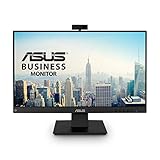
- Complete Video Conferencing Solution: Ready for telecommuting and online learning with integrated 2MP adjustable Full HD webcam, mic array and stereo speakers for seamless communication
- Display Specifications: Aspect Ratio is 16:9 with Viewing Angle (CR10) of 178/ 178 and Brightness (Typ) of 300cd/ for consistent visibility from multiple positions
- Full HD Frameless Display: 24-inch 16:9 Full HD (1920 x 1080) frameless IPS panel with wide viewing angles for immersive visual experience
- Advanced Audio Technology: Beamforming and echo cancellation technology to filter out ambient noise including keyboard clicks and to further enhance speech clarity during calls
- Eye Care Technology: ASUS Eye Care Technology with TV Rheinland Certification for Flicker-free and Low Blue Light technology to reduce eye fatigue associated with extended viewing
Do you need Google AI Pro to use Flow?
No. Google AI Pro is one access route, not the only route. Eligible users may have free daily credits, Google AI Plus or Ultra access, or qualifying Workspace access. Whether a particular account can use Flow depends on age, country, plan, and Google’s current eligibility rules.
Google AI Pro can be relevant for creators who need more than the free daily allowance because Google lists 1,000 monthly Flow credits for Pro. Google AI Ultra provides larger listed allocations, but the right plan depends on generation volume, model choice, and the current subscription price and terms. Check the official Flow credit rules and the live plan details before subscribing.
Which Flow models and generation methods are available?
Google’s current Flow model documentation lists Veo 3.1 Lite, Veo 3.1 Fast, Veo 3.1 Quality, and Gemini Omni Flash. Models differ in speed, quality target, duration, aspect-ratio support, reference workflows, audio support, editing support, and credit cost.
| Choice or workflow | Best suited to | Important limitation |
|---|---|---|
| Veo 3.1 Lite | Lower-cost exploration and rapid visual iteration | Capabilities and supported durations depend on the current Flow configuration. |
| Veo 3.1 Fast | Faster experimentation and shot exploration | Google’s current example lists 20 credits for non-Ultra subscribers; verify the live cost. |
| Veo 3.1 Quality | Higher-quality output when the shot matters more than iteration speed | Google’s current example lists 100 credits for non-Ultra subscribers; verify the live cost. |
| Gemini Omni Flash | Workflows supported by the current Flow model selector | Available features and generation behavior depend on the active configuration. |
| Text to Video | Starting a shot from a natural-language visual description | Text alone may not maintain continuity across a sequence. |
| Frames to Video | Controlling the beginning, ending, or transition of a shot | Supported frame options and audio behavior depend on the selected model. |
| Ingredients or References to Video | Reusing characters, objects, locations, styles, or other visual references | References improve direction but do not guarantee perfect consistency. |
See Google’s Flow model and supported-features documentation before planning a project. The documentation is more reliable than a fixed third-party model chart because Google can change available models, durations, aspect ratios, feature support, and costs.
Can Google Flow make full videos?
Flow can help assemble multiple generated clips into a longer narrative, but the evidence supports describing Flow as a filmmaking workspace rather than promising one-click, finished feature films. Scenebuilder and related editing tools are designed to connect shots, while ingredients, frames, camera controls, and references help creators plan continuity.
A practical Flow project still requires editorial decisions: selecting usable takes, checking continuity, arranging timing, revising prompts, and evaluating sound and dialogue. Generated clips can vary, and the available duration and editing functions depend on the selected model. Flow is therefore better suited to developing scenes, sequences, storyboards, pitch material, concept films, and experimental productions than to guaranteeing a complete polished film from one prompt.
Can Flow generate dialogue and sound effects?
Flow can generate some audio, including speech, sound effects, and background noise, but Google describes audio generation as experimental and variable. Google announced generated speech for Frames to Video on July 10, 2025 and said Veo 3 supported sound effects and background noise. Google’s October 2025 Veo 3.1 update described richer audio across Ingredients to Video, Frames to Video, and Extend.
Do not promise reliable dialogue, accurate lip synchronization, clean sound design, or production-ready audio for every generation. Audio behavior depends on the model and workflow. Treat generated speech and sound as material to review and potentially replace or refine, not as an automatic final mix. Google’s announcement about speech and regional expansion and its Veo 3.1 Flow update describe the relevant capabilities and their experimental context.
Also popular on Amazon

- 【1500nits Daylight Viewable IPS Display】 Features a 15.4-inch 10-Bit IPS panel with 1500nits peak brightness and reflection-reducing coating. Delivers sharp, color-accurate monitoring even in bright sunlight, ideal for outdoor shoots, directors, and client village setups.
- 【Auto Color Calibration & 1650:1 Contrast】 Supports hardware Auto Color Calibration to ensure long-term Rec.709 accuracy. Built with a 1650:1 high contrast ratio, 3D LUT importing, and HDR preview (HLG/PQ), providing cinema-grade color fidelity for DITs and professional cinematographers.
- 【3G-SDI & 4K HDMI Triple Input Ports】 Equipped with dual 3G-SDI inputs/outputs and a 4K HDMI input, facilitating versatile signal routing across cinema cameras, wireless video transmitters, and switchers. Ensures low-latency monitoring for complex multi-cam video production setups.
- 【V-Mount Plate & Light Stand Mount】 Designed with a pre-installed V-Mount battery plate for mobile powering on location, alongside XLR/AC power options. Features a standard C-stand / light stand mount adapter and versatile 1/4"-20 and 3/8"-16 threads for flexible rigging on set.
- 【Pro Waveform & Exposure Analysis Tools】 Integrated with Osee's intuitive OS featuring full waveform, vectorscope, RGB histogram, false color, and focus peaking. Allows instant preset switching (MySets) to streamline exposure and focus checking during fast-paced commercial and film shoots.
What changed in Google Flow after launch?
Flow has expanded substantially since its May 2025 introduction. Google reported more than 35 million videos generated in its June 25, 2025 getting-started article, more than 275 million videos generated in October 2025, and over 1.5 billion images and videos generated in February 2026. These are company-reported usage figures, not independent adoption measurements.
| Date | Reported change or figure | Why it matters |
|---|---|---|
| May 20, 2025 | Flow launched as a Veo-focused AI filmmaking tool. | The initial product centered on clips, ingredients, camera controls, Scenebuilder, and asset management. |
| July 10, 2025 | Google announced generated speech for Frames to Video and expansion to more than 140 countries. | Audio and geographic availability broadened, although current support pages control present eligibility. |
| October 15, 2025 | Veo 3.1 update added or described richer audio, more precise editing, Insert, Extend, Frames to Video, and Ingredients to Video. | Flow moved toward more controlled shot refinement and scene construction; some capabilities remained experimental or model-dependent. |
| February 25, 2026 | Google described more than 1.5 billion images and videos generated and integrated Nano Banana image generation into Flow. | Flow increasingly functions as an image-and-video workspace, with generated images usable as ingredients and frames and a lasso tool for natural-language image edits. |
The product direction is consequently broader than the original launch: Flow now combines image generation, video generation, audio, editing, asset management, an Agent, and user-created Tools according to Google’s published updates. Google’s February 2026 Flow update explains the image-and-video workspace changes.
Independent reader supportYour contribution helps us test, update, and keep practical guides available for everyone.Does Google Flow have a watermark?
Yes. Google’s current Flow help documentation says outputs generated using Veo and Imagen include invisible SynthID watermarks. Videos generated on Free, Plus, and Pro tiers contain a visible Veo watermark, while visible-watermark behavior for Ultra depends on local regulations.
The Tool Desk
Outbyte Driver Updater FREEFix the driver behind crashes, sound loss and screen glitchesFind Drivers →Outbyte PC Repair FREERepair Windows errors before they cause bigger problemsFix Now →The watermark information does not establish authorship, copyright ownership, or a guarantee that a watermark can never be removed. Creators planning to publish, pitch, license, or deliver Flow-generated material should inspect the current plan rules and the output itself. See Google’s Flow help documentation for the current watermark statement.
What should filmmakers know about privacy and uploaded assets?
Google says that when “Help improve Google Flow” is enabled, Google may use Flow interactions, uploads, generated output, related feature usage, and feedback to provide, improve, and develop Google products and machine-learning technologies.
Before uploading an unreleased script, client footage, confidential product design, personal data, or other sensitive material, review Flow’s current data controls and decide whether the enabled settings are appropriate. Google advises users not to enter confidential information that they would not want a reviewer to see or Google to use. This is a practical risk-management recommendation, not independent legal advice. Read Google’s Flow privacy and data-use documentation before importing sensitive creative assets.
Can you use Google Flow for commercial videos?
Flow can be considered for commercial creative work, but the supplied Google documentation does not by itself answer every question about commercial rights, copyright, client warranties, or acceptable use. Watermarks, model behavior, third-party references, privacy settings, local regulations, and the terms attached to the relevant Google AI plan can all matter.
Recommended Free Tools
Before delivering or licensing a commercial video, review the current Google terms and plan conditions, disclose AI involvement where a client or platform requires it, avoid uploading confidential material without authorization, and confirm that every reference asset and source image may be used for the project. Do not treat Flow access as a blanket guarantee of ownership or clearance.
Also popular on Amazon

- 【External Field Monitor】 Featuring a 7 inch wide view angle IPS panel and 17mm ultra thin design with LED backlight, HD 1280 x 800 resolution, 450nits of brightness, a contrast ratio of 1200:1, and an aspect ratio of 16:10, this monitor is handy for video shooting.
- 【Supported Formats】 Supports, 1080i (60/59.94/50), 1080p (60/59.94/50/30/29.97/25/24/24sF/23.98/23.98sF), 720p (60/59.94/50/30/29/25/24/23.98), 576i, 576p, 480i, and 480p
- 【Noise Elimination & Wide Compatibility】 Press and hold the < button to reduce the volume to near zero, and also to eliminate noise in the video. Works with DSLR cameras, camcorders, handheld stabilizers, camera cranes, and more. The included sunshade blocks harsh sunlight and makes the display visible outdoors
- 【Advanced Features】 Includes monitoring tools such as Peaking Focus Assist, Check Field (Red, Green, Blue, Mono), Pixel to Pixel, Center Marker, Safe Frames (80%, 86%, 90%, 93%, 96%, 2.35:1, off), Image Flip (H, V, V_H), Image Freeze, and Custom Color Temperature
- 【Package Contents】 Neewer F100 Field Monitor, Mini HDMI Cable, Micro HDMI Cable, Sunshade, Mini Ball Head, AV Cable, User Manual
Is Google Flow worth trying for filmmakers?
Flow is worth trying when the goal is rapid visual exploration combined with some control over references, camera direction, image generation, and scene assembly. Flow is less suitable when a project requires guaranteed character continuity, predictable dialogue, clean final audio, fixed output specifications, or unambiguous commercial rights without additional review.
The lowest-risk evaluation is to use the available daily credits for a small test: generate one shot, compare Lite, Fast, or Quality where available, try a reference or frame workflow, inspect the audio, and check the watermark. That process reveals whether the current model behavior and credit economics fit a project without committing immediately to a larger subscription.
Quick decision checklist
- Access: Confirm that the user is 18 or older, the country is supported, and the Google account has an eligible plan or Workspace entitlement.
- Hardware: Use a desktop computer with Chrome or Edge for the most complete editing experience.
- Budget: Check the active model and per-generation cost because one request can create multiple generations.
- Workflow: Choose text-to-video for exploration, Frames to Video for composition control, and Ingredients or References to Video for recurring visual elements.
- Continuity: Reuse ingredients and review every shot; references do not guarantee identical results.
- Audio: Treat generated speech, sound effects, and background noise as experimental and reviewable.
- Publishing: Account for invisible SynthID and possible visible Veo watermarks.
- Privacy: Review “Help improve Google Flow” and related data controls before uploading confidential assets.
Frequently Asked Questions
Is Google Flow free?
Google Flow is not completely free, but users without Google AI Plus, Pro, or Ultra receive 50 daily Flow credits for supported generations. Paid plans list 200 monthly credits for Plus, 1,000 for Pro, and 10,000 or 25,000 for Ultra; credits do not roll over and costs can change.
Quick wins for a faster PC:
Fix the driver behind crashes, sound loss and screen glitchesFind Drivers →Clear out junk files and repair common Windows errorsFree Scan →Scan for outdated or missing drivers - takes under a minuteDriver Scan →Do I need Google AI Pro to use Flow?
No. Google AI Pro is one access route, but eligible users may also use free daily credits, Google AI Plus or Ultra, or qualifying Workspace access. Availability depends on age, country, account, and Google’s current requirements.
Can Google Flow generate dialogue and sound effects?
Yes, Flow can generate some speech, sound effects, and background noise, but Google describes audio generation as experimental and variable. Dialogue, lip synchronization, and production-ready sound are not guaranteed for every model or workflow.
Does Google Flow have a watermark?
Google’s current documentation says Flow outputs generated with Veo and Imagen include invisible SynthID watermarks. Free, Plus, and Pro videos include a visible Veo watermark, while Ultra visibility depends on local regulations.
Can Google Flow make full videos?
Flow can help create and connect multiple clips into a longer narrative, but it does not guarantee a finished full film from one prompt. Users still need to select takes, revise prompts, check continuity, edit timing, and review audio and publishing requirements.
Windows Errors? Fix Them Before They Spread
Repair common Windows errors and clear accumulated junk for a smoother, more stable PC - no reinstall needed.Free scan · no reinstallOutdated Drivers Are Slowing You Down
One free scan finds every outdated or missing driver and matches the right update for your exact hardware.Free scan · exact hardware matchThe Bottom Line
Google Flow is best understood as an evolving AI filmmaking workspace, not a one-click movie generator. To try Google Flow today, use an eligible account in a supported country on a desktop Chromium browser, begin with a small shot, and check the live model, credit, audio, watermark, and privacy details before building a larger project.
Quick Recap


