Crashes, No Sound, or Screen Glitches?
Do these 3 things before closing this tab:
1Fix the driver behind crashes, sound loss and screen glitches2Clear out junk files and repair common Windows errors3Scan for outdated or missing drivers - takes under a minuteRandom freezes, missing sound and display glitches usually trace back to one bad driver. Find and replace yours safely.
Find the Right Drivers →Free scan · under a minute
ThatPainter is reader-supported. When you buy through links on our site, we may earn an affiliate commission. Learn More
Verdict: The EufyMake E1 is an unusually capable desktop UV printer for artists and makers who need full-color decoration with raised, tactile texture. Independent testing supports its strong output on materials including ceramic, wood, canvas, and acrylic. But it is not a conventional 3D printer, a casual-use inkjet, or an industrial production machine: expect proprietary consumables, regular maintenance, ventilation requirements, substantial workspace needs, and limited high-volume throughput.
#1 Best Overall

- All-in-One A3 UV DTF Printer – Printer and Laminate in One Machine Designed for maximum efficiency, the PLK A3 UV DTF Printer integrates printing and laminating into a single machine, eliminating the need for a separate laminator. Save valuable workspace, simplify your workflow, and produce ready-to-apply UV DTF transfer stickers with greater speed and consistency.
- 【Professional Print Quality – Dual XP600 printheads】 Equipped with dual XP600 printheads, this A3 UV DTF printer delivers detailed, vibrant, and professional-quality transfers with resolutions up to 2880×1440 DPI. Produce sharp text, fine graphics, rich colors, and smooth gradients for glass, metal, wood, leather, tumblers, acrylic, and other hard surfaces.
- 【AUTOMATIC WHITE INK STIRRING & CIRCULATION】 The intelligent white ink stirring and circulation system continuously helps keep white pigment moving to reduce settling and improve ink consistency. Combined with automatic cleaning, the system helps maintain stable ink delivery and reduces routine maintenance for more reliable day-to-day UV DTF production.
- A3 Large Format Printing Capability: With a generous 11.8" (300mm) printing area, you can print on materials up to A3 size. The built-in vacuum suction platform securely holds your workpiece in place during the entire printing process, preventing any movement or misalignment for flawless prints
- Everything You Need to Start – Package includes: 1*A3 UV DTF Printer, 1*Printer Holder, 1*A Film, 1*B Film, 6*Ink Bottles (CMYK+WW+VV), Software (latest version), USB cable, power cable, user manual, and maintenance tools. Backed by 1-year warranty for non-consumable parts and 6-month warranty for the print head with 24/7 professional technical support
What the EufyMake E1 actually is
The E1 is best understood as a compact direct-to-object UV printer with relief capability. It uses piezo inkjet technology and ultraviolet-curable ink to place color directly onto a substrate, then build selected areas into a raised, tactile surface. It is not a filament or resin 3D printer, and it does not fabricate freestanding objects.
That distinction matters. The E1 can make a flat image, a glossy finish, or a textured design that resembles brushstrokes, embossing, leather grain, or raised lettering. The object being printed remains the object you supplied: a piece of wood, canvas, ceramic, acrylic, metal, glass, leather, fabric, or another suitable surface.
For painters, illustrators, and makers, the appeal is the combination of full-color reproduction and physical surface. A canvas panel can receive both an image and a raised paint-like texture; a wood sign can carry a tactile logo; a ceramic blank can become a small art product without screen-printing or hand painting every copy.
The manufacturer advertises compatibility with more than 300 materials, Amass3D texture printing, ColorMaestro color processing, automatic positioning, and self-cleaning. Those are useful capabilities, but “300+ materials” should be treated as a compatibility claim rather than a promise that every uncoated object will print equally well. Adhesion, surface preparation, geometry, color, ink mode, and texture height all affect the result.
What’s actually slowing this PC down?
Pick the symptom - the matching free tool is one click away.
Price and configurations
US prices in the supplied product check, dated August 11, 2026, were as follows. Prices, stock, bundle contents, and shipping restrictions should be verified again before publication or purchase.
| Configuration | Listed price | Included equipment | Who it suits |
|---|---|---|---|
| Printer-only | $2,199 | E1 printer, no ink | Existing owners replacing a machine or buyers who already understand the consumables |
| Basic Bundle | $2,499 | Printer and ink set | Most first-time buyers who want to print immediately |
| Deluxe Bundle | $3,299 | Printer, ink set, rotary attachment, and laminator | Businesses or makers planning both cylindrical-object printing and transfer work |
The printer-only configuration is not a usable bargain unless you separately budget for ink. It cannot print without it. The Deluxe Bundle costs $800 more than the Basic Bundle, so the decision should be based on workflow rather than the word “deluxe”: the rotary attachment and UV DTF laminator are valuable only if you will actually use them.
The official US listing reported the E1 in stock with typical shipping of one to three business days to the continental United States at the time of the check. Alaska, Hawaii, Puerto Rico, US territories, military post boxes, and other listed regions were excluded. Availability is volatile. Buyers who prefer a major electronics retailer can also check the eufyMake E1 at Best Buy, but should confirm the current price, stock, bundle contents, and whether ink is included.
Specifications and workspace reality
| Specification | Details |
|---|---|
| Printing method | Piezo inkjet with UV-curable ink |
| Ink channels | Six proprietary channels: CMYK plus white and glossy |
| Maximum standard print area | Approximately 330 × 420 mm |
| Mini flatbed area | Approximately 90 × 330 mm |
| Advertised texture depth | Up to 5 mm, depending on design and settings |
| Advertised resolution | Up to 1,440 DPI |
| Machine dimensions | 590 × 250 × 407 mm |
| Weight | 20 kg / 44 lb |
| Electrical specification | 110 V, 60 Hz input; 66 W maximum power output |
| Connectivity and control | eufyMake app and desktop software, with physical buttons on the machine |
The nominal footprint is not the whole workspace requirement. The bed moves forward and backward, and Creative Bloq recommends roughly 40 cm of additional clearance at both the front and rear. Leave room for loading, unloading, cleaning, and inspecting prints. A shelf that technically fits the dimensions may still be unusable if the moving bed hits a wall or if you cannot reach the print mat.
The standard flatbed occupies the available printing area. The narrower mini flatbed can remain inside the enclosure with the doors closed, which is useful for smaller objects and may simplify some jobs. The official page also advertises roll-to-film printing up to 10 metres for stickers, posters, and signs, but the roll-to-film attachment was described as coming soon or staged for later availability in the supplied research. Do not treat that as an included, universally available feature.
How the printing workflow works
- Prepare the workspace. Place the printer on a stable surface with access to the front and rear of the moving bed. Plan ventilation and keep cleaning supplies, gloves, and waste-handling materials nearby.
- Complete initial setup. The machine arrives substantially assembled. Setup mainly involves removing transport packaging, installing filters and the six ink tanks, and completing the automatic initial calibration.
- Load the substrate. Objects are placed on a replaceable adhesive print mat. The mat helps hold a flat item in position, but it is a consumable positioning surface, not a permanent universal bed.
- Capture and align the object. The camera-assisted positioning system helps locate the object and display the working area in the eufyMake software. Align the design, choose the appropriate color, white, gloss, and texture settings, then inspect the preview carefully.
- Print and cure. The E1 deposits the UV ink and cures it as part of the printing process. A flat image can use less material than a thick relief design with a white base and glossy top layer.
- Inspect the finished piece. Check adhesion, edge registration, white coverage, gloss, and raised areas before producing a batch. Material tests are particularly important when the substrate is uncoated, dark, curved, porous, or chemically sensitive.
There is no conventional built-in touchscreen. Physical buttons handle the machine itself, while design preparation, positioning, and printer management happen through the app or desktop software. That keeps the hardware relatively clean, but it makes the computer or mobile workflow central to ownership.
Rank #2

- 【Professional 3D Emboss Printing & True-to-Life Color】Bring every design to life with realistic textures and brilliant color reproduction. Featuring up to 1440 × 2880 DPI resolution, the printer produces smooth gradients, sharp details, and vivid images with outstanding color accuracy. Create premium raised effects for personalized phone cases, acrylic signs, artwork, leather products, business gifts, promotional items, and decorative panels that stand out from ordinary flat prints. High-resolution output and textured effects are key value drivers for UV printing applications.
- 【Print on 300+ Materials】Expand your business with one machine capable of printing directly onto a wide variety of rigid materials. Compatible with acrylic, wood, glass, metal, ceramic, PVC, ABS, leather, plastic, stone, aluminum, phone cases, keychains, signage, notebooks, promotional products, and much more. The compact A4 print area (11.19" × 8.27") makes it ideal for custom products, Etsy shops, Amazon sellers, personalized gifts, and small-batch manufacturing. Broad material compatibility is one of the primary advantages buyers seek in compact UV flatbed printers.
- 【White Ink Mixing System & Stable Vacuum Platform】The built-in White Ink Mixing System continuously circulates white ink to reduce pigment settling, helping maintain smooth ink flow and consistent print quality while minimizing maintenance. Combined with the precision vacuum platform, materials remain securely positioned throughout the printing process for improved alignment, repeatability, and professional-quality output. Stable white ink management and vacuum tables are widely recognized as important features for reliable UV printing.
- 【Built for Small Business Success】Compact in size yet powerful in performance, the DXZ A4 UV Printer is designed for entrepreneurs, home studios, print shops, and growing customization businesses. Perfect for producing personalized gifts, branded merchandise, promotional products, awards, home décor, and on-demand custom orders. Backed by the DXZ support team, you receive professional technical assistance to help maximize productivity and keep your business running smoothly.
- 【Complete Package 】Includes one A4 UV printer,6*500ml UV inks, 1 *Bottle holder, 1 *Software, Cleaning accessories, and a flash drive with instructional videos. Everything you need for a seamless printing experience.
Setup appears approachable rather than entirely frictionless. Creative Bloq reported an ink-registration problem during early use that was resolved with support assistance and a firmware update. That is not evidence that every unit will have the same problem, but it is a reminder to update firmware, keep support information available, and allow time for calibration before promising customer turnaround times.
Texture and color: the reason to buy an E1
The E1’s defining feature is layered UV ink. It can print ordinary flat color, but it can also stack material to create relief. The manufacturer claims texture up to 5 mm deep and examples include oil-paint effects, embossed coins, leather-like surfaces, decorative artwork, gifts, and merchandise.
The Tool Desk
Outbyte Driver Updater FREEScan for outdated or missing drivers - takes under a minuteDriver Scan →Outbyte PC Repair FREERepair Windows errors before they cause bigger problemsFix Now →The six-channel system is CMYK plus white and glossy ink. White is important when printing on dark or transparent substrates, while the white and glossy channels also contribute to surface building and finish. A design that looks simple on screen may use substantially more ink when it includes an opaque white base, high relief, and a gloss layer.
Independent hands-on testing supports the central promise. Notebookcheck described the print quality and overall performance as excellent. Creative Bloq reported successful work on ceramic, wood, canvas, and acrylic, with very good texture and brushstroke generation. Tom’s Hardware likewise highlighted full-color output and the unusual texture capability. The results are not merely colored decals; the relief can be visibly and physically meaningful.
For painting-related work, the strongest applications are textured reproductions, small wall pieces, mixed-media panels, decorated canvas, raised signatures or lettering, art merchandise, and short runs of tactile gifts. The E1 is especially interesting when the surface itself is part of the product rather than just a carrier for an image.
Do not assume that a texture file automatically becomes a convincing painted surface. The visual result depends on the source artwork, the height map or texture design, the number of layers, the substrate, and the way light strikes the finished piece. Test a small section before committing an expensive canvas, coated panel, or customer order.
Free tools Windows power users keep installed
One-click scans. No signup required.
Substrates and surface preparation
Official examples cover metal, wood, acrylic, ceramic, stone, glass, canvas, leather, fabric, and film. Independent testing has also reported good results on ceramic, wood, canvas, and acrylic. These examples show the range of the platform, not a guarantee for every item sold under those material names.
Surface preparation is often the difference between a successful sample and a failed batch. Smooth, clean, stable surfaces are generally easier to position and inspect than dusty, oily, porous, or flexible ones. Acrylic and metal may require an adhesion promoter; the official store sells preparation pads specifically for those substrates. Dark surfaces may require a white layer, while transparent surfaces can create different visual effects depending on the chosen white and gloss treatment.
When planning products, buy or test UV printing blanks that are flat, dimensionally consistent, and appropriate for direct UV ink. Ceramic magnets, coasters, wall-art panels, wood signs, and stainless drinkware can all be useful starting points, but compatibility should be established with a sample rather than inferred from a supplier’s product title.
The adhesive mats also deserve attention. They are replaceable, and overspray or stray ink can affect the surrounding area when printing objects. Protect the work surface, keep the mat clean according to the manufacturer’s instructions, and replace it when it no longer holds items reliably.
Recommended Free Tools
Printing mugs, tumblers, jars, and irregular objects
Rotary attachment
The rotary attachment is designed for hard cylindrical or tapered objects such as mugs, tumblers, and jars. It uses the built-in camera to help measure the object and show the usable workspace in the app. WIRED found the attachment straightforward to install.
Rank #3

- 【Upgraded UV Printer】The Rainbowdgt UV Printer Upgrade Edition features a white ink circulation and agitation mixing system, effectively preventing sediment buildup from clogging nozzles. The infrared auto-height adjustment system and self-cleaning printhead mechanism significantly reduce manual maintenance requirements. Supports printing with a glossy finish, offering waterproof, UV-resistant, and scratch-resistant properties to add a professional touch to your printed works
- 【Includes Laptop—Ideal for Beginners】Comes with a Windows laptop pre-installed with printer drivers, eliminating complex setup. Simply import your design and click print to enjoy seamless data transfer and efficient, uninterrupted printing—helping you effortlessly launch your DIY entrepreneurial journey
- 【Professional Stickers 】Optimized for high-resolution stickers and realistic 3D effects. Create durable, waterproof, and UV-resistant custom stickers and labels that stand out with professional texture and vibrant colors
- 【Versatile Printing Modes】Beyond standard flat and cylindrical printing, this machine achieves gloss effects, sticker printing, and 3D embossing. A massive 19.7x12.6-inch printing area ensures a flawless printing experience! Suitable for surfaces like phone cases, bottles, acrylic, crystal, leather, metal, ABS, PVC, and more
- 【Vacuum Adhesion Platform】The Rainbowdgt UV printer features a built-in vacuum platform, ensuring materials remain securely positioned throughout printing to eliminate shifting or misalignment risks
Choose the rotary route when your main products are round hard goods and you want to print directly onto them. You still need to account for taper, handles, rims, seams, surface coatings, and the part of the object that the mechanism cannot reach. A test rotation is worthwhile before running a valuable or already decorated item.
The rotary attachment was listed at $399.99 in the supplied product catalog check. It is also included in the Deluxe Bundle, but the bundle only makes financial sense if direct cylindrical printing is a meaningful part of your work.
UV DTF laminator
The UV DTF laminator takes a different approach. It prints a design onto transfer film, which can then be manually applied to objects that are irregular, oversized, or unsuitable for direct bed printing. WIRED considered this more versatile than the rotary attachment for awkward surfaces, although the transfer application adds a hands-on finishing step.
This is useful for objects that cannot lie flat, cannot rotate safely, or exceed the direct-printing area. It is not the same as printing directly onto the object: registration and application technique become part of the process, and wrinkles, dust, bubbles, and uneven pressure can affect the result.
The official catalog listed the UV DTF laminator at $399.99 during the research check. For a maker selling a wide range of personalized goods, it may extend the E1’s useful range more than a rotary attachment does. For a seller focused on tumblers and mugs, the rotary unit is the more direct fit.
Ink economics: the advertised price is only the beginning
The E1 uses proprietary UV ink rather than ordinary inkjet ink, sublimation dye, resin, or 3D-printer filament. The six channels are CMYK, white, and glossy. The official catalog listed individual cartridges at $29.99 and an ink-and-cleaning-cartridge kit at $209.99. That kit contains 600 ml of CMYK-plus-white-plus-gloss ink and a 380 ml cleaning cartridge. The stated shelf life is 12 months for the ink and 18 months for the cleaning cartridge from production.
The ink cost is difficult to reduce to one universal cost-per-print because coverage, white underlay, relief height, gloss, substrate, and maintenance all change consumption. The official store provides example usage figures for magnets, canvas, phone cases, stickers, and keychains but warns that actual consumption varies with settings, substrate, and environment.
Windows Errors? Fix Them Before They Spread
Repair common Windows errors and clear accumulated junk for a smoother, more stable PC - no reinstall needed.Free scan · no reinstallOutdated Drivers Are Slowing You Down
One free scan finds every outdated or missing driver and matches the right update for your exact hardware.Free scan · exact hardware matchWhite is the channel to watch. In WIRED’s measurement of a full patterned wrap on an 18-ounce tumbler, the job used 2.48 ml of ink in total, including 2.22 ml from the white channel. A design with a white base coat or a thick raised layer can therefore exhaust white much sooner than the color channels.
Maintenance also consumes ink when no product is being made. WIRED measured approximately 0.2 ml of each ink channel after 12 hours without printing, approximately 0.33 ml of each after a calendar day, and approximately 1.5 ml when restarting after a longer shutdown sequence. These are reviewer measurements, not fixed charges for every owner, but they demonstrate why batching work and following the storage procedure matter.
Keep a real operating-cost spreadsheet that includes:
Rank #4
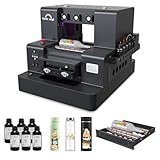
- 2-Year Ink Supply - With your printer purchase, you’ll receive a two-year supply of ink-6 bottles (500ml each) ! Get a new set every two months, and you only need to cover the shipping.Minimize your production costs with our exclusive two-year ink supply service
- Advanced White Ink Circulation — Features an automated circulation and agitation system to prevent ink sedimentation and nozzle clogging. This industrial-grade mechanism ensures vibrant, high-opacity colors even on dark or transparent substrates with minimal maintenance
- Space-Saving A4 UV Printing — Designed with a compact desktop footprint, this A4 printer is ideal for small home businesses and creative studios. Print professional-grade, high-resolution graphics on phone cases, acrylic, and wood without taking up excessive space
- 360° Versatile Cylindrical Printing — Equipped with a professional rotary bottle holder for high-precision 360° printing. Easily customize water bottles, tumblers, and glassware with professional-grade wrap-around graphics and exceptional accuracy
- Professional Stickers – Optimized for high-resolution stickers and realistic 3D effects. Create durable, waterproof, and UV-resistant custom stickers and labels that stand out with professional texture and vibrant colors
- CMYK, white, and glossy ink consumption;
- cleaning cartridges and maintenance cycles;
- adhesive mats and surface-preparation products;
- failed prints and material tests;
- rotary or DTF consumables when applicable;
- substrates, packaging, and manual finishing time; and
- the replacement risk associated with a proprietary printhead.
The official product catalog listed a replacement UV printhead at $599 during the research check. That is a significant ownership consideration, especially because the main machine carries a one-year warranty while the printhead warranty is listed at only three months.
Maintenance, cleaning, and storage
This is not a print-and-forget appliance. Official guidance calls for routine cleaning approximately once a month and deeper cleaning approximately every three months. Recommended supplies include lint-free cloths and swabs, cleaning solution, nitrile gloves, a silicone scraper, and lubricating oil. UV ink and cleaning solution may be mildly corrosive, so protect skin and eyes and follow the manufacturer’s procedure.
A UV printer maintenance kit can be useful for organizing gloves, lint-free swabs, cloths, and other workshop supplies, but it must not be treated as a replacement for the E1’s specified cleaning cartridge or cleaning solution. The cleaning cartridge contains cleaning solution, moisturizing fluid, and waste ink, and the manufacturer provides separate replacement and full-capacity procedures.
During normal ownership, leave the printer powered so it can perform automatic cleaning and maintenance. Simply unplugging it can allow ink to dry in the printhead, causing clogs or damage. The manufacturer warns that damage from improper shutdown may not be covered by the warranty.
For extended storage or transport, use the controlled shutdown procedure, remove cartridges for long-distance transport as directed, keep the machine between 5 and 35°C, protect it from dust and direct sunlight, and print at least once a month when it is otherwise idle. That last requirement is easy to overlook if the E1 is a seasonal business tool.
The Tool Desk
Outbyte Driver Updater FREEScan for outdated or missing drivers - takes under a minuteDriver Scan →Outbyte PC Repair FREEClear out junk files and repair common Windows errorsFree Scan →Ventilation and safety
The E1 uses UV-curable ink and an integrated UV curing system. The manufacturer publishes a UL exposure assessment in which estimated VOC and ozone concentrations in a representative environment did not exceed the cited occupational exposure limits, with the assessment referencing OSHA, ACGIH, and ECHA criteria.
That assessment should not be read as a universal guarantee for every room, material, operating condition, or user. WIRED still identified ventilation as a practical requirement and described the printer as needing a dedicated workspace. Use the enclosure correctly, follow the manufacturer’s instructions, avoid direct contact with uncured ink and cleaning solution, and use the specified or appropriate eye protection and gloves when required.
Before buying, plan workshop ventilation rather than assuming the E1 belongs in an unventilated bedroom or cramped office. A ventilation product is not certified E1 safety equipment by virtue of being sold for a workshop. The room, exhaust path, local requirements, and user sensitivity all matter. If you cannot provide a well-ventilated, dedicated area, this is a poor fit regardless of how attractive the prints look.
Independent reader supportYour contribution helps us test, update, and keep practical guides available for everyone.Throughput and day-to-day limitations
The E1 is compelling for makers, artists, craft vendors, and small-batch customization. It is not industrial production equipment. Tom’s Hardware and WIRED both point to limited throughput as a weakness for a true print shop, while WIRED also criticized the physical space, ventilation, maintenance burden, and ink economics.
Do these 3 things before closing this tab:
1Fix the driver behind crashes, sound loss and screen glitches2Clear out junk files and repair common Windows errors3Scan for outdated or missing drivers - takes under a minuteDirect printing involves loading and aligning each object, checking the surface, managing white and gloss coverage, and inspecting the result. The rotary attachment adds setup and handling for each cylindrical product. UV DTF expands the range of objects but adds manual film application. Those steps can be perfectly reasonable for premium personalized work and inefficient for low-margin volume.
Batching helps. Group similar substrates, use consistent blanks, test the design once, and avoid repeatedly waking the machine for isolated jobs. However, batching should not mean leaving contaminated mats or uncured residue unattended. The machine’s maintenance schedule still takes priority over production convenience.
Warranty and support
The official product page advertises a one-year warranty for the main E1 unit, a three-month warranty for the printhead, a 30-day money-back guarantee, and lifetime customer support. The shorter printhead warranty is particularly important because the printhead is a proprietary and expensive part.
Best Value

- All-in-One Convenience - Print and Cut in One Step. Say goodbye to the hassle of using separate machines. The PixCut S1 seamlessly integrates high-resolution photo printing and precise die cutting into one streamlined device. With just a few clicks on the user-friendly app, you can edit, print, and cut directly from your smartphone via Bluetooth. Create stickers in just 2 minutes! This all-in-one solution saves you time and effort, making your creative projects more enjoyable and efficient.
- AI Image Extraction & Precision Cutting - Unleash your creativity with the AI image extraction feature that automatically recognizes and extracts subjects from your photos. Then watch as the high-precision cutting system, guided by the same AI technology, perfectly follows every edge with pinpoint accuracy. This seamless AI-to-cut workflow ensures flawless results every time. Turn any moment into custom stickers with professional edges in minutes - just masterpieces made simple.
- High-Resolution Prints - Vivid and True-to-Life Colors. Utilizing thermal dye-sublimation technology, the PixCut S1 delivers stunning 300 dpi high-resolution prints with 16.7 million colors. Whether you're printing photos, stickers, or labels, you can expect vibrant, true-to-life color effects that make your creations stand out. Every detail is captured with precision, providing professional-quality results every time.
- AI Lab - Bring Your Imagination to Life. Upload a photo, pick a style from the Liene Photo App, and watch AI bring your vision to life instantly. Turn selfies into an anime character, a fantasy hero, or a festive holiday illustration — all with stunning realism. One style, endless versions of you. Print your AI art as custom stickers, unique gifts, or social media posts — perfect for avatars and DIY projects. No design experience required. Your creativity is just one click away from magic.
- Durable Stickers - Create Long-Lasting Creations .Thanks to the four-layer thermal dye-sublimation technology, the photopaper is automatically laminated during printing. Stickers produced by PixCut S1 are durable, waterproof and scratch-resistant, ensuring they remain vibrant and intactover time. Perfect for creating custom stickers, labels, and more that last.
Keep records of firmware updates, calibration, cleaning, cartridge changes, and print failures. If a registration or ink error appears, document the message and the conditions that produced it before contacting support. The reported early registration issue that was resolved through support and a firmware update suggests that assistance can matter during setup, but buyers should not assume every problem will be solved instantly.
Who should buy the E1?
Buy it if you:
- need raised, tactile, full-color decoration rather than ordinary paper printing;
- make textured art, canvas pieces, signs, magnets, coasters, phone cases, packaging samples, mugs, tumblers, or similar products;
- can provide a stable, ventilated workspace with front and rear clearance;
- are comfortable with proprietary ink, cleaning cartridges, mats, and scheduled maintenance;
- can test substrates and price white-ink usage into every product; and
- produce enough premium or personalized work to justify a machine that costs thousands of dollars.
Choose something else if you:
- only need occasional stickers, labels, or flat paper prints;
- expect a conventional 3D printer that creates freestanding objects;
- have nowhere to ventilate and maintain a UV-ink machine safely;
- need high-volume, low-cost production; or
- are unwilling to buy proprietary consumables and keep the printer maintained during idle periods.
When comparing alternatives, search specifically among desktop UV printers, not ordinary inkjet, sublimation, or filament machines. A conventional inkjet may be cheaper for paper and a sublimation system may be better for compatible coated blanks, but neither should be assumed to offer the E1’s direct UV adhesion and raised texture. Conversely, a full industrial UV flatbed may offer greater throughput but is a different class of investment, space requirement, and workflow.
Final verdict
The EufyMake E1 has a genuine reason to exist. Its full-color UV printing and raised texture can produce work that is difficult to reproduce with an ordinary printer, sublimation setup, or conventional 3D printer. Independent testing has found the output attractive across several materials, and the camera-assisted workflow makes direct-to-object printing more approachable than industrial equipment.
Its limitations are equally real: the machine is physically substantial, the bed needs clearance, ventilation is part of responsible ownership, white ink can disappear quickly, maintenance consumes supplies, and commercial throughput is limited. The printer-only price is not the real entry cost, and the proprietary printhead and consumables create long-term risk.
For a painter or maker selling tactile, customized, small-batch work, the E1 can be an excellent specialized production tool. For casual users, unventilated homes, or high-volume businesses, it is an expensive and demanding way to solve the wrong problem. The fairest summary is simple: excellent for specialized customization and textured art, but costly and maintenance-intensive for occasional or industrial use.
Frequently Asked Questions
Is the EufyMake E1 a real 3D printer?
No. The E1 prints onto a supplied substrate rather than building a freestanding object from filament or resin. It is more accurately described as a direct-to-object UV printer with relief or texture printing.
Which EufyMake E1 bundle should I buy?
The Basic Bundle is the sensible starting point for most first-time buyers because it includes the printer and ink. Choose the Deluxe Bundle only if you expect to use both the rotary attachment and UV DTF laminator. The printer-only configuration does not include ink and cannot print without it.
Can the E1 print on mugs and tumblers?
Yes, with the appropriate rotary attachment, the E1 is intended for hard cylindrical or tapered objects such as mugs, tumblers, and jars. The UV DTF laminator is better suited to irregular or oversized surfaces, but its transfers must be applied manually.
How expensive is the E1 to operate?
The ongoing cost includes proprietary CMYK, white, and glossy ink, cleaning cartridges, adhesive mats, surface preparation, failed tests, and maintenance ink usage. White may be consumed much faster than the color channels when used as a base coat or texture layer.
Quick wins for a faster PC:
Repair Windows errors before they cause bigger problemsFix Now →Scan for outdated or missing drivers - takes under a minuteDriver Scan →Does the EufyMake E1 need ventilation?
Use a dedicated, well-ventilated workspace and follow the manufacturer’s safety and enclosure instructions. A representative manufacturer exposure assessment is not a universal guarantee for every room or user, so the E1 should not be treated as an odorless, risk-free appliance for an unventilated bedroom.
The Bottom Line
Bottom line: Buy the EufyMake E1 for its distinctive raised, full-color UV artwork—not because it is a cheap general-purpose printer. It makes the most sense when you have a ventilated workspace and a steady stream of premium, personalized projects.
Quick Recap

Product prices and availability are accurate as of the date/time indicated and are subject to change. Any price and availability information displayed on Amazon at the time of purchase will apply.




