Windows Errors? Fix Them Before They Spread
Repair common Windows errors and clear accumulated junk for a smoother, more stable PC - no reinstall needed.Free scan · no reinstall
Outdated Drivers Are Slowing You Down
One free scan finds every outdated or missing driver and matches the right update for your exact hardware.Free scan · exact hardware match
ThatPainter is reader-supported. When you buy through links on our site, we may earn an affiliate commission. Learn More
Stickerbox turns a child’s spoken idea into a black-and-white thermal sticker they can color, peel, share, or stick. The child-facing prompt-and-print loop is physical, but setup and parent management use a companion app, and generating new stickers requires Wi-Fi or a hotspot. It is best understood as a premium creative toy—not a full-color printer or a general-purpose AI art tool.
Whether it is worth buying depends on a child’s interest in prompting, coloring, and using stickers, as well as a family’s comfort with app setup, Wi-Fi, and ongoing purchases of Stickerbox paper.
What’s actually slowing this PC down?
Pick the symptom - the matching free tool is one click away.
What Stickerbox actually is
Stickerbox is made by Hapiko. It combines four elements that are usually separate:
- A physical button and microphone for voice prompts.
- An AI image-generation system that interprets those prompts.
- A dedicated thermal printer using Stickerbox sticker-paper rolls.
- A coloring-and-craft activity built around the printed result.
The company markets Stickerbox for children aged 5 and up. Its output is black and white, so this is closer to an instant coloring-sticker printer than a conventional color label maker. It does not replace a home printer, craft cutter, or editable AI image-generation app.
#1 Best Overall
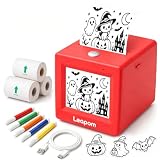
- AI Voice-to-Image Technology: Simply speak your ideas and watch as the printer instantly transforms your words into unique sticker designs, making creativity fun and accessible for kids
- Instant Thermal Printing: No ink or toner required - uses advanced thermal printing technology to produce clear, vibrant black and white images that kids can color and customize
- Complete Creative Kit: Includes 3 rolls of thermal printing sticker and markers, providing everything needed to start creating personalized stickers right out of the box
- Portable and Kid-Friendly Design: Compact, lightweight sticker maker is easy for children to use independently, encouraging imaginative play and artistic expression anywhere
- Interactive Learning Toy: Combines technology and creativity to help children develop communication skills, artistic abilities, and confidence through hands-on sticker making activities
The experience is screen-light rather than completely screen-free. Parents use the companion app to set up and manage the device. The App Store listing describes features such as creation history, reprinting, photo features, sharing creations, and child accounts. Newly generated stickers require Wi-Fi or a hotspot; the manufacturer’s setup troubleshooting specifies 2.4 GHz Wi-Fi.
The official product page listed the printer at $129.99 at the time of the research check. The page lists BPA/BPS-free paper, but treat that as a manufacturer specification. Price and availability can change.
How the experience works
The child-facing loop is simple:
- A parent downloads the Stickerbox companion app and follows the setup instructions.
- The parent connects the device to Wi-Fi or a hotspot; the manufacturer specifies 2.4 GHz during setup troubleshooting.
- The child presses and holds the top button while speaking an idea, then releases it.
- The system processes the request and prints a sticker.
- The child colors it, peels it, shares it, or sticks it somewhere appropriate.
A child may be able to operate the printer independently after setup, but the broader system depends on a compatible device, an app, and internet connectivity for new sticker generation. The printer uses the included power adapter and does not run on batteries, according to the manufacturer’s FAQ.
TechCrunch’s hands-on coverage describes the press-speak-print experience. App features may change, so check the current listing and setup instructions rather than relying on a particular app version or screen label.
What prompts work best?
Stickerbox is most likely to produce a useful coloring sticker when the prompt is short, concrete, and visually clear. Good examples include:
- “A dinosaur wearing sunglasses.”
- “A penguin riding a rocket made of bananas.”
- “A friendly robot planting flowers.”
- “A dragon eating a slice of pizza.”
Combinations of familiar objects are suitable because they give the image generator a clear subject and action without demanding a complicated composition. Avoid text-heavy instructions: small details may be hard to see in monochrome thermal printing.
Do these 3 things before closing this tab:
1Fix the driver behind crashes, sound loss and screen glitches2Clear out junk files and repair common Windows errors3Scan for outdated or missing drivers - takes under a minuteResults can vary. TechCrunch’s 2025 hands-on report said its review team could print some recognizable characters; it also noted that a later update added guardrails encouraging more original designs. That is a dated observation, not a guarantee of current results or a comprehensive test of filtering.
Voice recognition adds another variable. Background noise, multiple speakers, accents, whispers, mispronunciations, and long prompts may lead to a result that differs from the child’s intention. Treat a particular print as an observation, not proof of how the system will handle every prompt.
Rank #2
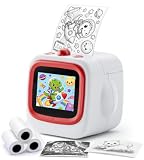
- SPEAK, CREATE & PRINT WITH AI: This AI sticker printer turns spoken ideas into unique stickers. Complete the one-time app setup via Bluetooth and 2.4GHz WiFi, then hold the AI button and speak. It prints automatically and describes the image aloud.
- COLOR, CREATE & PERSONALIZE: Every black-and-white AI sticker becomes a hands-on coloring activity. This sticker maker for kids lets children color and personalize creations for journals, scrapbooks, cards, reward charts, crafts, and school projects.
- TWO WAYS TO CREATE WITH WIFI & BLUETOOTH: After one-time app setup, 2.4GHz WiFi enables direct AI voice printing. Connect via Bluetooth for app printing, including custom stickers, photos, cartoon effects, coloring pages, labels, notes, and more.
- EXPLORE 6 AI ART STYLES: Choose Anime, Cartoon, Ink Wash, Sketch, Line Art, or Simple Drawing. Turn ideas—from funny animals and fantasy characters to learning cards and custom designs—into creative projects for kids, teens, and families.
- SAFE, PORTABLE & GIFT-READY: This portable thermal sticker printer for kids ages 4–12 offers BPA-free inkless printing, AI content filtering, and USB-C charging. Includes 2 sticker rolls and 1 thermal paper roll—ideal for birthdays and travel.
Is the result really a sticker?
Yes, in the practical sense: Stickerbox prints on adhesive thermal-paper rolls. The format has important limitations:
- Monochrome: The stickers are intended to be colored rather than printed in full color.
- Thermal output: There are no ink or toner cartridges, but the device still consumes paper.
- Dedicated paper: Stickerbox says only its own rolls are supported and warns that other thermal paper may damage the printer and void the warranty. Do not assume generic rolls are compatible.
- Small-format play: The output is designed for quick crafts and collections, not large artwork.
The research does not establish how long images remain legible in sunlight or heat, how well the adhesive works on different surfaces, or how easily young children can peel the backing. Those are hands-on durability questions, not facts to infer from the thermal-printing description.
Treat the stickers as craft materials rather than archival labels. Test one on the intended surface first, and do not assume an adhesive designed for paper play is suitable for every object.
Does Stickerbox encourage creativity?
The favorable interpretation is that the child supplies the creative spark: they invent a character, combine unlikely objects, describe a scene, and decide how to color and use the printed result. A sticker can become a prop in a story, part of a game, or the beginning of a larger craft. TechCrunch’s 2025 hands-on report described the immediate, tactile payoff of seeing an idea become a printed object.
That observation does not establish a general developmental benefit or prove that children will keep using Stickerbox. The AI performs the drawing and visual interpretation, while the child prompts, colors, and uses the paper. Some children may enjoy that loop; others may prefer drawing or building directly. The available sources do not establish long-term engagement.
Stickerbox is best seen as a creative prompt and craft accelerator, not a replacement for drawing. It may suit children who enjoy imaginative prompts and coloring. Children who prefer making their own characters by hand may get more from a conventional art or craft setup.
Safety: attribute the claims
Stickerbox says it uses content filters and is designed for children. The manufacturer also says the device listens only while its button is pressed, processes voice briefly and deletes it, and has COPPA compliance and KidSAFE certification. The research did not inspect an underlying audit or certificate, or independently test the system, so present these as company claims rather than independently confirmed guarantees.
TechCrunch’s 2025 report describes a limited hands-on test and notes changes to guardrails. That is useful context, but it is not a comprehensive current safety evaluation across languages, accents, ambiguous terms, or future model updates.
Rank #3

- AI Voice-to-Sticker Creation: Press the button and speak your ideas — the AI printer instantly turns your words into real stickers. Print out your designs and color with the 6 included color pens. Two creative activities in one machine: voice-generated sticker making + hand colouring, bringing easy, joyful creativity to kids
- Reliable Connection & 6 Print Styles: Pair 2.4GHz Wi-Fi (no 5G) on first use, then quickly link iOS/Android via Bluetooth for creative fun. 6 unique print styles span toddler simple doodles to teen cartoon themes, great for kids aged 3–12.(Tip: Set up near your router per included guide. Most home Wi-Fi is dual-band; confirm no 5GHz-only network pre-purchase for hassle-free out-of-box use)
- Inkless Thermal Printing, Zero Mess: No ink, no toner, no cartridges — clean and mess‑free. Prints on BPA‑free adhesive paper. Adopts advanced thermal printing technology to quickly produce crisp, vivid black-and-white stickers. Clean, safe, efficient and ready to use right out of the box
- Interactive Learning Toy: Tech meets creativity. Speaking ideas out loud builds vocabulary and storytelling skills. Watching words become real stickers encourages confidence and creative thinking. A hands‑on blend of language practice and imaginative play for ages 3‑12
- Fun Creative Gift Set: Comes with a printer featuring a colorful preview screen, 3 rolls of thermal sticker paper, 6 color pens, USB cable and instruction manual. Ready-to-go gift ideal for kids’ craft, journaling, planners, scrapbooking and classroom activities. Great for parent-child bonding, classroom crafts and travel trips, letting kids unleash imagination and creative joy anywhere
Keep the distinction clear:
- Company claims: Stickerbox describes its filters, voice handling, and certifications in its public materials.
- Reported hands-on evidence: TechCrunch documented a limited test and a later guardrail update.
- Still unknown from this research: How the system performs across all possible prompts and whether its safety claims have been independently validated.
Privacy: understand the manufacturer’s statements
The manufacturer says Stickerbox listens only while the physical button is pressed and processes voice briefly before deleting it. It also says the product is COPPA-compliant and KidSAFE certified. These are company statements; this research pass did not conduct technical privacy testing or review the underlying certification materials.
Using the device still involves an app, connectivity, and processing to generate images. Before connecting it, parents who are concerned about data should review the current Terms of Use, app-store disclosure, and account controls. Do not interpret “screen-light” or a company privacy claim as proof that no data is processed.
Crashes, No Sound, or Screen Glitches?
Random freezes, missing sound and display glitches usually trace back to one bad driver. Find and replace yours safely.Free scan · under a minuteWindows Errors? Fix Them Before They Spread
Repair common Windows errors and clear accumulated junk for a smoother, more stable PC - no reinstall needed.Free scan · no reinstallPrice, paper, and the real cost of ownership
The official store listed the printer at $129.99 at the time of the research check. The manufacturer’s starter bundle lists:
- Stickerbox printer.
- Eight colored pencils.
- Four paper rolls, totaling approximately 265 stickers.
- A US power adapter.
The product page lists the printer’s dimensions as 3.75 inches on each side and its weight as 0.67 pounds. These are manufacturer-listed specifications, not independent measurements.
Stickerbox says a roll produces about 66 stickers and describes three-roll refills as approximately 200 stickers. Its homepage advertised refills starting at $5.99 when checked. Prices and bundle details may change; confirm the live listing, roll count, sticker count, shipping, and any promotion before buying.
There is no ink or toner expense, but paper is a recurring consumable. Stickerbox says only its own rolls are supported and warns that other thermal paper may damage the printer and void the warranty. The sources do not establish how quickly a typical household uses paper or a reliable cost-per-use figure, so value depends on how often the child uses the device.
The Tool Desk
Outbyte Driver Updater FREEFix the driver behind crashes, sound loss and screen glitchesFind Drivers →Outbyte PC Repair FREERepair Windows errors before they cause bigger problemsFix Now →Practical limitations to expect
- Wi-Fi is required for new stickers: Stickerbox says a Wi-Fi or hotspot connection is needed to connect and generate.
- App and setup burden: Parents use the companion app to configure and manage the device.
- No color: The child colors the output by hand.
- AI results vary: A print may not match the spoken idea exactly.
- Dedicated paper is an ongoing expense: Stickerbox says its own rolls are the supported paper.
- No battery operation: The manufacturer’s FAQ says the included power adapter is required.
- Long-term engagement is unproven: The available sources do not establish how long children keep using the printer.
Who should buy Stickerbox?
Stickerbox may make sense for:
- Children who already enjoy coloring, stickers, storytelling, and imaginative combinations.
- Families looking for a structured, physical prompt-and-create activity.
- Gift buyers who value a tangible experience over full-color output or detailed image editing.
- Households comfortable with Wi-Fi, app setup, and recurring purchases of dedicated paper.
- Classrooms, homeschool settings, or therapists who can supervise the activity. Hapiko describes an Everyday Heroes Program involving educators, therapists, homeschoolers, and organizations.
Look elsewhere if:
- You need full-color stickers or large-format printing.
- You want to preview, edit, and refine an image before printing.
- You do not want a connected children’s product or app setup.
- You want independently verified privacy and safety documentation before buying.
- You are buying for occasional use and cannot justify the listed $129.99 purchase price.
- You are unsure whether the child will enjoy prompting, coloring, and using stickers often enough to justify the cost.
Alternatives by priority
| If you prioritize | Consider | Main trade-off |
|---|---|---|
| Color and editing | A home color printer with sticker sheets | More setup, screen use, ink costs, and supervision |
| Prompt control and iteration | A general AI image generator paired with a printer | More complicated and harder to supervise |
| Physical photos | An instant camera or mini photo printer | Not voice-to-image or focused on imaginative illustration |
| Privacy and direct making | A traditional sticker maker, coloring kit, or craft set | Slower and less magical, but the child creates the artwork directly |
No option is universally better. A home printer offers color and control; a craft kit supports direct authorship; an AI image generator offers flexibility; Stickerbox provides a simple, tangible, child-focused interaction.
Verdict
Stickerbox offers a compelling physical interface for generative AI: a child’s spoken idea becomes a tangible object, and coloring adds another creative step. That can make it feel less like passive AI consumption than browsing an image-generation app.
Rank #4

- 【Voice-to-Image Sticker Maker】Kids can speak or type their ideas in the Fun Print app and turn them into fun black-and-white images in seconds. Create personalized prints and stickers for coloring, decorating, journaling, and DIY craft projects while encouraging imagination and creative expression.
- 【Inkless Thermal Printing】Designed with thermal printing technology, this mini printer requires no ink or toner. It produces clear black-and-white prints that kids can color, customize, and use for notes, cards, journals, labels, stickers, and everyday craft activities.
- 【5 Rolls of Paper Included】Includes 3 rolls of regular thermal paper and 2 rolls of adhesive sticker paper for more creative possibilities. Use the regular paper for drawings, notes, and coloring projects, or choose the sticker paper to make custom DIY stickers for decorating and labeling.
- 【Portable & Kid-Friendly Design】Compact, lightweight, and easy to carry, this portable printer is great for use at home, during travel, in classrooms, at playdates, and for family activities. Simple controls and easy adult setup make creative printing more convenient and enjoyable for kids.
- 【Creative Learning Gift for Kids】Combines creativity, communication, and hands-on art in one interactive printing activity. It encourages imagination, self-expression, and creative confidence, making it a fun gift choice for birthdays, Christmas, holidays, and kids who enjoy drawing, crafting, and DIY projects.
The trade-offs are monochrome output, app and Wi-Fi dependence, dedicated paper, a $129.99 listed price, and variable AI results. The available evidence also does not establish long-term engagement or developmental benefits.
Consider Stickerbox if the child is likely to use it repeatedly for imaginative prompting and coloring, and that physical experience is worth the hardware and refill costs. Look elsewhere if full color, editing, offline use, or a lower upfront cost matters more.
Quick wins for a faster PC:
Scan for outdated or missing drivers - takes under a minuteDriver Scan →Clear out junk files and repair common Windows errorsFree Scan →Fix the driver behind crashes, sound loss and screen glitchesFind Drivers →FAQ
Does Stickerbox work without Wi-Fi?
No for generating new stickers: Stickerbox says a Wi-Fi or hotspot connection is needed to connect and generate. The manufacturer’s setup troubleshooting specifies 2.4 GHz Wi-Fi.
Is Stickerbox full color?
No. It uses thermal sticker paper and produces black-and-white output intended to be colored by hand.
How much do Stickerbox refills cost?
The manufacturer’s homepage advertised refills starting at $5.99 during the research check. Its FAQ describes three-roll refills as approximately 200 stickers. Check the current listing for price and bundle details.
What comes in the Stickerbox starter bundle?
The official product page lists the printer, eight colored pencils, four paper rolls totaling approximately 265 stickers, and a US power adapter.
Recommended Free Tools
Can I use generic thermal sticker paper?
Stickerbox says only its own rolls are supported and warns that other thermal paper may damage the printer and void the warranty. Do not assume generic paper is compatible.
What age is Stickerbox for?
Hapiko markets the hardware for children aged 5 and up. Parents should expect to handle app setup and device management.
Quick Recap

Product prices and availability are accurate as of the date/time indicated and are subject to change. Any price and availability information displayed on Amazon at the time of purchase will apply.




