Quick wins for a faster PC:
Repair Windows errors before they cause bigger problemsFix Now →Scan for outdated or missing drivers - takes under a minuteDriver Scan →
ThatPainter is reader-supported. When you buy through links on our site, we may earn an affiliate commission. Learn More
Start with one clear idea, build it from simple vector shapes, test it at the size people will actually see, and export the format your destination requires. A toolbar symbol, favicon, app icon, social avatar, and logo mark may share a design process, but they do not share one universal size or file requirement.
Choose the kind of icon you need
Decide where the artwork will appear before opening a design tool. That choice affects how much detail to use and what to export.
As an Amazon Associate I earn from qualifying purchases.
| Use | Main design priority | Likely output |
|---|---|---|
| UI icon, such as search or settings | Clarity and consistency with neighboring controls | SVG; sometimes PDF |
| Website graphic | Scalability and fast rendering | SVG or PNG |
| Favicon | Recognition at very small sizes | PNG, ICO, or the package required by the browser workflow |
| Mobile or desktop app icon | Brand recognition and platform compliance | Platform-specific image or layer assets |
| Social avatar | Strong silhouette that survives cropping | PNG or JPG |
| Brand icon | Distinctiveness and flexibility across uses | Editable vector master plus exports |
If the icon must communicate without nearby text, prioritize an especially familiar silhouette. If it sits beside a label, it can be more subtle.
Choose a design tool
No tool is best for every icon. Choose based on whether speed, precision, collaboration, or platform-specific production matters most.
#1 Best Overall

- PLAN YOUR WORK LIFE — 468 small computer icon stickers across 2 sheets in 18 colors. Mark office days, remote work days, online classes, and project deadlines in your planner.
- TINY BUT MIGHTY — Each sticker is 0.3" diameter on a 5" x 7" sheet, sized to fit cleanly inside daily planner boxes, habit tracker squares, and dot grid journal margins without overwhelming your layout.
- FOR WORK AND SCHOOL — Use these computer stickers for hybrid schedule tracking, online class sessions, homework deadlines, coding practice days, and screen-time budgets. Great alongside Important and Idea sticker layouts.
- WORKS WITH EVERY PLANNER YOU LOVE — Sized for Happy Planner, Erin Condren, dot grid journals, dot grid notebooks, and standard agenda layouts. Printed on high-quality white matte sticker paper.
- HANDMADE BY STORMY CREATIVES — Hand-printed in a small USA studio by an artist-led brand. Two full sheets per pack. Plenty for the whole year. Here's to making plans, setting goals, and staying inspired.
| Tool | Good fit | Trade-off |
|---|---|---|
| Figma | Beginners, UI symbols, icon sets, collaboration, and developer handoff. Its Starter plan is free with limits; the U.S. pricing page displayed a Professional full seat at US$16 per month on its annual-billing option when checked August 18, 2026. | Less specialized than Illustrator for advanced illustration and print work; plan limits and prices can change. See Figma pricing. |
| Adobe Illustrator | Precise vector construction, path editing, branding, and professional production. | Steeper learning curve and subscription. Adobe’s U.S. page displayed US$22.99 per month for the individual annual, billed-monthly plan and a seven-day trial on August 18, 2026; prices vary by region and plan. See Illustrator plans. |
| Canva | Quick template-led graphics and simple social assets; it can export transparent PNGs. | Less control over precise vector geometry and complex platform packages. Canva’s U.S. pricing page displayed Free at US$0 and Pro at US$144 per year for one person on August 18, 2026; benefits and prices may change. See Canva pricing. |
| Inkscape | People who want a free, open-source desktop vector editor. | Check its current export and workflow capabilities against the destination’s requirements. |
For a first UI icon built from basic shapes, Figma is a practical starting point. For advanced vector editing, Illustrator offers more specialized control; Canva is convenient when speed and a fixed-size graphic matter more than exact geometry. Prices above are U.S. page observations from August 18, 2026, not permanent or global quotes.
Plan the concept before drawing
Write the intended meaning in one short phrase: “search for a document,” “secure cloud storage,” or “edit a photo.” Then sketch several ways to express it and choose the idea that uses the fewest elements while remaining recognizable.
Free tools Windows power users keep installed
One-click scans. No signup required.
- Identify the audience and the smallest display size.
- Decide whether the symbol must work without a label and in monochrome.
- Choose one dominant metaphor rather than combining competing symbols.
- Consider whether the metaphor is culturally clear to the intended audience.
- Avoid copying a familiar product’s distinctive proportions or styling.
Microsoft’s Windows app icon guidance recommends a singular visual metaphor, simple forms, limited metaphors, and avoiding typography unless it is essential. At small sizes, lettering is usually hard to read and often repeats a nearby product name.
Set up a square canvas and grid
Use a square frame, guides for the center and outer bounds, and a safe area so the main shape does not crowd the edge. A grid helps keep proportions consistent, especially when you are making a set. Figma’s reusable icon grid tutorial demonstrates a 24 × 24 grid for interface icons. Treat that as a useful UI example, not a universal specification. Adobe’s web icon tutorial uses a 400 × 400 px square working document as an example, also not a required export size.
Rank #2
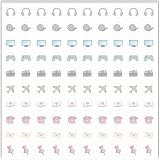
- Planner Sticker Material: Made of quality PVC material, these mini planner stickers are easy to peel and apply smoothly while staying securely in place, and when removed they typically do not leave marks on most paper surfaces, making them suitable for planners, journals, and notebooks
- Planner Sticker Size: The full sheet size measures 6.3 x 6.3 inch(16 x 16cm) and each individual sticker measures 0.5 inch(1.27cm), this set includes 500pcs mini planner stickers in total with 100pcs individual stickers per sheet and 5 sheets overall, offering sufficient quantity for frequent decorative use
- Mini Planner Stickers: Colorful daily planner stickers featuring practical reminder icons like earphones, video, computer, game, camera, airplane, book, envelope, telephone, and thumbtack, suitable for marking daily tasks, plans, and important activities in planners and journals
- Wide Application: These small colorful stickers can be used on planners, notebooks, calendars, and scrapbooks, and they also work well on smooth surfaces such as phones, laptops, water bottles, cups, storage boxes, and gift wrapping, making them suitable for decorating and organizing daily items
- Ideal Gift: These daily planner stickers make a charming gift for friends, family, and stationery lovers, suitable for occasions such as Christmas, Valentine's Day, Mother's Day, birthdays, New Year celebrations, and holiday gift exchanges, and the tiny decal design adds a decorative touch to everyday planning and crafting items
Keep the master artwork editable and larger than its smallest intended display. Platform icon templates and production rules differ, so do not assume a UI grid or tutorial canvas is the right final app-icon size.
Build the icon from basic shapes
Begin with circles, ellipses, rectangles, rounded rectangles, lines, arcs, and polygons. Use Boolean operations such as union, subtract, intersect, or exclude to combine shapes or make cutouts. Reach for Bézier paths only when simple geometry cannot express the idea cleanly.
Do these 3 things before closing this tab:
1Fix the driver behind crashes, sound loss and screen glitches2Repair Windows errors before they cause bigger problems3Scan for outdated or missing drivers - takes under a minuteExample: a simple camera icon
- Draw a rounded rectangle for the camera body.
- Add a circle for the lens and align it to the body.
- Add one small secondary feature, such as a viewfinder bump, only if it makes the camera more recognizable.
- Use subtraction for any necessary holes or cutouts, checking that the remaining gaps will survive reduction.
- Align the pieces to your guides, then group or combine the finished geometry.
Adobe’s icon construction tutorial demonstrates a related shape-based method using circles, scaled copies, fills, an effect, and a stroked arc. The goal is not to reproduce that example, but to use geometry as a controllable starting point.
Set a consistent visual style
Choose a visual language before polishing: filled, outlined, or mixed; stroke width; stroke caps and joins; corner radius; color count; and whether shading or gradients belong. Use the same rules across related icons. A restrained outline or single fill often remains clearer at small sizes than a complex gradient, although a brand or app icon may call for more depth if it still reads clearly.
Rank #3

- The size of the sticker is between 2 and 3 inches.Using 100% brand new high-definition printing, the pattern is clearer and more vivid. Each cute sticker is perfectly cut according to the shape and size, and can be torn off and used directly. The sticker can be pasted repeatedly, leaving no residue after removal.
- Every sticker pack contains 50 pieces of different stickers. No random delivery and no duplicates, the pattern shown in the main picture will appear in your package, and cute stickers can bring a lot of fun to your life.
- Halloween ghost stickers can be given to friends, family, children, boys, girls, adults, women, men,It can also be used as decoration for parties, festivals, and other occasions.
- These stickers are very cute and fashionable, suitable for dressing up various items. For example, hydroflask, laptops, water bottles, skateboards, luggage, etc. Cute stickers can give full play to your creativity to decorate the items you want.
- If you have any questions, please feel free to contact us. We promise to give you the most satisfactory service.
Align mathematically first, then adjust by eye. A circle and a square can have equal measured margins but look differently weighted; an asymmetrical form may need a small optical shift. Check whether the icon feels balanced, whether diagonal elements look undersized, and whether its negative spaces remain open.
Simplify and test the icon
Make a full-detail version, then remove anything that does not improve recognition. Tiny cutouts, decorative lines, highlights, and extra metaphors often vanish or merge at small sizes. If it only works when enlarged, simplify the silhouette or make a separate small-size variant.
Windows Errors? Fix Them Before They Spread
Repair common Windows errors and clear accumulated junk for a smoother, more stable PC - no reinstall needed.Free scan · no reinstallCrashes, No Sound, or Screen Glitches?
Random freezes, missing sound and display glitches usually trace back to one bad driver. Find and replace yours safely.Free scan · under a minute- View it at the smallest intended display size, not just zoomed in on the artboard.
- Check light and dark backgrounds, grayscale, and monochrome.
- Place it beside neighboring icons to compare visual weight and style.
- Test in its actual setting: a toolbar, browser tab, home screen, taskbar, or social profile crop.
- Check contrast and do not rely on color alone to communicate meaning.
A photo is rarely a good tiny icon because texture and detail disappear; simplify the subject into a graphic or silhouette. Canva’s app-listing guidance specifically recommends graphic imagery rather than photos for its app icons.
Independent reader supportYour contribution helps us test, update, and keep practical guides available for everyone.Export the right file for the destination
Keep an editable vector master even when the final deliverable is raster. Enlarging a low-resolution PNG later does not restore vector detail.
Rank #4

- Full of Nerdy Fun: This glossy sticker pack includes 50 quirky computer-themed designs like debugging jokes, coding fails, and internet memes that tech folks truly relate to
- Smooth Glossy Texture: Made of quality vinyl with a glossy finish, each sticker is waterproof, easy to peel, and leaves no sticky marks on your devices or accessories
- Designed for Daily Use: Ideal for tech lovers decorating laptops, notebooks, tablets, water bottles, or home office gear with personality and a hint of programmer humor
- Small but Noticeable: Ranging from 3–6cm in size, these stickers are compact enough for keyboards, routers, mouse pads, yet still visible enough to catch attention
- Cool Gift for Techies: Whether for programmers, sysadmins, or digital nomads, this sticker set brings laughter and connection to workspaces, study corners, or tech meetups
| Format | Use it for | Before delivery |
|---|---|---|
| SVG | Scalable web and interface graphics, when the destination supports SVG. | Remove unused objects and hidden layers; check strokes, masks, gradients, filters, and fonts in the consuming environment. Avoid live text that depends on an unavailable font. |
| PNG | Transparency, fixed-size graphics, and raster-like effects. | Export at the destination’s required pixel dimensions and inspect at 100% size. |
| ICO | Windows or browser workflows that specifically require an ICO package. | Confirm current requirements; changing a PNG filename extension does not create a valid ICO package. |
| PDF or other vector source | Editable handoff or platform workflows that accept vector artwork. | Confirm the recipient’s required format and preserve an editable original. |
Apple recommends vector formats such as PDF or SVG for custom interface icons, while app-icon artwork can require raster versions. Its interface icon guidance covers that distinction.
Apple app icons
Apple’s app icon guidance says to provide appropriately shaped, unmasked layers for iOS, iPadOS, and macOS so the system can apply its own rounded-corner treatment. WatchOS and visionOS also use square layers for system shaping, while tvOS uses rectangular layers. Apple documents Icon Composer, included with Xcode, for importing layers into its app-icon workflow; see its design resources. Do not bake in a mask that the platform will apply again.
Windows app icons
Microsoft’s Visual Studio asset-generation guidance describes a tool for producing an initial set from vector-based source artwork. Microsoft cautions that scaling one source image does not match the quality of handcrafting each required size, so inspect and refine important outputs individually.
Canva app listings
For Canva app listings specifically, its icon guidance gives a 512 × 512 px full-bleed square example and warns against pre-rounding a background when the marketplace applies its own radius. This is not a universal app-store specification.
Best Value

- 【50Pcs Included】—These tools theme stickers pack contains 50pcs no duplicated stickers, can be attached to computer, Laptop, skateboard, Luggage, refrigerator, guitar, motorcycle, bike, Mobile Phone, etc. Various patterns sticker pack can be great gift for children, kids, youth, friends, family and other DIY decoration.
- 【Size and Weight】—Each sticker measures about 5 cm --8 cm/1.97--3.15 inch. These stickers are packed in OPP bags, and the package size is 10 x 8 x 1.2 cm/ 3.94 x 3.15 x 0.47 inch. Package Weight is about 30 g/ 1.06 oz.
- 【Waterproof Sun-proof and Durable vinyl PVC material】—These Stickers are made of waterproof and sun-proof vinyl PVC, the color hardly fades out, can ensure the gloss and brightness of the material for a long time.
- 【Easy To Use】—1, Please take out your stickers; 2, clean the surface of the object on which you want to stick; 3, tear off the bottom paper of the stickers; 4, firmly stick the sticker on the surface of the object, leaving no gaps. NOTE: These Stickers Are Not Applicable to Rough And Uneven Surfaces.
- 【Satisfaction Service】—We believe these stickers will make you satisfied, but if any problem happens or you need any help, Kindly contact with us , we will try our best to serve you.
Make icons accessible
The right treatment depends on what the icon does, not just how it looks. Canva’s icon accessibility guidance distinguishes decorative, interactive, and indicative icons.
- Decorative icon: Hide it from assistive technology when it adds no information beyond nearby text.
- Icon-only control: Give the button or control an accessible name that states its action.
- Informational or status icon: Provide an accessible label or nearby explanatory text.
Do not depend on color alone; use shape, position, pattern, or text as an additional cue.
What’s actually slowing this PC down?
Pick the symptom - the matching free tool is one click away.
Package the handoff
Use clear filenames and include the editable source, required exports, and a preview. A small package might contain project-icon-source.fig, project-icon-master.svg, project-icon-512.png, and project-icon-preview.png. For a professional handoff, also document intended use, color values, background assumptions, minimum recommended size, clear space, font or licensing notes, and any platform-specific exceptions.
Quick Recap

Product prices and availability are accurate as of the date/time indicated and are subject to change. Any price and availability information displayed on Amazon at the time of purchase will apply.




