Windows Errors? Fix Them Before They Spread
Repair common Windows errors and clear accumulated junk for a smoother, more stable PC - no reinstall needed.
Fix My PC Now →Free scan · no reinstall
ThatPainter is reader-supported. When you buy through links on our site, we may earn an affiliate commission. Learn More
As an Amazon Associate I earn from qualifying purchases.
You can download a Sketchfab model through the official website only when the creator or rights holder has enabled downloading, or when you have another authorized entitlement such as ownership of the model, organization access, or a purchase. A model appearing in the Sketchfab viewer does not automatically mean that its source files are available.
To download an eligible model, sign in, open its individual page, select Download 3D Model, read the displayed license and attribution requirements, choose an available format, and save the file. Extract the complete archive before importing it so that geometry, materials, textures, and supporting files remain together.
Popular on Amazon
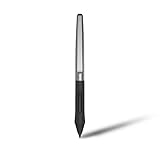
- Battery-free Stylus - Only COMPATIBLE to Huion Inspiroy H640P/H950P/H1060P/H610Pro V2/HS610/HS64/H420X/H580X/H610X; Never worry about pen-charging, and eco-friendly of use; Without operating battery, the pen is only 16g in weight, and its front end is made of wearable silicone for soothing feel.
- NOT COMPATIBLE with iPad, other Graphics Tablet or Huion Graphics Monitor GT Series; Huion provides one year warranty.
- Two Customizable Pen Buttons - Set the function to your reference like eraser, fasten your working efficiency; Palm rejection design of dual keys on both sides of the pen helps reduce touch frequency and realize most effective creation.
- Long-lasting Lifespan - First of Huion's products features battery-free stylus, say goodbye to charging cables; Don't need to worry about the potential battery leakage and run-out.
- 8192 Levels of Pen Pressure Sensitivity - Enjoy the accuracy and precision when drawing; Having 233 PPS report rate, 5080LPI resolution, you can paint or draw or sketch smoothly on your Huion Inspiroy series Tablets.
The short answer
- Sign in to Sketchfab using the account that has access to the model.
- Open the model’s individual page and look for Download 3D Model.
- Read the license and copy the creator and attribution information.
- Choose an offered format, such as the original package, GLB, glTF, or USDZ.
- Download the file, extract the entire archive if necessary, and import it into your target application.
If there is no download control after you sign in and refresh the page, the model is probably view-only or unavailable to your account. Do not use a browser ripper, downloader website, developer-tools extraction method, or screen-capture workaround to bypass that restriction. Sketchfab’s Terms of Use restrict unauthorized scraping, mining, and uses of content outside the permitted service and license.
Can every Sketchfab model be downloaded?
No. Sketchfab contains several kinds of content:
- View-only models: available to inspect in the online viewer but not to download through the normal website workflow.
- Free downloadable models: available when the creator has enabled downloads and the visitor meets any account or access requirements.
- Authorized paid assets: accessible through a purchase or library entitlement, increasingly through Fab rather than the former Sketchfab Store.
- Owner or organization assets: available to the account owner or authorized organization members.
- Unavailable models: models for which the creator removed downloading, or that were removed, relicensed, or migrated.
A viewer, download count, or the word free does not by itself guarantee that you can download the current asset. Search results can mix downloadable and view-only models. Where the current search interface exposes one, use the Downloadable filter, then verify the individual model page before relying on it. Sketchfab has documented downloadable and license-based search filters in its search-filter guidance.
Do you need a Sketchfab account?
Sign in before diagnosing a missing or failed download. Sketchfab’s current terms say an account is required to take full advantage of its services, and the official Download API requires an authenticated Sketchfab account. Public-page behavior can still vary by browser, account state, model type, region, and entitlement, so do not assume that every download interaction behaves identically for signed-in and signed-out visitors.
Quick wins for a faster PC:
Scan for outdated or missing drivers - takes under a minuteDriver Scan →Clear out junk files and repair common Windows errorsFree Scan →As of December 11, 2025, new Sketchfab users have used Epic Games account authentication. An older Sketchfab account may have a different sign-in history, but the important practical rule is to use the account that owns the purchase or organization access when downloading a restricted asset.
Where is the Download button?
On a public model page, inspect these areas:
- The area below the 3D viewer.
- The information area below the creator’s name.
- An overflow or action menu if the page layout has changed.
- Your library, purchase history, or organization area for an acquired asset.
The public-page label is generally Download 3D Model. In some organization, importer, library, or marketplace contexts it may simply say Download. The exact placement can change with Sketchfab’s interface and the type of model you are viewing. The platform’s additional-file announcement illustrates the model-page download and archive workflow.
How to download a Sketchfab model from the website
1. Find the individual model page
Search Sketchfab, apply a downloadable filter if one is available, and open the model itself. Do not start from a search result, collection, image, or embedded viewer when troubleshooting: those pages may not expose the model’s download controls.
2. Sign in to the correct account
Sign in before selecting the download control. For a purchased or organization-owned asset, confirm that the account is the one with the relevant entitlement. If you just signed in, refresh the model page.
PC Slower Than It Used to Be?
A free scan shows the junk files, broken settings and background clutter dragging Windows down - then fixes them in one click.Free scan · Windows 10 & 11Crashes, No Sound, or Screen Glitches?
Random freezes, missing sound and display glitches usually trace back to one bad driver. Find and replace yours safely.Free scan · under a minute3. Select Download 3D Model
Open the download dialog. Depending on the model, it may show one or more converted formats, an original file, a license panel, and separate additional-file rows. A model may have only one available format; do not expect every model to offer OBJ, FBX, GLB, glTF, STL, or USDZ.
4. Read and record the license
Before saving the file, note the exact license name, creator, model title, model URL, and any attribution text in the description or download dialog. Downloadable does not mean unrestricted, free for commercial use, or safe to redistribute as a standalone asset.
5. Choose a format
Select the format that fits your destination application. The choices are model-specific, so prefer the original package when you need the uploader’s native scene, rig, materials, or production data and it is actually offered.
6. Save the download
Save the file to a known folder. The result may be a direct file, a ZIP archive, a format-specific download, or an authorized library download. Large models are generally easier to handle with a desktop browser because mobile devices may run out of storage or impose browser and file-management restrictions.
The Tool Desk
Outbyte PC Repair FREEClear out junk files and repair common Windows errorsFree Scan →Outbyte Driver Updater FREEScan for outdated or missing drivers - takes under a minuteDriver Scan →Also popular on Amazon

- New upgraded version: Battery-free Stylus with 8192 Levels Pressure does not require charging, The report rate of the H420X graphic tablet has increased to 300 PPS, making lines quicker and smoother, and feel like a real pen. The pen also has 2 customizable buttons on the side that allow you to switch between right-clicking and the eraser etc instantly
- Graphic design tablet H420X is only 7mm in thickness and 167g in weight. A slim and compact design with a active area of 4.17x2.6 inches and dimension of 6.77x4.3 inches make it perfect for limited desktop space and easy to carry out when on a trip.
- H420X huion drawing tablet is compatible with Windows 7 or later, Mac OS 10.12 or later, and Android 6.0 or later. Huion H420X drawing pad has good compatibility with most drawing software including Adobe Photoshop, Paint tool sai, Corel Painter, Illustrator, Sketchbook, Manga Studio, Clip Studio Paint, Fireworks, Comic Studio, SAI, Krista, Infinite Stratos, Pixologic ZBrush and other major graphics applications, and more. H420X is NOT compatible with iOS.
- H420X computer graphics tablets also can be used for playing OSU games, signing documents, taking notes, and more. No need to install the driver. Just plug and play!
- The note taking tablet is also easier to handwrite write, edit, and annotate with a stylus for online education, e-learning, remote working, or web conference. HUION H420X also is compatible with XSplit, Zoom, Microsoft Teams, Word, Excel, PowerPoint, OneNote, and more
7. Extract and test it
If the result is a ZIP, extract the entire archive into a new folder. Keep all referenced files together, then import the model and check textures, materials, scale, orientation, rigging, and animation before using it in a project.
Which Sketchfab format should you choose?
| Intended use | Preferred choice | Important qualification |
|---|---|---|
| Blender editing | Original or source format, if offered; otherwise GLB or glTF | A converted file may lose native rigging, modifiers, material nodes, naming, or scene organization. |
| Unity or Unreal | GLB or glTF for portable interchange; FBX or native engine files if explicitly supplied | The official Download API does not provide source FBX or OBJ files. |
| Web or Three.js | GLB for a convenient single-file workflow; glTF ZIP when separate textures are useful | For glTF, preserve the relative paths to the BIN and texture files. |
| Apple AR | USDZ | Check that materials, scale, and animations survive the conversion and match the target Apple viewer or application. |
| 3D printing | The original mesh or a creator-supplied printable format, followed by mesh inspection and repair | A download button does not make a mesh watertight, manifold, correctly scaled, or printable. |
| Archival backup | Original package plus a converted glTF or GLB, license record, creator URL, and download date | Keep an independent copy of the original project and linked assets when possible. |
| Quick preview | GLB or glTF | The result may be a viewer-oriented conversion rather than the most editable version. |
Original or source package
An original file is usually the best choice for production editing because it may retain native materials, modifiers, scene hierarchy, rigging, naming, and application-specific data. It is not guaranteed to be available, and it may require the original 3D application or additional plug-ins.
GLB
GLB is the binary form of glTF and is convenient to move between applications. It can package geometry, materials, and textures in one file, although what it preserves depends on the uploaded model and the conversion. It is often the simplest choice for a web viewer, a quick Blender import, or interchange.
glTF ZIP
A glTF download commonly arrives as an archive containing a scene.gltf file, a scene.bin file, and a textures folder. The glTF file references those external files, so moving only the visible .gltf file will usually break materials or geometry. Sketchfab documents this typical archive structure in its model-download documentation.
USDZ
USDZ is useful for Apple-oriented augmented-reality workflows and supported Apple viewing applications. It is not a universal replacement for the original file or a general-purpose editing format. Confirm scale, materials, and animation in the target AR application.
OBJ, FBX, and STL
OBJ is widely supported and simple, but it is a poor choice for animation and modern material workflows. FBX is common in game and animation pipelines, but its availability depends on the website download package or Fab listing—not the official Sketchfab Download API. STL is useful for printing geometry but normally carries no textures, materials, rig, or animation.
What happens after you click Download?
The download flow can produce several different results:
- A direct file download.
- A ZIP archive that must be extracted.
- A format-selection dialog.
- A sign-in or permission prompt.
- A license and attribution panel.
- A separate Additional file row.
- A purchase or library-access requirement for paid content.
Additional archives are creator-supplied files separate from the primary model download. They may contain alternate meshes, texture sets, documentation, project files, or other supporting material. Inspect the dialog for an Additional file row instead of assuming that the main GLB or glTF archive contains everything. These files are available only where the model is otherwise downloadable or you have authorized access.
How to extract a Sketchfab ZIP without breaking textures
- Save the ZIP to a known folder rather than opening files directly inside the archive.
- Extract the complete archive into a new folder.
- Confirm that
scene.gltf,scene.bin, and thetexturesfolder remain together when those files are present. - Do not rename or move image files unless you also update the paths inside the glTF file.
- Open or import the
.gltffile from inside the extracted folder. For a GLB, select the single.glbfile.
If the model opens gray, white, or untextured, re-extract the archive into a fresh folder and try again. A common cause is separating the glTF file from its texture directory or BIN file. If the paths are intact, inspect the material and image references in the target application; the conversion may also use shaders or material features that the importer does not support.
Import a downloaded model into Blender
Manual import
- Download the model from its authorized Sketchfab page.
- Extract the complete ZIP if the download is not a GLB.
- Open Blender.
- Choose File → Import → glTF 2.0 (.glb/.gltf).
- Select the
.glbfile, or selectscene.gltfinside the extracted folder. - Inspect the imported materials, image textures, scale, orientation, armature, and animation clips.
For a glTF archive, do not move the .gltf file away from its adjacent BIN and texture files before importing. If Blender displays a gray model, re-check the folder structure and image paths first.
The Sketchfab Blender add-on
Sketchfab’s Blender add-on repository describes an importer that supports downloadable models, login, and importing a model from its full Sketchfab URL. For public imports, it automatically creates an sf_attributions text document containing creator and license information.
Also popular on Amazon

- Work for both hands - Huion Artist Glove with two fingers; The package includes one unit of glove which can be used on both hand, free size; 20cm in length, 8cm in width.
- Anti-fouling design - It can prevent smudges from your hand on a Graphic Tablet, Graphics Monitor or some other items, leaving no more scratch. Note: The glove cannot prevent accidental touching from the touch screen, it just can reduce the friction between your hand and the tablet surface.
- Comfortable Material - Made from Soft Lycra and Nylon, extremely flexible, comfortable to work with; It can reduce friction between your hand and the surface.
- Classic color - The glove is black, peaceful and charming color; And the most important point is that this color is soiling resistant so you do not need to wash it frequently.
- Flexible using - Works perfectly for sketching, inking, coloring and digital drawing on graphics tablets.
The repository’s installation instructions apply to Blender 2.80 and later, but that does not guarantee compatibility with every current Blender release. The repository includes open issues involving newer Blender versions and rendering-engine changes. Treat the add-on as a convenience, not as a required part of the workflow. If its login or importer fails, download the model from the website and use Blender’s built-in glTF importer instead. The add-on cannot download a model that is not authorized for download.
Do these 3 things before closing this tab:
1Repair Windows errors before they cause bigger problems2Fix the driver behind crashes, sound loss and screen glitches3Clear out junk files and repair common Windows errorsImporting into Unity, Unreal, Godot, and other applications
Sketchfab maintains an importer directory covering tools and integrations including Blender, Cinema 4D, Unity, Unreal Engine, Godot, PlayCanvas, Substance, and Twinmotion. Where an integration uses Sketchfab’s Download API, it generally receives an authorized converted glTF or USDZ asset rather than the creator’s original FBX, OBJ, or native project file.
For a serious game or animation pipeline, compare the result with the original package if one is available. Check skeletons, animation clips, materials, texture color spaces, collision geometry, scale, and coordinate orientation after import.
Be cautious with old plug-in advice. The Sketchfab Unreal plug-in repository lists an old release, including Unreal Engine 4.27 and Unreal Engine 5.0 Early Access. That is not evidence of compatibility with modern Unreal Engine versions. Use a current, supported integration where available, or download an authorized file and import it through the engine’s current tools.
License: downloading is not the same as owning unrestricted rights
The license shown on the model page controls what you can do with the downloaded asset. Save it with the files. A model labeled free may be free to download while still prohibiting commercial use, derivatives, or standalone redistribution.
Common Creative Commons licenses
| License | Generally permits | Main restriction or requirement |
|---|---|---|
| CC0 | Sharing, modification, and commercial use without CC license conditions | Trademark, privacy, publicity, copyright, and other third-party rights may still matter. |
| CC BY | Sharing, modification, and commercial use | Give appropriate credit, link the license, and indicate changes. |
| CC BY-SA | Sharing and adaptation, including commercial use | Offer adaptations under the same license. |
| CC BY-NC | Sharing and adaptation | Commercial use is not permitted. |
| CC BY-ND | Copying and redistribution, including commercial redistribution in appropriate circumstances | No adaptations; the work must remain unmodified. |
| CC BY-NC-SA | Sharing and adaptation for noncommercial use | Credit is required, commercial use is excluded, and adaptations use the same license. |
| CC BY-NC-ND | Redistribution of the unmodified work for noncommercial use | Credit is required; no commercial use and no derivative adaptations. |
These are general summaries, not a substitute for reading the exact license. See Creative Commons’ license chooser and summaries and the CC BY legal code and attribution guidance.
What to preserve for attribution
For a Creative Commons model, keep:
- The model title.
- The creator’s name or username.
- The original Sketchfab model URL.
- The exact license name and license URL.
- A description of changes, or no changes.
- Any attribution wording supplied by the creator.
- Additional credits requested in the model description.
A practical credit can look like this:
Model: [title] by [creator], downloaded from Sketchfab: [model URL], licensed under [license]: [license URL]. Changes: [describe changes or “none”].
Place the credit wherever people can reasonably find it in the context of your use: for example, project credits, an application credits screen, documentation, a web page, or an accompanying readme. Creative Commons attribution should not imply that the creator endorses your project. Sketchfab’s API guidelines likewise recommend displaying the creator, source, license, and Sketchfab credit when downloaded content is used.
Paid, Standard, Editorial, and Fab licenses
The former Sketchfab Store used Sketchfab Royalty-Free Standard and Editorial licenses. A legacy Sketchfab Standard license broadly permits commercial and noncommercial use but restricts standalone redistribution and similar uses where the asset remains the primary value. Editorial assets are limited to newsworthy, public-interest, documentary, cultural, or similar editorial uses and are not for commercial or promotional use. Read the applicable agreement at Sketchfab Licenses.
Do these 3 things before closing this tab:
1Repair Windows errors before they cause bigger problems2Fix the driver behind crashes, sound loss and screen glitches3Clear out junk files and repair common Windows errorsFab now offers Creative Commons licensing for some free assets and Standard licensing at Personal and Professional tiers. A legacy purchase may continue to be governed by the license in effect when it was acquired; do not automatically replace an older Sketchfab purchase license with a current Fab license. For a purchased asset, keep the invoice, license version, and acquisition record with the download.
Can you use a downloaded model commercially?
Only if the applicable license allows your intended use and you have addressed any separate rights. In general:
Also popular on Amazon
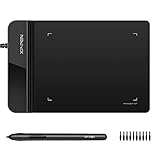
- Ultra thin tablet: Active Area 4 x 3 inches. Fully utilizing our 8192 levels of pen pressure sensitivity―Providing you with groundbreaking control and fluidity to expand your creative output. Please note: The 4 x 3 inches is very small, please confirm that it will meet your needs before you purchase it
- OSU game: Designed for OSU! gameplay, drawing, painting, sketching, E-signatures etc. No need to install drivers for OSU! It's also designed for both right and left hand users
- Accurate Pen Performance: StarG430S computer graphics tablet is the perfect replacement for a traditional mouse! The XPPen advanced Battery-free PN01 stylus does not require charging, allowing for constant uninterrupted Draw and Play, making lines flow quicker and smoother, enhancing overall performance
- Compact and Portable: The G430S art tablet is only 2 mm thick, it’s as slim as all primary level graphic tablets,Ultra-thin and portable, allowing you hold it in one hand and carry it on the go. This graphic drawing tablet supports Mac. However, since the product interface is micro USB to USB-A, if your computer is a Mac and does not have a USB-A port, you will need to purchase an OTG transfer adapter to ensure compatibility with your Mac. So please confirm your computer port before you purchase it
- PLEASE NOTE: The XPPen StarG 430 is compatible with the Windows system 11/10/8/7(32/64 bit), and the Mac OS X version 10.10 or later, but it is incompatible with iOS and iPad OS. If your computer is a Mac, you need to grant permission to the Mac preferences first. Please go to our official website, and according to the guide: XPPen>Support>FAQ, find out the Star G430 and click, then click the question according to your Mac system. There are detailed guidelines for installing the driver so your tablet will work correctly. It's possible incompatible with the customer's own EMR system or other signature system. Please feel free to contact us to confirm the compatibility before your purchase
- CC BY: usually permits commercial use when attribution and other conditions are met.
- CC BY-NC: does not permit commercial use.
- CC BY-ND: permits redistribution of the unmodified work under its conditions, but not derivative adaptations.
- CC0: has no CC license conditions, but it does not automatically eliminate trademark, privacy, publicity, or other third-party rights.
Be especially careful with models depicting a trademarked character, branded product, celebrity, game asset, or other recognizable protected subject. The uploader may not own every right in the model, and a selected Creative Commons label is not a complete clearance of trademark, publicity, privacy, or copyright issues. The Sketchfab Terms and the actual model license should be reviewed before commercial distribution.
What to do when there is no Download button
- Confirm the page type. Make sure you are on the individual model page, not an embed, collection, image, or search result.
- Sign in. Use the account with the relevant purchase or organization permission.
- Refresh after authentication. A page loaded before sign-in may not update its controls correctly.
- Check restrictions. Age-restricted or region-restricted content may not be available to your account or location.
- Check Fab. If the asset was a paid marketplace product, look in your Fab library or purchase area.
- Try a current desktop browser. Temporarily disable extensions that block scripts, downloads, or authentication requests.
- Verify actual availability. A free label or downloadable search result is not proof that the model’s creator still permits your download.
- Contact the creator. If the model is view-only, politely ask whether an authorized file or alternative license is available.
The simplest explanation is often the correct one: the creator chose to publish the model for viewing only. There is no legitimate website setting that turns a view-only model into a downloadable one. Do not use a third-party downloader, browser script, scraping tool, developer-tools extraction, or screen recording to bypass the creator’s choice.
The Tool Desk
Outbyte PC Repair FREERepair Windows errors before they cause bigger problemsFix Now →Outbyte Driver Updater FREEScan for outdated or missing drivers - takes under a minuteDriver Scan →Fix common download and import failures
Unauthorized or permission error
Likely causes:
- You are not signed in.
- You signed in with the wrong account.
- Your purchase or organization entitlement is missing.
- The creator changed the model’s availability.
- The model was removed or relicensed.
- A third-party importer is using an expired session.
Recovery: sign in again, switch to the account that owns the access, open the model page directly, and retry from the official page. For a purchase or entitlement problem, contact Sketchfab or Fab support. If an integration fails, do not assume the model itself is unavailable; test the official website workflow.
The ZIP downloads, but the model is gray
Likely causes: the archive was only partially extracted, the textures directory was separated, relative paths were broken, the converted file contains different material data than expected, or the target application does not support viewer-specific shaders.
Recovery: extract the complete archive into a new folder, open the glTF file from that folder, inspect image and material paths, and manually relink images if required. If an original package is offered, try it for production work.
The model has the wrong scale or orientation
Applications use different unit systems, up-axis conventions, and coordinate systems. Inspect the model’s stated units and intended destination before applying destructive scaling or transforms. Confirm the result in the target application, then apply transforms or rescale as part of that application’s normal pipeline.
Free tools Windows power users keep installed
One-click scans. No signup required.
Animations or rigging are missing
Possible explanations include a viewer-oriented conversion, an importer that does not support the rig, an upload with no animation data, or a conversion that discarded unsupported features. A pose visible in the Sketchfab viewer is not proof that the downloaded file contains a complete animation rig.
Try the original or source package if available, use the application-specific importer, and inspect the archive for animation clips, armatures, alternate meshes, or additional files. For serious animation work, prefer a creator-supplied production package rather than assuming that GLB or glTF preserves every native control, constraint, driver, simulation, or deformation setup.
Download problems on a phone
Large archives can fail because of limited storage, unstable connections, browser download restrictions, or mobile operating-system file handling. Use a desktop browser for large models and production assets when possible. Do not assume that the Sketchfab mobile app provides a special official download workflow for every device or model.
3D-printing a downloaded Sketchfab model
A model made for visual presentation is not automatically ready for fabrication. Before opening it in a slicer, check for:
Quick wins for a faster PC:
Scan for outdated or missing drivers - takes under a minuteDriver Scan →Clear out junk files and repair common Windows errorsFree Scan →- Non-manifold edges and holes.
- Flipped normals.
- Intersecting or internal geometry.
- Extremely thin walls or unsupported details.
- Excessive polygon density.
- Incorrect units or scale.
- Separate parts that need joining.
Repair or remesh the geometry, establish the intended scale, verify wall thickness, and plan supports before printing. Textures do not affect the physical shape of an STL. A license that permits downloading or noncommercial reuse may still prohibit selling physical prints or distributing modified versions, so check the license before manufacturing or selling anything.
Also popular on Amazon

- Word-first 16K Pressure Levels: The upgraded stylus features 16,384 levels of pressure sensitivity and supports up to 60 degrees of tilt, delivering smoother lines and shading for a natural drawing experience. With no battery or charging needed, it operates like a real pen, making it easy for beginners to create effortlessly. This functionality helps novice artists develop their skills and explore their creativity without the intimidation of complex tools
- Designed for Beginners: This drawing pad desinged with 8 customizable shortcuts for both right and left-hand users, express keys create a highly ergonomic and convenient work platform
- Perfectly Adapted for Android: The XPPen Deco 01 V3 art tablet supports connections with Android devices running version 10.0 and above. It is recommended to download the XPPen Tools Android application, which adapts to your smartphone's screen aspect ratio, ensuring accurate mapping. It also supports mapping on Android screens with different aspect ratios in portrait mode
- Large Drawing Space, Bigger Bold Inspiration: This expansive drawing pad has10 x 6.25-inch helps you break through the limit between shortcut keys and drawing area
- Easy Connectivity for Beginners: The Deco 01 V3 offers USB-C to USB-C connectivity, plus adapters for USB C. This ensures easy connection to various devices, allowing beginner artists to set up quickly and focus on their creativity without compatibility concerns. Whether using a laptop, tablet, or desktop, the Deco 01 V3 provides a seamless experience, making it an ideal choice for those just starting their digital art journey
Downloading your own Sketchfab models
Current Sketchfab plan information lists the ability to download your own models, including automatic glTF and USDZ conversions, under plan-based model-conversion features. Older documentation described this for Pro and higher plans. Plan names and entitlements can change, so use the live plan comparison rather than relying on a permanent tier rule.
A practical owner-backup workflow is:
- Open the model’s management page.
- Use the More menu or its current equivalent.
- Download the original file and any available conversions.
- Save the source file, textures, license information, upload metadata, and download date separately.
- Keep an independent local or cloud backup.
A Sketchfab conversion is not necessarily a complete backup of a Blender, Maya, Cinema 4D, or other production project. Preserve linked assets, HDRIs, plug-ins, simulations, version information, and the original project file independently. Treat Sketchfab’s original-file download as a recovery option, not as your only backup.
Sketchfab and Fab: what changed?
If an old article tells you to purchase a product through the Sketchfab Store, that instruction is outdated. Look for the asset in Fab, use the appropriate Epic Games account, and check your Fab library or the product’s current listing.
Developer method: the official Sketchfab Download API
Developers can request an authorized temporary download URL through Sketchfab’s Download API. The documented workflow is:
- Authenticate the end user.
- Request a download URL for the model UID.
- Download the temporary archive.
- Unzip the glTF archive.
- Load the model in the application.
The endpoint is:
GET https://api.sketchfab.com/v3/models/{UID}/downloadAn example request is:
curl
  'https://api.sketchfab.com/v3/models/{UID}/download'
  -H 'Authorization: Bearer {INSERT_USER_OAUTH_ACCESS_TOKEN}'
The response can include temporary glTF and USDZ URLs, file sizes, and an expiration value. Sketchfab’s documented example uses an expiration of 300 seconds. The temporary URL does not require another authentication header, but it should not be cached or stored as a permanent asset URL because it expires.
{
  "gltf": {
    "url": "https://temporary-download-url.example/...",
    "size": 45388265,
    "expires": 300
  },
  "usdz": {
    "url": "https://temporary-download-url.example/...",
    "size": 6394777,
    "expires": 300
  }
}
Read the complete Download API downloading documentation before implementing this flow. The API provides converted formats rather than source files such as FBX and OBJ, and authentication does not override the creator’s download permission. Your application must also display the model’s creator, source, license, and required attribution. See Sketchfab’s API licensing and attribution guidelines and developer terms.
Download checklist
- ☐ The individual model page has an official download control.
- ☐ You are signed in to the correct account.
- ☐ You checked for age, region, organization, purchase, or library restrictions.
- ☐ You recorded the title, creator, source URL, license, and attribution text.
- ☐ You selected the original format when native production data matters and it is offered.
- ☐ You selected GLB, glTF, or USDZ based on the destination application.
- ☐ You extracted the complete archive rather than copying only the visible model file.
- ☐ The glTF, BIN, and texture paths remain together.
- ☐ You tested materials, scale, orientation, rigging, and animations.
- ☐ You checked commercial, derivative, redistribution, printing, and attribution restrictions before publishing.
- ☐ You kept an independent backup if the model is your own work.
Frequently Asked Questions
Can I download a Sketchfab model if there is no download button?
Not through the authorized standard workflow. Sign in, refresh the model page, check the correct account, Fab library, and any restrictions, then contact the creator for an authorized copy or alternative. Do not use a ripper, scraper, or browser-extraction method to bypass a view-only setting.
Does Sketchfab always provide FBX or OBJ?
No. Format availability depends on the model and the creator’s download package. Sketchfab’s official Download API documents converted glTF and USDZ access, not source FBX or OBJ files. A website download or Fab listing may include another format only if it is explicitly supplied.
Why is my downloaded Sketchfab model gray in Blender?
Most often, the ZIP was not completely extracted or the glTF file was separated from its BIN file or textures folder. Re-extract the whole archive, open the glTF from inside that folder, and inspect or relink the image paths if necessary.
Recommended Free Tools
Can I sell a product containing a downloaded Sketchfab model?
Only when the applicable license permits that use and you have addressed separate copyright, trademark, privacy, publicity, and other rights. CC BY generally allows commercial use with attribution, while CC BY-NC does not. Also check restrictions on derivatives and standalone redistribution.
The Bottom Line
Use Sketchfab’s official download control only when the creator or your account has authorized access. Sign in, save the license and attribution details, choose the format for your actual workflow, extract every supporting file, and test the import. If the button is missing, treat the model as view-only unless the creator or an authorized Fab entitlement provides another route—never bypass the restriction.
Quick Recap


