Do these 3 things before closing this tab:
1Scan for outdated or missing drivers - takes under a minute2Clear out junk files and repair common Windows errors3Fix the driver behind crashes, sound loss and screen glitches
ThatPainter is reader-supported. When you buy through links on our site, we may earn an affiliate commission. Learn More
To draw a recognizable Air Jordan 1, start with a side-view reference of the exact version you want to depict, sketch the shoe’s overall silhouette, and build its sole, panels, swoosh, collar, and lace area in that order. Add color only after the proportions and panel layout look right; details vary between editions, so keep comparing your sketch with your chosen reference.
Choose a reference and gather simple supplies
Pick one clear side-view image of the Air Jordan 1 you want to draw. Editions and colorways differ, so avoid combining details from several shoes unless you are intentionally designing your own version. Nike’s Jordan Design Studio presents Air Jordan 1 reinterpretations shaped by creators’ personal themes, a useful reminder that the silhouette can be a starting point for different concepts.
| # | Preview | Product | Price | |
|---|---|---|---|---|
| 1 |
|
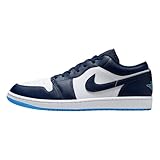
Air Jordan 1 Low Men's Shoes (Midnight Navy/White/University Blue) Size 10.5 | $117.74 | Buy on Amazon |
| 2 |
|
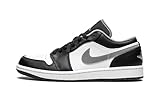
Nike Men's Air Jordan 1 Low Black/Particle Grey, Black/Particle Grey/White, 11 | $120.00 | Buy on Amazon |
As an Amazon Associate I earn from qualifying purchases.
PC Slower Than It Used to Be?
A free scan shows the junk files, broken settings and background clutter dragging Windows down - then fixes them in one click.Free scan · Windows 10 & 11Outdated Drivers Are Slowing You Down
One free scan finds every outdated or missing driver and matches the right update for your exact hardware.Free scan · exact hardware matchYou can draw from a photograph or use an Air Jordan 1 as a physical visual reference; neither is required. A pencil and paper are enough to begin. Graphite drawing pencils for sketching are optional: use light marks for the construction lines so you can revise them before committing to darker contours or color.
Draw the shoe in stages
1. Block in the side-view silhouette
Lightly sketch the shoe’s largest outer shape, from the toe to the heel. Treat it as a long, low form with a raised heel and a distinct ankle or collar area. Keep the outline simple for now. Check the angle and relative height of the toe, heel, and collar against your reference instead of guessing at small details.
#1 Best Overall
- Encapsulated Air-Sole unit provides lightweight cushioning.
- Genuine leather in the upper offers durability and a premium look.
- Solid rubber outsole enhances traction on a variety of surfaces.
- The Air-Sole unit in the midsole gives your feet the cushioning they demand, while the flex grooves move in stride with you.
2. Establish the sole and upper
Draw the sole as a band beneath the upper, following the same general curve as the shoe’s bottom edge. Separate the sole from the upper with a clean line, then check that its thickness is consistent with the reference. The upper is the part of the shoe above the sole; define its outer boundary before dividing it into smaller pieces.
3. Divide the upper into panels
Use the reference to map the large panel shapes across the toe, sides, heel, and ankle. Keep these divisions inside the silhouette and make sure they follow the shoe’s form. The precise layout depends on the edition shown, so copy what you see rather than treating one panel arrangement as universal.
4. Add the swoosh, collar, and lace area
Place the swoosh on the side panel, using its position and curve in the reference to judge its size. Add the collar and tongue at the top, then mark the lace area and eyelets. Keep these details subordinate to the larger shapes: if the silhouette or panels are still off, correct those first.
5. Refine the contour and clean up construction lines
Compare your drawing with the reference from toe to heel. Adjust any panel edges or outer contours that look misplaced, then strengthen the lines you want to keep and erase the light guides. Small branding or stitching details can be added where they are visible in the reference, but they are not needed for the shoe to read clearly.
Rank #2
- basketball shoes
- Retro Style
- damping
6. Apply the color blocking
Identify the main color areas in your chosen version and fill them in after the drawing is established. Preserve the boundaries between panels, and keep the sole visually distinct from the upper where the reference shows a contrast. For an original concept, use the same panel structure as a framework and choose your own colors or theme; Nike’s design studio shows that Air Jordan 1 concepts have been reinterpreted in varied ways.
Independent reader supportYour contribution helps us test, update, and keep practical guides available for everyone.Check the drawing against the reference
Pause at each stage and compare the drawing with the image you selected. Look at the proportions first, then the panel divisions and the placement of the swoosh and lace area. If a detail seems wrong, correct its position rather than adding more lines to compensate. A clear silhouette and sensible color blocking will usually make the shoe more recognizable than a dense layer of tiny marks.
What’s actually slowing this PC down?
Pick the symptom - the matching free tool is one click away.
For additional demonstrations, Seth Fowler’s How to Draw a Shoe (Air Jordan 1) is described as a step-by-step design-sketching process, and How to draw and colour! NIKE AIR JORNDAN 1 (step by step drawing tutorial) is presented as a drawing-and-coloring tutorial. Use either as a visual reference alongside your selected shoe edition.
Quick Recap

Product prices and availability are accurate as of the date/time indicated and are subject to change. Any price and availability information displayed on Amazon at the time of purchase will apply.




