PC Slower Than It Used to Be?
Outbyte PC Repair · freeA free scan shows the junk files, broken settings and background clutter dragging Windows down - then fixes them in one click.
Run a Free PC Scan →ThatPainter is reader-supported. When you buy through links on our site, we may earn an affiliate commission. Learn More
Midjourney Moodboards let you define a reusable visual identity with a collection of images, then apply that identity to new subjects and scenes. Instead of describing every stylistic detail in every prompt, you curate references for qualities such as color, lighting, texture, medium, atmosphere, and composition. Midjourney then uses the Moodboard as a personalization signal while your text prompt describes what the image should contain.
Midjourney Moodboards let you define a reusable visual identity with a collection of images, then apply that identity to new subjects and scenes. Instead of describing every stylistic detail in every prompt, you curate references for qualities such as color, lighting, texture, medium, atmosphere, and composition. Midjourney then uses the Moodboard as a personalization signal while your text prompt describes what the image should contain.
That makes a Moodboard especially useful for a painter, illustrator, art director, or storyteller who wants a consistent look across portraits, environments, posters, character studies, or an entire series of AI-generated artworks. It is not primarily a tool for copying one reference image or preserving the exact identity of a person or object.
What a Midjourney Moodboard is—and is not
A Moodboard is a curated set of images representing a broader aesthetic direction. For example, you might build one around:
#1 Best Overall

- 【ADAPTS TO ANY SPACE】Our eclectic wall art offers a diverse range of styles, from timeless classics to avant-garde masterpieces. With vintage-inspired designs, modern maximalist compositions, and bohemian flair, there's something for every taste and every space.
- 【VISUALLY STUNNING】 Eclectic wall decor are printed on a thick semi-gloss paper with a subtle matte finish to add texture and enhance the details of each image. It is our hope that these beautiful wall art will add some color and sunshine to your walls and bring a smile to your face.
- 【PERFECT GIFT IDEA】Share your love for the classic and groovy by giving this wall art as a gift. The perfect gift for birthday, christmas, valentine's day, mother's day and more.
- 【QUALITY GUARANTEED】We take extra care to ensure these wall art arrive at your door in pristine condition. If there are any problems with your order,Please contact us.
- warm editorial portraiture;
- muted science-fiction interiors;
- storybook woodland textures;
- faded travel posters and screen-printed color;
- overcast coastal landscapes with restrained composition.
The board should communicate visual qualities rather than merely collect images of the same subject. Ten pictures of forests may still produce a weak board if each uses a completely different palette, medium, lighting style, and compositional language.
As of August 12, 2026, Moodboards work with Midjourney versions 6, 7, and 8.1. Version 8.1 became Midjourney’s default model on June 10, 2026. Model availability and behavior can change, so preserve the model version when you are documenting a repeatable workflow.
Moodboards compared with other Midjourney features
| Feature | Best use | What it contributes |
|---|---|---|
| Moodboard | A recurring visual identity | A broad style direction assembled from multiple images |
| Personalization profile | Your general taste | A preference profile learned from your image choices |
| Style Reference | A more specific visual match | The look and feel of a particular reference image |
| Image Prompt | Content, composition, color, or subject inspiration | One or more images used as inspiration in a prompt |
| Omni Reference | Including a particular person, object, vehicle, or creature | A reference subject; it is not a general style board |
Moodboards and Personalization profiles both use the --p parameter, but they are not the same thing. A profile reflects your broader learned preferences; a Moodboard is an intentional collection for a particular project or aesthetic.
What’s actually slowing this PC down?
Pick the symptom - the matching free tool is one click away.
A Style Reference is usually the better choice when one image supplies the specific look you want to echo. An Image Prompt is more appropriate when a particular image should influence content, arrangement, or colors. Omni Reference is the documented choice when the goal is to place a recognizable person or object into a new creation. Moodboards can work with Omni Reference, while Omni Reference is currently compatible with V7.
Moodboards cannot be used with Style Reference Version (--sv) or Style Weight (--sw). Do not assume that parameters designed for Style References will also control a Moodboard.
How to create a Moodboard
- Open the Moodboards page from the navigation on midjourney.com.
- Select New Moodboard.
- Give the board a descriptive name, such as Warm editorial portraiture, Muted sci-fi interiors, or Storybook woodland textures.
- Add images by uploading them from your device, entering image URLs, or selecting images from your Midjourney gallery.
- Continue refining the collection until the images express one intended visual direction.
Choose images by visual qualities, not just subject
Before adding images, write down the characteristics you want the board to reinforce. A useful planning list includes:
- Palette: ochre and umber, icy blue and charcoal, or high-key pastel tones;
- Lighting: hard noon sunlight, candlelight, diffuse window light, or theatrical rim light;
- Texture: visible brushwork, paper grain, impasto, polished digital surfaces, or screen-print irregularity;
- Medium: oil painting, gouache, watercolor, collage, editorial photography, or graphic poster design;
- Atmosphere: quiet, nostalgic, ominous, playful, monumental, or dreamlike;
- Composition: centered figures, broad negative space, cropped close-ups, layered depth, or flat graphic shapes;
- Design language: restrained typography, decorative borders, organic forms, geometric structure, or vintage print imperfections.
Mixing contradictory aesthetics is not automatically wrong. A deliberately chosen tension—such as botanical delicacy combined with industrial geometry—can be productive. The problem is accidental contradiction: adding unrelated images simply because they are attractive, without knowing what common direction they contribute.
Recommended Free Tools
Use images you are allowed to use
Only upload images for which you have the necessary rights or permission. This matters whether the images are your own paintings, commissioned work, licensed assets, public-domain material, or images supplied by a client. Midjourney’s external-image guidance places responsibility for input content on the user and prohibits abusive, disrespectful, offensive, derogatory, or inflammatory manipulation of images of public or private individuals.
Uploaded images are stored in your personal uploads library, and the maximum upload size is 10 MB. If you are preparing a board for commercial work, keep a record of where each reference came from and what license or permission covers its use. A future licensed image library may be useful for this workflow, but do not treat a generic online image as automatically cleared for upload.
How to apply a Moodboard on the Midjourney website
There are two practical ways to apply one:
Apply your default Moodboard settings
- Open the Imagine interface on midjourney.com.
- Use the Personalization button beside the Imagine bar.
- Turn Personalization on or off and select the Moodboard or Moodboards you want as defaults.
- Write your prompt and submit it.
With Personalization enabled, the selected defaults are automatically added to prompts. You can also append --p to apply the default personalization settings explicitly.
Rank #2

- Vintage Gold Framed Wall Art【Hummingbird】 Impressive and unique, this wall art prints add an artistic touch to your living space, making it more inviting and aesthetically pleasing
- Details - Use Vintage Gold frame made of PS material It's lightweight and has extremely strong stability Printed on canvas and has waterproof function, making it easy to maintain
- As You Like - We offers a wide range of styles and types of paintings for customers to choose from, such as animals, plants, portraits, pets, and so on It perfectly fits the different needs
- Good Value - Whether as a gift for friends or to enhance your own room, this artwork is a perfect choice It can add a noble and elegant atmosphere to the room Become the focus of home decor with vibrant paintings
- Free Service - If you encounter any issues during use, we provide complimentary consultation services Upon receiving your inquiry, we will respond promptly within 24 hours and actively resolve your concerns
Apply one specific Moodboard
- Open the relevant Moodboard page.
- Use the board’s use control to copy its ID.
- Add that ID to the end of your prompt in the form
--p mID. - Submit the prompt. Midjourney converts the Moodboard ID into a code when the prompt is submitted.
A previously generated Moodboard code can also be reused. The simplest prompt structure separates the job of the words from the job of the board:
portrait of a coastal botanist in a field journal, natural window light, editorial photography --p mIDHere, the text describes the subject, setting, and composition. The Moodboard supplies the recurring aesthetic direction. This separation makes it easier to reuse one visual identity for a botanist, a ship captain, a museum interior, or a landscape without rewriting the entire style description each time.
How to use a Moodboard in Discord
In Discord, add --p to the end of an /imagine prompt to apply your default personalization settings. To use a specific board, add the Moodboard ID or previously generated code after --p.
Discord also provides a Personalization setting that can automatically add the parameter to prompts. If you are entering the parameter manually, keep it at the end:
/imagine portrait of a coastal botanist in a field journal, natural window light, editorial photography --p mIDMidjourney parameters should be separated from the prompt with a space, should not contain punctuation, and should not be followed by additional prompt text. In practice, finish the descriptive sentence first, then add all parameters at the end.
How to control Moodboard strength with --stylize
The --stylize parameter, abbreviated as --s, controls how strongly Midjourney applies the Moodboard’s style. The documented range is 0 to 1000, with a default of 100.
- Lower values: reduce the Moodboard’s influence, which can help when the subject is being overwhelmed by the board’s aesthetic.
- Default-range values: provide a sensible starting point for comparing the board with the written prompt.
- Higher values: increase the board’s influence, which may help when the result feels too literal or visually generic.
Test strength systematically rather than changing the board, wording, model, and aspect ratio at the same time. For example:
vintage travel poster of a desert observatory --p mID --s 50
vintage travel poster of a desert observatory --p mID --s 100
vintage travel poster of a desert observatory --p mID --s 500
These values do not guarantee a particular visual outcome. Results depend on the selected images, prompt, model version, and other settings. The value of the comparison is that it shows whether the problem is insufficient stylistic influence or too much stylistic influence.
A repeatable workflow for personalized AI art
1. Define the aesthetic before collecting images
Describe the target direction in words: palette, lighting, texture, medium, era, emotional tone, and composition. If you cannot explain what the images have in common, the board may be too broad.
Crashes, No Sound, or Screen Glitches?
Random freezes, missing sound and display glitches usually trace back to one bad driver. Find and replace yours safely.Free scan · under a minuteWindows Errors? Fix Them Before They Spread
Repair common Windows errors and clear accumulated junk for a smoother, more stable PC - no reinstall needed.Free scan · no reinstall2. Curate for coherence
Select images that reinforce the same visual language, even when their subjects differ. A portrait, still life, architectural image, and landscape can belong on one board if they share color, lighting, texture, and compositional treatment.
Rank #3

- 【ADAPTS TO ANY SPACE】Elevate your living space with this collection of eclectic wall art set. Whether you're looking to adorn a living room, bedroom, bathroom, dining room, hallway, kitchen, hotel or office, this wall decor will integrate effortlessly, enhancing any area you can envision.
- 【VISUALLY STUNNING】These vintage posters are printed on a thick semi-gloss paper with a subtle matte finish to add texture and enhance the details of each image. It is our hope that these beautiful wall art will add some color and sunshine to your walls and bring a smile to your face.
- 【PERFECT GIFT IDEA】Share your love for the classic and groovy by giving this wall art as a gift. The perfect gift for birthday, christmas, valentine's day, mother's day and more.
- 【QUALITY GUARANTEED】We take extra care to ensure these wall art arrive at your door in pristine condition. If there are any problems with your order, please contact us.
3. Name the board for retrieval
Use a name that identifies the aesthetic and, when useful, the project. “Blue images” is difficult to distinguish later; “Rainy blue-gray editorial interiors” is actionable.
4. Test with a neutral prompt
Start with a relatively simple subject so you can observe the board’s influence. A prompt such as still life of three pears on a ceramic table makes it easier to see palette, light, texture, and composition than a prompt containing six characters, a complex action, and a detailed fictional world.
5. Keep the Moodboard constant while varying subjects
Try several unrelated subjects with the same board. If the portraits, interiors, and landscapes retain a recognizable visual identity while remaining appropriate to their subjects, the board is doing the job you want.
Do these 3 things before closing this tab:
1Scan for outdated or missing drivers - takes under a minute2Repair Windows errors before they cause bigger problems3Fix the driver behind crashes, sound loss and screen glitches6. Adjust --stylize methodically
Begin around the default of 100. Try a lower value when the artwork loses the requested subject or becomes too dominated by the reference aesthetic. Try a higher value when the result follows the subject description but lacks the board’s distinctive character.
7. Record successful settings
Save the Moodboard ID or code, model version, prompt, stylize value, and any other settings that matter to the project. A screenshot of the final image alone is not enough if you need to reproduce the direction later.
8. Treat board changes as versions
Adding or removing images changes the Moodboard and generates new codes representing different versions. Copy the latest ID from the Moodboard page when you want the current board. Keep the older code in your project notes if earlier generations depend on it.
Updating, renaming, and deleting Moodboards
Use the Moodboard’s three-dot menu to rename or delete it. When you add or remove images, Midjourney generates new codes for the updated versions. This means a project can quietly become inconsistent if you revise the board but continue using an older code in some prompts and the latest code in others.
Free tools Windows power users keep installed
One-click scans. No signup required.
Deleting a Moodboard removes it from the Moodboard list and prevents new images from being added. However, codes already generated continue to work. Deletion therefore does not necessarily invalidate past prompts, but it does remove the convenient board-management location for creating further versions.
Independent reader supportYour contribution helps us test, update, and keep practical guides available for everyone.Privacy: a Moodboard is not automatically private
Midjourney is open by default, and creations can potentially appear on the Explore page. Uploaded images, prompts, and parameters may also be visible alongside creations on midjourney.com unless you use the relevant privacy controls.
Stealth Mode is available only with Pro and Mega plans. It keeps creations hidden from other users on the Midjourney website. It does not make a generation in a public Discord channel private: people in that channel can still see it.
Rank #4
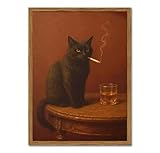
- 【Funny Black Cat Wall Art】 Framed funny black cat wall art features vintage and moody cat pictures. Cat paintings adds a fun and humor to your home decor
- 【Perfect Size】 Funny wall art measures 12x16 inch, perfect for living room, bedroom, bathroom, bar, kitchen, office or a bar cart sign
- 【Ready to Hang】 Cat pictures wall decor is made of high-quality canvas and comes with a wooden frame, so it's ready to hang right out of the box
- 【Versatile Style】 Cat wall art combines retro, rustic, farmhouse and quirky, whimsical wall art complements eclectic interiors and cool wall decor themes
- 【Unique Gift】 Funny cat wall art makes a unique gift for birthday, holiday, or housewarming. Ideal for anyone who loves cat paintings or black cat wall decor
If the reference material or finished artwork must remain private, use Stealth Mode and work in a more controlled location:
Quick wins for a faster PC:
Repair Windows errors before they cause bigger problemsFix Now →Fix the driver behind crashes, sound loss and screen glitchesFind Drivers →Clear out junk files and repair common Windows errorsFree Scan →- the web Create page;
- a Discord direct message; or
- a private Discord server.
Before choosing a plan, check Midjourney’s current terms, plan features, and privacy details. As of August 12, 2026, the listed monthly prices were Basic $10, Standard $30, Pro $60, and Mega $120; annual billing was discounted by 20%. Prices, features, and availability can change. A higher-priced plan should not be treated as a blanket guarantee that every Discord workflow is private.
Common mistakes and how to fix them
- “My Moodboard is not affecting the image.”
- Check that Personalization is enabled or that the prompt includes
--pfollowed by the correct Moodboard ID or code. Confirm that the parameter is at the end of the prompt and test a higher--stylizevalue. - “The style overwhelms the subject.”
- Try a lower stylize value, simplify the Moodboard by removing contradictory images, and make the subject and composition more explicit in the text prompt.
- “I want the exact person or object from my reference.”
- A Moodboard is not designed to preserve exact identity. Use Omni Reference for a person, object, vehicle, or non-human creature where the feature and model version support that use case.
- “I used Style Reference parameters with my Moodboard.”
- Moodboards cannot be used with
--svor--sw. Choose the tool that matches the job instead of combining incompatible parameter expectations. - “My results changed after I edited the board.”
- That is expected: adding or removing images creates a new Moodboard version and code. Record the code used for each generation.
- “I paid for Midjourney, so my Discord images must be private.”
- Not necessarily. Stealth Mode is limited to Pro and Mega, and public Discord channels remain visible to people in those channels. Use the web Create page, a direct message, or a private server when privacy matters.
- “Can I upload any attractive image I find online?”
- No. Confirm that you have the necessary rights or permission to use the image as input. Keep licensing records for commercial projects.
The practical principle
Think of a Moodboard as a reusable visual-direction system. Curate the aesthetic once, keep the written prompt focused on the new subject and scene, compare stylize values, and record the exact Moodboard version that produced a successful result. The board can help a series feel related, but it is not a guarantee of identical behavior across every prompt or model version.
Frequently Asked Questions
What is the difference between a Midjourney Moodboard and a Style Reference?
A Moodboard is a curated collection of images that communicates a broad recurring aesthetic. A Style Reference is generally intended to match the look and feel of a more specific reference image.
The Tool Desk
Outbyte Driver Updater FREEFix the driver behind crashes, sound loss and screen glitchesFind Drivers →Outbyte PC Repair FREERepair Windows errors before they cause bigger problemsFix Now →How do I create a Midjourney Moodboard?
Open the Moodboards page on midjourney.com, select New Moodboard, name it, and add images by upload, URL, or your Midjourney gallery. Curate the images around shared visual qualities such as palette, lighting, texture, and composition.
How do I use a Moodboard with a Midjourney prompt?
Use the Personalization control beside the Imagine bar for default boards, or add a specific board ID or code at the end of a prompt with --p mID. In Discord, add the same parameter to the end of an /imagine prompt.
How do I make a Moodboard stronger or weaker?
Use --stylize or --s. The documented range is 0–1000 and the default is 100. Lower values reduce the board’s influence; higher values increase it.
Are Midjourney Moodboard generations private?
No. Midjourney is open by default. Stealth Mode is limited to Pro and Mega, and images generated in public Discord channels remain visible to people in those channels.
What’s actually slowing this PC down?
Pick the symptom - the matching free tool is one click away.
The Bottom Line
For consistent personalized AI art, curate a coherent Moodboard around visual qualities—not just subjects—apply it with --p, adjust --stylize from its default of 100, and record the Moodboard code whenever the board changes. Use Style References for a specific image’s look, Image Prompts for content or composition inspiration, and Omni Reference when preserving a person or object is the real goal. Check image rights and privacy settings before using the workflow for client or commercial work.
Quick Recap

Product prices and availability are accurate as of the date/time indicated and are subject to change. Any price and availability information displayed on Amazon at the time of purchase will apply.




