The Tool Desk
Outbyte PC Repair FREEClear out junk files and repair common Windows errorsFree Scan →Outbyte Driver Updater FREEScan for outdated or missing drivers - takes under a minuteDriver Scan →
ThatPainter is reader-supported. When you buy through links on our site, we may earn an affiliate commission. Learn More
To use Very Peri in Word, Excel, or PowerPoint, get its RGB values from Pantone, then enter them in Office’s custom color dialog. Office can apply that digital color to text and objects or save it in a reusable theme, but an on-screen preview is not a guarantee of an exact physical Pantone match.
What is Pantone’s 2022 color?
PANTONE 17-3938 Very Peri was Pantone’s Color of the Year for 2022, announced on December 9, 2021. Pantone described it as a dynamic periwinkle blue with a violet-red undertone. It is a historical designation, not a claim that Very Peri is the current Color of the Year.
Pantone’s announcement also described a collaboration with Microsoft that included a PowerPoint template infused with Very Peri. See Pantone’s announcement.
Crashes, No Sound, or Screen Glitches?
Random freezes, missing sound and display glitches usually trace back to one bad driver. Find and replace yours safely.Free scan · under a minutePC Slower Than It Used to Be?
A free scan shows the junk files, broken settings and background clutter dragging Windows down - then fixes them in one click.Free scan · Windows 10 & 11Get Very Peri’s RGB values
This article does not give a numeric RGB or HEX value: the research for this guide did not verify one from an accessible Pantone source. For a Pantone-derived setting, obtain Very Peri’s RGB values from Pantone’s color information rather than substituting an unsourced web color. Microsoft’s instructions for its color dialog direct users to Pantone for the RGB values of a Pantone color.
#1 Best Overall
![Pantone Color Bridge Guide Coated | Pantone to CMYK, RGB & HTML Color Matching Fan Deck for Graphic Design, Branding & Print | GG6103B [Old Version]](https://m.media-amazon.com/images/I/41F8HJBMLBL._SL160_.jpg)
- INDUSTRY-STANDARD DIGITAL-TO-PRINT COLOR GUIDE The essential Pantone color book for translating color across workflows—trusted by designers, agencies, and print professionals to align digital and print using the Pantone Matching System.
- COMPLETE COLOR BRIDGE SYSTEM Features 2,359 Pantone coated colors, including 200+ new trend-driven additions, each displayed with PMS, CMYK, RGB, and HTML values for accurate cross-media color matching.
- SEE HOW CMYK MATCHES PANTONE COLORS Quickly visualize how CMYK process printing compares to Pantone spot colors—ideal for digital designers, packaging teams, and marketing professionals working across print and screen.
- PRINT ACCURACY WITH G7 CALIBRATION Printed to G7 CRPC6 standards to match real production conditions—ensuring consistent color reproduction for printers, agencies, and production teams.
- COATED PRINT SIMULATION Printed on 100 lb (148 gsm) coated paper to reflect final output; for coated and uncoated comparison, choose the Color Bridge Guide Set.
RGB entered in Office sets a digital screen color. It does not turn Office into a Pantone-accurate color-management system or guarantee the same appearance on every display or physical surface. Pantone cautions that on-screen simulations may not match its identified standards.
Choose a one-off color or a reusable theme
| Approach | Best for | What happens later |
|---|---|---|
| Custom color on an object | One selected item, such as text, a shape, or a chart element | A custom object color is not updated when the document theme changes. |
| Custom theme color | Recurring documents and consistent colors across Office files | Objects using a theme color slot can follow changes to that slot. |
Apply Very Peri to text, shapes, or other objects
- Obtain the RGB values for Very Peri from Pantone.
- Select the text, shape, text box, chart element, or other object you want to color.
- Open the relevant color control. Depending on the selection, it may be called Font Color, Text Fill, Shape Fill, or Shape Outline.
- Choose the relevant More Colors option, then open Custom.
- Enter the verified values in the Red, Green, and Blue boxes. Check the preview and apply the color.
The exact ribbon path depends on the application, selection, platform, and version. Microsoft documents the custom-color controls for shapes and text boxes in PowerPoint and says the steps work similarly in Word and Excel. For font formatting and other objects, use the corresponding color control and its custom-color dialog. See Microsoft’s guidance on changing colors in text boxes and shapes.
Save Very Peri as a reusable theme color
Use a theme color when you want a recurring accent that can be managed centrally. Word and Excel let you customize and save theme colors; Office themes coordinate colors, fonts, and effects across Word, Excel, and PowerPoint.
Rank #2

- Over 1,879 coated and 1,653 uncoated colours that have no close Pantone Spot Colour equivalent (≥ 2.0 ΔE 2000), unlocking fresh branding possibilities.
- This guide is used in 4-color process only. These are not Pantone Spot Colours. This is an extended gamut of colours for use in process printing.
- Two guides (Coated + Uncoated)
- Engineered to meet G7-calibrated CRPC standards so printed colours look as intended—from guide to press.
- Pantone Connect Compatible – Easily pick, save, and share colour data across your entire design stack
- Obtain the RGB values for Very Peri from Pantone.
- In Word, open Design > Colors. In Excel, open Page Layout > Colors.
- Choose Customize Colors.
- Choose a theme slot, such as Accent 1, and open its color control.
- Choose More Colors, then Custom.
- Enter the verified RGB values and check the preview.
- Name and save the color set.
Use the saved theme or color set where it is available in your Office version. Word can set a theme as the default. For new Excel workbooks, a customized blank workbook template can preserve your setup. Microsoft’s Word and Excel theme instructions describe the workflow.
Check color fidelity before sharing or printing
Office’s color preview is a convenient guide for digital documents, not proof of a physical color match. Displays and print processes can render colors differently. For professional print, fabric, product, or other physical color matching, consult the relevant Pantone physical publication or standard rather than relying on an Office preview.
Pantone’s Very Peri palette exploration offers mood-based palettes for inspiration, and Pantone Connect provides access to Color of the Year palettes. These are optional starting points, not required companion colors for Office documents.
Rank #3
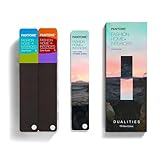
- COMPLETE FASHION, HOME & INTERIORS COLOR SYSTEM Access 2,800+ Pantone FHI colors, including 175 new shades from the Dualities collection—an essential Pantone color guide for fashion, textiles, interiors, and product design.
- DUALITIES COLLECTION – TREND-DRIVEN COLORS Explore curated palettes including New Age pastels and monochromatic Shadows, designed to reflect modern trends across apparel, home décor, and lifestyle products.
- DESIGNED FOR TEXTILES & MATERIALS Features TPG (Textile Paper – Green) colors that align with the Pantone Textile Cotton System (TCX)—ensuring accurate color development across fabrics, soft goods, and hard surfaces.
- CONNECTED TO THE FHI COTTON SYSTEM Works seamlessly with tools like the Cotton Passport, Cotton Planner, Cotton Chip Set, and FHI Cotton Library, supporting complete color development, sampling, and production workflows.
- PORTABLE FAN DECK FOR DESIGNERS ON THE GO Includes three handheld Pantone color fan decks in a compact, collector-style package, ideal for design studios, client meetings, and on-site color selection.
Frequently Asked Questions
What is Pantone’s 2022 Color of the Year?
It was PANTONE 17-3938 Very Peri, which Pantone described as a dynamic periwinkle blue with a violet-red undertone.
What RGB value should I enter for Very Peri?
Get the value from Pantone’s color information. This guide does not provide a numeric RGB or HEX code because one was not verified from an accessible Pantone source during research.
Can I use a Pantone color in Word, Excel, or PowerPoint?
Yes. Office’s custom color dialog accepts RGB values. Enter the RGB values obtained from Pantone in the custom color controls for the selected text or object.
Rank #4

- The Complete Color Harmony: Pantone Edition
How can I reuse Very Peri in future Office files?
Customize a theme color slot, such as Accent 1, with Very Peri’s verified RGB values, then name and save the color set or theme. Themes coordinate colors across Word, Excel, and PowerPoint.
Will an Office preview or RGB value guarantee an exact Pantone match?
No. A screen simulation is not a guarantee of a physical match. For professional color evaluation, consult the relevant Pantone physical publication or standard.
Free tools Windows power users keep installed
One-click scans. No signup required.
Quick Recap

Product prices and availability are accurate as of the date/time indicated and are subject to change. Any price and availability information displayed on Amazon at the time of purchase will apply.




