Quick wins for a faster PC:
Fix the driver behind crashes, sound loss and screen glitchesFind Drivers →Repair Windows errors before they cause bigger problemsFix Now →Scan for outdated or missing drivers - takes under a minuteDriver Scan →
ThatPainter is reader-supported. When you buy through links on our site, we may earn an affiliate commission. Learn More
Here is the Microsoft-documented Paint shortcut list, plus the extra shortcuts Microsoft announced for newer Windows 11 Paint builds. The classic list is useful, but it is not a complete, version-independent guide: shortcuts can behave differently depending on the Paint build, the active tool, and whether a text box or selection has focus.
This guide separates the older core commands from shortcuts tied to Windows 11 Paint’s Layers feature. Use the tables as a reference, and check the notes below when a command depends on the current selection, text box, or app version.
As an Amazon Associate I earn from qualifying purchases.
Recommended Free Tools
Which Microsoft Paint shortcuts are documented?
Microsoft’s published Paint shortcut list covers picture files, selections, text formatting, zoom, and several editing controls. The list is an older Windows-app reference, so treat it as a guide to documented commands—not proof that every command appears or works identically in every current Paint version. Microsoft also cautions that applications can change how familiar Windows shortcuts behave. See Microsoft’s Windows keyboard-shortcut guidance.
The table below reproduces the Paint commands in Microsoft’s published list. Text-formatting shortcuts require selected text in an active text box; selection commands act on the current selection where applicable. The source list is available in Microsoft Learn Q&A: Paint keyboard shortcuts.
Popular on Amazon

- Great Value Paint Brush Set: Soucolor 20 acrylic paint brushes come in 10 different sizes, making them ideal for fine detailing, model painting, rock painting, nail art, face painting, DIY crafts, and general art projects. The varied brush sizes give you better control for both delicate lines and broader color coverage, while the soft bristles deliver smooth, consistent results on acrylic, oil, watercolor, canvas, wood, ceramic, and more.
- Awesome Set of Paint brushes: Professional paint brushes can cover all of your needs. The multi-purposed brushes are ideal for Watercolor, Oil, Gouache, enamel, Acrylic Painting, Body, Nail, Face Painting, Miniature, Model, Wood, Glass, Cup, Ceramic, Fine work, Art class, Craft Art Painting, DIY Art Crafts etc.
- Soft and long-lasting: The bristles are soft and strong, with nickel metal ferrules and blue wooden handles. After cleaning, the bristles will become soft and fluffy again and will not fall off.
- Easy to clean: it’s very convenient to Wash well in soap and water. Retain shape after drying. the brushes hold up very well. Nice selection to beginners and professionals. Keep them clean and they last a long time.
- Perfect for All Painters & Occasions: Suitable for art beginners, hobbyists and professional artists. Great for art class, home creation, travel painting and DIY handmade projects. A practical art gift for students, teachers, family and craft lovers.
For quick orientation, file commands include opening, creating, saving, printing, and closing a picture. Editing commands cover selections, Clipboard actions, and undo or redo. The zoom and view controls change how you see the picture, while the outline-width commands change the size of a brush, line, or shape outline. Some entries have a narrower role than their names suggest: for example, Ctrl + B, Ctrl + I, and Ctrl + U are text-formatting commands, not general image effects.
What is the full core shortcut list for Paint?
| Shortcut | Action |
|---|---|
| F11 | View the picture in full-screen mode. |
| F12 | Save the picture as a new file. |
| Ctrl + A | Select the whole picture. |
| Ctrl + B | Bold selected text in an active text box. |
| Ctrl + C | Copy the selection to the Clipboard. |
| Ctrl + E | Open the Properties dialog box. |
| Ctrl + G | Show or hide gridlines. |
| Ctrl + I | Italicize selected text in an active text box. |
| Ctrl + N | Create a new picture. |
| Ctrl + O | Open an existing picture. |
| Ctrl + P | Print the picture. |
| Ctrl + R | Show or hide the ruler. |
| Ctrl + S | Save changes to the picture. |
| Ctrl + U | Underline selected text in an active text box. |
| Ctrl + V | Paste a selection from the Clipboard. |
| Ctrl + W | Open the Resize and Skew dialog. |
| Ctrl + X | Cut the selection. |
| Ctrl + Y | Redo a change. |
| Ctrl + Z | Undo a change. |
| Ctrl + Plus (+) | Increase the width of a brush, line, or shape outline by one pixel. |
| Ctrl + Minus (-) | Decrease the width of a brush, line, or shape outline by one pixel. |
| Ctrl + Page Up | Zoom in. |
| Ctrl + Page Down | Zoom out. |
| Alt + F4 | Close the picture and Paint. |
| Arrow keys | Move the selection or active shape by one pixel. |
| Shift + F10 | Show the context menu. |
A useful distinction in the save commands: Ctrl + S saves changes to the picture, while F12 is documented for saving it as a new file. The list does not establish Ctrl + Shift + S as a universal Paint “Save As” command. Likewise, Ctrl + Plus and Ctrl + Minus change outline width by one pixel per command; they are not zoom controls. Use Ctrl + Page Up or Ctrl + Page Down for zooming.
Outdated Drivers Are Slowing You Down
One free scan finds every outdated or missing driver and matches the right update for your exact hardware.Free scan · exact hardware matchPC Slower Than It Used to Be?
A free scan shows the junk files, broken settings and background clutter dragging Windows down - then fixes them in one click.Free scan · Windows 10 & 11What extra shortcuts does Windows 11 Paint add for layers?
Microsoft announced three additional shortcuts for Paint version 11.2402.32.0 and newer Insider builds. They are tied to the Layers feature, so they may not be available in older versions or builds without the relevant functionality. Microsoft announced them in its March 13, 2024 Paint update.
| Shortcut | Action |
|---|---|
| Ctrl + Shift + B | Open the Background color picker in the Layers panel. |
| Ctrl + Shift + H | Show or hide the background. |
| Ctrl + Shift + C | Copy visible layers from the selected area. |
For layer copying, the distinction matters: in current Windows 11 Paint, Ctrl + C copies visible content from the current layer, while Ctrl + Shift + C copies the visible content across layers. The Layers panel opens from the Layers button in Paint’s toolbar. Microsoft introduced layer management—including adding, removing, duplicating, reordering, hiding, and merging layers—in the Windows 11 update that began rolling out with version 11.2308.18.0. The rollout announcement is on the Windows Insider Blog.
These layer commands are not simply replacements for the core shortcuts. They add layer-aware behavior where the Layers feature is present. In practical terms, use Ctrl + C when you want to copy content from the current layer, and Ctrl + Shift + C when you want the visible result across layers in the selected area. If a Layers button or panel is absent, the layer-specific shortcuts may not apply to that Paint build.
Also popular on Amazon
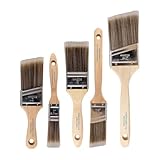
- COMPLETE 5-PIECE BRUSH SET FOR EVERY PAINTING TASK — Includes 1 Inch Flat, 1.5 Inch Angle, 2 Inch Flat, 2 Inch Angle Stubby, and 2.5 Inch Angle brush giving you every size professional painters use daily. Get all 5 for less than the price of a single brush from hardware store brands — professional grade performance at a fraction of the cost. Perfect for walls, trim, cabinets, doors, furniture, and detailed cutting-in work on any project.
- ZERO BRISTLE LOSS — GUARANTEED BY PRECISION ADHESIVE BONDING — Every bristle is locked in place with precision-set adhesive that keeps them in the brush — not in your paint job. The coated steel ferrule provides structural support while the adhesive bond ensures clean performance on every stroke. Premium SRT synthetic filaments load more paint and release it evenly for a smooth streak-free finish on walls, ceilings, and trim. Works with latex, oil-based paint, primer, sealer, and wood stain.
- INCLUDES THE ANGLE STUBBY MOST SETS LEAVE OUT — Professional painters know the 2 Inch Angle Stubby is the go-to brush for tight cabinet interiors, window sashes, inside corners, and detailed trim where standard angle brushes are too long. Combined with the 1.5 and 2.5 inch angle sash brushes you have precision cutting-in covered at every scale — baseboards, crown molding, door casings, and ceiling lines.
- FLAT BRUSHES FOR BROAD SMOOTH COVERAGE ON ANY SURFACE — The 1 and 2 inch flat brushes deliver even coverage on walls, furniture, shelving, doors, fences, decks, and wood surfaces. Ideal for applying primers, stains, varnishes, polyurethane, and specialty coatings. Solid wood handles provide all-day comfort and control for both professional contractors and weekend DIY homeowners tackling interior or exterior painting projects.
- TRUSTED BY PROFESSIONAL PAINTERS AND CONTRACTORS NATIONWIDE — Pro Grade delivers professional-grade results at a price that makes sense for crews who go through brushes on every job. Ideal for property managers, remodeling contractors, apartment turnover crews, maintenance teams, and commercial painting operations. Backed by thousands of verified reviews from working painters. Washable and reusable for multiple projects.
How do you navigate Paint without a mouse?
Paint exposes keyboard access keys for its current interface when available. Use them alongside Tab navigation rather than relying on a fixed sequence copied from another version or language.
Recommended Free Tools
- Press Alt or F10 to display the access keys available in the current interface.
- Use Tab and Shift + Tab to move through toolbar controls.
- Use the Arrow keys to move among controls, then press Enter to activate one.
- Press Shift + F10 for the keyboard equivalent of a right-click context menu.
Access-key letters can differ by Paint version, Windows release, and display language. Microsoft’s guidance on keyboard interactions explains why access keys depend on the application and interface rather than forming one universal Paint sequence.
There are two different uses of the arrow keys in the documented shortcuts. When focus is on toolbar controls, arrows can move among controls. When a selection or active shape has focus, arrows nudge that object one pixel at a time. If you are trying to move through the interface but instead shift artwork, focus is probably on the object rather than the controls.
Why might a Paint shortcut do something different?
Many shortcut results depend on which part of Paint currently has focus. If a command seems to do nothing, check whether the expected text box, selection, shape, or layer is active before assuming the shortcut is unsupported.
Text formatting needs selected text
Ctrl + B, Ctrl + I, and Ctrl + U format text only when a text box is active and text within it is selected. Outside that context, those keys are not general-purpose Paint formatting commands. To test them, click into the text box and select the text you want to format first.
Also popular on Amazon
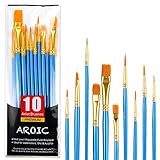
- 【All sizes of art brushes】: The 10 sizes of multi-functional brushes have various shapes, making the mixing color easier, which is very suitable for artists, students, teenagers, children and painters at all levels. Wonderful Present ideas for friends and family who like painting!
- 【general brush set】: Professional paint brush can meet all your needs. Multifunctional brush is very suitable for watercolor, oil, gouache, acrylic painting, body, nail, face painting, miniature, model, ceramics, arts and crafts painting, etc.
- 【high quality process】: It is designed with anti falling bristles, anti-rust nickel ferrule and solid wood handle. You can use the brush to focus on the painting and always be creative.
- 【easy to maintain】: After using the brush, it is very convenient to clean the brush with warm soapy water and reshape the tip of the brush. Air dry the brush and place it on top of the top for long use.
- 【100% satisfaction guarantee - buy now】1 packs of set brushes, you can also get friendly customer service, any questions feel free to contact us, within 24 hours to help you! There is no risk in buying our paint brush kit.
Arrow keys act on the focused object
When a selection or active shape has focus, the arrow keys nudge it one pixel at a time. They do not move the canvas in that situation. The shortcut describes movement of the selection or shape, not panning around the image.
Clipboard commands depend on the selection and layers
Ctrl + C, Ctrl + X, Ctrl + V, and Delete operate on the current selection. In Paint with layers, ordinary copying may capture only the active layer; use the documented cross-layer command when you need the visible result from multiple layers. If no selection is active, these commands may not have the specific target you intended.
Some older commands vary by Paint build
Ctrl + E and Ctrl + W are historically documented for Paint, but whether they are available and which dialog they open can differ between classic Paint and the modern Windows 11 app. The older shortcut list should not be treated as a complete specification for every current build.
That version caveat applies to the list as a whole, not only to these two dialogs. Microsoft’s general Windows shortcut page notes that applications can change the behavior of standard shortcuts. A command documented for an older Windows Paint app may still be useful, but the app version and current interface determine what happens on your machine.
Which commonly shared Paint shortcuts should you treat cautiously?
Some online lists assign single-letter keys to tools or present a particular Save As combination as universal. The available Microsoft documentation does not support those claims for the modern Paint interface.
Also popular on Amazon

- 【KIDS PAINT BRUSHES SET】Anezus paint brushes for kids come with 10 pcs paint brushes of 5pcs round paintbrushes and 5 flat paint brushes with colorful handles, good for the young artist to explore their creativity in painting and crafting
- 【HIGH QUALITY PAINT BRUSHES FOR KIDS】These toddler paint brushes made of soft hog bristle, bright colored handles and rust proof ferrules. The bristles are firmly fixed in the kids paint brushes and no shedding. Each children paint brush measure 6 1/4 inches (16cm) in length and ferrules 1/2"(1.3cm) diameter, large enough for the little hand to grip and control
- 【WIDE APPLICATIONS】With combination of round and flat craft paint brushes for kids, work great with washable paint, tempera paint and acrylic paint. Great for arts and craft, rock, leather, gesso and ceramic, or body, nail and face art painting.
- 【EASY TO CLEAN 】After using paint brushes for acrylic, oil or watercolor painting, it’s very convenient to clean them with warm soapy water and reshape the paint brush tips. Keep these craft paint brushes clean and they last a long time.
- 【GREAT GIFT IDEA】Perfect for students, teens, kids, children and painters of all levels. Wonderful gift idea for girls, boys and kids who love painting! These all-purpose paint brushes for kids are ideal for kids' school projects, birthday parties, painting parties, art parties, back to school supplies, classroom decoration and more.
- F12 is the documented Paint shortcut for saving a picture as a new file. Do not assume Ctrl + Shift + S is the universal Paint Save As command across versions.
- Claims that E selects Eraser, F selects Fill, P selects Pencil, or T selects Text are outdated or unsupported as universal shortcuts for modern Paint.
- To choose a tool, use the toolbar or press Alt to see the access keys exposed by your current interface.
In particular, do not treat a list of single-letter tool keys as interchangeable with Paint’s access keys. Access keys are the letters surfaced by the interface after you press Alt or F10, and their availability depends on the build and language. If you need a specific tool, the toolbar is the dependable route described here.
Independent reader supportYour contribution helps us test, update, and keep practical guides available for everyone.How should you use this list with your version of Paint?
For common file and editing tasks, start with the core list, then check the current interface before relying on a shortcut whose result depends on a dialog, text box, or layer. For a quick workflow:
- Use Ctrl + O to open an existing picture, or Ctrl + N to create a new one.
- Make a selection before using commands such as Ctrl + C or Ctrl + X. Use Ctrl + A when the intended target is the whole picture.
- Use Ctrl + Z to undo a change and Ctrl + Y to redo one.
- Use Ctrl + S to save changes to the current picture. Use F12 when you want the documented command to save the picture as a new file.
- If you are working with layers, open the Layers panel from the toolbar and use the layer-specific shortcuts only if your build supports them.
For a mouse-free workflow, press Alt or F10 to see the access keys that your current window exposes, then use Tab or Shift + Tab to reach controls and Enter to activate one. For view adjustments, distinguish zooming with Ctrl + Page Up or Ctrl + Page Down from changing the brush or outline width with Ctrl + Plus or Ctrl + Minus.
If the behavior does not match the table, first check whether the app is an older classic build or a newer Windows 11 Paint build, and whether a selection or text box has focus. The official shortcut guidance itself warns that an application’s behavior can vary; the classic list and the later layer announcements describe different parts of Paint’s history, not one guaranteed shortcut set for every release.
Frequently Asked Questions
Can I customize Paint’s keyboard shortcuts?
The Microsoft references cited here document built-in shortcuts and access-key navigation, but do not provide a supported procedure for assigning custom shortcuts to Paint commands. Avoid assuming that a remapping method for another Windows app also applies to Paint.
Also popular on Amazon
- 【162-Piece Bulk Set | Dual Brush System】Maximize versatility with 81 flat brushes (0.59 inch edge for bold strokes) and 81 round brushes (0.39 inch tips for details) – 3X more tools than standard kits! Pre-sorted in labeled compartments for instant access during painting sessions. Ideal for art classrooms, mural projects, and multi-artist households.
- 【Pro-Grade Durability | Zero Shedding Guarantee】 "Engineered with triple-crimped nylon bristles (43% higher resilience vs. standard) and aerospace aluminum ferrules tested for 10,000+ flex cycles. Lab-verified 0.01% shedding rate even with heavy impasto techniques – outperforms flimsy bristles in budget brushes."
- 【Multi-Scenario Readiness | Event & Daily Use】 Optimized for: Thanksgiving/Christmas face designs classroom projects ceramic decorating fabric printing and model painting; Lightweight plastic handles each reduce hand fatigue during prolonged sessions
- 【Effortless Maintenance | Long-Term Durability】 Clean with warm soapy water in 10 seconds; Reshape tips and air-dry vertically to preserve bristle integrity,After use, air-dry brushes thoroughly and store upright in the provided case to preserve bristle shape. The premium nylon filaments naturally regain their original form after each stroke. For cleaning, simply rinse in warm soapy water and gently reshape bristles with fingertips."
- 【Multiple Application】These acrylic paint brushes can be applied for most occasions,such as:watercolor,oil, gouache paint,face paint, acrylic paint, suitable for Thanks Giving Day, Christimas, Halloween face and body painting, canvas painting, fabric, rock, miniature, model, ceramics, arts and crafts painting, etc.
Does Paint have a single official shortcut list for every Windows release?
Microsoft’s published Paint list is an older Windows-app reference, with later feature shortcuts appearing in separate Windows Insider announcements. That split is why a shortcut list should identify the feature and build context rather than claim universal coverage.
How can I tell which toolbar access keys are available in my Paint window?
Press Alt or F10 and inspect the letters shown in the interface. They are the relevant cues for your current app language and build; fixed access-key sequences from another installation may not match.
Quick wins for a faster PC:
Clear out junk files and repair common Windows errorsFree Scan →Scan for outdated or missing drivers - takes under a minuteDriver Scan →What does Ctrl + Shift + C do in Windows 11 Paint?
In Paint builds with Layers support, it copies visible content across layers from the selected area. Ordinary Ctrl + C copies visible content from the current layer.
Why do Ctrl + B, Ctrl + I, or Ctrl + U seem not to work?
These shortcuts format selected text only when a text box is active. Select text inside the active text box before using the bold, italic, or underline shortcut.
Is Ctrl + Shift + S the Paint Save As shortcut?
Do not rely on it as a universal Paint shortcut. The documented Paint command for saving a picture as a new file is F12; Ctrl + S saves changes to the current picture.
The Bottom Line
Use the core table for Microsoft’s documented Paint commands, but treat it as an older reference rather than a guarantee for every release. In Windows 11 builds with Layers, Ctrl + Shift + C copies visible content across layers; ordinary Ctrl + C is limited to the current layer. When a command seems wrong, check the focused object, selection, and Paint version.
PC Slower Than It Used to Be?
A free scan shows the junk files, broken settings and background clutter dragging Windows down - then fixes them in one click.Free scan · Windows 10 & 11Crashes, No Sound, or Screen Glitches?
Random freezes, missing sound and display glitches usually trace back to one bad driver. Find and replace yours safely.Free scan · under a minuteQuick Recap


