PC Slower Than It Used to Be?
Quick wins for a faster PC:
Clear out junk files and repair common Windows errorsFree Scan →Scan for outdated or missing drivers - takes under a minuteDriver Scan →A free scan shows the junk files, broken settings and background clutter dragging Windows down - then fixes them in one click.Free scan · Windows 10 & 11
Crashes, No Sound, or Screen Glitches?
Random freezes, missing sound and display glitches usually trace back to one bad driver. Find and replace yours safely.Free scan · under a minute
ThatPainter is reader-supported. When you buy through links on our site, we may earn an affiliate commission. Learn More
Publishing art online can make it visible to clients and collectors—and potentially to unauthorized dataset scrapers. Nightshade offers a third option between hiding your work and publishing an untouched file: it locally modifies an image so it is designed to be less useful as training data for future diffusion-based image generators.
That is a meaningful technical deterrent, not a guarantee. Nightshade cannot stop copying, remove an image from an existing model, enforce copyright, or ensure that every future model is affected. Its most accurate promise is a fighting chance.
What’s actually slowing this PC down?
Pick the symptom - the matching free tool is one click away.
As an Amazon Associate I earn from qualifying purchases.
The short answer
Nightshade is a free, standalone image-perturbation tool developed by the University of Chicago’s SAND Lab and Glaze Project. It applies small, adversarially optimized changes intended to make an image teach an incorrect association if it is later scraped and used to train a compatible image-generation model.
The image is changed before publication. Nightshade does not remotely enter, attack, or alter an AI model. A model can only be affected if a trainer includes the altered image in training, and the result depends on the model, dataset, filtering, number of related poisoned samples, and later countermeasures.
Popular on Amazon

- PLEASE NOTE:XPPen Artist13.3 Pro drawing tablet Need to connect with computer,you need to use it with your computer or laptop, the 3 in 1 cable is included
- Drawing Tablet with Screen: Tilt Function- XPPen Artist 13.3 Pro supports up to 60 degrees of tilt function, so now you don't need to adjust the brush direction in the software again and again. Simply tilt to add shading to your creation and enjoy smoother and more natural transitions between lines and strokes
- Graphics Tablets: High Color Gamut- The 13.3 inch fully-laminated FHD Display pairs a superb color accuracy of 88% NTSC (Adobe RGB≧91%,sRGB≧123%) with a 178-degree viewing angle and delivers rich colors, vivid images, and dazzling details in a wider view. Your creative world is now as powerful as it is colorful
- Drawing Pad: One is enough- The sleek Red Dial on the display is expertly designed with creators in mind, its strategic placement allows for natural drawing postures. With just one wheel, you can effortlessly zoom in and out, adjust brush sizes, and flip the canvas—all tailored to suit the habits of everyday artists. The 8 customizable shortcut keys allow you to personalize your setup, streamlining your workflow and enhancing creative efficiency
- Universal Compatibility & Software Support:supports Windows 7 (or later), Mac OS X 10.10 (or later), Chrome OS 88 (or later), and Linux systems. Fully compatible with major creative software including Photoshop, Illustrator, SAI, and Blender 3D. Register your device to access additional programs like ArtRage 5 and openCanvas for expanded creative possibilities.
The current official download page lists Nightshade 1.1 for Windows and macOS, dated April 20, 2026. The project describes its tools as free for artists and not intended to generate profit.
Do these 3 things before closing this tab:
1Fix the driver behind crashes, sound loss and screen glitches2Clear out junk files and repair common Windows errors3Scan for outdated or missing drivers - takes under a minuteCheck the official download page for the current release.
What “poisoning” means
Suppose an artist publishes a painting labeled “dog.” Nightshade attempts to create a subtle visual alteration that encourages a training process to associate that image—and potentially many similar images—with an incorrect visual representation of “dog.” If enough related examples enter training, the model may learn a distorted relationship between the word and the image features.
- The artist selects a finished image.
- Nightshade searches for a small, optimized alteration.
- The artist chooses a principal concept, or poison tag.
- A trainer later includes the image and its caption or surrounding metadata in a dataset.
- The altered examples may accumulate an effect during model training.
This is not the same as saying that one image will break a major AI system. The published Nightshade research describes a prompt-specific approach intended to improve the economics of data poisoning, but meaningful model-level effects still depend on many samples and on whether those samples survive collection and filtering.
Nightshade versus Glaze
Nightshade and Glaze address related but different fears. Confusing them is one of the easiest ways to choose the wrong tool.
Also popular on Amazon

- 【Clutter-Free Dual USB-C & Wide Compatibility】 Say goodbye to messy cables! This upgraded xp pen drawing tablet features a full-featured USB-C port, allowing a clean single-cable direct connection to your compatible Mac, Windows PC, Chromebook, or Android device (Requires devices with USB3.1 DP1.2; full-featured Type-C cable included). It also retains a legacy port for traditional HDMI setups (3-in-1 cable sold separately). Perfect for digital art students, animators, and remote educators looking for a portable, plug-and-play drawing pad for pc
- 【World-First 16K Pressure X3 Pro Smart Chip Stylus (PD21C)】 Experience a quantum leap in digital art. Powered by the advanced X3 Pro smart chip (PD21C), this battery-free digital drawing tablet offers an industry-leading 16,384 (16K) levels of pressure sensitivity—2x higher than standard 8192 tablets. With an ultra-low initial activation force, higher precision (Center: ±0.4mm), and a built-in digital eraser on the tail, every stroke feels like a real pencil on paper. Ideal for intricate sketching, manga line art, and professional graphic design without any annoying lag or line shaking.
- 【Fully Laminated Screen & 95% P3 Cinema-Grade Gamut】 Bring your artwork to life with unparalleled color accuracy. This 13.3-inch 1920x1080 FHD drawing tablet with screen features a fully laminated display that eliminates parallax by removing the air gap between the glass and LCD. Boasting a cinema-grade color gamut of 99% sRGB, 89% Adobe RGB, and 95% P3 with 16.7M display colors, what you see is exactly what you get when printing or exporting. The pre-applied anti-glare film reduces eye strain and provides a natural, textured drawing pen resistance
- 【Red Dial Roller, 8 Shortcut Keys & Premium Metal Backing】 Maximize your productivity. The iconic red dial roller wheel and 8 customizable express keys let you effortlessly zoom in/out, adjust brush size, and undo actions across popular creative software like Photoshop, Clip Studio Paint, and Blender. Built with a premium, rigid metal back panel, this art tablet not only looks sleek but also dissipates heat significantly faster than plastic competitors, keeping the screen comfortably cool during marathon drawing sessions
- 【Versatile Pen Display & Pen Tablet Dual Modes with Stand】 Adapts to your creative flow. The Artist 13.3 Pro V2 seamlessly toggles between Pen Display mode (drawing directly on screen) and Pen Tablet mode (screen turned off to use as a traditional black drawing pad tablet), which saves laptop battery and reduces neck fatigue. The package comes as a complete creator kit: includes an ergonomic foldable drawing tablet stand to prevent wobbling, a secure pen holder with 8 replacement nibs, an artist glove, and a brand-new integrated driver that lets you easily manage your settings with one click
| Tool | Primary purpose | Threat addressed |
|---|---|---|
| Nightshade | Poison training data by targeting a selected concept | Unauthorized inclusion in future model training |
| Glaze | Cloak an artist’s visual style | AI imitation of an artist’s style |
| WebGlaze | Provide web-based access to Glaze | Accessibility for users with limited local computing resources |
Glaze’s official project page focuses on style mimicry. The current standalone Nightshade release does not include Glaze’s style protection. If style imitation is your main concern, Nightshade alone is not the relevant solution.
What Nightshade can—and cannot—protect
It may help with
- Making unauthorized inclusion of images in future training more costly or unreliable.
- Training focused on particular visual concepts.
- Some forms of diffusion-model training, with the strongest stated effectiveness against Stable Diffusion-style systems.
It does not reliably prevent
- Copying, reposting, downloading, or visual reference use.
- Human imitation or ordinary image recognition.
- Use by a model that was trained only on clean copies.
- Effects from an existing model that already learned from the original.
- Use by every AI architecture, including large language models.
- A determined trainer filtering, transforming, detecting, or avoiding altered images.
- Future countermeasures or machine-learning-based removal techniques.
The project’s FAQ explains that a classifier recognizing the subject of a Nightshaded image does not prove that Nightshade failed: the tool targets image-generation models, not general classification or captioning systems.
How to use Nightshade safely
1. Keep the original private
Make a duplicate intended for online publication. Preserve an untouched master separately. Nightshade is not a reversible copyright or archival system, and its changes may be visible in some artwork.
2. Finish every other edit first
Complete cropping, resizing, color adjustments, watermarking, compression, and format conversion before running Nightshade. The official guide recommends processing the image with Nightshade after those edits because later transformations may reduce the intended effect.
3. Download only from the official source
Use the University of Chicago download page. The first installation downloads machine-learning libraries and model resources. The official page says to allow approximately 4 GB of storage; the Windows 1.1 package is listed at approximately 3.67 GB with PyTorch GPU libraries included.
Also popular on Amazon
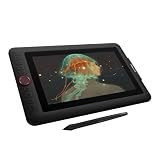
- Universal Compatibility: It's compatible with Windows 7/8/10/11, Mac 10.10 or later, Linux. Compatible with Photoshop, Illustrator, SAI, Painter, MediBang, Clip Studio, and more. It's ideal for digital drawing, animation, sketching, photo editing, 3D sculpting, and more (XP-PEN Artist12 drawing tablet must be connected to a computer to work).
- 11.6 HD IPS display: Artist12 drawing tablet is the XP-PEN’s latest smallest 1920x1080 HD display paired with 72% NTSC(100%SRGB) Color Gamut, presenting vivid images, vibrant colors and extreme detail for a stunning display of your artwork. It's pre-installed anti-reflective screen protector already. The slim touch bar can be programmed to zoom in and out, scroll up and down. Its 6 shortcut keys are customizable, XP-PEN driver allows the shortcut keys to be attuned to other different software
- Battery-free stylus with a digital eraser at the end: XP-PEN advanced P06 passive pen was made for a traditional pencil-like feel! Featuring a unique hexagonal design, non-slip & tack-free flexible glue grip, partial transparent pen tip, and an eraser at the end! Delivering technical sense, high efficiency, with a fashionable and comfortable grip, and there are 8 replacement pen nibs included with the multi-function pen holder
- XP-PEN Artist12 drawing tablet with screen is ideal for online education and remote work. Set the Artist12 drawing screen as an extended display when working from home, visually present your handwritten notes on the screen directly. Teachers and students can write and edit complicated functional equations with ease. It's compatible with XSplit, Zoom, Twitch, Microsoft Teams, ezTalks Webinar, Idroo, Scribbiar, wiziQ, and more
- XP-PEN provides a one-year warranty and lifetime technical support for all our drawing pen tablets/displays. Register your XP-PEN Artist12 drawing tablet on xp-pen web to apply for an ArtRage 5, openCanvas, or Explain Everything. Your laptop/desktop needs to have HDMI and USB-A ports available for the connection, or you need an extra converter(such as Thunderbolt to HDMI, depends on what ports that your laptop/desktop has) for the connection
4. Select one clear concept
Drag an image into the application or select multiple images. Check the automatically generated poison tag and correct it if necessary. The guide recommends one principal concept rather than a list of tags. For a painting of a girl in a forest, “girl” may be the central concept; a specialized subject may need a more specific term.
Where possible, the concept should also match the image’s caption, alt text, or surrounding text. Consistency matters if you are processing multiple images intended to represent the same concept.
5. Choose intensity and render quality
- Intensity: Higher settings generally pursue a stronger intended poisoning effect but increase the risk of visible changes. Lower settings prioritize visual fidelity.
- Render quality: Higher settings spend more computation searching for an optimized perturbation and increase processing time.
Flat colors and smooth backgrounds can make alterations more noticeable. If the result is unacceptable, the FAQ says repeated runs may differ because the process includes a randomized component. Compare new outputs, and never overwrite your clean master.
The Tool Desk
Outbyte PC Repair FREERepair Windows errors before they cause bigger problemsFix Now →Outbyte Driver Updater FREEScan for outdated or missing drivers - takes under a minuteDriver Scan →6. Run Nightshade, then Glaze if needed
If you want both types of protection, the official workflow recommendation is:
- Finish all edits.
- Run Nightshade.
- Run Glaze afterward.
- Publish the processed copy, not the original.
The developers warn that the tools can interfere with one another somewhat and that the combined workflow may produce more visible artifacts. Review the final image at full size before publishing.
Also popular on Amazon

- Ultra-Portable with Revolutionary X-Dial Wheels: Weighing only 1.58 lb with an 11.9" portable screen, XP Pen drawing tablet features dual X-Dial wheels that instantly adjust brush size and canvas zoom, saving 40% operation time. The 33% narrower bezels provide more drawing area, while 8 customizable keys prevent misoperations. Perfect for digital artists sketching in cafes or students carrying this tablet with pen between classes
- Eye-Care Paper-Feel Display: AG etched glass provides paper-like texture, reducing 85% glare and resisting fingerprints. Full lamination technology ensures the pen tip closely follows the cursor with nearly zero parallax. Ideal for architects detailing blueprints or illustrators working long hours - your eyes stay comfortable even after 8-hour sessions with this professional graphic tablet
- Magnetic X4 Pen with 16K Precision: The X4 chip drawing pen features 16,384 pressure levels and 60-degree tilt support, with 2g initial pressure perfect for feather-detail illustrations on your drawing tablet. 50% faster response speed and 200% steadier nibs prevent wobble during precise inking. Includes 10 replacement nibs and magnetic attachment to prevent loss. Enjoy professional drawing experience with smooth, natural strokes that respond to your every movement
- Pro Color Accuracy with Factory Calibration: This drawing tablet with screen delivers 1920x1080 Full HD resolution with 99% sRGB and ΔE<1.5 color accuracy displaying 16.7 million colors. Factory pre-calibrated with OSD menu adjustment ensures perfect color matching for professional photography retouching or brand design projects where color precision is critical
- Certified Universal Compatibility: This art tablet guarantees flawless performance across all major platforms: Windows 7 or later, macOS 10.13 or later, Android 10.0 or later, ChromeOS 88 or later, Linux, and Windows ARM. It is rigorously tested with top software including Photoshop, Clip Studio Paint, and Krita, ensuring a stable and hassle-free experience for freelancers and students collaborating across different ecosystems
7. Avoid advertising the protection
The user guide advises against labeling a public image as “Nightshaded,” since an explicit label could make filtering easier. That is a tactical recommendation, not proof that the alteration cannot be detected.
Independent reader supportYour contribution helps us test, update, and keep practical guides available for everyone.Hardware, installation, and privacy
The current official release lists Apple Silicon Macs, including M1, M2, M3, and later processors, plus Windows GPU and CPU builds. The guide says GPU acceleration is not mandatory, but CPU processing can be substantially slower.
For the listed Windows GPU workflow, the guide calls for a compatible Nvidia GPU with more than 4 GB of GPU memory and notes PyTorch issues involving some GTX 1660, 1650, and 1550 GPUs. A CPU job that might take roughly 20 minutes under favorable conditions can take hours when memory is constrained or other demanding applications remain open. Nightshade 1.1 addresses the reported “TRUE” error and an issue associated with outdated Nvidia drivers, so older driver advice should be read alongside the newer download information.
The download page does not list Linux or mobile-native versions. The FAQ says the team has not built mobile apps. It has discussed integration with WebGlaze, but the currently listed official material does not establish that a combined Nightshade/WebGlaze release is available.
The developers say Nightshade is designed to process images offline and does not send an artist’s artwork back to the project. Internet access is still required for the first installation and resource downloads. A privacy-conscious workflow is to install and download dependencies, disconnect from the network, process the images locally, close the application, then reconnect and upload only the processed copies. This reduces exposure but is not a guarantee against every operating-system or network-level risk.
Also popular on Amazon

- Please note: Kamvas 13 (Gen 3) Pen Display is not a standalone product, this device must be connected to a computer/laptop to work.
- All-new Canvas Glass 2.0: HUION Kamvas 13 (Gen 3) drawing tablet for pc features a fully laminated 13.3-inch screen and brand new anti-sparkle canvas glass 2.0 for reduced glare and improved accuracy. It is perfect for designers, artists, and illustrators to unleash their creativity.
- Advanced PenTech 4.0 Technology: The 16384 levels of pressure sensitivity and 2g IAF ensure a fluid and natural drawing experience, while the 3 customized pen side buttons improve your workflow.
- Improved Color Accuracy: With enhanced color accuracy to Avg. ΔE<1.5, 16.7 million display colors, 99% sRGB coverage, and Rec.709 standard color gamuts, HUION Kamvas 13 (Gen 3) digital art tablet delivers stunning visuals.
- Rigorous Color Calibration: HUION Kamvas 13 (Gen 3) drawing monitor includes a factory calibration report for added assurance of color consistency.
What the evidence does—and does not—show
The research demonstrates a designed data-poisoning method in controlled settings. It does not establish that a particular commercial, closed, constantly updated model has been measurably disrupted by an artist’s individual upload.
What’s actually slowing this PC down?
Pick the symptom - the matching free tool is one click away.
Real-world effectiveness can vary with:
- Whether the image is collected at all.
- Whether its caption and concept remain associated with it.
- How many related poisoned examples enter the dataset.
- The model architecture and training method.
- Preprocessing, filtering, or detection by the trainer.
- Later attempts to remove or neutralize the perturbation.
The developers say ordinary operations such as sharpening, blurring, denoising, downsampling, and metadata stripping do not easily remove the poison. That is a project claim about stated testing, not evidence that every learned or future removal method is impossible. The same official material acknowledges that no adversarial defense is permanently future-proof.
Should you use it?
Nightshade is reasonable to consider if you publish artwork publicly, want a low-cost technical deterrent, can tolerate some risk of visible artifacts, and are mainly concerned about unauthorized future training of diffusion-based image generators.
It may be better to skip it when an image must remain pixel-identical, a client requires an untouched file, you need removal from an existing dataset, or you expect protection from copying, reposting, search indexing, or human reference use.
A practical decision guide:
- Concerned about style imitation? Consider Glaze.
- Concerned about unauthorized training? Consider Nightshade.
- Concerned about both? The official guide recommends Nightshade first and Glaze second.
- Need to deliver a clean master? Keep it private and publish a processed derivative.
- Need mobile-only processing? Verify current official support before building your workflow around a browser or phone.
Nightshade does not replace licensing, contracts, privacy controls, platform takedowns, or legal advice. It is one technical lever in a larger strategy—useful precisely because artists cannot rely on any single layer of protection.
Recommended Free Tools
Quick Recap


