Free tools Windows power users keep installed
One-click scans. No signup required.
ThatPainter is reader-supported. When you buy through links on our site, we may earn an affiliate commission. Learn More
For the legacy RISO PG-5, making a screen starts by cutting RISO ScreenMaster to fit the machine’s frame. The PG-5 uses a lamp housing to flash the screen, but the full operating sequence depends on the machine’s instructions. First identify your exact Print Gocco model and use its manual; do not assume the PG-5 steps or supplies apply to every model.

Identify your Print Gocco model first
Print Gocco is a legacy RISO printing system, and instructions or supplies for one machine should not be treated as universal. This tutorial covers the PG-5, the model documented in the available RISO operation manual. Check the model marking on your machine and match it to its own manual before preparing a screen or purchasing materials.
RISO’s official support index includes a Print Gocco FAQ, but that listing does not establish that legacy machines or their bulbs, inks, and screen masters are currently available. Check current stock and confirm exact model fit with a seller before buying.
Recommended Free Tools
#1 Best Overall

- Quality Construction: Manufactured with durable materials for dependable everyday performance
- Optimal Sizing: Designed with practical dimensions for efficient use and storage
- Versatile Functionality: Suitable for multiple professional and personal applications
- Enhanced Design: Engineered features improve usability and performance
- Multi-Purpose Application: Appropriate for various professional and personal uses
What supplies does a PG-5 need?
The PG-5 Operation Manual names RISO ScreenMaster and instructs users to cut it to the size of the frame. It also describes the machine’s lamp housing as part of the screen-flashing process. Use the PG-5 manual to confirm the complete setup and handling procedure for your machine.
- RISO ScreenMaster: The PG-5 manual specifies this screen material and says to cut it to fit the frame. That instruction is specific to the PG-5 manual; verify compatibility before using any master with another model.
- Lamp housing: The PG-5 uses this component to flash the screen. Follow the manual for operating and handling it.
- Printing materials: The manual excerpt also mentions mesh cut from an old B6 HM Print Master for printing on paper or card. Treat this as PG-5-specific guidance, not a general compatibility guarantee.
The available manual information does not establish a universal supply list for all Print Gocco models. Do not substitute GOCCOPRO consumables on the assumption that they fit a Print Gocco.
Rank #2

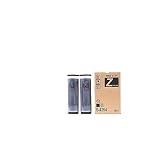
- Genuine Risograph black ink cartridges
- 2 Cartridges/Carton
- For use with: RISO EZ220, 390, 590, MZ770, 790, 990, 1090, RZ200, 220, 230, 310, 370, 390, 590, 990, 1090
- S8113UA/S-8113UA F II Type, formerly S4254/S-4254 Z Type
- Country of Origin : Japan
How to make a screen with the PG-5
The PG-5 manual supports these high-level steps. Use the machine’s own instructions for the full procedure, including operation of the lamp housing and any model-specific handling details.
- Confirm the model. Make sure the machine is a RISO PG-5 and that the instructions and supplies you have are intended for it.
- Size the screen material. Cut a piece of RISO ScreenMaster to the size of the PG-5 frame, as directed in the operation manual.
- Follow the manual’s screen-preparation procedure. The manual describes inserting the lamp housing so the machine can flash the screen. Use its instructions for the complete sequence rather than improvising with the flash components.
- Print using model-appropriate materials. Follow the PG-5 manual for printing steps and material choices. Its mention of old B6 HM Print Master mesh for paper or card is specific guidance, not evidence that other meshes or supplies will work.
Detailed exposure settings, safety procedures, storage advice, and troubleshooting steps are not established here; consult the PG-5 Operation Manual for those matters instead of relying on instructions for a different model.
Rank #3
Print Gocco, GOCCOPRO, and Kitpas×Gocco are different systems
RISO’s GOCCOPRO line is a separate digital screen-making system. Its QS2536 guide describes driver setup, frame setup, sending original data, making a screen, and printing with ink suited to the material and intended use. RISO lists textile, plastic, wood, glass, metal, and paper among the product page’s application materials. These digital steps and consumables are not the PG-5 workflow.
Kitpas×Gocco is another distinct product: a craft kit using a pre-made screen design that is selected, cut, attached, inked, printed, and then peeled away. It is not a substitute manual or proof that its materials fit a legacy Print Gocco.
| Option | Screen workflow | Machine or setup | Supply compatibility | Availability information |
|---|---|---|---|---|
| Legacy Print Gocco (PG-5 covered here) | ScreenMaster is cut to fit the frame; the PG-5 uses a lamp housing to flash the screen. | Compatible Print Gocco machine; follow its model-specific manual. | PG-5 manual names RISO ScreenMaster; fit for other models is not established. | Current stock of legacy machines and supplies is not established by RISO’s support index or the available product listings. |
| RISO GOCCOPRO | Digital screen-making workflow using original data. | GOCCOPRO model, its driver and frame setup; the QS2536 guide covers that model’s workflow. | RISO lists GOCCOPRO screen masters and inks; compatibility with Print Gocco is not established. | Regional availability is not stated in the cited product information. |
| Kitpas×Gocco | Uses a pre-made design screen that is applied, printed, and peeled away. | The Kitpas×Gocco kit, not a legacy PG-5 workflow. | Kit-specific components; Print Gocco compatibility is not established. | Regional availability is not stated here; check the current product listing. |
These are different workflows, not comparable performance or cost options: the available information does not support a direct comparison of their print quality, speed, or total cost.
Quick Recap

Product prices and availability are accurate as of the date/time indicated and are subject to change. Any price and availability information displayed on Amazon at the time of purchase will apply.




