Windows Errors? Fix Them Before They Spread
Quick wins for a faster PC:
Repair Windows errors before they cause bigger problemsFix Now →Scan for outdated or missing drivers - takes under a minuteDriver Scan →Clear out junk files and repair common Windows errorsFree Scan →Outbyte PC Repair · freeRepair common Windows errors and clear accumulated junk for a smoother, more stable PC - no reinstall needed.
Fix My PC Now →ThatPainter is reader-supported. When you buy through links on our site, we may earn an affiliate commission. Learn More
There is no single hex code for human skin. For a useful digital starting point, the FDA’s published Monk Skin Tone (MST) reference values offer ten swatches, from #F7EDE4 to #2A2420. They are starting colors for artwork—not exact portraits of individuals, racial categories, or measurements of anyone’s skin.
Skin tone hex codes at a glance
Use these MST values as a reference range for illustration, painting studies, avatars, and digital palettes. The numbering follows the scale; it does not rank people or identify them.


| Reference | Swatch | Hex |
|---|---|---|
| MST 1 · lightest reference | #F7EDE4 |
|
| MST 2 | #F3E7DA |
|
| MST 3 | #F6EAD0 |
|
| MST 4 | #EAD9BB |
|
| MST 5 | #D7BD96 |
|
| MST 6 | #9F7D54 |
|
| MST 7 | #815D44 |
|
| MST 8 | #604234 |
|
| MST 9 | #3A312A |
|
| MST 10 · darkest reference | #2A2420 |
The FDA material describes MST as a ten-value subjective scale. The codes are published visual references, not calibrated readings or a complete catalogue of skin colors.
Copyable CSS palette
For a web mockup or illustration tool that accepts CSS colors, these custom properties make the values easy to reuse:
#1 Best Overall
:root {
  --skin-tone-1: #F7EDE4;
  --skin-tone-2: #F3E7DA;
  --skin-tone-3: #F6EAD0;
  --skin-tone-4: #EAD9BB;
  --skin-tone-5: #D7BD96;
  --skin-tone-6: #9F7D54;
  --skin-tone-7: #815D44;
  --skin-tone-8: #604234;
  --skin-tone-9: #3A312A;
  --skin-tone-10: #2A2420;
}

.avatar {
  background-color: var(--skin-tone-6);
}
Use these as design references only. A swatch should never be used to infer a person’s race, ethnicity, identity, or medical status.
What a skin-tone hex code represents
A six-digit hex code has the form #RRGGBB: two hexadecimal digits each for red, green, and blue. Each channel represents a value from 0 to 255. Some tools also accept eight-digit #RRGGBBAA notation, where the last pair controls opacity: 00 is transparent and FF is fully opaque. For example:
.skin-tone {
  background-color: #9F7D54;
}

.skin-tone-overlay {
  background-color: #9F7D5480;
}
A hex value describes a digital color, not the conditions under which a painted or photographed subject appears. The same value can look different across displays, color profiles, browsers, and image-processing workflows.
The Tool Desk
Outbyte Driver Updater FREEScan for outdated or missing drivers - takes under a minuteDriver Scan →Outbyte PC Repair FREEClear out junk files and repair common Windows errorsFree Scan →Rank #2
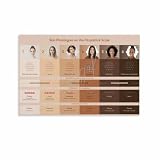
- NOTE: All poster prints may vary slightly from what you see on your screen due to the resolution and colour profile of your device. These prints look AMAZING when displayed in a frame or straight on the wall.
- HIGH QUALITY: The posters is made shortly after purchase. It is not stored in the warehouse because its color will be unsatisfactory due to the storage environment. They are always produced in our own manufacturing plants.
- DECORATION: TOP MODERN! Really eye-catching! Ideal for all modern graphic & photographic designs. Your wall / room gets very special lightness & beauty.
- FEATURES: We are good at making canvas posters, making high-quality posters is our pursuit, Different from paper posters, canvas posters have better quality and longer shelf life.
- Warranty:If you are not satisfied with our print paintings, please feel free to contact us.
MST and Fitzpatrick are not interchangeable
The Fitzpatrick Skin Type Scale is often shown online as if each of its six types were a precise color chip. That is a misuse: the scale was developed mainly to describe responses to ultraviolet exposure, including burning and tanning. It does not define six standardized hex colors. The FDA also discusses concerns about its limited categories and inconsistent classification.
| Fitzpatrick Skin Type | Monk Skin Tone Scale | |
|---|---|---|
| Original purpose | UV sensitivity and burning/tanning response | Visual skin-tone reference |
| Categories | Six types | Ten values |
| Hex palette | No inherent standardized hex palette | Published swatch values are available |
| Limitation | Often overextended as a color chart | Still simplifies continuous variation into ten references |
| Appropriate use | Relevant medical or research contexts when properly administered | Inclusive digital reference or evaluation, with caveats |
Neither scale is a precise instrument for measuring an individual’s color. A 2024 study reports that visual ratings using both Fitzpatrick and Monk can diverge from calibrated colorimeter readings and may carry bias when used to label people or images (study). Do not convert Fitzpatrick I–VI into six supposedly exact digital colors.
Choosing a realistic color for artwork
Pick a reference swatch close to the subject, then adjust it to fit the specific person, light, and style. Skin is not one flat color: the face, hands, arms, and torso can differ, and local redness, freckles, makeup, scars, or tanning can change what you see.
- Value: Adjust lightness or darkness to match the subject and lighting, rather than relying on the swatch number alone.
- Hue and temperature: Shift subtly toward yellow, red, pink, olive, or a cooler hue as the reference requires. Avoid defaulting every skin tone to orange or peach.
- Saturation: Lower it for muted or grayish light; stronger saturation can suit a particular light or stylized treatment.
- Undertone: Artists often use “warm” for yellow, golden, peach, or reddish tendencies; “cool” for pink, red, blue, or mauve tendencies; and “neutral” for a more balanced impression. These are approximate visual descriptions, not rigid categories.
For a character, build a small family of related colors instead of relying on one flat fill: a base, shadow, highlight, warmth or blush color, and possibly reflected light. Shadows may be darker, cooler, warmer, or more saturated depending on the surroundings; they are not automatically the subject’s base color. Highlights can reflect the light source strongly, so they are not reliable base-color samples either.
Sampling skin color from a photograph
If you are matching a particular photo, sample the image under its actual lighting conditions. This reproduces that image’s color, not a person’s universal or laboratory-measured skin color.
- Choose an evenly lit area without a strong shadow or bright glare. A cheek, forehead, jaw, or inner arm may be useful depending on what you are depicting.
- Avoid lips, blush, makeup, freckles, redness, tattoos, scars, and other local features if they are not part of the area you want to match.
- Sample or average a small area rather than trusting one pixel. A single pixel can capture compression artifacts, reflected light, a highlight, or camera noise.
- Compare the sample with the surrounding face and body, then adjust it for the image’s white balance and intended style.
- Keep the photo’s conditions in mind: lighting, camera processing, filters, and color profile all affect the result.
In Photoshop, use Select > Color Range. Choose Skin Tones for an approximate selection, or choose Sampled Colors and use the Eyedropper; refine using Fuzziness and, where useful, Localized Color Clusters. Adobe documents an optional Detect Faces setting. This feature selects colors resembling common skin tones; it does not identify someone’s actual skin color or ethnicity. Refine the selection before applying an adjustment.
Rank #4

- Find Your Flattering Color: Struggling with choosing makeup or clothing colors? This DIY color analysis draping kit easily identify your season—spring, summer, fall, winter—so you can confidently enhance your natural beauty with clothing, hairstyles, and makeup every time
- Complete DIY Kit: No stylist required—this color swatches color analysis includes 36 seasonal color frames, a detailed guide, and a rating sheet so you can better assess how each color will look on your skin tone at home and rate it based on your personal preference
- Simple & Fun: Hold the color cards under natural light and compare them to find which colors complement your skin tone, eyes, and hair. Perfect for family gatherings or friend get-togethers, turning color season swatch card into an interactive and fun activity
- For Women, Makeup & Fashion: Stop wasting money on clothes or makeup that don’t fit. Discover your undertone and season with this color analysis drapes, designed for women, stylists, and beauty lovers. Build a flattering wardrobe and always choose colors that make you shine
- Durable and Reusable: These color analysis draping kit all seasons are made of soft, high-quality fabric and are reusable. They fit perfectly to the contours of the face, resist fading, and provide precise color analysis every time
Entering the values in design and painting apps
Figma
Select a layer, click the swatch in the Fill or Stroke section of the right sidebar, then use the dropdown below the hue and opacity controls to select Hex, RGB, HSL, HSB, or CSS. Enter the value. Figma supports six-digit hex with separate opacity controls and eight-digit #RRGGBBAA notation (Figma color models).
Photoshop
For photo sampling or selection, use the Select > Color Range workflow above. An eyedropper sample can give you a color from the current image, but it remains affected by the image’s lighting and processing.
Procreate
Procreate’s handbook documents entering a hex value directly in its color controls (Procreate color values). Exact control names and layout can vary by app version; the important point is to enter the hex value as a digital reference and check it in the artwork rather than treating it as a universal match.
Best Value

- 6 INCLUSIVE SKIN TONE COLORS – 48 ACID-FREE SHEETS: This multicultural craft paper pack includes 48 sheets across 6 diverse skin tone shades, sized 8.5" x 11" (22 x 28 cm) — perfect for representing real-world diversity in every art project, school assignment, and creative activity
- IDEAL FOR CLASSROOM & HOME ART PROJECTS: Specially designed for "All About Me" crafts, self-portraits, paper dolls, hand tracings, puppets, and cultural diversity projects — a must-have teacher supply for inclusive elementary and preschool classrooms
- PROMOTES DIVERSITY, EQUITY & INCLUSION: These skin color papers spark meaningful conversations about identity, representation, and belonging, making them an essential tool for SEL (Social Emotional Learning) activities, multicultural lesson plans, and diversity-themed bulletin boards
- PREMIUM QUALITY, MADE IN THE USA: Smooth, durable 74 GSM acid-free construction paper holds up to cutting, coloring, painting, and gluing — independently safety tested and made in the USA for a worry-free classroom and crafting experience
- TRUSTED TEACHER & CRAFT SUPPLY BRAND: From Roylco — a leading educational craft supplier trusted by teachers, homeschool families, and art educators — this skin tone paper set is perfect for PreK, Kindergarten, and elementary school art rooms, therapy offices, and after-school programs
Lighting, color profiles, and print
Warm indoor bulbs can push skin toward yellow or orange; cool daylight can make it look bluer or grayer. Strong shadows alter apparent brightness and saturation, while colored walls, clothing, and scenery cast reflected light. Camera white balance, HDR, filters, and phone processing can shift the image further.
Color profiles also matter. Figma explains that sRGB and Display P3 can render colors differently: assigning a profile can change appearance without changing the underlying hex values, while converting profiles can change values to preserve appearance (Figma color profiles). For ordinary web and CSS work, use sRGB unless your project calls for a wider-gamut workflow. Hex codes are screen-oriented RGB values; print workflows may need conversion and proofing, and ink will not necessarily reproduce a screen swatch exactly.
Accessibility when skin-tone colors appear in an interface
A skin-tone color is not accessible or inaccessible by itself; accessibility depends on the foreground/background pairing and how the color is used. If an avatar, selector, or status uses skin tone, do not make color the sole signal for meaning, selection, success, or error. Add text, an icon, a border, a pattern, or another clear cue.
Check text and controls against their backgrounds. Figma lists WCAG contrast targets of 4.5:1 for normal text at AA, 3:1 for large text and graphics at AA, and 7:1 for normal text at AAA (contrast checker). Test the actual combination and intended use, and consider color-vision deficiencies and low vision. Adobe Color provides color-vision-deficiency simulations and palette-conflict warnings (Adobe Color accessibility tools).
Why no palette represents every person
Human skin varies continuously, and its visible color changes across people and across different areas of the same person. Undertone, blood flow, tanning, makeup, environment, shadows, and reflected light all affect appearance. A photo adds camera and processing variables; a screen adds display and profile variables. The MST palette is a useful ten-point reference, but it cannot capture every person, lighting condition, or artistic choice.
For illustration, use the swatches as starting points and paint the observed light and local variation. For matching a specific image, sample a representative area and preserve the image conditions in mind. For medical, computer-vision, or research measurement, ordinary hex swatches are not a substitute for calibrated instruments or a validated domain-specific protocol.
Quick Recap

Product prices and availability are accurate as of the date/time indicated and are subject to change. Any price and availability information displayed on Amazon at the time of purchase will apply.




