Recommended Free Tools
Outdated Drivers Are Slowing You Down
Free scan · exact hardware match
PC Slower Than It Used to Be?
Free scan · Windows 10 & 11
Crashes, No Sound, or Screen Glitches?
Free scan · under a minute
ThatPainter is reader-supported. When you buy through links on our site, we may earn an affiliate commission. Learn More
The Procolored V11 Pro is a dual-head A3 UV flatbed printer that the manufacturer presents for direct-to-object printing and printing on film. Its listed print area is 287 × 420 mm, maximum print height is 140 mm, and it uses TX800 printheads with Windows-only Pro RIP software. This review is based on manufacturer information, not hands-on testing, so print quality, reliability, maintenance burden, and business value have not been independently verified.
Procolored V11 Pro specifications
| Specification | Manufacturer listing |
|---|---|
| Printer type | Dual-head UV flatbed for direct-to-object and direct-to-film printing |
| Printheads | TX800 |
| Print area | 287 × 420 mm (11.3 × 16.5 inches) |
| Maximum print height | 0–140 mm |
| Ink configuration | CMYKWW + VVVVVV |
| Listed resolution and mode | 720 × 1440 dpi at 16 pass |
| Operating system and software | Windows; Pro RIP |
| Computer requirements | At least 8 GB RAM and 50 GB free on the C: drive |
| Letter/A4 speed listings | Product page: 8–9 minutes; support page: 18 minutes. Conditions are not reconciled. |
| Base-unit listing price | $5,999 at the time accessed; higher bundle prices are also displayed. Prices may vary. |
These are Procolored’s published figures, accessed in 2026, not measurements from an independent test. In particular, the two Letter/A4 speed claims cannot be treated as directly comparable or as a guaranteed production rate.
Crashes, No Sound, or Screen Glitches?
Random freezes, missing sound and display glitches usually trace back to one bad driver. Find and replace yours safely.Free scan · under a minutePC Slower Than It Used to Be?
A free scan shows the junk files, broken settings and background clutter dragging Windows down - then fixes them in one click.Free scan · Windows 10 & 11What can the Procolored V11 Pro print on?
Procolored lists materials including wood, acrylic, tile, crystal, aluminum sheet, PVC, ABS, stone, and foam board. This is a manufacturer compatibility list, not a guarantee of adhesion or durability on every material, coating, texture, or finish. Test the exact substrate and intended use before relying on it for production.
#1 Best Overall

- Supporting Both UV Printing Methods - direct on object & direct on film (extra laminator needed for further sticker making). Dual printheads empower unparalleled varnish print and highly improve working speed, delivering instant UV printings with a wider application.
- Adsorption Filtration System – this system absorbs ink dust and smell, thus protecting internal components of printer and creating a fresh and clean working environment.
- Printhead Auto-Cleaning - When printer is left on, it will automatically clean the printhead every 10 hours, consuming about 1ml ink per day.
- Automatic White Ink Circulation – minimizing print head clogging possibility and greatly extending print head lifetime
- Adjustable UV lamp power – UV lamp power can be adjusted to meet different printing speeds and printing materials.
The product listing describes CMYK, white, and varnish channels. White and varnish may be useful for designs on dark or transparent objects and for finishing effects, but the dossier provides no independent assessment of their appearance or performance. Procolored also says the printer ships with initial CMYKW UV ink, varnish, coatings for metal, acrylic, and glass, cleaning fluid, and nozzle-protection fluid.
Does the V11 Pro print directly on objects?
Yes. Procolored describes the V11 Pro as a flatbed for direct printing on objects as well as printing on film. It lists optional jigs for positioning certain objects. The available evidence does not establish how easily particular objects can be fixtured or what quality results to expect.
Does it need a laminator to make stickers?
Procolored says its printer can print directly on film, but that further sticker making requires an additional laminator for the film workflow. The printer alone should therefore not be treated as a complete sticker-production setup. Confirm the required laminator, film, and process with the manufacturer before budgeting.
What’s actually slowing this PC down?
Pick the symptom - the matching free tool is one click away.
How much maintenance does a UV printer need?
Procolored describes automatic white-ink circulation and automatic printhead cleaning every 10 hours while the printer is left on. It states that the automatic cleaning uses about 1 ml of ink per day. These are manufacturer claims; they do not prove maintenance-free operation, establish actual consumption in a given shop, or eliminate clogging risk.
Rank #2

- Procolored Pro RIP - The printer is compatible with Pro RIP software which integrates image resizing, RIP functions and printing operations all together. Software support for Windows XP or later.
- Printhead Auto-Cleaning - When printer is left on, it will automatically clean the printhead every 10 hours, consuming about 1ml ink per day.
- Optional Stand – Can be used with a base stand. The stand itself helps you move the machine more easily and the electric rewinder it provides helps you collect plastic film more handily.
- Equipped With A Cutter - With a cutter, you can quickly cut the printed pattern after printing.
- Compact Design, Superior Printing Experience – The machine is designed in compact size with openable left and right side doors, allowing you to check and do maintenance more conveniently.
Before buying, ask Procolored for its current operating, idle-storage, and cleaning instructions. Plan for ink and maintenance supplies, and verify the support and replacement-parts arrangements for your location.
What computer does the V11 Pro require?
Procolored lists Windows compatibility and Pro RIP software, with at least 8 GB of RAM and 50 GB free on the C: drive. A Mac-only setup would need access to a Windows computer that meets those stated requirements. Confirm current software, licensing, and any dongle requirements with the seller before purchase.
How much does the Procolored V11 Pro cost?
At the time accessed in 2026, Procolored’s product page listed a $5,999 base unit and displayed higher bundle prices. This is a time-sensitive listing, not a guaranteed checkout price. Request a written quote for the exact configuration and confirm bundle contents, shipping, taxes, and regional availability.
What to verify before buying
- Match the bed and height to your products. Compare the listed 287 × 420 mm area and 0–140 mm height with the objects you intend to print.
- Clarify the production workflow. Ask which jigs are needed for your items and whether film-based sticker production requires additional equipment beyond the printer.
- Resolve the speed discrepancy. Ask which print mode, pass count, coverage, and configuration explain the 8–9-minute and 18-minute Letter/A4 listings.
- Confirm the computer setup. Check Windows, Pro RIP, RAM, C: drive space, and any licensing or dongle dependencies.
- Test materials before committing. Validate adhesion and finish on the exact substrate and coating used in your products.
- Get the ownership terms in writing. Confirm price, included supplies, maintenance instructions, warranty, service, and replacement-part availability for your region.
Evidence limits
No hands-on test was conducted for this review, and the exact-title review surfaced in search could not be retrieved. The available research did not validate independent print-quality, reliability, business-return, or software-security conclusions. Accordingly, this article does not repeat the reported security incident as fact, rank the printer against competitors, or claim a measured production rate.
Rank #3
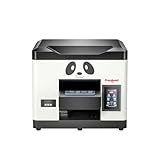
- Direct Print on Object - Delivering printings directly on object surface - easy operation, seamless workflow and durable presentation. Detailed tutorials - Tutorial videos and manuals provided, covering from machine setup to DTF printing practise.
- Steady ink supply - Configured with 6 color inks CMYK+WW; stable ink circulation system; providing outputs with steadily high quality. Compact size - Printable width 210mm, machine size 20*19*17inch; suitable for small printing studios, easy-operated to UV new beginners.
- Printhead Auto-Cleaning - When printer is left on, it will automatically clean the printhead every 10 hours, consuming about 1ml ink per day. Adjustable printing height - Infrared printing height sensor provides automatic adjustment and effectively protects the print head.
- Powerful cooling system – Advanced air-cooling design, supporting long time printing. Built-in UV light - Providing quick drying for the printed ink, achieving higher efficiency.
- Professional operation software - RIP/PRO RIP software, providing high-speed processing, standard ICC profiles and personalized workflows. (available on Windows system only).
FAQ
Is the Procolored V11 Pro a direct-to-object printer?
Yes. Procolored presents it as a UV flatbed for direct-to-object printing. Actual results depend on the item and its surface, and the available research contains no independent performance test.
Can the V11 Pro make UV-DTF stickers without extra equipment?
Procolored says further sticker making from printed film requires an additional laminator. Confirm the complete equipment and consumables list before purchase.
What materials does Procolored list?
The manufacturer lists wood, acrylic, tile, crystal, aluminum sheet, PVC, ABS, stone, and foam board, among other examples. That list does not guarantee adhesion or durability on every finish.
Quick wins for a faster PC:
Scan for outdated or missing drivers - takes under a minuteDriver Scan →Clear out junk files and repair common Windows errorsFree Scan →Fix the driver behind crashes, sound loss and screen glitchesFind Drivers →What are the V11 Pro’s listed dimensions for printing?
Procolored lists a 287 × 420 mm print area and a maximum print height of 0–140 mm.
How fast does it print Letter or A4?
The product page lists 8–9 minutes, while a support page lists 18 minutes. The sources do not reconcile the figures or provide enough conditions to compare them, so ask the manufacturer which mode and job configuration each describes.
Quick Recap

Product prices and availability are accurate as of the date/time indicated and are subject to change. Any price and availability information displayed on Amazon at the time of purchase will apply.




