Recommended Free Tools
Crashes, No Sound, or Screen Glitches?
Recommended Free Tools
Free scan · under a minute
PC Slower Than It Used to Be?
Free scan · Windows 10 & 11
Outdated Drivers Are Slowing You Down
Free scan · exact hardware match
ThatPainter is reader-supported. When you buy through links on our site, we may earn an affiliate commission. Learn More
For most first-time buyers, the Epson SureColor F170 is the best balanced starter: it is purpose-built for sublimation, has a bottle-based ink system, and had a U.S. MSRP of $399 when checked on August 16–18, 2026. Choose the Brother SP1 if you want an app-led craft workflow, the Sawgrass SG500 if guided software and support matter more than price, or the Epson F570 if you already need larger-format output. A converted EcoTank costs less to get started but asks more of the user.
As an Amazon Associate I earn from qualifying purchases.
Sublimation prints a design onto transfer paper; heat and pressure then transfer the dye into polyester or a polymer coating. You will also need a heat press and compatible blanks—the printer alone cannot make a finished shirt or mug. Standard sublimation does not print white ink, so it is generally for white or light-colored polyester and specially coated hard goods, not untreated cotton, dark fabric, or ordinary uncoated objects. Epson’s sublimation overview explains the material requirements.
Prices below are U.S. figures observed August 16–18, 2026, not guaranteed current prices. Sales, bundles, and availability change.
Popular on Amazon

- 【Sublimation Printing】Wireless Super-Tank AIl-in-One Printer with Scanner and Copier. High-capacity ink tanks mean no more ink cartridges.
- 【Sublimation Ink Contents】Black 127mL; Magenta 85mL; Cyan 85mL; Yellow 85mL. Ink may be shipped in a separate package based on logistic optimizations.
- 【Easy to Fill】the auto-fill nozzle fits the printer ink inlet perfectly and allows easily ink fill. No syringe needed, no squeezing, no ink leakage.
- 【Supported Paper Sizes】Letter A Size (8.5 in x 11 in), Legal (8.5 in x 14 in), Executive (7.25 in x 10.5 in), A4 (8.25 in x 11.7 in), A6 (4.13 in x 5.83 in), 5.5 in x 8.5 in, 4 in x 6 in, 5 in x 7 in, 8.5 in x 47.2 in, 2.2 in x 3.4 in
- 【High-resolution printing】up to 5760 x 1440 dpi. Finer ink droplet size, Worry less about clogging.
Quick comparison
| Printer | Observed U.S. price | Ink | Software and workflow | Best for | Main trade-off |
|---|---|---|---|---|---|
| Epson SureColor F170 | $399 MSRP | Bottles | Mac/Windows print software; create designs in a separate graphics app if needed | Best overall dedicated starter | Desktop format limits larger designs |
| Brother SP1 | $449.99 | Four CMYK cartridges, 47 ml each | Brother Artspira app; computer printing also supported | Mobile and app-centered crafting | Check replacement-cartridge costs |
| Sawgrass SG500 | $699.95 for one listed bundle; another bundle configuration was listed from $649.95 | SubliJet UHD cartridges | Sawgrass print-management and design tools; Mac/Windows drivers | Guided software and support ecosystem | Higher purchase and consumable costs |
| Epson SureColor F570 | Check current seller pricing | Purpose-built sublimation system | Epson workflow | Buyers who need larger-format output now | More space and investment than most casual makers need |
| Converted Epson EcoTank | Varies by model and conversion | Third-party sublimation ink, depending on setup | More user-managed settings and profiles | Experienced, budget-conscious DIY users | More troubleshooting and support uncertainty |
Prices and product details are based on the manufacturers’ U.S. pages: Epson F170, Brother SP1, and Sawgrass SG500. Bundle contents and prices can differ.
What to know before choosing a printer
Pick the product before the printer
The printer’s usable media size sets a practical limit on your designs. Desktop models suit many mugs, gifts, small apparel graphics, and flat products. Sawgrass lists the SG500 for media up to 8.5 × 14 inches in its standard configuration, with longer media possible using an optional bypass tray. If you plan large adult-shirt graphics, all-over work, or bigger panels, consider a larger-format system from the outset rather than buying a compact printer you may soon outgrow. Epson lists the F570 in its maker and small-business sublimation range, but check its current specifications, price, and included accessories before buying.
Quick wins for a faster PC:
Scan for outdated or missing drivers - takes under a minuteDriver Scan →Clear out junk files and repair common Windows errorsFree Scan →Fix the driver behind crashes, sound loss and screen glitchesFind Drivers →Budget for the whole process
A printer price is not the price of a usable setup. Allow for:
- The printer and its required sublimation ink
- Sublimation paper and compatible blanks
- A heat press: a flat press for shirts, totes, mousepads, and panels; a mug press or attachment for mugs; and a suitable tumbler press or compatible convection-oven process for tumblers
- Heat-resistant tape and protective paper or release sheets
- Design software, if you choose a paid application
- Shipping, tax, replacement ink, test blanks, and transfers lost while learning
Epson notes that blanks and accessories are sold separately. Do not treat a $399 printer as a complete craft setup, much less a complete business setup.
Understand blank and color limits
Use white or light polyester fabric for apparel, or hard goods specifically made with a suitable sublimation polymer coating. Ordinary cotton and uncoated objects will not take a standard sublimation transfer properly. Because standard CMYK sublimation printers do not print white, the blank itself supplies the background. Dark garments and untreated cotton generally call for another decoration method, such as DTF or printable heat-transfer vinyl.
Compare ink, software, and your printing habits
Bottles may offer more ink per refill and make remaining levels visible, but filling can be messier and the manufacturer’s specified ink and settings matter. Cartridges make replacement tidier and can fit a more guided color-management workflow, but the replacement cost can weigh heavily on occasional or frequent users. Do not rely on a generic cost-per-shirt claim: ink use depends on artwork, coverage, print settings, waste, and supplier pricing. Check replacement ink prices and estimate your likely monthly output.
Also consider whether the printer may sit unused for weeks. Follow its maintenance guidance; idle time, unsuitable ink, or neglected cleaning can contribute to nozzle problems. If you will make only a few items a month, compare owning and maintaining a printer with ordering transfers from a print service.
“Beginner-friendly” means more than inexpensive. Look for a dedicated sublimation ink system, a clear setup path, compatible computer or mobile devices, accessible support, workable color management, replacement supplies, a manageable maintenance routine, and a print size that fits your products. Advertised DPI alone cannot predict the finished result: ink, paper, profiles, blank coating, heat, time, and pressure all matter.
Also popular on Amazon
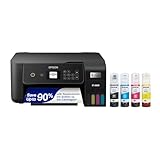
- ECOTANK TECHNOLOGY — This Epson EcoTank ET-2800 wireless all-in-one printer features cartridge-free printing with refillable ink tanks; Delivering up to 4,500 black and 7,500 color pages per ink bottle set for home use
- WIRELESS CONNECTIVITY — Connect seamlessly to your home network with Wi-Fi capability; Allowing you to print, scan and copy from multiple devices including computers, laptops and smartphones throughout your home office
- ALL-IN-ONE FUNCTIONALITY — Combines color printing, flatbed scanning and copying in one compact inkjet printer, making it the multifunction printer scanner for basic home and office needs
- PRINTING INK — Includes up to 2 years of ink in the box; Helps reduce need for replacement ink compared to traditional cartridge printers for families and home offices with regular printing demands
- SUPERTANK DESIGN — Features high-capacity ink tank system that removes the need for frequent cartridge replacements; Providing easy printing with Epson's Micro Piezo Heat-Free Technology for consistent results
The five best beginner routes
1. Epson SureColor F170 — best overall for most beginners
Best for: A first-time buyer who wants a purpose-built desktop sublimation printer without paying for a premium software ecosystem.
Why it stands out: The F170 is designed for dye sublimation, so there is no ink conversion step. Epson lists a $399 U.S. MSRP, a 150-sheet auto-feed tray, high-capacity bottles with auto-stop filling, and Mac/Windows print software. It is a compact option for home studios and projects such as shirts, mugs, mousepads, awards, and similar sublimation products. See Epson’s F170 specifications.
Do these 3 things before closing this tab:
1Scan for outdated or missing drivers - takes under a minute2Repair Windows errors before they cause bigger problems3Fix the driver behind crashes, sound loss and screen glitchesSoftware and ink: Epson’s print software handles the printer workflow, but you may want a separate design application such as Canva, Photoshop, Affinity, CorelDRAW, or Illustrator. Use the specified Epson sublimation ink and follow Epson’s setup and maintenance guidance.
Limitations: Its desktop format is not the right answer for every large apparel graphic or production plan. It is not a general-purpose office printer, and bottle-based ink does not make the machine maintenance-free. Epson sells blanks and accessories separately.
Skip it if: You know you need larger media immediately, want an especially app-led mobile workflow, or prefer a guided cartridge-and-software ecosystem even at higher cost.
Verdict: The strongest default pick for a beginner who wants a dedicated, relatively affordable machine and has modest-format projects in mind.
Free tools Windows power users keep installed
One-click scans. No signup required.
2. Brother SP1 — easiest app-centered craft workflow
Best for: Casual makers who want to design on a mobile device or already use Brother’s craft ecosystem.
Why beginners may like it: Brother listed the SP1 at $449.99 and included four 47-ml CMYK cartridges and 10 sheets of sublimation paper. It works with the Artspira app, which Brother says offers more than 100 free sublimation designs. Brother also documents printing from a computer through the ordinary print command. The product page lists a two-year limited warranty with replacement service; check the current terms and regional eligibility before purchase. Details are on the Brother SP1 page and its Windows printing support page.
Also popular on Amazon
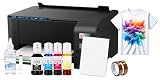
- Package includes: New Printer / 100 sublimation paper sheets / Printhead cleaning kit / Heat transfer tape (OEM inks not included)
- Comprehensive Starter Kit: Jump right into your projects with a starter kit that includes high-quality sublimation ink and a stack of sublimation paper for testing your designs.
- Versatile Applications: From custom t-shirts and mugs to mouse pads and phone cases, this bundle allows you to explore a wide range of products you can personalize and sell.
- Cost-Effective: Save on initial costs and ongoing supplies with our efficiently designed printer that minimizes ink usage without compromising on print quality.
- Printing tip: Suitable for light colored polyester fabrics and polyester coated items with ≤30% cotton content. Store sublimation paper in a cool, dry place away from direct sunlight and humidity for best results
Software and ink: Artspira can make a simple craft workflow more accessible, but it may not replace a full desktop graphics application for custom production work. The cartridge system is convenient; investigate replacement-cartridge pricing before settling on the printer.
Limitations: It is positioned for craft-scale projects, and the included starter paper is only a small initial supply. A heat press is still required and is not included.
Skip it if: You expect regular, higher-volume printing and the cartridge economics do not suit your budget, or you need larger-format output.
Verdict: The most approachable pick for a Brother- and Artspira-centered craft workflow, not automatically the least expensive to operate.
3. Sawgrass SG500 — best guided turnkey ecosystem
Best for: Beginners and small businesses willing to pay more for dedicated sublimation tools, print management, and a guided workflow.
Why beginners may like it: The SG500 is purpose-built for sublimation and supports Windows and Mac drivers, Wi-Fi, Ethernet, and USB. Its standard media size goes up to 8.5 × 14 inches; an optional bypass tray allows longer media, up to 8.5 × 51 inches according to Sawgrass. Sawgrass promotes print-management and design tools alongside the printer. Its SG500 product page has current feature and warranty information.
Price and ink: Sawgrass listed an SG500 Sublijet bundle at $699.95, while another bundle configuration was shown from $649.95. Those are distinct offers, not one permanent price. The printer uses SubliJet UHD cartridges, so check current ink pricing and bundle contents. Sawgrass says SG500/SG1000 printers purchased on or after October 1, 2025, have a three-year or 100,000-print warranty, whichever comes first; confirm that the terms apply to your purchase and location.
Limitations: Higher hardware and proprietary cartridge costs make it less compelling for very occasional printing or buyers focused on the lowest running cost. It remains a desktop printer, not a large-format production machine. Check software requirements and installation needs before purchasing.
Also popular on Amazon

- [Print Wirelessly] - Phomemo bluetooth shipping label printer supports wireless printing through bluetooth connection. For IOS and Android, need to download the "labelife " APP from Apple Store or Google Play. For PC or Mac, need to download driver and connect bluetooth , and start designing—no software installation needed. With easy and simple operations, you can easily print your major documents, photos, and more, making your life more convenient!
- [Print via USB Cable] - For PC, Windows, Mac OS, Chrome OS, and Linux systems. For Chrome OS, need to enter “Labelife” in the Chrome web store and add the extension to your Google Chrome. (PC printing needs to download the driver: labelife.net/pm241)
- [Multi-Platform Compatibility] - This shipping label printer supports label widths from 1 to 4.6 inches, making it ideal for printing labels Compatible with eBay, Shopify, Amazon, Etsy, UPS, USPS, FedEx, and more. Easily print text, barcodes, QR codes, forms, and use pre-made templates for home or business. (To ensure optimal print performance, we recommend pairing your Phomemo label printer with genuine Phomemo thermal label paper for consistently crisp, long-lasting results) Note: The printer supports black-and-white printing only. For color labels, purchase compatible thermal color label paper separately.
- [Commercial and Home Use] -Phomemo label printer utilizes advanced thermal direct technology for printing, eliminating the need for expensive toner or ink. With a printing speed of 150 mm/s, the printer can produce up to 72 sheets of 4x6 labels per minute. For long-term savings, Phomemo thermal labels that are engineered to resist fading and smudging, ensuring your labels stay readable and professional .
- [Professional Team] - Phomemo support team provides technical support, including live chat, phone calls, emails even remote desktop operation. If you have any questions or concerns about our Bluetooth shipping label printer, please don't hesitate to let me konw. Phone Call: (9:00-17:00 Mon-Fri EST) Email/ Live Chat: (20:30-5:30 Mon-Fri EST)
Skip it if: Your top priorities are minimum upfront cost or low-cost consumables, or you already know desktop-size media will not fit your work.
Verdict: The premium beginner option when software guidance and an integrated ecosystem justify the extra cost.
PC Slower Than It Used to Be?
A free scan shows the junk files, broken settings and background clutter dragging Windows down - then fixes them in one click.Free scan · Windows 10 & 11Crashes, No Sound, or Screen Glitches?
Random freezes, missing sound and display glitches usually trace back to one bad driver. Find and replace yours safely.Free scan · under a minute4. Epson SureColor F570 — best when larger output is a known need
Best for: A beginner who already plans larger apparel graphics or more frequent production and has room for a larger machine.
Why consider it: Epson includes the F570 in its sublimation range for makers and small businesses. It is better treated as a format and capacity step-up than as a direct rival to compact craft printers. Start with Epson’s maker-printer range and check the current F570 product listing for media specifications, price, included supplies, and seller terms.
Limitations: It requires a larger investment and footprint, and it is more capacity than most casual mug- or small-shirt projects need. A larger printer does not remove the need for an appropriately sized heat press, compatible blanks, and a workable production space.
Skip it if: You are experimenting with occasional small gifts and do not yet have a specific larger-format requirement.
Verdict: A sensible “buy larger now” route only when the intended products and workspace support it; not the default first printer.
5. Converted Epson EcoTank — lowest-cost DIY route, with meaningful caveats
Best for: Experienced DIY users who prioritize low initial hardware cost and are willing to manage conversion, ink, profiles, settings, and maintenance themselves.
Also popular on Amazon

- Waterproof & Washable - Our 3 pack PTFE Sheet for Heat Press Reusable is easily wipe off messy materials like wipe glue, wax or clay
- Heat Resistance & Non Stick - Heat press transfer sheet allows high temperature resistance up to 600 °degrees, protect your working surface,perfect for heat press
- Reusable & Tear Resistant - Our PTFE sheets are made from super thick paper, these high-quality PTFE Paper are tear resistant and durable use for many times.
- Wide Application - PTFE Sheets can serving as nonstick oven liners, iron clothes protector, heat press transfers and other crafting projects,for example baking,cooking,pressing,ironing.
- Can be cut to any size - These heat transfer PTFE sheet can be used for a wide variety of craft projects. Just trim PTFE sheet for heat press to size for your crafting requirements. Your creativity is unlimited!
Why it attracts buyers: An EcoTank may cost less upfront than a dedicated sublimation printer, but a converted setup is not one standardized product. Results and support depend on the exact printer model, third-party ink, paper, profile, and computer setup.
Limitations: A regular EcoTank is not automatically a manufacturer-supported sublimation system. Do not assume a conversion preserves the original printer warranty, or that you can later switch the printer back to ordinary ink without complications. Idle periods can also increase maintenance concerns. The low hardware price may be offset by wasted transfers, troubleshooting, supplies, and profile work.
The Tool Desk
Outbyte Driver Updater FREEScan for outdated or missing drivers - takes under a minuteDriver Scan →Outbyte PC Repair FREERepair Windows errors before they cause bigger problemsFix Now →Skip it if: You are buying your first printer and want predictable manufacturer support, a clear ink path, and minimal setup decisions.
Verdict: A qualified bargain route for risk-tolerant users—not the safest beginner recommendation.
Independent reader supportYour contribution helps us test, update, and keep practical guides available for everyone.Which one should you buy?
- Best overall dedicated starter: Epson F170.
- Best mobile/app workflow: Brother SP1.
- Best guided software ecosystem: Sawgrass SG500.
- Best larger-format route: Epson F570, if you have a defined need and verify current specifications.
- Lowest-cost DIY route: Converted EcoTank, only if you accept conversion and support uncertainty.
- Only making a few items a month: Compare printer ownership and maintenance with ordering transfers from a print service.
- Printing on cotton or dark garments: Sublimation is probably the wrong process; investigate DTF or another decoration method.
First-project setup checklist
- Confirm your printer is configured for sublimation and uses the correct ink.
- Choose sublimation paper compatible with your printer and follow the correct print-side and paper-setting guidance.
- Create or import the design; mirror it when the transfer workflow requires it, especially for text and logos. Mirroring controls vary by app and driver.
- Print a test transfer and check that the design is correctly sized and oriented.
- Use a compatible white/light polyester garment or a hard blank explicitly coated for sublimation.
- Secure the transfer with heat-resistant tape and use protective paper as appropriate.
- Press according to the blank supplier’s recommended temperature, time, and pressure; those settings vary by material and product.
- Open and remove the transfer carefully to avoid shifting it while hot.
Common beginner problems and what to check
Dull or washed-out color
Check that the blank is the right material and coating, the paper is the correct type and orientation, and the printer settings and color profile match the ink and paper. Also check heat, time, pressure, and whether the paper or fabric is damp. Screen color is not a guarantee of pressed color, and “print quality” depends on the whole system rather than printer resolution alone.
Blurred edges or a ghost image
The transfer may have shifted during pressing. Secure it with heat-resistant tape, avoid moving the blank or paper, and open the press carefully. Follow the blank supplier’s press guidance.
What’s actually slowing this PC down?
Pick the symptom - the matching free tool is one click away.
Missing colors or suspected clogged nozzles
Print a nozzle check and follow the manufacturer’s cleaning procedure before repeatedly running full-color transfers. Long idle periods, unsuitable or contaminated ink, and neglected maintenance can contribute to missing colors.
The image will not transfer properly
Confirm that the blank is polyester or has a compatible polymer coating. Standard sublimation will not bond as intended to untreated cotton or ordinary uncoated objects. Also check transfer orientation, paper side, and press settings.
Quick Recap


