Recommended Free Tools
PC Slower Than It Used to Be?
Free scan · Windows 10 & 11
Outdated Drivers Are Slowing You Down
Do these 3 things before closing this tab:
1Repair Windows errors before they cause bigger problems2Fix the driver behind crashes, sound loss and screen glitches3Clear out junk files and repair common Windows errorsFree scan · exact hardware match
Windows Errors? Fix Them Before They Spread
Free scan · no reinstall
ThatPainter is reader-supported. When you buy through links on our site, we may earn an affiliate commission. Learn More
Para empezar con Krita, sigue este orden: instala la aplicación, crea y guarda un documento, entiende el lienzo, las capas y los tipos de herramientas, y practica la navegación con zoom, desplazamiento y rotación. Krita es un programa gratuito, de código abierto y multiplataforma diseñado para dibujar y pintar digitalmente.
As an Amazon Associate I earn from qualifying purchases.
Quick wins for a faster PC:
Repair Windows errors before they cause bigger problemsFix Now →Fix the driver behind crashes, sound loss and screen glitchesFind Drivers →Clear out junk files and repair common Windows errorsFree Scan →Elige la ruta adecuada para aprender Krita
| Tu experiencia | Ruta recomendada | Objetivo |
|---|---|---|
| Nunca has usado software de arte digital | Instalación → primer documento → guardado → conceptos básicos → navegación | Construir una base general antes de pintar proyectos complejos. |
| Ya utilizas otro programa de pintura | Guías de transición de Krita y práctica directa con sus herramientas equivalentes | Ubicar rápidamente capas, pinceles, selecciones, transformaciones y atajos en la interfaz de Krita. |
Krita se define en su manual como una aplicación de dibujo y pintura para artistas digitales. Sus usos principales incluyen pintura digital, concept art, ilustración y texturizado. No pretende sustituir a Photoshop en todas las tareas de manipulación fotográfica.
Instala Krita y comprueba los requisitos
Descarga la versión correspondiente a tu sistema operativo desde la página oficial de Krita. La página consultada indica Krita 5.3.3, publicada el 29 de julio de 2026; la versión y los requisitos pueden cambiar, así que conviene verificarlos antes de instalar.
Popular on Amazon

- Wacom Intuos Small Graphics Drawing Tablet: Enjoy industry leading tablet performance in superior control and precision with Wacom's EMR, battery free technology that feels like pen on paper
- Works With All Software: Wacom Intuos tablet can be used in any software program to explore new facets of digital creativity; draw, paint, edit photos/videos, create designs, and mark up documents
- What the Professionals Use: Wacom's industry leading pen technology and pen to paper feeling makes it the preferred drawing tablet of professional graphic designers
- Software and Training Included: Only Wacom gives you software with every purchase. Register your Intuos tablet and gain access to some of the best creative software and Wacom's online training
- Wacom is the Global Leader in Drawing Tablet and Displays: For over 40 years in pen display and tablet market, you can trust that Wacom to help you bring your vision, ideas and creativity to life
| Elemento | Requisito indicado |
|---|---|
| Sistemas operativos | Windows 8.1 o posterior, macOS 10.15 o Linux. |
| Memoria | 4 GB de RAM como mínimo; 16 GB recomendados. |
| Gráficos | OpenGL 3.0 o Direct3D 11. |
| Tableta | Se admite cualquier tableta gráfica compatible con el sistema operativo. |
Una tableta no es necesaria para aprender: puedes comenzar con el ratón o el panel táctil. Si usas una, instala primero su controlador y comprueba que la presión funcione en el sistema y en Krita.
Crea y guarda tu primer documento
- Abre Krita y elige Archivo > Nuevo.
- En el cuadro de creación, define el ancho, el alto y la resolución que necesites. Para una práctica sencilla, usa un lienzo pequeño que responda con fluidez.
- Confirma con Crear. Aparecerá un lienzo y, normalmente, una capa de pintura inicial.
- Guarda el archivo de trabajo mediante Archivo > Guardar como. El formato de documento de Krita conserva las capas y el estado editable del proyecto.
- Guarda con frecuencia mientras trabajas. Para una copia destinada a compartir, utiliza Archivo > Exportar y elige un formato adecuado al destino.
Conserva el archivo de trabajo con sus capas y exporta una copia aparte para la web u otros usos. Así podrás seguir editando sin degradar el original.
Conceptos básicos que debes dominar
Lienzo e imagen rasterizada
El lienzo es el área donde dibujas. Krita trabaja principalmente con imágenes rasterizadas: cada pincelada modifica píxeles. El tamaño del documento determina cuántos píxeles tienes disponibles y cuánto detalle puedes conservar.
Also popular on Amazon

- Ultra-Portable with Revolutionary X-Dial Wheels: Weighing only 1.58 lb with an 11.9" portable screen, XP Pen drawing tablet features dual X-Dial wheels that instantly adjust brush size and canvas zoom, saving 40% operation time. The 33% narrower bezels provide more drawing area, while 8 customizable keys prevent misoperations. Perfect for digital artists sketching in cafes or students carrying this tablet with pen between classes
- Eye-Care Paper-Feel Display: AG etched glass provides paper-like texture, reducing 85% glare and resisting fingerprints. Full lamination technology ensures the pen tip closely follows the cursor with nearly zero parallax. Ideal for architects detailing blueprints or illustrators working long hours - your eyes stay comfortable even after 8-hour sessions with this professional graphic tablet
- Magnetic X4 Pen with 16K Precision: The X4 chip drawing pen features 16,384 pressure levels and 60-degree tilt support, with 2g initial pressure perfect for feather-detail illustrations on your drawing tablet. 50% faster response speed and 200% steadier nibs prevent wobble during precise inking. Includes 10 replacement nibs and magnetic attachment to prevent loss. Enjoy professional drawing experience with smooth, natural strokes that respond to your every movement
- Pro Color Accuracy with Factory Calibration: This drawing tablet with screen delivers 1920x1080 Full HD resolution with 99% sRGB and ΔE<1.5 color accuracy displaying 16.7 million colors. Factory pre-calibrated with OSD menu adjustment ensures perfect color matching for professional photography retouching or brand design projects where color precision is critical
- Certified Universal Compatibility: This art tablet guarantees flawless performance across all major platforms: Windows 7 or later, macOS 10.13 or later, Android 10.0 or later, ChromeOS 88 or later, Linux, and Windows ARM. It is rigorously tested with top software including Photoshop, Clip Studio Paint, and Krita, ensuring a stable and hassle-free experience for freelancers and students collaborating across different ecosystems
Capas
Las capas separan elementos y controlan su orden de apilamiento. Puedes dibujar el fondo en una capa, el boceto en otra y la tinta o el color en capas independientes. Esta separación permite ocultar, bloquear, ajustar la opacidad o transformar un elemento sin alterar los demás.
Vector frente a raster
Las formas vectoriales se definen mediante trazados y nodos, por lo que pueden escalarse sin convertir cada borde en píxeles. Krita ofrece capas vectoriales para esas formas, pero su flujo principal está orientado a la pintura rasterizada.
Familias de herramientas
- Pintura: pinceles y herramientas para aplicar color; el pincel de mano alzada es el punto de partida habitual.
- Vector: creación y edición de formas basadas en trazados.
- Selección: limita una operación a una zona concreta.
- Guías: ayuda para alinear y construir composiciones.
- Transformación: mueve, escala, gira o modifica elementos seleccionados.
Ejercicio inicial de 10 minutos
- Crea un documento nuevo y renombra la capa inicial como Boceto.
- Con el pincel de mano alzada, dibuja tres líneas: una lenta, una rápida y una curva.
- Añade una capa llamada Color y pinta encima sin modificar el boceto.
- Reduce la opacidad de Boceto para observar cómo las capas trabajan juntas.
- Selecciona una zona, aplica una transformación y deshazla para comprobar la diferencia entre editar una selección y pintar libremente.
- Guarda el documento y exporta una imagen de prueba para comprobar el resultado final.
Aprende a navegar por el lienzo
Desplazamiento
Cuando el dibujo supera el área visible, desplaza el lienzo para trabajar en otra zona. Practica hacerlo sin cambiar accidentalmente la posición de los trazos.
Also popular on Amazon

- Please note: Kamvas 13 (Gen 3) Pen Display is not a standalone product, this device must be connected to a computer/laptop to work.
- All-new Canvas Glass 2.0: HUION Kamvas 13 (Gen 3) drawing tablet for pc features a fully laminated 13.3-inch screen and brand new anti-sparkle canvas glass 2.0 for reduced glare and improved accuracy. It is perfect for designers, artists, and illustrators to unleash their creativity.
- Advanced PenTech 4.0 Technology: The 16384 levels of pressure sensitivity and 2g IAF ensure a fluid and natural drawing experience, while the 3 customized pen side buttons improve your workflow.
- Improved Color Accuracy: With enhanced color accuracy to Avg. ΔE<1.5, 16.7 million display colors, 99% sRGB coverage, and Rec.709 standard color gamuts, HUION Kamvas 13 (Gen 3) digital art tablet delivers stunning visuals.
- Rigorous Color Calibration: HUION Kamvas 13 (Gen 3) drawing monitor includes a factory calibration report for added assurance of color consistency.
Zoom
Acerca la vista para corregir detalles y aléjala para evaluar proporciones y composición. El zoom cambia la visualización, no el número real de píxeles del documento.
Rotación
Girar temporalmente el lienzo puede facilitar ciertos trazos, igual que girarías una hoja de papel. La rotación de la vista no gira permanentemente la imagen guardada.
Los atajos exactos pueden variar según la configuración y el sistema operativo. Consulta el manual de Krita para localizar los controles de navegación y personalizarlos si tu tableta o teclado usa una disposición distinta.
Also popular on Amazon
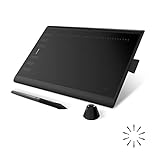
- Working Area Configuration - HUION art tablet equips with a 10 x 6.25 inches working area, providing the user with the most comfortable size to work; the 10mm slim structure and minimalist design of appearance make the drawing tablet more attractive.
- Tilt Function Battery-free Stylus: This computer graphics tablet come with a battery-free stylus PW100, no need to charge, allowing for constant uninterrupted drawing. ±60° tilt support enables imitation of lines input with diverse drawing gestures, with accuracy ensured.
- Press Keys:12 programmable press keys plus 16 programmable soft keys, you can set shortcut keys on drawing tablet's driver based on your preferences, such as erase, zoom in/out, scroll up and down, and so on.
- Compatibility: HUION graphics tablet supports Windows 7 or later/ macOS 10.12 or later/ Android 6.0 or later/ Linux (Ubuntu). A USB adapter is required to connect to a Mac computer. H1060P supports various mainstream design and drawing software, including PS, SAI, AI, CDR, etc. (Please note: The H1060P is compatible with Ubuntu, but it requires the use of the Xorg display server. Wayland is not supported.)
- NOTE: You can easily connect your phone to the art tablet via the OTG connector; while iPhone and iPad are NOT at the moment. The cursor will not show up in the SAMSUNG Galaxy S series at present. If you are not sure whether the product is compatible with your Phone or any help, please contact us.
Qué tutorial seguir después
Quieres entintar
Practica estabilización de pincel, control del grosor y líneas limpias en una capa separada del boceto.
Quieres colorear un dibujo lineal
Aprende a preparar la línea y a colocar el color en capas que no destruyan el dibujo original.
Quieres aplicar color plano
Trabaja con selecciones y rellenos para separar áreas de color antes de añadir sombras y luces.
Also popular on Amazon

- Word-first 16K Pressure Levels: The upgraded stylus features 16,384 levels of pressure sensitivity and supports up to 60 degrees of tilt, delivering smoother lines and shading for a natural drawing experience. With no battery or charging needed, it operates like a real pen, making it easy for beginners to create effortlessly. This functionality helps novice artists develop their skills and explore their creativity without the intimidation of complex tools
- Designed for Beginners: This drawing pad desinged with 8 customizable shortcuts for both right and left-hand users, express keys create a highly ergonomic and convenient work platform
- Perfectly Adapted for Android: The XPPen Deco 01 V3 art tablet supports connections with Android devices running version 10.0 and above. It is recommended to download the XPPen Tools Android application, which adapts to your smartphone's screen aspect ratio, ensuring accurate mapping. It also supports mapping on Android screens with different aspect ratios in portrait mode
- Large Drawing Space, Bigger Bold Inspiration: This expansive drawing pad has10 x 6.25-inch helps you break through the limit between shortcut keys and drawing area
- Easy Connectivity for Beginners: The Deco 01 V3 offers USB-C to USB-C connectivity, plus adapters for USB C. This ensures easy connection to various devices, allowing beginner artists to set up quickly and focus on their creativity without compatibility concerns. Whether using a laptop, tablet, or desktop, the Deco 01 V3 provides a seamless experience, making it an ideal choice for those just starting their digital art journey
Quieres hacer pixel art
Usa un lienzo y herramientas configurados para bordes duros, píxeles definidos y ampliación sin suavizado.
Quieres publicar en la web
Estudia la exportación: elige el formato, revisa el tamaño de la imagen y abre el archivo exportado para confirmar que conserva el aspecto esperado.
Free tools Windows power users keep installed
One-click scans. No signup required.
Ayuda y siguientes pasos
El manual oficial incluye una ruta de inicio, conceptos básicos, navegación y tutoriales específicos de pintura. Si vienes de otra aplicación, sus guías de transición pueden resultarte más rápidas que repetir toda la introducción. Empieza con un dibujo pequeño, guarda el archivo editable y añade una sola técnica nueva en cada práctica.
Quick Recap


